MMWBO1 WRLS BTOOTH W - Souris informatique IT WORKS - Notice d'utilisation et mode d'emploi gratuit
Retrouvez gratuitement la notice de l'appareil MMWBO1 WRLS BTOOTH W IT WORKS au format PDF.


| Type de connexion | Bluetooth |
| Compatibilité système | Windows XP/Vista/7 et versions ultérieures |
| Alimentation | Pile AA (non précisé) |
| Nombre de boutons | 3 boutons (gauche, droite, molette) |
| Molette de défilement | Oui |
| Installation | Appairage Bluetooth via assistant Windows |
| Indicateur lumineux | Oui, pour signaler l'appairage |
| Dimensions | Non précisé |
| Poids | Non précisé |
| Portée Bluetooth | Standard Bluetooth (environ 10 mètres) |
| Compatibilité OS | Windows uniquement |
| Type de capteur | Optique (supposé) |
| Couleur | Noir |
| Mode veille automatique | Non précisé |
| Garantie | Non précisé |
FOIRE AUX QUESTIONS - MMWBO1 WRLS BTOOTH W IT WORKS
Questions des utilisateurs sur MMWBO1 WRLS BTOOTH W IT WORKS
0 question sur cet appareil. Repondez a celles que vous connaissez ou posez la votre.
Poser une nouvelle question sur cet appareil
Téléchargez la notice de votre Souris informatique au format PDF gratuitement ! Retrouvez votre notice MMWBO1 WRLS BTOOTH W - IT WORKS et reprennez votre appareil électronique en main. Sur cette page sont publiés tous les documents nécessaires à l'utilisation de votre appareil MMWBO1 WRLS BTOOTH W de la marque IT WORKS.
MODE D'EMPLOI MMWBO1 WRLS BTOOTH W IT WORKS
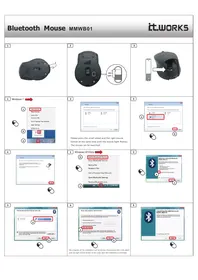
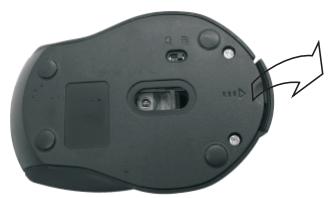
Bluetooth Mouse MMWB01
it.works
1
2
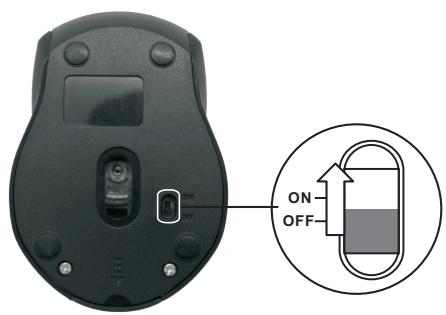
3
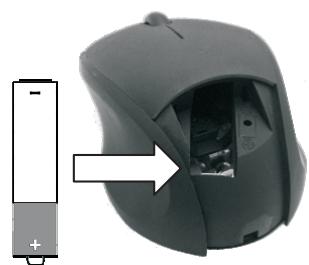
1
Windows 7


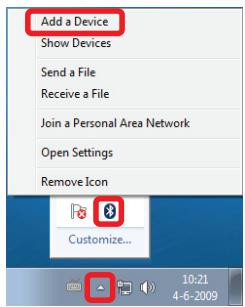
2
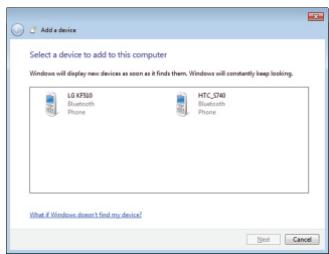
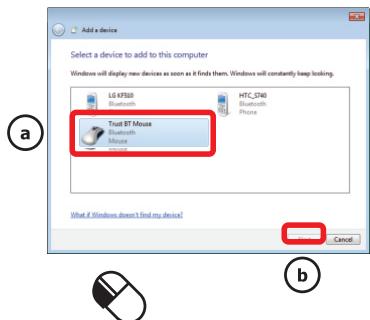
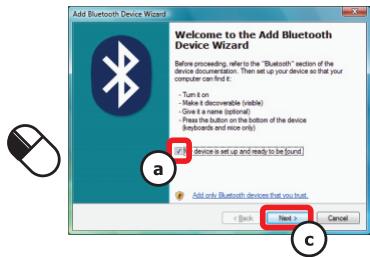
Please press the scroll wheel and the right mouse button at the same time until the mouse light flashes. The mouse can be searched.
3
4
1
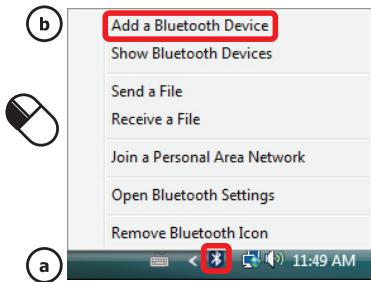
Windows XP/Vista

2
3
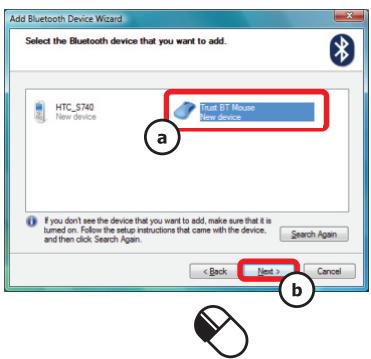
4
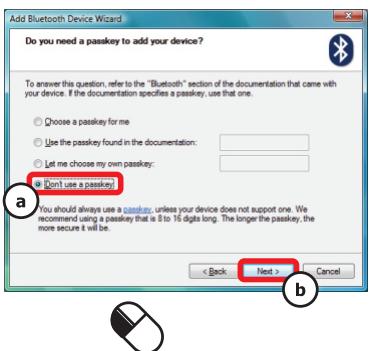
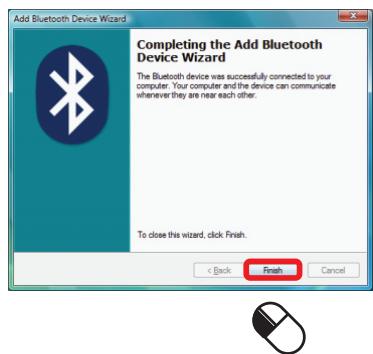
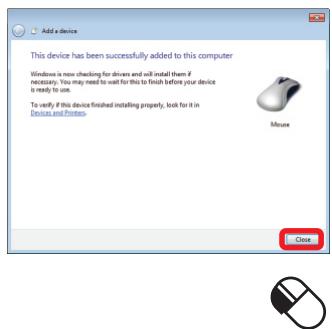
The progress of the installation will be shown. Please press the scroll wheel and the right mouse button at the same until the installation is finished.
5