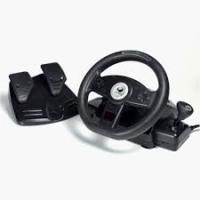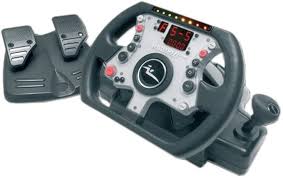
WILLIAMSF1 TEAM FORCE FEEDBACK RACING WHEEL - Volant de course JOYTECH - Notice d'utilisation et mode d'emploi gratuit
Retrouvez gratuitement la notice de l'appareil WILLIAMSF1 TEAM FORCE FEEDBACK RACING WHEEL JOYTECH au format PDF.


| Intitulé | Détails |
|---|---|
| Type de produit | Volant de course avec retour de force |
| Compatibilité | PC, PlayStation, Xbox |
| Dimensions approximatives | 35 x 30 x 25 cm |
| Poids | 2,5 kg |
| Alimentation électrique | Alimentation par USB |
| Fonctions principales | Retour de force, pédales ajustables, boutons programmables |
| Matériaux | Plastique, métal pour la structure |
| Entretien et nettoyage | Essuyer avec un chiffon doux, éviter les produits abrasifs |
| Pièces détachées et réparabilité | Disponibilité limitée, vérifier auprès du fabricant |
| Sécurité | Ne pas utiliser dans des environnements humides, débrancher après utilisation |
| Informations générales | Idéal pour les simulateurs de course, ergonomie conçue pour un confort prolongé |
FOIRE AUX QUESTIONS - WILLIAMSF1 TEAM FORCE FEEDBACK RACING WHEEL JOYTECH
Questions des utilisateurs sur WILLIAMSF1 TEAM FORCE FEEDBACK RACING WHEEL JOYTECH
0 question sur cet appareil. Repondez a celles que vous connaissez ou posez la votre.
Poser une nouvelle question sur cet appareil
Téléchargez la notice de votre Volant de course au format PDF gratuitement ! Retrouvez votre notice WILLIAMSF1 TEAM FORCE FEEDBACK RACING WHEEL - JOYTECH et reprennez votre appareil électronique en main. Sur cette page sont publiés tous les documents nécessaires à l'utilisation de votre appareil WILLIAMSF1 TEAM FORCE FEEDBACK RACING WHEEL de la marque JOYTECH.
MODE D'EMPLOI WILLIAMSF1 TEAM FORCE FEEDBACK RACING WHEEL JOYTECH
user guide
The williamsf1 story 01 - 05
english 06-14
DEUTSCH 15-23
FRANÇAIS 24-32
SVENSKA 33 - 41
HOLLANDS 42-50
ITALIANO 51-59
ESPANOL 60-68
PORTUGUES 69-77
The WilliamsF1 Story
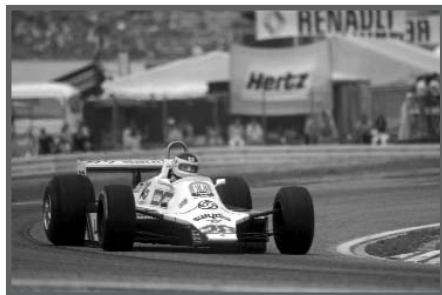
WilliamsF1 (formerly Williams Grands Prix Engineering) was founded in 1977 by Frank Williams and Patrick Head. With a staff of only 17, they set about the business of designing race cars to contest the FIA Formula One Championship.
By the start of the 1978 season, the first Patrick Head-designed Formula One car, the FW06, broke cover, and Frank Williams had secured sufficient sponsorship to tempt the Australian driver, Alan Jones, to join the team. The essential combination of a rigorous car design, a talented driver and sufficient finance was the starting point for the development of a reputation that has spanned 25 years.
In 1979, Jones continued as team leader with Swiss driver and Ferrari and Ensign exile Clay Regazzoni joining Williams in a second car. The team came of age at the British Grand Prix in 1979 when, Regazzoni drove to victory after Jones disappointingly retired from the lead thus claiming the team's debut win at its home Grand Prix. The win opened the floodgates and Jones claimed four of the six remaining race wins that season.
In 1980, Jones, now partnered by Argentine Carlos Reutermann, led the team beyond the achievements of winning races to claiming their first Constructor's Championship, and in the process earned himself a world driver's crown. Williams garnered an unchallenged three further Constructor's titles in the 1980s, making it the most successful team of the decade.
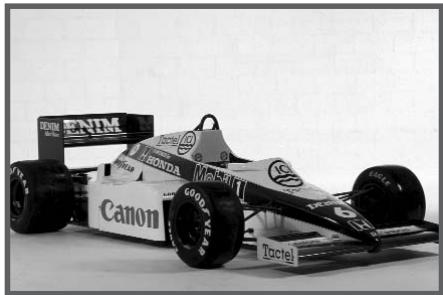
In 1983, Grand Prix racing's normally aspirated era was coming to an end, and Williams Grand Prix Engineering subsequently announced a new association with Honda, with the Anglo-Japanese turbo-powered race car taking to the grid for the final race of the season.
In 1984 the team climbed a steep learning curve with the new turbo technology, but the season was highlighted by Rosberg's Dallas win, which was indicative of the form to follow. The team also moved into a superb new custom-built factory facility just a mile from their original home at Didcot.
In 1985, the redoubtable personality of Keke Rosberg was augmented by a new signing in the guise of Nigel Mansell. Together with the new all-composite chassis car, the FW10, the season started slowly, but reached new heights, as both drivers climbed to the top of the victory podium no less than four times.
The WilliamsF1 Story
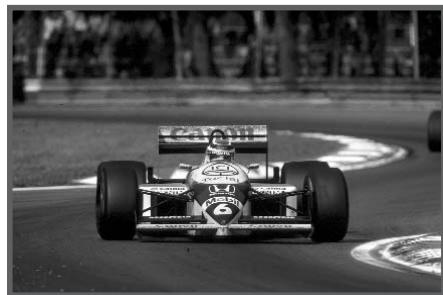
Just prior to the start of the 1986 season, the team was dealt a severe blow. While leaving a pre-season test at the Paul Ricard circuit in France, Team Principal Frank Williams' car left the road and overturned. It was an accident that left him confined to a wheelchair and very nearly claimed his life but, instead of bemoaning his fate, he fought his way back to lead the company. The year also saw the appointment of the former World Champion, Brazilian Nelson Piquet, a worthy replacement for Keke Rosberg. He quickly adapted to the FW11 and took the new car to victory in the debut race in Brazil. The team went on to win nine Grand Prix in 1986 and secured the prestigious Constructors' World Championship for the third time.
Success continued in 1987 with the team winning nine races again with the modified FW11. This time they made sure of not only the Constructors' but also the Drivers' Championship, with Piquet taking his third title and Mansell runner-up for the second consecutive year.
After the experience of the Honda years, and the increasing competitiveness and cost of F1, it became apparent that the only route to success relied on securing the backing from a major motor manufacturer. This ambition was realised in July 1988 when the team signed a three-year deal with Renault for the supply of their new V10 engines.
Technical Director, Patrick Head designed the FW13 chassis to house the new Renault engine and Belgian driver, Thierry Boutsen, joined the team in 1989, replacing Nigel Mansell and partnering Riccardo Patrese.
This proved a popular and successful choice, and at Canada in very wet conditions Boutsen scored his maiden Grand Prix win and also the first for the new partnership. Boutsen also went on to notch up his second victory at the final race of the year in Adelaide, again in atrocious weather conditions. It was also a great year for Patrese. He appeared on the podium six times, led several races, finished third in the Drivers' World Championship and helped the team to runner-up place in the Constructors' World Championship.
1990 got off to a good start with Boutsen taking his FW13B to third in Phoenix. At the third race of the year, the San Marino Grand Prix, there was a fairy tale end to the weekend when Patrese won his third race; having been starved of GP success for over seven years. Boutsen's turn came in Hungary where he claimed his first ever pole position and went on to win an impressive flag to flag victory. These two wins and several other podiums meant the team concluded the season in fourth place in the Constructors' World Championship.
The WilliamsF1 Story
Halfway through the 1990 season Nigel Mansell, announced his retirement after a disappointing British Grand Prix while driving for Ferrari. Frank Williams persuaded him to change his mind and he re-signed for the team for whom he would win more Grand Prix than any other driver.
The 1991 Canon backed team proved a winning combination and came close to winning in half of the season's races, with Mansell scoring five wins and Patrese two.
In 1992 at the first race in South Africa, Mansell and Patrese finished first and second with the FW14B specified with active suspension. This chassis remains probably the most sophisticated racing car ever built.
And so began a winning streak for Mansell, who became the first driver to win the opening five races of a season. His record breaking did not stop and he became the first driver to win nine races in one season and to be on pole 14 times.
When Mansell came second in Hungary he clinched the Drivers' World Championship, the first British driver to do so since James Hunt in 1976. In Belgium, WilliamsF1 and Renault took the Constructors' title, the first ever for Renault, and to end the winning year Patrese finished runner-up to Mansell in the drivers' championship.
For 1993, it was all change in the driver line-up, with three-time World Champion, Alain Prost, and official test driver, Damon Hill, taking over from Mansell and Patrese. They took up where Mansell and Patrese left off, retaining the Constructors' title, while Prost clinched his fourth drivers' title and Hill won his debut GP in Hungary. Soon after clinching the title, Prost decided to make the '93 season his last in competitive racing, leaving the door open for three-times World Champion, Ayrton Senna, to join the team.
So the 1994 championship started with the new look Rothmans Williams Renault team and drivers, Ayrton Senna and Damon Hill, ably supported by new official test driver, David Coulthard.
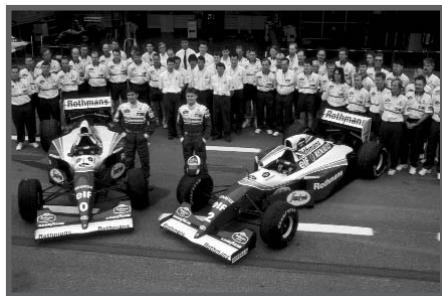
During the third Grand Prix of the year at Imola in Italy, Ayrton Senna was killed while leading the race when his car left the circuit at the notorious Tamburello corner and crashed into a concrete wall. The world of motor racing was stunned and the close-knit team was shattered by the tragic death of the driver who many people regarded as simply the best.
The WilliamsF1 Story

The fight back typified the character of the team. As a mark of respect only one car was entered for the next race in Monaco and then four weeks after that tragic day in Imola, Hill won the Spanish Grand Prix in Barcelona and dedicated his victory to both Ayrton and the team.
For this race, Hill was partnered by David Coulthard, who drove the second car for eight of the remaining races. For the other four races, Nigel Mansell came back from the USA, where he was racing in the Indy Car series. After the win in Barcelona, Hill went on to score another five victories. In such a tragic year it
was testimony to the strength of the team that they retained the Constructors' World Championship, to close a season that will never be forgotten.
For 1995 it was Hill and Coulthard who drove for the team and the pair notched up five victories in the FW17.
Jacques Villeneuve, the 1995 Indy Car Champion and son of the late Gilles Villeneuve, joined the team for the 1996. The team had achieved good results during pre-season testing but it was not until the first race in Melbourne that the FW18's true potential was shown. New boy Jacques was the star of the show, claiming pole. With Damon second on the grid, the pair were over half a second quicker than the nearest opposition. They continued their domination in the race and eventually Damon won, with Jacques second.
The team went on to win 12 of the 16 races that season, with eight races being credited to Damon and four to Jacques. The Constructors' Championship was sewn up by the Hungarian Grand Prix. The Drivers' Championship was led from start to finish by Damon, with Jacques second, but was taken down to the wire with the final race in Suzuka seeing the title settled. Damon needed just one point to win and for Jacques it was a win or nothing. In the end Damon led the race from the lights to the chequered flag while Jacques was forced to retire. This was Damon's first and the team's sixth Drivers' World Championship.
German driver Heinz-Harald Frentzen joined up the team in 1997 to partner Jacques. There were celebrations at Silverstone with the 100th Grand Prix win at the scene of the very first victory 18 years previously. The famous WilliamsF1 determination had kicked in and by round 14, the Austrian Grand Prix, the team was back at the top of the championship table where it would stay. A record-breaking ninth Constructors' World Championship was sealed at the Japanese Grand Prix. An emotional World Championship victory for Jacques in the last race at Jerez sealed the delight of the entire team.
The WilliamsF1 Story
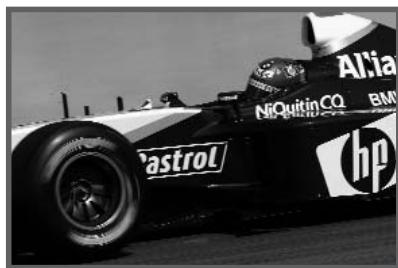
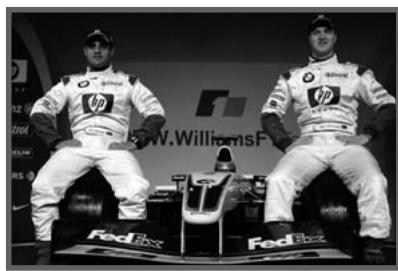
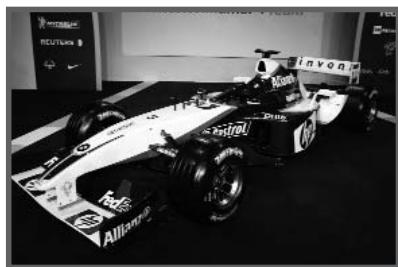
The team continued to race with Mecachrome/Supertec engines before new technical partner, BMW, made its return to compete in Formula One racing in 2000. Continual developments to the FW20 gave the team the push it needed and third place in the Constructors' Championship was duly secured.
A completely new driver line-up brought reigning CART Champion Alex Zanardi and Ralf Schumacher to the team in 1999.
Schumacher however, was to become the star of the year, putting in stunning performances, and regularly scoring points. His strong racing skills earned him sixth position in the Drivers' World Championship and fifth place in the Constructors' Championship for the team.
With the start of the new millennium, a new era began for WilliamsF1. After almost two years of backstage work, BMW returned to the Formula One arena with the WilliamsF1 team. The partnership, planned for five years, got off to a very promising start in 2000 with the BMW WilliamsF1 Team taking third place in the Formula One Constructors' World Championship.
With Jenson Button replaced by Juan Pablo Montoya, in 2001 partnered by the consistent presence of Ralf Schumacher, the team claimed four race wins, including maiden victories for both drivers. This was followed by success in 2002, with Montoya securing seven pole positions and recording the fastest ever lap in a Formula One car at Monza. Second positon in the Constructors Championship has ensured that they would be the team to watch in 2003.
2003 heralded yet another successful season for WilliamsF1, finishing second in the FIA World Constructors' Championship for the second year running. The team won four races in 2003 with Juan Pablo Montoya's win in Monaco being the first win around the Principality since Keke Rosberg's victory in 1983. Achieving no less than four pole positions in the 2003 season, WilliamsF1 broke three lap records in this season continuing the tradition of racing excellence so famously associated with the WilliamsF1 name.
USERGUIDE
ENGLISH
Before operating the Racing Wheel, please read this User Guide thoroughly, and retain it for future reference.
welcome!
Congratulations on purchasing the JOYTECH Official WilliamsF1 Team™ Force Feedback Racing Wheel for use with PlayStation® PSone™ and PlayStation®2 consoles.
Experience authentic racing action with the F1™ Wheel that delivers Pole Position each and every time! Compatible with PlayStation®, PSone™ and PlayStation®2 driving games and all current PlayStation®2 Force Feedback compatible software, the WilliamsF1 Team™ Force Feedback Racing Wheel immerses you in the real life rush of driving for the ultimate gaming experience! JOYTECH's State-of-the-Art 'Air Cooled Motors' simulate every bump, jolt, and crash with shocking realism when used with Force Feedback compatible software, even allowing you to adjust the force to play it your way. Customise your control with 'Steering Sensitivity' Modes, monitor the control of your car with inbuilt Digital Displays and play like the pro's with the Shift-Tronic™ Stick and Wheel-Mounted Paddles for the last word in F1™ realism!
FEATURES
Authentic visual replica of the Official WilliamsF1 Team™ FW23 Racing Wheel
Force Feedback Technology
- Experience every bump, jolt and crash with astonishing realism
- Control the force and adjust the Resistance Level to suit your style
- Three Air-Cooled Motors deliver realistic feedback
Four Wheel-Mounted Paddles and Shift-Tronic™ Stick
- Shift gears up or down conveniently with 'Easy-to-Access' controls
Dual Clamping System
- Attach Wheel securely to tabletop or lap
Four Preset Steering Sensitivity Modes
Non-Slip Accelerator and Brake Pedal Set
USERGUIDE
ENGLISH
Box contents
Check that you have the following items:
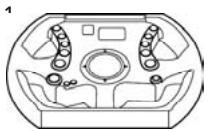
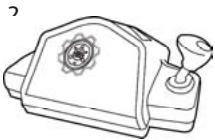
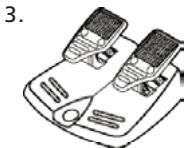
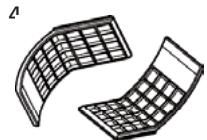
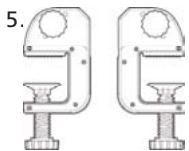
- Racing Wheel Head
- Racing Wheel Base Unit
- Racing Pedal Set
4.2 Adjustable Leg Supports
5.2 Adjustable Tabletop Clamps
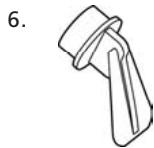
6. Desktop Wheel Stand
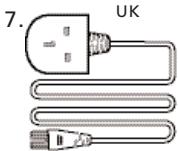
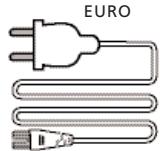
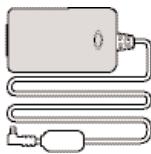
7. Power Supply Unit and UK/EURO connecting cable
Installation
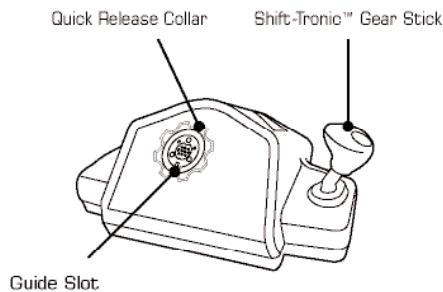
- Connect the Racing Wheel Head (Fig.1) to the Racing Wheel Base Unit by lining up the guide slots on the Racing Wheel Head and the Steering Column. Screw the collar onto the Racing Wheel Head.
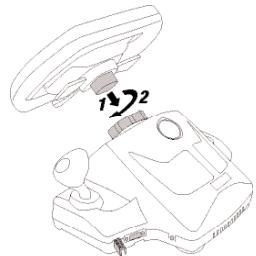
Fig. 1
ENSURE THE COLLAR IS TIGHTENED THOROUGHLY
- Connect the Tabletop Clamps (Fig.2) to the Racing Wheel Base by aligning the guides in each Clamp with those in the Base. Slide the Release Button (1) to remove each Clamp (2).
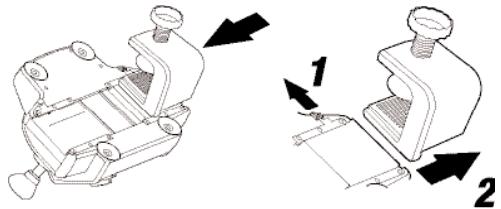
Fig. 2
USERGUIDE
ENGLISH
Installation (Fig.3)
1) Turn off PlayStation®2.
2) - 5) Connect Power Supply and Pedals, and then insert the USB and Controller Connectors.
6) Turn on PlayStation®2 and load game.
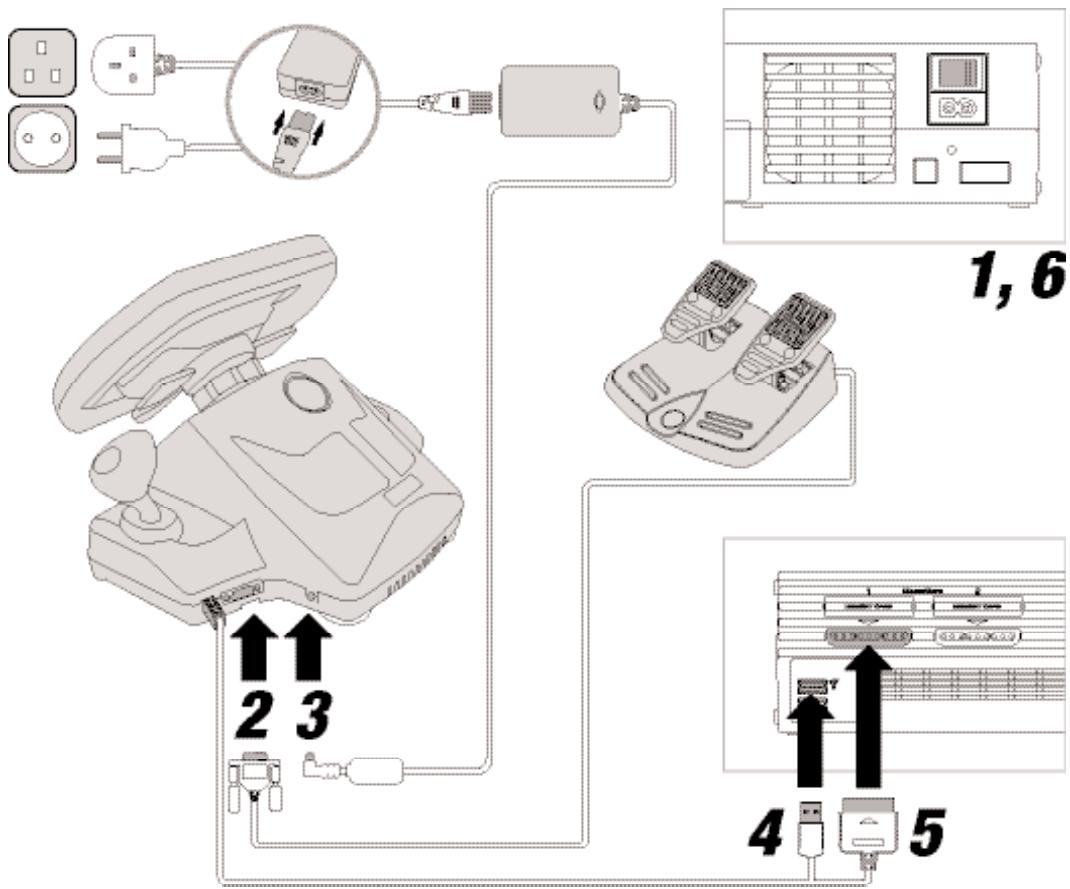
Fig. 3
USERGUIDE
ENGLISH
USERGUIDE
ENGLISH
CAUTION: The Racing Wheel will calibrate itself whilst the game software loads.
DO NOT turn the Racing Wheel Head during this loading period.
Switching the console ON when the Racing Wheel Head is not centred (Fig 4) may cause the Racing Wheel to operate incorrectly. To reset the Racing Wheel, switch the console OFF, rotate the Racing Wheel Head to the centre position (Fig 5), and then turn the console ON.
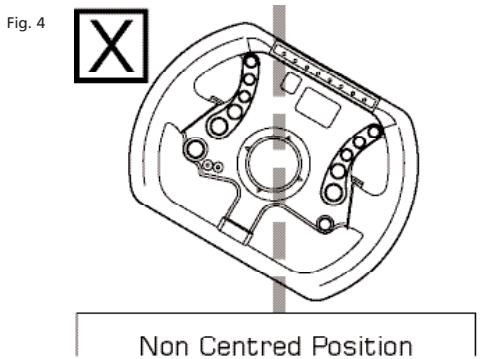
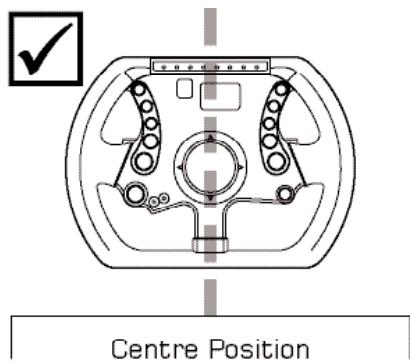
Fig. 5
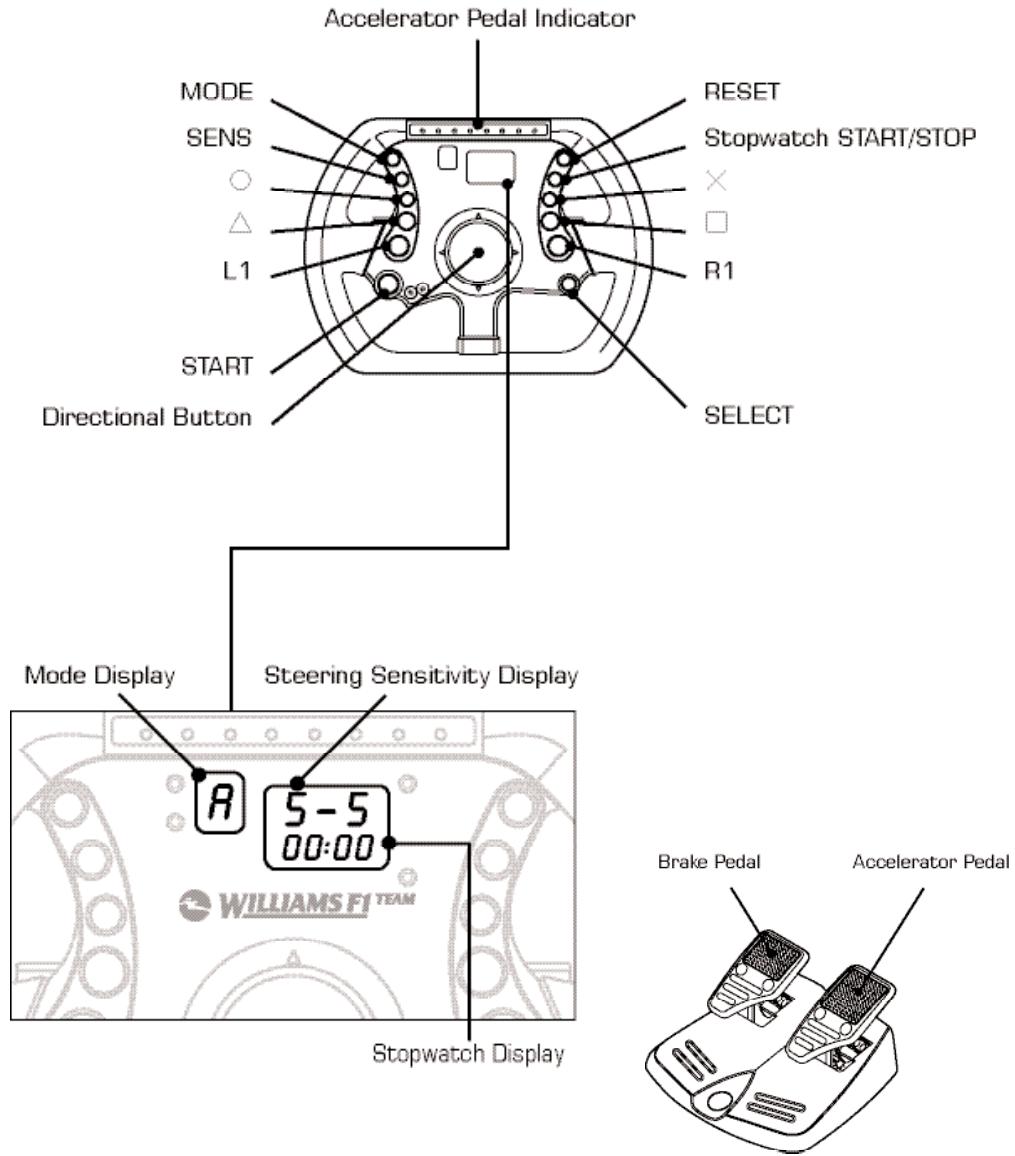
RACING WHEEL LAYOUT

USERGUIDE
ENGLISH
USERGUIDE
ENGLISH
mode display
The Mode Display shows the Racing Wheel mode and is controlled by the game software.
F - Force Feedback Mode
The game supports Force Feedback.
A - Analog Mode
The game is Dual Shock®2 compatible but does not support Force Feedback.
D-Digital Mode
Some PlayStation®, PSone™ and PlayStation®2 games do not support Analog control so the Racing Wheel will automatically be set to Digital Mode.
steering sensitivity modes
The steering performance of the Racing Wheel can be adjusted to suit personal preference. There are four Steering Sensitivity Modes, making the wheel suitable for a variety of driving games.
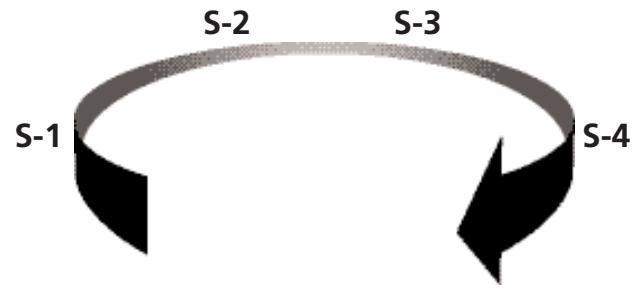
Pressing the 'SENS' button cycles through the different Steering Sensitivity Modes. Each press of the 'SENS' button advances the wheel to the next Mode. The wheel defaults to S-3.
| suggested steering performance mode | driving genres |
| S-1 | Formula1 / Indy Car |
| S-2 | Formula1 / Indy Car / Rally |
| S-3 | Rally / Street |
| S-4 | Buggy / Truck |
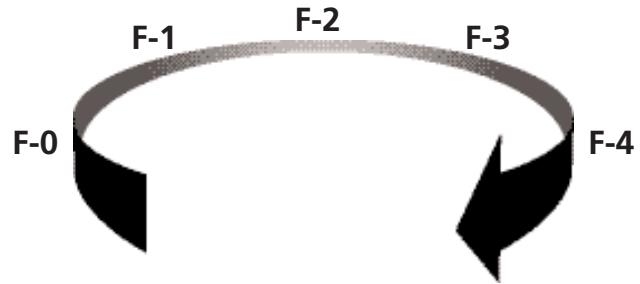
Force feedback Resistance
Steering resistance in Force Feedback mode can be adjusted for personal preference. Choose from five preset levels of force: F-0, F-1, F-2, F-3 and F-4.
F-0 - Force Feedback is disabled.
F-1 - Minimum Force Feedback.
F-4 - Maximum Force Feedback.
To cycle through the Force Feedback levels, press and hold the 'MODE' button and then press and release the 'SENS' button. Each press of the 'SENS' button advances the wheel to the next Force Feedback level. The wheel defaults to F-3.
function mapping
The buttons on the Racing Wheel can be mapped (programmed) to different positions. Mapping allows the Racing Wheel to be quickly customised to suit various driving styles. Any action button (, , , ×, L1, L2, L3, R1, R2, R3) can be mapped to the Wheel Mounted Paddles, the Pedals, or the Shift-Tronic™ Stick. Mapping should only be done when the game is paused or displaying a game menu screen.
To program a button, first press and hold the 'SELECT' button, followed by the target button and the source button. For example, to make the L2 paddle function as an 'X' button, the following steps would be used.
- Press and hold 'SELECT'. The mode display flashes.
- Press and hold the L2 Paddle.
- Press 'X'.
- Release all buttons.
To reset all mapped buttons, press and hold 'SELECT' and press 'RESET'. All buttons return to their default function when the Racing Wheel is disconnected from the console or the console is turned off.
USERGUIDE
ENGLISH
USERGUIDE
ENGLISH
stopwatch
Press 'START/STOP' button once and the Stopwatch will start counting. Press the 'START/STOP' button again to stop counting. To reset the Stopwatch: Press the 'RESET' button once.
Toggle the display between seconds and 1/10th of a second by pressing and holding the 'SENS' button and then pressing and releasing the 'START / STOP' button.
Troubleshooting
The Racing Wheel does not respond.
- Check all connections.
- If the game requests a controller to be inserted in port 1, turn the console OFF and remove the Racing Wheel connector from controller port 1 and connect to controller port 2. Connect a Dual Shock®2 compatible controller to controller port 1 and turn the console on. The USB Connector should also be connected.
The steering is not correctly centred.
- Turn the console OFF, rotate the Racing Wheel Head to the centre position and then restart the console.
No Force Feedback
- Check the Power Supply is connected to the AC power outlet.
- Check the game supports Force Feedback.
Manual gear changes are not setup on the Shift-Tronic™ Stick or Wheel Mounted Paddles.
- Use Function Mapping to program and customise the buttons.
CAUTION
- Do not remove this product when the console power is ON.
- Avoid placing this product near extreme temperatures or humidity.
- Do not submerge or allow this product to come into contact with water. Use in dry locations only.
- An adult should supervise young children when using this product.
- Use of any attachment or accessory with this product not recommended or sold by JOYTECH may result in risk of fire, electrical shock or injury to persons or product.
- Do not clean any parts with alcohol, cleaning solutions containing alcohol or strong abrasives. Use a soft cloth and a little water
- There are no user serviceable parts within this product. Tampering with this product will invalidate your JOYTECH warranty.
IMPORTANT HEALTH WARNINGS
Photosensitive Seizure Warning
A very small percentage of people may experience a seizure when exposed to certain visual images, including flashing lights or patterns that may appear in video games. Even people who have no history of seizures or epilepsy may have an undiagnosed condition that can cause these "photosensitive epileptic seizures" while watching video games.
These seizures may have a variety of symptoms, including light-headedness, altered vision, eye or face twitching, jerking or shaking of arms or legs, disorientation, confusion, or momentary loss of awareness. Seizures may also cause loss of consciousness or convulsions that can lead to injury from falling down or striking nearby objects.
Immediately stop playing and consult a doctor if you experience any of these symptoms.
Parents should watch for or ask their children about the above symptoms - children and teenagers are more likely than adults to experience these seizures.
Taking the following precautions may reduce the risk of photosensitive epileptic seizures:
- Sit further away from the screen
- Use a smaller TV screen
- Play in a well-lit room
- Do not play when you are drowsy or fatigued
If you or any of your relatives have a history of seizures or epilepsy, consult a doctor before playing.
We also advise you to take regular breaks of 15 minutes every hour.
HELPLINE
If you are experiencing a problem with this product contact the JOYTECH Product Helpline on
+44 (O) 800 38 99 647 (FREEPHONE UK ONLY)
or visit our website at www.joytech.net to obtain localised helpline numbers.
Design and specifications are subject to change without notice.
Dispos of this product or products contained in this pack in accordance with local and national disposal regulations.
PlayStation®, PSone™ and PlayStation®2 are either trademarks or registered trademarks of Sony Computer Entertainment Inc.
Dual Shock™ and Dual Shock®2 are either trademarks or registered trademarks of Sony Computer Entertainment Inc.
United States Patents. Force Feedback powered by R0R3® technology. Protected by United States Patent: 6, 263, 392 B1. International Patents Pending.