Knight - Kontorstol Unix - Gratis bruksanvisning og manual
Finn enhetens veiledning gratis Knight Unix i PDF-format.


Brukerspørsmål om Knight Unix
0 spørsmål om dette apparatet. Svar på dem du kjenner, eller still ditt eget.
Still et nytt spørsmål om dette apparatet
Last ned instruksjonene for din Kontorstol i PDF-format gratis! Finn veiledningen din Knight - Unix og ta den elektroniske enheten tilbake i hendene. På denne siden er alle dokumenter som er nødvendige for bruken av enheten din publisert. Knight av merket Unix.
BRUKSANVISNING Knight Unix
TASK CHAIR ASSEMBLY INSTRUCTION
We offer unique No-Tool-Required chairs for easy and convenient assembly. You only need to follow our 2 simple steps as outlined below:
Step 1 Step 2 Insert the gas lift firmly into the base of the chair.
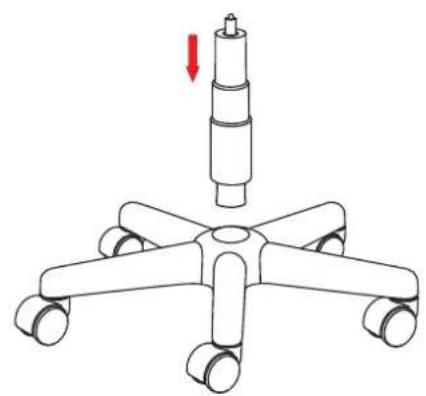
natural_image
Diagram of a four-leafed office chair with a cylindrical top and a red arrow indicating downward motion (no text or symbols)Lift and insert the back attached with the seat and chair mechanism onto the gas lift securely until the lumbar is in the correct position.
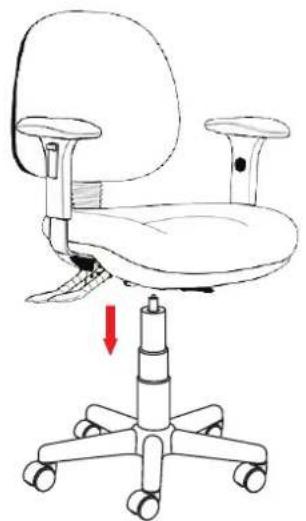
natural_image
Line drawing of an office chair with a red arrow indicating downward motion (no text or symbols)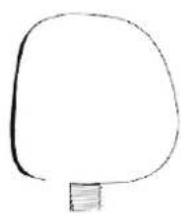 | 1 | 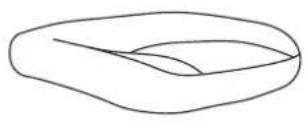 | 1 | 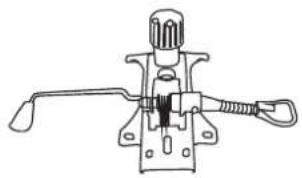 | 1 |
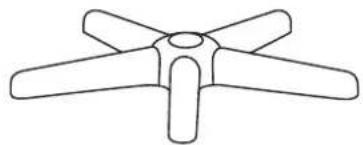 | 1 | 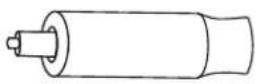 | 1 | 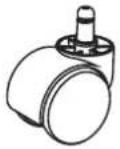 | 5 |
CARE INSTRUCTION
FABRICS

√ Regular vacuuming of fabrics is recommended.
√ Wipe fabrics clean with a damp cloth.
√ Spot clean with warm water and mild soap.
√ Brush fabrics in the direction of pile with a soft brush.
√ Do not saturate fabrics.
PLASTICS
√ Plastics to be wiped down with a clean damp cloth.
√ Mild soap and warm water can be used.
√ Do not use harsh chemicals.
CASTORS
√ Hard tyred castors are not suitable for hard floor surfaces – soft tyred castors should be used
HOW TO ADJUST YOUR ERGONOMIC CHAIR
√ Sit in the chair, adjust the seat angle so that it is approximately horizontal.
√ Adjust the seat height so that your feet are flat on the floor.
√ Adjust the backrest height to provide support to the lumbar region of your back
√ Your forearms should be as close horizontal and parallel to your thighs and the floor.
√ For computer work, set the seat tilt to be horizontal or inclined slightly back.
√ For writing, set the seat tilt to be slightly forward.
√ Adjust the seat slide depth so that your legs are supported without there being undue pressure behind your knees.
UNIX Solutions | ABN: 643 241 016 | PO Box 213 Rundle Mall ADELAIDE SA 5000
1800 973 337 | info@unixsolutions.com.au
Thank you for shopping at www.unixsolutions.com.au