PAD-CFSM - Ukategorisert CTA Digital - Gratis bruksanvisning og manual
Finn enhetens veiledning gratis PAD-CFSM CTA Digital i PDF-format.


Brukerspørsmål om PAD-CFSM CTA Digital
0 spørsmål om dette apparatet. Svar på dem du kjenner, eller still ditt eget.
Still et nytt spørsmål om dette apparatet
Last ned instruksjonene for din Ukategorisert i PDF-format gratis! Finn veiledningen din PAD-CFSM - CTA Digital og ta den elektroniske enheten tilbake i hendene. På denne siden er alle dokumenter som er nødvendige for bruken av enheten din publisert. PAD-CFSM av merket CTA Digital.
BRUKSANVISNING PAD-CFSM CTA Digital


PAD-CFSM
CTA DIGITAL
Custom Flex Suction Mount
for 7-14 Inch Tablets
INSTRUCTION MANUAL
Thanks you for choosing CTA Digital's product. We hope that you will enjoy using it. Please follow the quick access and instructions as take out in this instruction manual.
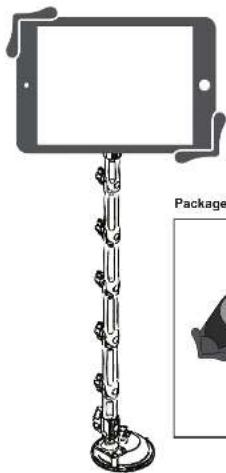
natural_image
Illustration of a smartphone stand with a blank screen and a separate package view (no text or symbols on the device itself)Package Contents:
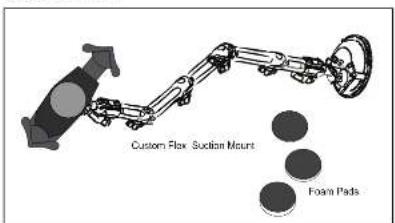
Instructions:
1. Attaching Foam Pad to Tablet Holder
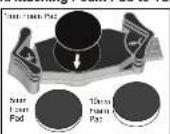
Select the appropriate foam pad according to the thickness of your tablet (or tablet in its case), then press adhesive side into center of the tablet holder.
Use this table to determine the appropriate
foam pad to use with your tablet.
Note. sizes refer to total tablet size with or without a case.
| Foam Pad Thickness | Tablet Thickness: |
| 1mm | 0.67-1.06in / 17-27mm |
| 5mm | 0.51-0.91in / 13-23mm |
| 10mm | 0.31-0.71in / 8-18mm |
- Attaching Suction Mount Base
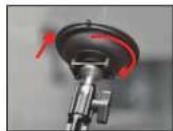
With the lock clasp up, press the suction mount against surface. Press the lock clasp down to secure in place.
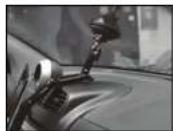
- Adjusting the Flex Arm
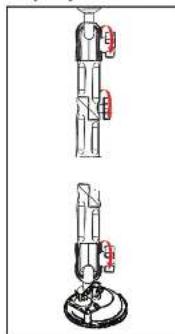
natural_image
Two mechanical device diagrams showing internal components with red labels, no text or symbols present- Twist the SCREW KNGB of the amine counter clockwise to release the connection.
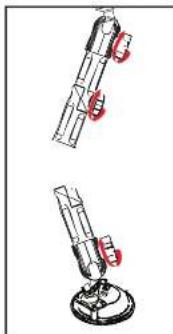
natural_image
Two identical diagrams of a mechanical device with red clamps, shown from different angles (no text or symbols)-
Adjust the arms to your favorite position and then tighten the SCREW KNOB cockwise.
-
Installing your Device and Adjusting the Tablet holder
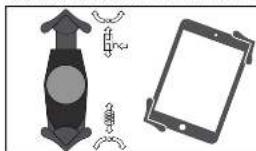
-
Press quick release button on side of tablet holder to release the adjustable end. Insert tablet corner against the spring arm, then push adjustable arm down against opposite corner. Be sure it is as snug as possible.
-
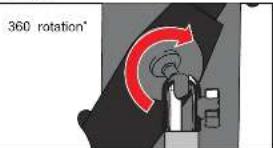
Loosen ball socket joint to rotate tablet to desired orientation, then tighten ball socket again.
SUPPORT@CTADIGITAL.COM