Ring Light Beauty Video Kit - Belysning Savage - Gratis bruksanvisning og manual
Finn enhetens veiledning gratis Ring Light Beauty Video Kit Savage i PDF-format.


Brukerspørsmål om Ring Light Beauty Video Kit Savage
0 spørsmål om dette apparatet. Svar på dem du kjenner, eller still ditt eget.
Still et nytt spørsmål om dette apparatet
Last ned instruksjonene for din Belysning i PDF-format gratis! Finn veiledningen din Ring Light Beauty Video Kit - Savage og ta den elektroniske enheten tilbake i hendene. På denne siden er alle dokumenter som er nødvendige for bruken av enheten din publisert. Ring Light Beauty Video Kit av merket Savage.
BRUKSANVISNING Ring Light Beauty Video Kit Savage
SET UP LIGHT STAND
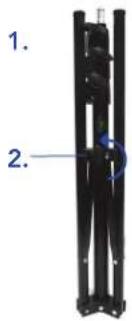
PLACE STAND VERTICALLY & TWIST LOCK TO LOOSEN.
3.4.
natural_image
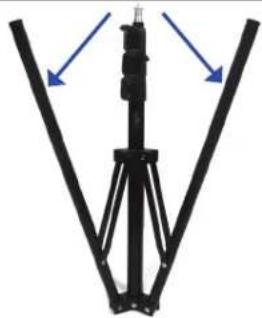
Diagram of a V-shaped structure with two blue arrows pointing downward, no text or symbols presentPULL LEGS APART & ROTATE TOWARDS FLOOR. TIGHTEN LOCK.
natural_image
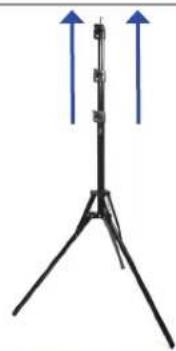
Diagram of a tripod-mounted device with two upward arrows indicating vertical motion (no text or symbols)LOOSEN LOCKS FOR EACH UPRIGHT SECTION & EXTEND TO DESIRED HEIGHT. TIGHTEN LOCKS.
USING RINGLIGHT
1.
natural_image
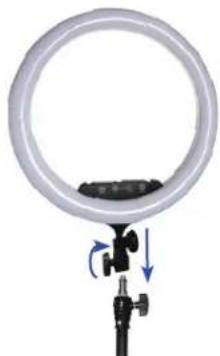
Lit ring setup with adjustable arms and a black contact lens (no text or symbols visible)MOUNT TO LIGHTSTAND & TIGHTEN KNOB
2.3.4.
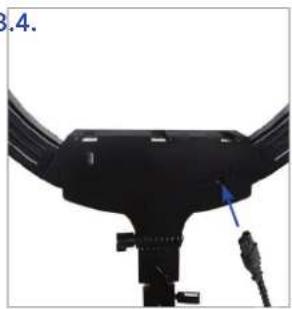
natural_image
Close-up of a black camera lens component with a blue arrow pointing to the base (no text or symbols visible)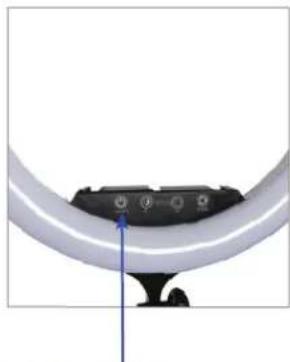
natural_image
Close-up of a curved mechanical component with a blue arrow pointing to a small black component (no text or symbols visible)ATTACH AC POWER CORD PRESS POWER BUTTON BRIGHTEN DIM
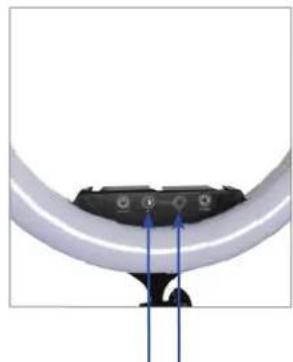
natural_image
Close-up of a curved mechanical component with blue arrows indicating direction (no text or symbols)5.6.7.8.
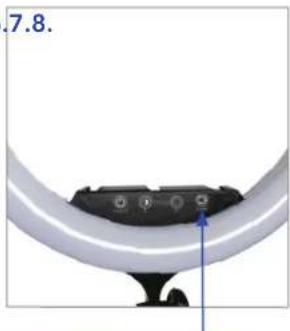
natural_image
Close-up of a curved mechanical component with a blue arrow pointing to a small circular feature (no text or symbols visible)COLOR CORRECTION ADJUSTMENT.
HOLD UNTIL DESIRED TEMPERATURE IS REACHED.
natural_image
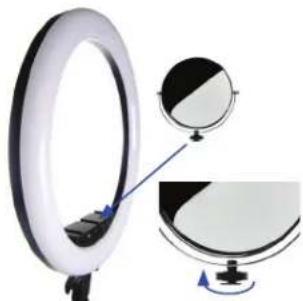
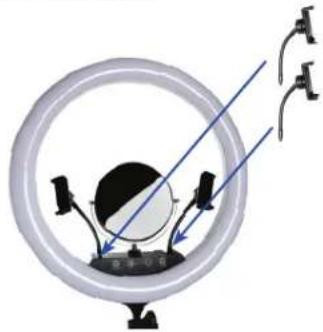
Product photo of a ring light setup with a circular mirror and rotating base (no text or symbols visible)ATTACH MIRROR & TIGHTEN KNURLED KNOB ATTACH BENDABLE ARMS INTO FEMALE THREADS
natural_image
Diagram of a ring light setup with a central body, two arms, and a camera rig (no text or symbols)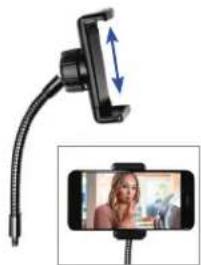
natural_image
Smartphone mounted on a flexible stand with a blue bidirectional arrow, shown alongside an inset photo of a person taking a selfie (no text or symbols visible)INSERT PHONE INTO HOLDER
BACKDROP
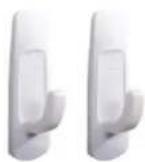
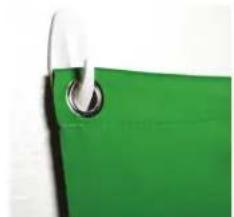
FIND EVEN, FLAT WALL TO ATTACH ADHESIVE HOOKS
natural_image
Close-up of a green fabric with a metal ring attached, no visible text or symbolsPLACE ADHESIVE HOOKS 5' APART & HANG BACKDROP FROM GROMMETS
*Tip: Use gray side for a neutral background, or green for chroma key applications. Ensure backdrop is pulled taut. Steam backdrop to remove wrinkles.