JU-NE0C11-S1 - Nettverkskort / adapter Siig - Gratis bruksanvisning og manual
Finn enhetens veiledning gratis JU-NE0C11-S1 Siig i PDF-format.


Brukerspørsmål om JU-NE0C11-S1 Siig
0 spørsmål om dette apparatet. Svar på dem du kjenner, eller still ditt eget.
Still et nytt spørsmål om dette apparatet
Last ned instruksjonene for din Nettverkskort / adapter i PDF-format gratis! Finn veiledningen din JU-NE0C11-S1 - Siig og ta den elektroniske enheten tilbake i hendene. På denne siden er alle dokumenter som er nødvendige for bruken av enheten din publisert. JU-NE0C11-S1 av merket Siig.
BRUKSANVISNING JU-NE0C11-S1 Siig
Dear Valued Customer
(JUST WANTED YOU TO KNOW)
WE REALLY
APPRECIATE
YOUR PURCHASE
\~thank you\~
Features
• Supports IEEE 802.3az-2010
- Integrated 1000Mbps SX/LX transceiver
• Supports CDC-ECM
• Supports LPM (Link Power Management)
• Supports pair swap/polarity/skew correction
• Supports power down/link down power saving
• Supports hardware CRC
(Cyclic Redundancy Check) function
- SuperSpeed USB 3.0 ensures high performance packet transfer rate
- Features full duplex with flow control and half duplex with back pressure operation
System Requirements
- An available USB 3.0 type-C port
- Windows® 10 / 8.1 / 7 (32-/64-bit)
- Windows® Server 2019 to 2008 R2 (32-/64-bit)
- Mac OS X® 10.15 to 10.6
Package contents
• USB-C to SFP Gigabit Ethernet Adapte
- Quick Start Guide
Driver Installation
- Please download driver from product page of SIIG website.
- Click "Setup.exe" to install the driver
- Follow the Installation steps to complete the driver Installation
If your system has the built-in driver can use directly. driver install is not necessary.
Support
For more info or tech support http://www.siig.com/support
Nov, 2019
Copyright © 2019 by SII G, Inc. All rights reserved.

SIIG®
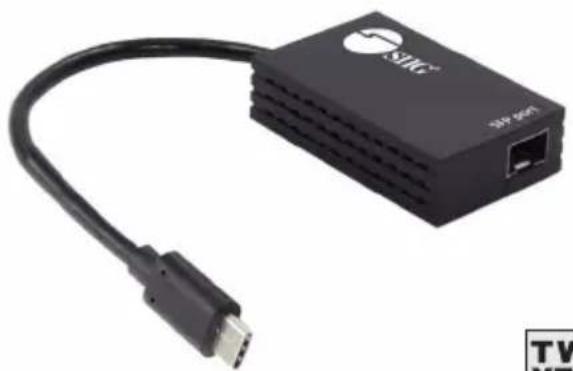
USB-C to SFP Gigabit Ethernet Adapter
Quick Start Guide
natural_image
Black wireless network device with USB cable and network port (no visible text or symbols)
04-1258A
P/N: JU-NE0C11-S1