USB-N15 - Nekategorizēts AIRLIVE - Bezmaksas lietošanas instrukcija
Atrodiet ierīces rokasgrāmatu bez maksas USB-N15 AIRLIVE PDF formātā.


Lietotāju jautājumi par USB-N15 AIRLIVE
0 jautājums par šo ierīci. Atbildiet uz tām, ko zināt, vai uzdodiet savu.
Uzdot jaunu jautājumu par šo ierīci
Lejupielādējiet instrukcijas savam Nekategorizēts PDF formātā bez maksas! Atrodiet savu rokasgrāmatu USB-N15 - AIRLIVE un atgūstiet kontroli pār savu elektronisko ierīci. Šajā lapā ir publicēti visi dokumenti, kas nepieciešami jūsu ierīces lietošanai. USB-N15 zīmola AIRLIVE.
LIETOŠANAS INSTRUKCIJA USB-N15 AIRLIVE
EN
Quick Setup Guide
USB-N15
natural_image
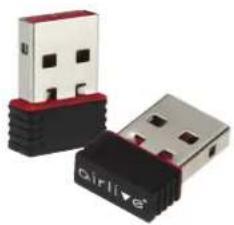
Two USB flash drives with black and red casing, one labeled 'airlive' (no other text or symbols visible)USB-N15A
natural_image
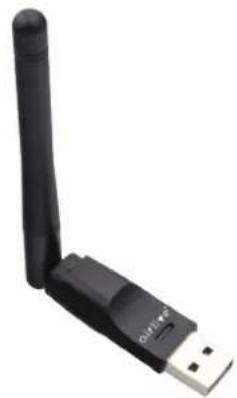
Black wireless router with USB port, no visible text or symbolsInstallation Step:
- Insert the Wireless USB Dongle in to the USB of the computer or notebook.
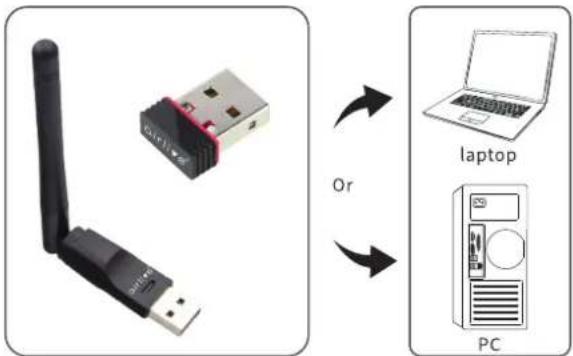
Note: When using a PC, its recommended to insert the adapter into a USB port on the back of the PC. The front USB port is not always sufficient to power on the adapter and provide a stable connection.
- In normal operation Windows will automatically detect the USB dongle and install the drivers. When the drivers are not installed automatically then they can be downloaded from the AirLive website and installed manually.
Drivers for Windows, Mac OS and Linux can downloaded from:
www.airlive.com/download
Select the correct Wireless USB dongle model and operating system.
- After the driver has been downloaded, click on "Setup.exe" To start the installation of the drivers, follow the steps shown on screen. to finalize the setup.
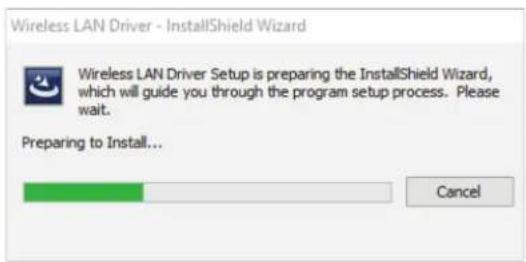
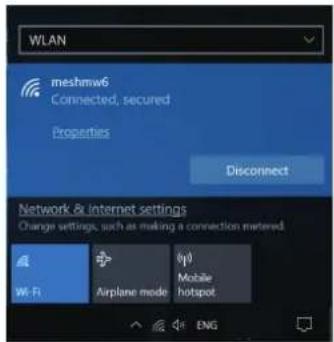
- After the driver has been installed you can start using the Wireless Adapter and connect to your Wireless Network.
Declaration of Conformity
We, Manufacturer/Importer
AirLive Technology Corporation
4F, No.132, Lane 235, Baoqian Rd., Xindian Dist.,
New Taipei City 23145, Taiwan
Declare that the product
150Mbps Nano Wireless USB Adapter
USB-N15
is in conformity with
In accordance with RED 2014/53/EU Directive
Clause
(EMC)
■ ETSI EN 301 489-1 V2.2.3 (2019-11)
■ ETSI EN 301 489-17 V3.2.4 (2020-09)
(LVD)
■ EN 62368-1:2014+A11:2017
(Health) EN 62479:2010
■ EN 50663:2017
(Radio)
■ ETSI EN 300 328 V2.2.2 (2019-07)
Conformity with
In accordance with RoHS Directive 2011/65/EU and amendment
Commission Delegated Directive (EU)2015/863.
■ IEC 62321-3-1:2013, IEC 62321-5:2013
■ IEC 62321-4:2013+AMD1:2017, IEC 62321-7-1:2015
■ IEC 62321-7-2:2017, IEC 62321-6:2015, IEC 62321-8:2017
■ CE marking

Manufacturer/Importer
Name : A van Rossem Position/ Title : Product Manager
Date: October 2023 Place: Taiwan
www.airlive.com


CE AirLive Technology Corporation Declares that this device is in compliance with the essential requirements of Radio Equipment Directive (RED) 2014/53/EU
Declaration of Conformity
We, Manufacturer/Importer
AirLive Technology Corporation
4F, No.132, Lane 235, Baoqian Rd., Xindian Dist.,
New Taipei City 23145, Taiwan
Declare that the product
2.4Ghz USB 2.0 Wireless Dongle, external Antenna
USB-N15A
is in conformity with
In accordance with RED 2014/53/EU Directive
Clause
(EMC)
■ EN 55032:2015+A11:2020+A1:2020
■ EN 55035:2017+A11:2020
■ EN 61000-3-3:2013+A1:2019
■ ETSI EN 301 489-1 V2.2.3 (2019-11)
■ ETSI EN 301 489-3 V2.1.1 (2019-03) ■ ETSI EN 301 489-17/13.2.4 (2020-08)
■ ETSI EN 301 489-17 V3.2.4 (2020-09)
(LVD)
■ EN IEC 62368-1:2020+ATT.2020 (Health)
■ EN IEC 62311:2020
(Radio)
■ ETSI EN 300 328 V2.2.2 (2019-07)
Conformity with
In accordance with RoHS 2.0 Directive (EU) 2015/863 and (EU) 2017/2102, Amending Agency U to Directive 2011/55/EU
Attending Annex to Directive 2014, IEC 52321 1:2017, IEC 52321 2:2012.
■ IEC 62321-1:2013, IEC 62321-2:2013 ■ IEC 62321-2-1:2013, IEC 62321-2-2:2013
■ IEC 62321-4:2013, IEC 62321-4:2013 - IEC 62321-4:2013+A1:2017, IEC 62321-5
■ IEC 62321-4:2015-AT:2017, IEC 62321-6:2015, IEC 62321-7-1:2015
IEC 62321-8:2017, IEC 62321-7:2017 IEC 62321-7-2:2017, IEC 62321-8:2017
■ CF machine
■ CE marking
Manufacturer/Importer
Name : A van Rossem Position/ Title : Product Manager
Place : Taiwan

Date : October 2023
www.airlive.com


CE Air and the Technology Corporation declares that his device is in compliance with the essential requirements of Radio Equipment Directive (RLED) 2014/53/JU