Star Wars 27213 - Pulkstenis INVICTA - Bezmaksas lietošanas instrukcija
Atrodiet ierīces rokasgrāmatu bez maksas Star Wars 27213 INVICTA PDF formātā.


Lietotāju jautājumi par Star Wars 27213 INVICTA
0 jautājums par šo ierīci. Atbildiet uz tām, ko zināt, vai uzdodiet savu.
Uzdot jaunu jautājumu par šo ierīci
Lejupielādējiet instrukcijas savam Pulkstenis PDF formātā bez maksas! Atrodiet savu rokasgrāmatu Star Wars 27213 - INVICTA un atgūstiet kontroli pār savu elektronisko ierīci. Šajā lapā ir publicēti visi dokumenti, kas nepieciešami jūsu ierīces lietošanai. Star Wars 27213 zīmola INVICTA.
LIETOŠANAS INSTRUKCIJA Star Wars 27213 INVICTA
PRESENTATION
Display Elements
Minutes Hand
Hour Hand
Stopwatch Minute Hand
(Move in minute increments)
Second Hand
Stopwatch Second Hand
(Move in second increments)
24-Hour Hand
(Indicates the time on a
24-Hour basis)
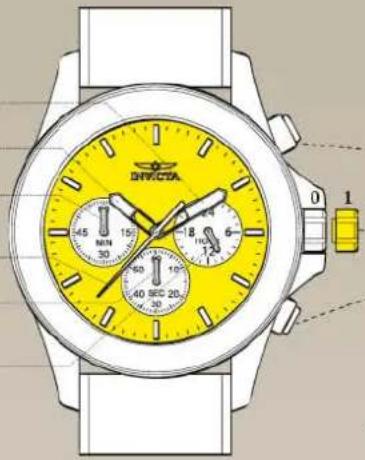
Control Buttons
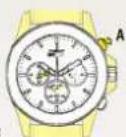
Push Button A:
In stopwatch function:
Start/Stop
Crown: Time setting
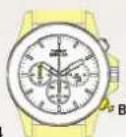
Push Button B:
In stopwatch function:
Split / Split release / Reset
* The measurement time indicated by the stopwatch hands move independently of the center hands.
SETTINGS
Adjusting the Stopwatch Hand Position
Before setting the time, check if all the chronograph hands - second, minute - are at the "O"(12 o'clock) position.
* If the stopwatch is in use, press the buttons in the following order to reset it, and then, check if the hands return to "0" position. (For details, see "HOW TO USE THE STOPWATCH")
*If the chronograph is counting: A → B
*If the stopwatch is stopped: B
*If the split time is displayed: B → A → B
If either of the stopwatch hands are not in the "0" position, reset them following the procedure below.
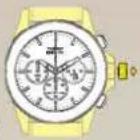
1.1
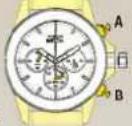
1.2
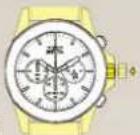
Pull the crown out to position 1.
Press button A or B to reset all stopwatch hands to "0" position.
*The stopwatch minute hand moves correspondingly with the stopwatch second hand.
*The hands move quickly if the respective buttons are kept pressed.
Push the crown back to the normal position.
Time Setting
* Before setting the time, check that the chronograph measurement is stopped.
2.1
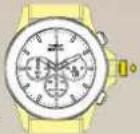
Pull out the crown when the second hand is at the 12 o'clock position. The second hand will stop on the spot.
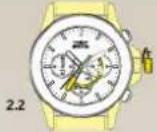
Set the hands to the desired time of the day by turning the crown, make sure AM/PM is set correctly
* Do not press any button, otherwise the chronograph hands will move.
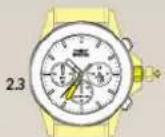
Push the crown back to the normal position in accordance with a time signal.
FUNCTIONS
How to Use the Stopwatch
• The measurement time is indicated by the stopwatch hands that move independently of the center hands (and 24-hour hand where applicable).
• The stopwatch can measure up to 60 minutes.
Standard Measurement
E.g. 100m race (Press the buttons in the following order A → A → B)
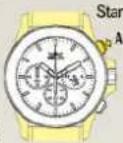
3.2
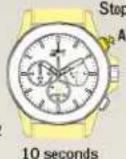
3.3
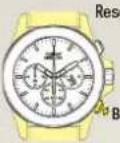
Reset (Reset to "0'00")
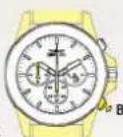
Accumulated Elapsed Time Measurement
E.g. basketball game (Press the buttons in the following order
A→A/A……→A→B)
Start → Stop (Start of game) (Time out)
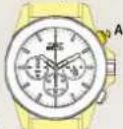
Restart (Restart of game)
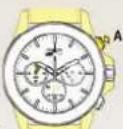
5 minutes 10 seconds
Stop (Game over)
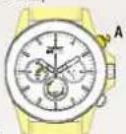
4.3
20 minutes 00 seconds
Reset
Split Time Measurement
E.g. 5,000m race (Press the buttons in the following order A → B / B · · · → A → B)
Start
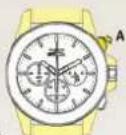
Split / Split release
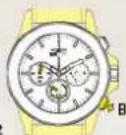
Stop
Reset
* Measurement and release of the split time can be repeated as many times as necessary by pressing button B.