EXP-SW-0201 - Maršrutizatorius WyreStorm - Nemokama naudojimo instrukcija
Raskite įrenginio instrukciją nemokamai EXP-SW-0201 WyreStorm PDF formatu.


Naudotojų klausimai apie EXP-SW-0201 WyreStorm
0 klausimas apie šį prietaisą. Atsakykite į tas, kurias žinote, arba užduokite savo.
Užduokite naują klausimą apie šį prietaisą
Atsisiųskite instrukciją savo Maršrutizatorius PDF formatu nemokamai! Raskite savo instrukciją EXP-SW-0201 - WyreStorm ir vėl perimkite savo elektroninį įrenginį. Šiame puslapyje skelbiami visi dokumentai, reikalingi jūsų įrenginio naudojimui. EXP-SW-0201 prekės ženklo WyreStorm.
NAUDOJIMO INSTRUKCIJA EXP-SW-0201 WyreStorm
WyreStorm recommends reading through this document in its entirety to become familiar with the product's features prior to starting the installation process.
4320p 60 HDMI 2.1 HDCP 2.3
IMPORTANT! Installation Requirements
- Visit the product page to download the latest firmware, document version, EXP-SW-0201-8K or EXP-SW-0401-8K additional documentation, and configuration tools. 1x DC 12V PSU (US, UK, EU, AU)
- Read through the Wiring and Connections section for important guidelines Receiver Cable before creating or choosing premade cables. 1x IR Remote
In the Box
1x EXP-SW-0201-8K or EXP-SW-0401-8K
1x DC 12V PSU (US, UK, EU, AU)
ridelines Receiver Cable
1x IR Remote
1x 3-Pin Phoenix Connector (EXP-SW-0401-8K only)
2x Mounting Brackets (with screws)
1x Quickstart Guide (This Document)
Wiring and Connections
WyreStorm recommends that all wiring for the installation is run and terminated prior to making connections to the switcher. Read through this section in its entirety before running or terminating the wires to ensure proper operation and to avoid damaging equipment.
IMPORTANT! Wiring Guidelines
The use of patch panels, wall plates, cable extenders, kinks in cables, and electrical or environmental interference will have an adverse effect on HDMI transmission limiting performance. Steps should be taken to minimize or remove these factors completely during installation for best results. WyreStorm recommends using high quality WyreStorm Essentials 8K HDMI cables such as WyreStorm Essentials to ensure the highest content performance available.
RS-232 Wiring
The EXP-SW-0401-8K uses a 3-pin RS-232 with no hardware flow con Most control systems and computers are DTE where pin 2 is RX, t from device to device. Refer to the documentation for the connected for pin functionally to ensure that the correct connections can be m
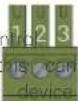
| WyreStorm Connector | 3rd Party Device | ||
| Pin 1 | TX (Transmit) | --> To --> | RX (Receive) |
| VPlty 2 | RX (Receive) | --> To --> | TX (Transmit) |
| Pin 3 | G (Ground) | --> To --> | G (Ground) |
EDID Dip Switch Settings
The dipswitch on the splitter allows for changing the EDID management and downscaler on/off function. Use the table below to configure the splitters EDID mode based on the application's requirement.
When setting a dipswitch setting, power off the unit before making a change. Once set, the unit can be powered back on.
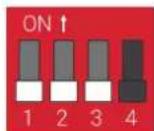
| Function | DIP Switch Position | |||
| 1 2 3 | 4 | |||
| Auto-Copy EDID (Default) Up Up Up | - | |||
| Fixed 4K@120Hz 4:4:4 10bit | Up | Up | Down | - |
| Fixed 8K@30Hz 4:4:4 10bit | Down | Up | Down | - |
| Fixed 8K@60Hz 4:2:0 10bit | Down | Down | Down | - |
| Fixed 4K@60Hz 4:4:4 8bit | Up | Down | Up | - |
| Fixed 1080P@60Hz | Up | Down | Down | - |
| Input audio extraction to S/PDIF (Default) | - | - | - | Up |
| ARC audio extraction to S/PDIF | - | - | - | Down |
Troubleshooting
No or Poor Quality Picture (snow or noisy image)
- Verify that power is being supplied to all devices in the system and that they are powered on.
- Verify that all HDMI connections are not loose and are functioning properly.
- If transmitting 8K, verify that the HDMI cables used are 3D or 8K rated.
- Ensure the EDID of the unit is correct. See EDID DIP Switch Settings for correct switch positions.
Troubleshooting Tips:
WyreStorm recommends using a cable tester or connecting the cable to other devices to verify functionality.