Tribeca 5004 - Laikrodis So & Co - Nemokama naudojimo instrukcija
Raskite įrenginio instrukciją nemokamai Tribeca 5004 So & Co PDF formatu.


Naudotojų klausimai apie Tribeca 5004 So & Co
0 klausimas apie šį prietaisą. Atsakykite į tas, kurias žinote, arba užduokite savo.
Užduokite naują klausimą apie šį prietaisą
Atsisiųskite instrukciją savo Laikrodis PDF formatu nemokamai! Raskite savo instrukciją Tribeca 5004 - So & Co ir vėl perimkite savo elektroninį įrenginį. Šiame puslapyje skelbiami visi dokumentai, reikalingi jūsų įrenginio naudojimui. Tribeca 5004 prekės ženklo So & Co.
NAUDOJIMO INSTRUKCIJA Tribeca 5004 So & Co
SO & CO
- NEW YORK -
INSTRUCTION MANUAL - C1
VX9J · MULTIFUNCTION MOVEMENT
IMPORTANT NOTE REGARDING SCREW-IN CROWN
Some of our models are fitted with a screw-in crown. To use the setting functions, first UNSCREV the crown by turning it counter-clockwise until it slightly pops up from the watch body. The watch is now ready to be set according to the instructions. AFTER completing the setting, gently push the crown in, and then SCREW IT IN by turning it clockwise, until it is light against the case of the watch. The crown MUST BE FULLY SCREWED IN for the watch to be water resistant.
WATCH DISPLAY & TIME SETTING
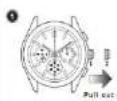
CROWN POSITION 1 - HOME POSITION (FOR NORMAL USING)
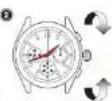
CROWN POSITION 2 - TIME SETTING
- Gently pull the Crown to this position, if the watch is fit with a Screw-down Crown, Urscrew the
crown and then gently pull the crown.
- Rotate the Crown clockwise or anti-clockwise to set the time taking A&M-M into consideration.
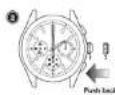
- Push the Crown back to the normal position.
DAY AND DAY OF WEEK SETTING
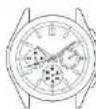
M Day Considine With each meaning of the burran A, the day hand.
advances to the next day advance to the
Europa bank in Nampa, 2019
1
B. 24: Convexion: High delemending of the button B, the shock hand
volvance 195: the following reference
NOTE
- Do not set the date and the day hands between 9.00p.m. and 4.00s.m. Otherwise, they may not
move properly - While setting the date and the day hands, check that they move properly in one-day increments.
- It is necessary to adjust the date on the first day after a 30-day month and February
WATER RESISTANT
Your New Watch is a water-resistant Watch.
Check the Marking on the back of the watch, find below the relevant usage recommendation.
* Water Resistant 3ATM or 30 METERS (100 Feet)
Shall withstand splashes of water while washing the hand. But should not be worn while swimming or diving.
* Water Resistant 5ATM or 50 METERS (165 Feet)
Suitable for showering or swimming in shallow water
* Water Resistant 10ATM or 100 METERS (330 Feet)
Suitable for swimming, snorkeling, but should not be worn while scuba diving. We don't recommend swimming or diving with your watch unless it has a screw down crown and is water resistant to at least 10 ATM or 100 Metals.
GENERAL CARE FOR A WATER RESISTANT WATCH
DO NOT OPERATE ANY BUTTONS WHEN THE WATCH IS WET OR IN WATER
DO NOT WEAR THE WATCH IN A HOT SHOWER OR SAUNA EXTREME
HEAT CAN DAMAGE THE WATCH
➢ AFTER USE IN SALT WATER OR CONTACT WITH SAND OR MUD, RINSE THE WATCH IN STREAM OF FRESH WATER AND DRY IT WITH SOFT COLTH.
LEATHER STRAPS ARE MORE EASILY DAMAGED BY FREQUENT EXPOSURE TO WATER. AFTER EVERY USE IN WATER, WIPE THE STRAP WITH A SOFT CLOTH, TO IMPROVE THE LIFE OF THE STRAP.