Lunette CURVE106H - Projektoriaus ekranas Elite Screens - Nemokama naudojimo instrukcija
Raskite įrenginio instrukciją nemokamai Lunette CURVE106H Elite Screens PDF formatu.


Naudotojų klausimai apie Lunette CURVE106H Elite Screens
0 klausimas apie šį prietaisą. Atsakykite į tas, kurias žinote, arba užduokite savo.
Užduokite naują klausimą apie šį prietaisą
Atsisiųskite instrukciją savo Projektoriaus ekranas PDF formatu nemokamai! Raskite savo instrukciją Lunette CURVE106H - Elite Screens ir vėl perimkite savo elektroninį įrenginį. Šiame puslapyje skelbiami visi dokumentai, reikalingi jūsų įrenginio naudojimui. Lunette CURVE106H prekės ženklo Elite Screens.
NAUDOJIMO INSTRUKCIJA Lunette CURVE106H Elite Screens
natural_image
Abstract black logo design resembling stylized 'S' or chevron (no text or symbols)ELITE SCREENS
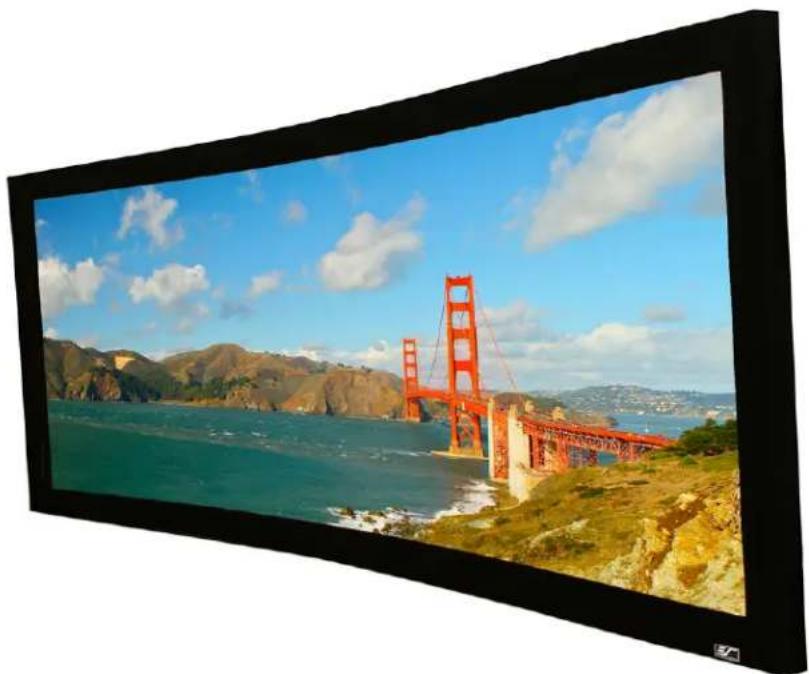
Home Theater Fixed Frame Curved Projection Screen
Lunette Series
natural_image
View of a red Golden Gate tower spanning a coastal landscape with mountains and blue sky (no text or symbols visible)Important Safety & Warning Precautions
Please follow these instructions carefully to ensure proper maintenance and safety with your screen.
- Please make sure that no other objects such as power switches, outlets, furniture, ladders, windows, etc. occupy the space designated to hang the screen.
- Regardless if the screen is installed inside or on the wall, make sure that the proper mounting anchors are used and that the weight is supported appropriately by a strong and structurally sound surface just as any large and heavy picture frame should. (Please consult a home improvement specialist for the best advice on installation.)
- Frame parts are made of high quality velour-surfaced aluminum and should be handled with care.
- When not in use, cover the screen with a furniture sheet to protect from dirt, grime, paint or any other impurities.
- When cleaning, use a damp soft cloth with warm water to remove any marks on the frame or screen surface.
- Never attempt to use any solutions, chemicals or abrasive cleaners on the screen surface.
- To avoid damaging the screen, do not touch the material directly with your fingers, tools or any other abrasive or sharp objects.
- Spare parts should be placed out of reach for small children in accordance with household safety guidelines.
Caution:
- The projection screen frame is made of high-quality aluminum alloy and should be handled with care.
- Use a soft cloth with warm water to remove any spots on the screen surface.
- To avoid damaging the screen material, never attempt to use any solutions, chemicals or abrasive cleaners on the screen, and avoid touching the material with your fingers or sharp/abrasive objects.
Parts List for the Lunette Series
Please make sure all parts listed below are included before proceeding with the installation.
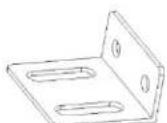
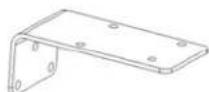
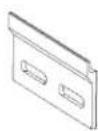

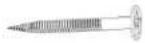
A. Dry-wall anchor
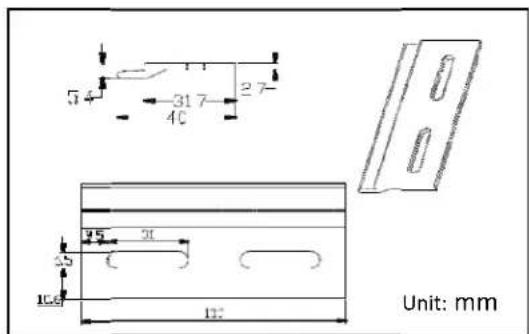
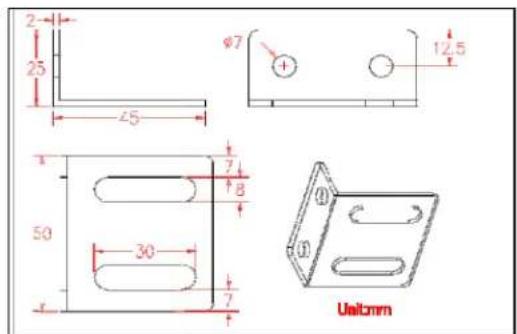
B. 1.77" L-Bracket
C. 3.54" L-Bracket
D. Y-Bracket
E. M5 Screw F. Wood Screw

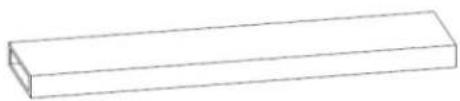
natural_image
Simple line drawing of a rectangular prism (no text or symbols)
G. Fix Plate
H. Center Support Bar
I. Support Joiner
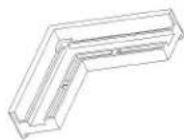
J. Elbow Joint

natural_image
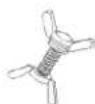
Two parallel horizontal lines with rounded ends, no text or symbols presentK. Butterfly Screw
L. Tension Rods

natural_image
Pure geometric line drawing of a rectangular frame with diagonal lines and corner brackets (no text or symbols)M. Vertical Upright Frame
natural_image
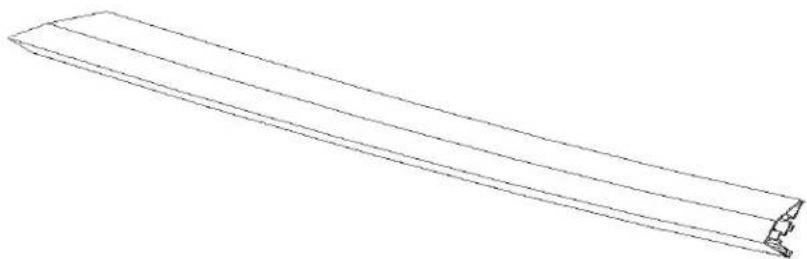
Line drawing of a long rectangular frame with a small protrusion at the end (no text or symbols)N. Horizontal Curved Frame
natural_image
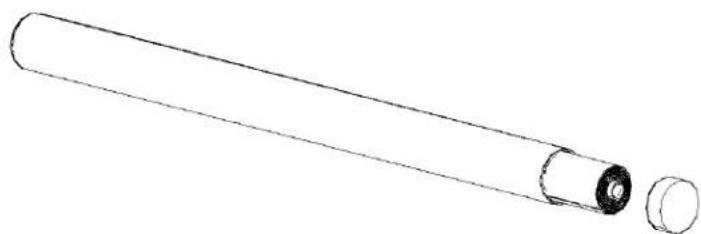
Line drawing of a cylindrical object with a flanged end and a separate circular component (no text or symbols)O. Screen Material
Installation Instructions
Assembly
- Insert both Elbow Joints (J) into each Horizontal Curved Frame (N) and join all four frame parts together as shown below.
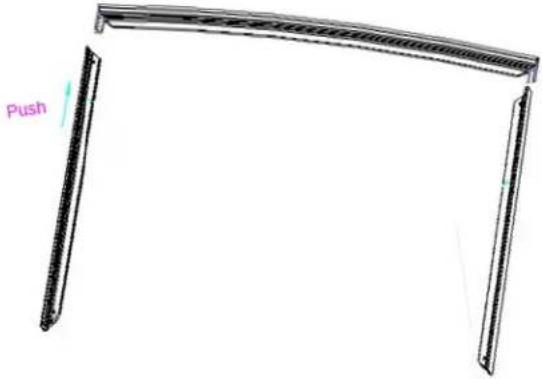
- After making sure that all four corners join at right angles to form a perfect rectangle and fasten together with the M5 screws (E).
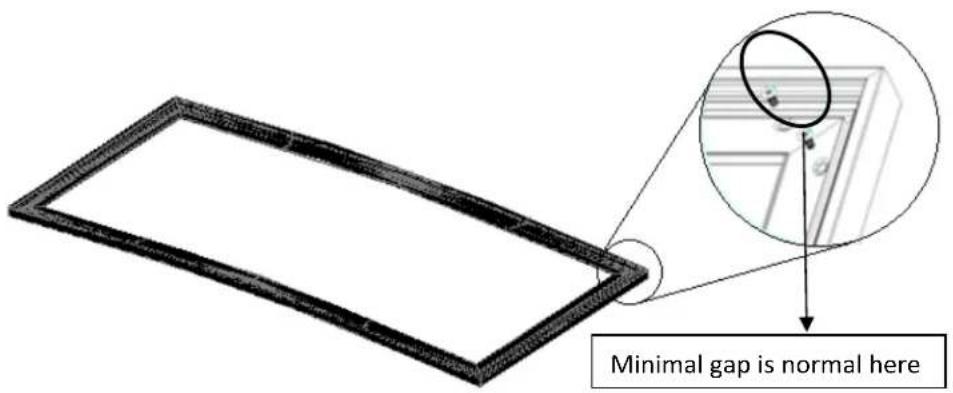
- Lay out the Screen Material (O) and Tension Rods (L) on a clean and dry surface and gently roll out the screen material on the back of the frame.
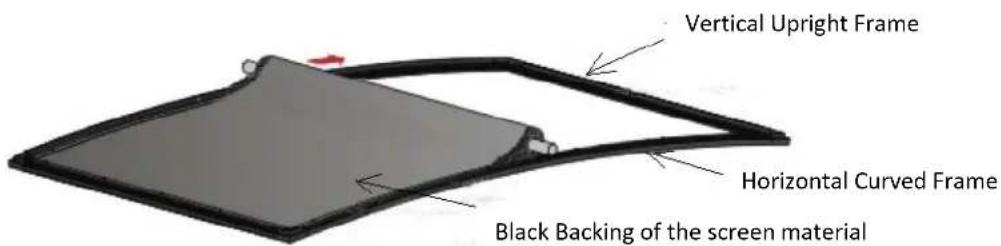
- Insert the screen Tension Rods (L) through the sleeves according to their corresponding length on each edge of the screen.
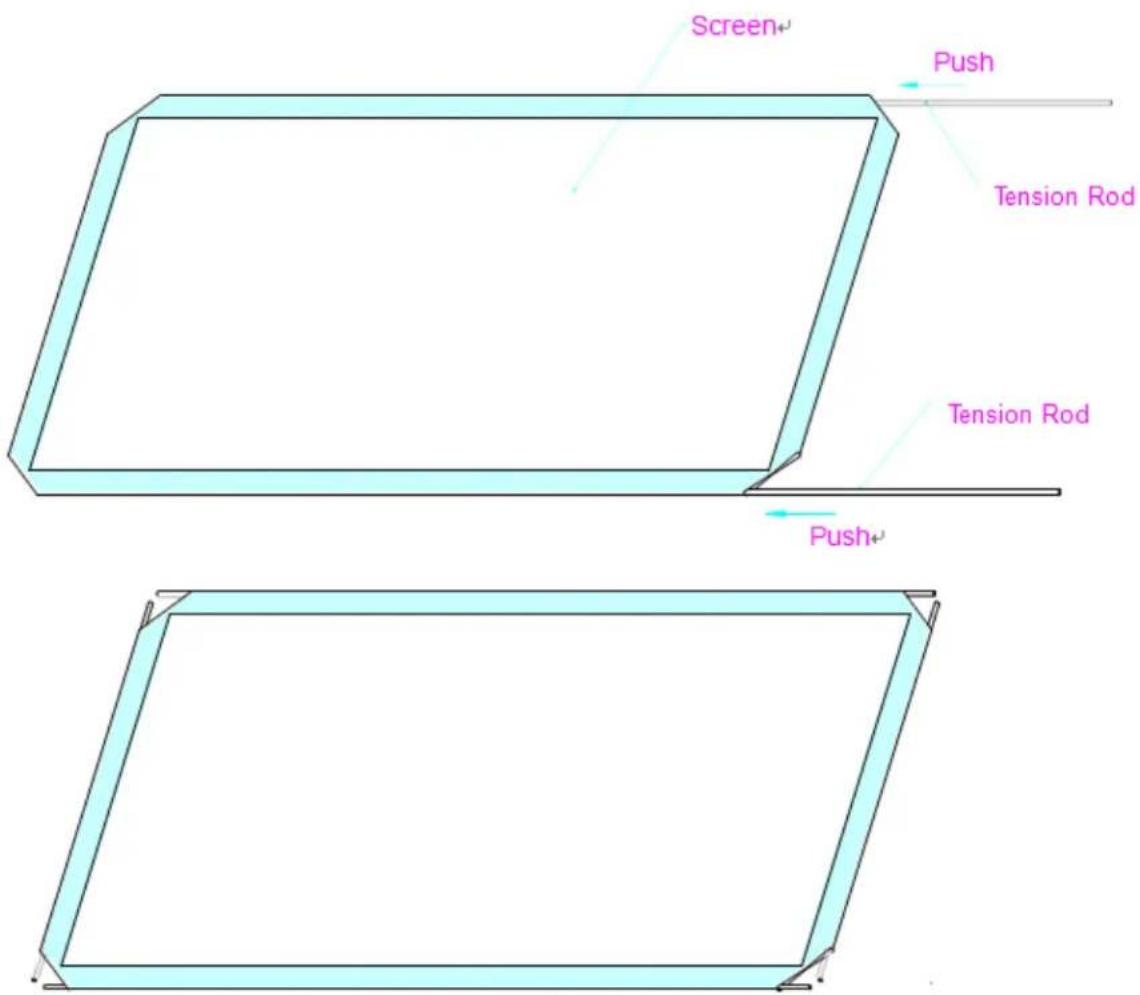
- Slip the tension rods into the grooves running along each side on the back of the frame. Clip on the Fix Plates (F) to the back of the frame to secure the rods into place forming a tight and flat surface.
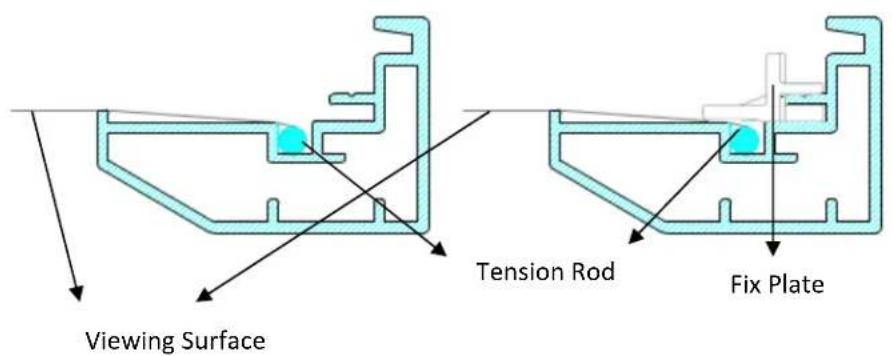
Black Backing for AcousticPro1080 Models
This procedure only applies to AcousticPro 108C models, disregard if your curved frame us now an AcousticPro 1080 variant. The black backing counters the effects of light penetration that would otherwise light up all items behind the screen and spoil the picture.
The black backing goes behind the projection surface and is held into position by Velcro-faced fix plates.
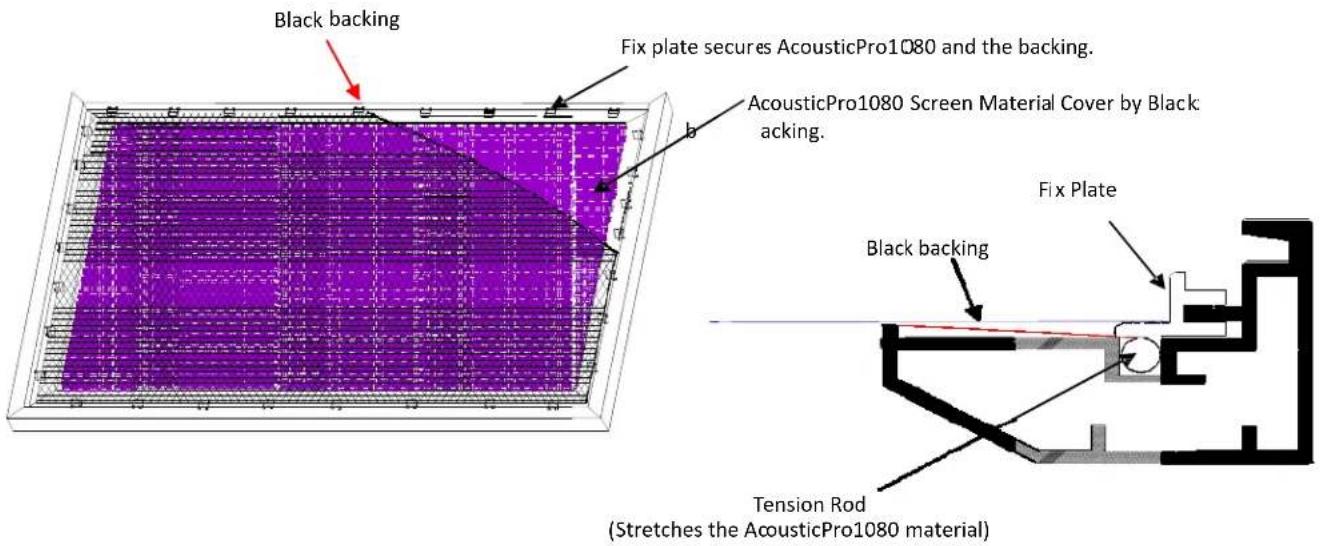
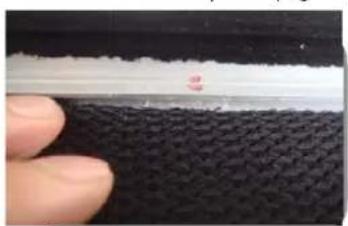
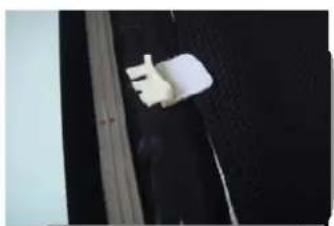
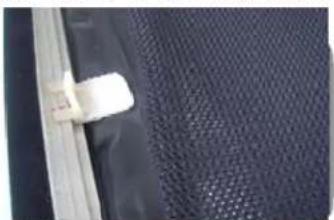
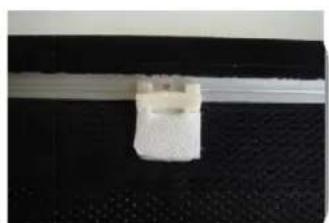
After the material has been installed, the backing will lie over the back of the white (AcousticPro1080) material and then be held into place by the fix plates as they're added (Fig.1-3). Interval markings reveal the suggested points of attachment (Fig.1). The prongs on the fix plates (Fig.2) straddle a lip on the back of the frame creating friction to hold the material in place (Fig.3-4).
natural_image
Close-up of a finger pressing down on a textured black surface with a white horizontal stripe (no text or symbols visible)Fig.1

natural_image
Close-up of a hand holding a white wristband against a dark background (no visible text or symbols)Fig.2
*An alternate way to attach the black backing to the back of the AcousticPro1080 material is to utilize the Velcro tabs located on the outer surface of the fix plates (Fig. 3-4).
natural_image
Close-up of a textured dark fabric surface with a small white clip attached to the edge (no text or symbols visible)Fig.3

natural_image
Close-up of a white plastic clip attached to a black textured surface (no text or symbols visible)Fig.4
ATTACH THE FIX PLATES
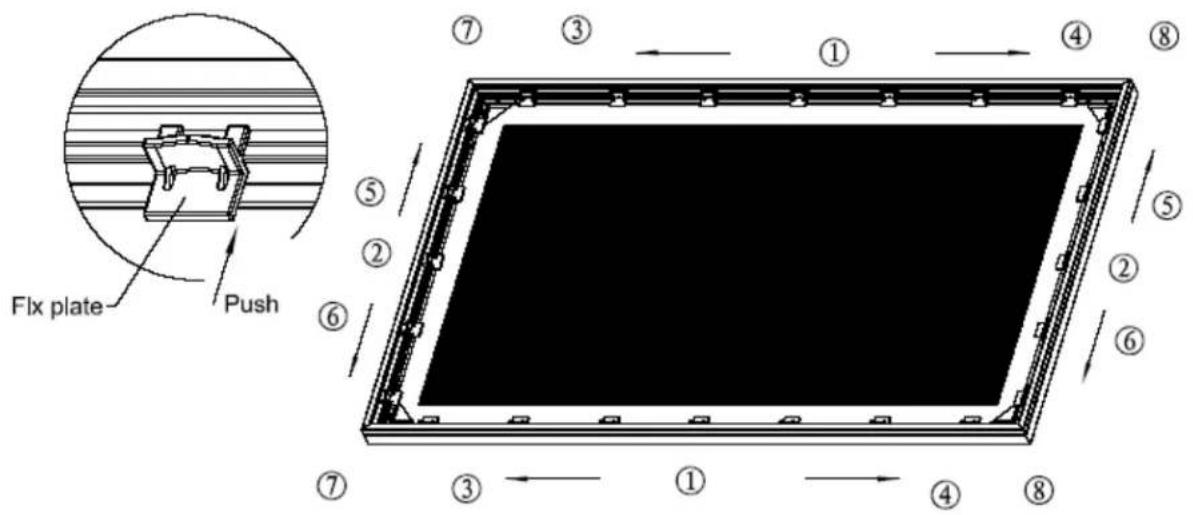
- Make sure that the material and frame are lying face down on a clean, dry and non-abrasive surface.
- Center the material inside the frame.
Note: The material will be noticeably smaller because stretching the material is required to create a sufficient amount of tension for perfect material flatness.
- Start attaching the Fix Plates in the center of the Horizontal Curved Frame's edge and (1) then alternate with the center short sides (2).
Note: Follow these instructions to make sure the material is properly fixed in the center position of the frame. After attaching the Fix Plates in sequence #2 (the center of the short sides), please remove the fix plates in sequence #1 (the center of the long horizontal edge) and reattach them again, and also remove the fix plates on sequence# (2) and reattach them again.
- Then continue to follow our recommended order numbers 3-8 to properly distribute tension to the screen material.
CENTER SUPPORT BAR
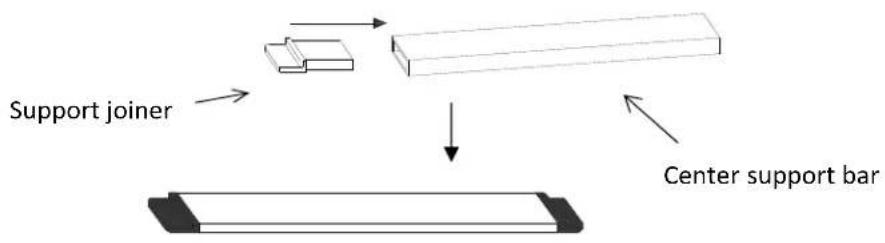
- Insert the Support Joiner (I) into each side of the Center Support Bar (H) to complete assembly.
flowchart
graph TD
    A["Support joiner"] --> B["Structural Component"]
    B --> C["Center support bar"]
-
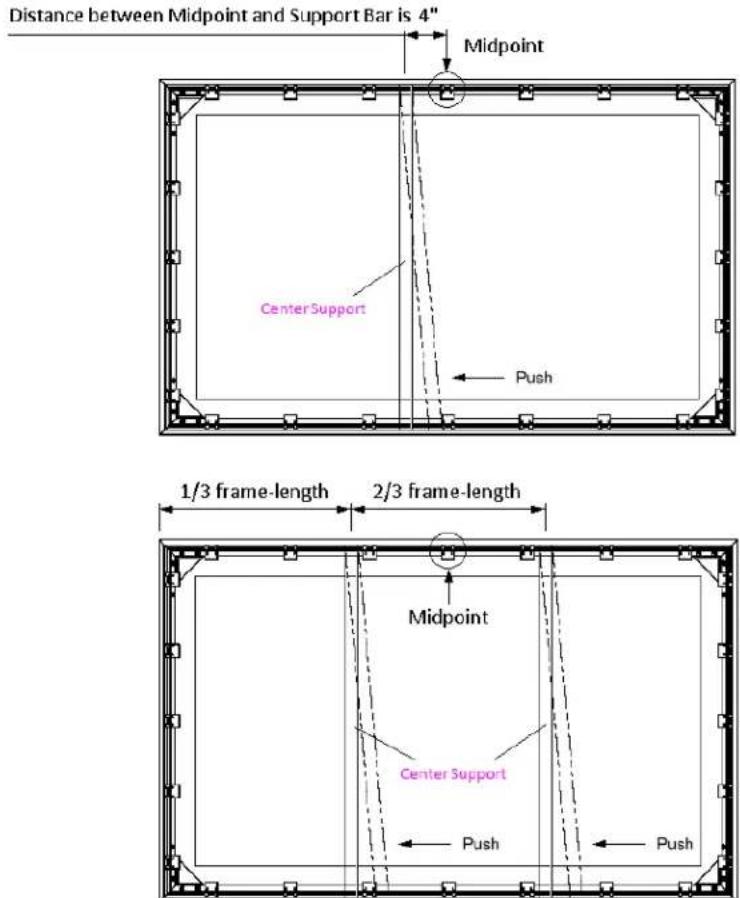
Insert the Center Support Bar (H) into the upper top groove on the back of the frame (not the one where the fix plate inserts) with the bottom end near the approximate center point of the frame and place it in at an angle so that both ends of the bar are in alignment with the groove.
-
Slide the top end of the end bar into the top center point location as shown below to complete the center support bar installation. This will provide added stability to your frame and add tension to the material.
INSTALLATION
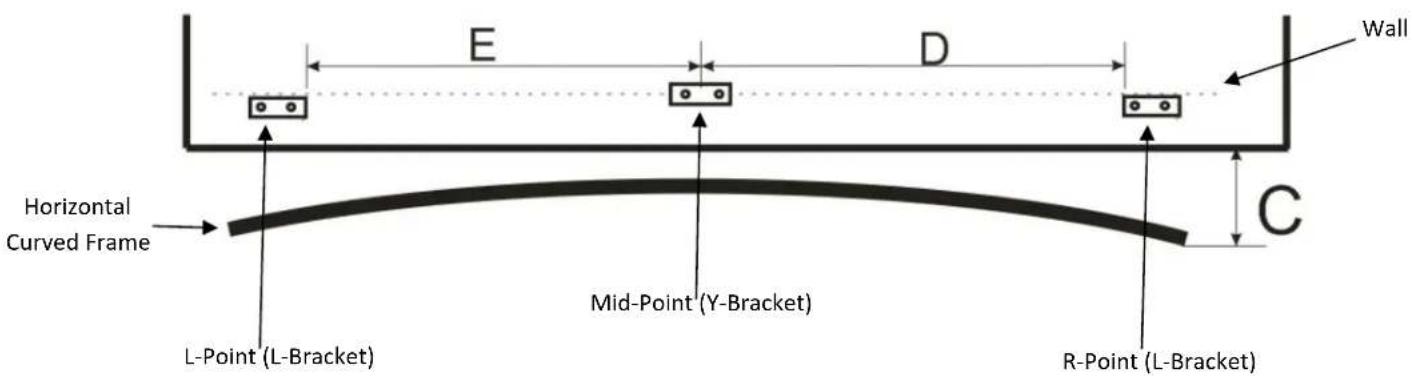
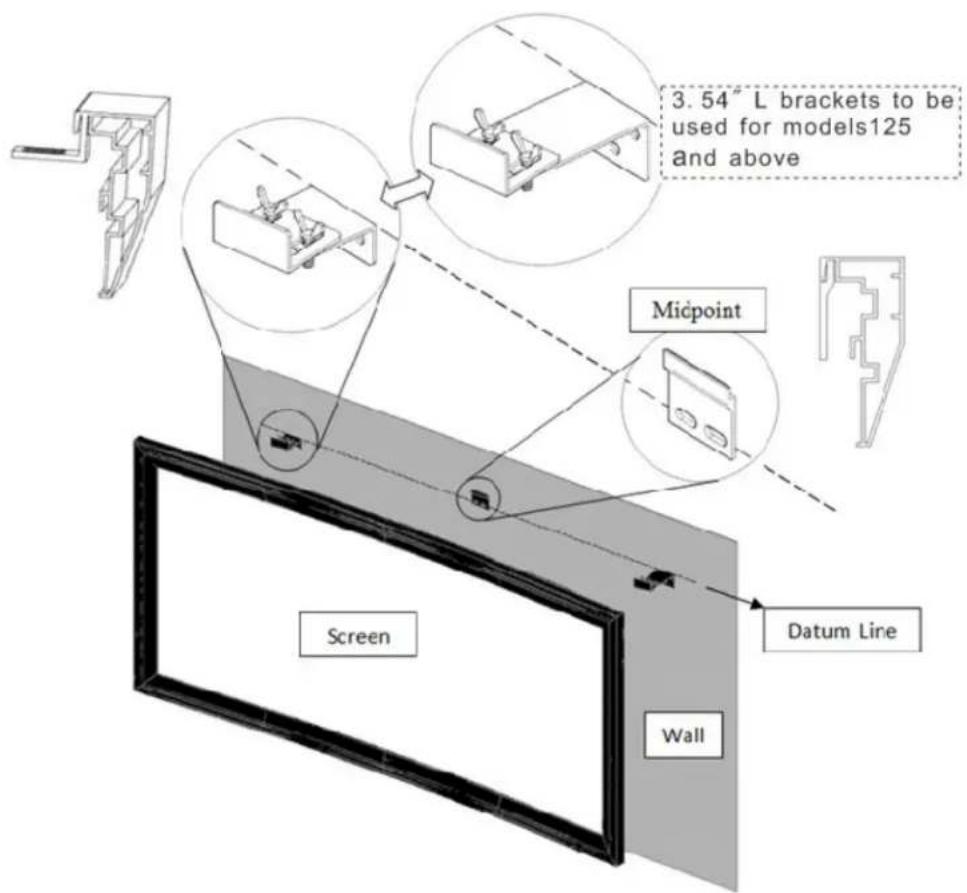
- Locate your desired installation height, draw the Datum Line and mark the drill-hole area of the Mid-Point. Note: The center of the hole must align with the Datum Line.
- Mark the drill-hole area of the L-Point and the R-Point. The top of the bracket must align with the Datum Line.
- Drill a hole with the proper bit size according to the included Wood Screws (F).
- Line up the brackets with the drilled holes on the installation location and screw then in using a Phillips screwdriver.
- Position the fixed frame screen onto the Y-Bracket (D) and push down at the center of the bottom frame to secure the insertion of the frame into the Y-Bracket.
- Combine the 1.77" L-Bracket (B) with the installed mounted 3.54" L-Bracket (C) using the Butterfly Screws (K) and then position frame onto the bracket.
Note: Step 6 only refers to models 125w and above. Models 85w-115w use four 1.77" L-Brackets (B).
- The brackets provide flexibility by allowing the fixed frame screen to slide to the slides. This is an important feature as it allows your screen to be properly centered.
Model Numbers Parts List Curve235-
| Part Name\Model Number | 85w | 96w | 103w | 115w | 125w | 138w | 147w | 158w |
| Horizontal Curved Frame | 2 | 2 | 2 | 2 | 2 | 2 | 2 | 2 |
| Upright Vertical Frame | 2 | 2 | 2 | 2 | 2 | 2 | 2 | 2 |
| Elbow Joint | 4 | 4 | 4 | 4 | 4 | 4 | 4 | 4 |
| M5*15 Assembly Screw | 9 | 9 | 9 | 9 | 9 | 9 | 9 | 9 |
| Screen Material | 1 | 1 | 1 | 1 | 1 | 1 | 1 | 1 |
| Top/Bottom Tension Rod | 2 | 2 | 2 | 2 | 2 | 2 | 2 | 2 |
| Side Tension Rod | 2 | 2 | 2 | 2 | 2 | 2 | 2 | 2 |
| Center Support Bar | 1 | 1 | 1 | 1 | 2 | 2 | 2 | 2 |
| Support Joiner | 2 | 2 | 2 | 2 | 4 | 4 | 4 | 4 |
| Fix Plate | 44 | 52 | 52 | 56 | 62 | 66 | 68 | 72 |
| Dry-wall anchor | 7 | 7 | 7 | 7 | 9 | 9 | 9 | 9 |
| M5*45 Wood Screw | 7 | 7 | 7 | 7 | 9 | 9 | 9 | 9 |
| 1.77" L-Bracket | 4 | 4 | 4 | 4 | 2 | 2 | 2 | 2 |
| 3.54" L-Bracket | 0 | 0 | 0 | 0 | 2 | 2 | 2 | 2 |
| Y-Bracket | 1 | 1 | 1 | 1 | 1 | 1 | 1 | 1 |
| Butterfly Screw | 5 | 5 | 5 | 5 | 5 | 5 | 5 | 5 |
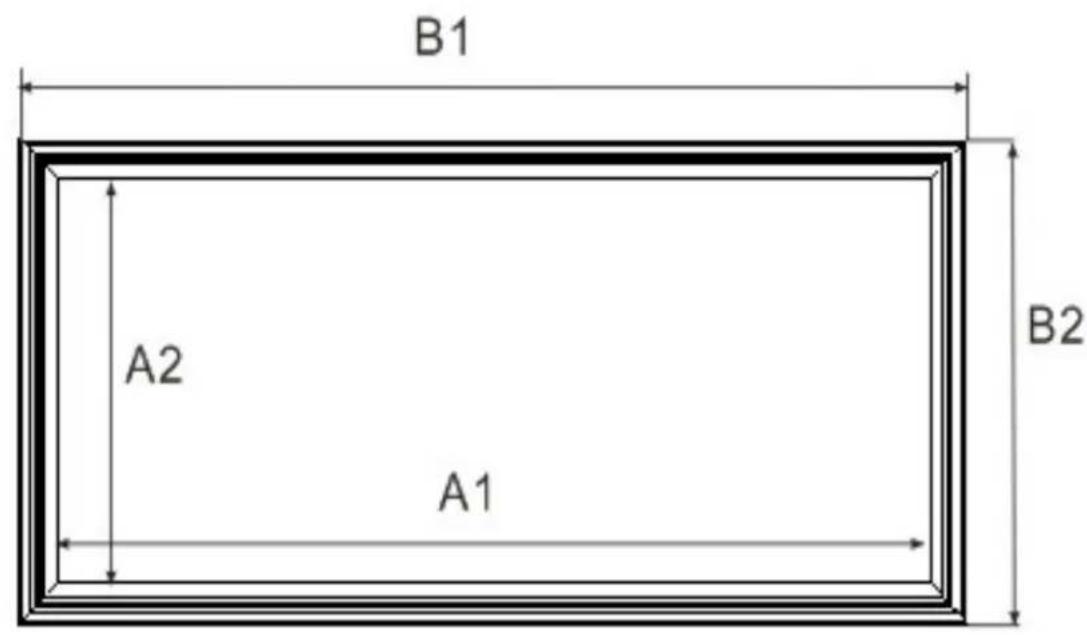
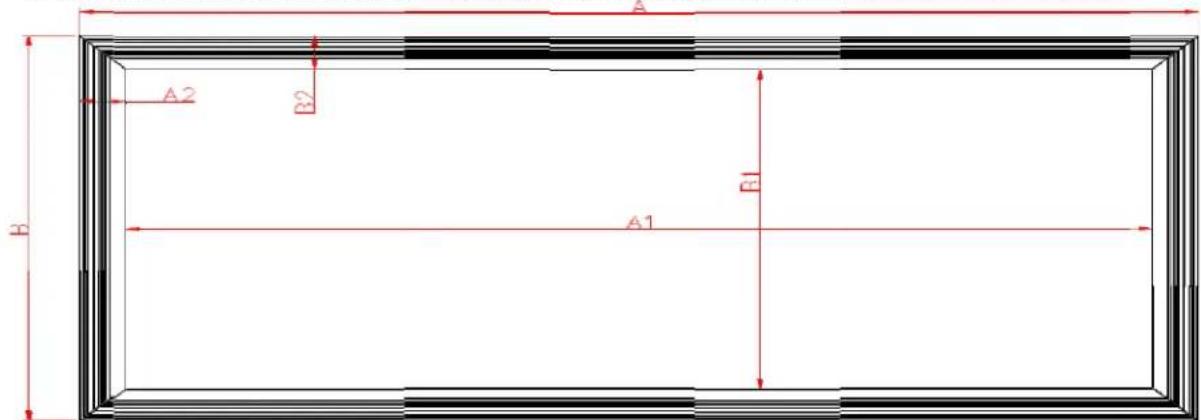
Dimensions of Diagram on page 9
| Model Number | View Width (A1) | View Height (A2) | Overall Width (B1) | Overall Height (B2) | Frame Height (C) | Distance (D) | Distance (E) |
| 85w | 78.19" (1986) | 33.28" (845) | 85.28" (2166) | 40.35" (1025) | 3.39" (86) | 39.96" (1050) | 39.96" (1050) |
| 96w | 88.35" (2244) | 37.56" (954) | 95.43" (2424) | 44.65" (1134) | 3.86" (98) | 45.28" (1150) | 45.28" (1150) |
| 103w | 94.77" (2407) | 40.31" (1024) | 101.85" (2587) | 47.40" (1204) | 4.17" (106) | 47.24" (1200) | 47.24" (1200) |
| 115w | 105.83" (2688) | 45.00" (1143) | 112.90" (2868) | 52.09" (1323) | 4.80" (122) | 51.18" (1300) | 51.18" (1300) |
| 125w | 115.00" (2921) | 48.90" (1242) | 122.09" (3101) | 55.98" (1422) | 5.35" (136) | 59.06" (1500) | 59.06" (1500) |
| 138w | 126.97" (3225) | 53.98" (1371) | 134.06" (3405) | 61.06" (1511) | 6.22" (158) | 62.99" (1600) | 62.99" (1600) |
| 147w | 135.24" (3435) | 57.52" (1461) | 142.32" (3615) | 64.6" (1641) | 6.81" (173) | 66.93" (1700) | 66.93" (1700) |
| 158w | 145.40" (3693) | 61.81" (1570) | 152.48" (3873) | 68.90" (1750) | 7.56" (192) | 68.90" (1750) | 68.90" (1750) |
Measurement dimensions are intended as a reference only and subject to change without notice. Note: Data Error may be ±1" Unit: (mm)
Lunette Series Dimension Table
| Unit:mm | ||||||||||||
| Model | Diagonal Size/Aspect Ratio | Overall Width (A) | Viewing Width (A1) | Frame Width (A2) | Overall Height (B) | Viewing Height (B1) | B2 | C | Frame Depth (D) | E | ||
| Curve235-85W | 85"(2. | 35:1) 21 | 66 19 | 86 | 90 | 1025 8 | 45 90 | 86 40 | 1050 | |||
| Curve235-96W | 96"(2. | 35:1) 24 | 23 22 | 43 | 90 | 1134 9 | 54 90 | 98 40 | 1150 | |||
| Curve235-103W | 103"(2 | .35:1) 25 | 87 24 | 07 | 90 | 1204 10 | 24 90 | 106 | 40 | 1200 | ||
| Curve235-115W | 115"(2 | .35:1) 28 | 67 26 | 87 | 90 | 1323 11 | 43 90 | 122 | 40 | 1300 | ||
| Curve235-125W | 125"(2 | .35:1) 31 | 01 29 | 21 | 90 | 1423 12 | 43 90 | 136 | 40 | 1500 | ||
| Curve235-138W | 138"(2 | .35:1) 34 | 05 32 | 25 | 90 | 1552 13 | 72 90 | 158 | 40 | 1600 | ||
| Curve235-158W | 158"(2 | .35:1) 38 | 72 36 | 92 | 90 | 1751 15 | 71 90 | 192 | 40 | 1750 | ||
| Unit: Inches | ||||||||||||
| Model | Diagonal Size/Aspect Ratio | Overall Width (A) | Viewing Width (A1) | Frame Width (A2) | Overall Height (B) | Viewing Height (B1) | B2 | C | Frame Depth (D) | E | ||
| Curve235-85W | 85"(2. | 35:1) 85. | 3 78 | 2 | 3.5 | 40.4 33 | .3 3.5 | 3.4 1.6 | 41.3 | |||
| Curve235-96W | 96"(2. | 35:1) 95. | 4 88 | 3 | 3.5 | 44.6 37 | .6 3.5 | 3.9 1.6 | 45.3 | |||
| Curve235-103W | 103"(2 | .35:1) 101 | .9 94 | 8 | 3.5 | 47.4 40 | .3 3.5 | 4.2 1.6 | 47.2 | |||
| Curve235-115W | 115"(2 | .35:1) 112 | .9 105 | 8 | 3.5 | 52.1 45 | .0 3.5 | 4.8 1.6 | 51.2 | |||
| Curve235-125W | 125"(2 | .35:1) 122 | .1 115 | 0 | 3.5 | 56.0 48 | .9 3.5 | 5.4 1.6 | 59.1 | |||
| Curve235-138W | 138"(2 | .35:1) 134 | .1 127 | 0 | 3.5 | 61.1 54 | .0 3.5 | 6.2 1.6 | 63.0 | |||
| Curve235-158W | 158"(2 | .35:1) 152 | .4 145 | 4 | 3.5 | 68.9 61 | .9 3.5 | 7.6 1.6 | 68.9 | |||
Measurements are intended as a reference only and are subject to change without notice. Note: Data Error may be ±1"

Warranty Policy
- Two (2) Year parts and labor warranty from defects in workmanship from purchase date as follows (except for refurbished units as specified below).
- Three (3) Year parts and labor warranty from defects in workmanship for GEMR (Government, Educational, Military, & Religious) purchases of new product only.
• Refurbished Units carry a 90-DAY parts and labor warranty.
• Each party will be responsible for one way shipping during the warranty period.
- A RMA (Return Merchandise Authorization) number must be issued in order to process a replacement or to authorize a return for warranty repair. Elite Screens will, at its sole option replace or repair the defective unit with a replacement *(see exceptions below) after the defective unit or parts have been received. Once the product is received, Elite Screens will send out a replacement *unit to the customer by ground service (subject to inventory availability).
- Do Not Return Any Unauthorized Items to Elite Screens, as they will be refused and returned at your expense. The RMA Number must be included on the outside label of your shipping box. Our warehouse is not authorized to accept returns without an RMA number on the shipping label.
• RMA Numbers are valid for 45 days from the date issued.
- Missing Parts must be reported within 7 days of receipt. If reported after 7 days, the customer will be responsible for shipping and handling fees. If reported after 30 days of receipt, the customer will be responsible for cost of parts and shipping & handling fees.
*A New or refurbished replacement will be send out to the customer depending on the type of purchase (new or refurbished) and based on stock availability.
North America only U.S. and Canada
For Warranty and Service requests, please submit an RMA/Service Form at: www.elitescreens.com/warrantysupportform
Please visit this link for full Warranty information: www.elitescreens.com/warranty
For Customer Service and Technical questions, please contact Elite Screens at:
Telephone: (877) 511-1211
service@elitescreens.com
Fax: (562) 926-8433
techsupport@elitescreens.com
REMEMBER TO REGISTER YOUR PRODUCT AT:
www.elitescreens.com
Contact Info
US & Canada Tech Support & Warranty Claim
Please contact us at service@elitescreens.com or call +1 877-511-1211 #3 or fax +1-562-926-8433
Europe Tech Support & Warranty Claim
Please contact us at service@elitescreens.eu or call +49-(0) 40-30392958
Asia Tech Support & Warranty Claim
Please contact us at service@elitescreens.com.cn or call +86-(0) 755-8461-7989
Taiwan Tech Support & Warranty Claim
Please contact us at service@elitescreens.com.tw or call +866+2+8990-1999
America:
Elite Screens Inc
16410 Manning Way
Cerritos, CA 90703 USA
Tel: +1-877-511-1211
Fax: +1-562-926-8433
info@elitescreens.com
www.elitescreens.com
Europe:
Elite Screens Europe
Lübecker Straße 1
22087 Hamburg, Germany
Tel: +49-4030392494
Fax: +49-40-49219200
info@elitescreens.eu
www.elitescreens.eu
Asia:
Elite Screens China Corp.
Longxi Duimianling Industry Zone
Longcheng Longgang District,
ShenZhen GuangDong, China
Tel: +86-(0)755-8461-7989
Fax: +86-(0)755-8461-7669
info@elitescreens.com.cn
www.elitescreens.com.cn
Elite Screens France S.A.S
11, Allée William Penn
92150 Surenes, France
Tel: +33-1-45064735
Fax: +33-1-45064735
info.fr@elitescreens.com
www.elitescreens.com/fr
Taiwan:
Elite Screens Taiwan Corp.
4F., No. 42-1 Wuguan Rd. Wugu Township Taipei
County 248, Taiwan (Wugu Industrial Park)
Taiwan (R.O.C)
Tel: +886+2+8990-1999
Fax: +886+2+8990+1366
info@elitescreens.com.tw
www.elitscreens.com.tw
Japan:
Elite Screens Japan Corp.
467-2-606 Tsuruma, Machida-shi,
Tokyo, 194-0004 Japan
Tel: 0120-07-0008
Fax: +81(0)42-706-9130
info@elitescreens.jp
www.elitescreens.jp
Latin America Contact:
Info.la@elitescreens.com
East Asia Contact:
Info.ea@elitescreens.com
India Contact:
Info.ea@elitescreens.com