381292-01 - 12617 ACV - Panduan pengguna gratis
Temukan panduan perangkat secara gratis 381292-01 ACV dalam format PDF.


Pertanyaan pengguna tentang 381292-01 ACV
0 pertanyaan tentang perangkat ini. Jawab yang Anda tahu atau ajukan milik Anda sendiri.
Ajukan pertanyaan baru tentang perangkat ini
Unduh instruksi untuk 12617 dalam format PDF gratis! Temukan panduan Anda 381292-01 - ACV dan ambil kembali perangkat elektronik Anda. Di halaman ini diterbitkan semua dokumen yang diperlukan untuk penggunaan perangkat Anda. 381292-01 merek ACV.
PANDUAN PENGGUNA 381292-01 ACV

Installation Manual
Doppel DIN Set
Standard: 381292-01
Rubber-Touch: 391292-01
• Suzuki Swift Sport 2007->
Compatible with double DIN devices
natural_image
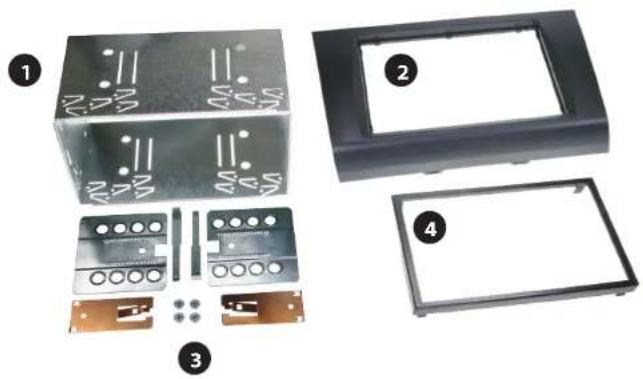
Exploded view of a mechanical housing assembly with labeled components (no text or symbols visible)Double DIN kit. Table of content
- Metal frame (1)
- Installation kit (3)
- Facia plate (2)
- Trim frame (4)
1
natural_image
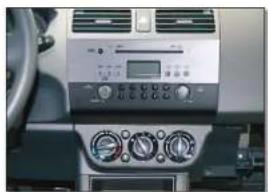
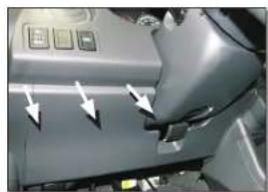
Interior view of a car dashboard with air conditioners and control panel (no visible text or symbols)Car with OEM head unit. Remove dashboard cover under
2
natural_image
Close-up of a car interior panel with buttons and arrows indicating movement (no visible text or symbols)the steering wheel by pulling towards seat (see arrows).
3
natural_image
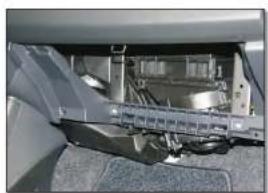
Close-up of a mechanical assembly with visible components and no text or symbolsOpen the glove box and remove it by pulling towards seat.
4
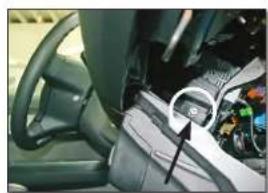
natural_image
Interior view of a car dashboard and steering wheel (no visible text or symbols)Remove locknut from head unit. (passenger side underneath the dashboard)
5
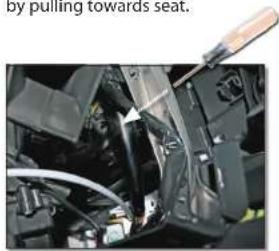
natural_image
Close-up of a car's engine compartment with visible hoses and components, no text or symbols presentRemove locknut from head unit (driver's side underneath the dashboard). Place the screw driver BEHIND the frame as shown on the picture
6
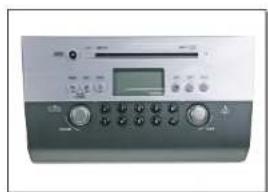
Remove OEM head unit.
7
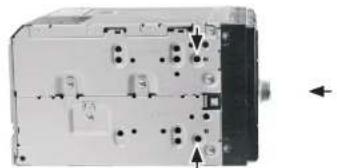
natural_image
Interior view of a mechanical or electronic device with no visible text, numbers, or symbols(sample photo) (sample photo)
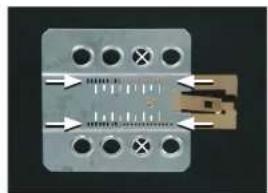
Mount the metal brackets to the double DIN head unit.
natural_image
Close-up of a metallic electronic component with multiple holes and internal circuit lines (no visible text or symbols)The position of the copper coloured holder can be adjusted to your needs for perfect fit. (see sample)
8
natural_image
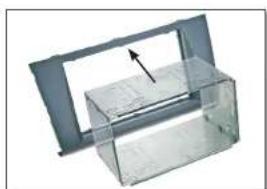
3D rendering of a transparent plastic enclosure with an arrow indicating a component (no text or symbols)Place the Double-DIN facia plate at the dashboard, move metal bracket into the facia plate.
9
natural_image
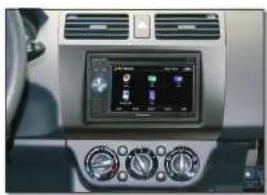
Interior view of a car dashboard with digital display and control knobs (no visible text or symbols)Connect alle required circuit points and wires. Push the double DIN head unit until it snaps in. Place plastic radio trim. Place back all panels in reverse order.
All installation work must be performed by a qualified professional installer only. The manufacturer / dealer is not liable for any kind of incidental or indirect damages.