
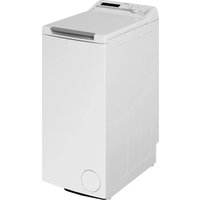
BS870F - Pyykinpesukone WHIRLPOOL - Ilmainen käyttöohje ja opas
Löydä laitteen käyttöohje ilmaiseksi BS870F WHIRLPOOL PDF-muodossa.


Käyttäjien kysymyksiä aiheesta BS870F WHIRLPOOL
0 kysymys tästä laitteesta. Vastaa tuntemiisi tai esitä omasi.
Esitä uusi kysymys tästä laitteesta
Lataa ohjeet laitteellesi Pyykinpesukone PDF-muodossa ilmaiseksi! Löydä käyttöohjeesi BS870F - WHIRLPOOL ja ota elektroninen laitteesi takaisin hallintaan. Tällä sivulla julkaistaan kaikki laitteidesi käyttöön tarvittavat asiakirjat. BS870F merkiltä WHIRLPOOL.
KÄYTTÖOHJE BS870F WHIRLPOOL
洗衣過程選擇
洗衣程序
| 洗衣程序 | 洗衣時間(約分鐘) | 過水次數 | 脫水時間(約分鐘) | 適用範圍 |
| 標準 | 3+12 | 2 | 3 | 適合一般骯髒及經常更換之衣物,如襯衫、罩衫等滌綸、錦綸及混合衣物。 |
| 輕柔 | 8 | 2 | 2 | 適合不太骯髒及質料輕柔之衣物,如綿質及合成纖維。 |
| 快速 | 5 | 1 | 3 | 穿著時間短的外衣等綿質、滌綸、錦綸及混合衣物。 |
- 當選擇標準程序,洗衣程序為雙重強力清洗。
第一階段以低水位清洗(約設定水位為70%左右),以高濃度洗衣液和強力洗衣節拍徹底分解頑固污穢。經過3分鐘沖洗後,洗衣機自動注水,並達到設定水位,開始第二階段的強力清洗。 - 本表格顯示的時間僅為此程序在第7段水位時的清洗時間和脫水時間。
- 當過水次數為2次時,可加入柔順劑,投放孔會自動投放。
- 當選擇快速洗衣程序時,「浸洗」過程及功能選擇按鈕均不能啟動。
- 標準程序為預設洗衣程序。
洗衣過程選擇和顯示,有6種洗衣過程組合,可供選擇。
| 過程方式\顯示 | 浸洗 | 主洗 | 過水 | 脱水 |
| 預設洗衣過程 | ||||
| 全程序 | ||||
| 主洗 | ||||
| 脱水 | ||||
| 主洗+過水 | ||||
| 過水+脱水 |
- 指示燈顯示狀態
(閃動):表示現在進行的過程。
(閃動) + 蜂鳴警報:表示洗衣遇到故障不能正常進行。
洗衣步驟及產品規格
洗衣步驟
- 放下排水管。
- 連接入水喉,開啟水龍頭。
- 接通電源,按下電源開關。
- 通過「洗衣程序」按鈕,選擇洗衣程序或使用預設洗衣程序。
- 若需要自選洗衣程序,按「過程」按鈕,選擇洗衣組合,或使用洗衣機預校洗衣程序組合。
- 通過「水位」按鈕,選擇洗衣水位。
- 若清洗洗衣機滾桶時,可按「功能」按鈕,選擇「滾桶清洗」。
- 通過「洗衣及脫水時間」按鈕,可改變洗衣機預設之洗衣及脫水時間。
- 若需預校洗衣時間,可通過「預校時間」按鈕來預校時間。
- 取出衣物口袋中的所有硬幣、紙巾等物品,然後將衣物均勻放入洗衣桶內。
- 放入洗衣粉時,可按需要加入柔順劑及漂白劑。
- 蓋上洗衣機蓋板。
- 按下「開始/暫停」按鈕,洗衣機開始運作。
* 如果選擇了預校洗衣時間並啟動,則洗衣機將進入延遲開機狀態。
* 洗衣完畢後,會有蜂鳴響鬧提示,若不處理,待3分鐘後,洗衣機便會自動關機。
產品規格
| 額定電壓 | 220V~ |
| 額定頻率 | 50Hz |
| 額定輸入功能 | 330W |
| 洗衣脱水容量 | 5.0公斤 |
| 重量 | 32公斤 |
| 實物尺寸 | 546 x 537 x 890毫米 |
| 包裝尺寸 | 530 x 530毫米 |
| 進水壓力 | 0.02 - 0.78MPa |
控制面板操作說明
1. 電源開關
- 按下「電源開關」,開啟電源,再按關掉電源。
- 洗衣結束約3分鐘後或非正常工作狀態時會自動關機。
- 敕動「電源開關」後,如按「啟動/暫停」按鈕,洗衣機處於智能控制功能狀態,洗衣機運轉,自動檢查、設定水位,完成整個洗衣過程。如按其他按鈕「電源開關」和「啟動/暫停」按鈕除外),洗衣機將會自動退出智能控制功能狀態而進入人手設定狀態;如不按任何鍵,3分鐘後洗衣機會自動關掉電源。
2. 啟動/暫停
- 按此按鈕開始運作,再按此按鈕可中途暫停。
3. 功能選擇
• 「滾桶清洗」只適用於清潔洗衣桶,預設為第七段水位,設定過水,過水次數為一次,顯示標準洗衣程序。
4. 洗衣/脱水時間
- 可通過此處2個按鈕,人手改變對洗衣或脫水預設程序時間。
- 按此按鈕一次減少1分鐘,持續按下數碼循環遞減時間會連續跳動。
- 當洗衣時間為0分鐘,再按鍵回到25分鐘;當脫水時間為0分鐘,再按鍵回到7分鐘。
- 按此按鈕可顯示設定之洗衣或脫水時間。
- 洗衣程序進行或暫停時,按鍵無效。
5. 預校時間(預校洗衣結束時間)
- 按此按鈕可預校0-12小時之洗衣結束時間。每按1次增加1小時。
- 當預校設定之時間少於洗衣時間,可按「啟動/暫停」按鈕直接進行洗衣。
• 預校之數碼顯示時間單位為小時,表示在該顯示的時間之後完成洗衣。設定預校時間時指示燈會發亮“.”;設定預校時間後,請按「啟動/暫停」按鈕,洗衣機會自動進入延遲開機狀態,10秒後除預校指示燈會亮著外,其餘指示燈均會熄滅。除電源開關按鈕及「啟動/暫停」按鈕外,按其他按鈕將顯示預校過程約10秒。洗衣開始前所有指示燈會自動恢復到熄滅前狀態。因注入水量不同,實際完成時間與預校時間會稍有出入。
6. 過程選擇
- 洗衣機在暫停設定狀態,按此按鈕可選擇洗衣機預校程序以外的洗衣過程組合。
·指示燈亮著,表示被選擇之洗衣程序正等待進行。 - 指示燈閃動,表示洗衣程序正在進行中。
7. 水位選擇
- 洗衣機在智能控制狀態下,按「啟動/暫停」按鈕,洗衣機可自動根據衣物的重量設定3、5、7、9段水位,其中一段水位進行全自動清洗。
- 若要自行設定水位,可根據洗衣量按此按鈕設定水位,並退出智能控制功能。
• 選擇「少量」水位3、5、7、9段時,水位指示燈會亮著,選擇水位2、4、6、8、10段時,水位指示燈會閃爍。
8. 洗衣程序
- 詳情請參照背面“洗衣程序”介紹。

洗衣用水量及常見故障處理方法
洗衣用水量
| 水位 | 洗衣容量(公斤) | 洗衣用水量(約公升) |
| 9/10 | 3.5-5.0 | 44/46 |
| 7/8 | 2.5-3.5 | 38/41 |
| 5/6 | 2.0-2.5 | 32/35 |
| 3/4 | 1.0-2.0 | 26/29 |
| 少量/2 | 0-1.0 | 20/23 |
常見故障處理
| 故障情況 | 原因及處理方法 |
| E1 | 表示2次脱水不平衡之狀態仍無法自動處理,請用人手把衣物均勻放置後,關上板蓋。或運作時板蓋並未關好或被打開;請重新關上板蓋。板蓋關好後,洗衣機會自動繼續運作。在人手處理前會保持在「E1」顯示狀態。 |
| E3 | 表示排水時間超過5分鐘。可能是排水管未放下、堵塞或結冰,請放下或清理排水管後,重新開關板蓋一次,洗衣機會自動繼續運作。如沒處理,洗衣機會在約1.5小時後自動斷電關機。 |
| E4 | 表示注水30分鐘後仍未達到設定水位。請按說明書中「洗衣不運作」進行檢查,故障排除後開關板蓋一次便可恢復注水。如沒處理,洗衣機會在約1個小時後自動斷電關機。 |
| 注意 | 經以上處理仍未解決,請聯絡我們的維修部門及有關專業人員進行維修,用戶請物擅自拆開修理。 |
下列情況並不是故障:
- 脱水時停止脫水,顯示b1或b2:脫水不平衡自動處理狀態,這是由於衣物在洗衣桶內偏向一側,安全開關啟動的緣故。重新注水後,波輪攪動,消除衣物的側偏後,便可重新脫水。
本公司秉承不斷改良產品之宗旨,如產品質料給規格有任何變動,恕不另行通知
SELECTION OF WASH PROCESS
Full-Automatic Program
| Wash Program | Wash Time (minutes) | Time of Rinse | Spin Time (minutes) | Scope of Application |
| Standard | 3+12 | 2 | 3 | Normally soiled laundry and frequently changed garments, shirts made of polyester, Polyamide or blends with cotton. |
| Gentle | 8 | 2 | 2 | Lightly or normally soiled cotton or mixed fabrics. |
| Quick | 5 | 1 | 3 | Shortly worn outer clothing made of cotton, Polyester, Polyamide and blends with cotton. |
- Double Power Wash will be applied on Standard program. Low water level is used in the 1st stage of washing (approximately 70% of water), combining concentrated detergent and strong washing force to clean laundry for 3 minutes. Washer will be filled to optimum level of water and begin 2nd stage of cleaning.
- Wash time and spin time shown in this table is only for water level 7 washing.
- Softener can be added to dispenser for programs with 2 rinse cycles.
- Soaking cannot be use together with "Quick Wash" program.
- Standard program are the preset wash program.
Wash Process Selection and Display (with 6 combinations of wash programs for selection)
| Process\Display | Soaking | Wash | Rinse | Spin |
| Preset Wash Process | ||||
| Full Program | ||||
| Wash Only | ||||
| Spin Only | ||||
| Wash + Rinse | ||||
| Rinse + Spin |
• Mode indicated by display light:
(€) (flashing): indicates the on-going process.
(€) (flashing) + buzzer alarm: indicates failure of operation due to faults.
• Mode indicated by display light:
(€) (flashing): indicates the on-going process.
(€) (flashing) + buzzer alarm: indicates failure of operation due to faults.
WASH PROCEDURES AND PRODUCT SPECIFICATIONS
Wash Procedures
- Put drain hose in place.
- Connect water inlet pipe properly and turn on water tap.
- Connect to the power source and turn on power supply.
- Press "Wash Program" button to set the wash program or use the preset wash program.
- Press "Process" button to select your own required combination of wash processes other than the full automatic process.
- Press "Water Level" button for desired water level.
- To clean washer drum, press "Function" button to select the "Basket Cleaning".
- Use "Wash & Spin Time" function to modify the preset wash and spin time.
- Use "Delay Timer" function to select desired time to wash.
- Empty the laundry of all coins, banknotes and tissue paper before loading it evenly into the drum.
- Place in detergent. Softener and bleach agent may also be added according to needs.
- Close the washer lid.
- Press "Start / Pause" button to begin wash.
* The washer will be in delay time mode if "Delay Timer" is selected.
* When washing is finished, the buzzer will sound. Washer will shut off automatically in 3 mintues.
Product Specifications
| Rated Voltage | 220V~ |
| Rated Frequency | 50Hz |
| Rated Input Power | 330W |
| Washing Capacity | 5.0Kg |
| Weight | 32Kg |
| Outer Shell Size | 546 x 537 x 890mm |
| Cabinet Size | 530 x 530mm |
| Water Pressure | 0.02 - 0.78MPa |
NOTES ON CONTROL PANEL
1. Power Switch
- Press the "On/Off" to connect the power; press it again to cut off power supply.
- The machine will automatically shut off in 3 minutes after completion of wash program or when the machine is in abnormal operation mode.
- The washer will be in fuzzy logic status when switched on. When you press the "START / PAUSE" button, the washer will start operating, autochecking, setting the water level and completing the whole washing process. If you press other buttons (except "On/Off" & "START / PAUSE"), the washer will automatically quit the fuzzy logic mode and enters into manual control mode.
2. Start / Pause
- Press the button to begin operation; press it again to suspend operation during the wash process.
3. Function Selection
- "BASKET CLEANING" is only used for cleaning the drum; water level is preset at 7, with 1 time rinsing, and in standard wash mode.
4. Wash / Spin Time
- Use these 2 buttons to change the program preset washing or spinning time.
- Press button once to reduce 1 minute of time. Hold pressing the button for automatic reduction of time in circular.
- When wash time indicates 0 minute, press once to return to 25 minutes. When spin time indicates 0 minute, press once to return to 7 minutes.
- Press button to display program preset wash and spin time.
- When washing cycle is in progress or being paused, this button will not function.
5. Delay Timer (to specify washing finish time)
- Press button to specify desired washing complete time from 0-12 hours. Each press of button increases time by 1 hour.
- When the scheduled time is less than the programmed washing time, press "START / PAUSE" button to start wash.
- The scheduled washing time will be displayed in hours indicating “.” that washing process will be finished at the display time. After setting the time, press the “START / PAUSE” button. The washer will be in Start Delay mode. After 10 seconds, only the Delay Timer indicator is lighted. When the washing cycle starts, the lights will return to their original state. Due to different speeds of water intake, the actual finish time may vary from the preset time.
6. Process Selection
- When the washer is paused, press button to select combination of wash process other than preset process.
- Lights of respective programs will be on to indicate selection in progress.
- The flashing display light indicates progress of wash program.
7. Water Level Selection
- In fuzzy logic control mode, press "START / PAUSE" button, appropriate water level will be selected 3, 5, 7, 9 water level and automatically based on laundry load.
- Press "Water Level" button for manual selection of water level, and automatically quits fuzzy logic control mode.
- Water level indicator lights up when "Water Level" selection is Mini. 3, 5, 7, 9; indicator blinks when selection is 2, 4, 6, 8, 10.
8. Wash Program
Details of "Wash Process" please see the next page.

CONSUMPTION OF WATER AND HANDLING OF COMMON FAULTS
Consumption of Water
| Water Level | Wash Load (kg) | Water Consumed (L) |
| 9/10 | 3.5-5.0 | 44/46 |
| 7/8 | 2.5-3.5 | 38/41 |
| 5/6 | 2.0-2.5 | 32/35 |
| 3/4 | 1.0-2.0 | 26/29 |
| Mini/2 | 0-1.0 | 20/23 |
Handling of Common Problems
| Manifestations of Faults | Causes and Solutions |
| E1 | After automatic adjustment for 2 times, imbalance problem is still unresolved. Please place the laundry evenly. Or the lid is not properly closed, or has been opened during wash process. Close the lid to resume operation. “E1” status will persist until faults are attended. |
| E3 | Water draining is not completed in 5 minutes. Problem may be the drain pipe is not put down, or clogged, or frozen. Please put the drain pipe down and clear pipe up. Open and close the lid once to resume operation. If still unattended, the washer will shut down after 1.5 hours. |
| E4 | Indicating failure to attain the best water level after 30 minutes water intake. To be treated and checked as “Malfunction of Wash”. If problem is solved, open and close the lid again to resume water intake. If problem is unattended, the washer will shut down automatically after 1 hour. |
| Attention | If above problems still remains, contact our Star Service team for repair. Please do not disassemble the machine by yourselves. |
The following symptom is not a problem:
- If the drum stops spinning during the spinning process, "b1" or "b2" will be displayed. It means the laundry have shifted to one side while spinning creating an imbalance. The washer will be fill with water again to attempt to redistribute the laundry and will begin spinning again if the imbalance is corrected.
Whirlpool is committed to continued product enhancement.
Product materials and specifications is subject to changes without prior notice.


- 洗衣過程選擇
- 洗衣步驟及產品規格
- 洗衣步驟
- 控制面板操作說明
- 電源開關
- 啟動/暫停
- 功能選擇
- 洗衣/脱水時間
- 預校時間(預校洗衣結束時間)
- 過程選擇
- 水位選擇
- 洗衣程序
- 洗衣用水量及常見故障處理方法
- 下列情況並不是故障:
- SELECTION OF WASH PROCESS
- WASH PROCEDURES AND PRODUCT SPECIFICATIONS
- WASH PROCEDURES
- NOTES ON CONTROL PANEL
- POWER SWITCH
- START / PAUSE
- FUNCTION SELECTION
- WASH / SPIN TIME
- DELAY TIMER (TO SPECIFY WASHING FINISH TIME)
- PROCESS SELECTION
- WATER LEVEL SELECTION
- WASH PROGRAM
- CONSUMPTION OF WATER AND HANDLING OF COMMON FAULTS
Merkki : WHIRLPOOL
Malli : BS870F
Kategoria : Pyykinpesukone