Live-10TX800 - Kategooriata AIRLIVE - Tasuta kasutusjuhend
Leidke seadme juhend tasuta Live-10TX800 AIRLIVE PDF-formaadis.


Kasutajate küsimused teemal Live-10TX800 AIRLIVE
0 küsimus selle seadme kohta. Vastake nendele, mida teate, või esitage oma.
Esita uus küsimus selle seadme kohta
Laadige alla juhend oma Kategooriata PDF-formaadis tasuta! Leidke oma juhend Live-10TX800 - AIRLIVE ja võtke oma elektrooniline seade uuesti kätte. Sellel lehel on avaldatud kõik teie seadme kasutamiseks vajalikud dokumendid. Live-10TX800 kaubamärgi AIRLIVE.
KASUTUSJUHEND Live-10TX800 AIRLIVE
www.airlive.com
Quick Setup Guide

Declaration of Conformity
We, Manufacturer/Importer
AirLive Technology Corporation
4F, No.132, Lane 235, Baoqian Rd., Xindian Dist.,
New Taipei City 23145, Taiwan
Declare that the product
8-Port Full 10G RJ-45 Multi Gigabit Switch
Live-10TX800
8-Port Full 10G WebSmart RJ-45 Multi Gigabit Switch WEB-10TX800
is in conformity with
In accordance with 2014/30/EU and 2014/35/EU Directive
Clause
■ EN 55032:2015/A1:2020
Description
Electromagnetic compatibility (EMC)
■ EN IEC 62368-1:2020+A11:2020
Electromagnetic compatibility (LVD)
■ CE marking

natural_image
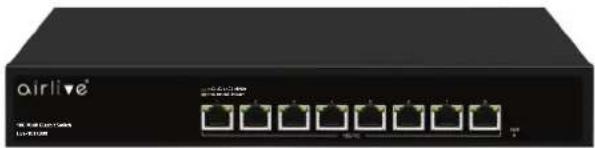
Front view of a black airline network switch device (no visible text or symbols on the device body)Live-10TX800
natural_image
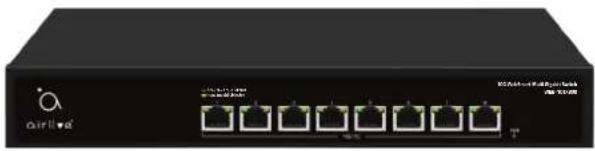
Front view of a black industrial network switch device with multiple Ethernet ports (no visible text or labels)WEB-10TX800
Manufacturer/Importer
Name : A van Rossem Position/ Title : Product Manager
Date : June 2024Place : Republic of China (Taiwan)
Regulatory Approvals
- CE Statement
This product complies with the 2014/30/EU and 2014/35/EU directives, including the following safety and EMC standards:
■ EN 55032:2015/A1:2020
Electromagnetic compatibility (EMC)
■ EN IEC 61000-3-2:2019/A1:2021
Electromagnetic compatibility (EMC)
■ EN 61000-3-3:2013/A2:2021
Electromagnetic compatibility (EMC)
■ EN 55035:2017/A11:2020
Electromagnetic compatibility (EMC)
■ EN IEC 62368-1:2020+A11:2020
Electromagnetic compatibility (LVD) - Safety
• RoHS Statement
This product complies with RoHS directive 2011/65/EU and amendment Commission Delegated Directive (EU)2015/863.
■IEC 62321-3-1:2013
■IEC 62321-5:2013
■IEC 62321-4:2013+AMD1:2017
■IEC 62321-7-1:2015
■IEC 62321-7-2:2017
■IEC 62321-6:2015
■IEC 62321-8:2017
- CE Marking Warning
This is a Class A product. In a domestic environment this product may cause radio interference in which case the user may be required to take adequate measures.

AirLive Technology Corporation declares that this device is in compliance with the essential requirements and other relevant provisions of directive 2014/30/EU.


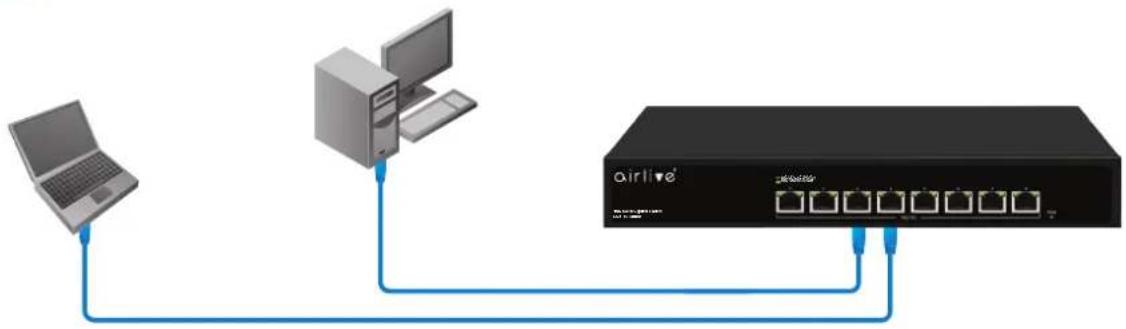
▼ Installation Steps
Figure A
flowchart
graph TD
    A["Laptop"] --> B["Tower"]
    B --> C["Airllive"]
    C --> D["Server"]
    D --> E["AT1 600"]
    D --> F["AT2 500"]
    D --> G["AT3 400"]
    D --> H["AT4 300"]
LED DEFINITIONS
| Power | Red ON | Power is ON and Normal. |
| Red OFF | The switch is not receiving power. | |
| Port LED (Green) | Green ON | 2.5G/5G/10G Link Connection is normal. |
| Green Flashing Data transmission is normal. | ||
| Green OFF | Link is Offline. | |
| Port LED (Yellow) | Yellow ON | 100/1000M Link Connection is normal. |
| Yellow Flashing Data transmission is normal. | ||
| Yellow OFF Link is Offline. | ||
EN English
Installation Step:
- Remove the switch and accessories from the package.
- Connect power to the switch. Make sure that "Power" LED is on.
- Check the Port LED indicator status. When a device is connected the port light up.
- For more product information visit www.airlive.com.
EN English
Important Information for model WEB-10TX800 only.
- The default IP address: 192.168.2.1
- The default username / password is admin
Installation Step:
- Set your PC's IP address to 192.168.2.50.
- Open your web browser and enter "192.168.2.1" to get into the switch Web Management.
- Enter "admin" for username, "admin" for password.