SPT 3228 - Kõlar SENCOR - Tasuta kasutusjuhend
Leidke seadme juhend tasuta SPT 3228 SENCOR PDF-formaadis.


Kasutajate küsimused teemal SPT 3228 SENCOR
0 küsimus selle seadme kohta. Vastake nendele, mida teate, või esitage oma.
Esita uus küsimus selle seadme kohta
Laadige alla juhend oma Kõlar PDF-formaadis tasuta! Leidke oma juhend SPT 3228 - SENCOR ja võtke oma elektrooniline seade uuesti kätte. Sellel lehel on avaldatud kõik teie seadme kasutamiseks vajalikud dokumendid. SPT 3228 kaubamärgi SENCOR.
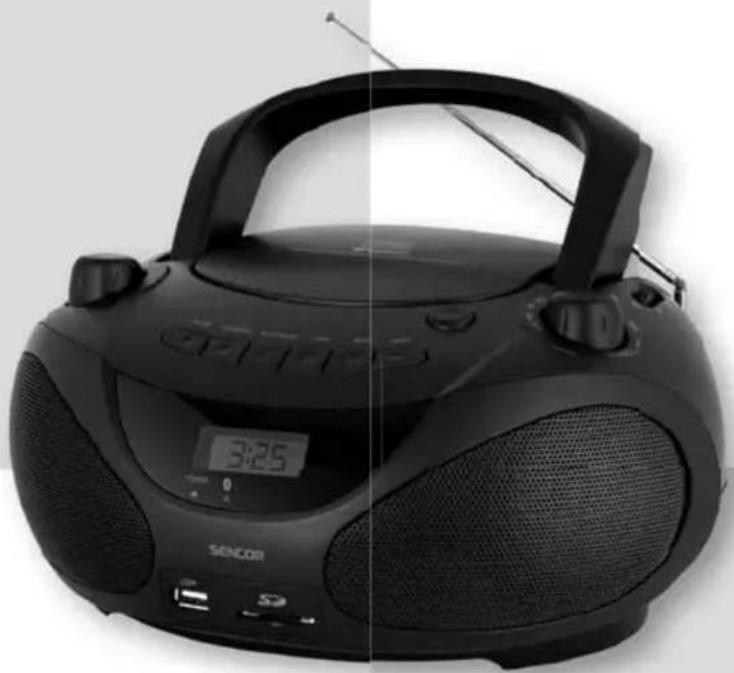
KASUTUSJUHEND SPT 3228 SENCOR
SENCOR®
SPT 3228
natural_image
Black Siemens 3.25 portable radio with digital display and antenna (no visible text or symbols on device body)INSTRUCTION MANUAL
NÁVOD K OBSLUZE
NÁVOD NA OBSLUHU
FELHASZNÁLÓI KÉZIKÖNYV
INSTRUKCJA OBSŁUGI
EN CZ SK HU PL
PORTABLE CD/MP3 PLAYER WITH USB/SD SLOT AND BLUETOOTH
PŘENOSNÝ CD/MP3 PŘEHRÁVAČ S PODPOROU USB/SD A BLUETOOTH
PRENOSNÝ CD/MP3 PREHRÁVAČ S PODPOROU USB/SD A BLUETOOTH
HORDOZHATÓ CD/MP3 USB/SD ÉS BLUETOOTH TÁMOGATÁSSAL
PRZENOŚNY ODTWARZACZ CD/MP3 Z OBSŁUGA USD/SD I BLUETOOTH
IMPORTANT SAFEGUARDS
WARNING: TO PREVENT FIRE OR SHOCK HAZARD, DO NOT EXPOSE THIS APPLIANCE TO RAIN OR MOISTURE
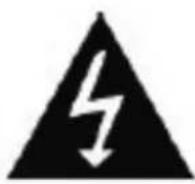
CAUTION
RISK OF ELECTRIC SHOCK DO NOT OPEN

These marking are located on the bottom, side or back of the unit
CAUTION: TO PREVENT THE RISK OF ELECTRIC SHOCK, DO NOT REMOVE COVER (OR BACK), NO USER SERVICEABLE PARTS INSIDE.
REFER SERVICING TO QUALIFIED SERVICE PERSONNEL.
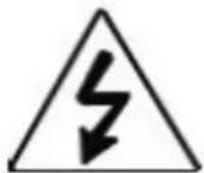
The lighting flash with arrowhead symbol, within an equilateral triangle, is intended to alert the user to the presence of uninsulated "dangerous voltage" within the product's enclosure that may be of sufficient magnitude to constitute a risk of electric shock to persons.

The exclamation point within an equilateral triangle, is intended to alert the user to the presence of important operating and maintenance (servicing) instructions in the literature accompanying the appliance.
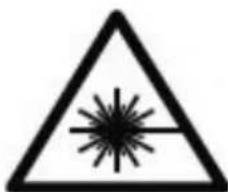
The following label has been affixed to the unit, listing the proper procedure for working with the laser beam.
- THIS LABEL IS ATTACHED TO THE PLACE AS ILLUSTRATED TO INFORM THAT THE APPARATUS CONTAINS A LASER COMPONENT.
- THE WARNING LABEL INFORMING OF RADIATION IS PLACED INSIDE THE UNIT. AS SHOWN IN THE ILLUSTRATION, TO WARN AGAINST FURTHER MEASURES ON THE UNIT. THE EQUIPMENT CONTAINS A LASER RADIATING LASER RAYS EXCEEDING THE LIMIT OF LASER PRODUCT OF CLASS 1.
①
CLASS 1 LASER PRODUCT
②
natural_image
Warning symbol with a triangle and starburst pattern (no text)CAUTION
INVISIBLE LASER RADIATION WHEN OPEN AND
INTERLOCKS DEFEATED.
AVOID EXPOSURE TO BEAM
SAFETY INSTRUCTIONS
- READ INSTRUCTIONS – All the safety and operating instructions should be read before the appliance is operated.
- RETAIN INSTRUCTIONS – The safety and operating instruction should be retained for future reference.
- HEED WARNINGS – All warnings on the appliance and in the operating instructions should be adhered to.
- FOLLOW INSTRUCTIONS – All operating and use instructions should be followed.
- WATER AND MOISTURE – The appliance should not be used near water, for example, near a bathtub, washbowl, kitchen sink, laundry tub, swimming pool or in a wet basement.
- VENTILATION – The appliance should be situated so that its location or position does not interfere with its proper ventilation. For example, the appliance should not be situated on a bed, sofa, rug or similar surface that may block the ventilation openings; placed in a built-in installation, such as a bookcase or cabinet that may impede the flow of air through the ventilation openings.
- HEAT – The appliance should be situated away from heat sources such as radiators, stoves, or other appliances (including amplifiers) that produce heat.
- POWER SOURCE – The appliance should be connected to a power supply only of the type described in the operating instructions or as marked on the appliance.
- GROUNDING – Precautions should be taken to ensure that the grounding means of an appliance is not defeated.
- POWER CORD PROTECTION – Power supply cords should be routed so that they are not likely to be walked on or pinched by items placed upon or against them, paying particular attention to cords at plugs, convenience receptacles and the point at which they exit from the appliance.
- POWER LINES – An out door antenna should be located away from power lines.
- NON-USE PERIODS – The power cord of the appliance should be unplugged from the outlet when the appliance is to be left un-used for a long period of time.
- OBJECT and LIQUID ENTRY – Care should be taken so that objects do not fall and liquids are not spilled into the enclosure through openings.
-
DAMAGE REQUIRING SERVICE – The appliance should be serviced by qualified service personnel when:
A. The power – supply cord or plug has been damaged.
B. Objects have fallen into, or liquid has been spilled into the appliance enclosure.
C. The appliance has been exposed to rain.
D. The appliance has been dropped, or the enclosure damaged.
E. The appliance does not appear to operate normally or exhibits a marked change in performance. -
SERVICING – The user should not attempt to service the appliance beyond that described in the user's operating instructions. All other servicing should be referred to qualified service personnel.
NOTES:
1) It is preferred to retain CD inside the unit even when it is not in use. This prevents dust accumulation on optical lens.
2) Dirty or scratched CD may cause skipping problem. Clean or replace the CD.
3) If an erroneous display or malfunction occurs, disconnect the AC cord and remove all the batteries (where applicable) to turn off the display. Then turn the power back on.
- No naked flame sources, such as lighted candles, should be placed on the apparatus.
- The apparatus shall not be exposed to dripping or splashing and that no objects filled with liquids, such as vases, shall be placed on the apparatus.
- Disconnect the power sources by pulling the mains plug; mains plug shall remain readily operable.
BEFORE OPERATION
NOTES-CONCERNING COMPACT DISCS.
Since dirty, damaged or warped discs may damage the unit, care should be taken of the following items:
- a) Usable compact discs
Use compact disc only with the mark shown on the disc.
b) CD: compact disc only with digital audio signals.

- NOTES ON HANDLING DISCS
Removing the disc from its storage case and loading it.
PRESS THE CLAWS AT THE CENTER OF THE DISC CASE.
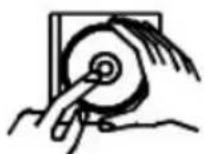
INSERT WITH THE LABLE FACING UP.
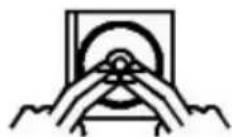
LIFT OUT WITHOUT TOUCHING THE RECORDED SURFACE PRESS THE DISC GENTLY TO INSERT IT.
- Do not touch the reflective recorded surface
- Do not stick anything to or write anything on the surface.
- Do not bend compact discs.
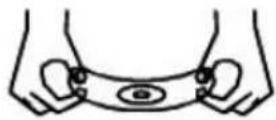
Incorrect
3. STORAGE
• After removing a disc from the unit, be sure to put it back in its case.
- Do not expose discs to direct sunlight, high temperatures from a heater, etc, high humidity, or dust.
CLEANING DISCS
• Before loading a disc, wipe off any dust.
- Dirt or fingerprints with a soft cloth. Discs should be cleaned by wiping radially, from the center to the edge.
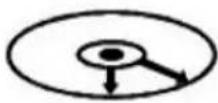
Correct
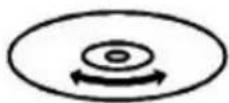
Incorrect
FROM THE CENTIER TO THE EDGE
This unit has been designed to play 8cm or 12cm compact discs bearing the identification logo shown on the disc. Never use thinner, benzine, record cleaner or antistatic spray on a compact disc.
BEFORE OPERATION NOTES ON SET
• Beware of condensation.
When water vapour comes into contact with the surface of cold material, water drops are produced.
If condensation occurs, correct operation may not be possible or the unit may not function correctly.
This is not a malfunction however, and the unit should be dried (To do this, turn the POWER switch ON and leave the unit as it is for several hours.)
- Be especially careful in the following conditions.
- When the unit is brought from a cold place to a warm place, and there is a large temperature difference.
- When a heater starts operating.
- When the unit is brought from an air-conditioned place to a place of high temperature with high humidity.
- When there is a large difference between the internal temperature of the unit and ambient temperature, or in conditions where condensation occurs easily.
- Protect your unit/set from rain, fire, moisture, sand, dust, chemicals & excessive heat (e.g. Near heating equipment or in car parked under the sun light.)
LOCATION CONTROLS OF UNIT
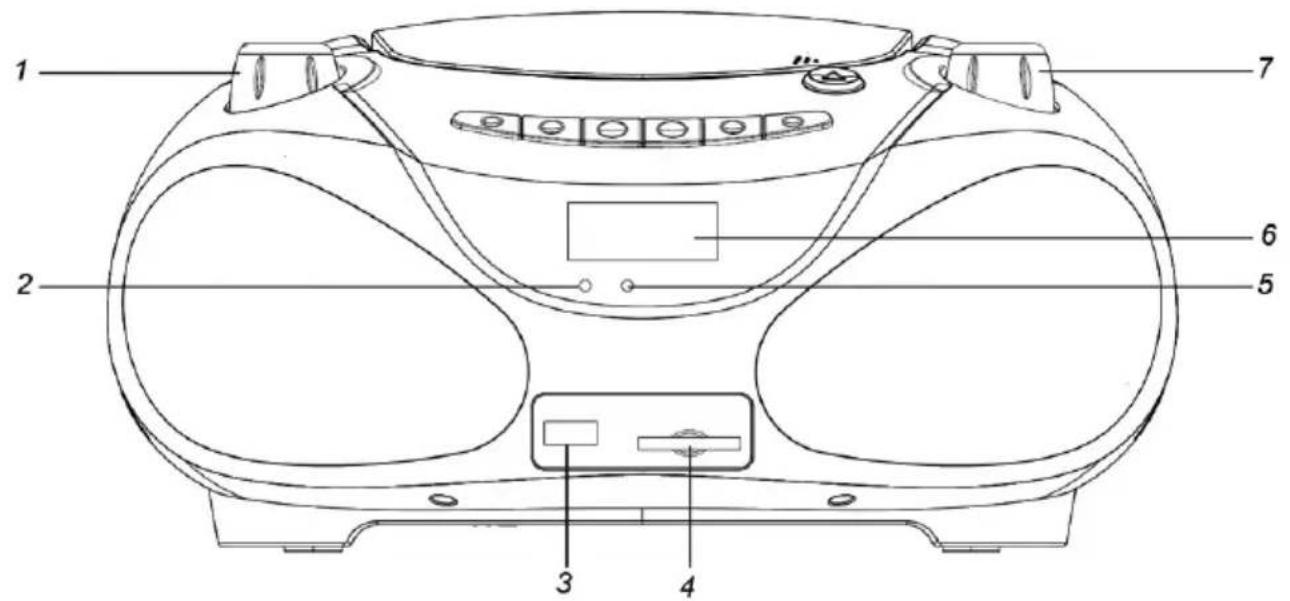
FRONT VIEW
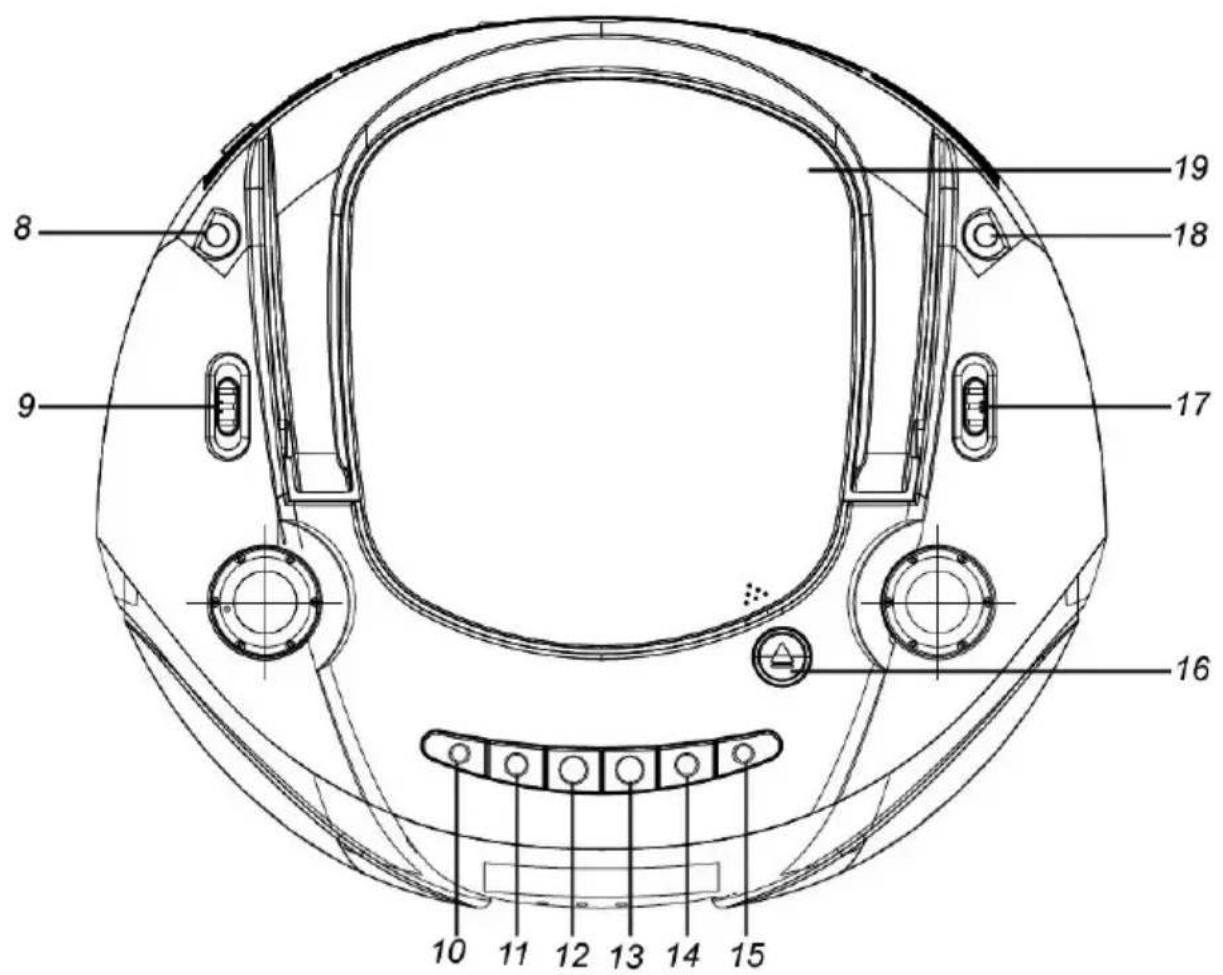
TOP VIEW
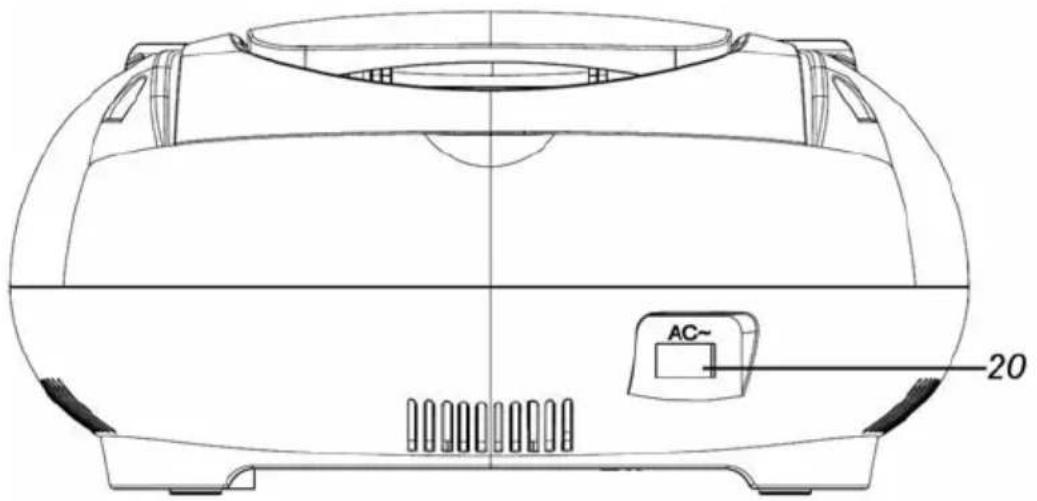
BACK VIEW
- VOLUME CONTROL
- POWER ON INDICATOR
- USB PORT
- SD/MMC SLOT
- BLUETOOTH INDICATOR
- LCD DISPLAY
- TUNING CONTROL
- AUX-IN JACK
- FUNCTION SELECTOR
-
MODE BUTTON
-
FOLDER + BUTTON
- PLAY/PAUSE
- STOP BUTTON
- SKIP-BUTTON
- SKIP+ BUTTON
- CD COVER OPEN BUTTON
- BAND SELECTOR
- ANTENNA
- CD COVER
- AC SOCKET
POWER OPERATION
AC POWER
- Before connecting the AC power cord, check that the operating voltage of your set is identical with voltage of your local power supplied.
- Connect one end of the AC power cord (supplied) to the AC socket located at the backside of your unit.
- Plug the other end into the wall outlet.
- After connect the power source, press the "FUNCTION SELECTOR" to "CD/USB" or "RADIO" start work, and the power indicator will be lit on.
- If you do not want to use the unit, press the "FUNCTION SELECTOR" to "AUX/OFF" to stop and power indicator will be lit off.
DC POWER
- Open the battery compartment cover.
- Insert 8 pieces UM-2 of "C" type batteries into the battery compartment. Be sure to insert battery's polarity as shown in the diagram engraved on the battery compartment.
- Place the battery compartment cover.
Notes:
- The battery circuit is disconnected automatically when the AC cord is inserted to the AC INPUT socket, then operate by AC. Remove all the batteries from battery compartment, when the unit is no longer operated by battery.
-
Do not throw the exhausted batteries in the household refuse.
-
Hand over the old batteries to your dealer to public collecting points.
COMPACT DISC OPERATION
\*GETTING START
- Set the "FUNCTION" selector to CD/USB position. Open the CD Cover with "CD OPEN handle". Put the CD printed side up into the compartment and close the CD cover.
- Focus search is performed, and the first number of tracks will be displayed at the same time playing automatically.
\*SKIP MODE (CD/MP3/USB/SD)
- During playback or pause mode, if "SKIP+" button is pressed one time, it will go to the next track and display the track number and then continue the playback or pause. If "SKIP+" button is being pressed long time, the current track will be fast forwarded.
- During the playback or pause mode, if "SKIP-" button is pressed one time, it will I go to the previous track and display the track number and then continue the playback or pause. If "SKIP-" button is being pressed long time, the current track will be fast rewound.
\*STOP MODE
If "STOP" button is short pressed during playback or pause mode, the unit will go to stop mode and display TOTAL NUMBER of tracks.
\*PLAYBACK/PAUSE MODE(CD/MP3/USB/SD)
- If "PLAY/PAUSE" button is short pressed during stop mode, the first track will be played and the PLAY (▶) icon will be displayed.
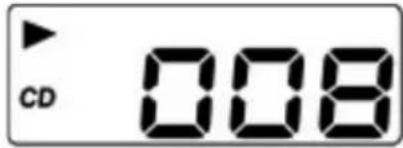
- If "PLAY/PAUSE" button is pressed during playback mode, the unit will go to pause mode and the PLAY (▶) icon and number of track will be flashing.
\*FOLDER+ MODE (CD/MP3/USB/SD)
- If "FOLDER+" buttons is short pressed during PLAYBACK/PAUSE/STOP mode, it will go to the next folder and display the folder number.
- If "FOLDER+" buttons is long pressed during PLAYBACK/PAUSE/STOP mode, it will go to the next 10 tracks and display the track number.
\*REPEAT MODE (REPEAT/REPEAT ALL/REPEAT OFF)
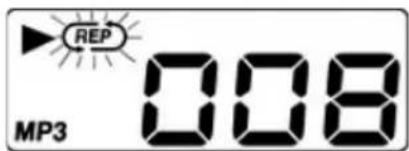
- Press the "MODE" button one time during playback or pause mode, 📄 is displayed with flashing, the current single track can be repeated.
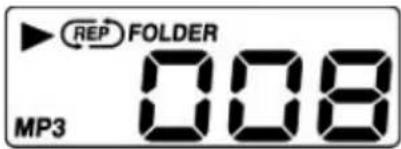
- Press the "MODE" button two times during playback or pause mode, 📄FOLDER is displayed, the current folder can be repeated
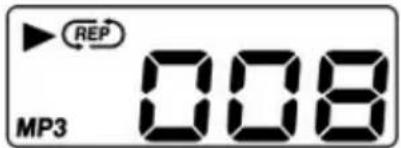
- Press the "MODE" button three times during playback or pause mode, 📄 is displayed without flashing, all tracks can be repeated.
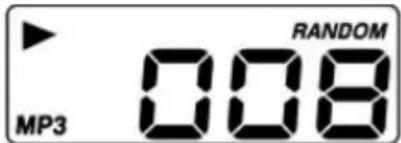
- Press the "MODE" button four times during playback or pause mode, RANDOM is displayed, repeating cancelled.
\*PROGRAM MODE (CD/MP3/USB/SD)
Up to 20(CD)/99(MP3,WMA) tracks can be programmed for disc playback in any order.
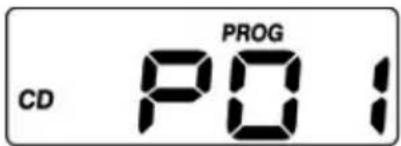
- Press the "MODE" button short time during stop mode, LCD display will show P01 and flash.
-
Select a desired track by using the "SKIP-/SKIP+" buttons.
-
Press the "MODE" button to enter the track into setting.
-
LCD display changes P02.
-
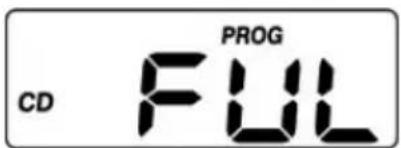
Repeat 2\~4 step, up to 20(CD)/99(MP3,WMA) tracks, the display will show FUL when the programmed tracks arrive 20(CD)/99(MP3,WMA).
* To complete programming and start playback, short press "PLAY/PAUSE" button, program playback starts automatically.
* To terminate programming, short press "STOP" button twice to cancel the program mode.
USB/SD CARD OPERATION
\*DON'T have compact disc in CD compartment.
- Set the "FUNCTION" selector to CD/USB position.
- Insert a USB/SD Card to the USB jack or SD slot
- The operation of PLAY/PAUSE, STOP, SKIP-, SKIP+, REPEAT and PROGRAM is the same as CD/MP3.
- Press "STOP" button long time changing USB and SD mode.
\*Have compact disc in CD compartment.
- Set the "FUNCTION" selector to CD/USB position.
- Insert a USB/SD Card to the USB jack or SD slot
- Press "STOP" button long time to change CD to USB and SD mode
- The operation of PLAY/PAUSE, STOP, SKIP-, SKIP+, REPEAT and PROGRAM is the same as CD/MP3.
BLUETOOTH OPERATION
- Set the "FUNCTION" selector to BT position to select BLUETOOTH mode, you will see "BT" on the LCD display and blue LED indicator with flashing.

- Operate your mobile to pair with BLUETOOTH, the blue LED indicator will stop flashing when paired.
- The pairing time is 5 minutes, press "STOP" button to pair again if your pairing time is more than 5 minutes.
AUX OPERATION
- Connect the output cable of any device into AUX jack (3.5mm) located the left side.
- Set the "FUNCTION" selector to "AUX/OFF" position, adjust the "VOLUME" control to the desired level reception and play from speaker.
RADIO OPERATION:
- Set the "FUNCTION" selector to RADIO position.
- Select the desired radio frequency band by using the "BAND" selector.
- Turn the "TUNING" control to select the station frequency as desired.
- Adjust the "VOLUME" control to the desired volume level.
\*FM & FM-STEREO reception
- Set the "BAND" selector at the FM position, programs are received in mono mode, in particular when stereo signals are weak, it is preferable to receive the program in mono.
- Set the "BAND" selector at the FM ST. position for receiving stereo programs, the STEREO indicator lights up to show FM stereo program.
\*ANTENNA
FM: Telescopic rod antenna, extend the rod antenna to improve reception.
WARNING:
- WARNING: To reduce the risk of fire or electric shock, do not expose this apparatus to rain or moisture. The apparatus shall not be exposed to dripping or splashing and that objects filled with liquids, such as vases, shall not be placed on apparatus.
- WARNING: The battery (battery or batteries or battery pack) shall not be exposed to excessive heat such as sunshine, fire or the like.
- WARNING: The mains plug is used as disconnect device, the disconnect device shall remain readily operable.
- This equipment is a Class II or double insulated electrical appliance. It has been designed in such a way that it does not require a safety connection to electrical earth.
- Correct Disposal of this product. This marking indicates that this product should not be disposed with other household wastes throughout the EU. To prevent possible harm to the environment or human health from uncontrolled waste disposal, recycle it responsibly to promote the sustainable reuse of material resources. To return your used device, please use the return and collection systems or contact the retailer where the product was purchased. They can take this product for environmental safe recycling.
- No naked flame sources, such as lighted candles, should be placed on the apparatus.
- Attention should be drawn to environmental aspects of battery disposal.
- Use of the apparatus in moderate climates.
- For the electrostatic discharge (ESD) test and Electrical Fast Transient (EFT) test of EN55020, it was found that manual operation (by switching power ON/OFF switch) is needed to resume normal operation as intended after the test.
- The power consumption in networked standby if all wireless network ports are activated: 3,0 W
WARNING: Please refer the information on exterior bottom enclosure for electrical and safety information before installing or operating the apparatus.
SPECIFICATIONS
| Power supply: | AC: 230V~50Hz SUPPLY.DC: 12V (UM-2 x 8) |
| Power consumption: | 14 Watt |
| Dimensions of unit: | 280(W) x 249(H) x 140(D) mm. |
| FM Freq-Range: | FM 87,5-108 MHz |
| Antenna: | TELESCOPIC ROD ANTENNA. |
| CD section: | TOP LOADING CD/MP3 PLAYER. |
INSTRUCTIONS AND INFORMATION REGARDING THE DISPOSAL OF USED PACKAGING MATERIALS
Dispose of packaging material at a public waste disposal site.
DISPOSAL OF USED ELECTRICAL AND ELECTRONIC APPLIANCES
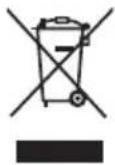
The meaning of the symbol on the product, its accessory or packaging indicates that this product shall not be treated as household waste. Please, dispose of this product at your applicable collection point for the recycling of electrical & electronic equipment waste. Alternatively in some states of the European Union or other European states you may return your products to your local retailer when buying an equivalent new product. The correct disposal of this product will help save valuable natural resources and help in preventing the potential negative impact on the environment and human health, which could be caused as a result of improper liquidation of waste. Please ask your local authorities or the nearest waste collection centre for further details. The improper disposal of this type of waste may fall subject to national regulations for fines.
For business entities in the European Union
If you wish to dispose of an electrical or electronic device, request the necessary information from your seller or supplier.
Disposal in other countries outside the European Union
If you wish to dispose of this product, request the necessary information about the correct disposal method from local government departments or your seller.

The product meets EU requirements.
Hereby, FAST ČR, a.s. declares that the radio equipment type SPT 3228 is in compliance with Directive 2014/53/EU.
For the full version of the EU declaration of conformity, please refer to the following website: www.sencor.eu
Changes in the text, design and technical specifications may change without prior notice and we reserve the right to make these changes.
The original version is Czech.
Manufacturer: FAST ČR, a.s., Černokostelecká 1621, Říčany CZ-251 01
SENCOR®
EN Warranty conditions
Warranty card is not a part of the device packaging.
This product is warranted for the period of 24 months from the date of purchase to the end-user. Warranty is limited to the following conditions. Warranty is referred only to the customer goods using for common domestic use. The claim for service can be applied either at dealer's shop where the product was bought, or at below mentioned authorized service shops. The end-user is obligated to set up a claim immediately when the defects appeared but only till the end of warranty period. The end user is obligated to cooperate to certify the claiming defects. Only completed and clean (according to hygienic standards) product will be accepted. In case of eligible warranty claim the warranty period will be prolonged by the period from the date of claim application till the date of taking over the product by end-user, or the date the end-user is obligated to take it over. To obtain the service under this warranty, end-user is obligated to certify his claim with duly completed following documents: receipt, certificate of warranty, certificate of installation.
This warranty is void especially if apply as follows:
■ Defects which were put on sale.
■ Wear-out or damage caused by common use.
The product was damaged by unprofessional or wrong installation, used in contrary to the applicable instruction manual, used in contrary to legal enactment and common process of use or used for another purpose which has been designed for.
The product was damaged by uncared-for or insufficient maintenance.
■ The product was damaged by dirt, accident of force majeure (natural disaster, fire, and flood).
■ Defects on functionality caused by low duality of signal, electromagnetic field interference etc.
■ The product was mechanically damaged (e.g. broken button, fall).
■ Damage caused by use of unsuitable media, fillings, expendable supplies (batteries) or by unsuitable working conditions (e.g. high temperatures, high humidity, quakes).
■ Repair, modification or other failure action to the product by unauthorized person.
■ End-user did not prove enough his right to claim (time and place of purchase).
■ Data on presented documents differs from data on products.
Cases when the claiming product cannot be identified according to the presented documents (e.g. the serial number or the warranty seal has been damaged).
Authorized service centers
Visit www.sencor.eu for detailed information about authorized service centers.
| 2017 | 2016 | |||
| 金额 | 占总资产比例(%) | 金额 | 占总资产比例(%) | |
| 一、营业收入 | 3,458.9 | 100.0 | 3,458.9 | 100.0 |
| 二、营业成本 | 2,638.9 | 80.0 | 2,638.9 | 80.0 |
| 三、营业利润 | -1,458.9 | -100.0 | -1,458.9 | -100.0 |
| 四、净利润 | -1,458.9 | -100.0 | -1,458.9 | -100.0 |