12D - Valgustus GVM - Tasuta kasutusjuhend
Leidke seadme juhend tasuta 12D GVM PDF-formaadis.


Kasutajate küsimused teemal 12D GVM
0 küsimus selle seadme kohta. Vastake nendele, mida teate, või esitage oma.
Esita uus küsimus selle seadme kohta
Laadige alla juhend oma Valgustus PDF-formaadis tasuta! Leidke oma juhend 12D - GVM ja võtke oma elektrooniline seade uuesti kätte. Sellel lehel on avaldatud kõik teie seadme kasutamiseks vajalikud dokumendid. 12D kaubamärgi GVM.
KASUTUSJUHEND 12D GVM
■ Product Introduction
The GVM-12D is an ideal choice for photography, interviews and live streams that require light colors with optimal precision, accuracy, and flicker-free output. The GVM-12D is made of 64 lamp beads which are designed and manufactured carefully to have over 97 CRI value and high brightness. Its default color temperature is 4400%. It features dual power solutions—can be powered either via AC or for location shoots you can mount the lithium-ion battery comes with the light. Multiple control modes, stabilized system, lightweight and convenient design help to improve your light setting experience.
■ Main Features
- Ultra Heat Dissipation
High CRI of ≥97-
Dual Power Solutions
Convenient Light Setting and Stabilized System
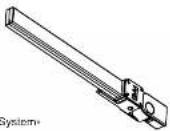
■OverView
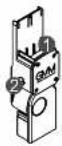
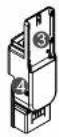
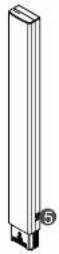
1 LED Light Slot
② Touch Type Light Brightness Control Button
③ Battery Slot
4 Light Stand Mounting Hole
⑤ DC Power Input Interface
1
■ Accessories

Lithium-ion Batteryx1

Battery Charger×1
■ Installing
Charge the battery first.
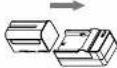
② Insert the light bar into the light connector as below and plug the fully charged battery in before power on.
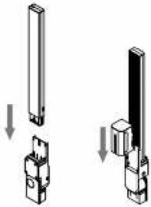
control the light brightness by
touching the button.
- Touch once to Power on
(Default: 10% brightness)
40% Brightness
- Touch once more to adjust to
100% Brightness
• Touch once more to Power off
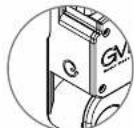
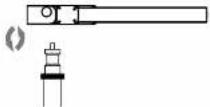
Rotate the connector clockwise to install it onto the light stand of GVM-600S or a tripod, rotate counter-clockwise to dissemble.
2
■ Multiple Usage Modes
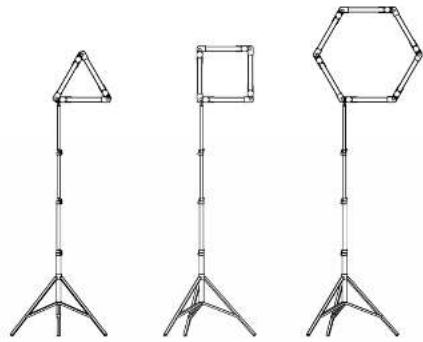
- Many GVM-12D lights can be connected with connectors with battery-powered.
natural_image
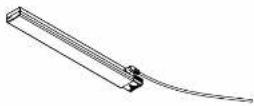
Three different types of lighting stand designs: triangular prism, square frame, and octagonal prism (no text or symbols)- You can plug the DC30V adapter cable comes with GVM-600S (or purchase it separately) into the AC power input interface of the light bar to power it instead of the battery.
3
■ Specifications
| Model | LED Bead | CRI | LED Angle | Color Temperature | Voltage | Power Consumption | Size |
| CVM-12D | 64 | 97+ | 120' | 5600K | DC30V | 12W | 18'20'327mm |
Attention
- Do not look at the light directly when it is on.
- Do not cover light when it is on, or it will prevent the light from cooling down and will damage it.
- Do not place the light around flammable items such as alcohol, gasoline or volatile solvent.
- Do not place any liquid on the light or fall it into the light.
- Power the light off if you don't use it in case of a fire
- Move the light carefully to prevent dropping it down.
4
GVM
Great Video Maker
Web: www.gymed.com
B&H Email: bh@gvmlod.com
Amazon Email: gvniedservice@holmail.com

Great Video Maker
natural_image
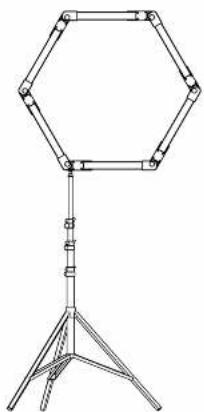
Line drawing of a hexagonal ring light fixture mounted on a tripod stand (no text or symbols)GVM -12 D
Product Manual