PAD-SVWMBXL - Kategooriata CTA Digital - Tasuta kasutusjuhend
Leidke seadme juhend tasuta PAD-SVWMBXL CTA Digital PDF-formaadis.


Kasutajate küsimused teemal PAD-SVWMBXL CTA Digital
0 küsimus selle seadme kohta. Vastake nendele, mida teate, või esitage oma.
Esita uus küsimus selle seadme kohta
Laadige alla juhend oma Kategooriata PDF-formaadis tasuta! Leidke oma juhend PAD-SVWMBXL - CTA Digital ja võtke oma elektrooniline seade uuesti kätte. Sellel lehel on avaldatud kõik teie seadme kasutamiseks vajalikud dokumendid. PAD-SVWMBXL kaubamärgi CTA Digital.
KASUTUSJUHEND PAD-SVWMBXL CTA Digital
Contents
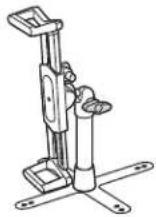
Security stand x 1
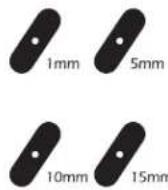
Foam pad x 4 kinds
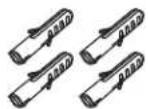
Expansion bolts x4
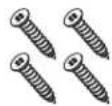
Silver screw x 4
Key x 2
Cable x 1
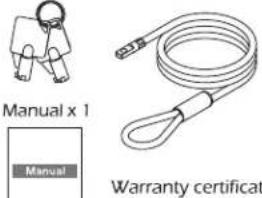
Warranty certificate x 1
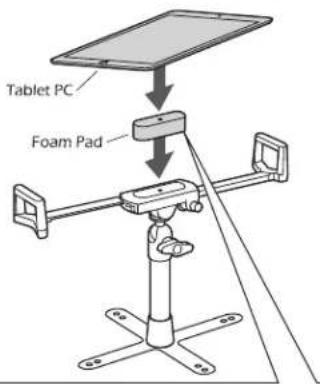
How to install a tablet PC
- Press and hold on the release button to unlock the frame.
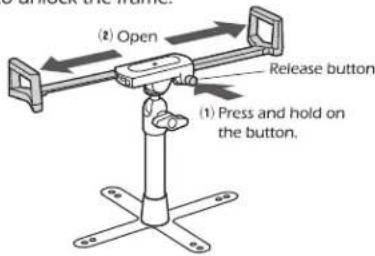
- Install the tablet PC on the frame.
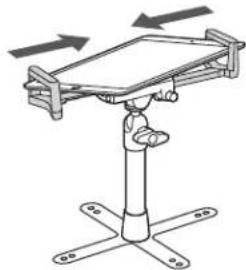
- Adjust the frame to fit your tablet PC.
natural_image
Diagram of a mechanical device with rotating arms and base supports (no text or symbols)Adjustable Angle
Loosen the knob to adjust the angle.
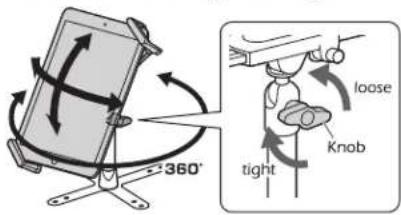
● Pay attention to the bracket sliding when adjusting. Recommended to hold the frame with one hand and loosen the knob to adjust the angle.
- Please tighten the knob after adjusting the angle.
Can adjust thickness with foam pad
Use the sponge to adjust the thickness between the tablet and the stand.
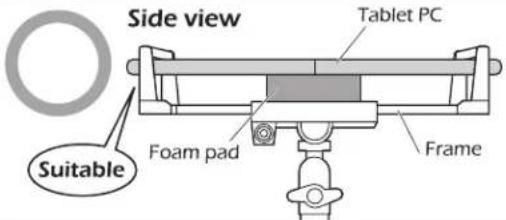
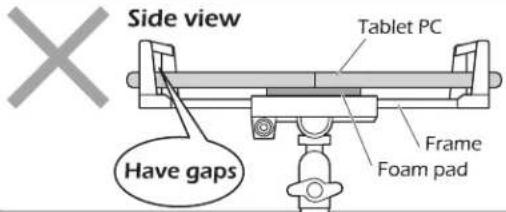
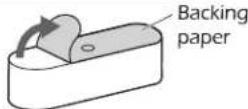
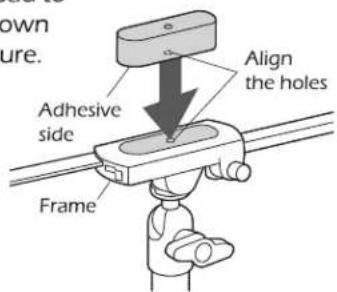
Paste method
- Tear off the backing paper on the foam pad.
- Stick the foam pad to the frame as shown in the right picture.
How to lock the stand with cable
Locking method
The tablet PC is installed on the stand.
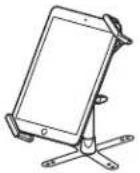
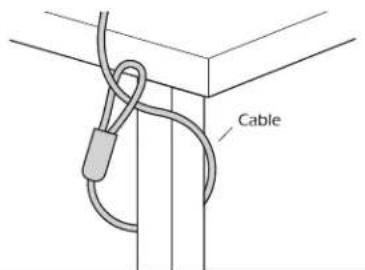
- Pass the cable around the table leg or other fixture.
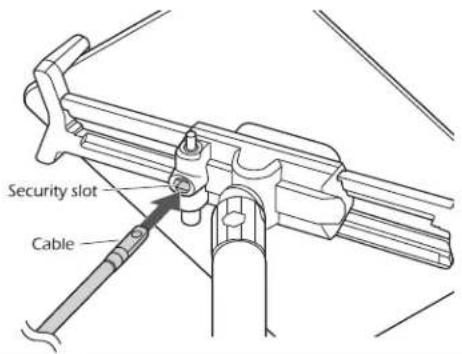
- Insert the front end of the cable into the security slot.
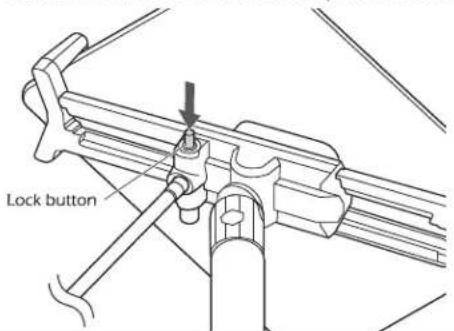
- Press the lock button.
Unable to remove the cable and open the stand.
\*Disclaimer - Ball Joint Warning

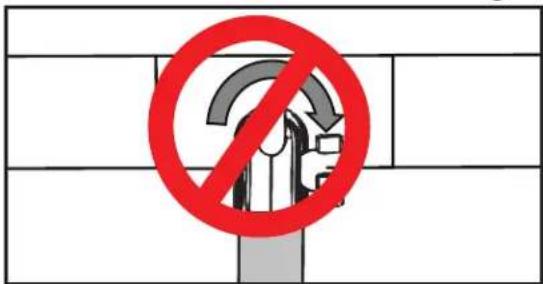
DO NOT attempt to adjust, tilt, or rotate any ball socket joints while it is fully tightened. Any such action will result in possible damage and loss of integrity of product functioning at full capacity. Manufacturer will not be responsible for any such actions by any person.
Unlocking method
- Insert the key into the security slot.
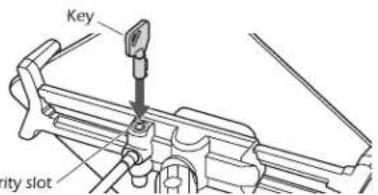
- Rotate the key 90° to hear "click".
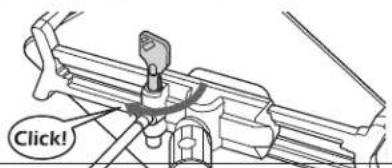
- Take out the cable.
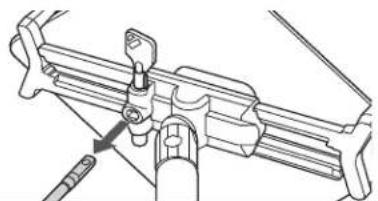
natural_image
Technical line drawing of a mechanical assembly with no visible text or symbols- Turn the key counterclockwise to take out the key.
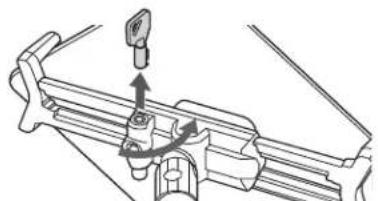
natural_image
Mechanical assembly diagram showing a bracket with a valve and directional arrows (no text or labels)How to fix the base
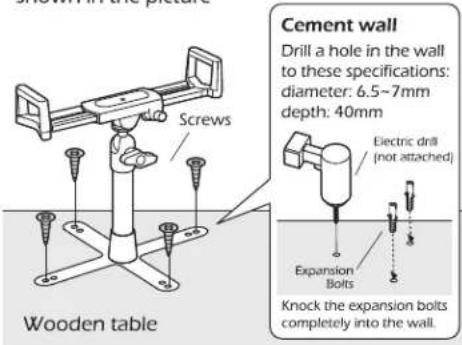
The base can be fixed to the desktop or wall as shown in the picture