
FXTRL8NUSSNM018 - Kaablid Arvutitele ja Perifeerilistele Seadmetele Panduit - Tasuta kasutusjuhend
Leidke seadme juhend tasuta FXTRL8NUSSNM018 Panduit PDF-formaadis.


Kasutajate küsimused teemal FXTRL8NUSSNM018 Panduit
0 küsimus selle seadme kohta. Vastake nendele, mida teate, või esitage oma.
Esita uus küsimus selle seadme kohta
Laadige alla juhend oma Kaablid Arvutitele ja Perifeerilistele Seadmetele PDF-formaadis tasuta! Leidke oma juhend FXTRL8NUSSNM018 - Panduit ja võtke oma elektrooniline seade uuesti kätte. Sellel lehel on avaldatud kõik teie seadme kasutamiseks vajalikud dokumendid. FXTRL8NUSSNM018 kaubamärgi Panduit.
KASUTUSJUHEND FXTRL8NUSSNM018 Panduit
Cable Transition Usage
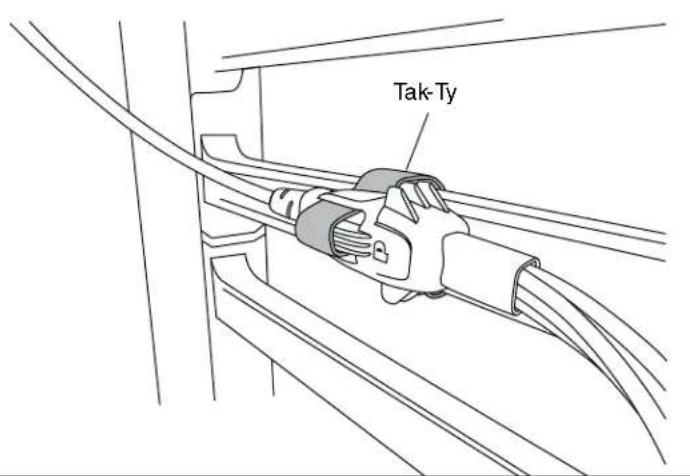
Tak-Ty Option
Slot features in the cable transition allows for the use of a Tak-Ty to either secure the cable harness to a rack feature, such as cable management fingers, or to more robustly secure multiple cable transitions that are interlocked together.
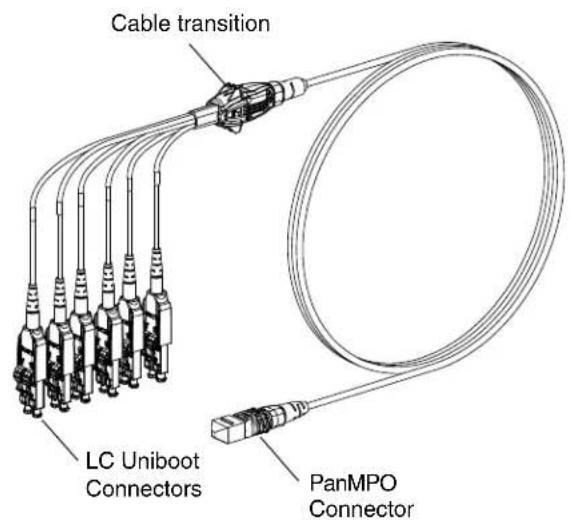
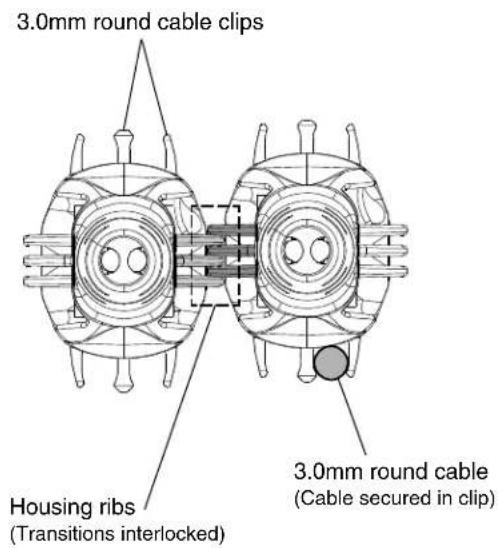
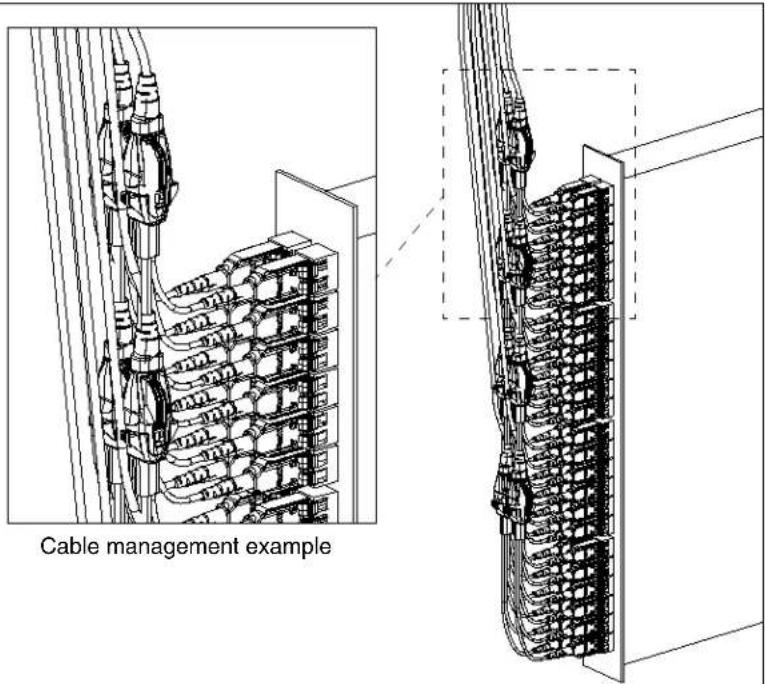
Cable Clips & Housing Ribs Option
PanMPO Gender Changeover
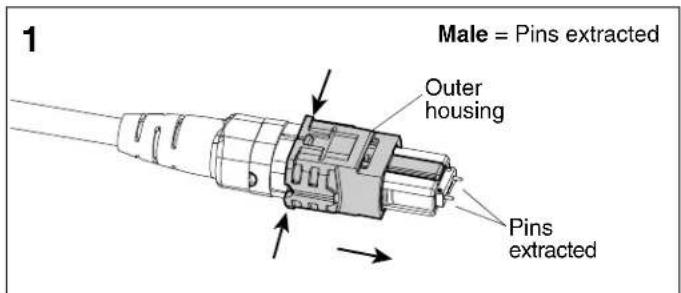
Squeeze both sides of the outer housing at the back end evenly until you hear an audible click. Pull off connector to remove.
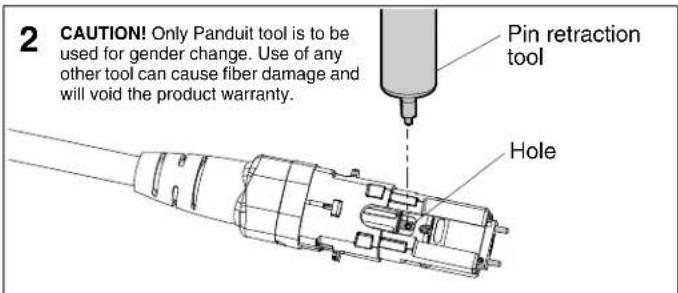
Locate hole in the inner housing on the slotted side and position pin retraction tool over the hole.
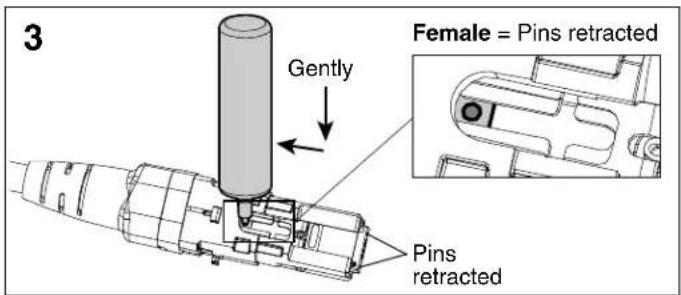
Insert tool into hole, press down gently, and push backward to retract connector pins to the female state. Repeat process in opposite direction to extract pins for male state.
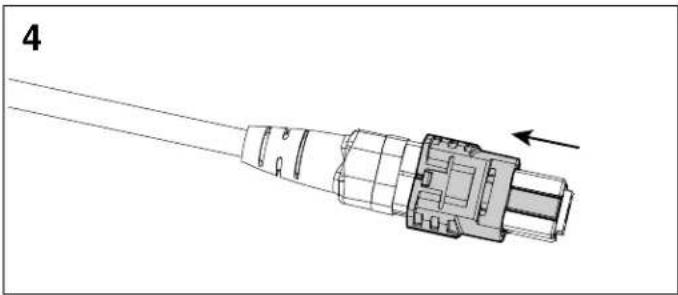
natural_image
Technical line drawing of a connector with an arrow indicating direction (no text or symbols present)Re-install the outer housing. Ensure the key is in the proper orientation. See PanMPO polarity changeover instructions on page 2 of FS041* for more details.
LC Uniboot Polarity Changeover - Pair Flipping
natural_image
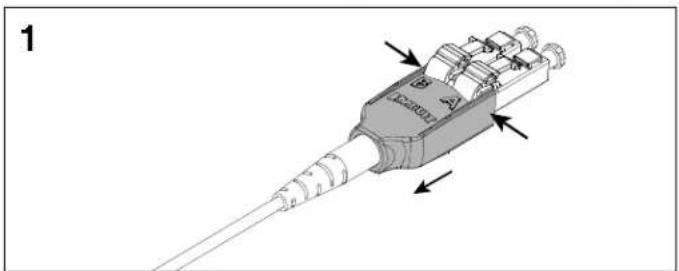
3D diagram of a mechanical component with labeled parts and directional arrows (no readable text or symbols)Squeeze both sides of the LC Uniboot cover evenly and pull back to disengage the tab on the opposite side.
natural_image
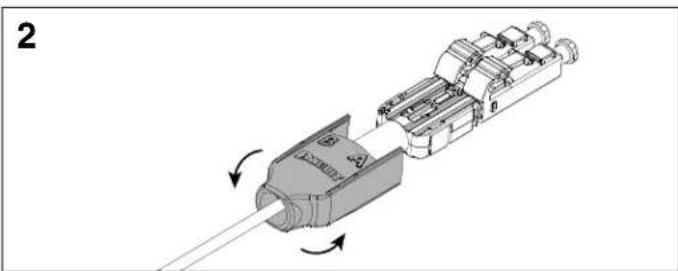
Mechanical assembly diagram showing a component being inserted into a housing, with arrows indicating motion direction (no text or symbols present)Slide the LC Uniboot cover back away from connectors and rotate 180°.
natural_image
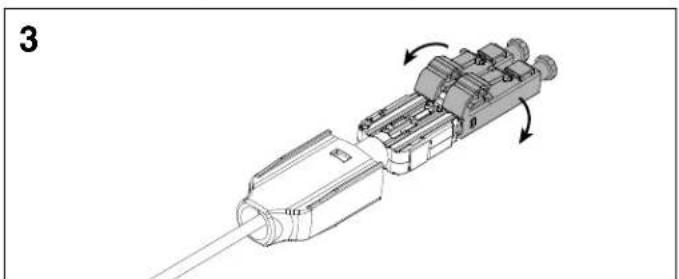
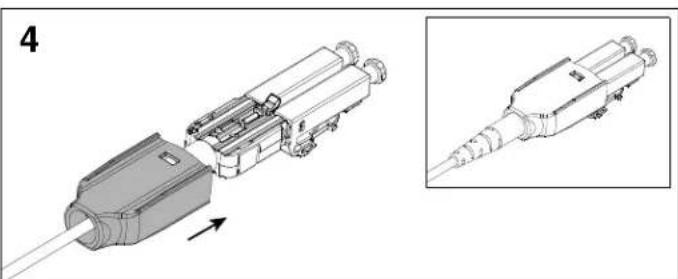
Mechanical assembly diagram showing a connector with internal components and directional arrows (no text or symbols)Rotate each LC connector downward 180°. Re-install the LC Uniboot cover until you hear an audible click.
natural_image
Technical illustration of a mechanical connector assembly with an inset showing detailed detail (no text or symbols)*Denotes instruction sheet revision letter.
| For Instructions in Local Languages and Technical Support:www.panduit.com/resources/install_maintain.asp |  www.panduit.com www.panduit.com | E-mail:techsupport@panduit.comPhone:866-405-6654 |

Kaubamärk : Panduit
Mudel : FXTRL8NUSSNM018
Kategooria : Kaablid Arvutitele ja Perifeerilistele Seadmetele