
RS - Sewing machine TOYOTA - Free user manual and instructions
Find the device manual for free RS TOYOTA in PDF.


User questions about RS TOYOTA
0 question about this device. Answer the ones you know or ask your own.
Ask a new question about this device
Download the instructions for your Sewing machine in PDF format for free! Find your manual RS - TOYOTA and take your electronic device back in hand. On this page are published all the documents necessary for the use of your device. RS by TOYOTA.
USER MANUAL RS TOYOTA
HOME-USE SEWING MACHINE
INSTRUCTION MANUAL
- Read this manual carefully before use and always follow the instructions.
- Keep the manual in a convenient place for easy reference.
- If you give the sewing machine to someone else, also give them this instruction manual.
natural_image
Illustration of a woman standing beside a sewing machine and a dog, with mannequins in the background (no text or symbols)Type designation
RS series has several types.
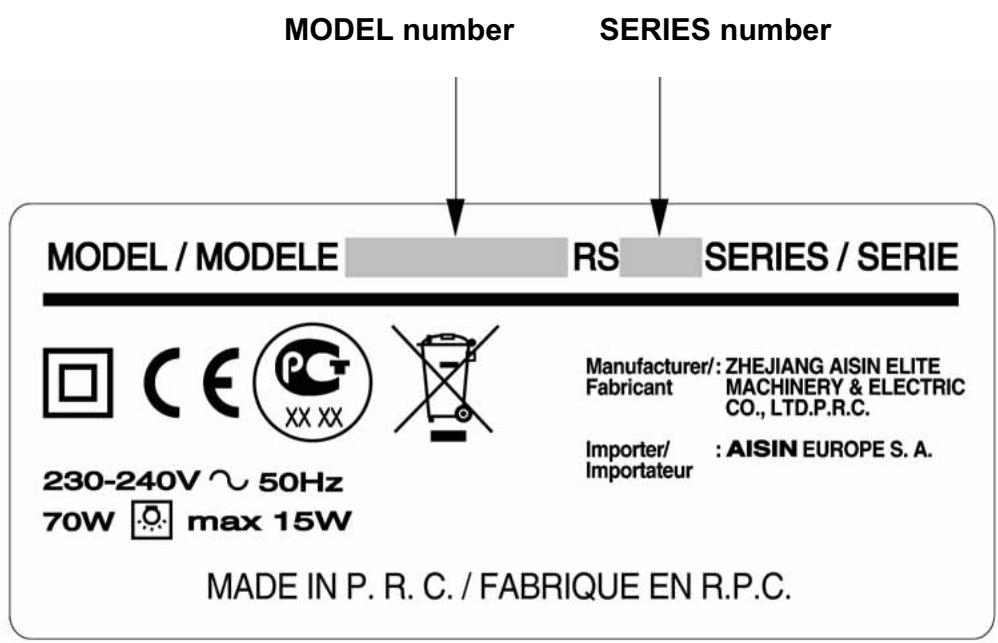
The types are shown on the model label as follows:
MODEL/MODELE(MODEL NAME) SERIES/SERIE
◆RS SERIES/SERIE
◆RS2000 SERIES/SERIE
◆RS2000A SERIES/SERIE
◆RS2000B SERIES/SERIE
Model label
When calling for service, please note the MODEL and SERIES numbers that are inscribed on the back of your sewing machine.
text_image
MODEL number SERIES number MODEL / MODELE RS SERIES / SERIE Manufacturer/: ZHEJIANG AISIN ELITE Fabricant MACHINERY & ELECTRIC CO., LTD.P.R.C. Importer/ Importateur : AISIN EUROPE S. A. 230-240V ~ 50Hz 70W max 15W MADE IN P. R. C. / FABRIQUE EN R.P.C.CONTENTS
I. Before use .... 3
- Important safety instructions.... 3
- How to change the power plug.... 5
- Part names .... 6
II. Sewing preparations.... 10
- Connecting the power.... 10
- Taking out the bobbin....12
- Winding the lower thread.... 13
- Threading the lower thread.... 15
- Threading the upper thread.... 16
- Pulling up the lower thread.... 18
- Main stitch pattern uses.... 19
- Application of each stitch pattern.... 20
- Changing the presser foot 21
- Changing the needle 23
- Relationship between the needle, thread and fabric, and adjusting the sewing machine 24
III. Sewing 25
- Straight stitching and reverse sewing.... 25
- Zigzag sewing....29
- Adjusting thread tension.... 30
- Overcasting 31
- Blind hem stitching .... 32
- Buttonhole 34
- Zipper sewing 37
- Smocking....39
- Embroidery 40
IV. Special specifications 42
- Using the needle threader 42
- Using the presser foot pressure adjuster.... 44
- Using the drop feed 45
V. Maintenance.... 46
- Feed dog and hook maintenance 46
- Hook installation .... 48
- Light bulb replacement 49
- Troubleshooting....50
- Servicing double-insulated products (230 V-240 V) 51
VI. Others....52
- Specifications .... 52
- Recycling 52
I. Before use
Be sure to read this section before use
1. Important safety instructions
These safety instructions are designed to prevent danger or damage arising from the incorrect operation of the machine. Read carefully and always follow the instructions.
Explanation of " ⚠️ WARNING " and " ⚠️ CAUTION "

WARNING
An incorrect operation could result in death or serious injury.

CAUTION
An incorrect operation could result in an injury or damage to the machine.
Symbol explanation

Do not touch

Prohibited actions

Required actions
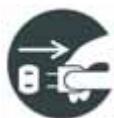
Remove the power plug from the outlet.

WARNING

Use an AC 220 to 230 V power source.
Not doing so could cause an electric shock or a fire.
220 to 230 V
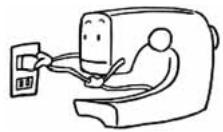

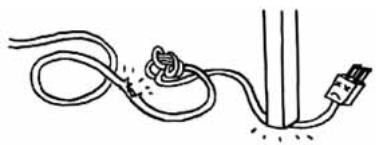
Do not damage the power cord, modify it, bend it excessively, jerk it or twist it.
Doing so could cause an electric shock or a fire. If the power cord is damaged, it must be replaced by the manufacturer or its service agent.
natural_image
Simple line drawing of a cable with a plug and plug connector, no text or symbols present
Do not operate where aerosol (spray) products are being used or where oxygen is being administered.
Doing so could cause a fire.

Do not use outdoors.
Doing so could cause an electric shock or a fire.

CAUTION

When the machine is not in use it should be stored safely, not on the floor as protruding parts could cause injury if a person fell on the machine.
Not doing so could cause an injury.

Use with the shuttle cover closed.
Not doing so could cause an injury.

Before replacing the needle or presser foot or when threading the upper or lower thread, remove the power plug from the outlet.
Not doing so could cause an injury.

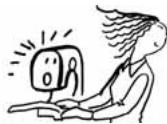
Do not look away from the needle while operating the sewing machine.
If the needle breaks it could cause an injury.

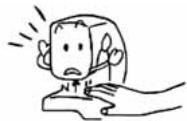
Do not touch moving parts such as the needle, take-up lever or handwheel.
Doing so could cause an injury.

Children should only use the machine under the supervision of a parent or guardian.
Otherwise they could injure themselves.
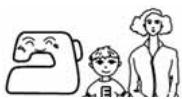

Do not use when young children are near the machine.
They could touch the needle and be injured.
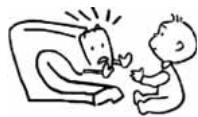

Before leaving the sewing machine after using it, remove the power plug from the outlet.
Not doing so could cause an injury.

Before using the sewing machine make sure that the presser foot holder clamp screw, needle clamp screw and needle plate screw are firmly tightened, and that the presser foot is properly set in the presser foot holder.
Not doing so could cause an injury.

Do not perform the following actions.
Doing so could cause an injury.
♦Sewing without lowering the presser foot.
♦Sewing while the needle is incorrectly installed.
♦ Using a bent needle.
♦Sewing while jerking the fabric.
- Moving the pattern selection dial while sewing.

Do not operate on an unstable surface such as a sofa or a bed.
If the sewing machine falls down, it could cause an injury or damages to the machine.

Do not drop or insert any foreign objects into any openings such as opening space when you remove the face cover and / or the outer casing space of bobbin case.
Doing so could cause an injury or damages to the machine.

Do not repair, disassemble or modify except what is mentioned in the instruction manual.
Doing so could cause an electric shock, a fire or an injury.
UK ONLY
IMPORTANT
PLEASE READ CAREFULLY
2. How to change the power plug

WARNING

When you change the power plug or cord, do not repair, disassemble or modify except at the authorised dealer or service centre.
Doing so could cause an electric shock or a fire.

If for any reason the power plug for this product is removed it should be immediately disposed of safety and not stored anywhere where it could be inadvertently used again.
Doing so could cause an electric shock or a fire.
The wires in this mains lead are coloured in accordance with the following code:
BLUE-NEUTRAL BROWN-LIVE ( OR ACTIVE )
As the colours of the mains lead of this appliance may not correspond with the coloured markings identifying the terminals in your plug - PROCEED AS FOLLOWS:
The earth plug pin in unnecessary. As the machine is designed under double insulation structure, the earth wire is removed from the machine. The wire coloured BROWN must be connected to the terminal marked L or A or coloured RED. The wire coloured BLUE must be connected to the terminal marked N or coloured BLACK. Neither core is to be connected to the earth terminal of a three-pin plug.
3. Part names
* Some parts may not apply to your sewing machine.
The MODEL and SERIES numbers are located on the model label on the back of the sewing machine.
★★ Front pattern selection dial type ★★
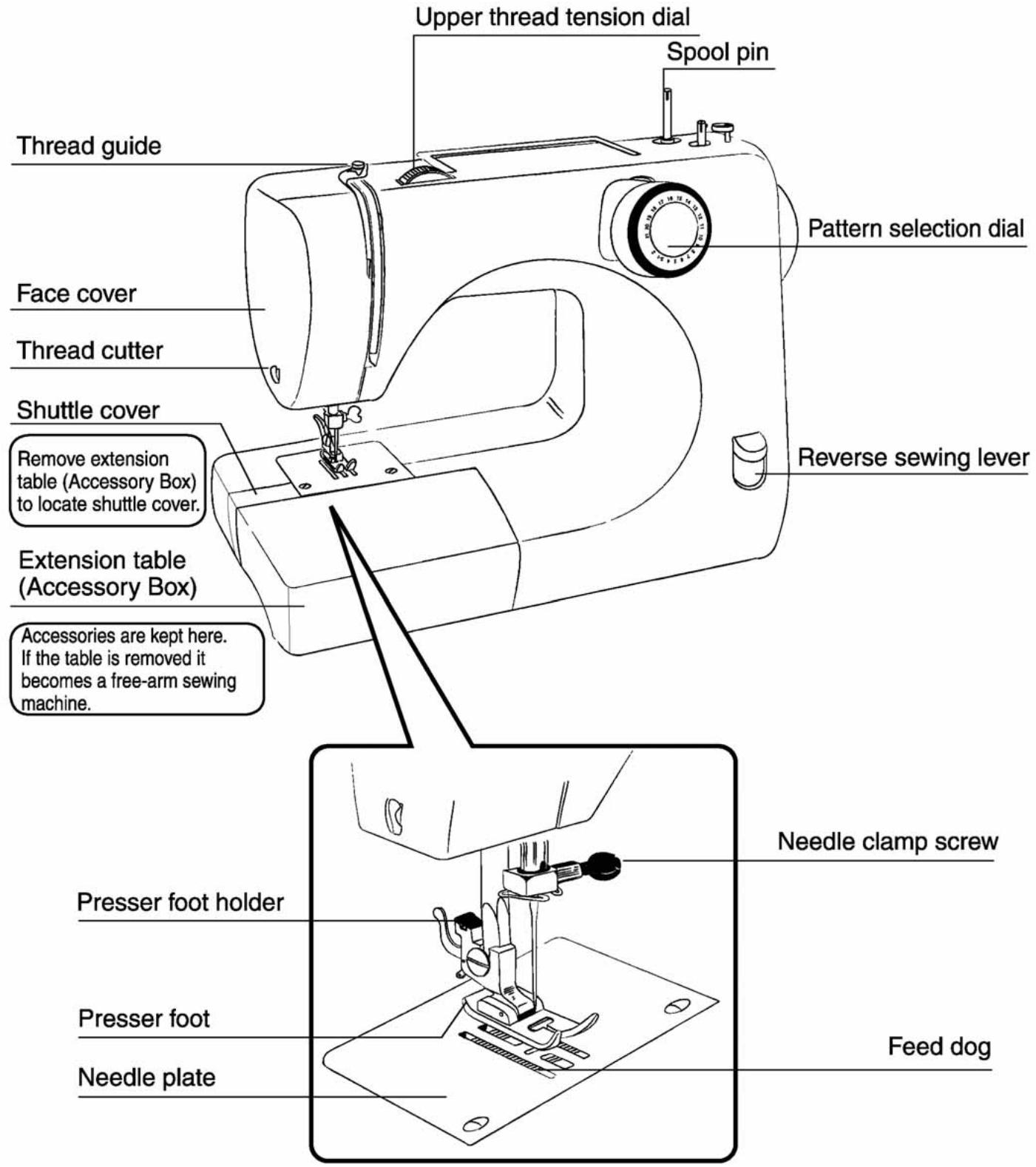
text_image
Upper thread tension dial Spool pin Thread guide Face cover Thread cutter Pattern selection dial Shuttle cover Remove extension table (Accessory Box) to locate shuttle cover. Extension table (Accessory Box) Accessories are kept here. If the table is removed it becomes a free-arm sewing machine. Reverse sewing lever Presser foot holder Presser foot Needle plate Needle clamp screw Feed dog| Part name | Detail by use |
| Upper thread tension dial | Refer to P.30 [Adjusting thread tension] |
| Spool pin | Refer to P.13 [Winding the lower thread] |
| Reverse sewing lever | Refer to P.26 [ ☆ Reverse sewing ☆ ] |
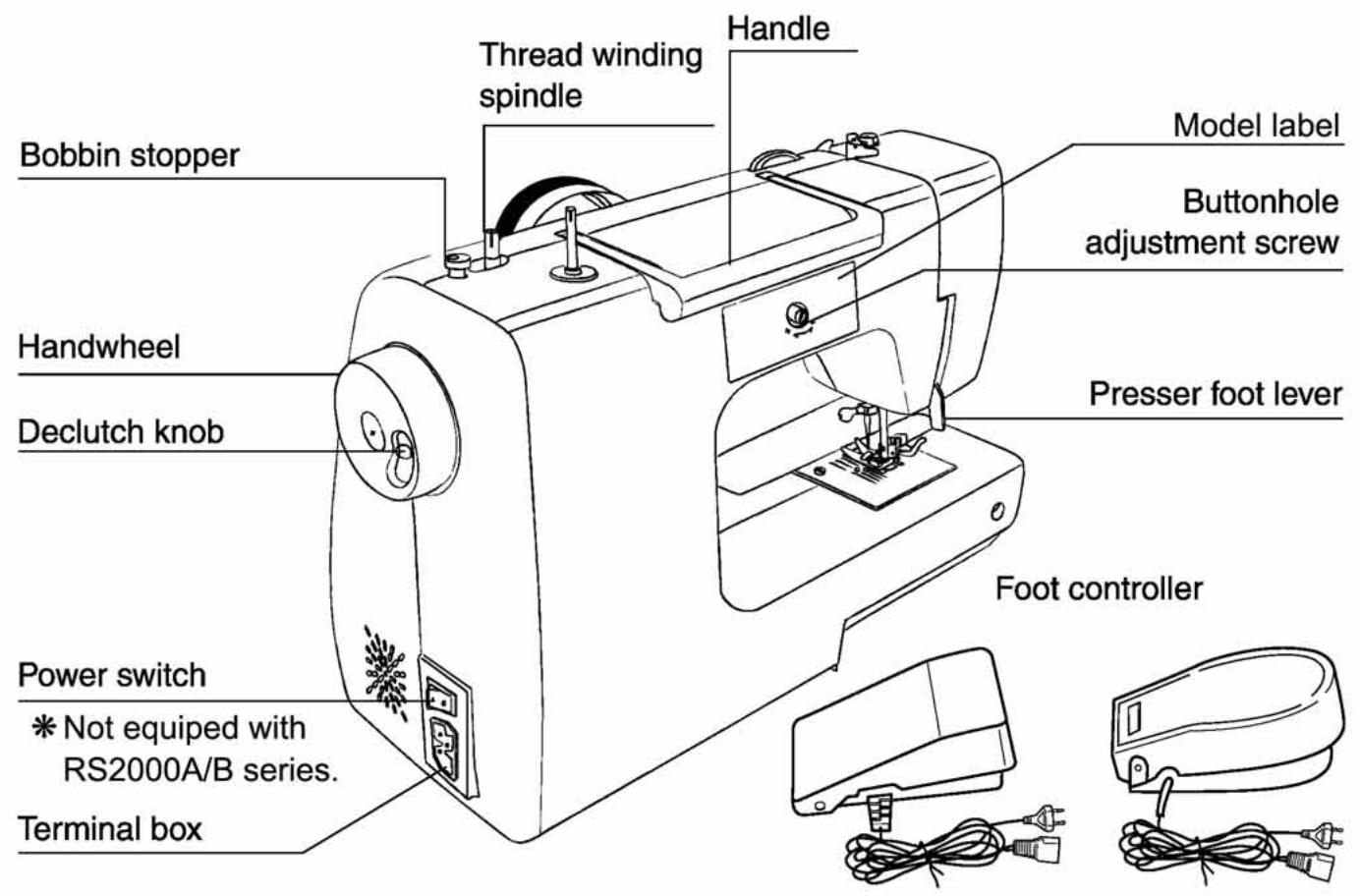
text_image
Bobbin stopper Thread winding spindle Handle Model label Buttonhole adjustment screw Handwheel Presser foot lever Declutch knob Foot controller Power switch * Not equipped with RS2000A/B series. Terminal box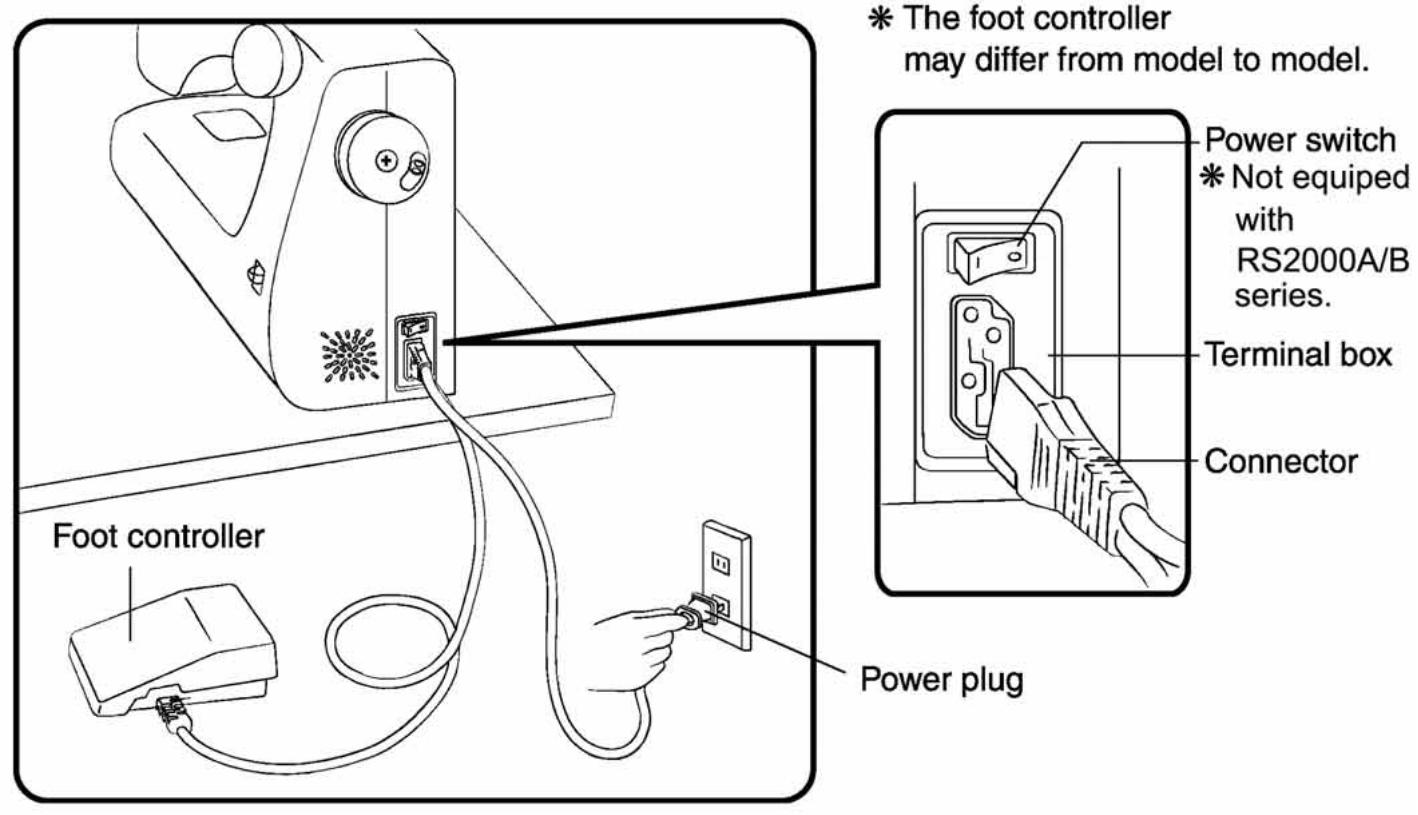
text_image
Foot controller Power plug * The foot controller may differ from model to model. Power switch * Not equipped with RS2000A/B series. Terminal box Connector| Part name | Detail by use |
| Declutch knob | Refer to P.14[Winding the lower thread] 4) |
| Buttonhole adjustment screw | Refer to P.36 [☆Adjustment of buttonhole balance ☆] |
| Presser foot lever | Refer to P.16 [Threading the upper thread] |
* Some parts may not apply to your sewing machine.
The MODEL and SERIES numbers are located on the model label on the back of the sewing machine.
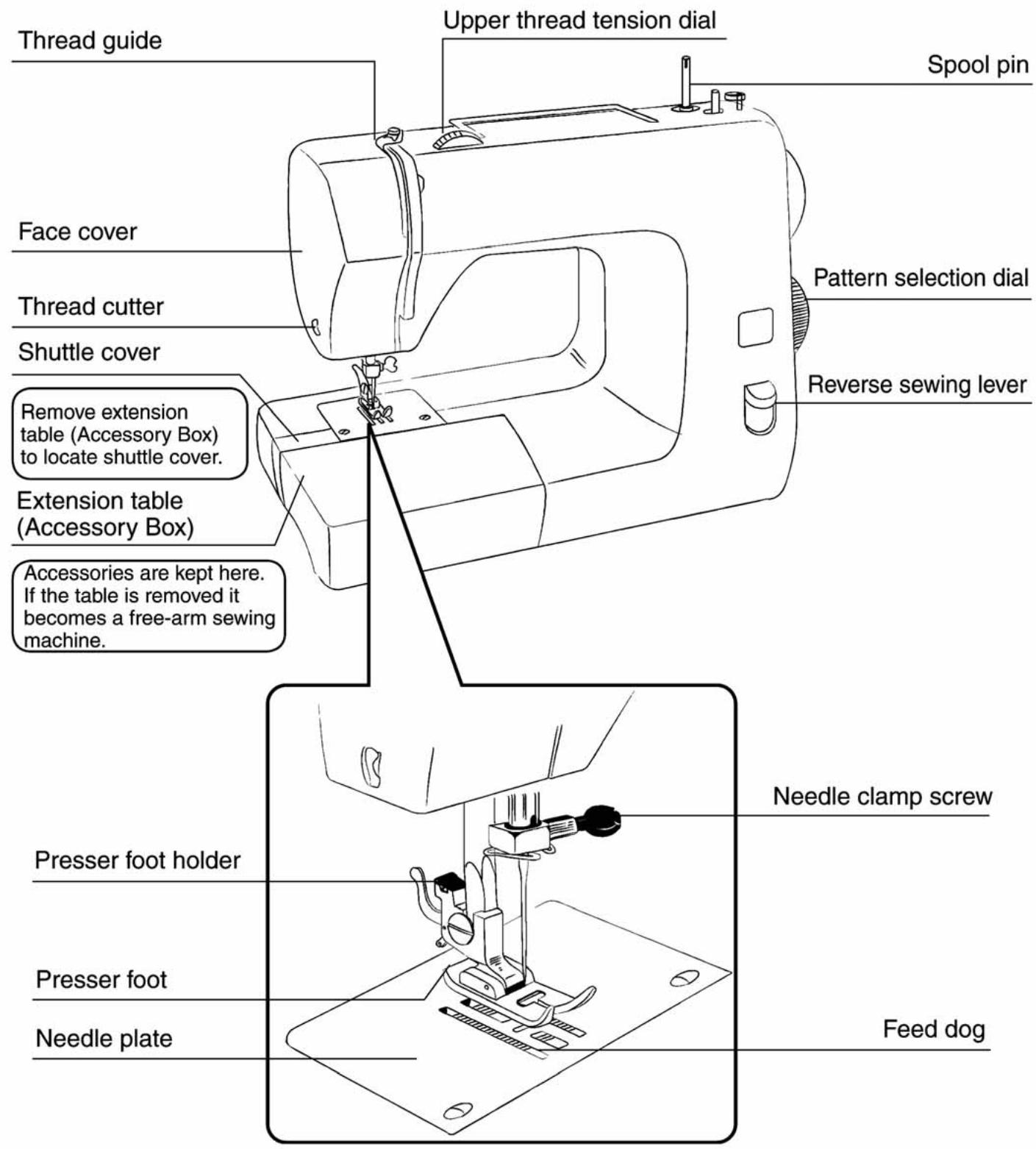
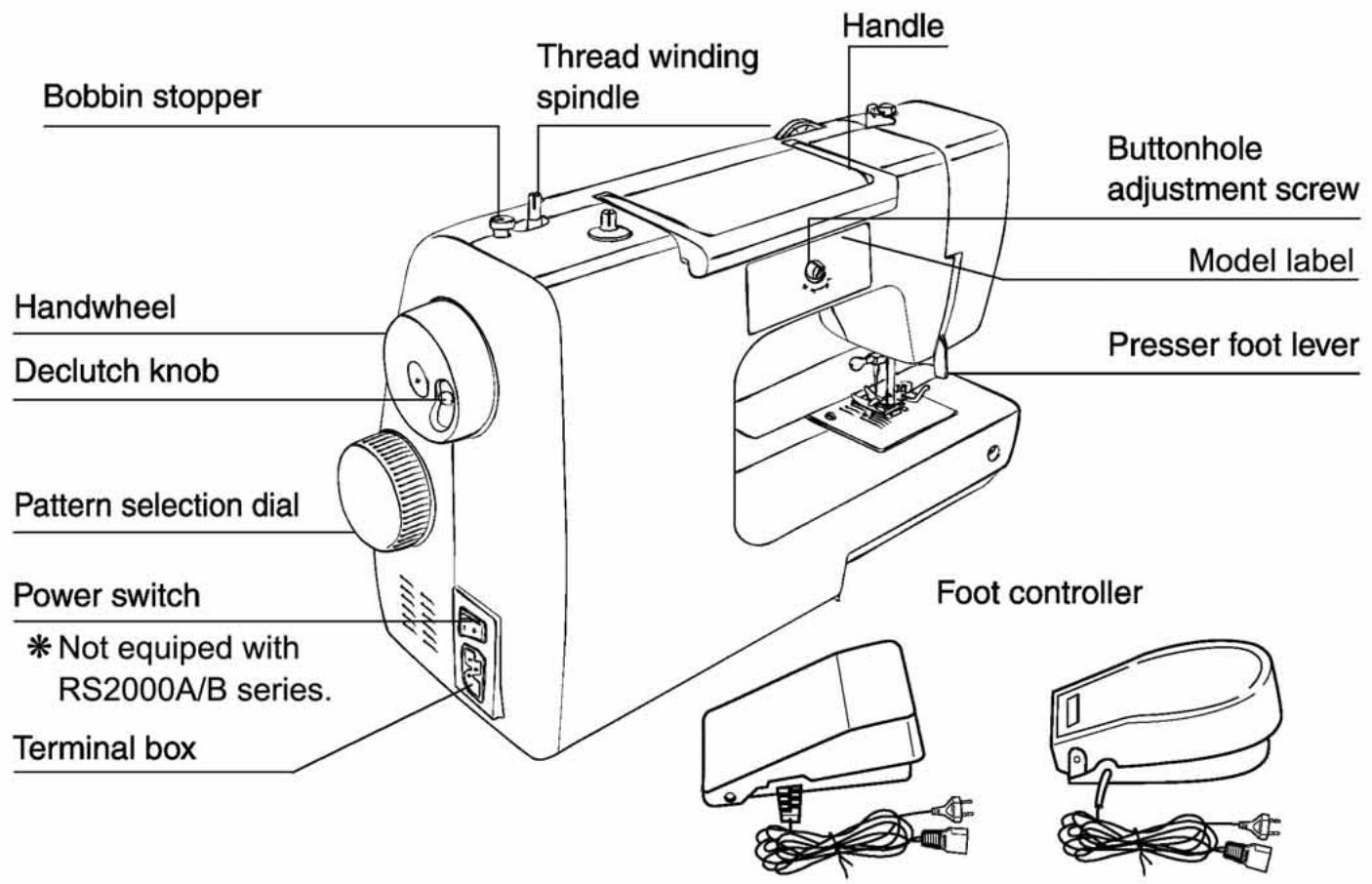
★★ Side pattern selection dial type ★★
text_image
Thread guide Upper thread tension dial Spool pin Face cover Thread cutter Pattern selection dial Shuttle cover Reverse sewing lever Remove extension table (Accessory Box) to locate shuttle cover. Extension table (Accessory Box) Accessories are kept here. If the table is removed it becomes a free-arm sewing machine. Presser foot holder Needle clamp screw Presser foot Feed dog Needle plate| Part name | Detail by use |
| Upper thread tension dial | Refer to P.30 [Adjusting thread tension] |
| Spool pin | Refer to P.13 [Winding the lower thread] |
| Reverse sewing lever | Refer to P.26 [ ☆ Reverse sewing ☆ ] |
text_image
Bobbin stopper Thread winding spindle Handle Buttonhole adjustment screw Model label Presser foot lever Handwheel Declutch knob Pattern selection dial Power switch * Not equipped with RS2000A/B series. Terminal box Foot controller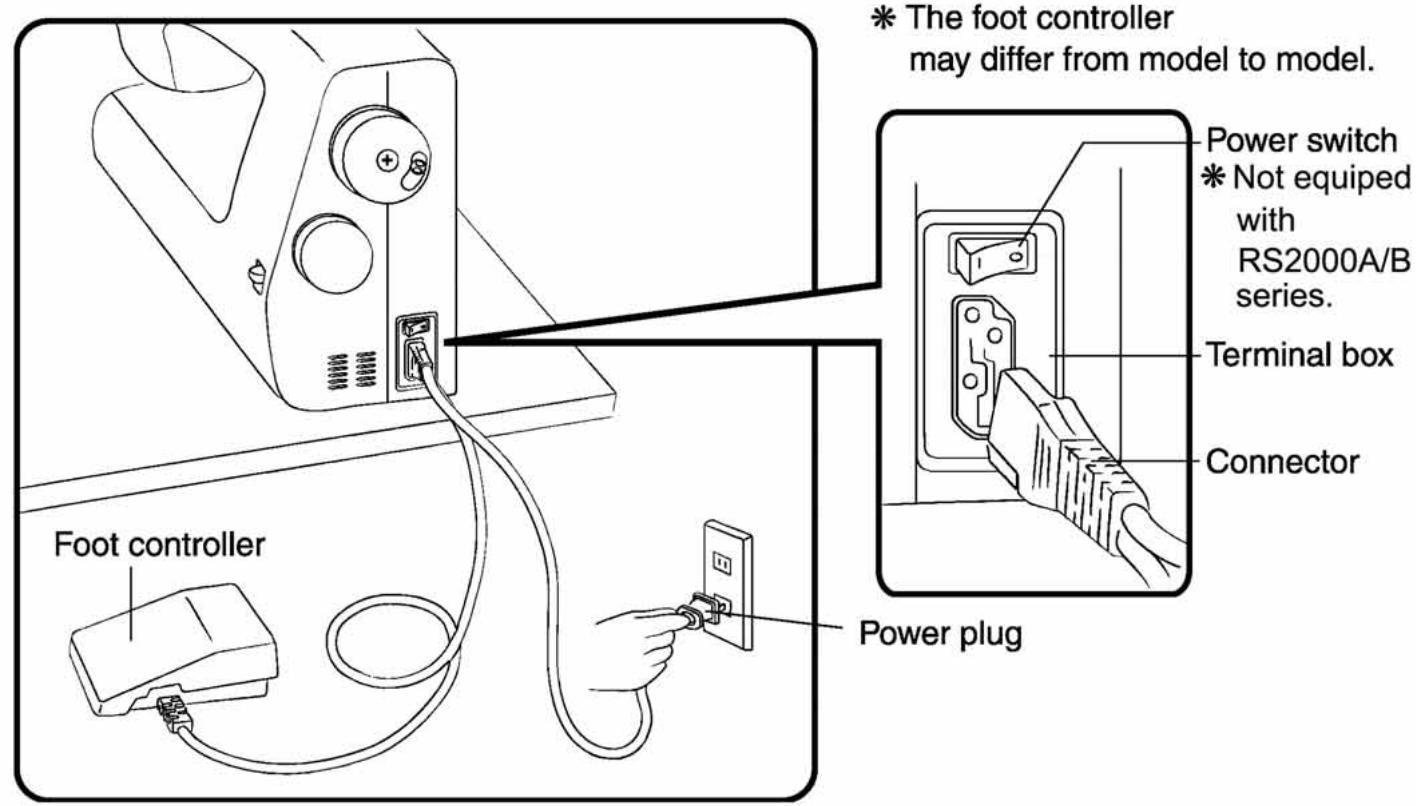
text_image
Foot controller Power plug * The foot controller may differ from model to model. Power switch * Not equipped with RS2000A/B series. Terminal box Connector| Part name | Detail by use |
| Declutch knob | Refer to P.14[Winding the lower thread] 4) |
| Buttonhole adjustment screw | Refer to P.36 [☆ Adjustment of buttonhole balance ☆] |
| Presser foot lever | Refer to P.16 [Threading the upper thread] |
II. Sewing preparations
1. Connecting the power
★★ Machine with a power switch ★★

WARNING

Turn the power switch off when inserting the power plug.
Not doing so could cause an injury.

Hold the power plug when removing it from the outlet.
Not doing so could damage the cord and cause an electric shock, fire or injury.

Do not touch the power plug with wet hands.
Doing so could cause an electric shock.
♦Prepare the foot controller.
- Insert the power cord connector into the terminal box.
♦Insert the power plug into the outlet.
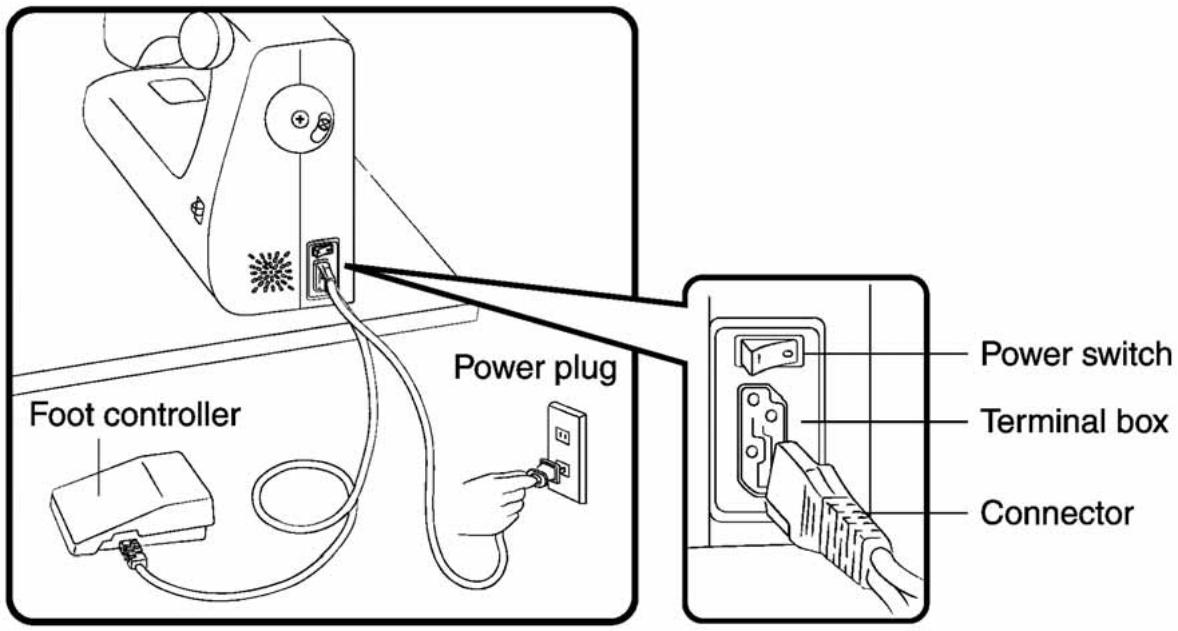
text_image
Foot controller Power plug Power switch Terminal box Connector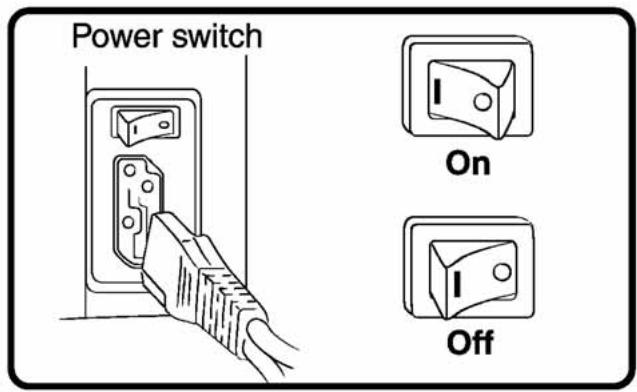
text_image
Power switch On OffPress the power switch to [I] (On).
The power is turned on.
★★ Machine without a power switch ★★
* RS2000 A/B series only.

WARNING

Hold the power plug when removing it from the outlet.
Not doing so could damage the cord and cause an electric shock, fire or injury.

Do not touch the power plug with wet hands.
Doing so could cause an electric shock.
♦Prepare the foot controller.
- Insert the power cord connector into the terminal box.
♦Insert the power plug into the outlet.
◆The power is turned on at the outlet.
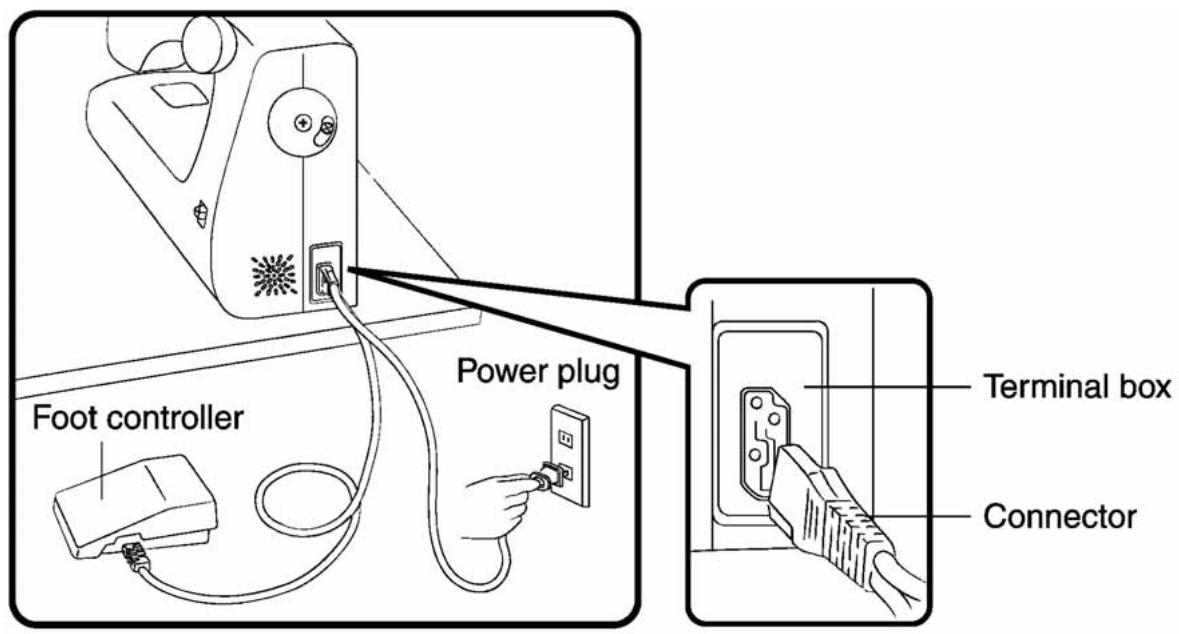
text_image
Foot controller Power plug Terminal box Connector☆ How to operate foot controller ☆
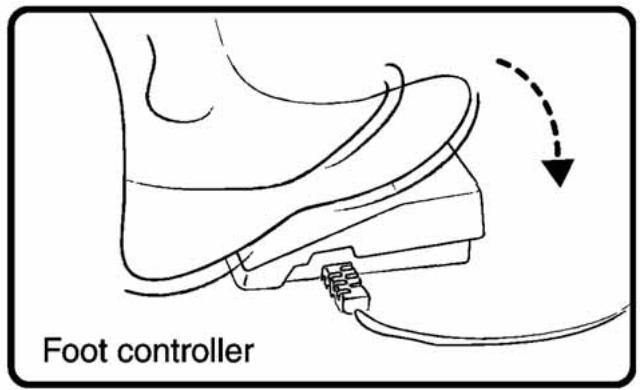
text_image
Foot controllerStep on the foot controller to operate the sewing machine.
The more you press the foot controller, the faster the machine runs.
Release the foot controller to stop the machine.
2. Taking out the bobbin

WARNING

Before taking out or setting the bobbin case, remove the power plug from the outlet.
Not doing so could cause an injury.
text_image
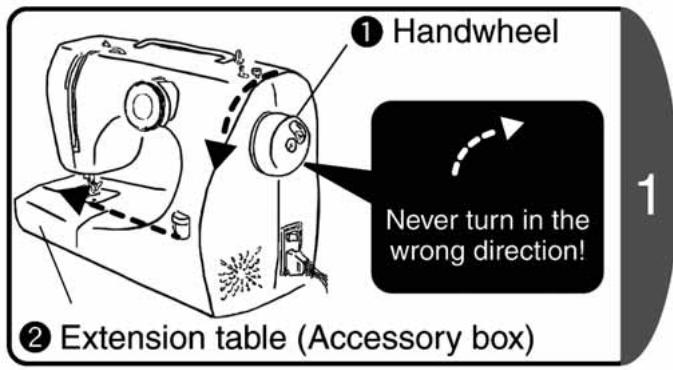
① Handwheel Never turn in the wrong direction! ② Extension table (Accessory box)- Turn the handwheel to move the needle to the highest position. Always turn the handwheel towards yourself. (in the direction of the arrow)
- Hold the left edge of the extension table and pull out to the left. (in the direction of the arrow)
text_image
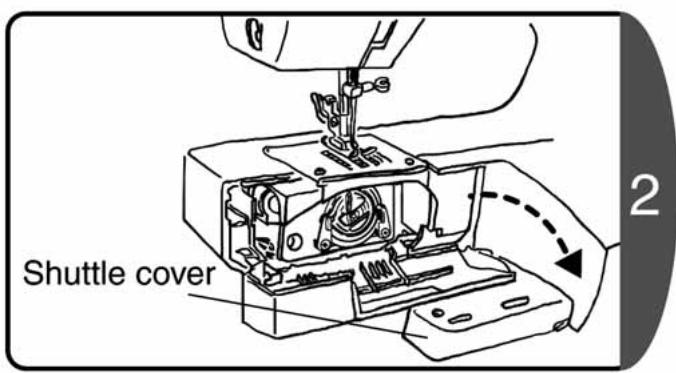
Shuttle cover 2Open the shuttle cover. (Open out in the direction of the arrow.)
text_image
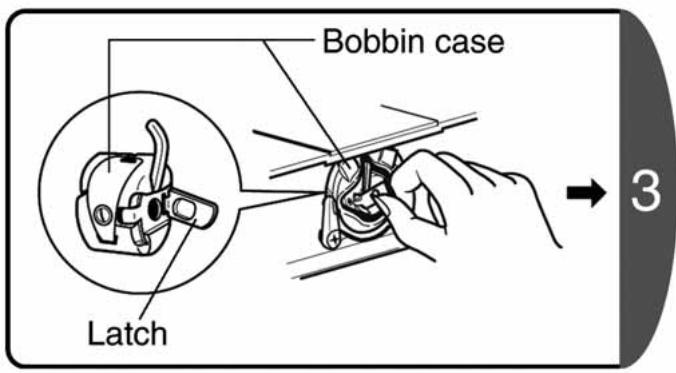
Bobbin case Latch 3Pull up the latch of the bobbin case, and use it to pull out the case.
text_image
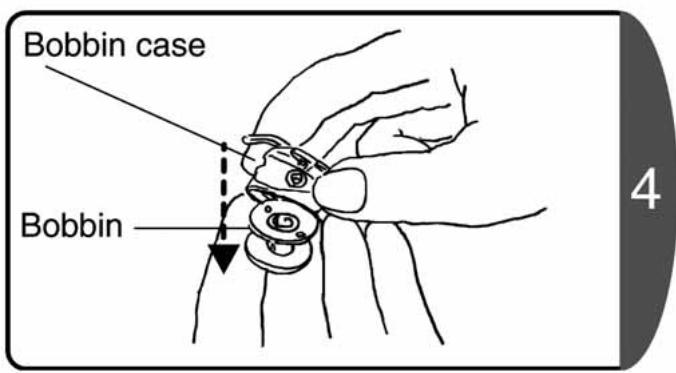
Bobbin case Bobbin 4Take out the bobbin from the bobbin case.
3. Winding the lower thread

CAUTION

Before taking out or setting the bobbin case, remove the power plug from the outlet. Not doing so could cause an injury.

Do not touch the lower thread winding spindle when winding the lower thread. Not doing so could cause an injury.
Attention
Use a TOYOTA-exclusive bobbin.
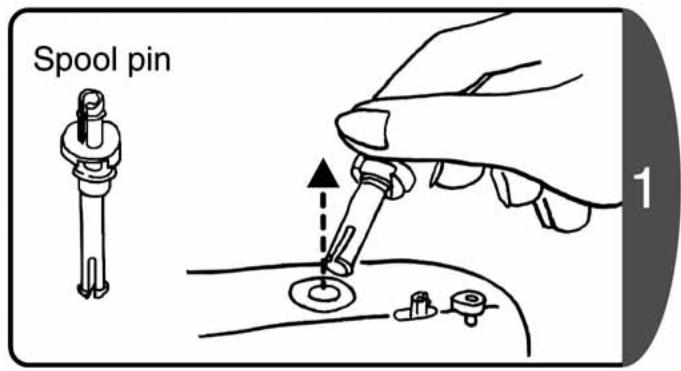
text_image
Spool pin 1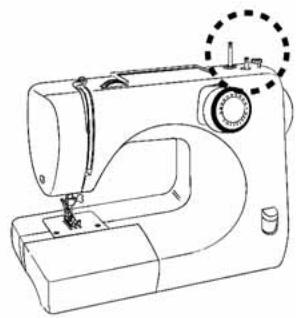
natural_image
Line drawing of a sewing machine with no text or symbolsRemove the sticker. Pull up the spool pin from the sewing machine.
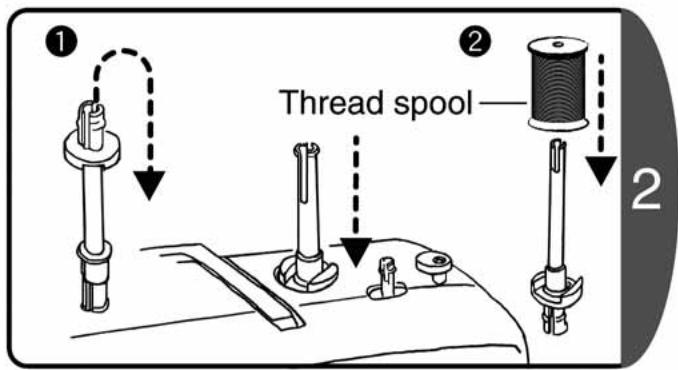
text_image
Thread spool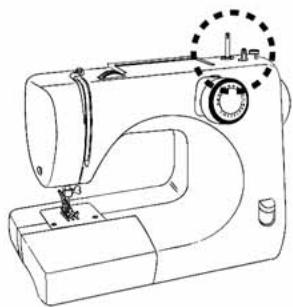
natural_image
Line drawing of a sewing machine with no text or symbols- Turn the pin around and insert.
- Insert the thread spool.
text_image
Thread guide 3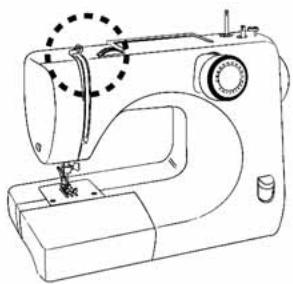
natural_image
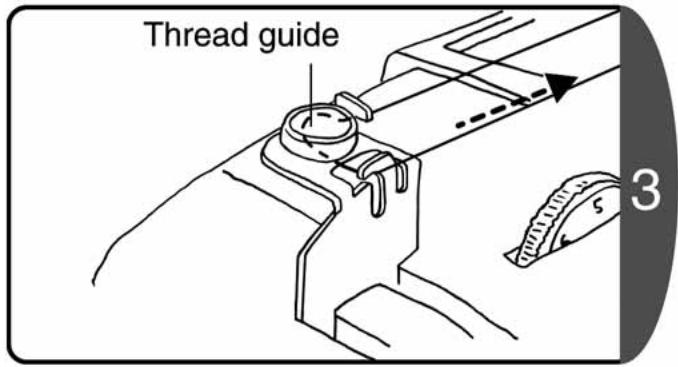
Line drawing of a sewing machine with a dashed circular mark indicating the needle (no text or symbols present)Support the thread on the sewing machine with one hand, using the other hand pass the thread around the thread guide as shown in the diagram.
text_image
Declutch latch Thread winding spindle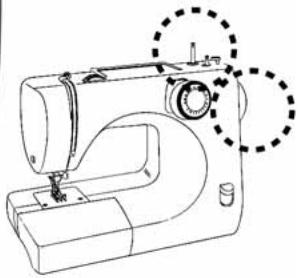
natural_image
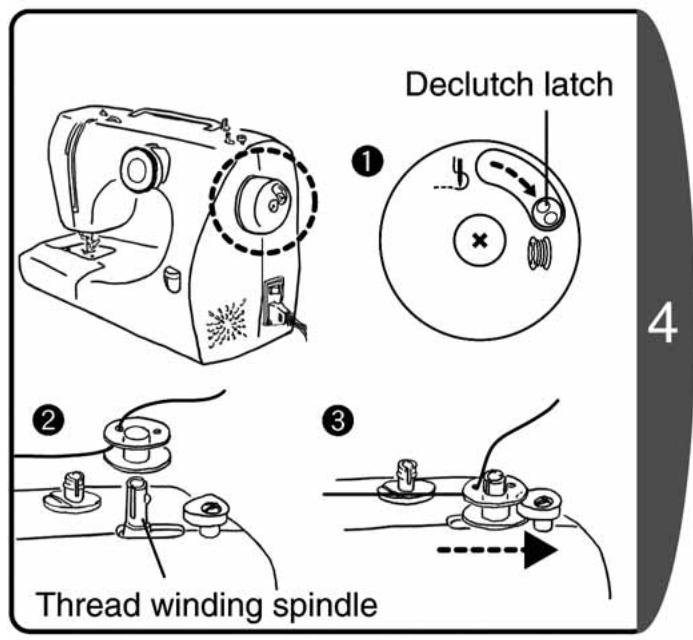
Line drawing of a sewing machine with no text or symbols- Move the declutch latch in the direction
(in the direction of the arrow)
(This ensures that the needle does not move.) - Pass the thread from the inside through the bobbin hole.
- Set the bobbin on the thread winding spindle and move the spindle to the right (in the direction of the arrow)
text_image
Diagram illustrating two steps of hairpin sewing: step 1 shows a hairpin being inserted into a socket, step 2 shows a sewing process with scissors cutting the socket.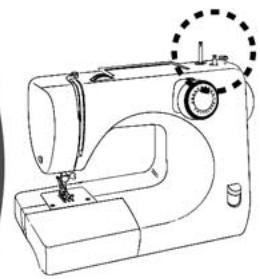
natural_image
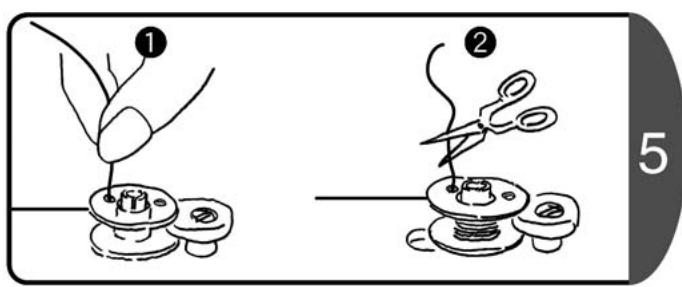
Line drawing of a sewing machine with no text or symbols- Holding the end of the thread, step on the foot controller to wind the thread.
- After winding it a little, stop the sewing machine and cut the thread that protrudes from the bobbin hole. Then continue winding the thread.
natural_image
Diagram of a mechanical assembly with springs and a base, showing motion direction (no text or symbols)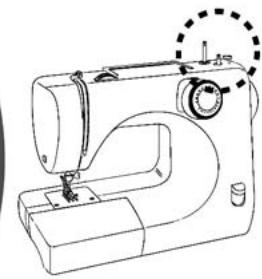
natural_image
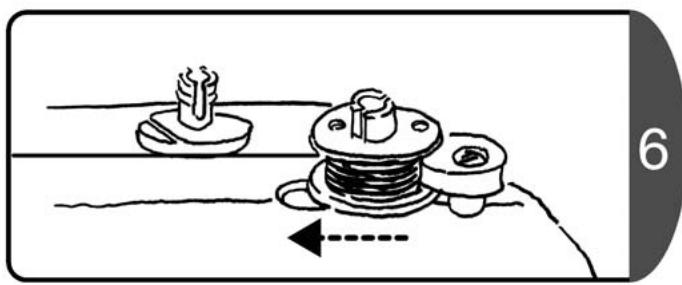
Line drawing of a sewing machine with no text or symbolsAfter the winding has finished, move the thread winding spindle back to the left. (in the direction of the arrow)
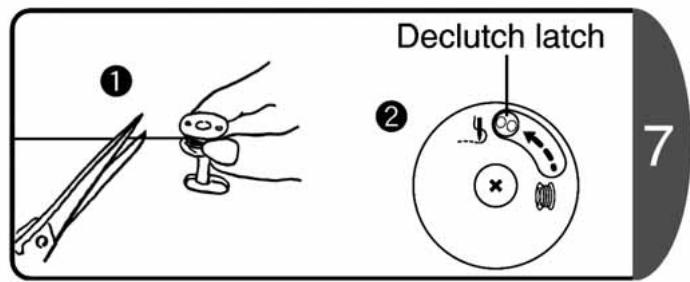
text_image
① Declutch latch ② 7- Remove the bobbin and cut the thread.
- Move the declutch latch in the ____ direction (in the direction of the arrow)
Note : If the declutch is not returned to its original position, the sewing machine cannot move and will not sew.
4. Threading the lower thread

CAUTION

Before setting the bobbin case, remove the power plug from the outlet.
Not doing so could cause an injury.
Attention
Use a TOYOTA-exclusive bobbin.
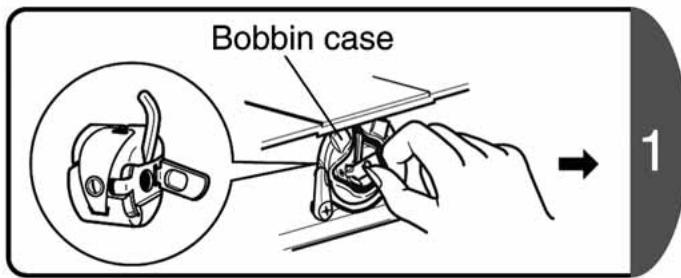
text_image
Bobbin case 1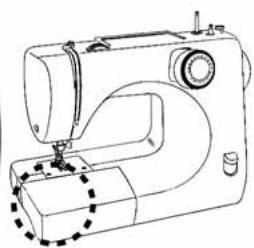
natural_image
Line drawing of a sewing machine with no visible text or symbolsTake out the bobbin case. (refer to P.12 [Taking out the bobbin])
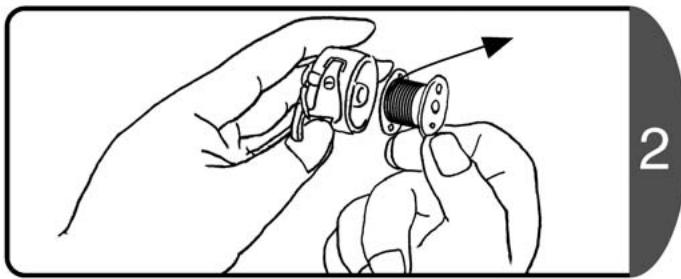
natural_image
Illustration of hands assembling a mechanical component with a threaded shaft (no text or symbols)The thread must flow off the bobbin in the direction of the arrow, and then insert the bobbin into the bobbin case.
text_image
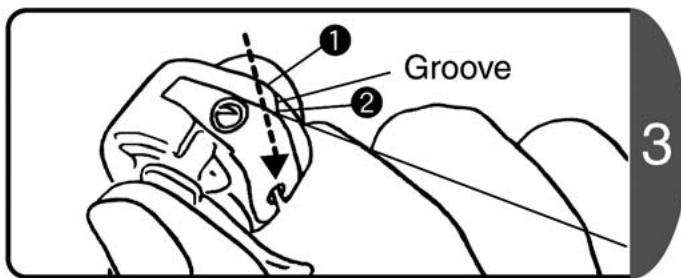
① Groove ② 3Hold the end of the thread in your right hand and pass it through the groove in the bobbin case. (Pass the thread from 1 to 2)
text_image
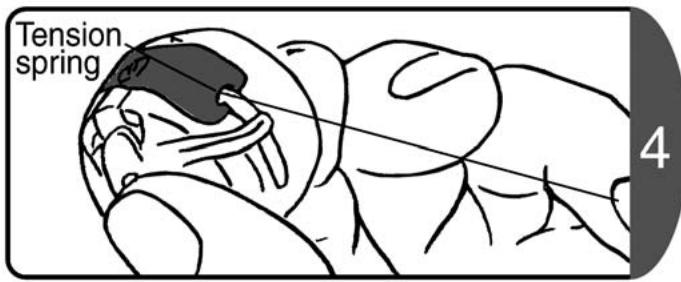
Tension spring 4Press the bobbin with the finger of your left hand, and then pass the thread through the tension spring as shown in the diagram. (Pull until there is a locking sound.)
text_image
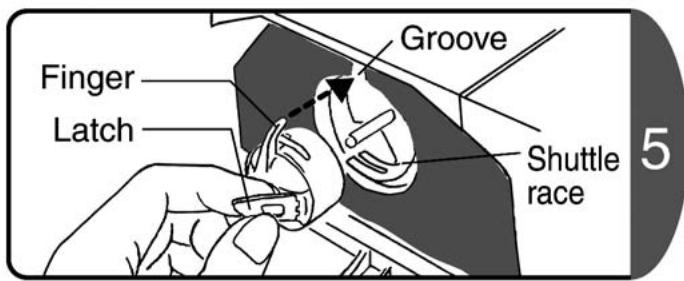
Finger Latch Groove Shuttle race 5- Turn the handwheel to move the needle to the highest position.
Always turn the handwheel towards yourself.
♦Holding the latch of the bobbin case, insert the bobbin case into the shuttle race.
The bobbin case finger must slot into the groove.
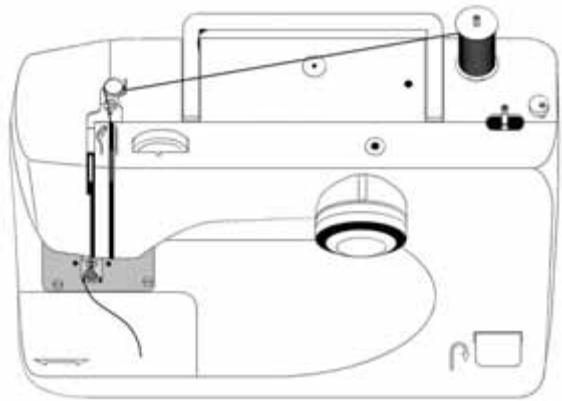
5. Threading the upper thread

CAUTION

Before threading the upper thread, remove the power plug from the outlet. Not doing so could cause an injury.
natural_image
Line drawing of a sewing machine with needle, spool, and base (no text or symbols)
text_image
Presser foot lever 1Raise the presser foot lever.
Note: If the presser foot lever is not raised, the thread cannot be set correctly.
text_image
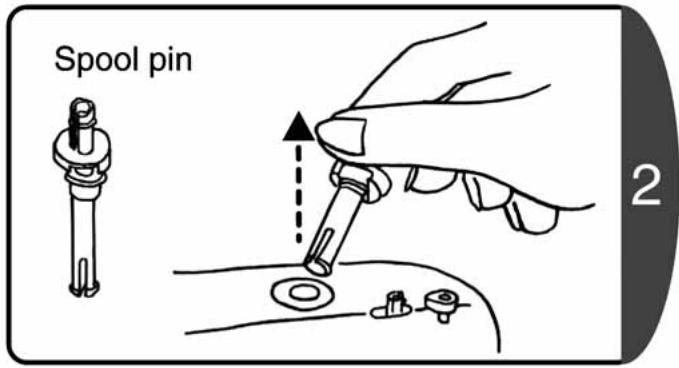
Spool pin 2Pull out the spool pin from the main unit.
text_image
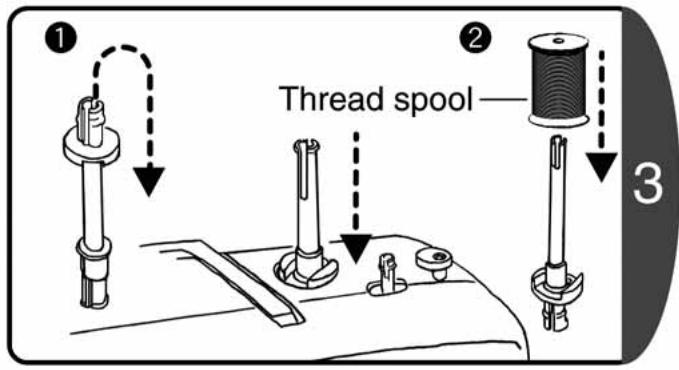
Thread spool ① ② ③-
Turn the spool pin over and insert.
-
Insert the thread spool.
text_image
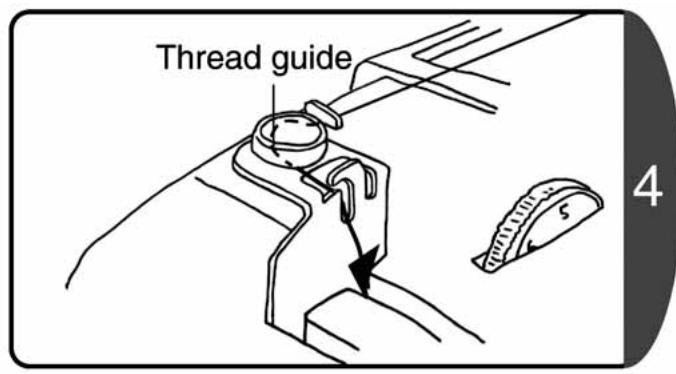
Thread guide 4Support the thread on the sewing machine with one hand, using the other hand pass the thread around the thread guide as shown in the diagram.
text_image
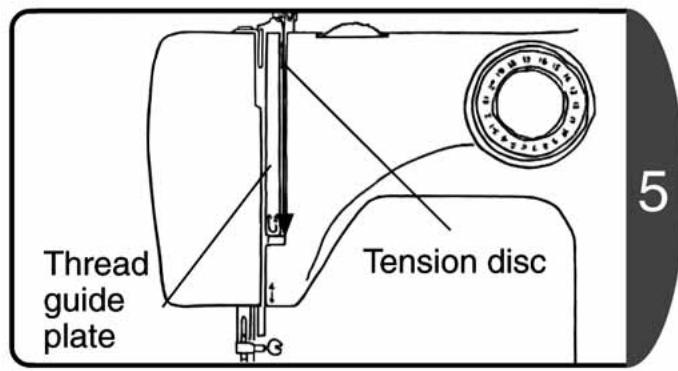
Thread guide plate Tension disc 5Pass the thread between the thread guide plate and the tension disc.
text_image
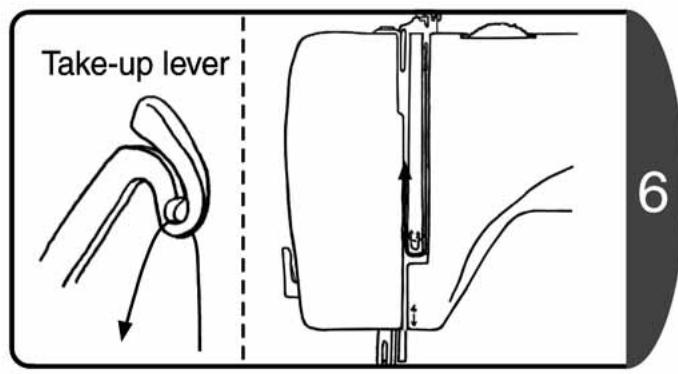
Take-up lever 6♦Pass the thread along the groove of the thread guide plate.
♦Turn the handwheel towards yourself until the take-up lever is visible.
♦Pass the thread through the take-up lever.
text_image
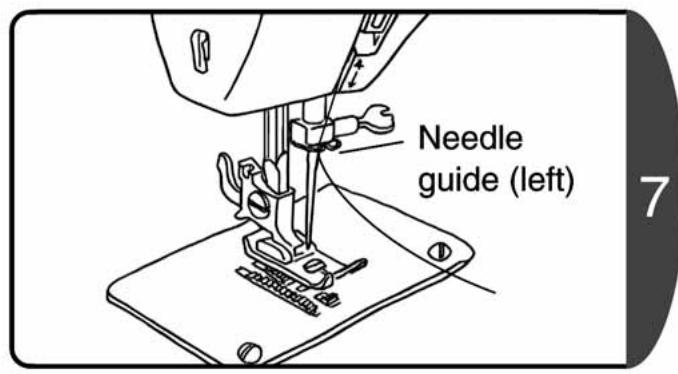
Needle guide (left)Set the thread on the left side of the needle guide. Check that the thread is set correctly
- Raise the presser foot and pull the upper thread towards yourself. The thread should come out smoothly.
♦Lower the presser foot and pull the upper thread towards yourself. It should be resistant and difficult to pull.
text_image
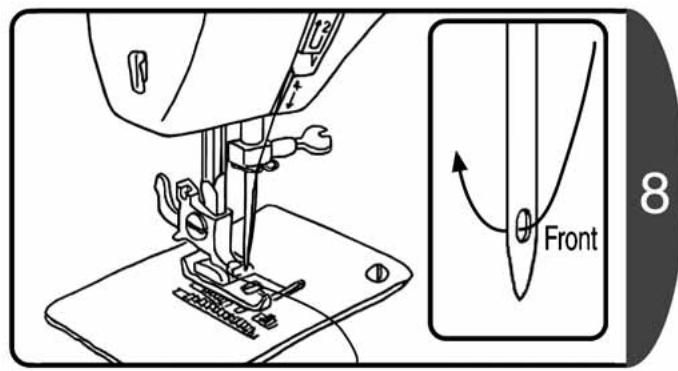
Front 8Pass the thread through the needle eye from the front.
6. Pulling up the lower thread
natural_image
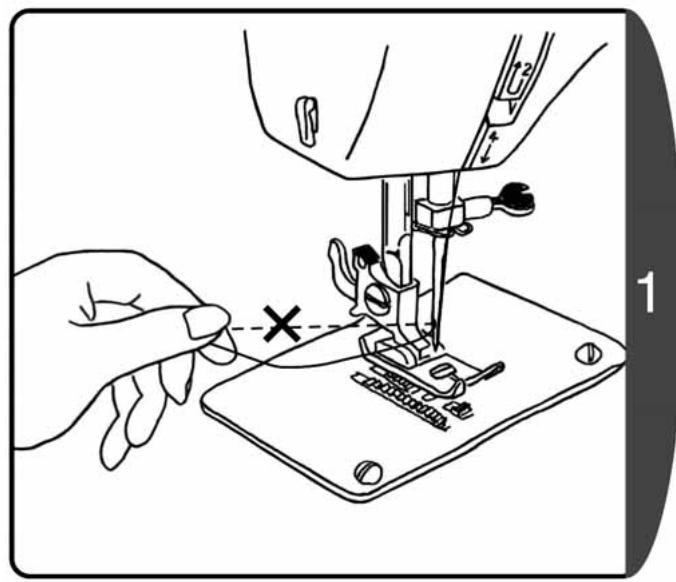
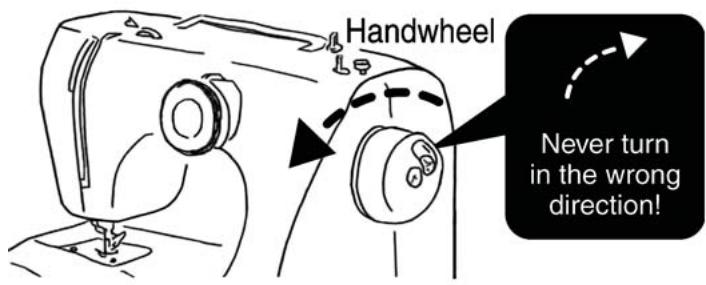
Line drawing of a sewing machine needle stitching fabric, with a hand adjusting the needle (no text or symbols present)Hold the end of the thread, turn the handwheel towards yourself for one full turn, and stop when the needle is at its highest position.
text_image
Handwheel Never turn in the wrong direction!Note : Always turn the handwheel towards yourself. (in the direction of the arrow) If you turn it in the reverse direction it could tangle the thread.
Note : If the thread is tight the lower thread will not come out, so hold the thread loosely.
text_image
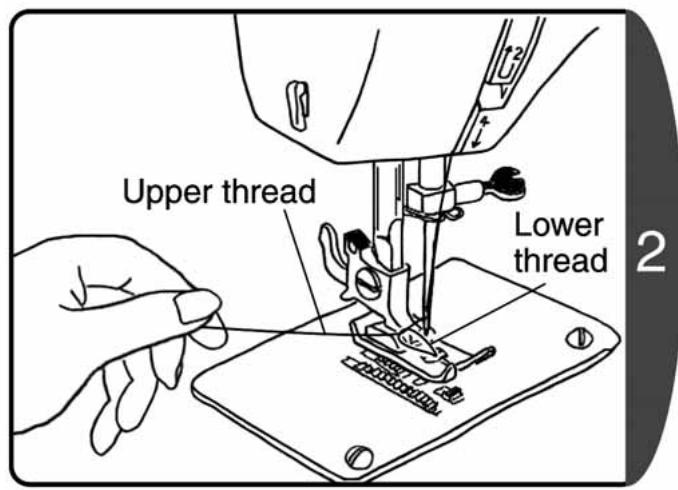
Upper thread Lower thread 2- Pull the upper thread and the loop of the lower thread will come out.
♦ Pull out this lower thread.
text_image
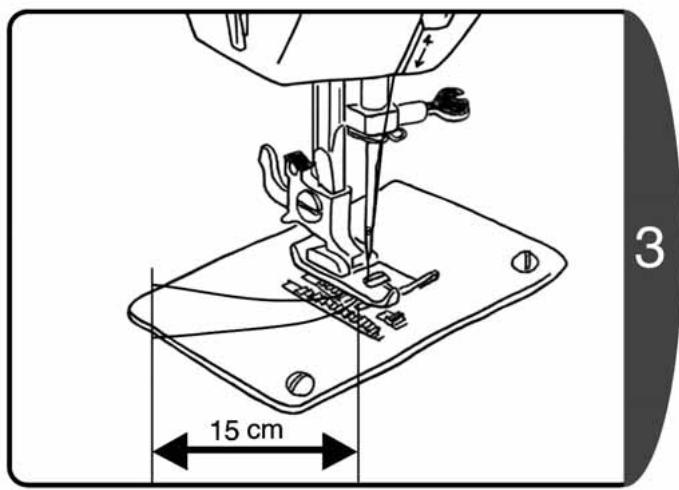
15 cm 3- Line up the upper thread and lower thread, and thread through the groove of the presser foot.
♦Pull back about 15cm.
7. Main stitch pattern uses
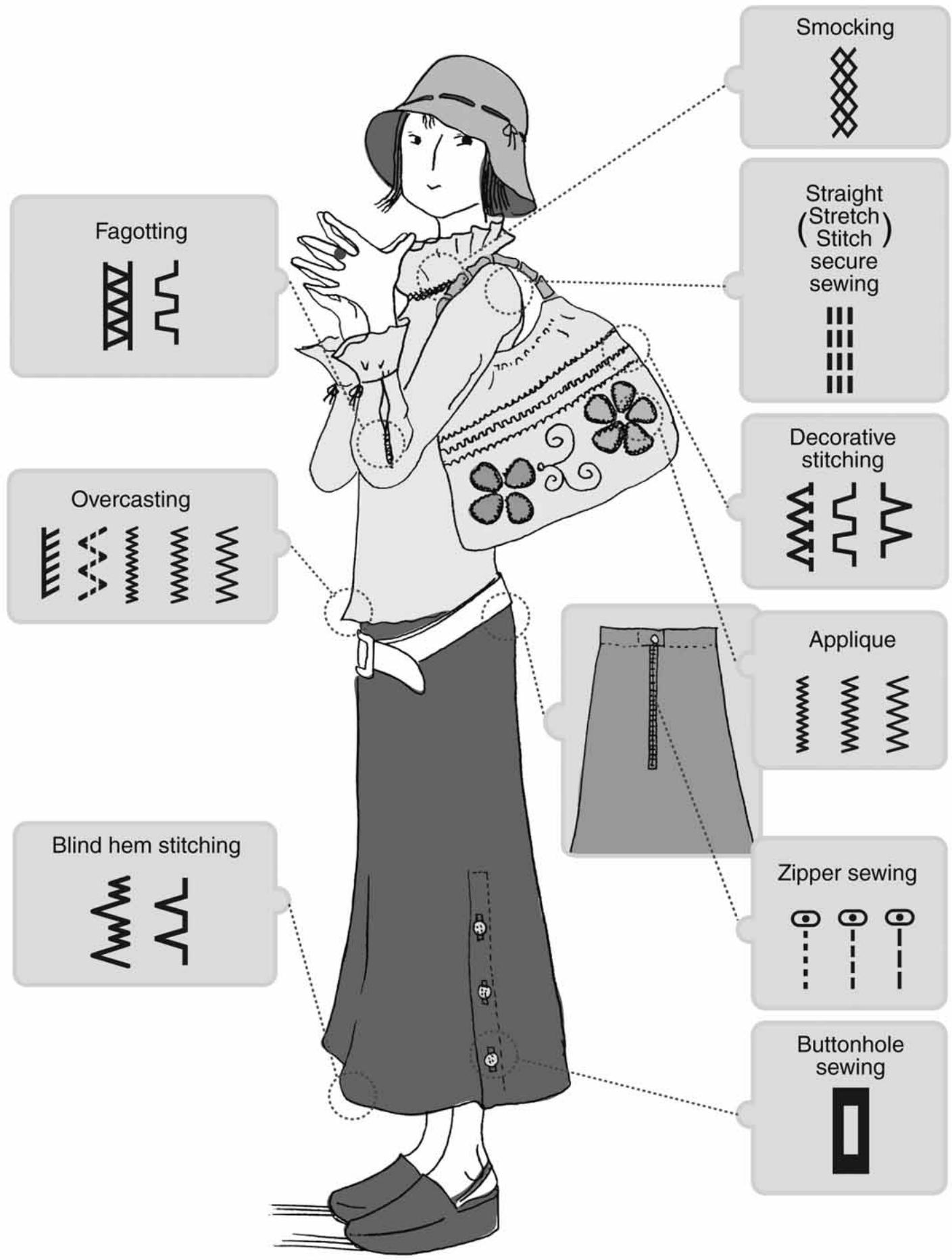
* Depending on the model of your sewing machine, some of the stitch patterns are not available. (refer to P.20)
flowchart
graph TD
    A["Fagotting"] --> B["Overcasting"]
    B --> C["Blind hem stitching"]
    C --> D["Smocking"]
    D --> E["Straight (Stretch) secure sewing"]
    E --> F["Decorative stitching"]
    F --> G["Applique"]
    G --> H["Zipper sewing"]
    H --> I["Buttonhole sewing"]
8. Application of each stitch pattern

CAUTION

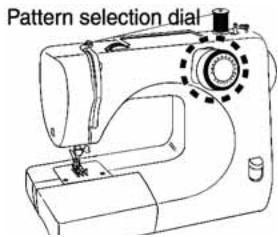
Do not turn the pattern selection dial while operating the sewing machine.
Doing so could cause an injury.
text_image
Pattern selection dialAttention
- The number of stitch patterns may differ from model to model.
The model number is located on the model label on the back of the sewing machine. (MODEL *** )
21 Stitch programs --- MODEL XXX21, XXX17, XXX04, 7140, SA45
18 Stitch programs --- MODEL XXX18, CB02, STF91
16 Stitch programs --- MODEL XXX16, CB01, 7120
♦Turn the handwheel towards yourself to raise the needle to the highest position.
♦Turn the pattern selection dial to choose the pattern.
| Stitch | Applications | Stitch programs | Stitch | Applications | Stitch programs | ||||
| 21 | 18 | 16 | 21 | 18 | 16 | ||||
1/2/3/4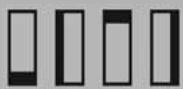 | Buttonhole | O | O | O | 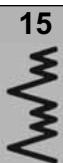 | Stretch fabric blind hem stitch | O | O | O |
| 5 | Thin fabric straight stitch | O | O | O | 16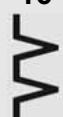 | Decorative stitch Overcasting | O | O | O |
| 6/7/8 | Straight stitch Zipper sewing | O | O | O | 17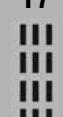 | Straight stretch stitch (secure sewing) | O | O | — |
| 9/10/11 | Zigzag sewing Applique Overcasting | O | O | O | 18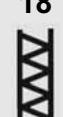 | Fagoting | O | O | — |
| 12 | Blind hem stitching | O | O | O | 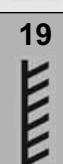 | Overcasting Overlock | O | — | — |
| 13 | Mending stitch Thin fabric overcasting | O | O | O | 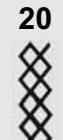 | Smocking | O | — | — |
| 14 | Fagoting/Casing Decorative stitch | O | O | O | 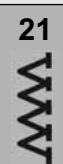 | Decorative stitch Double overlock | O | — | — |
9. Changing the presser foot

CAUTION

Before changing the presser foot, remove the power plug from the outlet.
Not doing so could cause an injury.

Removal ☆
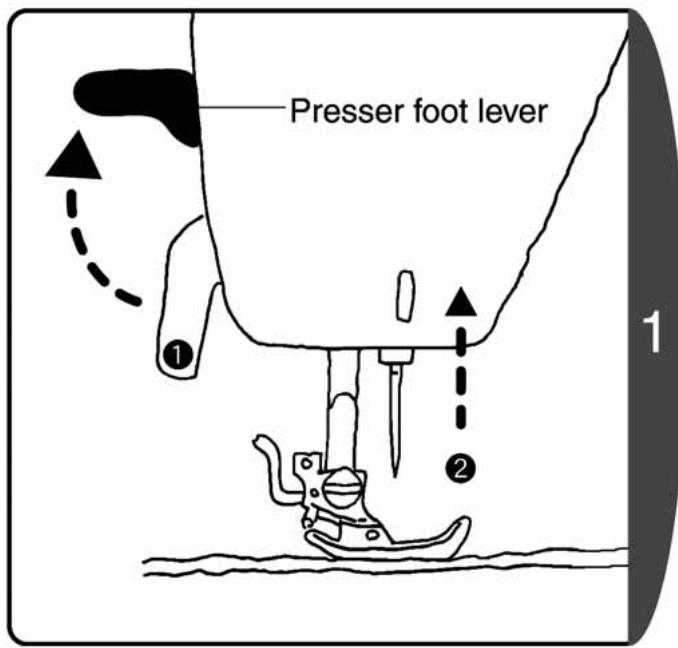
text_image
Presser foot lever ① ② 1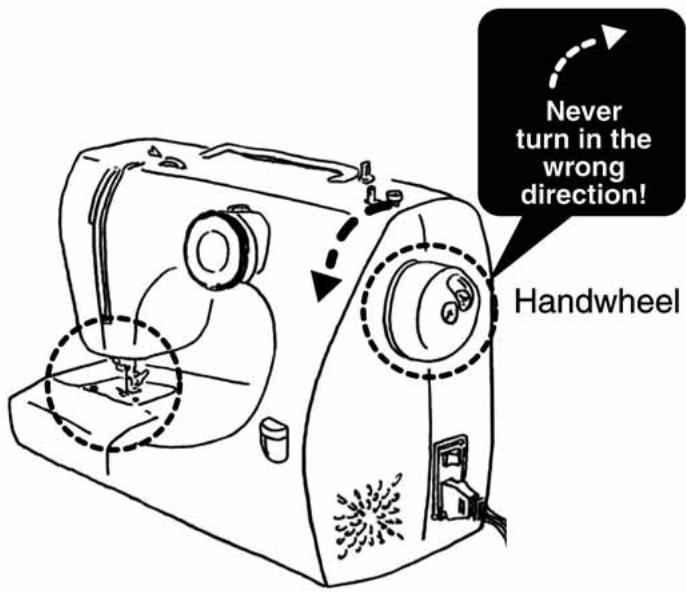
text_image
Never turn in the wrong direction! Handwheel- Raise the presser foot lever.
- Turn the handwheel towards yourself to raise the needle.
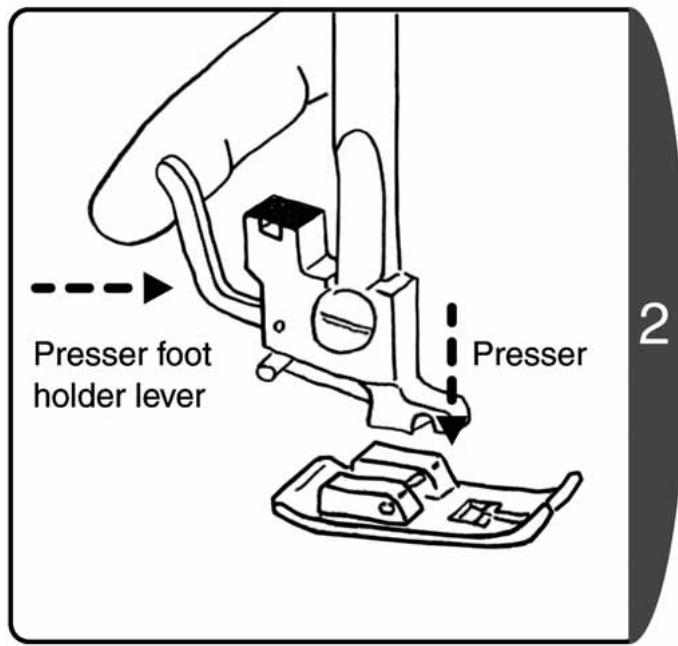
text_image
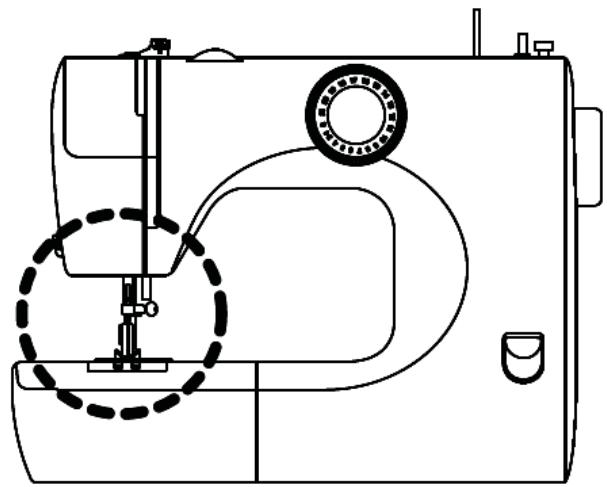
Presser foot holder lever Presser 2Press the presser foot holder lever in the direction of the arrow to release the presser foot
natural_image
Line drawing of a sewing machine with a dashed circular outline highlighting the base mechanism (no text or symbols)☆ Installation ☆
text_image
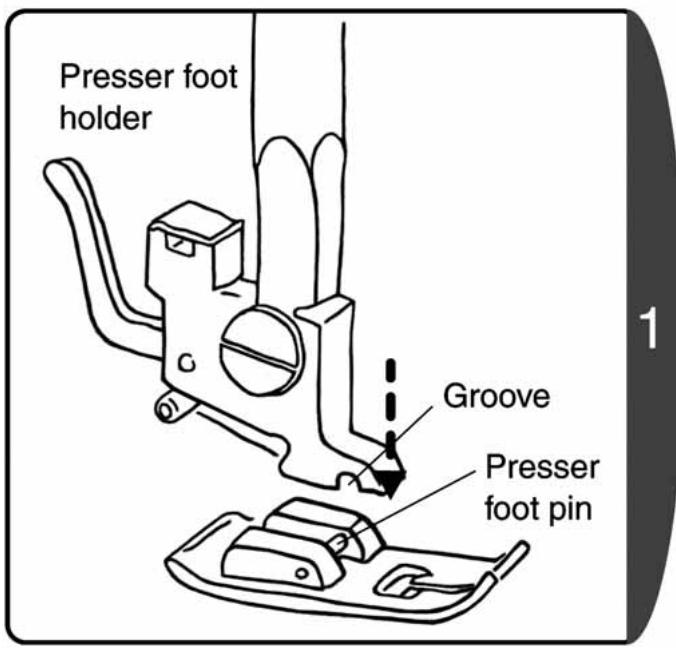
Presser foot holder Groove Presser foot pinPosition the presser foot pin directly below the groove in the presser foot holder.
text_image
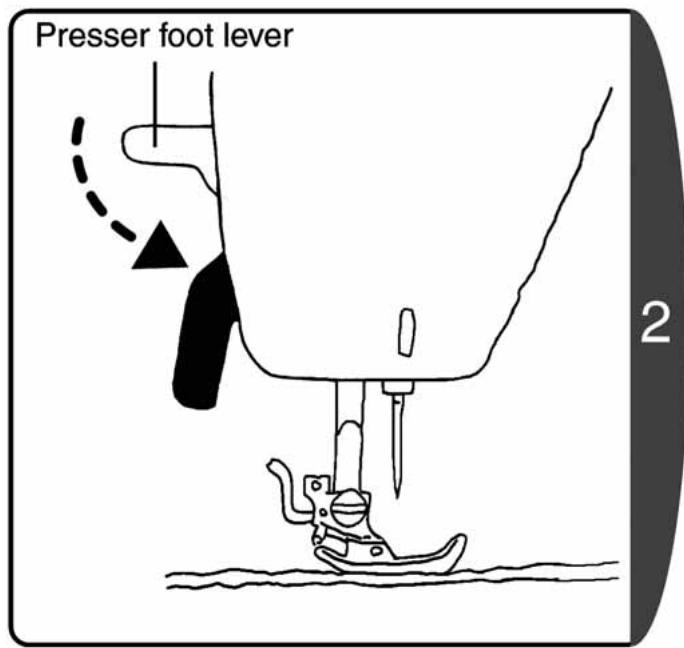
Presser foot lever 2Lower the presser foot lever to set the presser foot.
10. Changing the needle

CAUTION

Before changing the needle, remove the power plug from the outlet.
Not doing so could cause an injury.

Broken needles are dangerous. Be sure to dispose of them in a safe place away from children.
Not doing so could cause an injury.
text_image
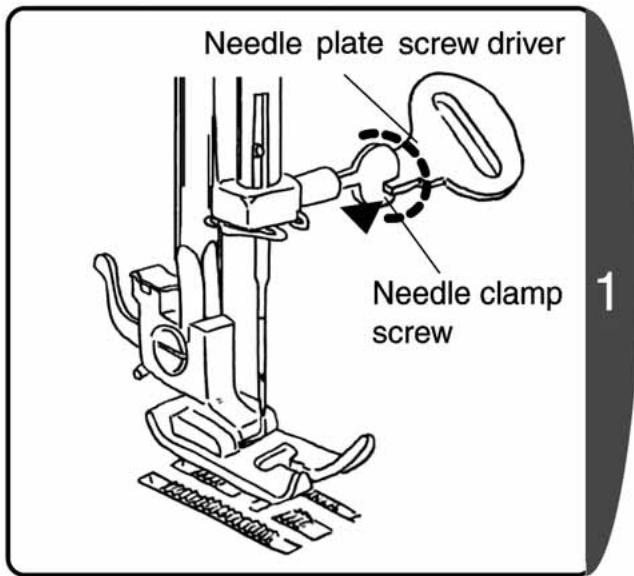
Needle plate screw driver Needle clamp screw- Turn the handwheel towards yourself to raise the end of the needle higher than the needle plate.
- Hold the needle in one hand, loosen the needle clamp screw with the accessory needle plate screw driver, and remove the needle.
Note : Do not remove the needle clamp screw. Loosen the needle clamp screw to remove the needle.
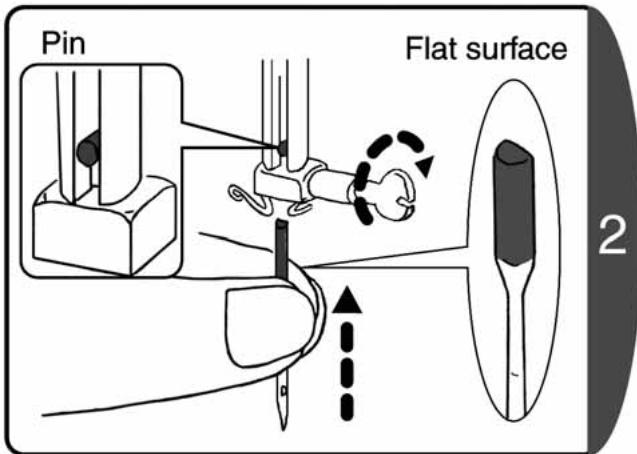
text_image
Pin Flat surface 2-
Face the flat surface of the needle to the rear and insert until it makes contact with the pin.
-
Firmly tighten the needle clamp screw with the needle plate screw driver.
☆ Correct needle selection ☆
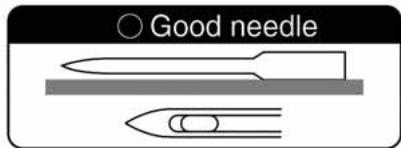
text_image
○ Good needleNote : If a faulty needle is used not only will it impair the sewing performance, but it could also damage the metal plate or hook, or break the needle.
* If a stitch is missed or the thread breaks, first try replacing the needle.

text_image
X Faulty needle The entire needle is bent The point of the needle is blunt The point of the needle is bentIt's dangerous to use a faulty needle!
11. Relationship between the needle, thread and fabric, and adjusting the sewing machine
The quality of the sewing finish will improve if the needle and thread are changed to match the type of fabric. Follow the directions in the table below.
| Sewing thin fabric | Sewing normal fabric | Sewing thick fabric | ||
| Relationship between the needle, thread and fabric |  | No. 65/9 to No. 75/11 | No. 75/11 to No. 90/14 | No. 100/16 |
 ....ead ....ead | Polyester No. 90Cotton No. 80 to No. 120Silk No. 80 | Polyester No. 50 to No. 60Cotton No. 60 to No. 80Silk No. 50 to No. 80 | Polyester No. 30 to No. 50Cotton No. 40 to No. 50Silk No. 50 | |
 ---- ---- | Normal back fabricQuiplerGeorgetteLawnLace, etc. | Normal front fabricBroadSoft denimSatinPileGingham, etc. | CurtainsDenimQuiltingFleeceTweedFelt, etc. | |
| Adjusting the thread tension | Thread tension | 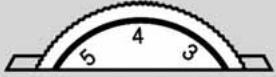 (3 to 5) (3 to 5) | 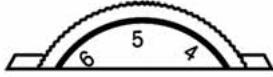 (4 to 6) (4 to 6) | 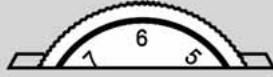 (5 to 7) (5 to 7) |
◆Use a ball point needle for the sewing alignment of stretch fabric.
- Please purchase any needles not included as accessories, after checking they are specified as home-use sewing machine needles.
♦Refer to P.30 [Adjusting thread tension] for how to adjust thread tension.
◆Use the same kind of threads for upper/lower thread.
- The higher the needle number is, the needle gets thicker. The higher the thread number is, the thread gets thinner.
III. Sewing
1. Straight stitching and reverse sewing
Reverse sewing is performed at the beginning and end of sewing to prevent the thread from unraveling.

CAUTION

Do not pull the fabric excessively while sewing. Doing so could break the needle and cause an injury.
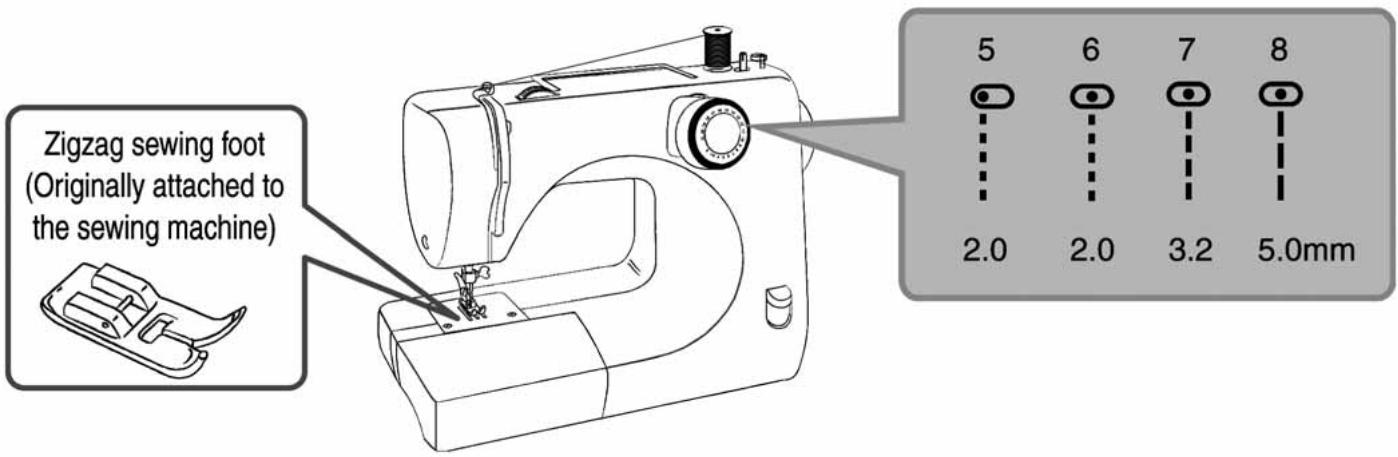
text_image
Zigzag sewing foot (Originally attached to the sewing machine) 5 6 7 8 2.0 2.0 3.2 5.0mm☆ Straight stitch ☆
natural_image
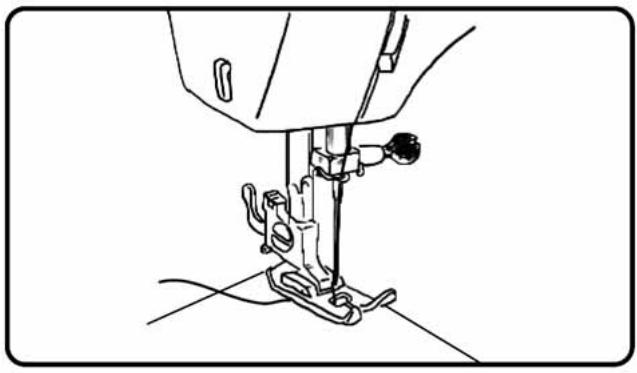
Line drawing of a sewing machine needle and foot (no text or symbols)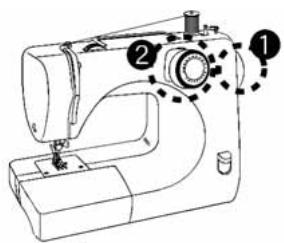
text_image
Diagram of a sewing machine with numbered parts indicating specific parts and motion arrows- Turn the handwheel towards yourself to raise the needle.
- Turn the pattern selection dial to choose the pattern.
♦Set the fabric and lower the presser foot lever.
- Step on the foot controller to begin sewing.
☆ End of sewing ☆
natural_image
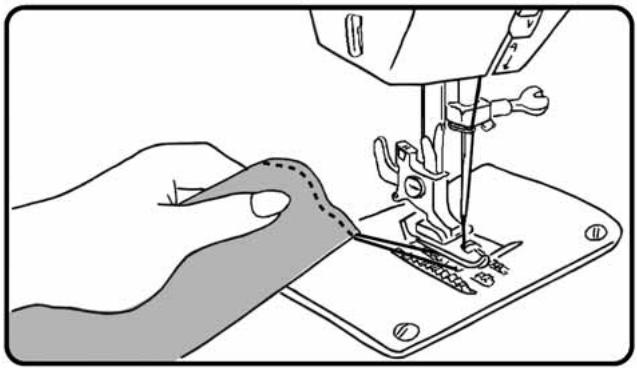
Line drawing of a sewing machine needle stitching fabric, showing the blade and base (no text or symbols)After finishing sewing, turn handwheel towards yourself until the needle is in the highest position.
- Raise the presser foot and pull out the fabric to the rear.
☆ Thread cutter on the needle bar ☆
natural_image
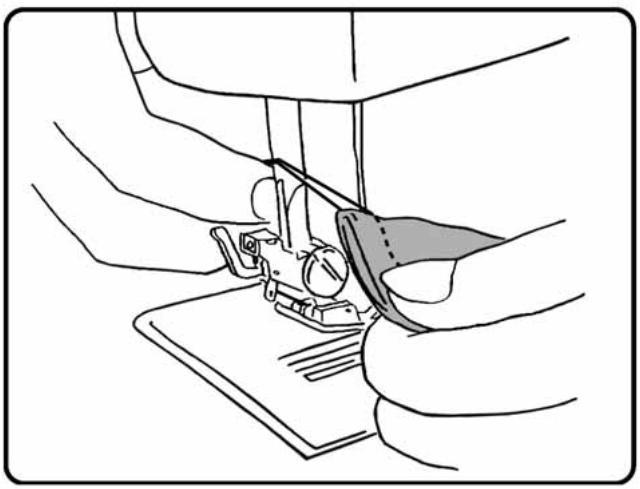
Line drawing of hands operating a sewing machine with a clamped blade (no text or symbols)* The thread cutter may differ from model to model. Line up two threads and cut with the thread cutter on the needle bar.
☆ Thread cutter on the face cover ☆
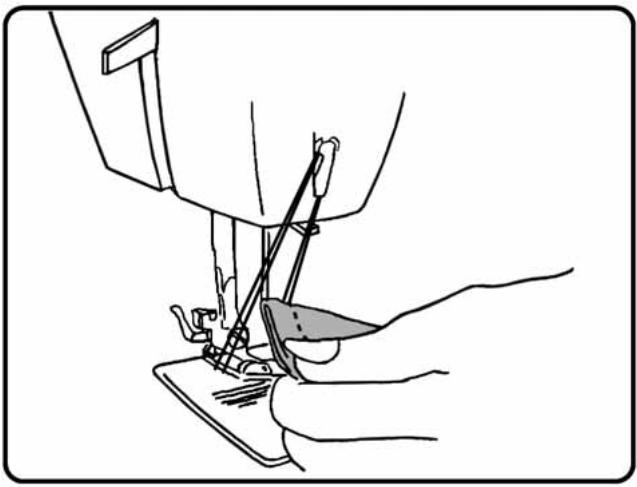
natural_image
Line drawing of a sewing machine needle stitching fabric, with a hand operating the work (no text or symbols)* The thread cutter may differ from model to model. Line up two threads and cut with the thread cutter on the face cover.
☆ Reverse sewing ☆
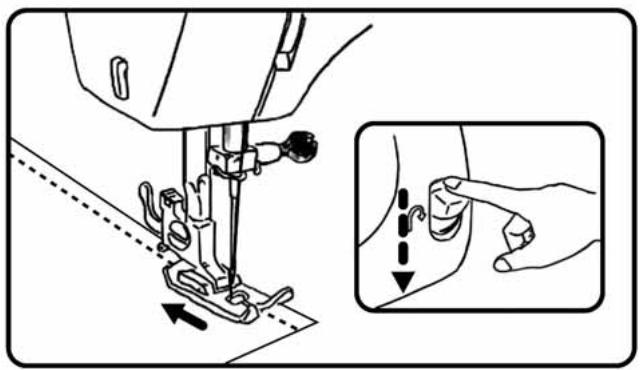
natural_image
Line drawing of a sewing machine needle and fabric being adjusted, with an inset showing hand positioning (no text or symbols)Reverse sewing is performed at the beginning and end of sewing to prevent the thread from unraveling. Reverse sewing is performed while lowering the reverse sewing lever.
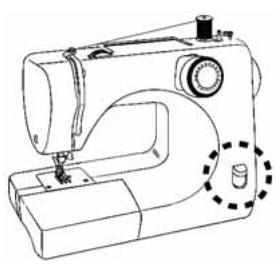
natural_image
Line drawing of a sewing machine with no text or symbols- Stitch 1 to 2 cm from the edge of the fabric to prevent unraveling at the start of sewing. - Sew 3 to 4 reverse stitches at the end of sewing.
Note : Remove your finger from the reverse sewing lever to return to forward direction sewing.
☆ Sewing thick fabric ☆
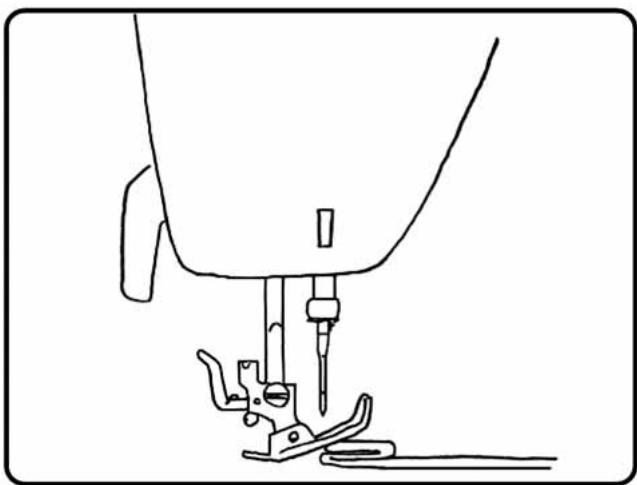
natural_image
Line drawing of a sewing machine needle and base mount (no text or symbols)When sewing thick fabric from the edge, the presser foot may tilt and be unable to feed through the fabric.
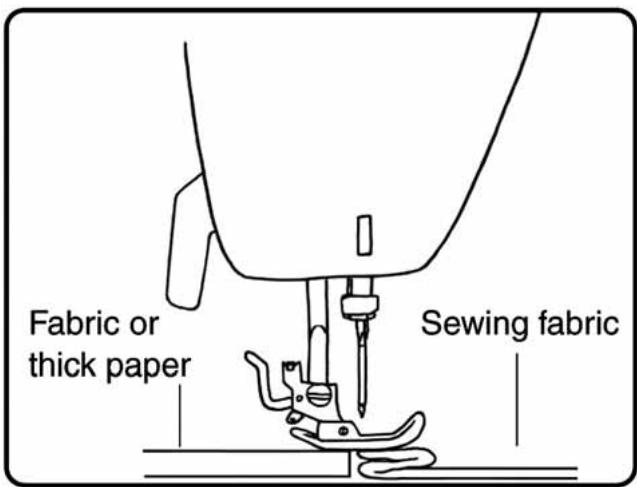
text_image
Fabric or thick paper Sewing fabricPlace fabric or thick paper of the same thickness as the fabric you wish to sew under the presser foot. This will enable smooth sewing.
☆ Sewing thin fabric ☆
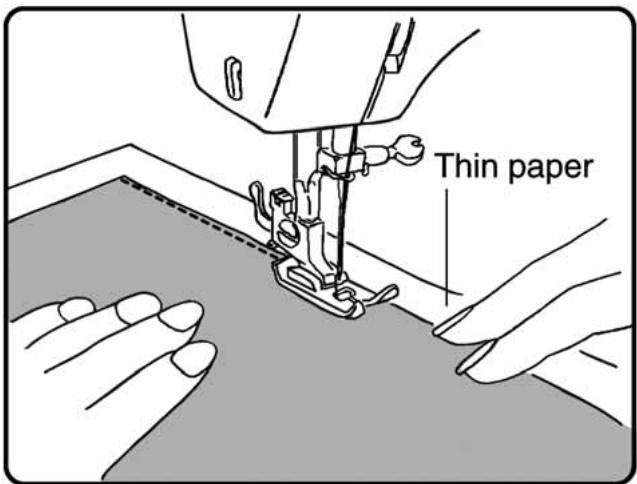
text_image
Thin paperSewing is easier if thin paper is laid out under the fabric.
☆ Sewing tube-shaped fabrics ☆
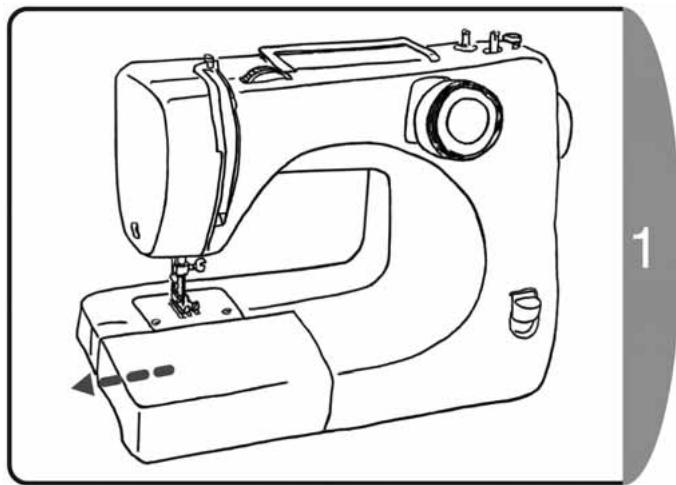
natural_image
Line drawing of a sewing machine with no text or symbolsPull out the extension table (accessory box) in the direction of the arrow.
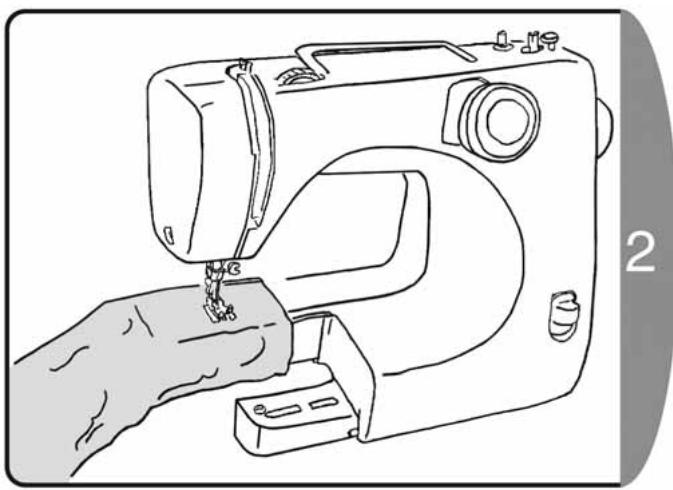
natural_image
Line drawing of a sewing machine with a hand operating the base (no text or symbols)Sew tube-shaped fabrics such as trousers or sleeves.
natural_image
Simple line drawing of a person sitting at a desk with a dog nearby, no text or symbols present.2. Zigzag sewing
There are various types of zigzag sewing methods, such as applique and overcasting.
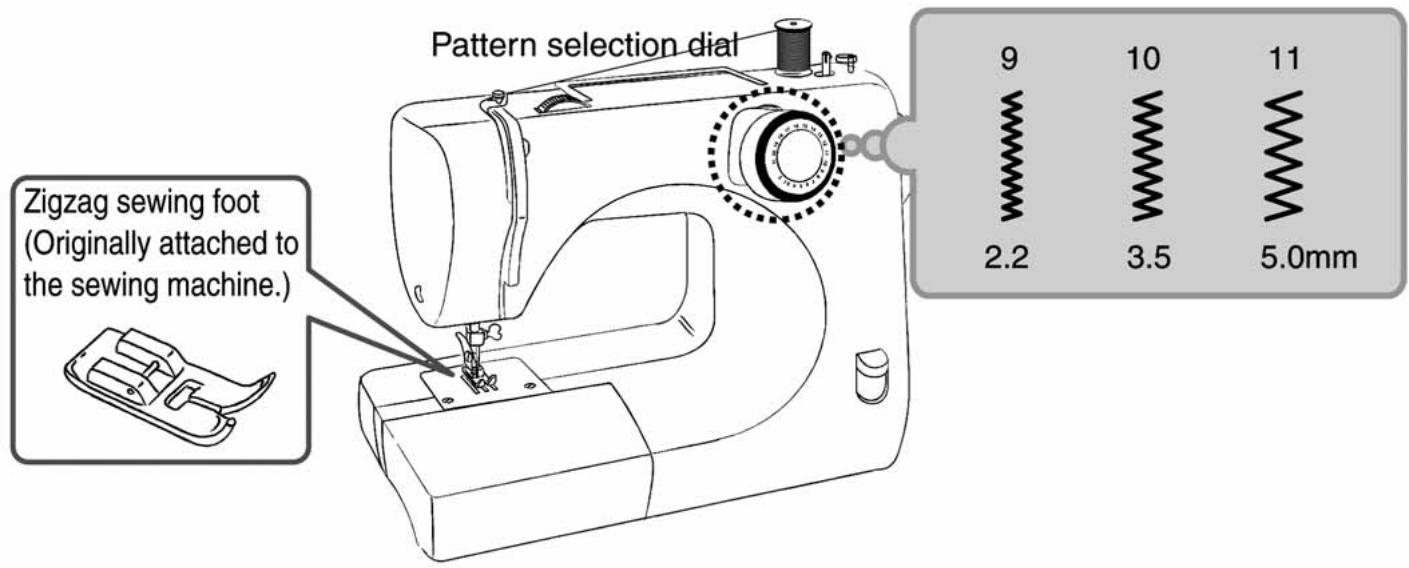
text_image
Pattern selection dial Zigzag sewing foot (Originally attached to the sewing machine.) 9 10 11 2.2 3.5 5.0mm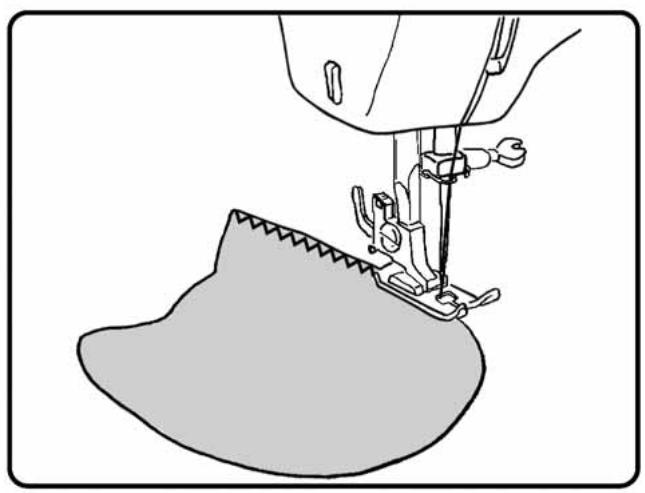
natural_image
Line drawing of a sewing machine needle stitching fabric (no text or symbols)♦Turn the handwheel towards yourself to raise the needle.
♦Turn the pattern selection dial to choose the pattern.
♦Set the fabric and lower the presser foot.
- Step on the foot controller to begin sewing.
natural_image
Illustration of a girl walking with a dog beside trees, no text or symbols present3. Adjusting thread tension
Before adjustment, check again that "P.16 [Threading the upper thread]" has been performed correctly.
Straight stitch
Upper thread is tight
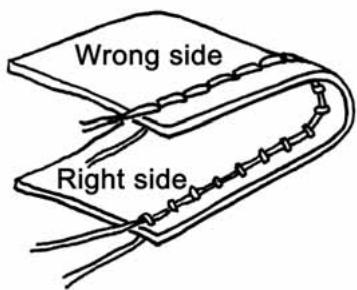
text_image
Wrong side Right sideUpper thread is loose
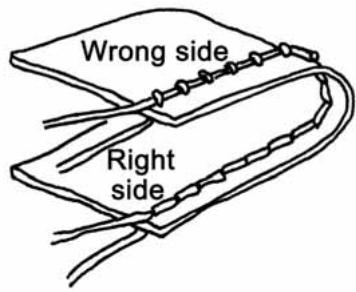
text_image
Wrong side Right sideZigzag sewing
Upper thread is tight
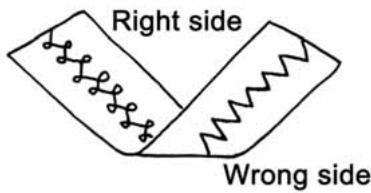
text_image
Right side Wrong sideUpper thread is loose
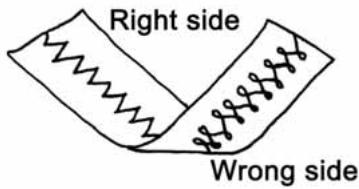
text_image
Right side Wrong side☆ Adjustment method for upper thread tension ☆
○Upper thread is tight
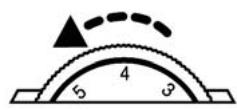
Turn down the upper thread tension dial.
○Upper thread is loose
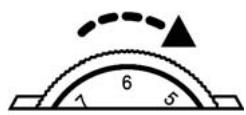
Turn up the upper thread tension dial.
Note : If the tension does not change even when you turn the upper thread tension dial, reset the upper thread.
Note : If it does not change with the upper thread, adjust the lower thread.
☆ Adjustment method for lower thread tension ☆
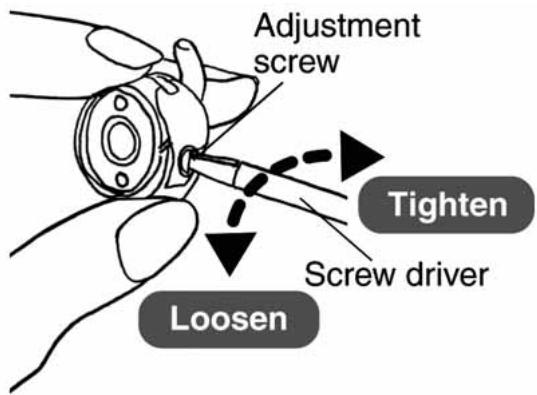
text_image
Adjustment screw Tighten Screw driver Loosen○Adjust by turning the bobbin case adjustment screw with the accessory screw driver.
Turn right to tighten the tension
Turn left to loosen the tension
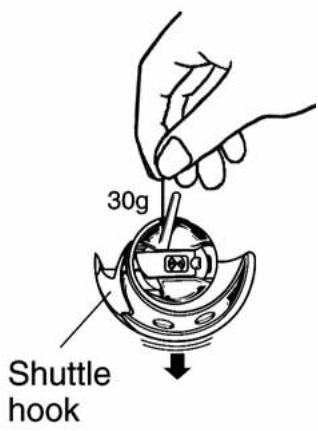
text_image
30g Shuttle hook○After adjusting the tension of the bobbin case, suspend bobbin, bobbin case, and shuttle hook all together and hold the bobbin thread as illustrated.
(Please refer to P.46)
Note:
When the bobbin case tension is correct: the thread should slide down with light resistance.
When the bobbin case tension is too tight: the thread does not slide down, or the thread jerks.
When the bobbin case tension is too loose,: the thread easily slides down with no resistance.
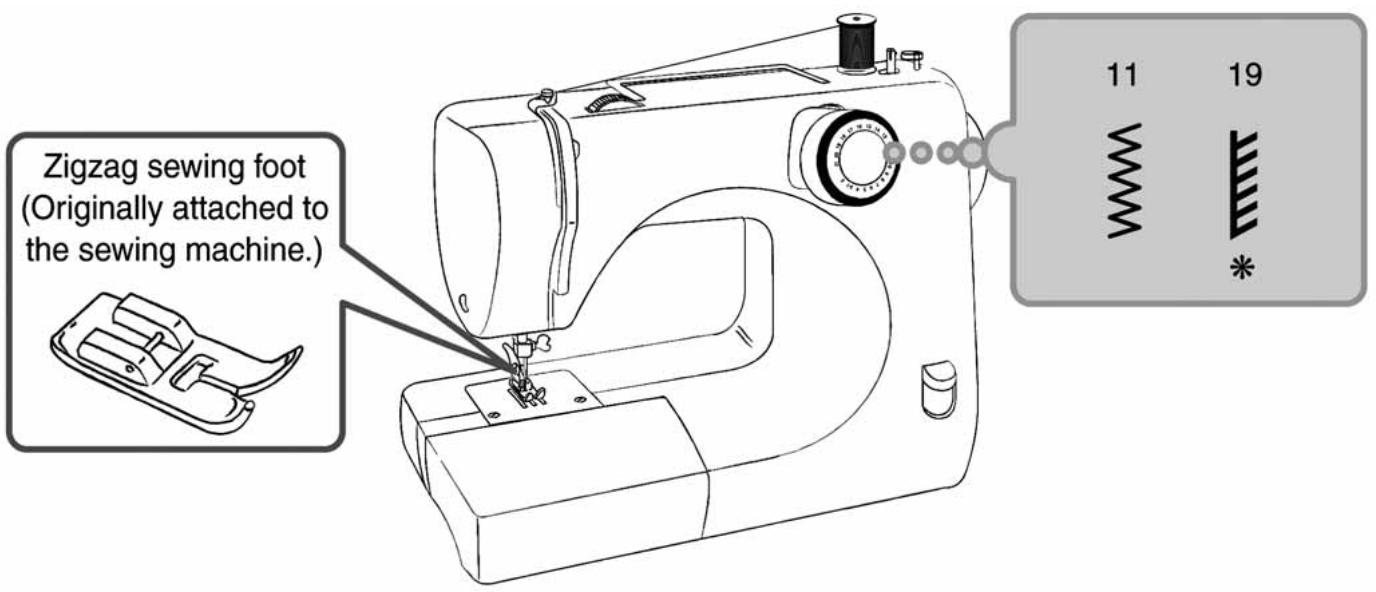
4. Overcasting
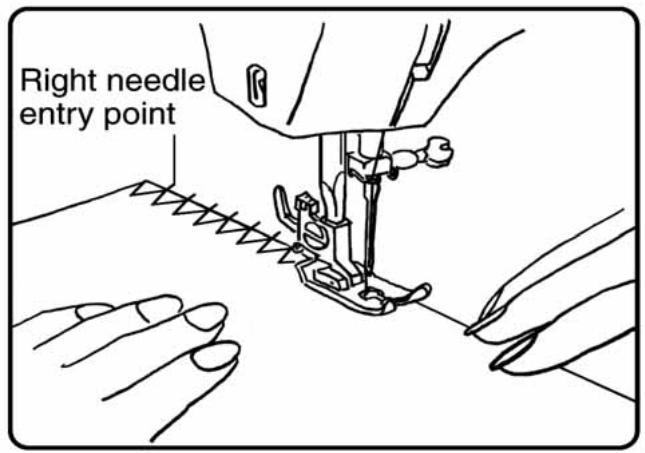
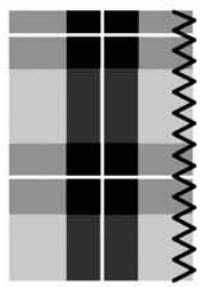
This is a sewing method that prevents unraveling at the edge of the fabric.
text_image
Zigzag sewing foot (Originally attached to the sewing machine.) 11 19 ** Is not available for 16/18 stitch model. (refer to P.20 [Application of each stitch pattern])
text_image
Right needle entry pointPosition the fabric so that the right needle entry point at the edge of the fabric is slightly on the outside.
natural_image
Abstract pattern with black and gray squares and a wavy black line on the right side (no text or symbols)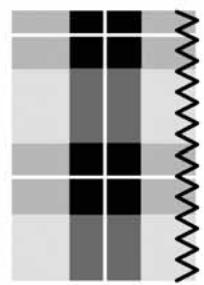
natural_image
Abstract pattern of black and white squares with a wavy line on the right side (no text or symbols)It is easier to sew accurately if an overcasting foot is used. (Optional Accessory).
5. Blind hem stitching
In this sewing method the stitch cannot be seen on the right side of the fabric.
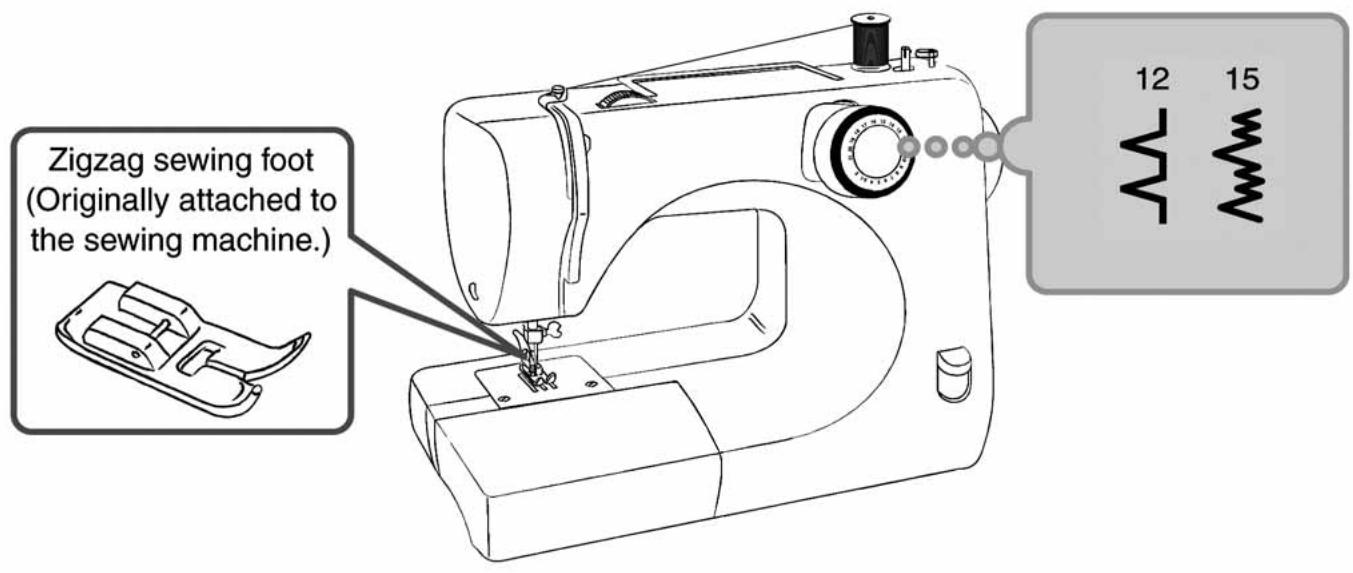
text_image
Zigzag sewing foot (Originally attached to the sewing machine.) 12 15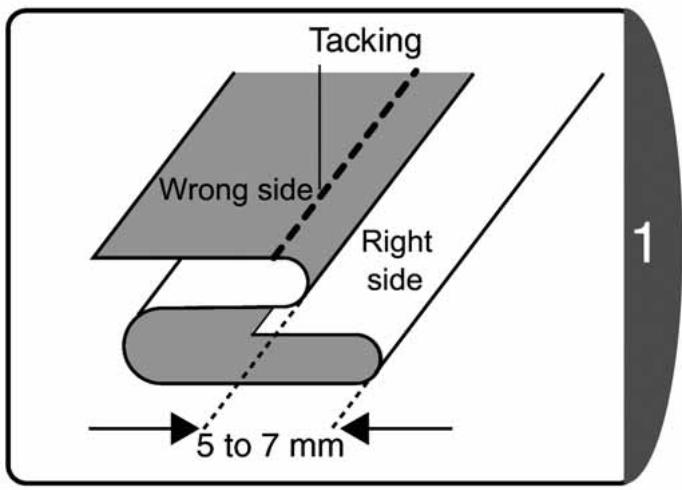
text_image
Tacking Wrong side Right side 5 to 7 mm 1♦Fold back the fabric so that the folded area protrudes by about 5 to 7mm.
♦Iron and tack by hand.
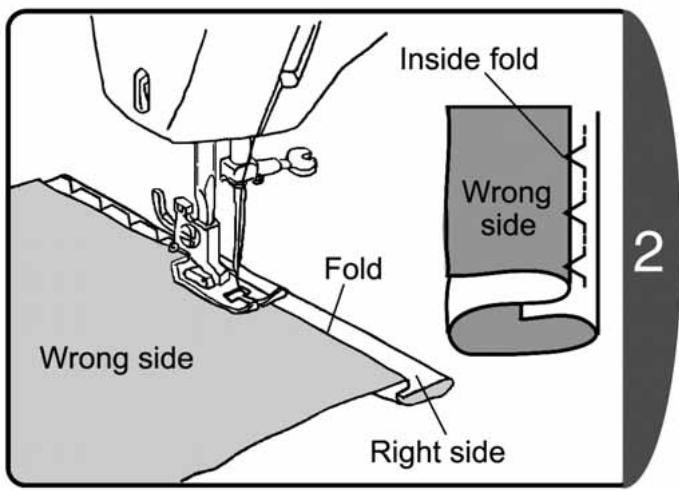
text_image
Inside fold Wrong side Fold Wrong side Right side 2♦Position the fabric so that the needle slightly catches the fold when the needle moves to the left.
♦Lower the presser foot and start sewing.
The part of the stitch that catches the fold will be visible from the right side of the fabric.
♦ Sew the stitch evenly so that the part of the stitch that catches the fold is not too large or too small.
- After sewing, pull out the tacking, open out the fabric.
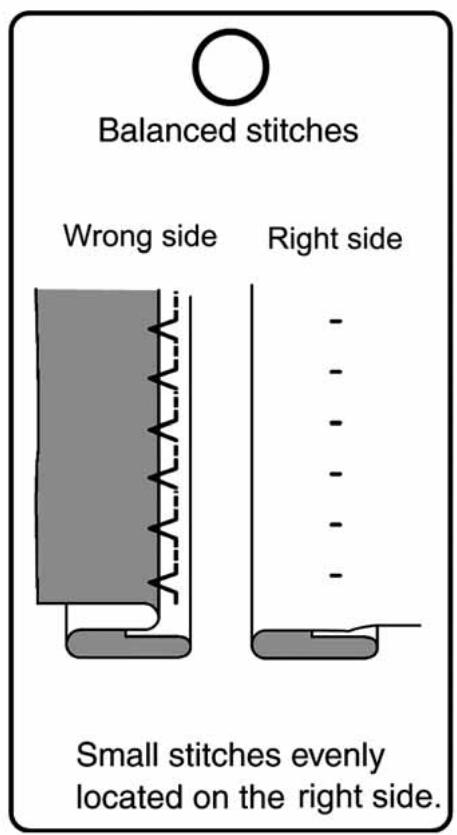
text_image
Balanced stitches Wrong side Right side Small stitches evenly located on the right side.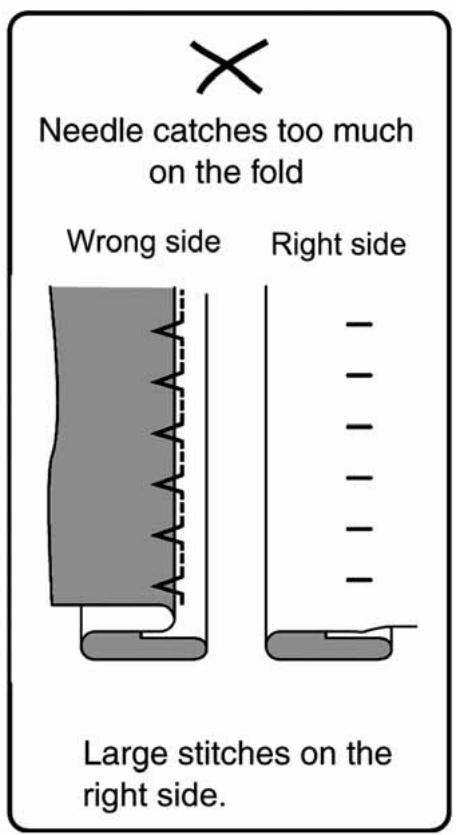
text_image
Needle catches too much on the fold Wrong side Right side Large stitches on the right side.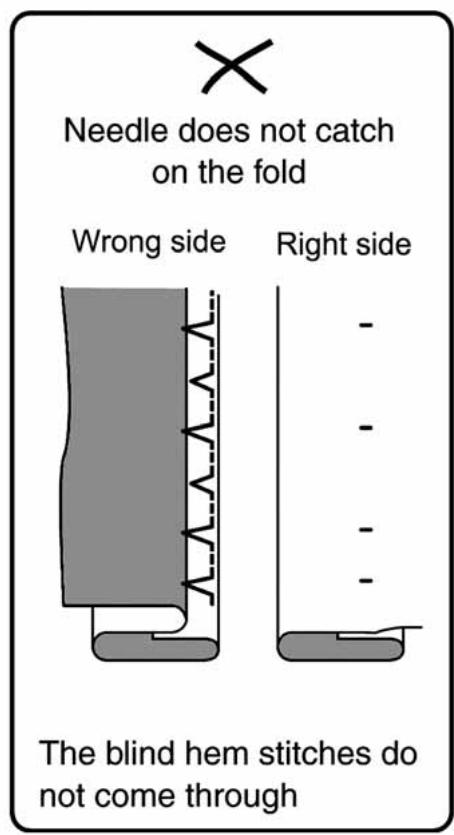
text_image
Needle does not catch on the fold Wrong side Right side The blind hem stitches do not come throughIt is easier to sew accurately if a blind stitch foot is used. (Optional Accessory)
natural_image
Line drawing of a woman in a dress holding a pleated skirt, standing beside a table and chair, with a window and mirror in the background (no text or symbols)6. Buttonhole

CAUTION

Before changing the presser foot, remove the power plug from the outlet.
Not doing so could cause an injury.
Buttonhole sewing to match the size of the button is possible.
For stretch fabric or thin fabric, a fusible interlining on the wrong side of the fabric will reinforce the fabric and produce a good finish for the buttonhole.
text_image
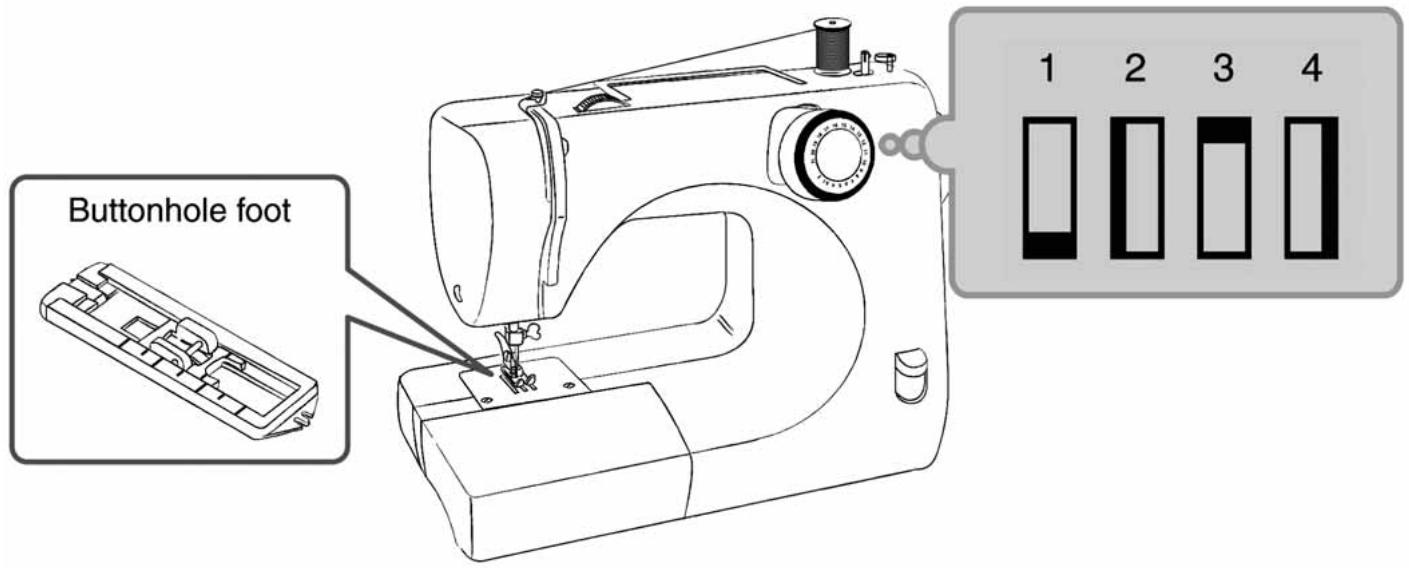
Buttonhole foot 1 2 3 4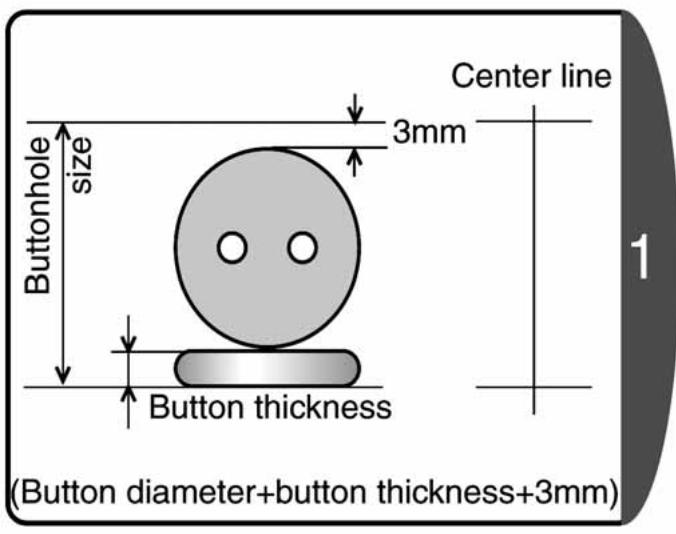
text_image
Center line 3mm Buttonhole size Button thickness (Button diameter+button thickness+3mm) 1♦ Change to the buttonhole foot.
(refer to P.21 [Changing the presser foot])
- Set the buttonhole size and mark a line on the fabric.
Note : For stretch fabric or thin fabric, insert a fusible interlining on the wrong side of the fabric before sewing.
text_image
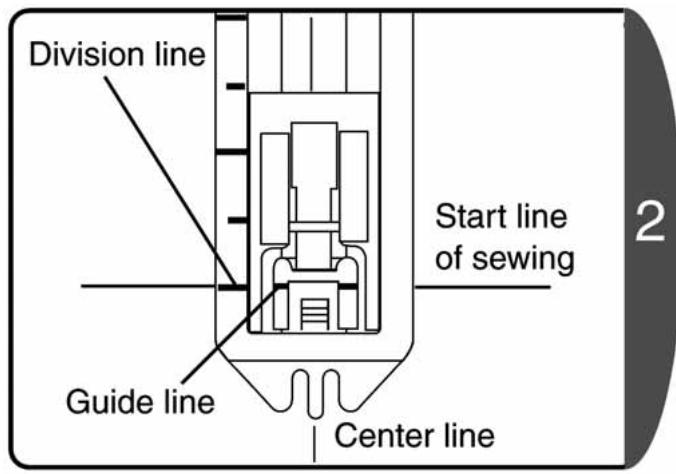
Division line Start line of sewing Guide line Center line 2Align the buttonhole foot division line closest to you with the guide line, and lower the presser foot to the start line of sewing on the fabric.
natural_image
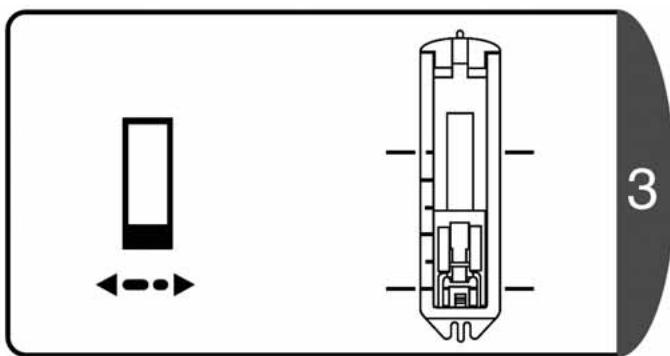
Technical diagram of a device with internal components and directional arrows, no readable text or symbols present.Raise the needle to the highest position, set the pattern dial to "1", and sew 5 to 6 bar-tack stitches.
natural_image
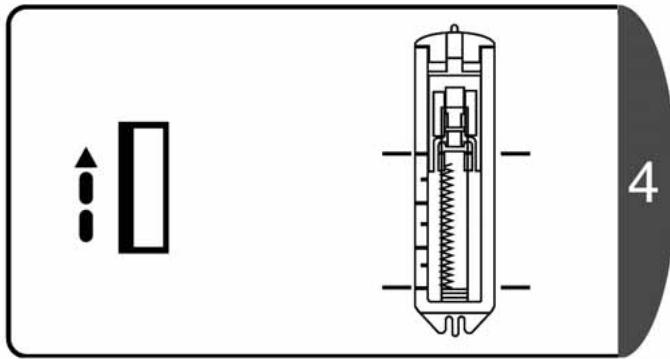
Technical diagram of a mechanical device with internal components and directional arrows (no text or symbols)Raise the needle to the highest position, set the pattern dial to "2", sew the left side and stop at the line marked on the fabric.
natural_image
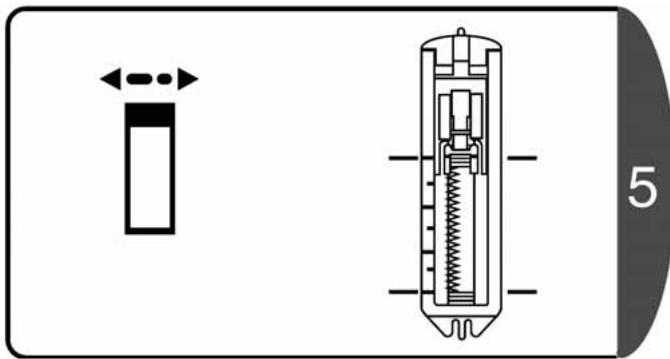
Technical diagram of a mechanical device with internal components and directional arrow (no text or symbols)Raise the needle to the highest position, set the pattern dial to "3", and sew 5 to 6 bar-tack stitches. "1" and "3" on the pattern selection dial use the same dial position.
natural_image
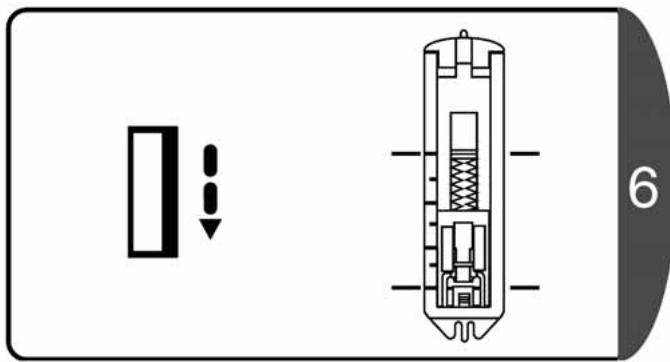
Technical diagram showing a vertical component with double-headed arrow and a cross-sectional view of internal components (no text or symbols)Raise the needle to the highest position, set the pattern dial to "4", sew the right side and stop at the line marked on the fabric.

CAUTION

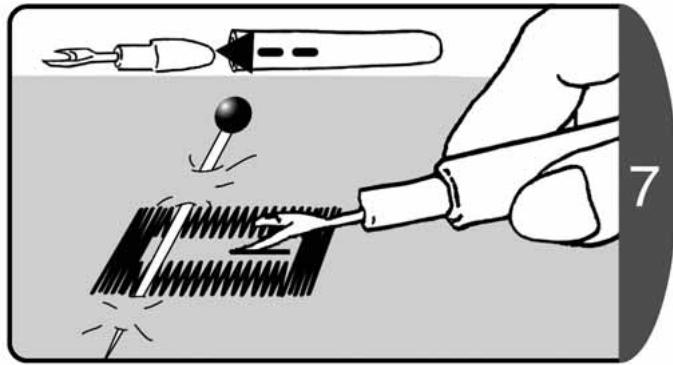
When using the buttonhole cutter to cut the buttonholes, do not hold the fabric in front of the cutter.
Doing so could cause an injury to your hand.
natural_image
Illustration of a hand using a power tool to cut a saw blade, with no text or symbols present.Use the buttonhole cutter to cut the center, making sure not to cut the stitches.
Note : If a marking pin is put in the bar-tack area it helps to prevent excessive cutting with the buttonhole cutter.
☆ Adjustment of buttonhole balance ☆
text_image
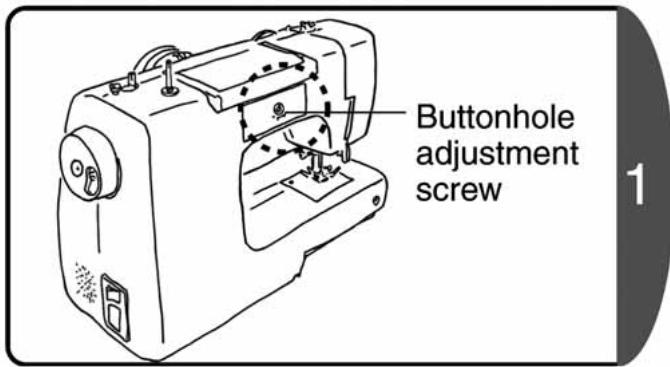
Buttonhole adjustment screw 1- Use the buttonhole adjustment screw to adjust the balance between the stitches. (rear side)
- Adjust by turning with the needle plate screw driver.
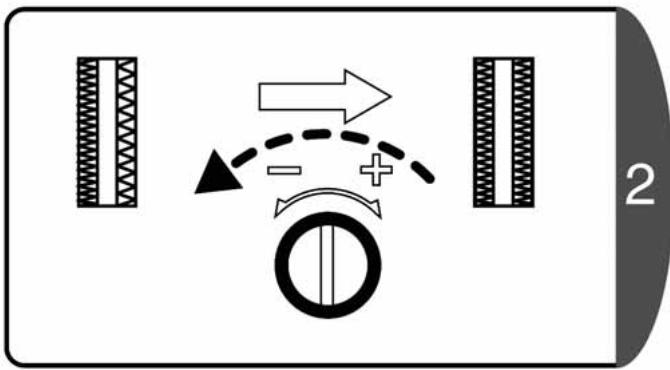
flowchart
graph TD
    A["Rectangular Block"] --> B{Directional Arrow}
    B --> C["Circle Component"]
    C --> D["Rectangular Block"]
    style A fill:#f9f,stroke:#333
    style B fill:#ccf,stroke:#333
    style C fill:#cfc,stroke:#333
    style D fill:#fcc,stroke:#333
If the stitches are loose on the right side of the buttonhole, turn slightly in the "-" direction.
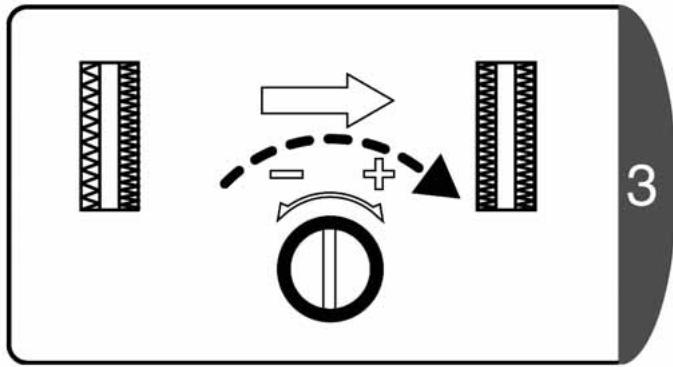
flowchart
graph TD
    A["Vehicle Position"] --> B{Directional Movement}
    B -->|Right Arrow| C["Car Position"]
    B -->|Left Arrow| D["Car Position"]
    B -->|Dashed Line to Right| E["Car Position"]
    B -->|Dashed Line to Left| F["Car Position"]
    B -->|+/-| G["Car Position"]
    B --> H["Car Position"]
    style A fill:#f9f,stroke:#333
    style C fill:#ccf,stroke:#333
    style D fill:#ccf,stroke:#333
    style E fill:#ccf,stroke:#333
    style F fill:#ccf,stroke:#333
    style G fill:#ccf,stroke:#333
    style H fill:#ccf,stroke:#333
If the stitches are loose on the left side of the buttonhole, turn slightly in the "+" direction.
7. Zipper sewing

CAUTION

Before changing the presser foot, remove the power plug from the outlet.
Not doing so could cause an injury.
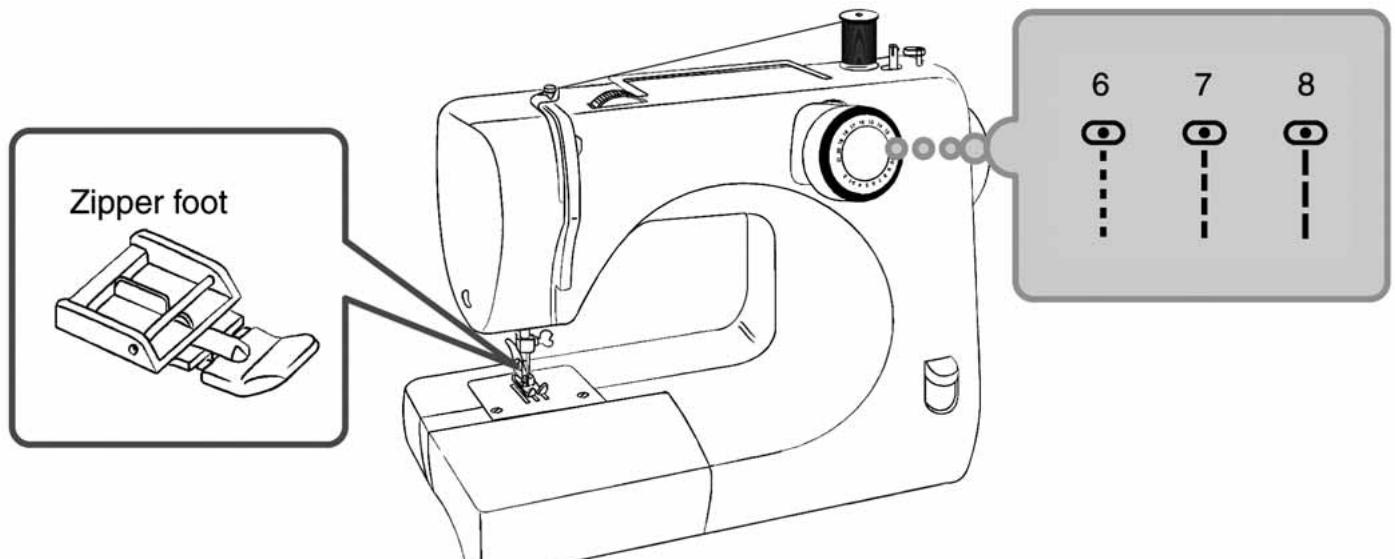
text_image
Zipper foot 6 7 8Change to the zipper foot. (refer to P.21 [Changing the presser foot])
☆ Sewing the left side of the zipper ☆
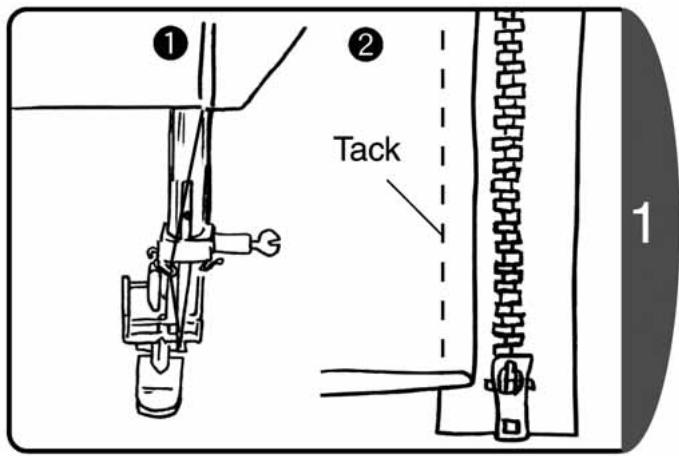
text_image
① ② Tack ①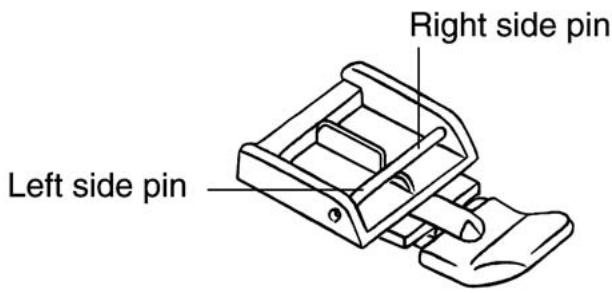
text_image
Right side pin Left side pin- Set the zipper foot to the right side pin.
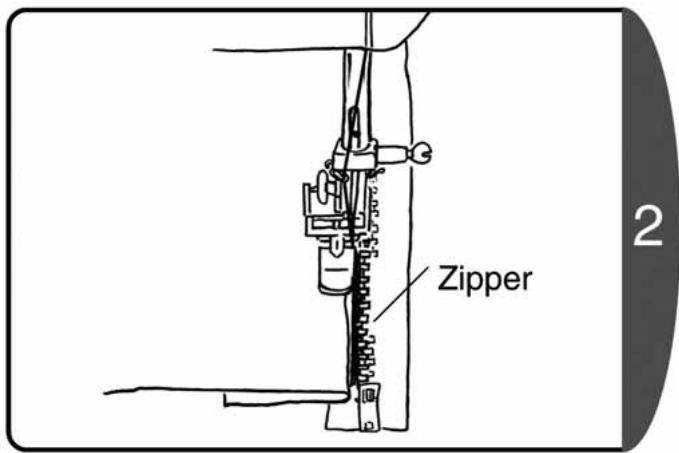
- Align the zipper and the fabric, and tack.
text_image
Zipper 2Position the fabric so that the zipper is on the right side of the presser foot.
text_image
Slider 3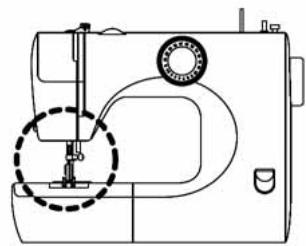
natural_image
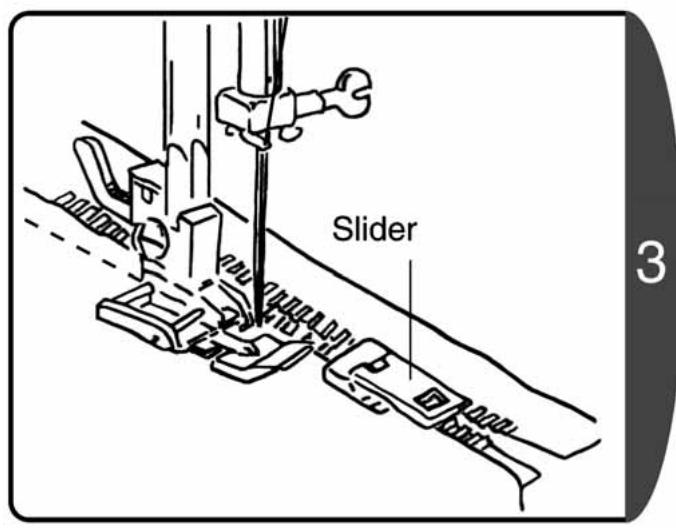
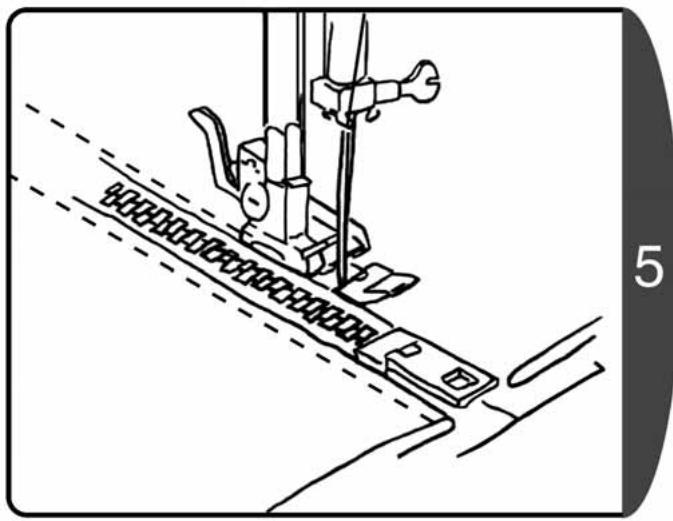
Line drawing of a sewing machine with a dashed circular component (no text or symbols)Sew until just before the presser foot makes contact with the slider, and then stop the sewing machine.

text_image
Slider 4♦Turn the handwheel towards yourself to lower the needle into the fabric.
♦Raise the presser foot lever.
♦Move the slider to the rear of the presser foot, and sew the remainder.
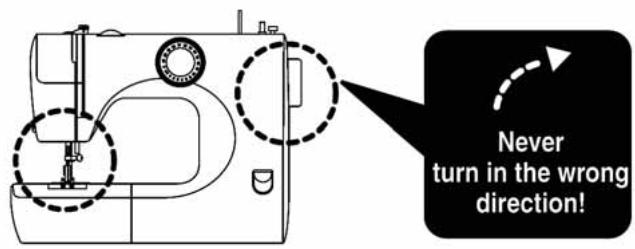
text_image
Never turn in the wrong direction!☆ Sewing the right side of the zipper ☆
natural_image
Line drawing of a sewing machine needle stitching fabric, showing no text or symbols- Release the presser foot and set to the left side pin.
♦ Sew the right side of the zipper using the same procedures as for the left side.
Note : Sewing in the same direction as the left side will help prevent sewing misalignment.
8. Smocking
text_image
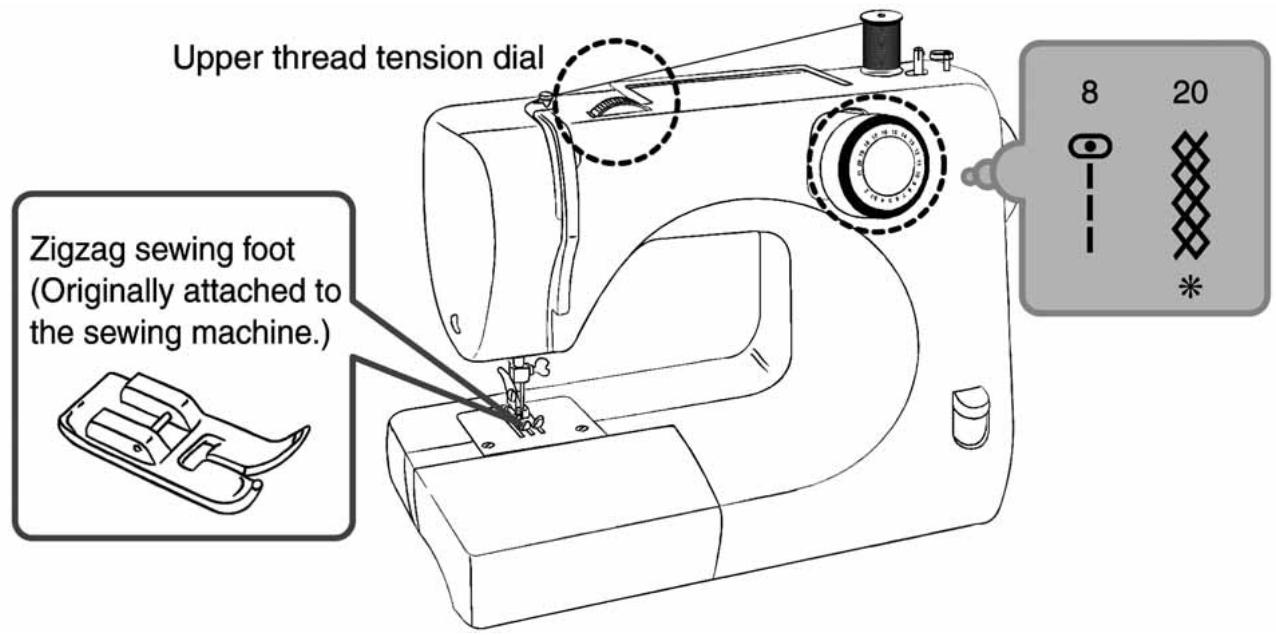
Upper thread tension dial Zigzag sewing foot (Originally attached to the sewing machine.) 8 20 ** Is not available for 16/18 stitch model. (refer to P.20 [Application of each stitch pattern])
text_image
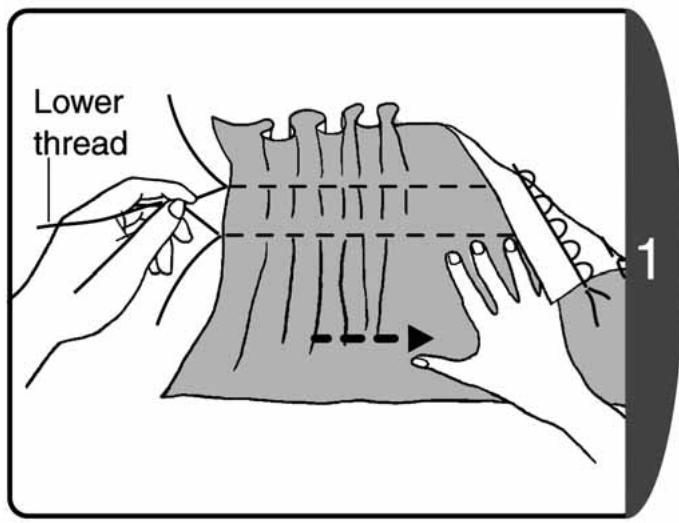
Lower thread 1To make the gathering:
♦Set the pattern selection dial to "8".
- Loosen the tension of the upper thread and sew.
After sewing, hold the ends of the lower thread as shown in the diagram, and pull up the fabric in the direction of the arrow to make the gathering.
natural_image
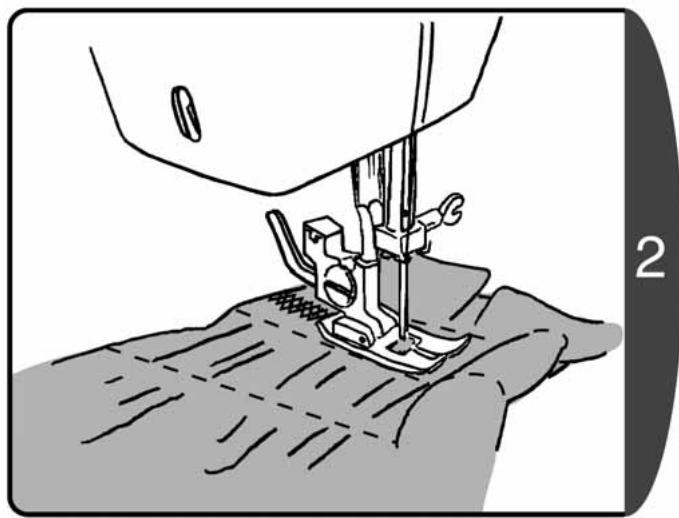
Line drawing of a sewing machine needle stitching fabric, showing stitching details (no text or symbols)After making the gathering, sew the smocking between 2 rows of gathering.
After sewing the smocking, pull out the thread you used to make the gathering.
9. Embroidery

CAUTION

Before setting the darning adapter, remove the power plug from the outlet.
Not doing so could cause an injury.
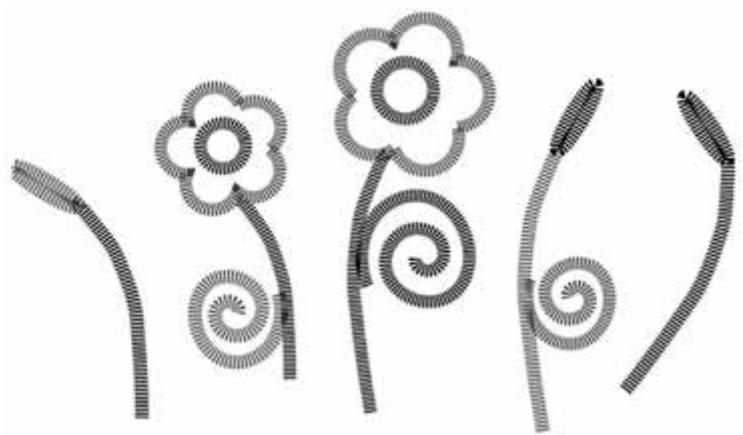
A free machine embroidery pattern can be created. Trace your design on the material and centre it in an embroidery hoop. Lay stabilizer underneath thin fabric.
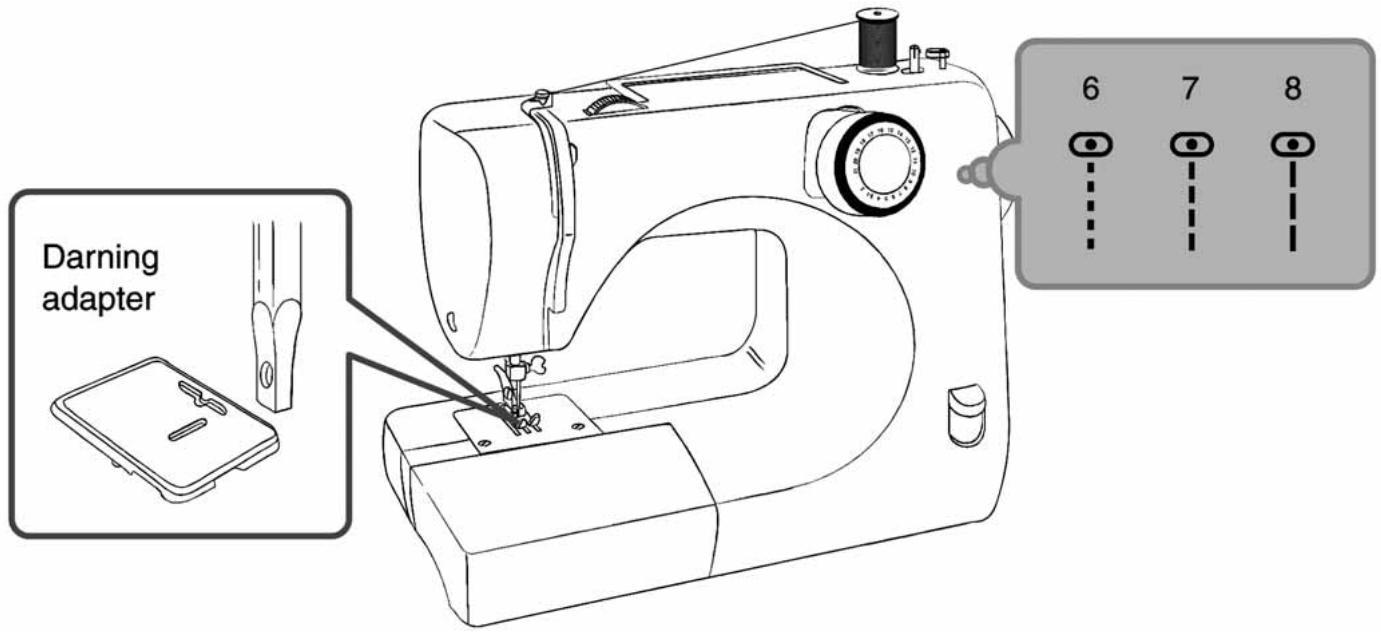
Install a darning adapter and then sew.
* For model 7140, DE21 use the drop feed that comes with the sewing machine instead of a darning adapter. (refer to P.45 [Using the drop feed])
text_image
Darning adapter 6 7 8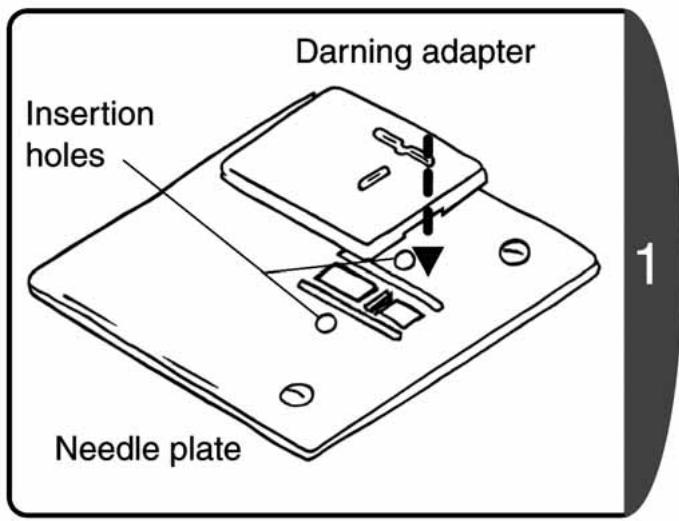
text_image
Darning adapter Insertion holes Needle plate♦Align the accessory darning adapter with the insertion holes.
- Insert until there is a locking sound to install to the needle plate.
text_image
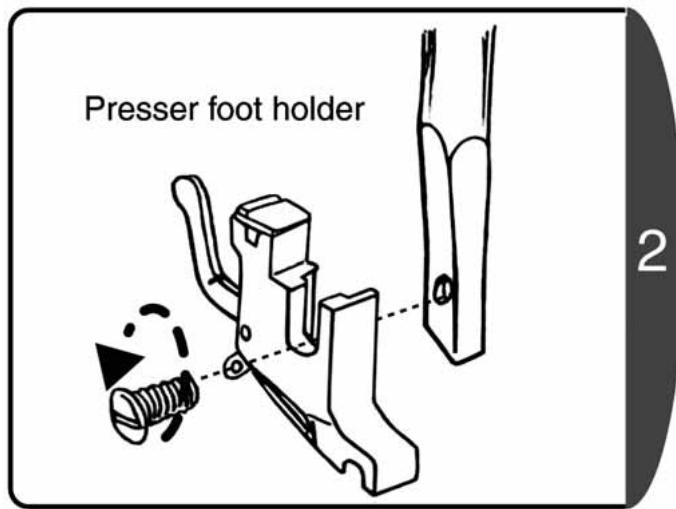
Presser foot holder 2Loosen the presser foot holder screw with the needle plate screw driver to release the holder.
natural_image
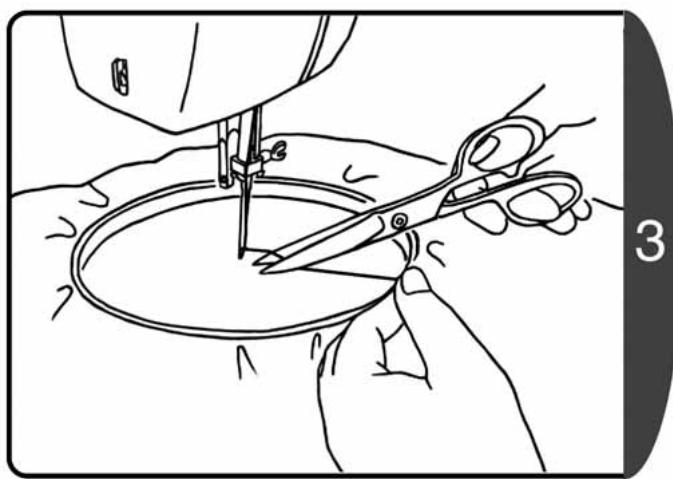
Line drawing of hands using scissors to cut a circular object, no text or symbols present♦ Firmly stretch the fabric with the design and set in the embroidery hoop.
Note : Purchase a commercially available embroidery hoop.
- At the start of sewing, prepare by sewing one stitch, pulling the upper thread, and pulling out the lower thread above the fabric.
- Hold the upper and lower threads then make 2-3 stitches, snip off excess threads.
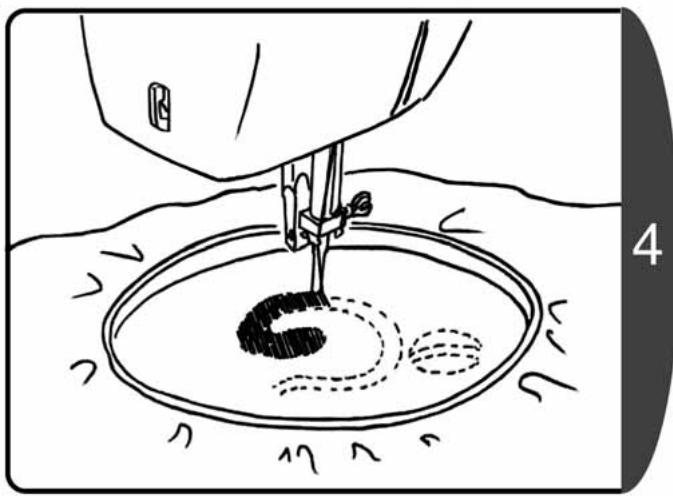
natural_image
Line drawing of a sewing machine needle stitching a circular basin with dashed lines indicating seam or stitching (no text or symbols)Sew along the outline of the design so there is no clearance between stitches.
natural_image
Abstract line drawing of four stylized flower-like shapes with textured fill, no text or symbols presentIV. Special specifications
1. Using the needle threader

CAUTION

Before using the needle threader, remove the power plug from the outlet. Not doing so could cause an injury.
text_image
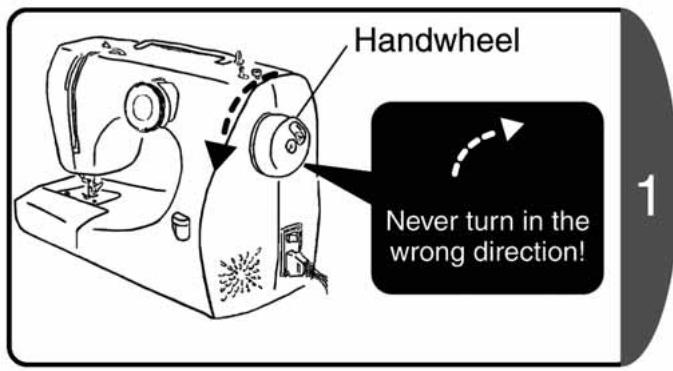
Handwheel Never turn in the wrong direction!Turn the handwheel towards yourself to raise the needle to the highest position. (in the direction of the arrow)
Note : Always turn the handwheel towards yourself. If you turn it in the reverse direction it could tangle the thread.
text_image
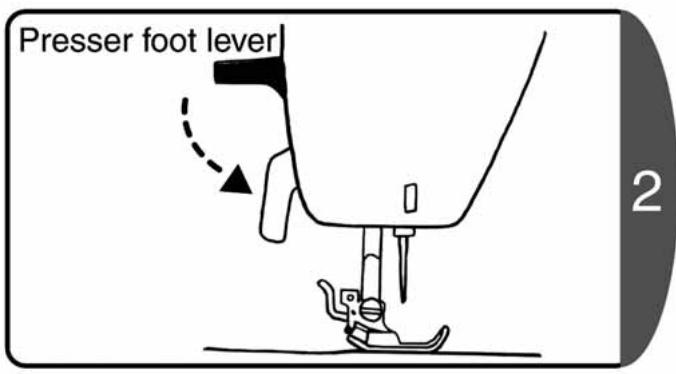
Presser foot lever 2Lower the presser foot lever.
text_image
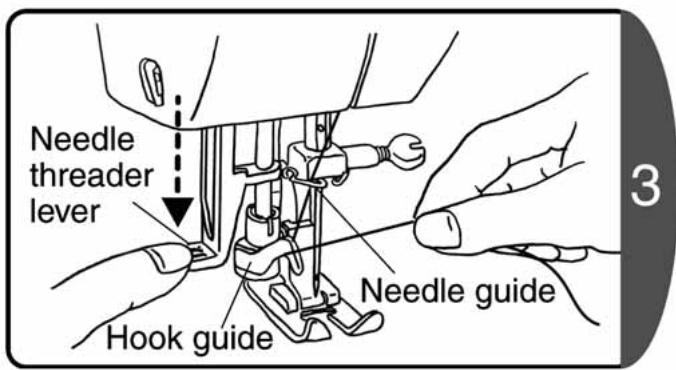
Needle threader lever Hook guide Needle guide 3Slightly lower the needle threader lever, and set the thread you are holding in your right hand from the right side of the hook guide.
text_image
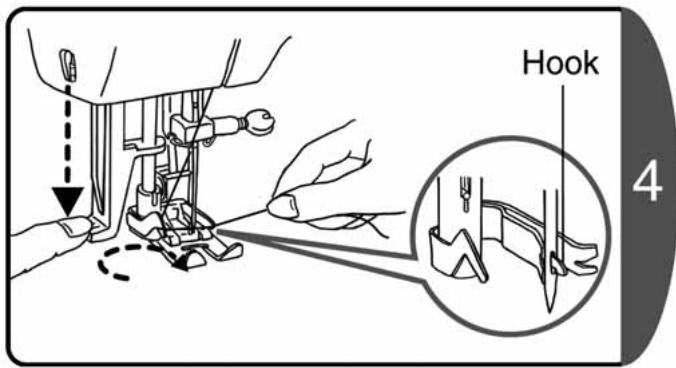
Hook 4- Fully press down the needle threader lever to pass the hook through the needle eye.
Make sure that the hook is in the needle eye.
Note : If the hook is bent and cannot pass through the needle eye, straighten it with a screw driver.
text_image
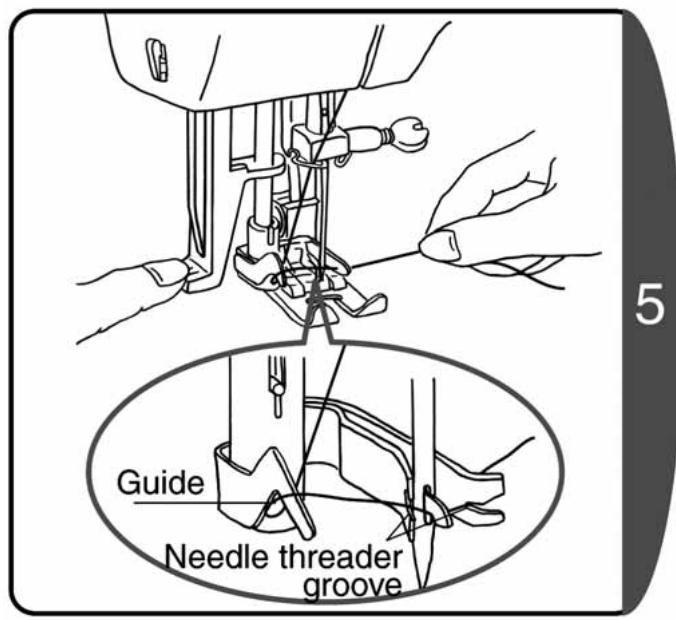
Guide Needle threader grooveHold the thread set in the hook guide to the right side and insert in the needle threader groove.
natural_image
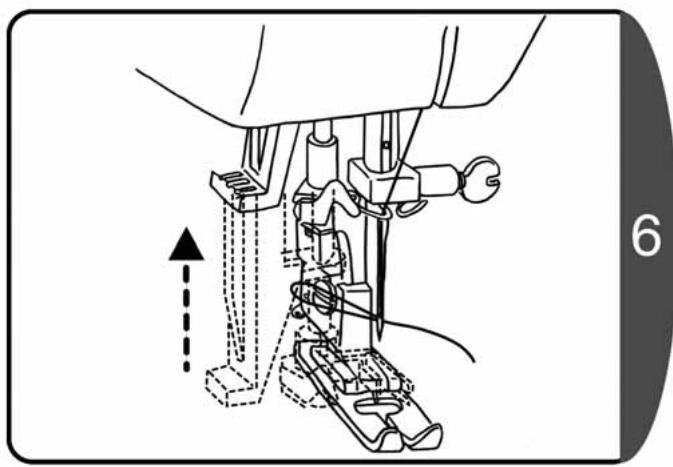
Technical line drawing of a sewing machine needle and foot assembly (no text or symbols)While raising the needle threader lever, remove your hand from the thread. The thread is pulled by the hook and is passed through the eye of the needle as shown in the diagram.
natural_image
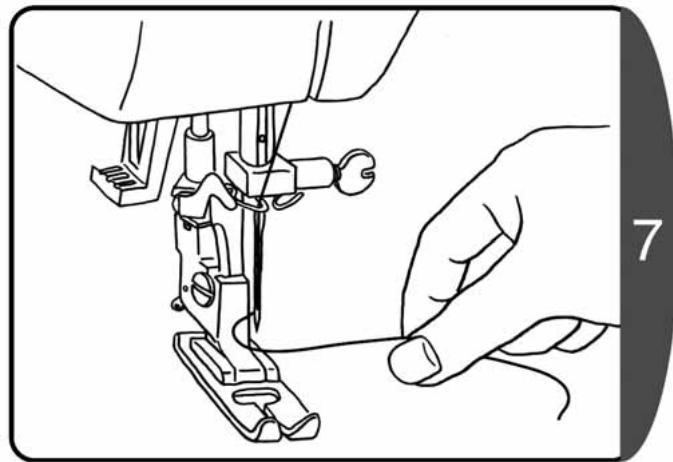
Line drawing of a hand operating a sewing machine with a finger, no text or symbols presentPull out the loop of the upper thread to the rear.
Note 1 : If the needle is not set correctly, it is not possible to pass the thread through the needle with the needle threader. Refer to P.23 [Changing the needle].
Note 2 : Needle No. 65/9 cannot be used with this needle threader.
2. Using the presser foot pressure adjuster
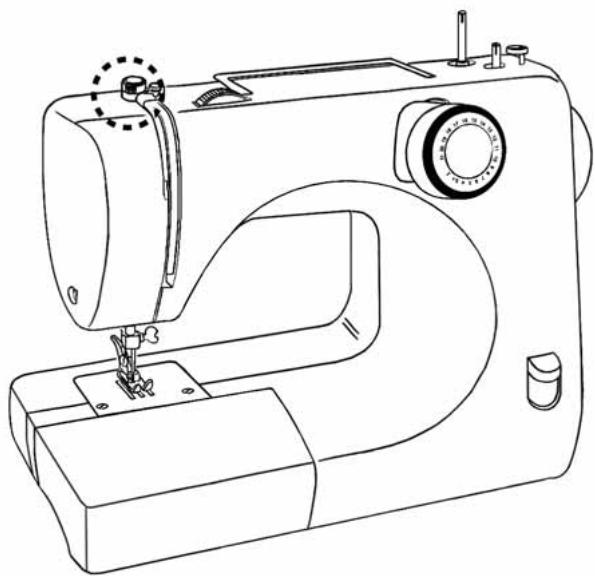
* The presser foot pressure adjuster may differ from model to model.
natural_image
Line drawing of a sewing machine with no text or symbols☆ Push-down type ☆
text_image
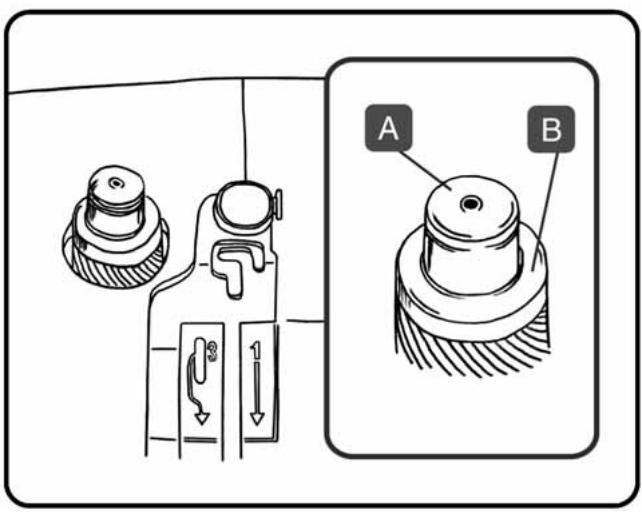
Technical diagram showing mechanical component assembly with labeled parts A and B, including directional arrows and dimension indicators.■Sewing normal fabric and thick fabric: For normal straight or zigzag sewing, press down "A".
■Sewing thin fabric: Push down outer ring "B" to pop out pin "A". Push down pin "A" about half way.
☆ Rotary type ☆
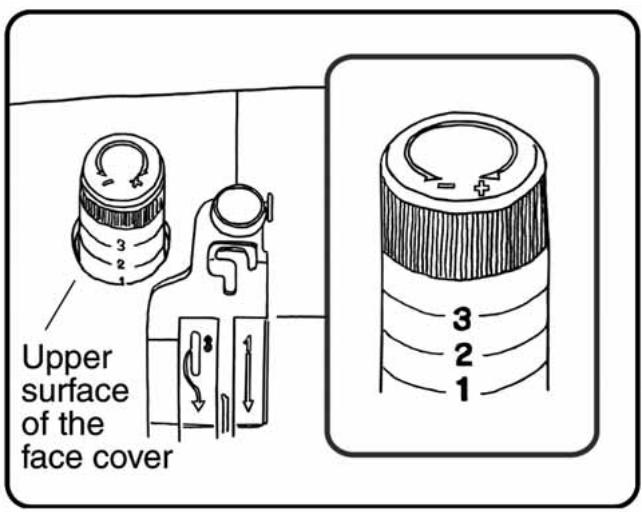
text_image
Upper surface of the face cover■Sewing normal fabric and thick fabric: Dial: Align "3" with the upper surface of the face cover.
■Sewing thin fabric: Dial: Align "2" with the upper surface of the face cover.
3. Using the drop feed

CAUTION

Before using the drop feed lever, remove the power plug from the outlet.
Not doing so could cause an injury.
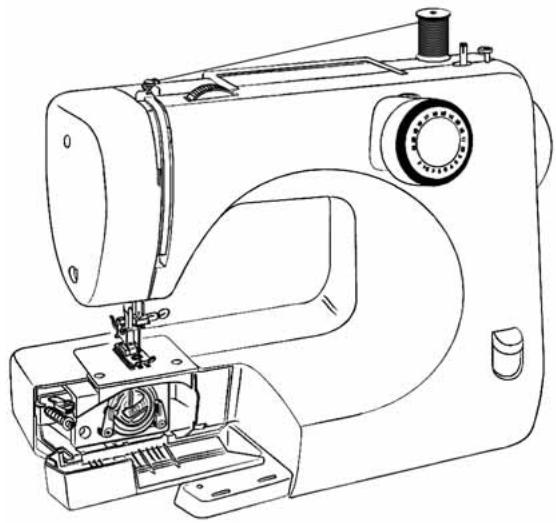
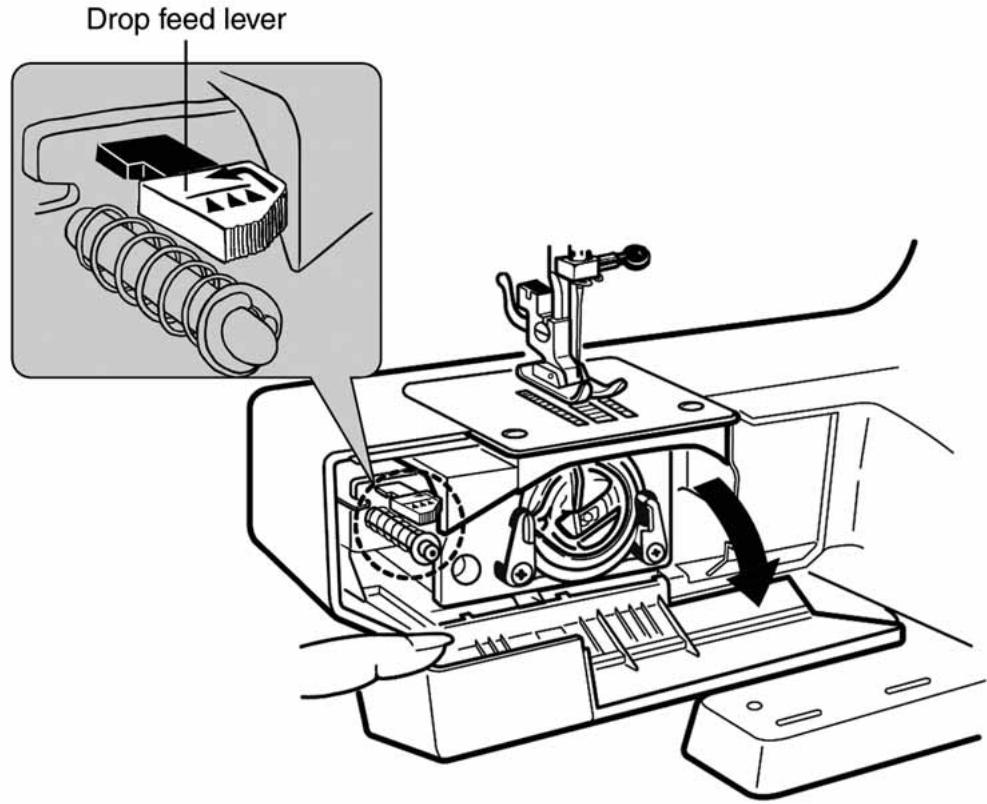
The feed dog can be lowered when feeding the fabric freely by hand, for example, when embroidering or quilting.
* Model 7140, DE21 only.
natural_image
Line drawing of a sewing machine with no visible text or symbolsMake sure the needle and the presser foot are both in the raised position.
◆To lower the feed dog, push the lever back and to the left, to disengage the feed dog.
To raise the feed dog, push the lever to the right to return it to it is normal position, turn the handwheel one full turn to engage the feed mechanism.
text_image
Drop feed leverV. Maintenance
1. Feed dog and hook maintenance
natural_image
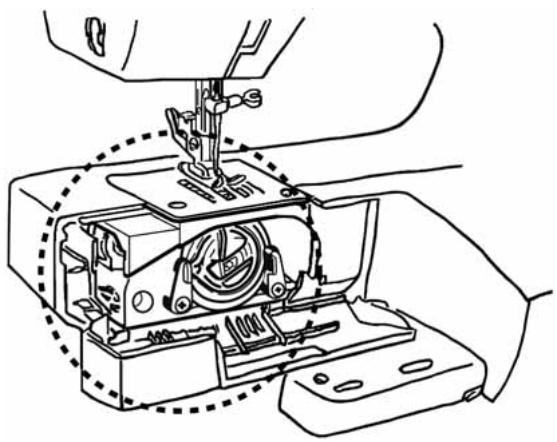
Line drawing of a sewing machine needle stitching internal components (no text or symbols)If the sewing machine makes a loud noise or rotates slowly, the oil could have run out, or there could be thread waste or dust in the hook or feed dog. Clean and oil the hook and feed dog.

CAUTION

Before cleaning the hook, remove the power plug from the outlet. Not doing so could cause an injury.
Attention
Do not use detergent, bleach, benzine, or thinner chemical cloths. Doing so could cause discoloration or cracking.
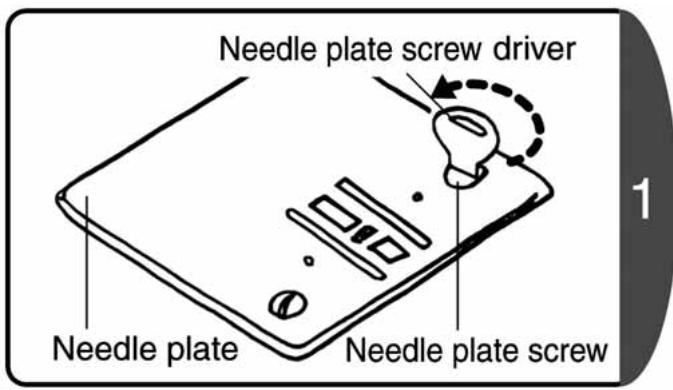
text_image
Needle plate screw driver Needle plate Needle plate screwRelease the presser foot, and use the needle plate screw driver to release the needle plate.
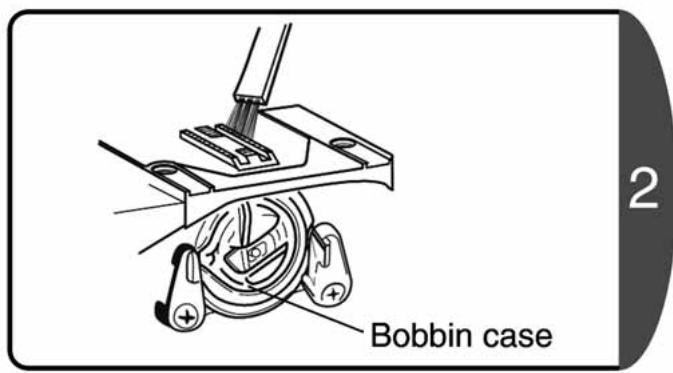
text_image
Bobbin case 2♦Remove thread waste and dust with a brush (Optional accessory).
♦Remove the bobbin case.
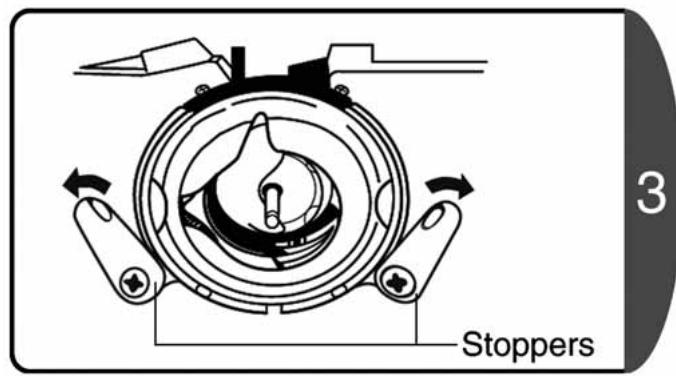
text_image
Stoppers 3Open the left and right stoppers to the outside. (in the direction of the arrow.)
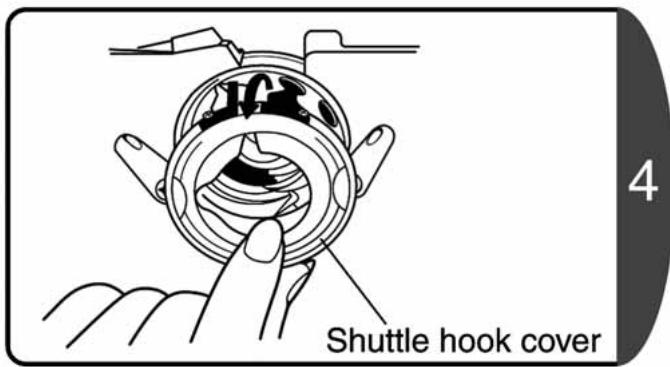
text_image
Shuttle hook cover 4Take out the shuttle hook cover.
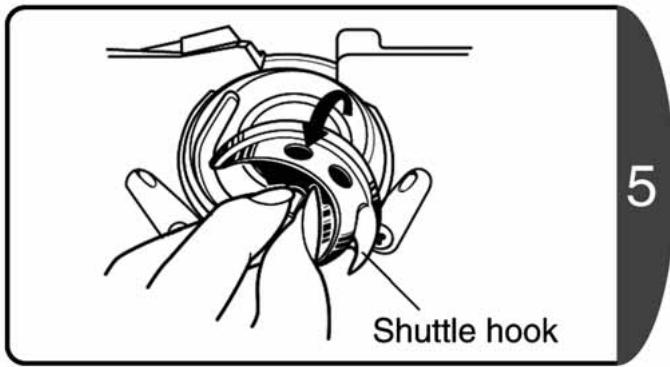
text_image
Shuttle hook 5Take out the shuttle hook.
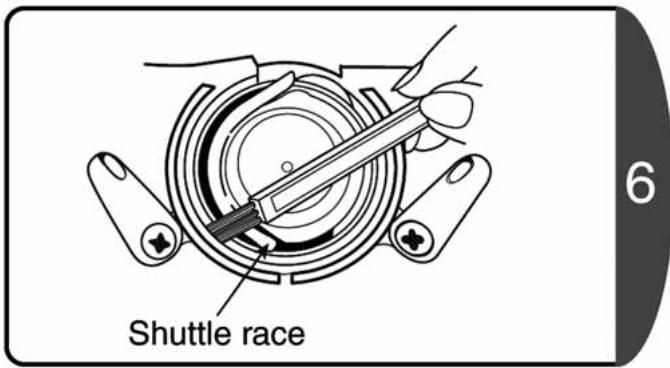
text_image
Shuttle race 6Wipe the shuttle race clean with a brush or soft cloth.
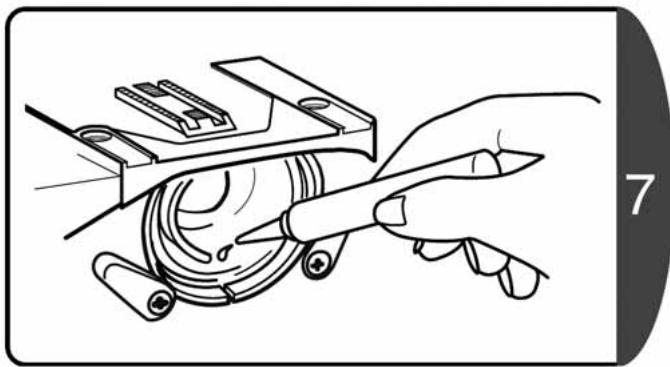
natural_image
Illustration of a hand using a tool to adjust or install a mechanical component (no text or symbols visible)Apply one drop of oil to the shuttle race.
Note 1: If too much oil is applied it could cause trouble such as dirty thread or bobbins, or sewing malfunctions. Keep to this small amount.
Note 2: Use the oil supplied with your machine or special oil for sewing machines. Other oils could cause mechanical problems.
2. Hook installation
The hook is installed by reversing the removal procedures.
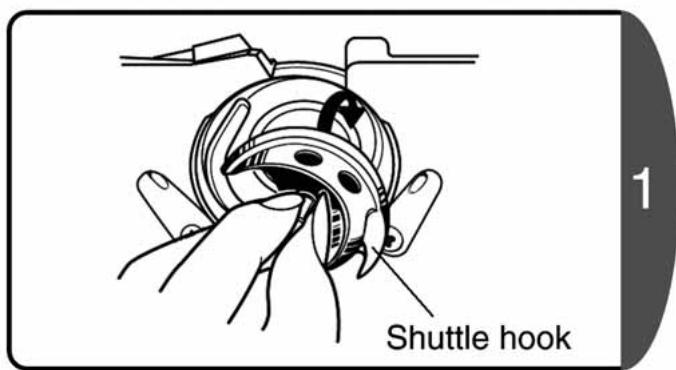
text_image
Shuttle hook 1Replace the shuttle hook.
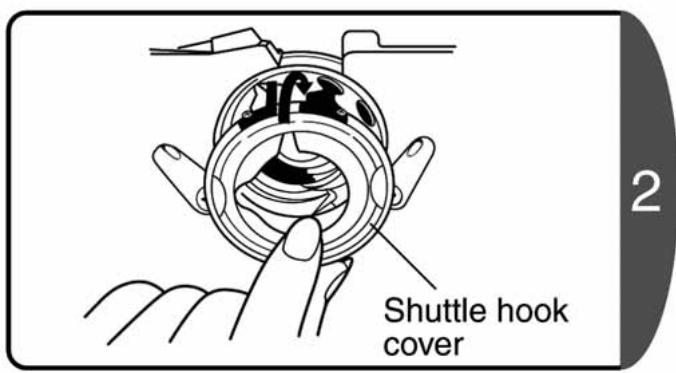
text_image
Shuttle hook cover 2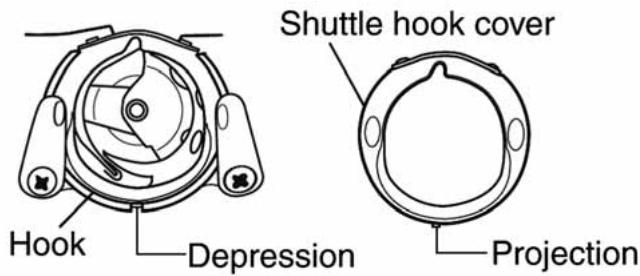
text_image
Hook Depression Shuttle hook cover ProjectionAlign the projection of the shuttle hook cover with the depression of the hook, and install the shuttle hook cover.
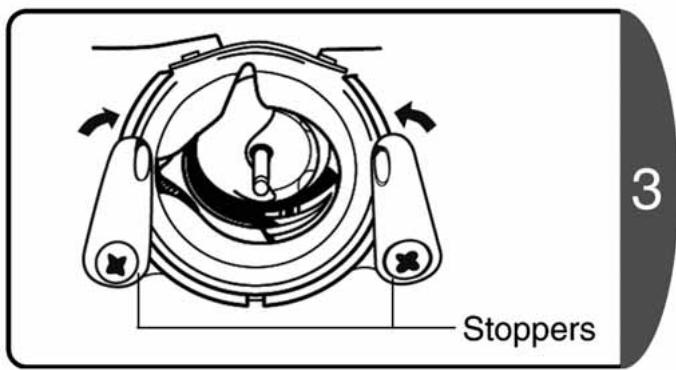
text_image
Stoppers 3Close the left and right stoppers to the inside. (in the direction of the arrow)
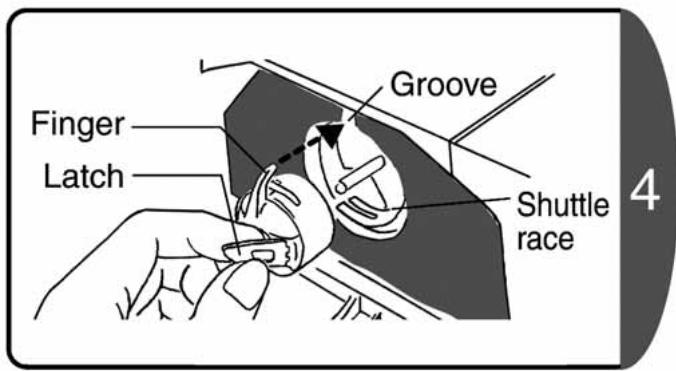
text_image
Graove Finger Latch Shuttle race 4- Hold the latch of the bobbin case and insert the bobbin case into the shuttle race.
- The bobbin case finger must slot into the groove.
3. Light bulb replacement
* Light bulb is not equipped with RS2000B series.

WARNING

Before changing the light bulb, remove the power plug from the outlet and wait until the bulb cools.
Not doing so could cause a burn or electric shock.
text_image
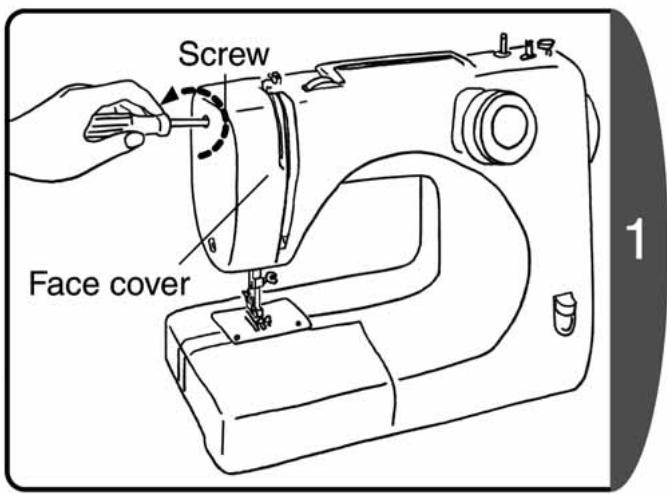
Screw Face cover 1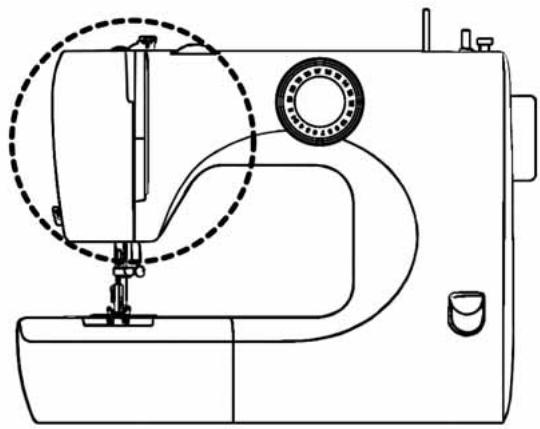
natural_image
Line drawing of a sewing machine with a circular dial indicator (no text or symbols)Loosen the screw and take off the face cover.
text_image
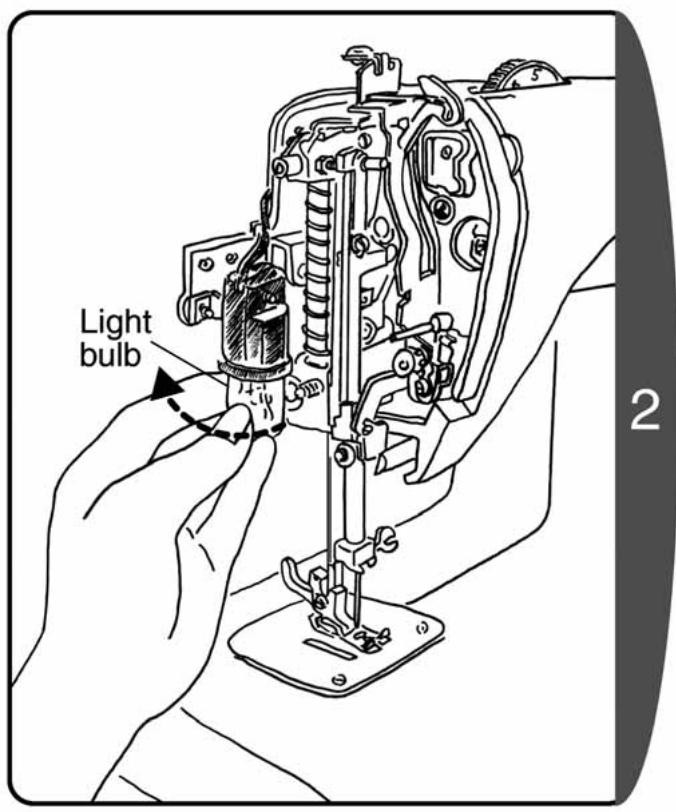
Light bulb 2♦Turn the light bulb counterclockwise and remove.
♦Turn the new light bulb clockwise to install.
Note : Use a light bulb with a maximum power of 15W. Always reinstall the face cover after replacing the light bulb.
4. Troubleshooting
What is the problem? Check the following possibilities before taking the sewing machine in for repair.
If the above treatments do not solve the problem, contact the service center as described in your warranty.
| Trouble | Cause | Countermeasure | Page |
| Does not rotate | The power plug is not inserted | Connect the power plug correctly | 10 |
| The power switch is off | Turn the power switch on | 10 | |
| Does not work | The declutch knob is in the lower thread winding position | Move the declutch knob back to the original position (needle position) | 14 |
| Thread is tangled in the hook, or there is a broken needle in the hook | Clean the hook | 46 | |
| Loud noise | The oil has run out | Oil the shuttle race | 46 |
| Slow rotation | There is thread waste or dust in the hook or feed dog | Remove thread waste or dust | 46 |
| Broken needle | The needle is incorrectly installed | Install the needle correctly | 23 |
| The needle clamp screw is loose | Firmly tighten the screw | 23 | |
| The needle is too fine for the fabric | Use a needle appropriate to the fabric | 24 | |
| The tension of the upper thread is too tight | Adjust the thread tension | 30 | |
| The fabric is being pulled too strongly | Do not pull the fabric strongly | 25 | |
| The wrong presser foot is being used | Use a correct presser foot | ||
| The bobbin case is not in the correct position | Put the bobbin case in the correct position | 15 | |
| Broken upper thread | The upper and lower thread are not correctly threaded | Thread the upper and lower thread again | 15 |
| The thread is tangled in the bobbin case or hook | Remove thread waste from the feed dog and hook | 46 | |
| The tension of the upper thread is too tight | Adjust the thread tension | 30 | |
| The needle is bent | Replace with a good needle | 23 | |
| The point of the needle is damaged | |||
| Broken lower thread | The lower thread is not correctly threaded | Thread the lower thread correctly | 15 |
| Fabric not fed through | There is thread waste in the feed dog | Remove thread waste from the feed dog and hook | 46 |
| A darning adapter has been installed | Remove the darning adapter | 40 | |
| The pattern selection dial is set to "1" or "3" | Set a correct pattern | ||
| Missed stitches | The needle is not correctly installed | Install the needle correctly | 23 |
| The needle is bent | Replace with a straight needle | 23 | |
| The needle and thread are not appropriate for the fabric | Sew with a needle and thread appropriate to the fabric | 24 | |
| The upper thread is not correctly threaded | Thread the upper thread correctly | 16 | |
| The fabric wrinkles | The tension of the upper thread is too tight | Adjust the thread tension | 30 |
| The upper and lower thread are not correctly threaded | Thread the upper and lower thread again | 15 | |
| The needle is too thick for the fabric | Use a needle appropriate to the fabric | 24 | |
| The needle is damaged | Replace with a good needle | 23 | |
| Too much lower thread appears on the right side of the fabric | The lower thread is not correctly threaded | Thread the lower thread correctly | 15 |
| The tension of the upper thread is too tight | Adjust the thread tension | 30 | |
| The bobbin is not correctly inserted in the bobbin case | Correctly insert the bobbin in the bobbin case | 15 | |
| Too much upper thread appears on the wrong side of the fabric | The upper thread is not correctly threaded (not inserted in the tension disc) | Thread the upper thread correctly | 16 |
| The tension of the upper thread is too loose | Adjust the thread tension | 30 | |
| The upper thread is not correctly threaded (not threaded through the thread guide) | Thread the upper thread correctly | 16 | |
| Needle threader does not work | The needle position is too low | Turn the handwheel towards yourself to raise the needle to the highest position | 42 |
| Needle No.9 is being used | Use needle No.11 through 16 | 43 | |
| The needle is not correctly installed | Install the needle correctly | 23 | |
| The needle is bent | Replace with a straight needle | 23 | |
| The thread is not correctly set in the needle guide | Pass the thread through the needle guide correctly | 17 |
5. Servicing double-insulated products (230 V-240 V)
In a double-insulated product, two systems of insulation are provided instead of grounding. No grounding means are provided on a double-insulated product nor should a means for grounding be added to the product. Servicing a double-insulated product requires extreme care and should only be done by qualified service personnel with knowledge of the system under his or her responsibility. Replacement parts for a double-insulated product must be identical to those parts in the product. The symbol is marked on the double-insulated product.
VI. Others
1. Specifications
| Model | RS2000-SDU Type |
| Hook type | Vertical, oscillating hook |
| Needle | Home-use sewing machine needle (HA-1) |
| Bobbin | TOYOTA-exclusive plastic bobbin |
| Maximum stitch length | 5 mm |
| Maximum stitch width | 5 mm |
| Standard needle position | Center standard, left standard |
| Sewing machine weight (main unit) | 6.3 kg |
| Sewing machine size | Width: 419 mmDepth: 166 mmHeight: 293 mm |
| Rated voltage | 220 to 230 V |
| Rated frequency | 50 Hz |
| Rated power consumption | 70 W |
| Light bulb | 15 W |
If you have any queries about this TOYOTA sewing machine, check the warranty for details.
2. Recycling
EU ONLY
DO NOT THROW AWAY!
We are committed to the protection of the environment. We strive to minimize the environmental impact of our products by continuously improving product design and our manufacturing methods.
At end of life please dispose of this product in an environmentally responsible way.
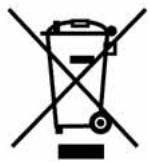
The crossed-out wheelie bin symbol featured above and on the product's data-plate means that this product falls under the scope of the E.U. "Waste Electrical and Electronic Equipment" (WEEE) directive and "Restriction of the Use of Certain Hazardous Substances in Electrical and Electronic Equipment" (ROHS) directive and should not be disposed of with your household waste. At end of life, you must ensure that this product is disposed of in accordance with national and local legislation and that it is sorted as Category 2 "Small Domestic Appliances" WEEE. You may be liable under local and national laws for improper disposal of this product. Please consult the web, or a competent national or local body, for the return and collections systems available to you and the locations of your nearest recycling points.
As an individual you can make a positive impact on reuse, recycling and other forms of recovery of WEEE. This will reduce use of landfill and minimize the environmental impact of the products you use.
Hazardous substances in electronic and electrical products can have a harmful impact on human health and on the environment.
natural_image
Illustration of a person sewing a sewing machine with a dog nearby, alongside a mannequin (no text or symbols)EU ONLY
AISIN EUROPE S.A. Web: www.home-sewing.com
Head Office
Unit 4, Swan Business Park, Sandpit Road, Dartford, Kent, DA1 5ED UK.
TEL: +44 (0) 1322 291137 FAX: +44 (0) 1322 279214
France Branch
Bât. Le Minnesota, allée Rosa Luxembourg, B.P.70294, 95615 Cergy Pontoise Cedex, FRANCE
TEL: +33 (0) 1 34 30 25 00 FAX: +33 (0) 1 34 30 25 01
Germany Branch
Odenwaldstrasse. 3, D-63263 Neu-Isenburg, GERMANY
TEL: +49 (0) 61 02-3 67 89-0 FAX: +49 (0) 61 02-3 67 89-13
Holland Branch
Energieweg 14, 2382 NJ Zoeterwoude (Rijndijk), THE NETHERLANDS
TEL: +31 (0) 71 5410251 FAX: +31 (0) 71 5413707
Austria Branch
Donaufelderstrasse 101/5/1, A-1210 Wien, AUSTRIA
TEL: +43 (0) 1 812 06 33 FAX: +43 (0) 1 812 06 33-11