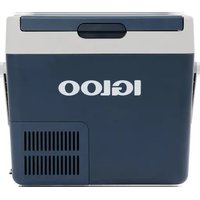
ICF40 - Refrigerator Igloo - Free user manual and instructions
Find the device manual for free ICF40 Igloo in PDF.


User questions about ICF40 Igloo
0 question about this device. Answer the ones you know or ask your own.
Ask a new question about this device
Download the instructions for your Refrigerator in PDF format for free! Find your manual ICF40 - Igloo and take your electronic device back in hand. On this page are published all the documents necessary for the use of your device. ICF40 by Igloo.
USER MANUAL ICF40 Igloo
natural_image
Line drawings of six different electronic device enclosures or enclosures (no text or symbols)EN
Mobile refrigerating appliance
Short operating manual 13
DE
Tragbares Kühlgerät
Aparat frigorific mobil
Manual scurt de utilizare .....120
BG
© 2023 Igloo Products Corp. The visual appearance of the contents of this manual is protected by copyright and design law. The underlying technical design and the products contained herein may be protected by design, patent, or be patent pending. The trademarks mentioned in this manual belong to Igloo Products Corp. All rights are reserved.
text_image
DANGER !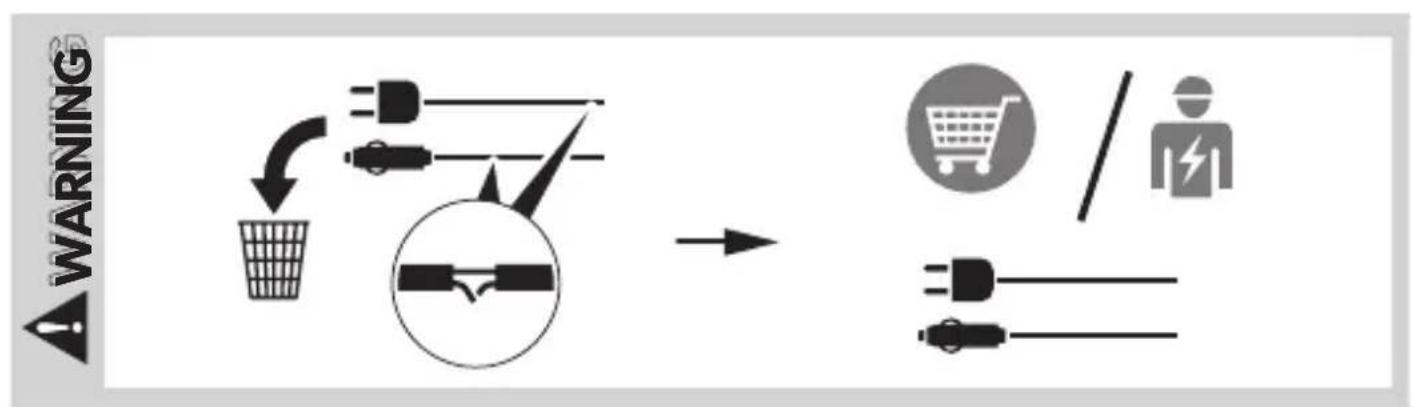
flowchart
graph LR
    A["Warning"] --> B["Switch"]
    B --> C["Electricity plug"]
    C --> D["Electrical plug"]
    D --> E["Electricity plug"]
    E --> F["Shopping cart"]
    F --> G["Person with lightning bolt"]
text_image
CAUTION 1. 2.
text_image
CAUTIONNOTICE
1


12/24/DC
100-240 V AC
text_image
ICF18 1ICF32, ICF40, ICF60
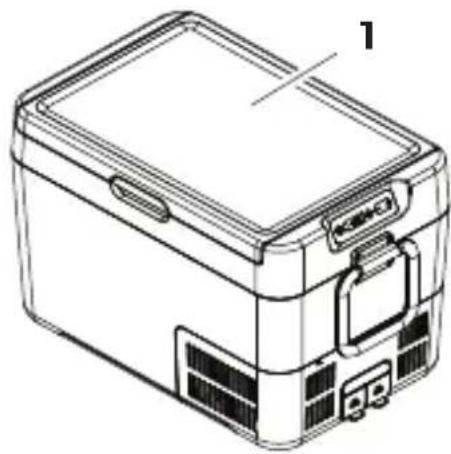
natural_image
Line drawing of a rectangular electronic device with labeled components (no text or symbols)ICF18, ICF32, ICF40, ICF60
text_image
2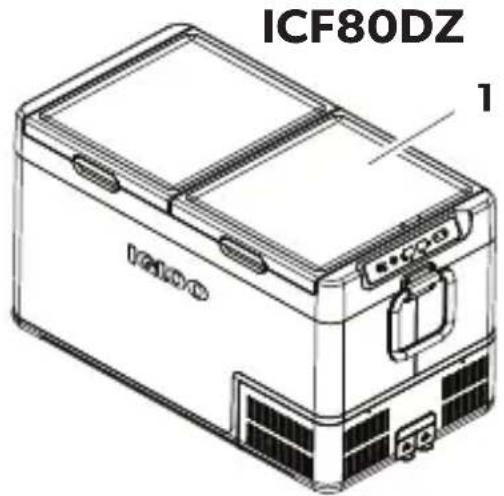
text_image
ICF80DZ 1ICF80DZ
text_image
3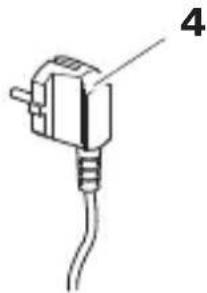
natural_image
Simple line drawing of a plug with a cable, no text or symbols present2
flowchart
graph TD
    A["Electric Vehicle Battery"] --> B["Switch"]
    B --> C["Car with Battery"]
    C --> D["Solar Panel"]
    D --> E["Power Supply"]
    style A fill:#f9f,stroke:#333
    style C fill:#ccf,stroke:#333
    style D fill:#cfc,stroke:#333
    style E fill:#fcc,stroke:#333
3
4
text_image
1. 12/24 V 100 - 240 V 2.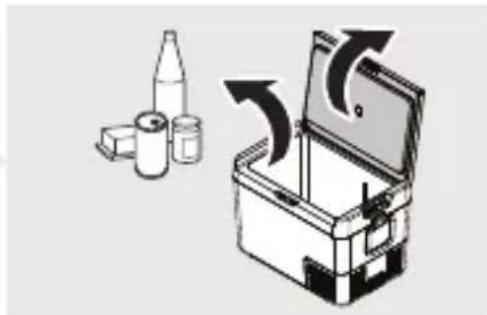
natural_image
Illustration of a toolbox with arrows indicating rotation or movement (no text or symbols)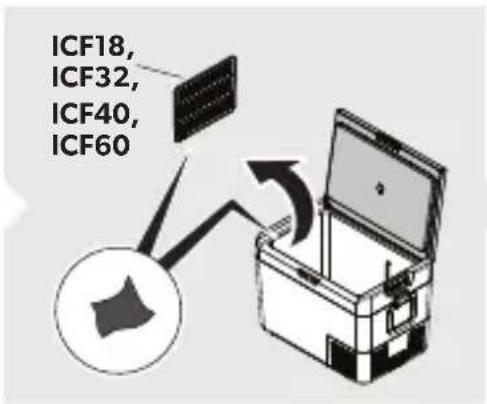
text_image
ICF18, ICF32, ICF40, ICF60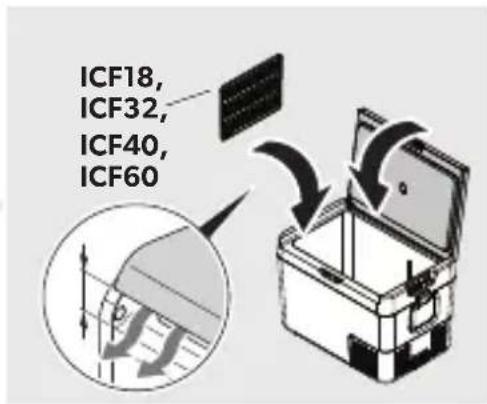
text_image
ICF18, ICF32, ICF40, ICF60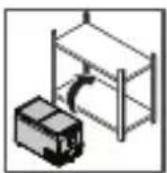
text_image
1. 12/24 V 100 - 240 V 2.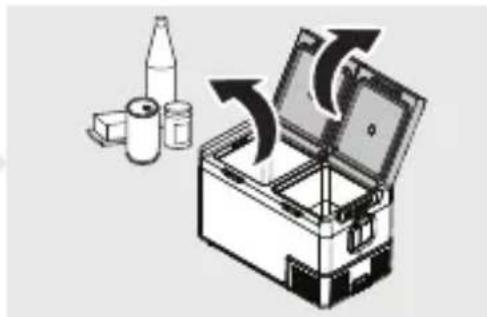
natural_image
Illustration of a toolbox with arrows indicating process flow, accompanied by small containers (no text or symbols)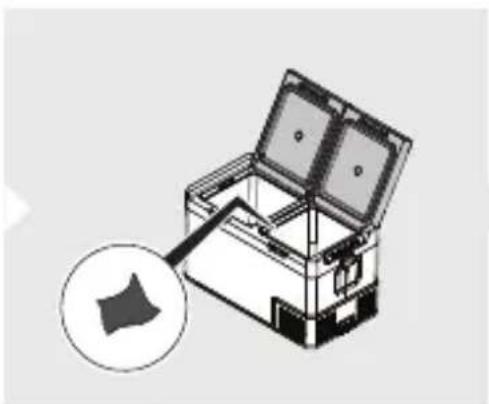
natural_image
Illustration of an open storage box with a magnified inset showing a small icon (no text or symbols)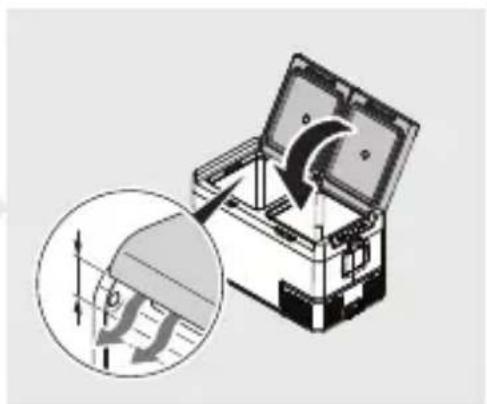
natural_image
Illustration of a mechanical device with an inset showing a gear shift mechanism (no text or symbols)5
ICF18, ICF32, ICF40, ICF60
flowchart
graph TD
    A["SET"] --> B["SET"]
    B --> C["+"]
    C --> D["3s"]
    D --> E["°F"]
    style A fill:#f9f,stroke:#333
    style B fill:#ccf,stroke:#333
    style C fill:#cfc,stroke:#333
    style D fill:#fcc,stroke:#333
    style E fill:#ffc,stroke:#333
ICF80DZ

text_image
1.
flowchart
graph TD
    A["SET"] --> B["-"]
    B --> C["+"]
    C --> D["3 s"]
    D --> E["°F"]
    F["SET"] --> G["21°F"]
    G --> H["21°F"]
    H --> I["- +"]
    style A fill:#f9f,stroke:#333
    style B fill:#ccf,stroke:#333
    style C fill:#cfc,stroke:#333
    style D fill:#ffc,stroke:#333
    style E fill:#fcc,stroke:#333
    style F fill:#cff,stroke:#333
    style G fill:#ffc,stroke:#333
    style H fill:#cfc,stroke:#333
    style I fill:#fcc,stroke:#333
6
ICF18, ICF32, ICF40, ICF60
flowchart
graph TD
    A["SET"] --> B["1x"]
    B --> C["+"]
    C --> D["3s"]
    D --> E["-5°C"]
ICF80DZ
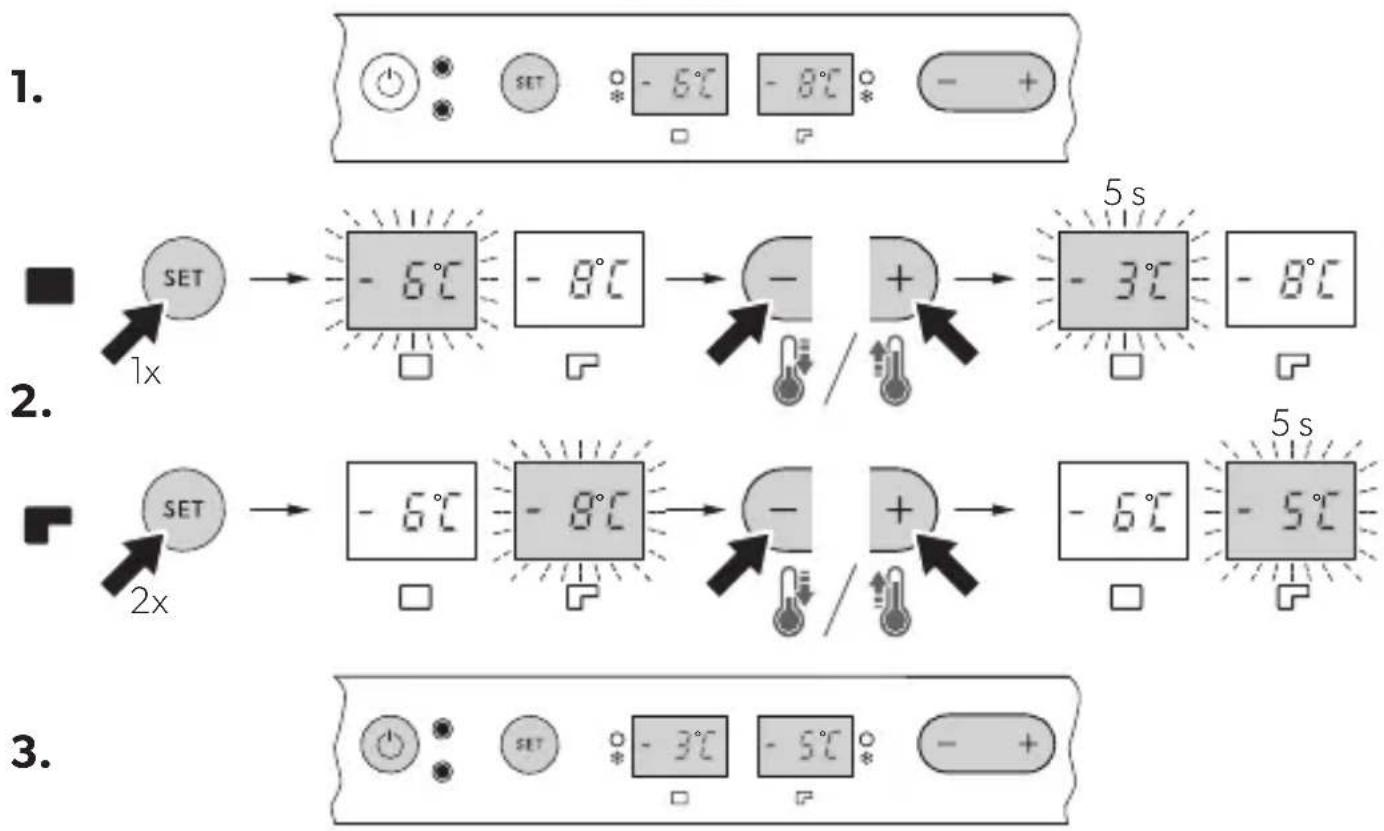
flowchart
graph TD
    A["SET 1x"] --> B["-6°C"]
    B --> C["-8°C"]
    C --> D["-"]
    D --> E["+"]
    E --> F["-3°C"]
    F --> G["-8°C"]
    H["SET 2x"] --> I["-6°C"]
    I --> J["-8°C"]
    J --> K["-"]
    K --> L["+"]
    L --> M["-6°C"]
    M --> N["-5°C"]
7
ICF18, ICF32, ICF40, ICF60
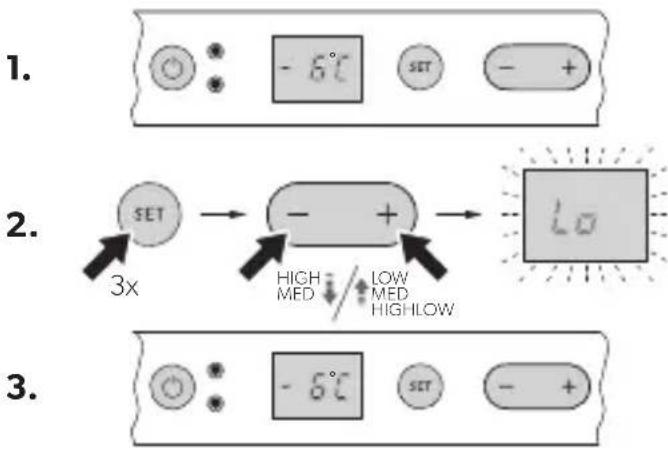
flowchart
graph TD
    A["SET"] --> B["3x multiplier"]
    B --> C["High/MED"]
    C --> D["LOW/MED"]
    D --> E["HIGH/Low"]
    E --> F["LCD display output"]
ICF80DZ
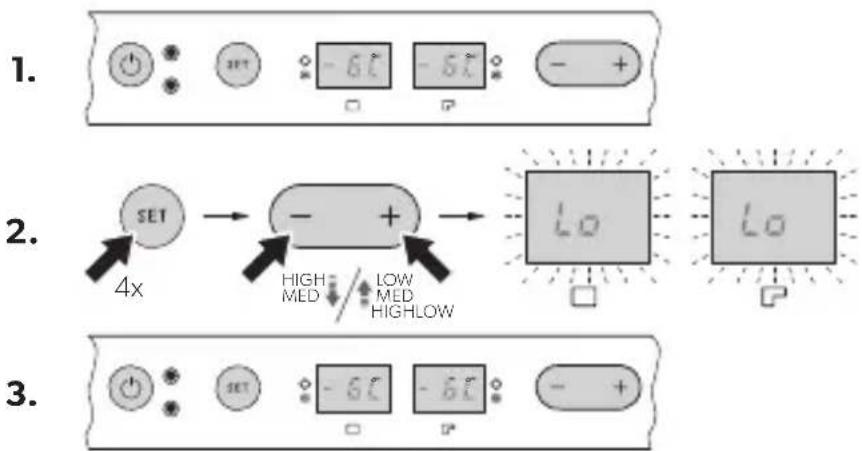
flowchart
graph TD
    A["1. Power"] --> B["SET"]
    B --> C["4x"]
    C --> D["2. High/MED"]
    D --> E["3. Low/MED/HIGHLOW"]
    E --> F["Lo"]
    F --> G["3. Output"]
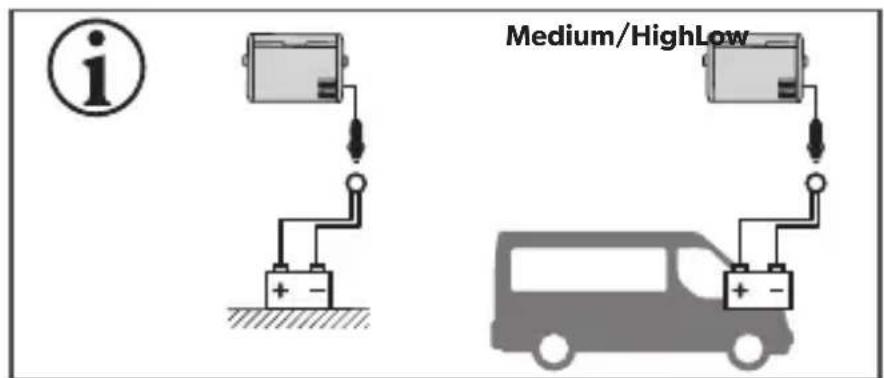
text_image
Medium/HighLow i + -| LowMediumHigh | ||
| 12V | OFF | 10.1 V 11.2 V 11.8 V |
| ON | 11.4 V 12.2 V 12.6 V | |
| 24V | OFF | 21.5 V 24.1 V 24.6 V |
| ON | 23.0 V 25.3 V 26.2 V | |
8
ICF18, ICF32, ICF40, ICF60
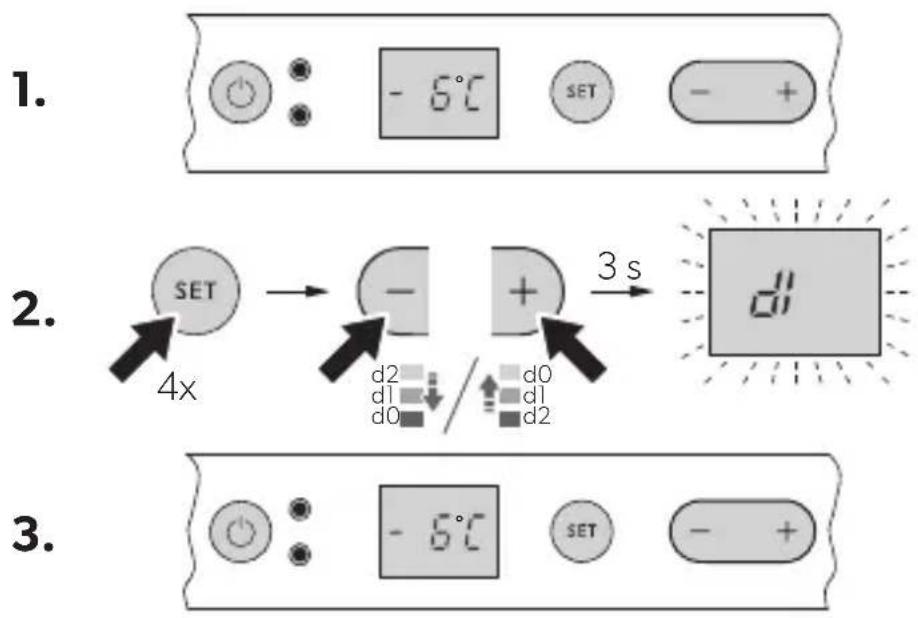
ICF80DZ

text_image
1. SET -6°C -6°C - +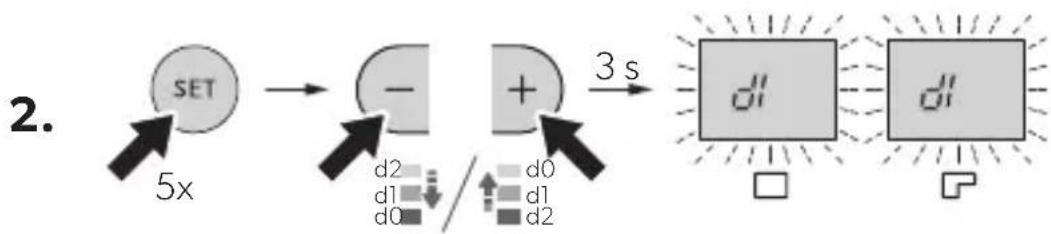
flowchart
graph LR
    A["SET"] --> B["-"]
    B --> C["+"]
    D["d2"] --> E["d1"]
    F["d0"] --> G["d1"]
    H["d2"] --> I["d1"]
    J["3 s"] --> K["Output"]
    style A fill:#f9f,stroke:#333
    style B fill:#ccf,stroke:#333
    style C fill:#cfc,stroke:#333
    style D fill:#fcc,stroke:#333
    style E fill:#ffc,stroke:#333
    style F fill:#fcc,stroke:#333
    style G fill:#ffc,stroke:#333
    style H fill:#fcc,stroke:#333
    style I fill:#ffc,stroke:#333
    style J fill:#fcc,stroke:#333

text_image
3.Please read these instructions carefully and follow all instructions, guidelines, and warnings included in this product manual in order to ensure that you install, use, and maintain the product properly at all times. These instructions MUST stay with this product.
By using the product, you hereby confirm that you have read all instructions, guidelines, and warnings carefully and that you understand and agree to abide by the terms and conditions as set forth herein. You agree to use this product only for the intended purpose and application and in accordance with the instructions, guidelines, and warnings as set forth in this product manual as well as in accordance with all applicable laws and regulations. A failure to read and follow the instructions and warnings set forth herein may result in an injury to yourself and others, damage to your product or damage to other property in the vicinity. This product manual, including the instructions, guidelines, and warnings, and related documentation, may be subject to changes and updates. For up-to-date product information, please visit dometic.com.

Find the full operating manual online on
qr.dometic.com/beHXLG
Further product information can be accessed via QR code on the energy label on the product or via eprel.ec.europa.eu.

WARNING!
Also observe the safety instructions on page 3 to page 4.
1 Safety instructions

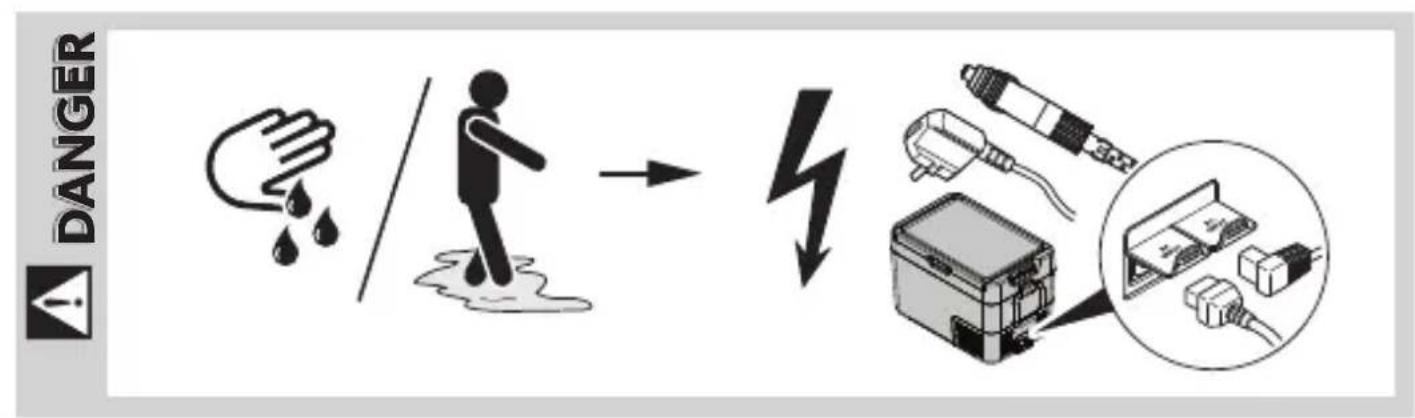
DANGER! Failure to obey these warnings will result in death or serious injury.
Electrocution hazard
- On boats: If the device is powered by the mains, ensure that the power supply has a residual current circuit breaker (RCCB) or a ground fault circuit interrupter (GFCI). Installation, especially in potentially damp areas, must be in accordance with all applicable installation regulations.
- Do not touch exposed cables with your bare hands. This applies especially when operating the device from the AC mains.
- Before starting the device, ensure that the power supply line and the plug are dry.

WARNING! Failure to obey these warnings could result in death or serious injury.
Electrocution hazard
- Do not operate the cooling device if it is visibly damaged.
- If the cooling device's power cable is damaged, it must be replaced with a suitable power cable or assembly available from the manufacturer or its service agent to prevent safety hazard.
- This cooling device may only be repaired by qualified personnel. Improper repairs can lead to considerable hazards.
- Plug the device to sockets that ensure proper connection especially when the device needs to be earthed.
Fire hazard
- When positioning the device, ensure the supply cord is not trapped or damaged.
- Do not locate multiple portable socket-outlets or portable power supplies at the rear of the device.
- Keep the ventilation openings on the device housing or in installations free of obstructions.
- Do not use any mechanical objects or other means to speed up the defrosting process, unless they have been recommended by the manufacturer for this purpose.
- Do not open or damage the refrigerant circuit.
- Do not use electrical devices inside the cooling device unless they are recommended by the manufacturer for that purpose.
Health hazard
- This device can be used by children aged from 8 years and above and persons with reduced physical, sensory or mental capabilities or lack of experience and knowledge if they have been given supervision or instruction concerning use of the device in a safe way and understand the hazards involved.
- Children aged from 3 to 8 years are allowed to load and unload cooling devices.
- Children must be supervised to ensure that they do not play with the device.
- Cleaning and user maintenance must not be carried out by unsupervised children.
Explosion hazard
- Do not store any explosive substances such as spray cans with a flammable propellant in the cooling device.

CAUTION! Failure to obey these cautions could result in minor or moderate injury.
Electrocution hazard
- Before starting the cooling device, ensure that the power supply line and the plug are dry.
- Disconnect the cooling device from the power supply
- Before each cleaning and maintenance
- After every use
Health hazard
To avoid contamination of food, observe the following instructions:
- Check if the cooling capacity of the device is suitable for storing the food to be cooled.
- Food may only be stored in its original packaging or in suitable containers.
- Opening the cooling device for long periods of time can cause significant increase of the temperature in the compartments of the device.
- Clean regularly surfaces that can come in contact with food and accessible drainage systems.
- If the device is left empty for long periods:
- Switch off the device.
- Defrost the device.
– Clean and dry the device. - Leave the lid open to prevent mold developing within the device.

NOTICE! Damage hazard
- Check that the voltage specification on the data plate corresponds to that of the energy supply.
- Only connect the cooling device as follows:
- With the DC connection cable to a DC power supply in the vehicle
- Or with the AC connection cable to an AC power supply
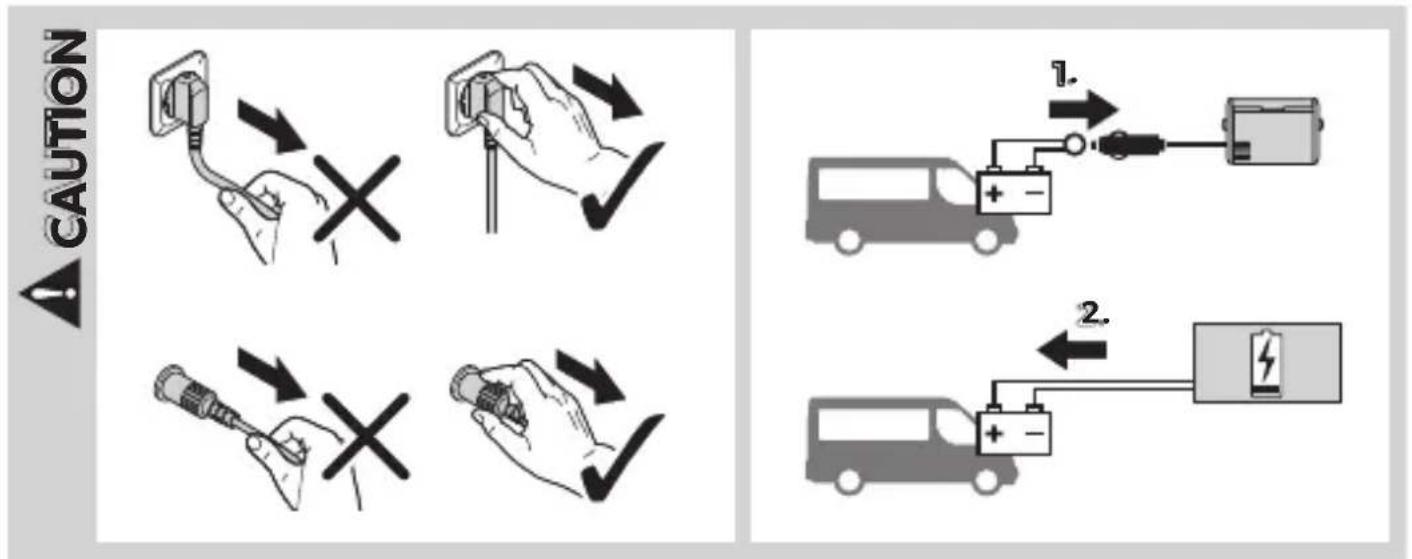
- Never pull the plug out of the socket by the cable.
- If the cooling device is connected to a DC outlet, disconnect the cooling device and other power consuming devices from the battery before connecting a quick charging device.
- If the cooling device is connected to a DC outlet, disconnect the cooling device or switch it off when turning off the engine. Otherwise the battery may be discharged.
- The cooling device is not suitable for transporting caustic materials or materials containing solvents.
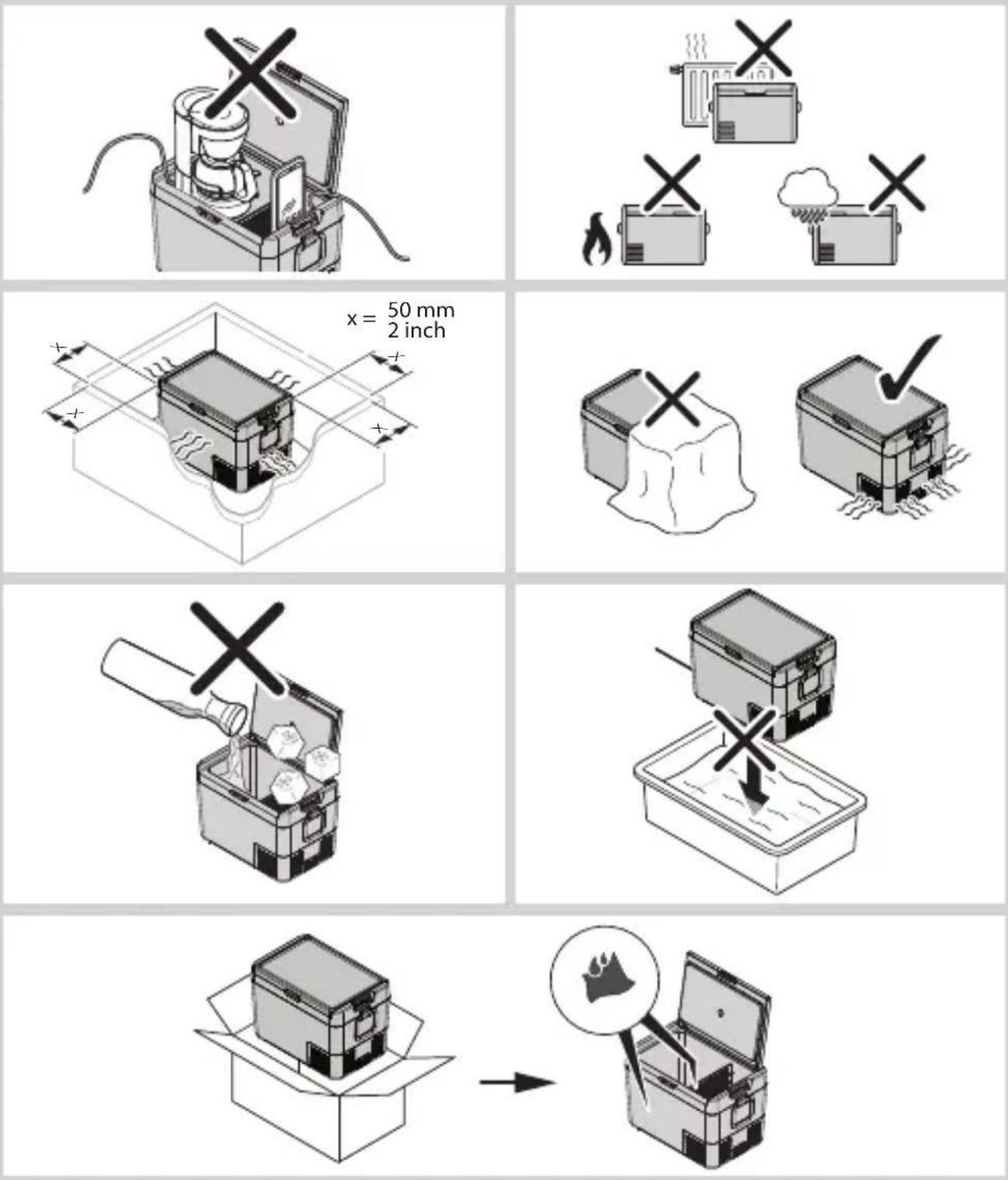
- Do not place the cooling device near naked flames or other heat sources (heaters, direct sunlight, gas ovens etc.).
- Risk of overheating!
Ensure at all times that there is a minimum of 50 mm ventilation on all sides of the cooling device. Keep the ventilation area free of any objects that could obstruct the air flow to the cooling components.
Do not use or store the cooling device in closed compartments or areas with none or minimal air flow.
- Do not fill the inner container with ice or fluids.
- Never immerse the cooling device in water.
- Protect the cooling device and cables against heat and moisture.
- The device shall not to be exposed to rain.
2 Intended use
The cooling device is suitable for cooling food. The cooling device is designed to be operated from a DC on-board power supply of a vehicle or boat, from a DC auxiliary battery or from an AC power supply.
The cooling device is suitable for camping use.
The cooling device is intended to be used in household and similar applications such as
- Staff kitchen areas in shops, offices and other working environments
- Farm houses
- Clients in hotels, motels and other residential type environments
- Bed and breakfast type environments
- Catering and similar non-retail applications
This product is only suitable for the intended purpose and application in accordance with these instructions.
This manual provides information that is necessary for proper installation and/or operation of the product. Poor installation and/or improper operating or maintenance will result in unsatisfactory performance and a possible failure.
The manufacturer accepts no liability for any injury or damage to the product resulting from:
- Incorrect assembly or connection, including excess voltage
- Incorrect maintenance or use of spare parts other than original spare parts provided by the manufacturer
• Alterations to the product without express permission from the manufacturer - Use for purposes other than those described in this manual
Dometic reserves the right to change product appearance and product specifications.
3 O p e r a t i o n
3.1 Saving energy
- Choose a well ventilated location which is protected from direct sunlight.
- Allow warm food to cool down first before placing it in the cooling device to keep cool.
- Do not open the cooling device more often than necessary.
- Do not leave the cooling device open for longer than necessary.
- If the cooler has a basket: For optimal energy consumption, position the basket according to its position on delivery.
- On a regular basis, make sure the lid seal still fits properly.
3.2 Operating
To avoid food waste, note the following:
- Keep temperature fluctuation as low as possible. Only open the cooling device as often and for as long as necessary. Store the foodstuff in such a way that the air can still circulate well.
- Adjust the temperature to the quantity and type of the foodstuff.
- Foodstuff can easily absorb or release odor or taste. Always store foodstuff covered on in closed containers/bottles.
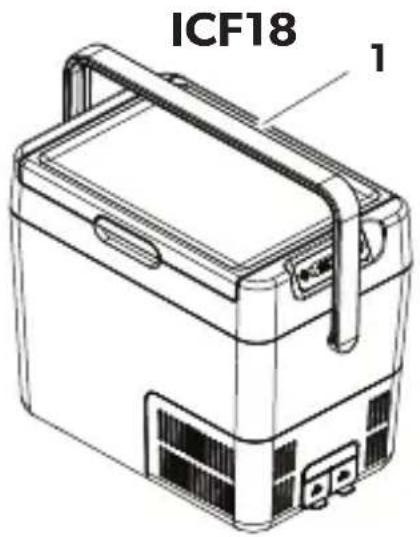
Scope of delivery: fig. 1
Proceed as shown:
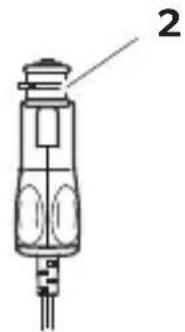
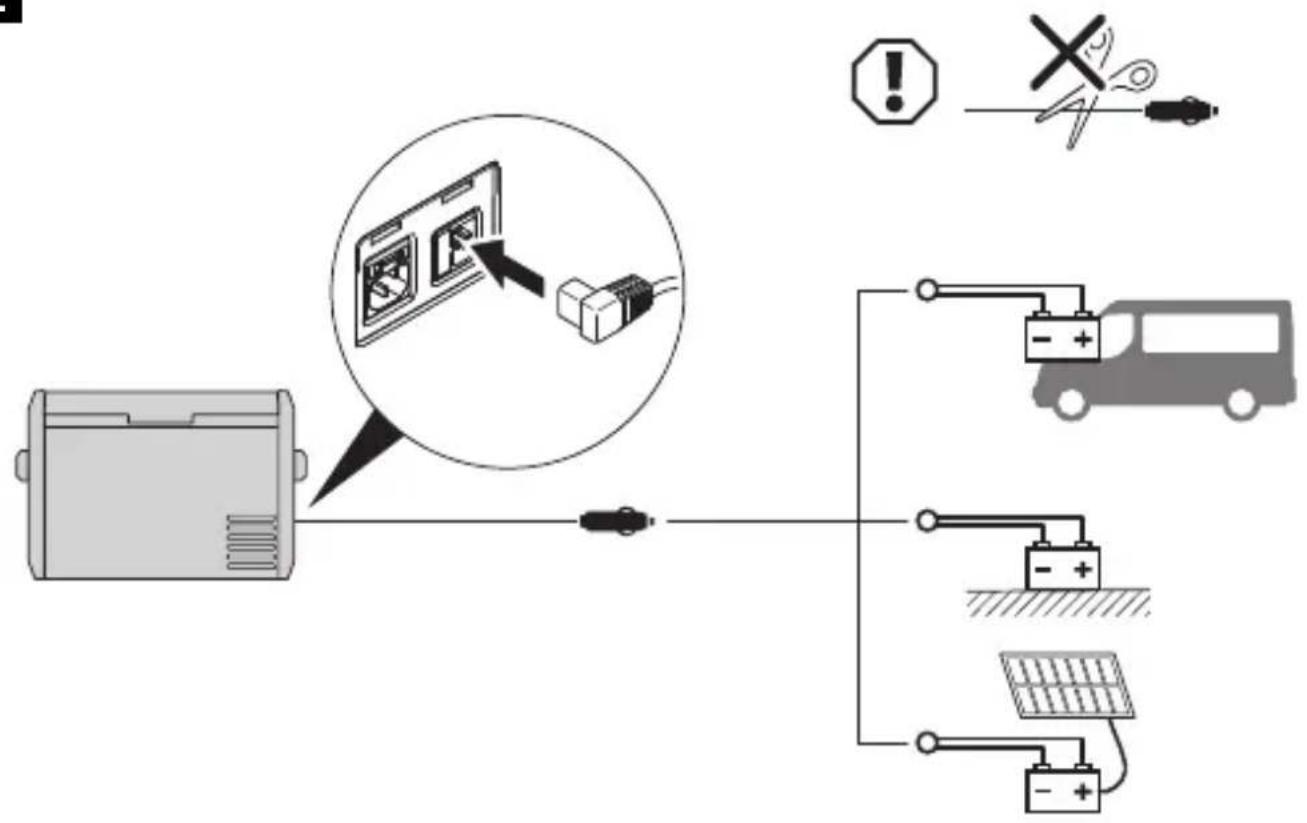
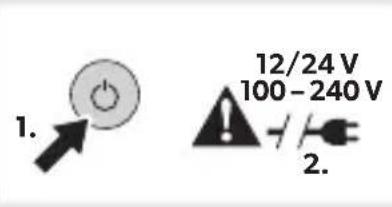
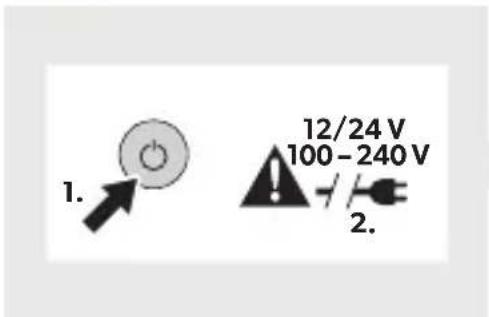
- Connecting to a battery: fig. 2
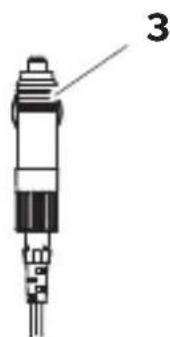
- Connecting to an AC power supply: fig. 3
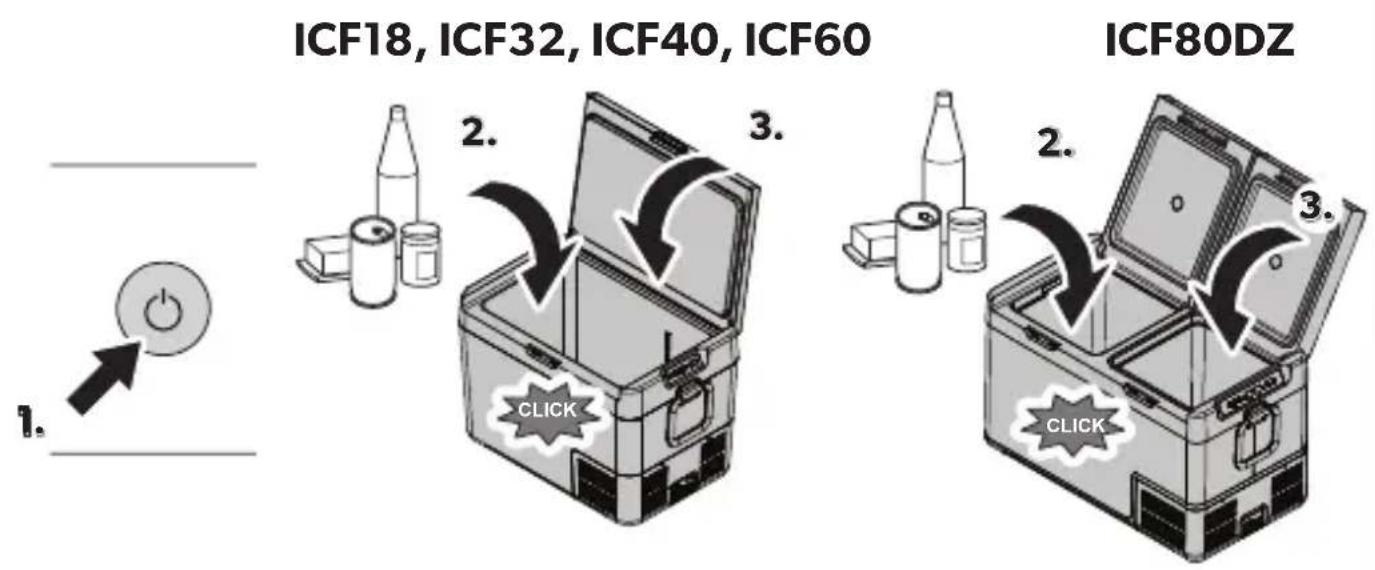
- Switching on: fig. 3
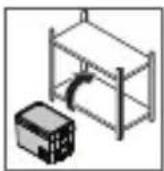
- Switching off and storing: fig. 4
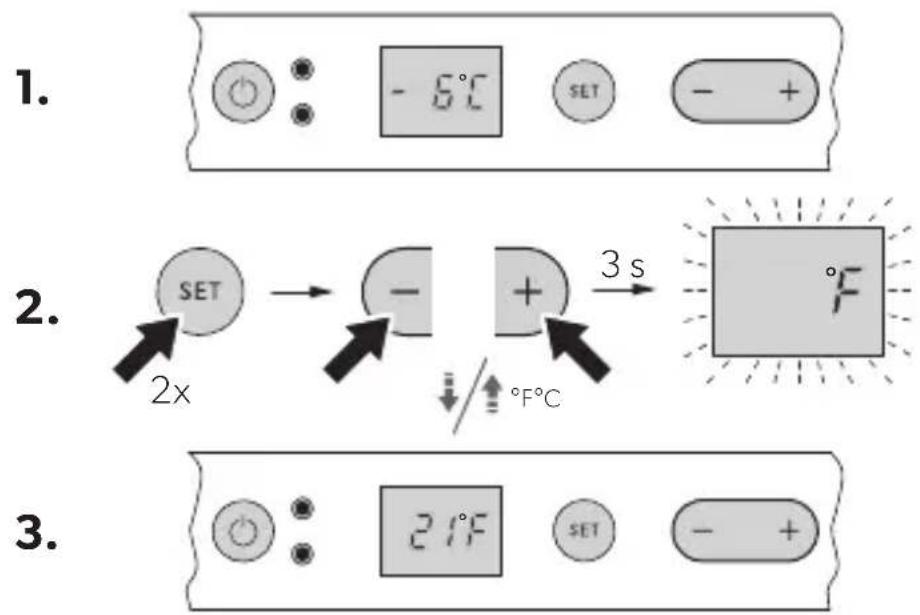
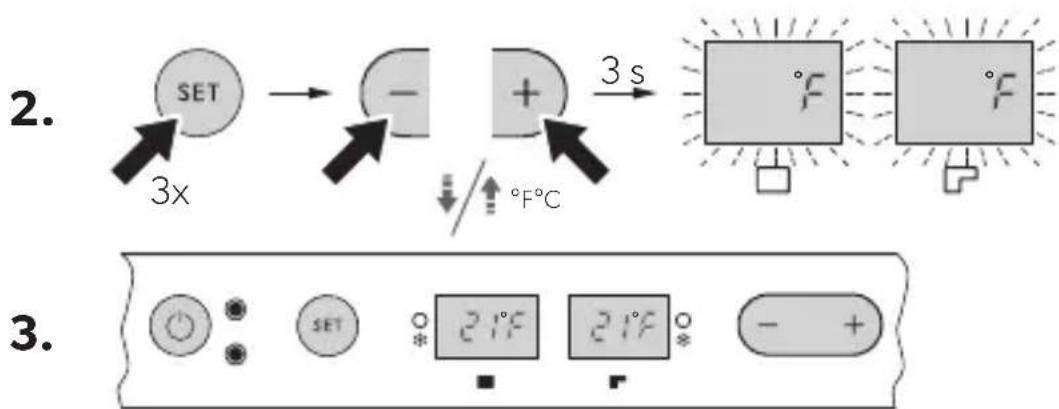
- Selecting the temperature units: fig. 5
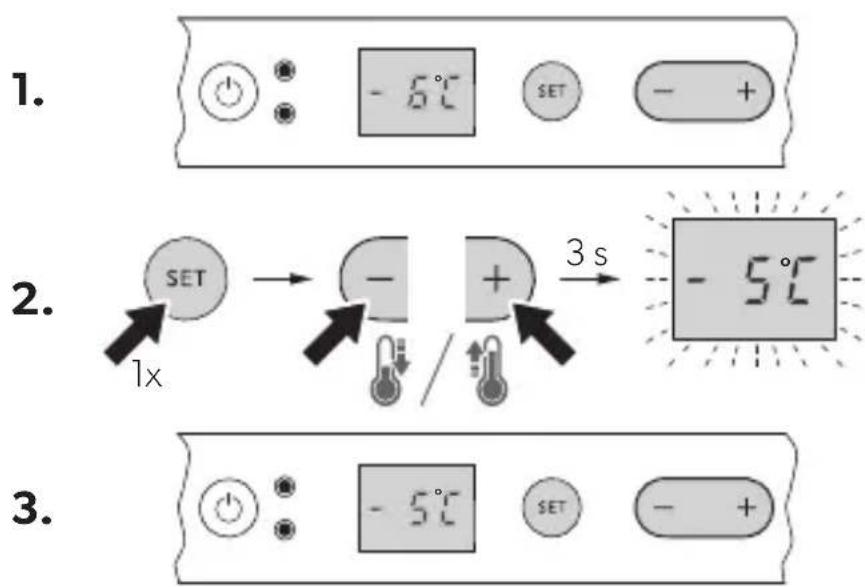
- Setting the temperature: fig. 6
• Using the battery monitor: fig. 7 - Setting the display's brightness: fig. 8
4 Warranty
The statutory warranty period applies. If the product is defective, please contact your retailer or the manufacturer's branch in your country (see dometic.com/dealer).
For repair and warranty processing, please include the following documents when you send in the product:
• A copy of the receipt with purchasing date
- A reason for the claim or description of the fault
Note that self-repair or non-professional repair can have safety consequences and might void the warranty.
5 D i s p o s a l
Recycling products with non-replaceable batteries, rechargeable batteries, or light sources
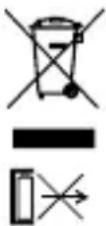
▶ If the product contains any non-replaceable batteries, rechargeable batteries, or light sources, you don't have to remove them before disposal.
▶ If you wish to finally dispose of the product, ask your local recycling center or specialist dealer for details about how to do this in accordance with the applicable disposal regulations.
Recycling packaging material

▶ Place the packaging material in the appropriate recycling waste bins wherever possible.
qr.dometic.com/beHXLG
qr.dometic.com/beHXLG
qr.dometic.com/beHXLG
qr.dometic.com/beHXLG
qr.dometic.com/beHXLG
qr.dometic.com/beHXLG
Recycling products with non-replaceable batteries, rechargeable batteries, or light sources
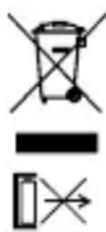
▶ If the product contains any non-replaceable batteries, rechargeable batteries, or light sources, you don't have to remove them before disposal.
▶ If you wish to finally dispose of the product, ask your local recycling center or specialist dealer for details about how to do this in accordance with the applicable disposal regulations.
Genbrug af emballagemateriale

qr.dometic.com/beHXLG
qr.dometic.com/beHXLG
Ytterligere produktinformasjon kan nås via QR-koden på energietiketten på produktet eller via eprel.ec.europa.eu.

ADVARSEL!
qr.dometic.com/beHXLG
qr.dometic.com/beHXLG
qr.dometic.com/beHXLG
qr.dometic.com/beHXLG
qr.dometic.com/beHXLG
qr.dometic.com/beHXLG
qr.dometic.com/beHXLG
qr.dometic.com/beHXLG
qr.dometic.com/beHXLG
qr.dometic.com/beHXLG
qr.dometic.com/beHXLG
qr.dometic.com/beHXLG