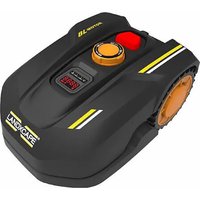
LX796 - Robot mower LANDXCAPE - Free user manual and instructions
Find the device manual for free LX796 LANDXCAPE in PDF.


User questions about LX796 LANDXCAPE
0 question about this device. Answer the ones you know or ask your own.
Ask a new question about this device
Download the instructions for your Robot mower in PDF format for free! Find your manual LX796 - LANDXCAPE and take your electronic device back in hand. On this page are published all the documents necessary for the use of your device. LX796 by LANDXCAPE.
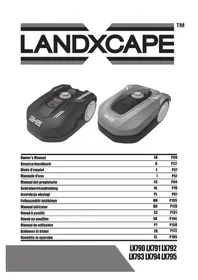
USER MANUAL LX796 LANDXCAPE
natural_image
Two LandxCAPE robotic motors shown in black and gray, no visible text or symbols on the motors themselves.| Installation guide | EN | P02 |
| Installationsanleitung | D | P14 |
| Guide d'installation | F | P26 |
| Guida d'installazione | I | P38 |
| Guía de instalación | ES | P50 |
| Installatie gids | NL | P62 |
| Instrukcja instalacji | PL | P74 |
| Üzembe helyezési útmutató | HU | P86 |
| Ghid de instalare | RO | P98 |
| Instalační příručka | CZ | P110 |
| Inštalačná príručka | SK | P122 |
| Guia de instalação | PT | P134 |
| Kurulum Kılavuzu | TR | P146 |
| Navodila za namestitev | SL | P158 |
Original instructions

WARNING: Read all safety warnings and all instructions. Failure to follow the warnings and instructions may result in electric shock, fire and/or serious injury.
Carefully read the instructions for the safe operation of the machine.
Save all warnings and instructions for future reference.
How to install your Landxcape™
The installation of your Landxcape ^™ is easy. The entire process only takes a little time, depending on the size of your garden. If you are like us, you hate wasting time to mow your lawn. Your Landxcape ^™ will prove to be a great investment, providing you with years of lawn care.
You can watch the installation demo video at www.landxcape-robotics.com.
Landxcape™ loves to mow
Your Landscape ^™ is designed to mow regularly, maintaining a healthy and better looking lawn than before. Depending on the size of your lawn, your Landscape ^™ may be programmed to operate at any time or frequency with no restrictions. It is here to work for you.
PREPARATION
Before starting the installation process, read through this entire Installation Guide carefully. Sketch the working area, including all obstacles, to make it easier to see the ideal positions for the charging base and where the boundary wires should be routed.
In the box
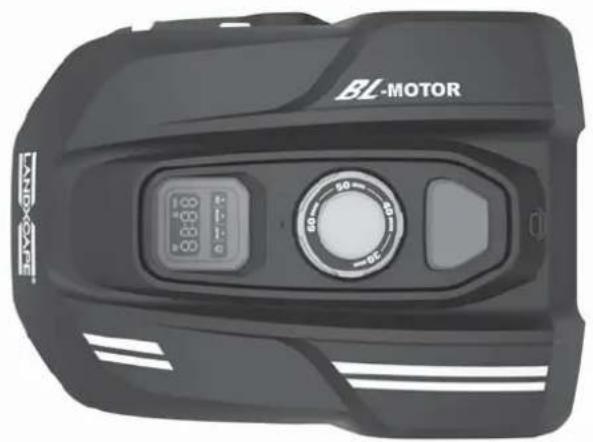
natural_image
Front view of a black BL-MOTOR motorcycle head with digital display and rotary dial (no text or symbols visible)Landxcape™
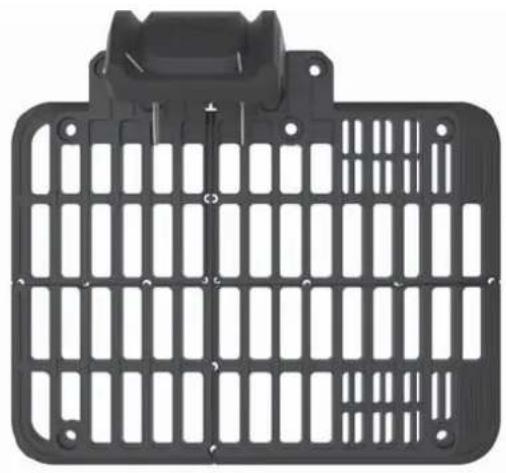
natural_image
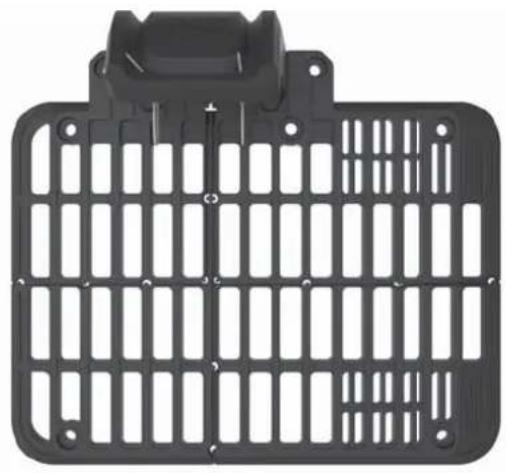
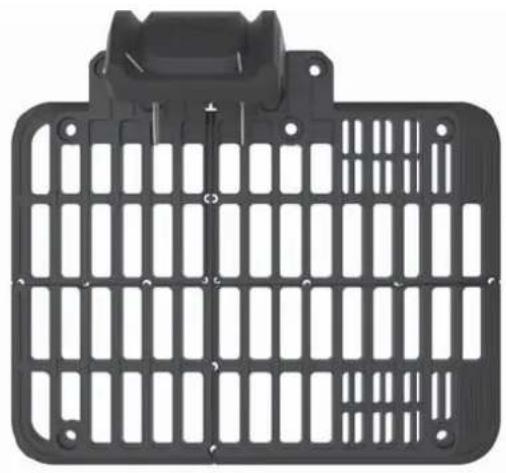
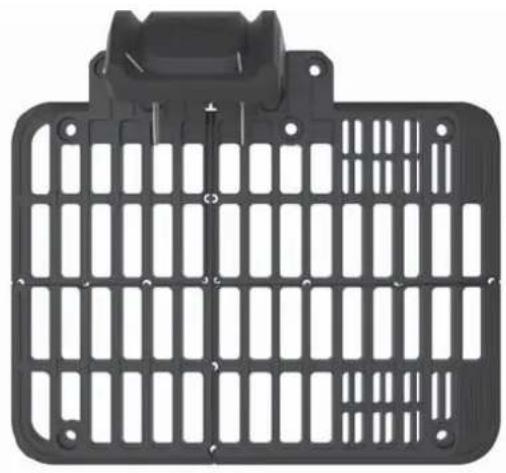
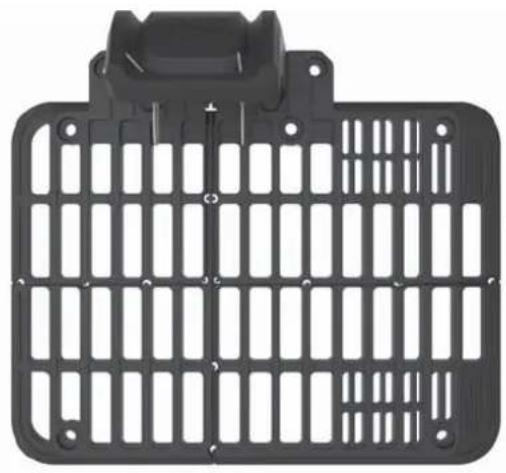
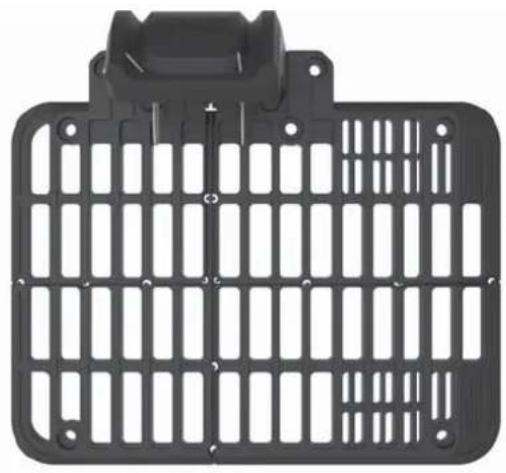
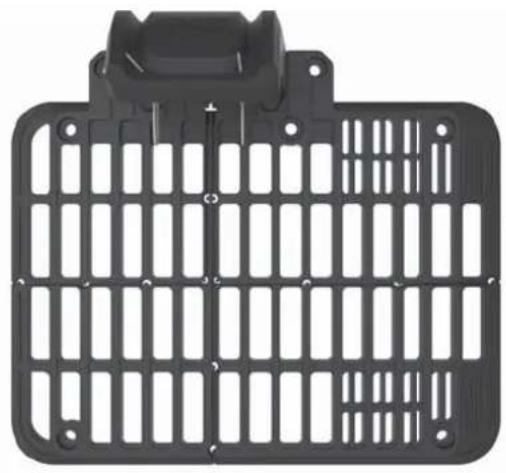
Black plastic enclosure with grid pattern and mounting bracket (no text or symbols)Charging base
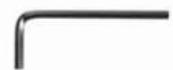
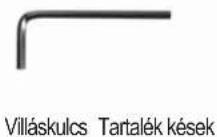
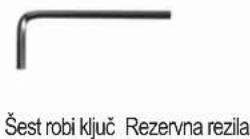
Hex key Spare blades

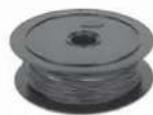
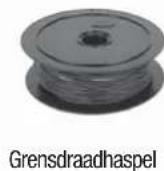
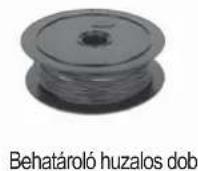
Boundary wire reel
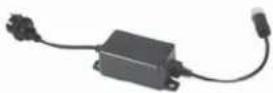
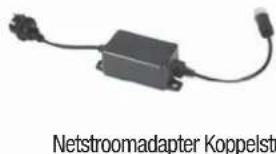
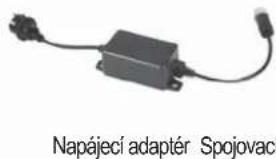
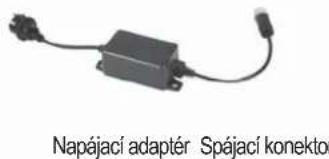
Power adapter Connector

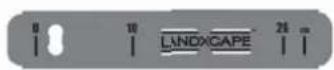
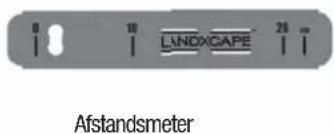
Distance gauge
Installation Guide


Warranty statementOwner's Manual
From your shed
Scissors
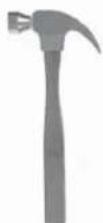
Hammer
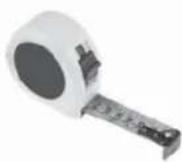
Tape
EN 3
Landxcape™'s new home: your garden
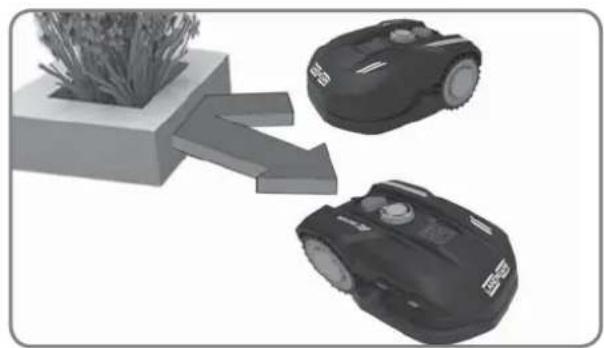
Let's start by having a closer look at Landxcape ^TM 's new home - your lawn - highlighting the areas where it can safely go and areas Landxcape ^TM should avoid.
natural_image
Two robotic motors with wheels connected by a directional arrow, no text or symbols visible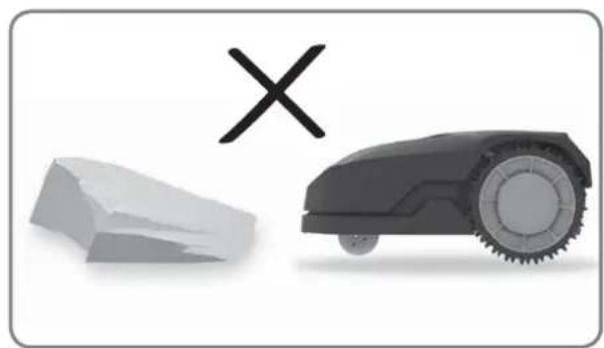
natural_image
Illustration of a robotic car and a broken stone with a cross symbol (no text or labels)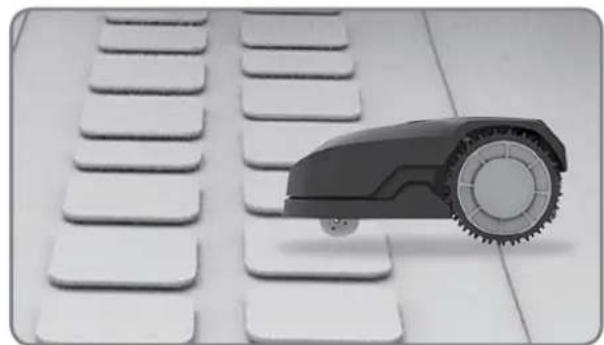
natural_image
Black and white photo of a toy car with wheels placed on a grid of white keys (no text or symbols visible)
natural_image
Black-and-white photo of white flower-like structures with stems, arranged on a plain background (no text or symbols)Obstacles that can be hit
When hitting any obstacle that's rigid, stable and taller than 10cm - such as a wall or a fence - Landscape™ will stop and re-direct away from the obstacle.
Stones
Stones too heavy to be moved by your Landxcape ^™ can be safely hit. However, if a stone has an inclined surface that your Landxcape ^™ can climb, it should be removed or excluded from the working area.
Driveways
If your driveway is level with your lawn, without any protruding surface, Landscape™ can freely run over it. If you'd like Landscape™ to avoid it, place the boundary wire 10cm* away from it.
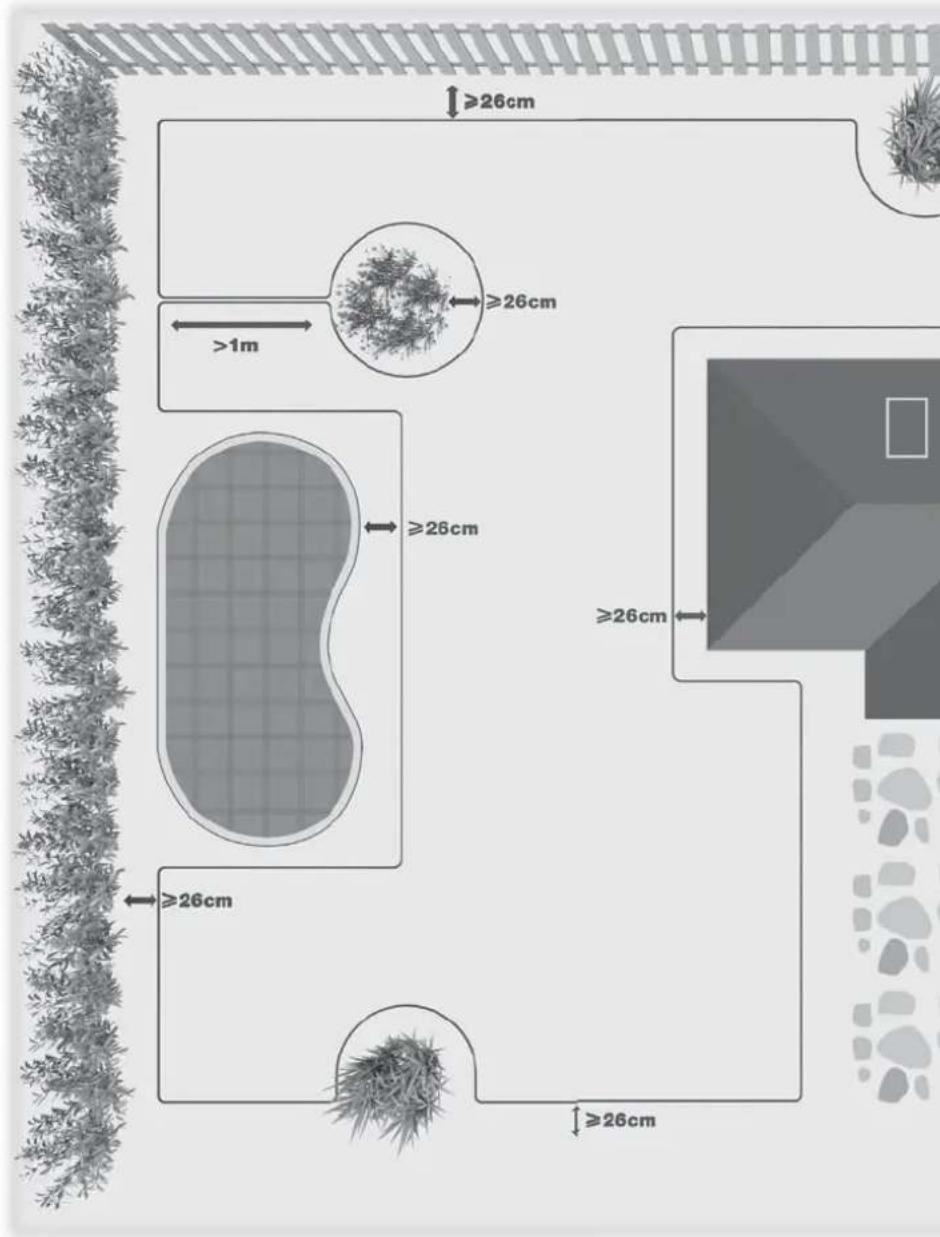
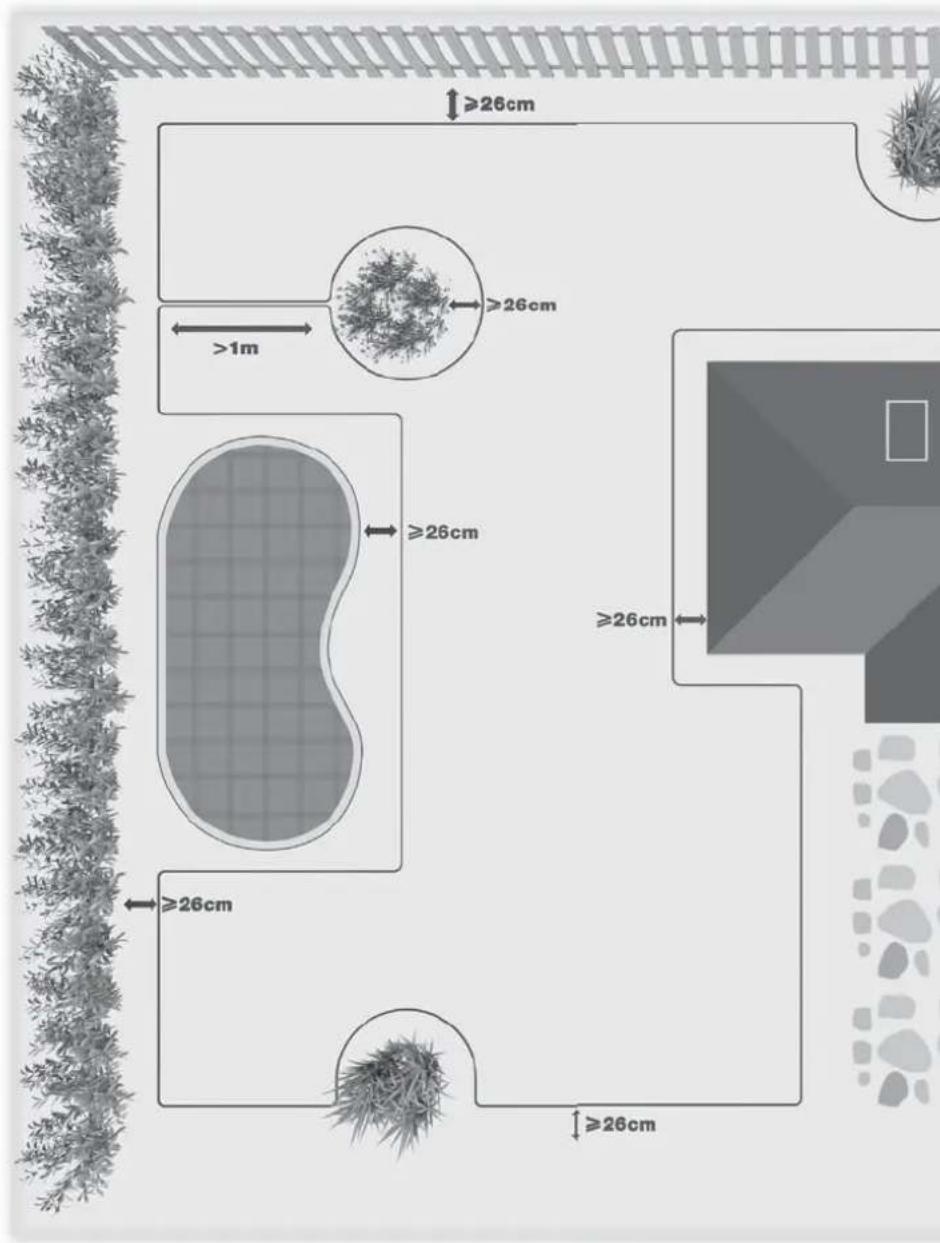
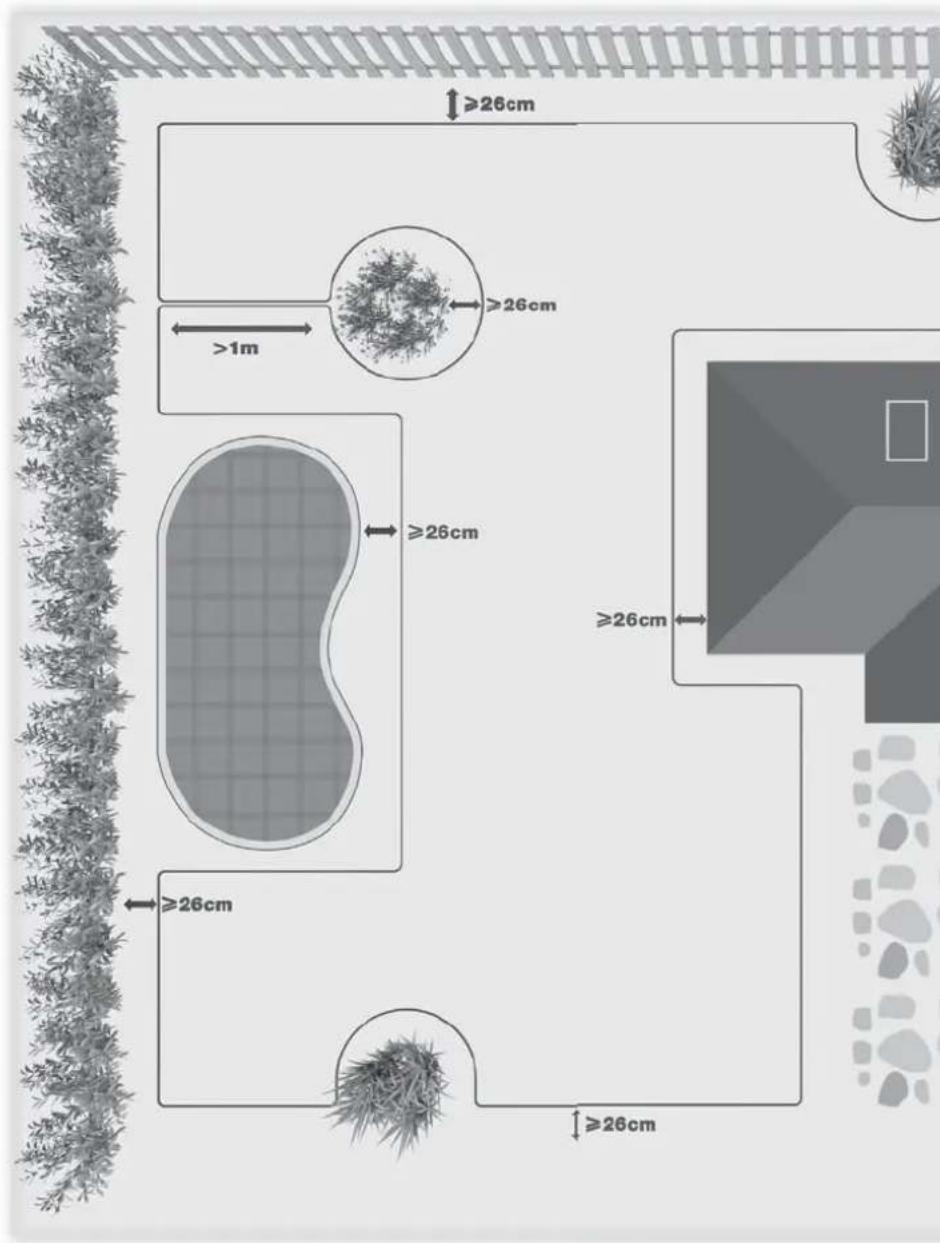
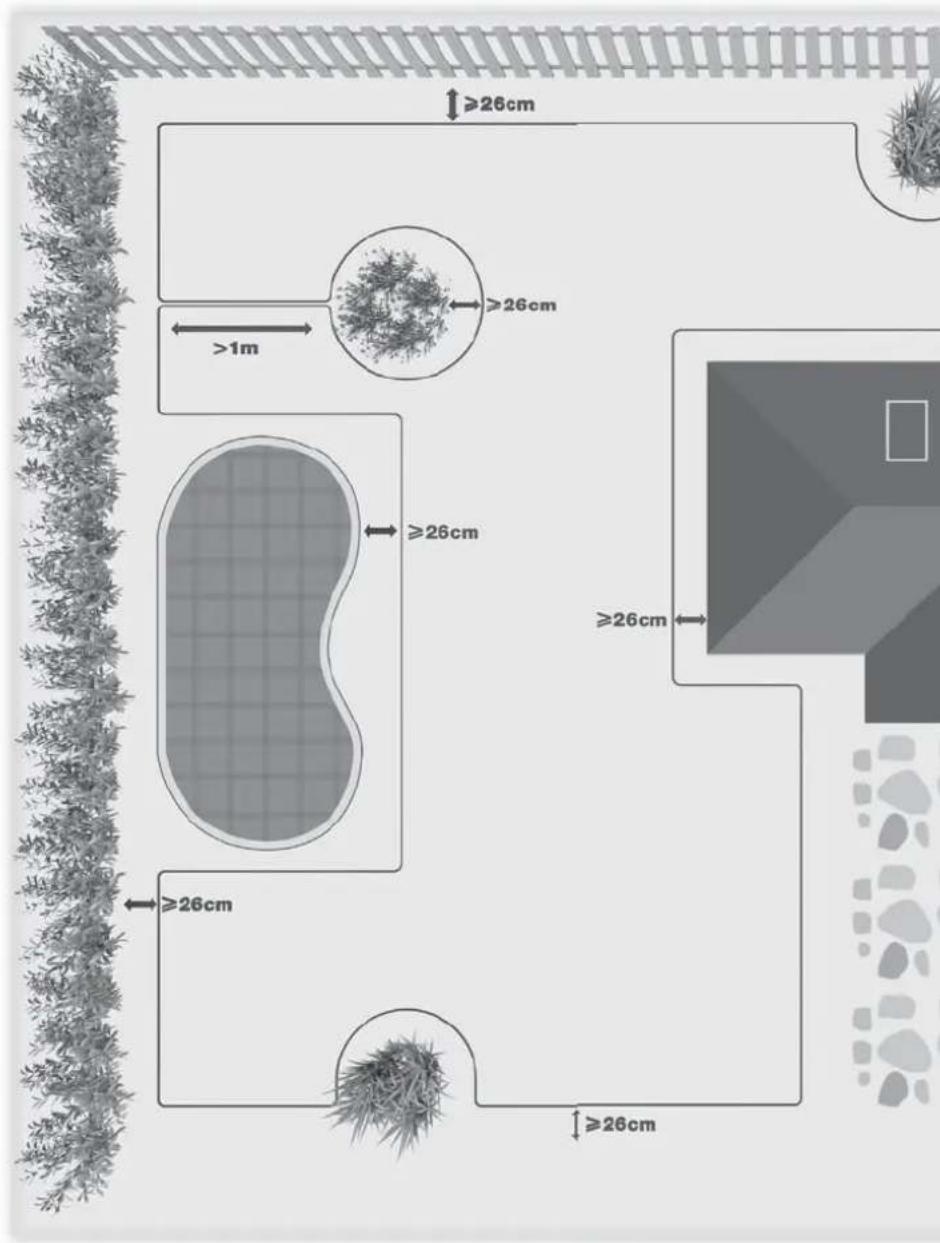
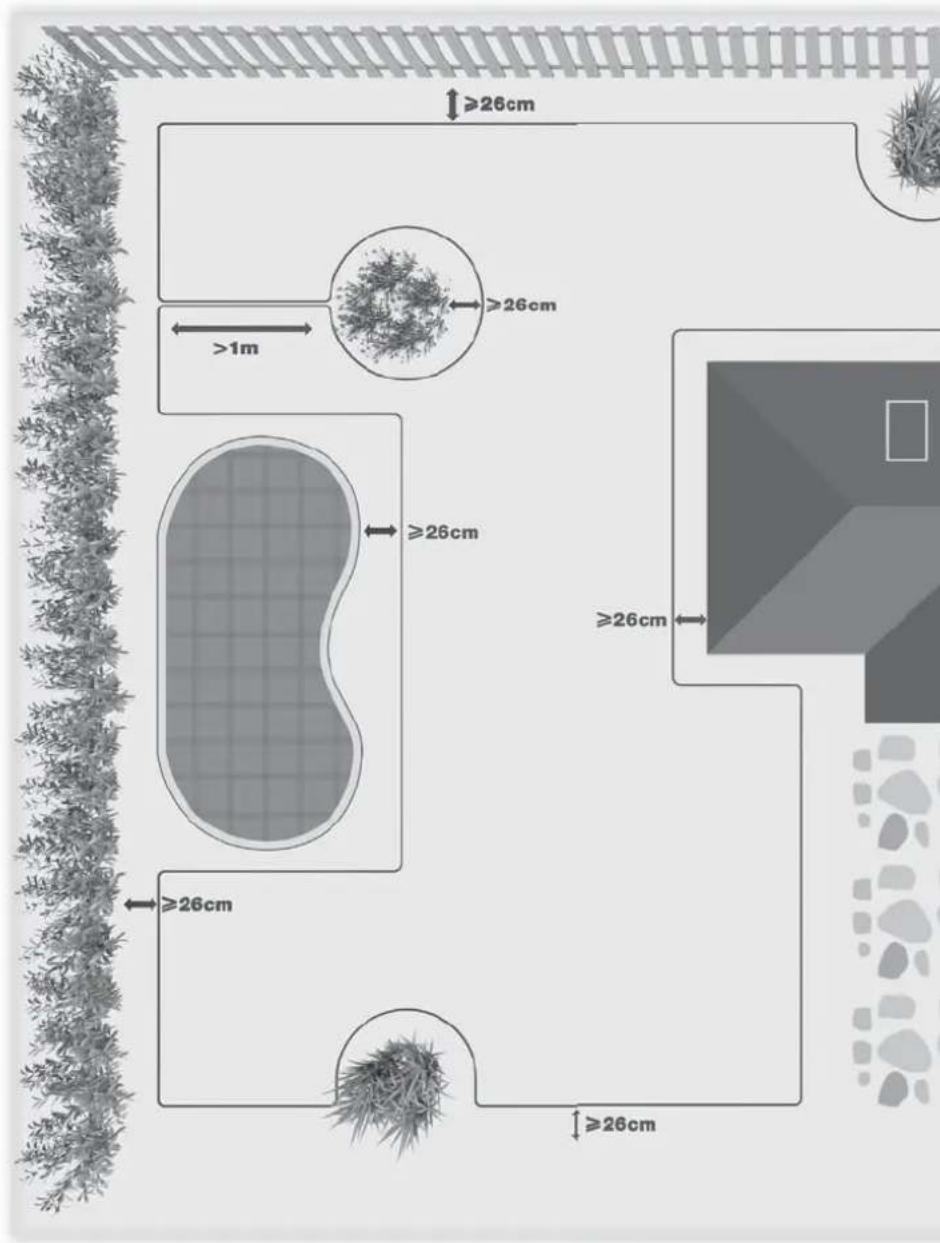
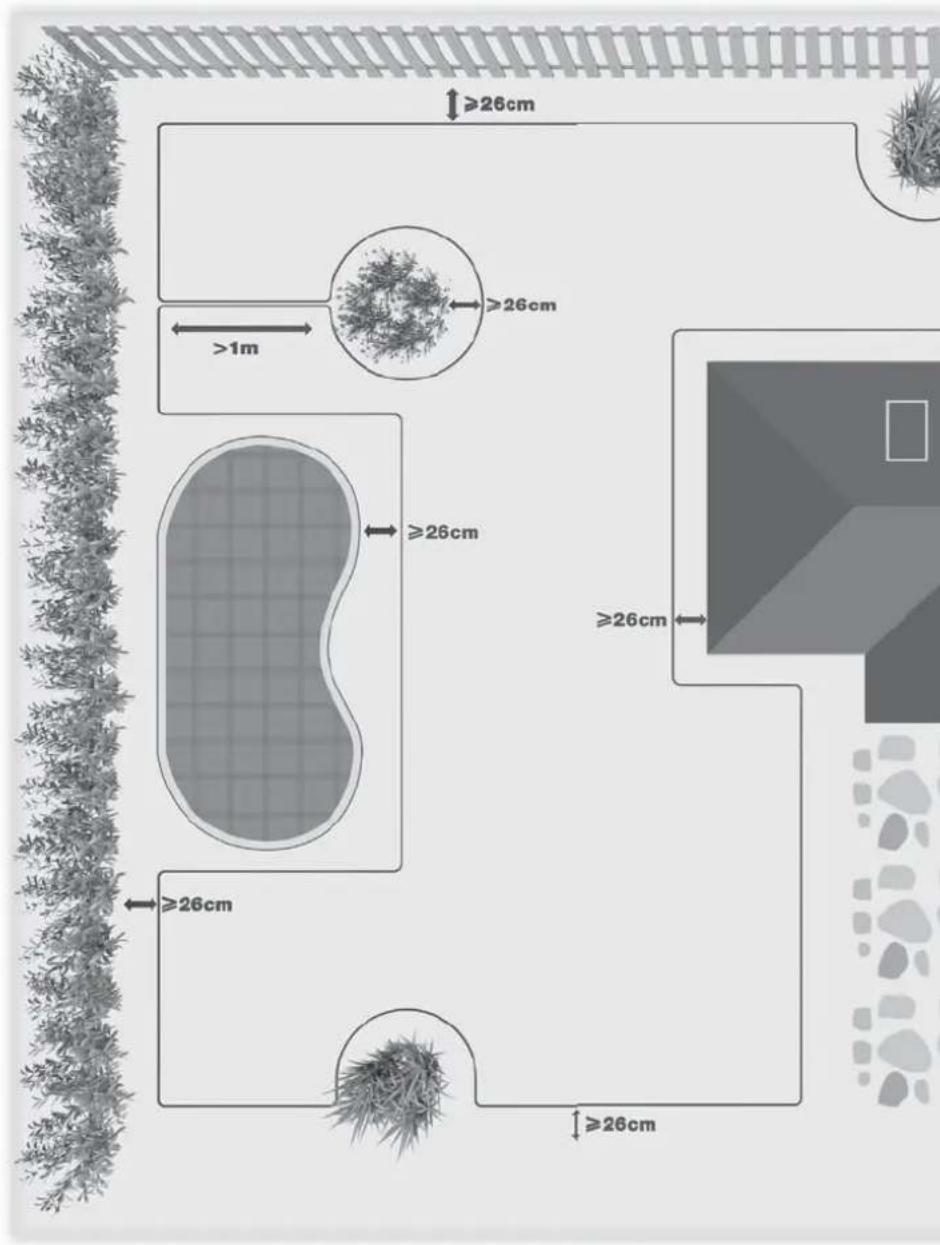
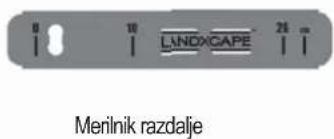
If it's covered with gravel, you should not allow Landscape ^TM to travel over it. Using the distance gauge for spacing, keep a 26cm* space between the boundary wire and the driveway.
* This is the recommended distance. The provided distance gauge ensures proper installation.
Flowerbeds, ponds, pools...
You certainly don't want Landxcape™ to mow your flowers, or fall into the water. These areas should be avoided.
Additionally, obstacles between 2cm-10cm high should also be excluded from Landxcape ^™ 's operation area.
Trees
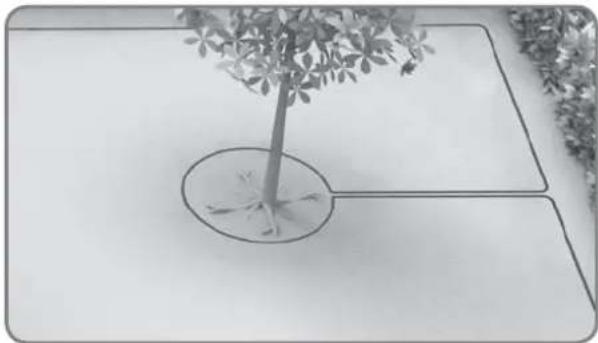
Roots emerging from the ground should be avoided to prevent damage.
Depressions and bumps
In case of large bumps (higher than 2cm) or dips (wider than 10cm and deeper than 2.5cm), please determine if the blades would touch the ground or if Landxcape ^TM would get stuck. If this is the case, either make the inclines smoother or exclude these areas from Landxcape ^TM 's operation.
Slopes
Your Landscape™ has the ability to safely climb slopes up to 35% (20°)**, so please avoid areas steeper than this.
\*\*How to calculate the slope of your lawn:
The slope would be:
35cm (Elevation)
100cm (Length)
=35% (slope)
Placement of boundary wire on slopes
The upper boundary wire should NOT be placed on slopes steeper than 35% (20°), and it should be placed at a distance of 26cm from any obstacle. The lower boundary wire should NOT be placed on slopes steeper than 17% (10°), and it should be placed at least 40cm away from any obstacle when positioned on a slope that is 17%.
NOTE: The lower boundary wire cannot be laid across a slope steeper than 17% as Landscape™ will slip and cross outside the wire, especially when the grass is wet.
natural_image
Black-and-white photo of a small tree with leaves placed in a circular opening, placed on a white surface (no text or symbols visible)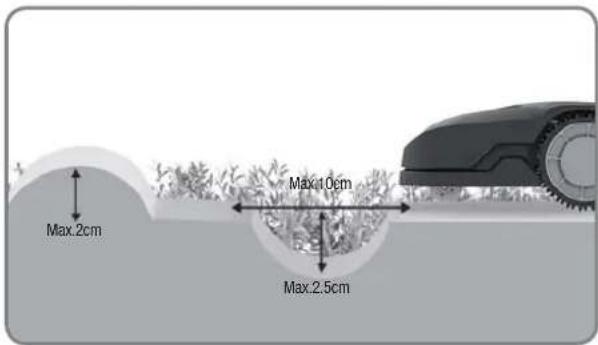
text_image
Max.2cm Max.10cm Max.2.5cm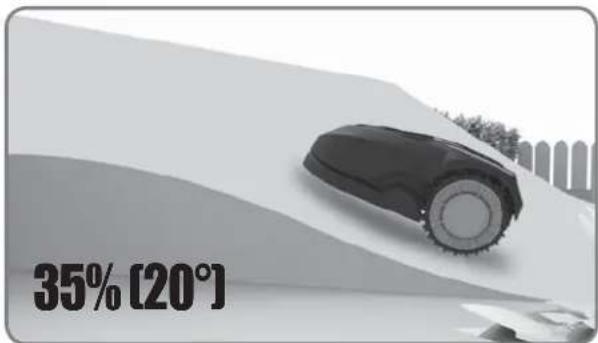
text_image
35% [20°]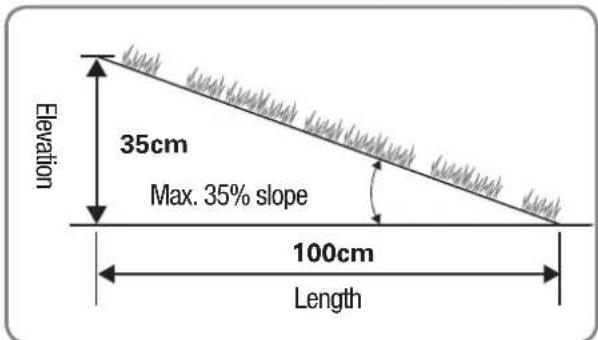
text_image
Elevation 35cm Max. 35% slope 100cm Length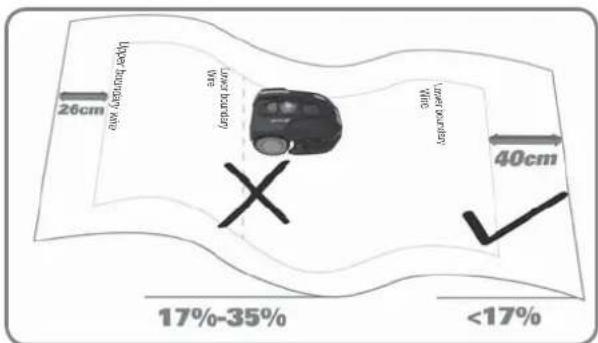
text_image
26cm Upper horizontal line Lucky horizontal line 40cm 17%-35% <17%Overview
text_image
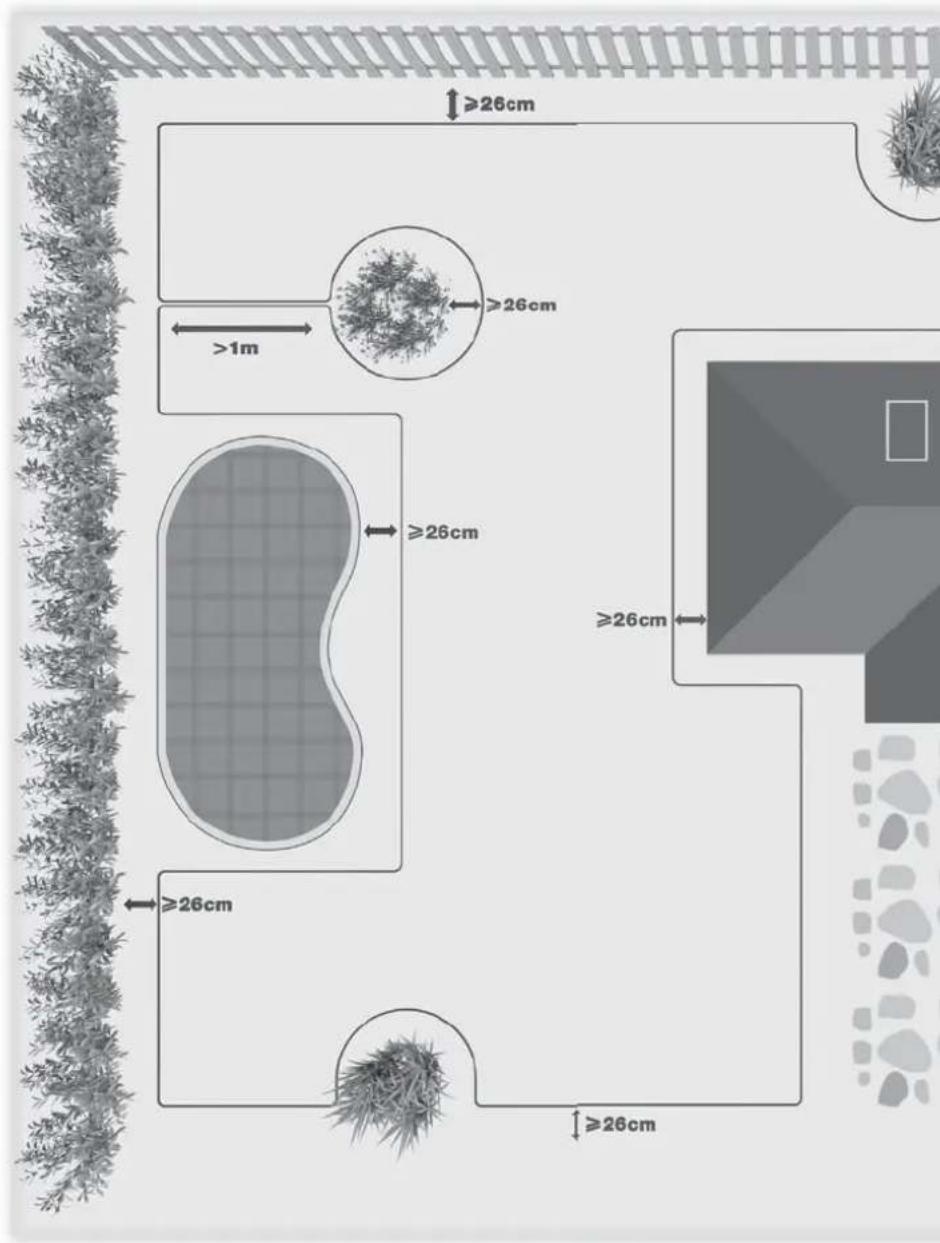
≥26cm ≥26cm >1m ≥26cm ≥26cm ≥26cm ≥26cm ≥26cm ≥26cm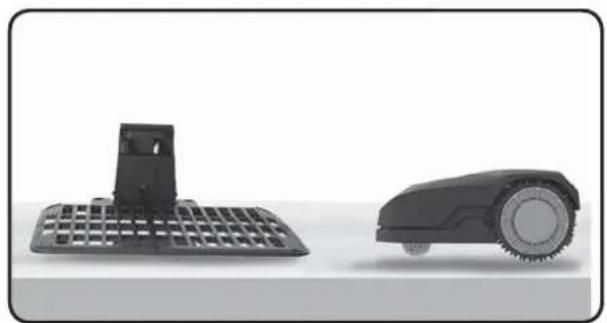
natural_image
Two black industrial robotic devices, one with a grid-patterned base and the other with a circular head (no text or symbols visible)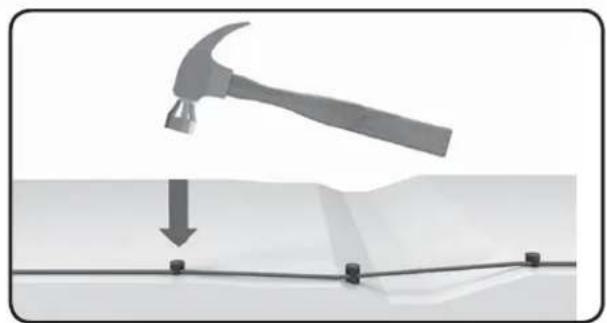
natural_image
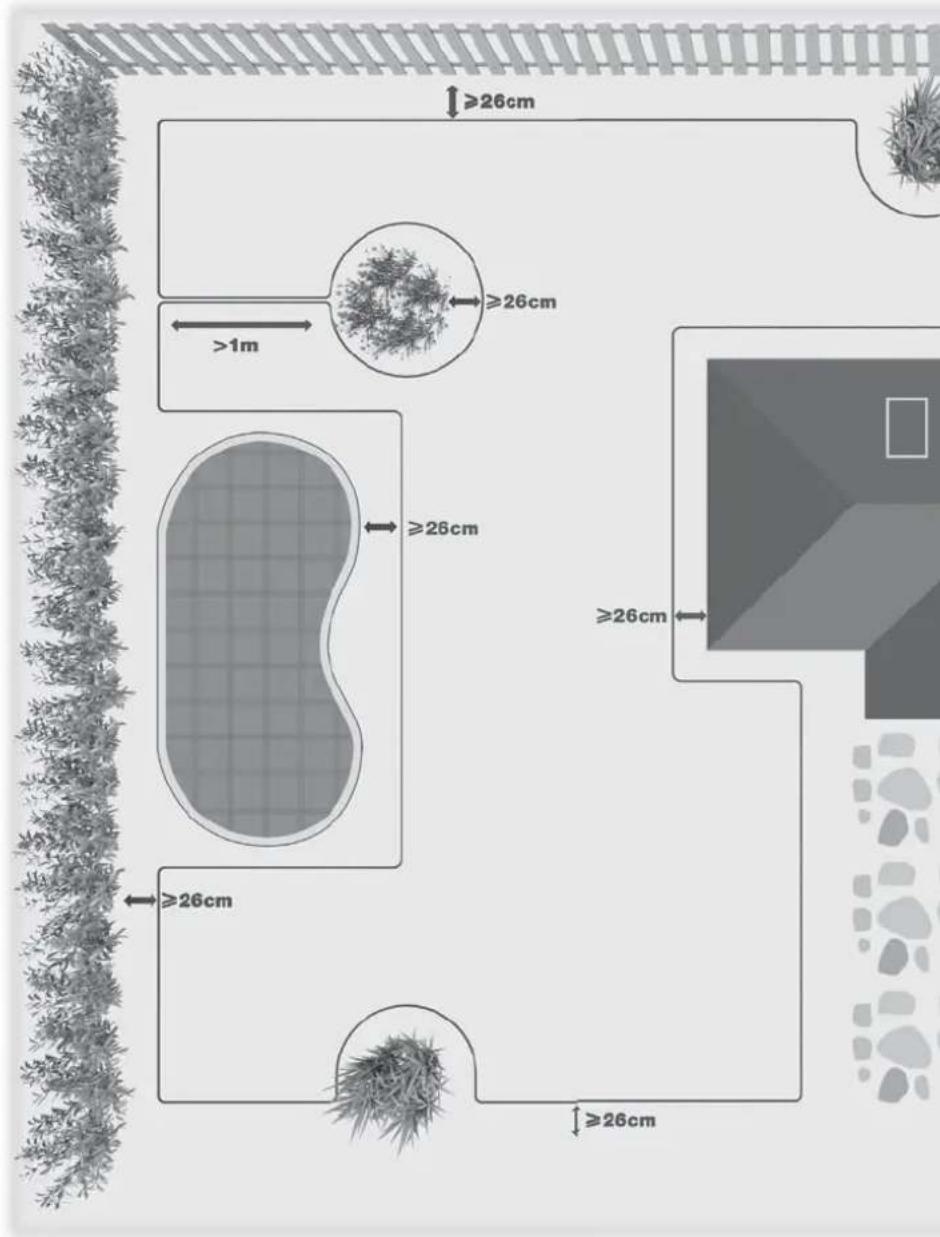
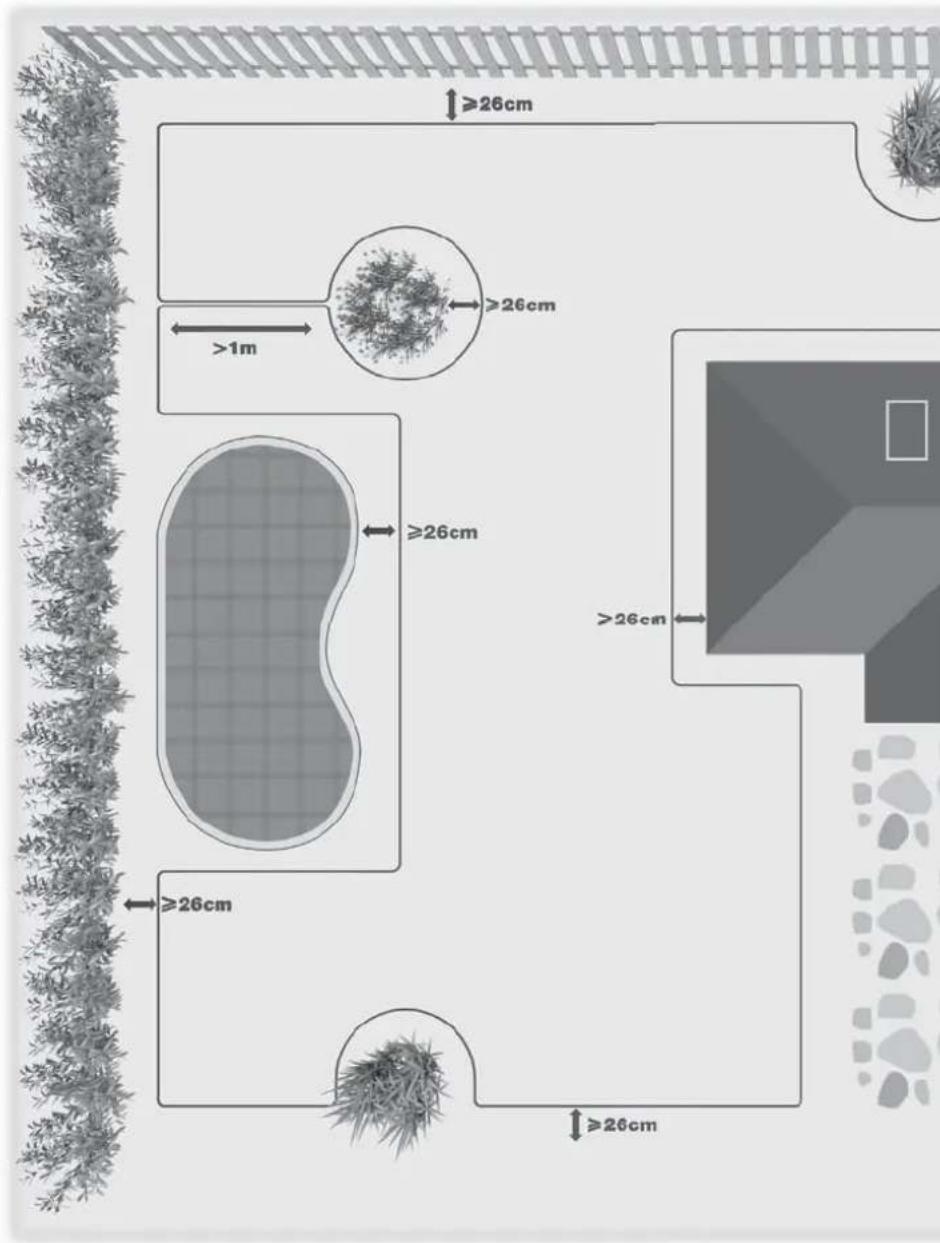
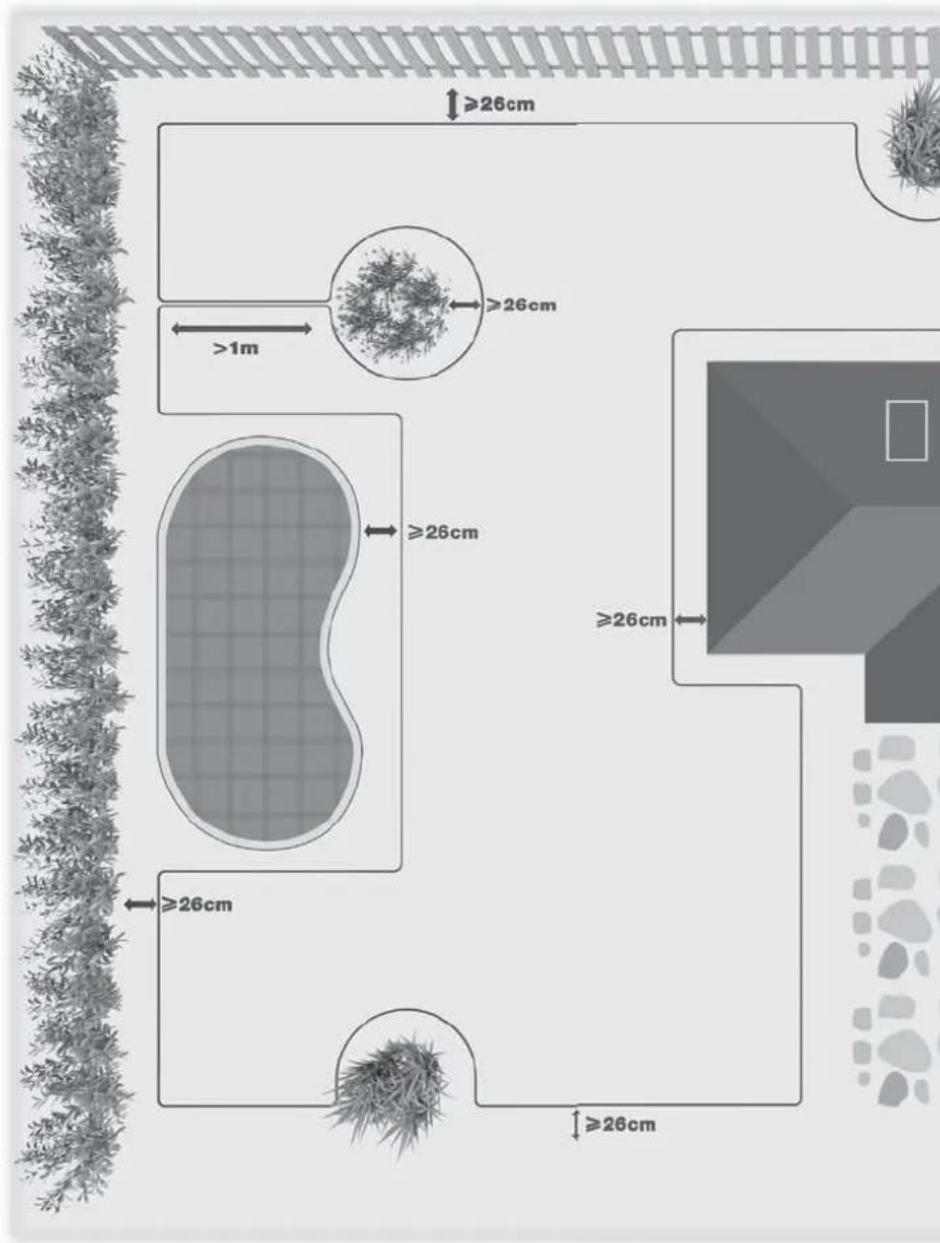
Diagram showing a hammer striking down on a surface with a downward arrow indicating motion (no text or symbols present)Your Landscape™ needs to know where to mow. Using the boundary wire, you'll define Landscape™'s working area and form an invisible fence. This wire will also guide Landscape™ to its charging base.
"Please note: Under certain conditions, additional magnetical fields generated by reinforcement steel (Rebar), which is often found in underground constructions like a parking garage or an underground hangar, can lead to navigational disturbances of robotics lawn mowers."
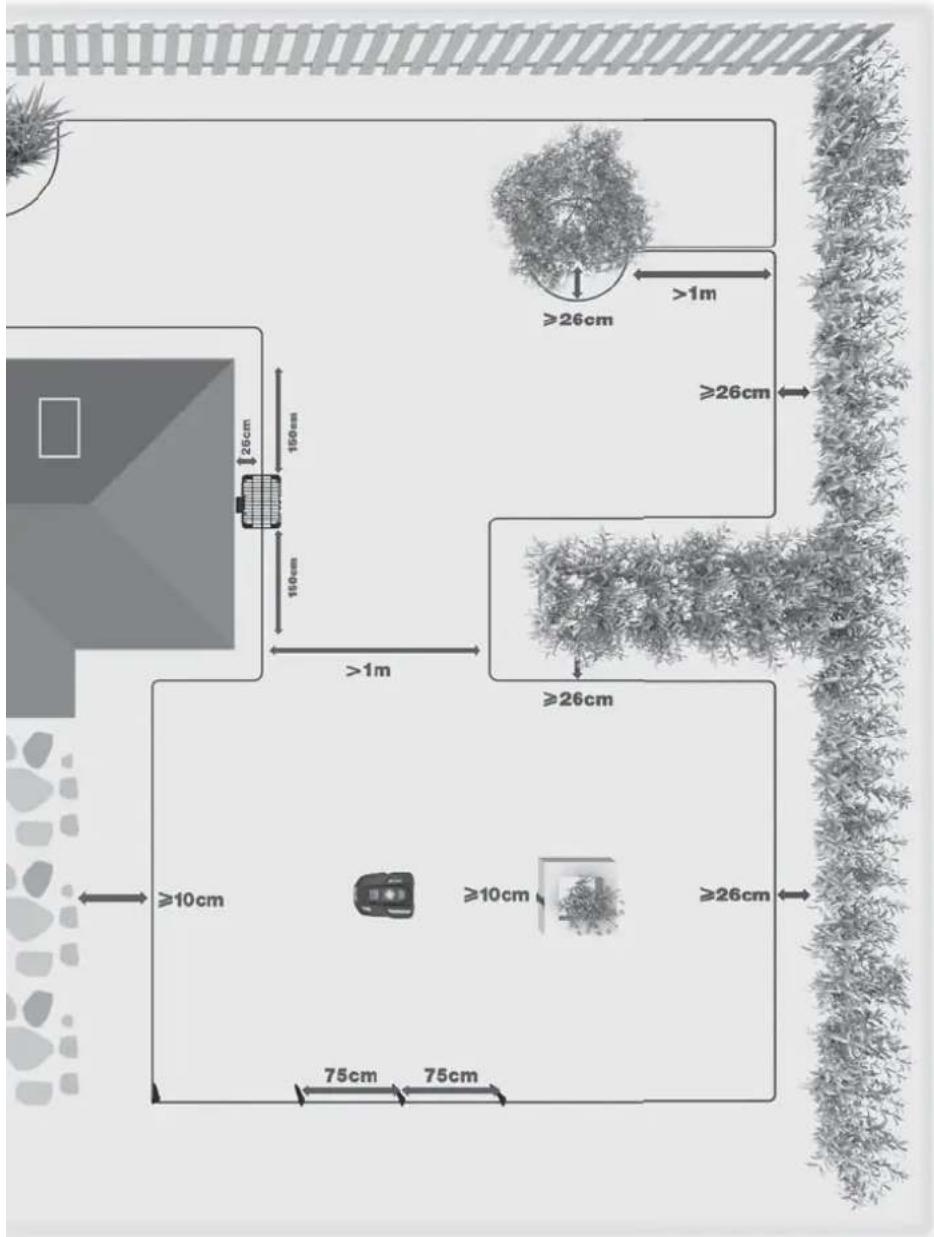
If your neighbor also uses a Landxcape™, you must keep a space of at least 1 metre between your boundary wire and your neighbor's.
text_image
≥26cm >1m ≥26cm ≥26cm 150cm 150cm >1m ≥26cm ≥10cm ≥10cm ≥26cm 75cm 75cm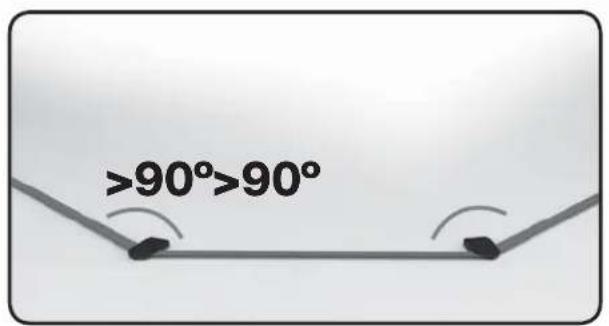
text_image
>90°>90°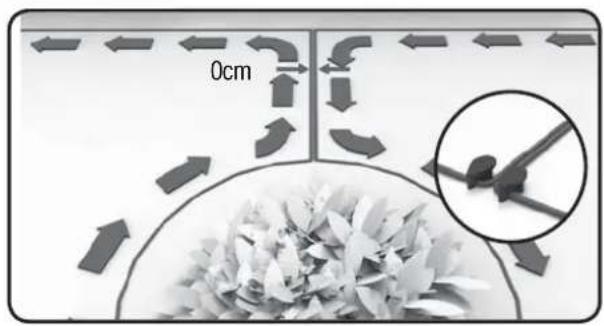
text_image
0cmInstallation
text_image
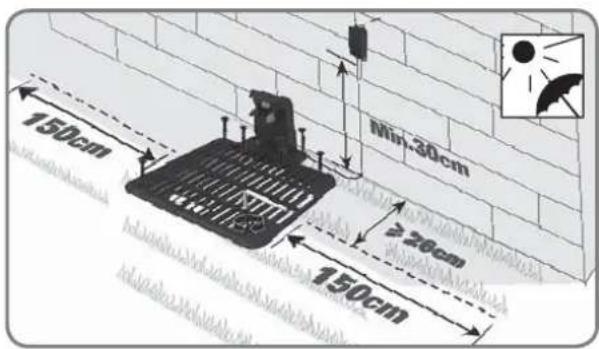
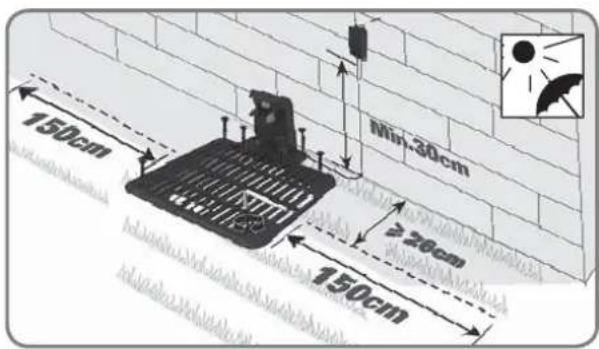
150cm 200cm 400cm 150cm ≥26cm Min-30cm1. Place the charging base
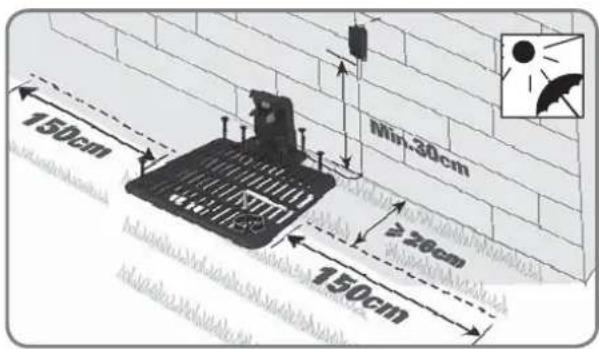
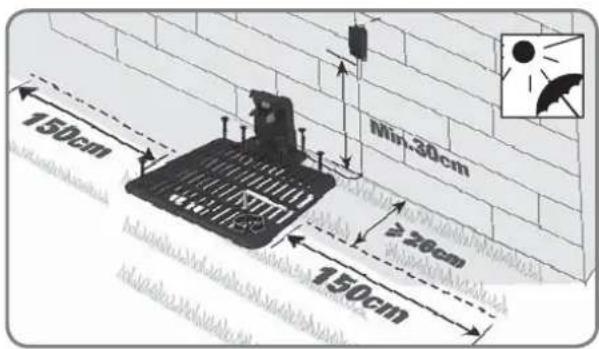
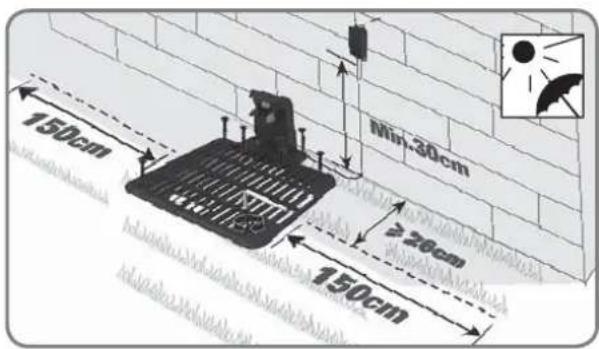
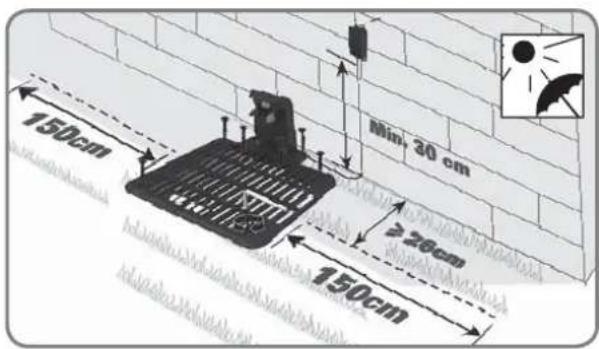
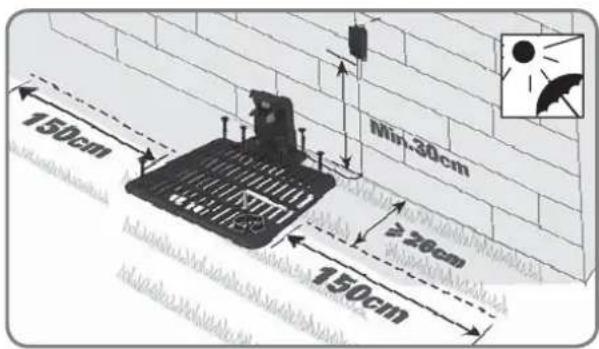
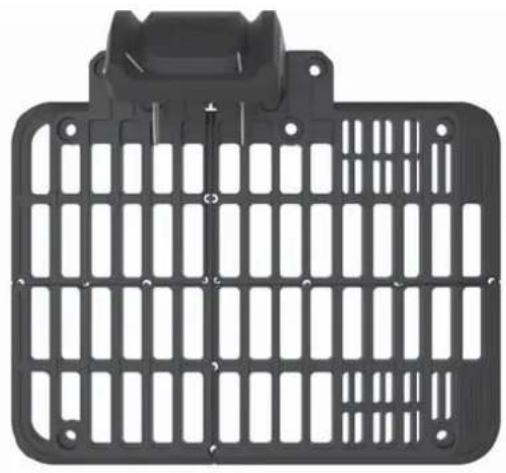
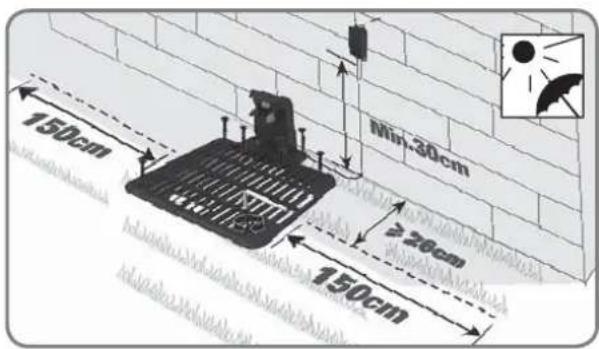
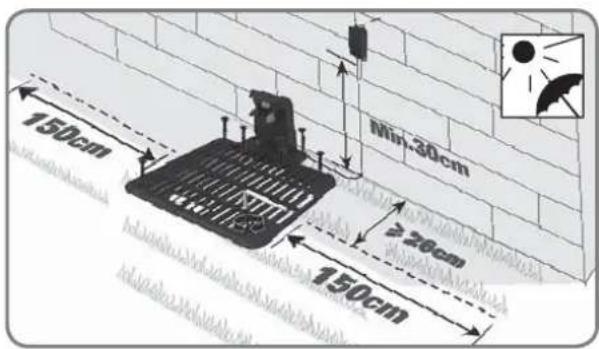
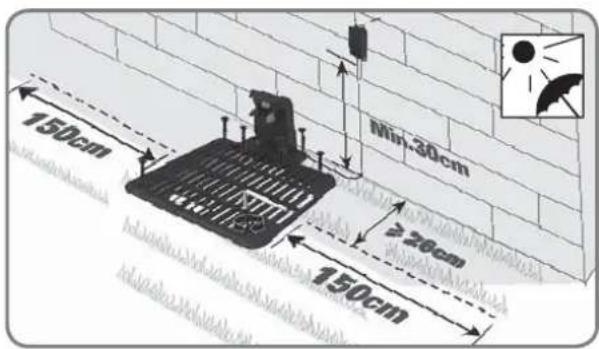
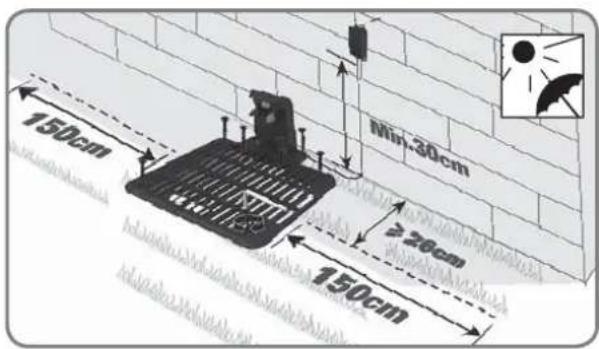
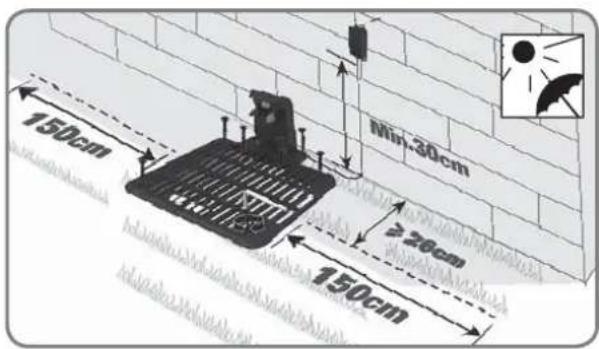
Find a flat surface for the charging base, the place should be dry and away from direct sun light. And the adapter can be mounted on the wall.
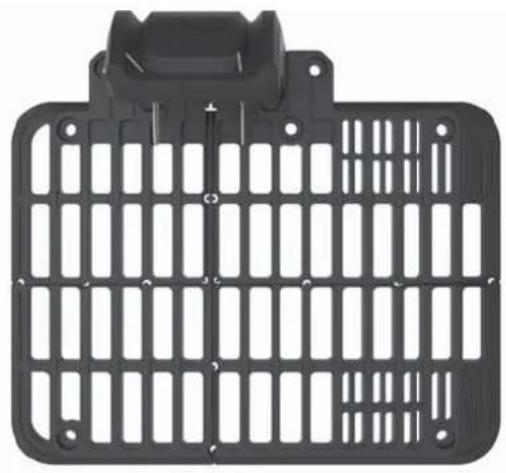
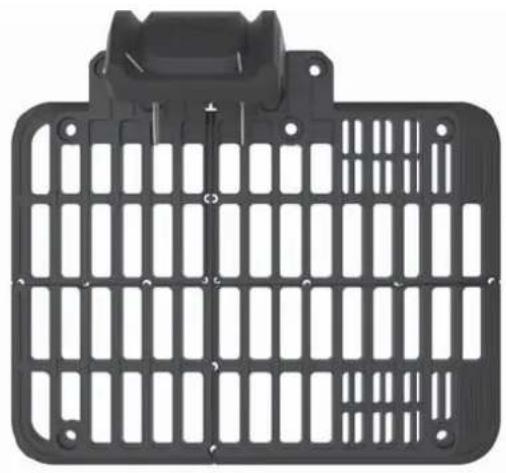
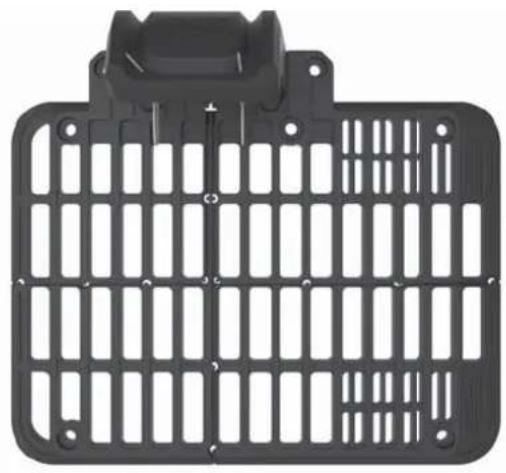
Landxcape™'s charging base can be placed against the wall or fence, with the charging components facing your lawn. If possible, place the charging base in the shade, and it is better to charge the battery in a cool place.
When laying the boundary wire, leave at least 150cm of straight wire with no obstacles on each side of the charging base. Make sure the adapter and electrical outlet are always kept in a dry place.
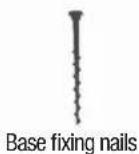
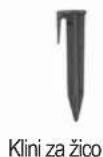
You can now permanently fix the charging base to the ground by tightening the supplied base fixing nails with the supplied hex key.
NOTE: Boundary wire on each side of the charging base should be straight for 150cm without corners or obstacles to ensure proper docking.
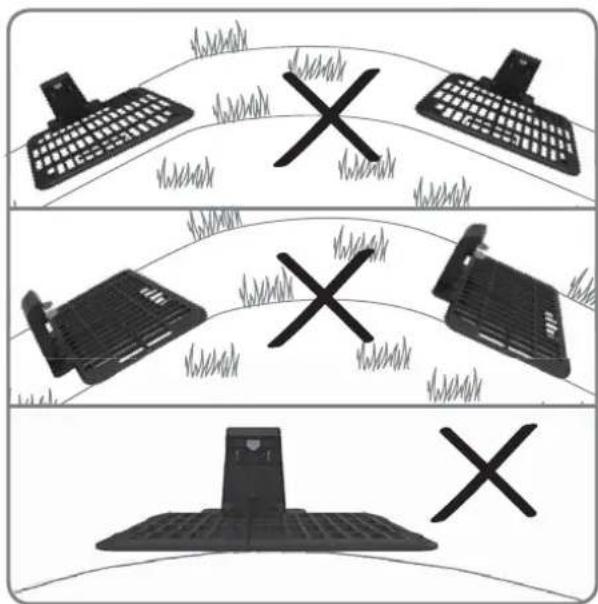
text_image
Diagram showing three scenarios of a computer keyboard, a printer, and a mobile device with X marks indicating failure or failure.The charging station must be positioned on relatively level ground. It must not be positioned on an inclined surface or anywhere that makes its plate bend.
2. Charge your Landxcape™ before the first operation
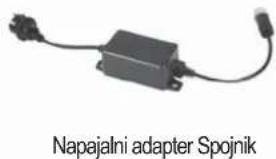
When connecting the power cord of the charging base to the adapter, align the notch on the power cord (b) with the groove on the adapter (a).
Connect the adapter to the electrical outlet. The LED on the charging base will turn on in green color. Manually dock Landxcape™ into the charging base while Landxcape™ is powered off. The green light on the charging base will be flashing and Landxcape™ will begin to charge.
If the power cord is in Landscape™'s working area, you may bury it if desired.
NOTE: If you want to plug the adapter in an indoor electrical outlet, you need to route the power cord through the hole in the wall.
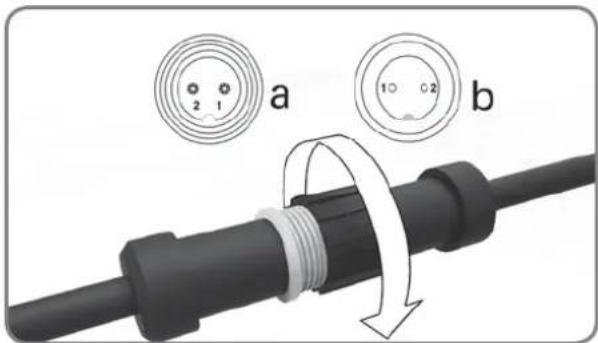
text_image
a b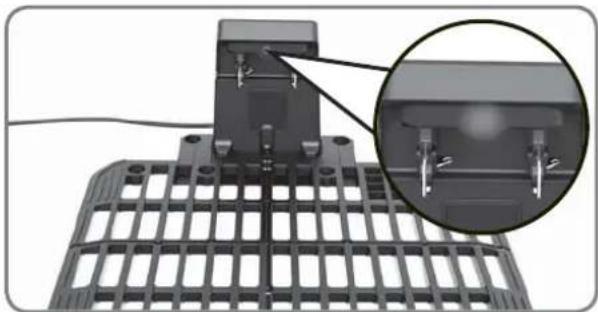
natural_image
Mechanical assembly diagram showing a grid structure with a magnified inset detail (no text or symbols)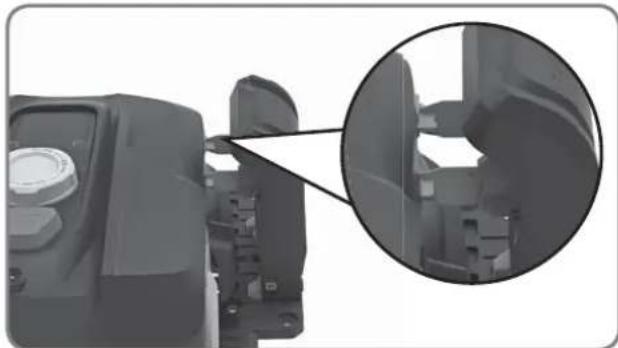
natural_image
Close-up of a mechanical component with an inset magnified view showing internal structure (no text or symbols visible)3. Peg the boundary wire
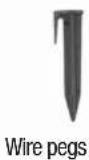
Before pegging the boundary wire, it is recommended to use a normal lawn mower or a grass trimmer to cut the grass along the boundary. Then the wire should be laid as close as possible to the ground to prevent your Landscape™ accidentally cutting the wire. The boundary wire is powered with a very low voltage totally safe to humans and pets.
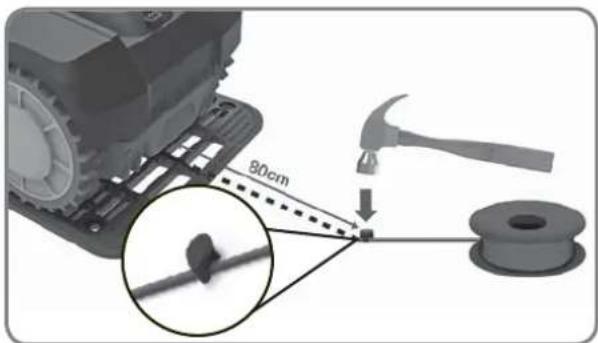
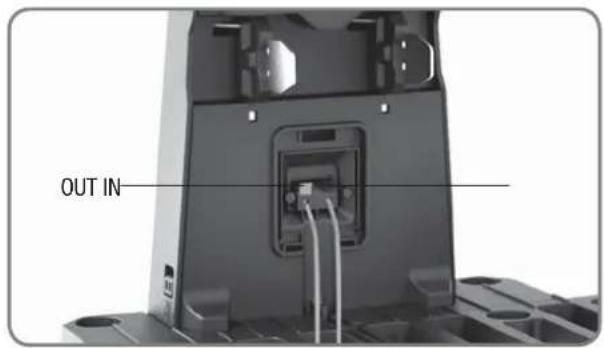
Pull out a length of boundary wire around 80cm and fasten it to the ground near the charging base. Later, this end of the boundary wire (IN-wire) will be connected to the BLACK terminal after pegging your boundary wire.
NOTE: The extended boundary wire should not exceed 400m or it may cause signal problem.
text_image
90cm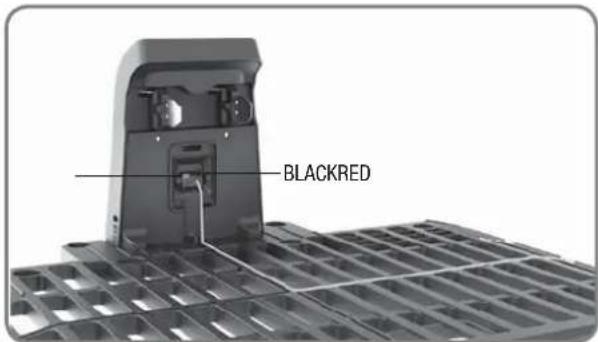
text_image
BLACKRED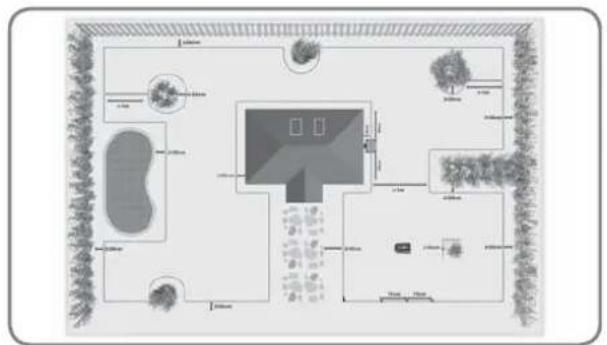
natural_image
Top-down architectural layout diagram showing room layouts, pathways, and surrounding greenery (no text or labels)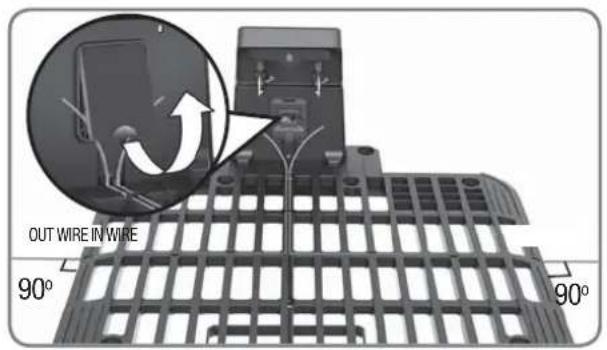
text_image
OUT WIRE IN WIRE 90° 90°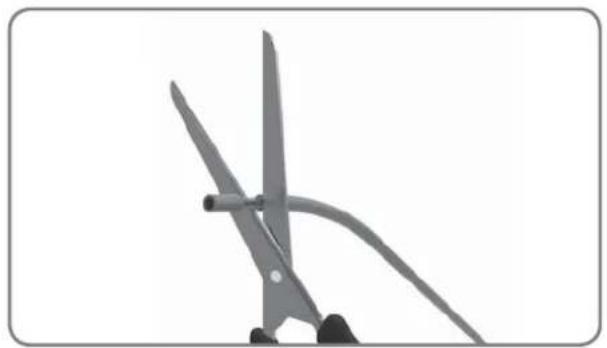
natural_image
Close-up of scissors cutting a piece of paper with a curved handle (no text or symbols visible)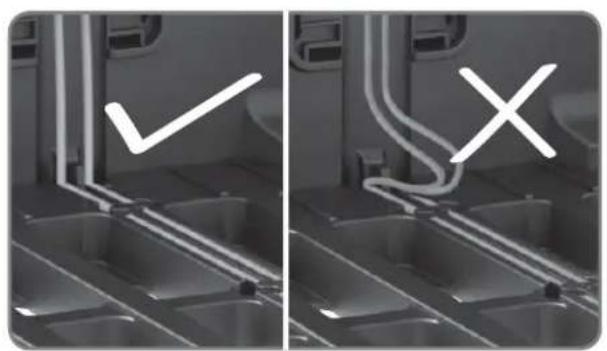
natural_image
Two-panel grayscale image showing a vehicle interior with visible exhaust pipes and a checkmark symbol (no text or labels)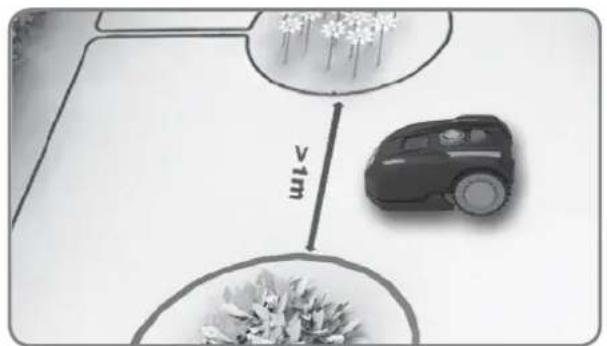
text_image
vim4. Complete the entire boundary wire setup
Lay down the boundary wire around the working area as the illustration shown.
After pegging the boundary wire, please take your Landscape™ away from the charging base. Lead the boundary wire back to the charging base, leave a length of the boundary wire (OUT-wire) around 80cm and cut it off. Insert both wire ends into the grooves on the charging base. Peel off the plastic skin at the end of both wires (around 1cm), and connect the naked metal wire end of the IN-wire to the BLACK terminal and the end of OUT-wire to the RED terminal.
NOTE: If you need to extend the boundary wire, please refer to "Joining the Boundary Wire" in Owner's Manual for instructions.
text_image
OUT IN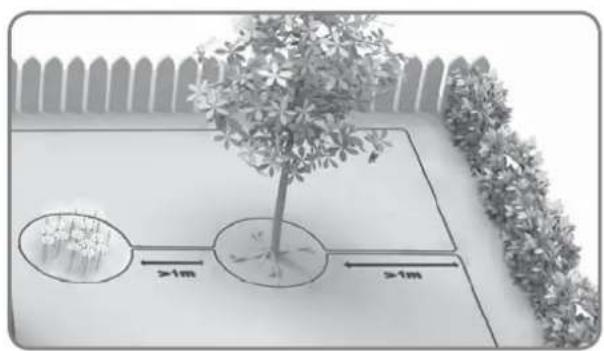
text_image
Diagram showing a tree with two circular plots and distance annotations indicating >1m measurements on a planter or bench.In the case of two islands that are close to each other, it would be convenient to lay out the wire as illustrated in the picture.
Landxcape™ can travel freely over the boundary wire between the areas and the mowing boundary.
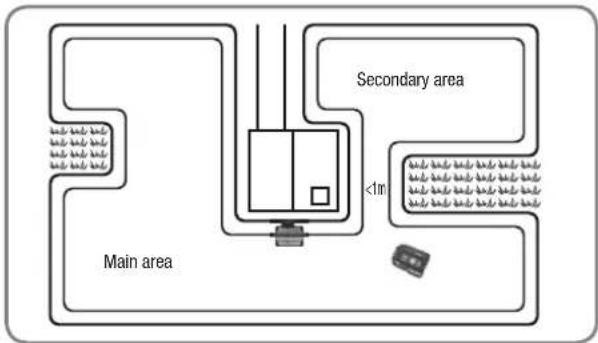
If your lawn has multiple areas connected to each other by a corridor, it should be at least 1 meter wide. If the corridor is narrower than 1 meter, Landscape™ will have difficulty travelling between. In this case, it is recommended to set up a main area and a secondary area in your lawn. The boundary wire should be placed as illustrated in the picture. When the secondary area has to be cut, please pick up Landscape™ and bring it to the secondary area. Landscape™ will mow without problem, but you have to bring it back to the charging base when the battery runs out.
Verification
Before it starts mowing for the first time, make sure Landscape™'s working area is clear of objects such as toys and branches...
-
Set the cutting height to the maximum level 60mm.
-
Place your Landscape™ a few meters in front of the charging base.
-
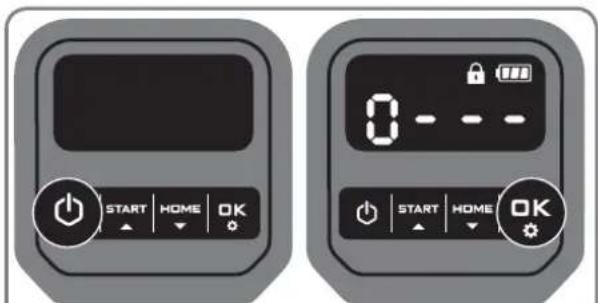
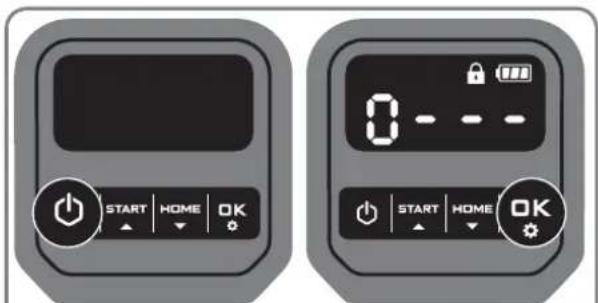
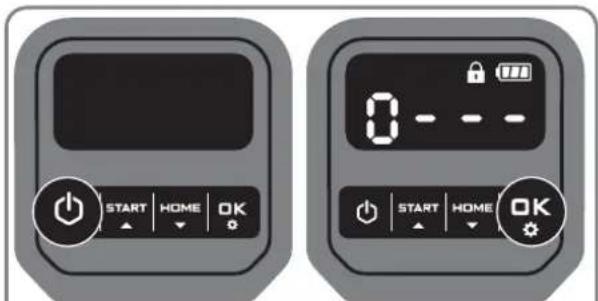
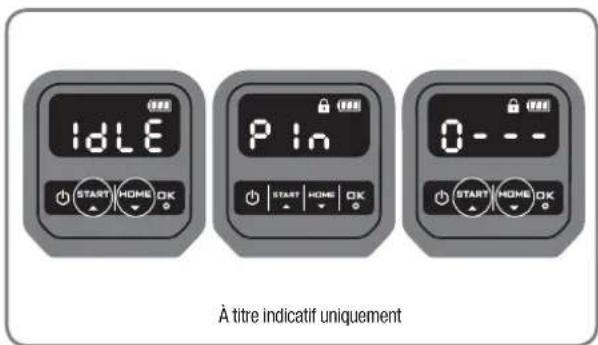
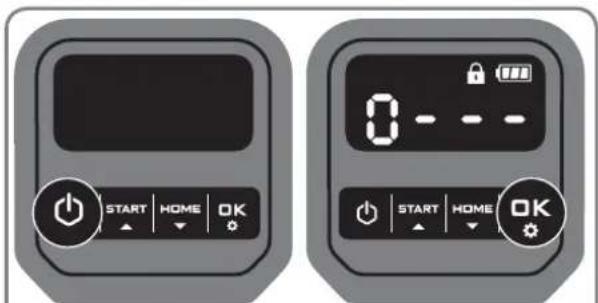
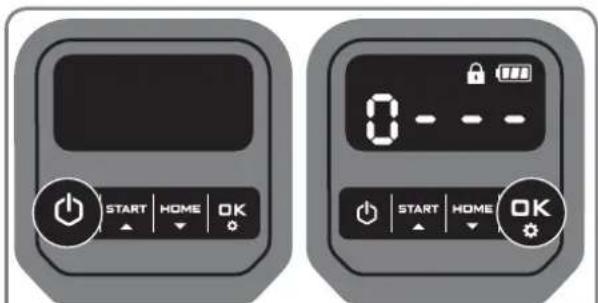
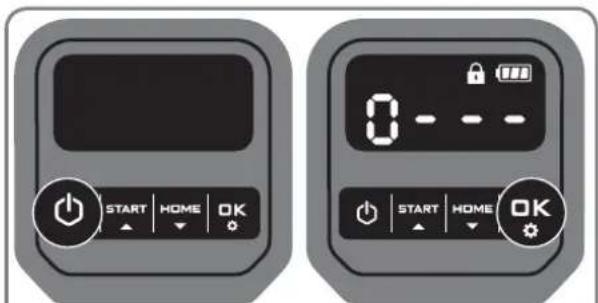
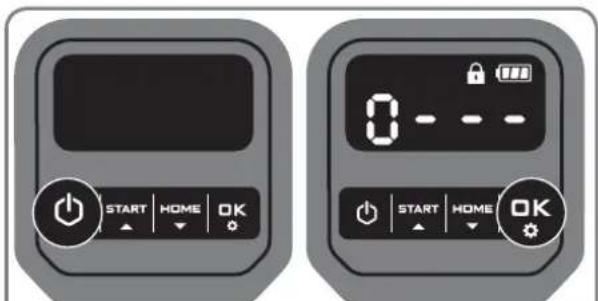
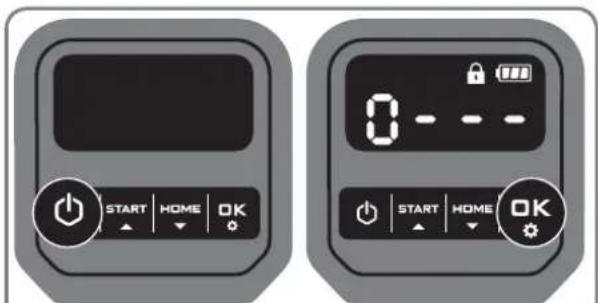
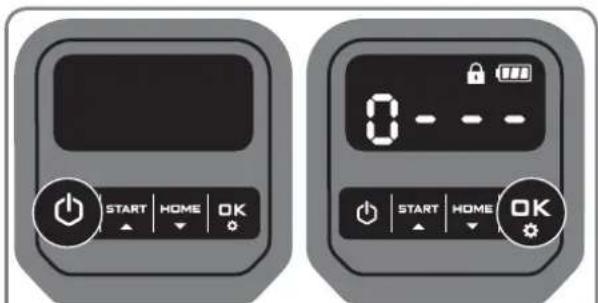
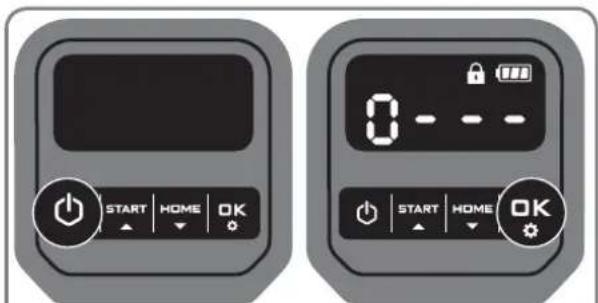
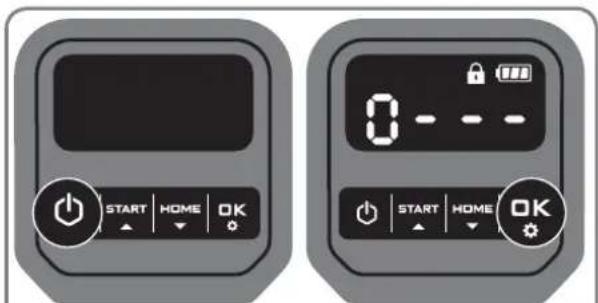
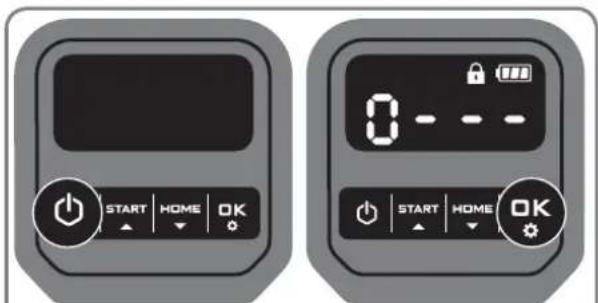
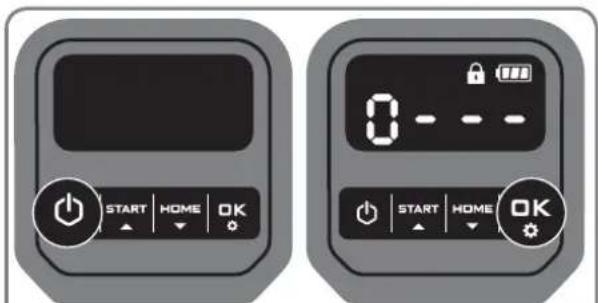
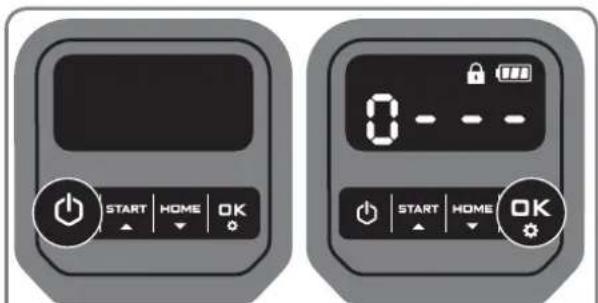
Press 📋 till Landscape ™ turns on. For the first use, input the default PIN code 0000 by pressing OK for four times when the number 0 is blinking.
NOTE: When Landxcape™ turns on, all lights on the display will be illuminated and then turn off. Check if there is any light damaged. It is recommended to shield the display with your hand when the outdoor light gets too strong.
NOTE: Landxcape™ will turn off if it does not receive any input within 30 seconds after it is turned on. If you enter wrong PIN code three times, Landxcape™ will raise the alarm "di-di" and then turn off.
text_image
Main area Secondary area <1m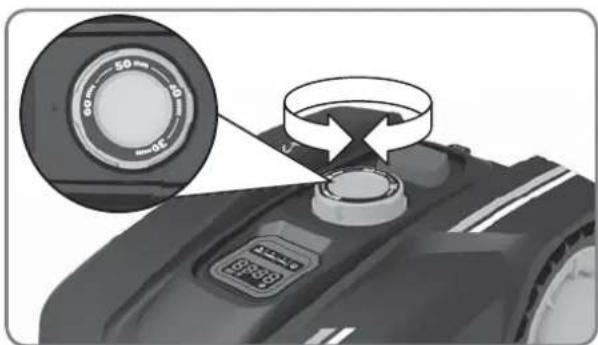
natural_image
Close-up of a robotic vacuum cleaner's head with a circular dial indicator and control knob (no text or symbols visible)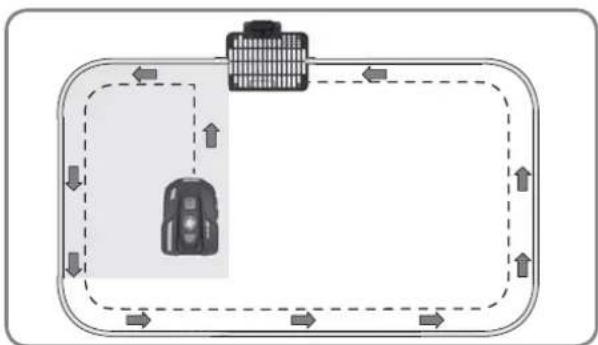
flowchart
graph TD
    A["Vehicle"] --> B["Road"]
    B --> C["Upward Arrow"]
    C --> D["Downward Arrow"]
    D --> E["Left Side Road"]
    E --> F["Right Side Road"]
    F --> G["Downward Arrow"]
    G --> H["Left Side Road"]
    H --> I["Right Side Road"]
    I --> J["Downward Arrow"]
text_image
START HOME OK 0 - - - - START HOME OKOnly for reference
text_image
IDLE START HOME OK IDLE START HOME OK Only for reference-
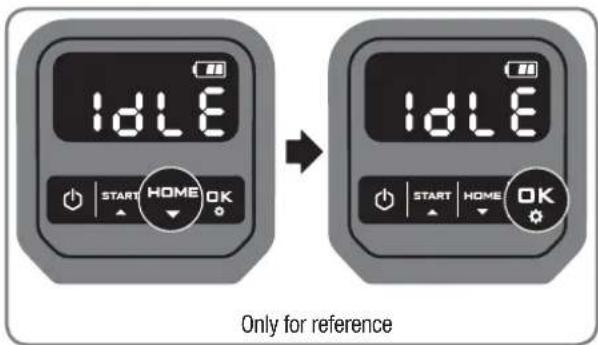
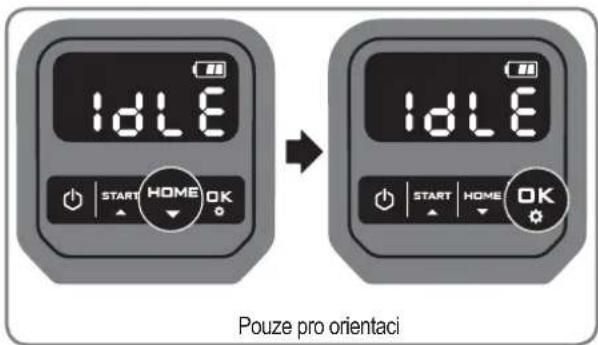
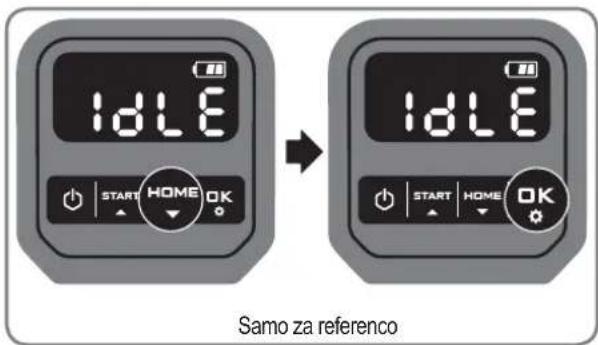
Press 📄 then 📋 send Landxcape ™ back to the charging base. Landxcape™ will follow the boundary wire to the charging base.
-
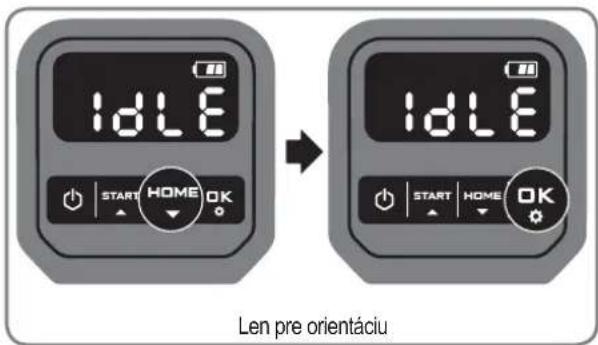
Fine tune the outline shape of the boundary wire if necessary. NOTE: If the boundary wire is broken during the testing or you need to extend the boundary wire, please refer to "Joining the Boundary Wire" in Owner's Manual for instructions. Check the status of the LED light indicator on the charging base to make sure the connection is OK. If the verification test is completed smoothly, you can start mowing by pressing START then OK If there is any problem during verification test, please refer to "Owner's manual-Troubleshooting".
| LED light indicator on the charging base | Status Action | |
| Light does not turn on There is no power. | Confirm that the power cord is connected properly to the charger and that the charger is connected to a suitable power supply. | |
| Green light on | Boundary wire is connected successfully; LandscapeTM is fully charged. | / |
| Red light on | The boundary wire isn't connected. Confirm that there are no breaks in the boundary wire. | |
| Power supply is connected successfully, while the wire is connected unsuccessfully. | Check that the boundary wire has been connected correctly to the charging base.Confirm that there are no breaks in the boundary wire. | |
| Green light flashing Landscape TM is auto charging. / | ||
! WARNING
- If your Landscape ^TM is outside its territory, it will not move and “-”will:be displayed.
Move it inside its territory and repeat Verification. - If your Landscape ^TM is inside its territory but “- ∈ : -” is displayed, please refer to “Error Messages” in Owner's Manual for solutions.
- Your Landscape™ should always remain switched on. If you ever need to turn it off, then make sure you place it within its boundary area before you switching it back on again.
- Should your Landscape ^TM stop operating, simply restart it and operate it as you normally would.
NOTE: Please refer to the Owner's Manual for more information.
text_image
IDLE P In 0 --- START HOME OK START HOME OK START HOME OK Only for referenceSetting
First please set the height to a desired grass level after cut and you can do the program setting manually.
NOTE: When doing the program setting manually, Landscape™ will enter the standby page if it does not receive any input from the user within 30 seconds.
1. Change PIN code
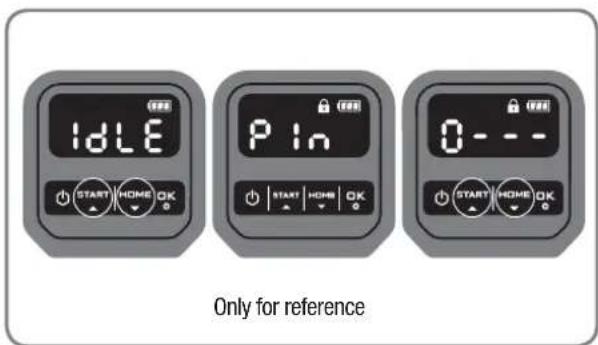
To change the PIN code, keep pressing both START and NEVITtons at the same time for 5 seconds. The icon will be blinking, and "PIN" will be rolling flashing. After that, the first number will be blinking, use START or NEVITselect the number you want and press to confirm. The next number will be blinking. Use the same method to complete other numbers. For example, the new PIN code is set to be 0326. After that, "PIN2" will be rolling flashing and the first number will be blinking again. Use the same method to input the new PIN code you set just now (in this example, 0326). Then "PIN will be rotating flashing on the display. Your PIN code has been changed successfully.
2. Set year, date and time
Set year, date and time are compulsory setting items. If you don't set these items, it will influence the schedule time in the following setting. These items should be set in the order of year, date and time. For the year setting, keep pressing START for 3 seconds until the icon and a number are blinking on the display, for example, 20:18. Use 📋 to interact the year you want. Then press OK to confirm to finish the year setting.
Meanwhile, the icon 📊 will be flashing again and a number will be displayed to indicate the date, for example, 09.29, meaning September 29. When 09 is flashing, use 📊 to correct the number and press OK to confirm. Then 29 will be flashing. Use the same method to select the number and press OK to confirm to finish the date setting.
Meanwhile, the icon 📊 will be flashing and the time will be displayed, for example, 14:08. When is blinking, use 📌 to select the number and press 📌 to confirm. Then 📌 will be blinking, use the same method to select the number and press 📌 to confirm. Now the time setting is completed and Landscape ™ will enter the standby page.
3. Set work area
Keep pressing OK for 3 seconds. When the icon I, blinking, press OK. A number will be blinking on the display, for example, which is the lawn area. The working time will be automatically set according to the size of your garden. Use START or KEY set the lawn area (the area will increase / decrease by 50m^2 each time the START is USED), and press OK to confirm. Then Landscape™ will enter the standby page.
4. Change default start time
The default start time of 9:00 can be changed to anytime by keep pressing both START and sounders at the same time until a ding sound is heard. For example, keep pressing both START and sounders at 14:05, and your Landscape™ will start mowing from 14:05.
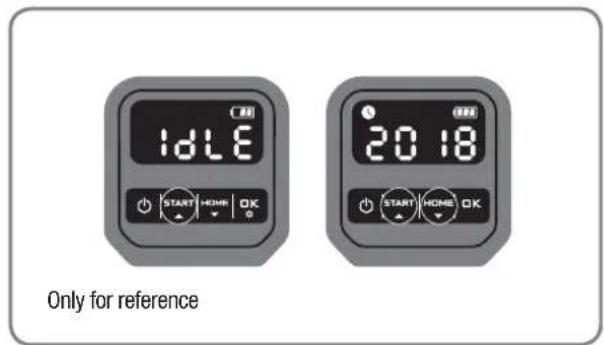
text_image
1dLE START HOME OK 20:18 START HOME OK Only for reference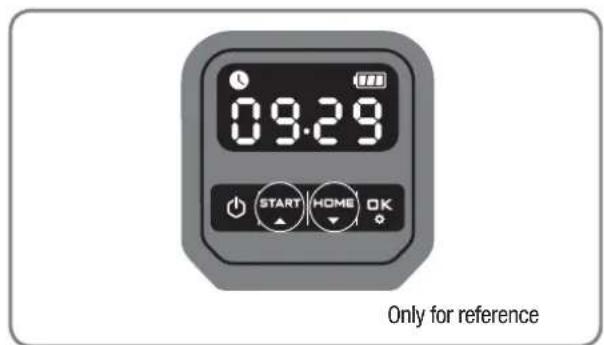
text_image
09:29 START HOME OK Only for reference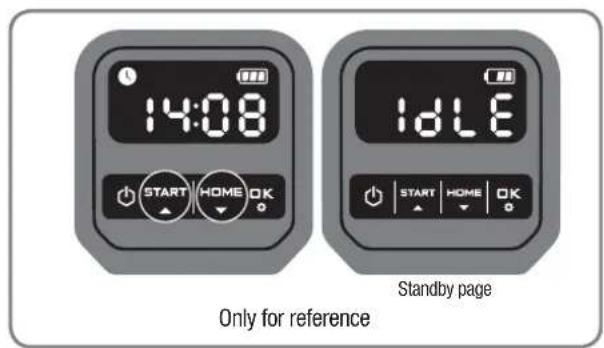
text_image
14:08 START HOME OK IdLE Start by page Only for reference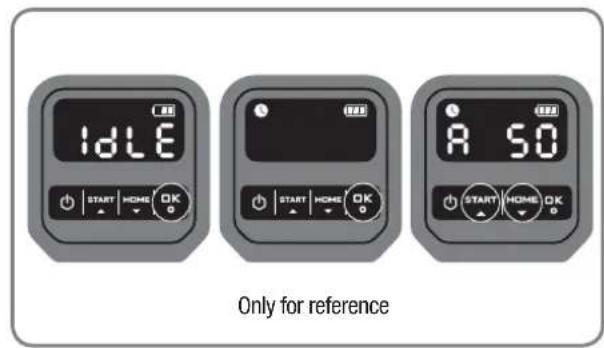
text_image
Idle A 50 Only for reference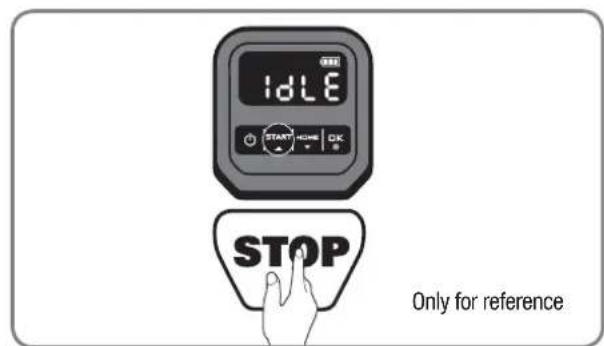
text_image
IDLE START HOME OK STOP Only for referencenatural_image
Front view of a black BL-MOTOR motorcycle head with digital display and rotary dial (no text or symbols visible)Landxcape™
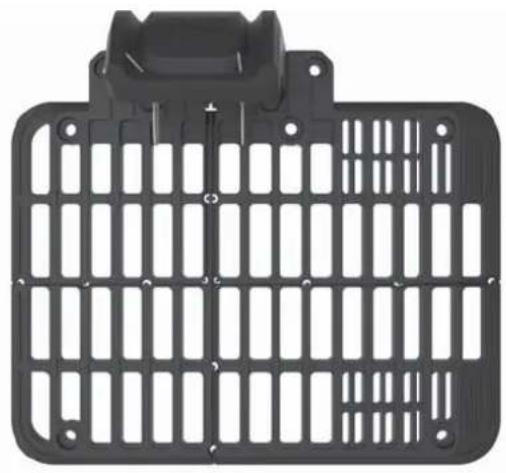
natural_image
Black plastic enclosure with grid pattern and mounting bracket (no text or symbols)Ladebasis
natural_image
Two robotic motors with a plant growing from a base, connected by an arrow (no text or symbols visible)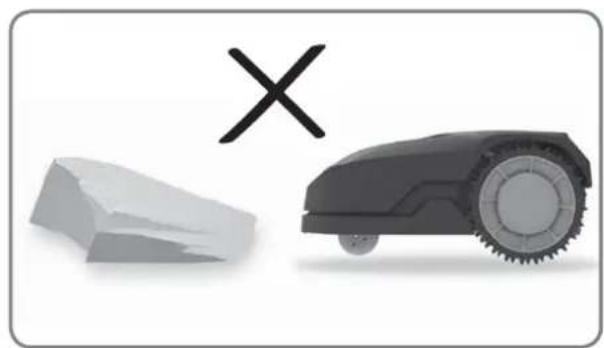
natural_image
Illustration of a robotic car and a broken stone with a cross symbol (no text or labels)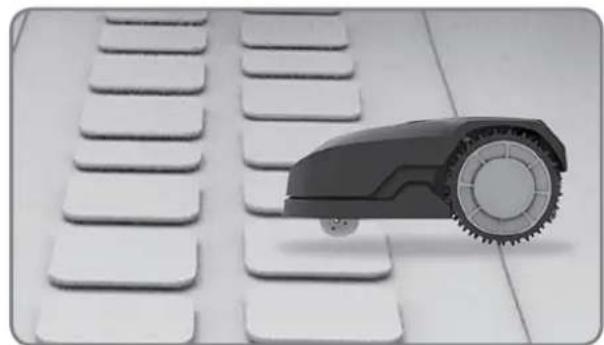
natural_image
Close-up of a small robot arm positioned on a white keyboard with multiple keys (no text or symbols visible)
natural_image
Black-and-white photo of white flower-like structures with stems, arranged on a plain background (no text or symbols)natural_image
Black-and-white photo of a small tree with leaves placed in a circular opening, placed on a white surface (no text or symbols visible)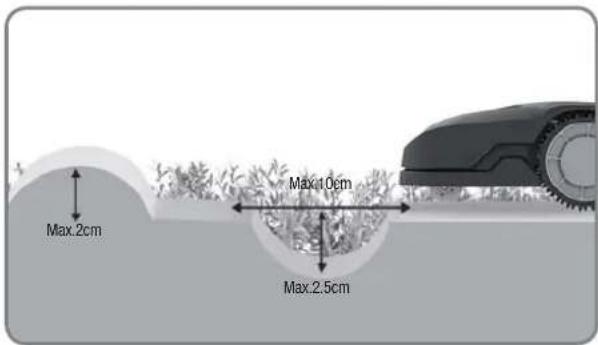
text_image
Max.2cm Max.10cm Max.2.5cm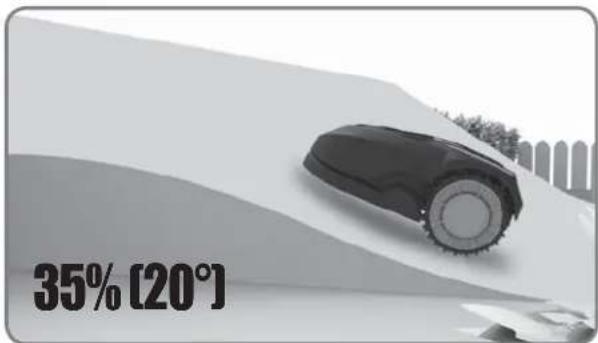
text_image
35% [20°]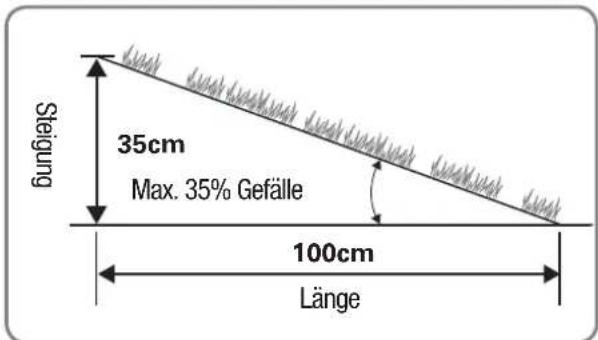
text_image
≥26cm ≥26cm >1m ≥26cm ≥26cm ≥26cm ≥26cm ≥26cm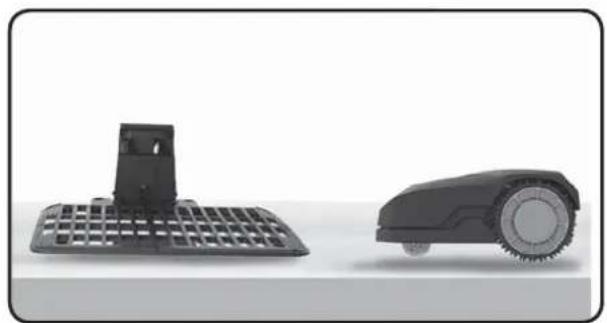
natural_image
Two black industrial robotic devices, one with a grid-patterned base and the other with a circular head (no text or symbols visible)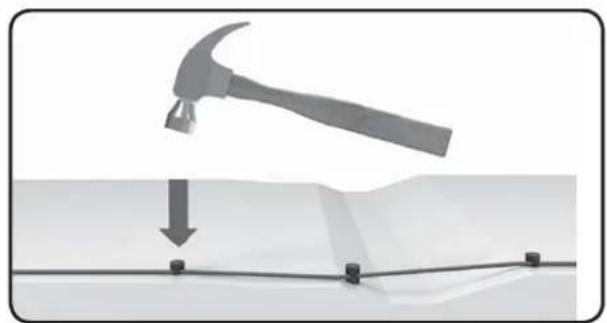
natural_image
Diagram showing a hammer striking down on a surface with a downward arrow indicating motion (no text or symbols present)text_image
≥26cm >1m ≥26cm ≥26cm ≥26cm ≥10cm ≥10cm ≥26cm 75cm 75cm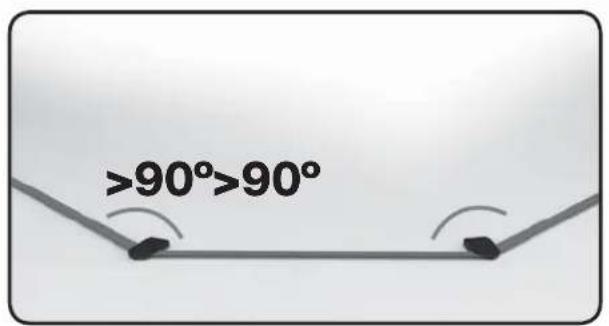
text_image
>90°>90°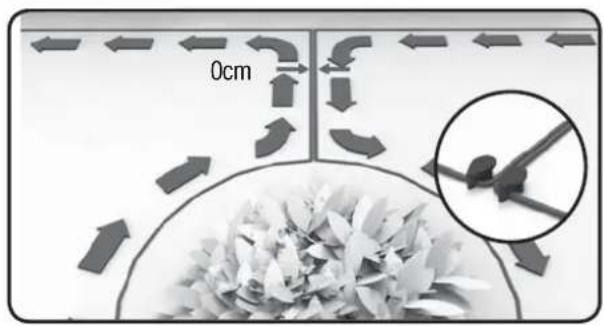
text_image
0cmInstallation
text_image
150cm 200cm 400cm 150cm ≥26cm Min-30cm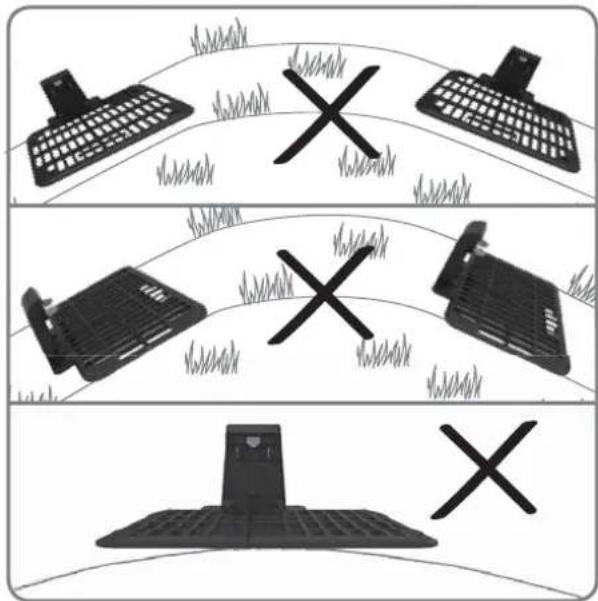
natural_image
Three identical diagrams showing a keyboard, a printer, and a tower with grass and a cross symbol, all on curved background (no text or labels)1. Ladebasis finden
natural_image
Mechanical assembly diagram showing a grid structure with a magnified inset detail (no text or symbols)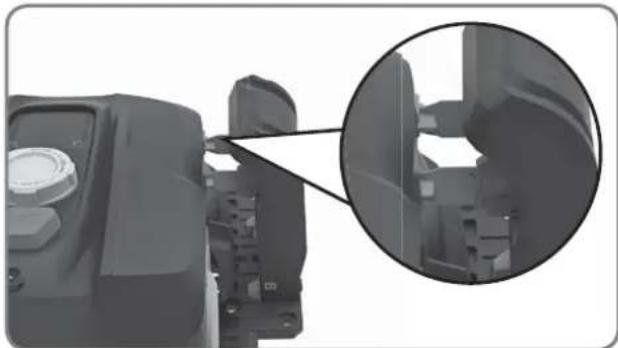
natural_image
Close-up of a mechanical component with an inset close-up showing internal structure (no visible text or symbols)natural_image
Top-down architectural layout diagram showing room layouts, pathways, and surrounding structures (no text or labels)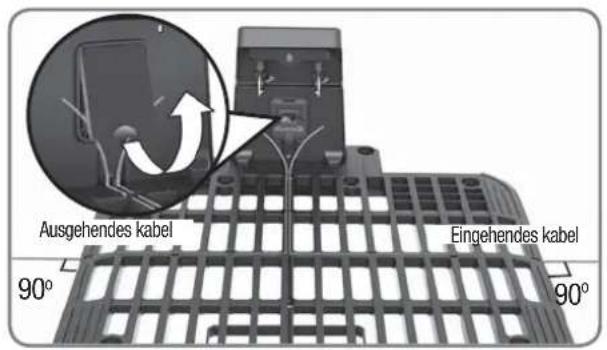
natural_image
Close-up of a pair of scissors cutting a curved blade, no text or symbols visible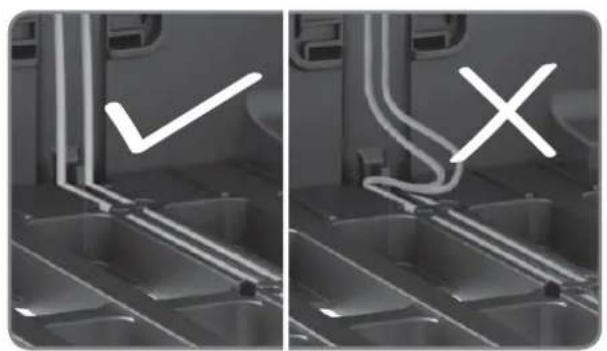
natural_image
Two-panel grayscale image showing a kitchen interior with a checkmark and an X symbol, no readable text or symbols present.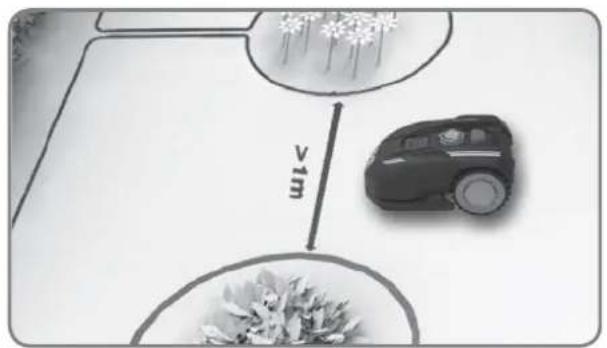
text_image
v1mtext_image
Diagram illustrating tree planting with two circular plots showing root and leaf growth, each labeled >1m distance to a fence.natural_image
Close-up of a black robotic vacuum cleaner's head with a circular dial and control knob, showing mechanical components (no text or symbols visible)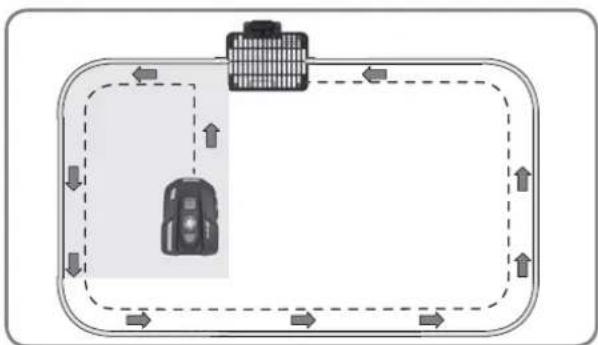
flowchart
graph TD
    A["Vehicle"] --> B["Road"]
    B --> C["Upward Arrow"]
    C --> D["Downward Arrow"]
    D --> E["Left Side Road"]
    E --> F["Right Side Road"]
    F --> G["Downward Arrow"]
    G --> H["Left Side Road"]
    H --> I["Right Side Road"]
    I --> J["Downward Arrow"]
text_image
START HOME OK 0 - - - - START HOME OKNur als Referenz
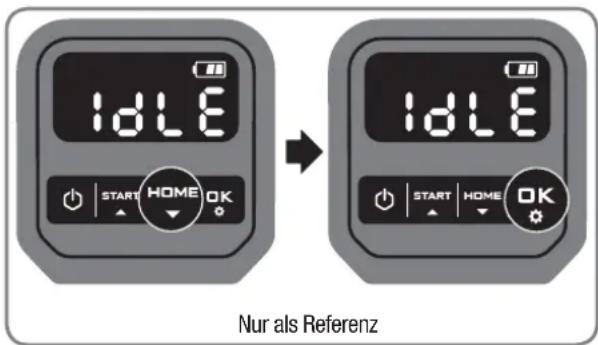
text_image
idLE START HOME OK idLE START HOME OK Nur als Referenznatural_image
Front view of a black BL-MOTOR motorcycle head with digital display and control knob (no text or symbols on body)Landxcape™
natural_image
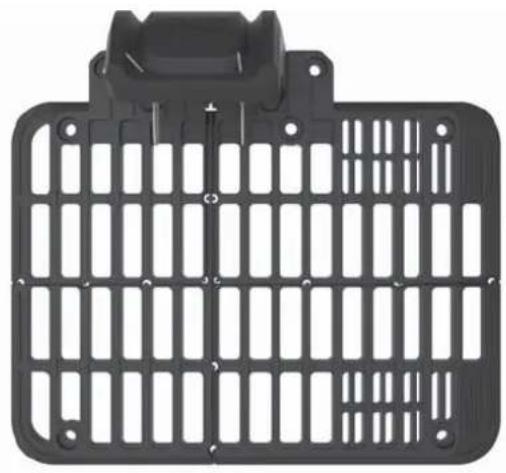
Black plastic enclosure with grid pattern and mounting bracket (no text or symbols)Socle de recharge
text_image
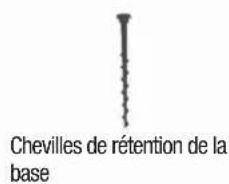
Chevilles de rétention de la base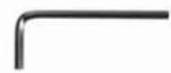
Clé hexagonale

Lames de rechange
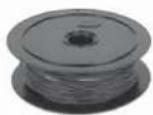
Bobine de fil de bord
Chevilles de bord
natural_image
Two robotic motors with wheels connected by a directional arrow, no text or symbols visible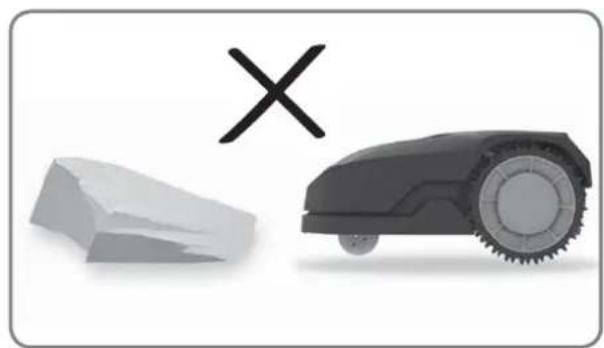
natural_image
Illustration of a robotic car and a broken stone with a cross symbol (no text or labels)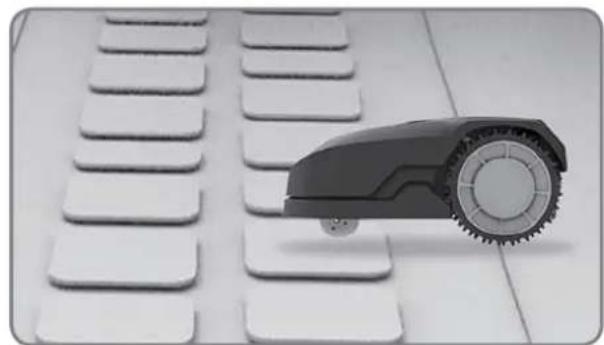
natural_image
Black and white photo of a toy car with wheels placed on a grid of white keys (no text or symbols visible)
natural_image
Black-and-white photo of white flower-like structures with stems, arranged on a plain background (no text or symbols)Obstacles sans danger
natural_image
Black-and-white photo of a small tree with leaves placed inside a circular opening, placed on a white surface (no text or symbols visible)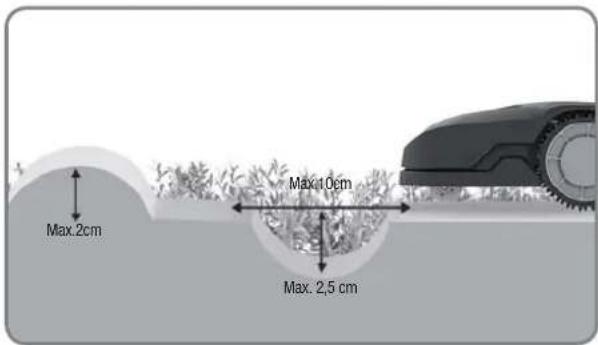
text_image
Max.2cm Max.10cm Max.2,5 cm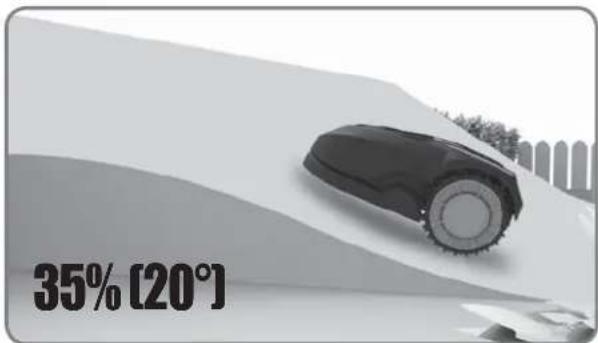
text_image
35% [20°]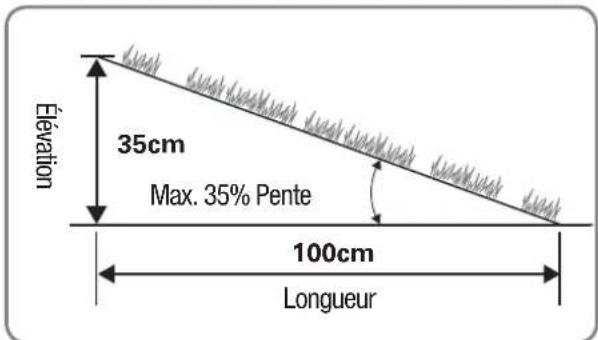
text_image
Élevation 35cm Max. 35% Pente 100cm Longueur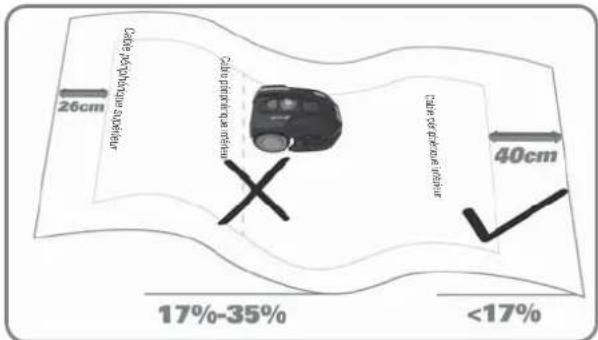
text_image
26cm Cube per picture subfleur Cube per picture subfleur 40cm 17%-35% <17%Aperçu
text_image
≥26cm ≥26cm >1m ≥26cm ≥26cm ≥26cm ≥26cm ≥26cm ≥26cm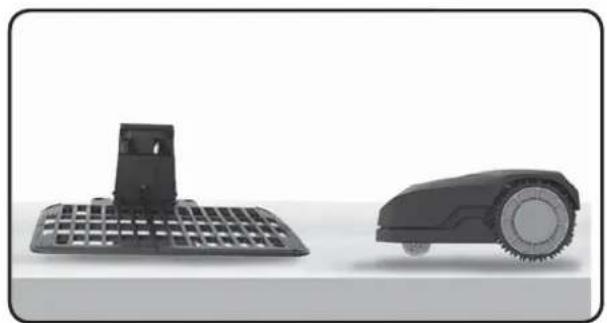
natural_image
Two black industrial robotic devices, one with a grid-patterned base and the other with a circular head (no text or symbols visible)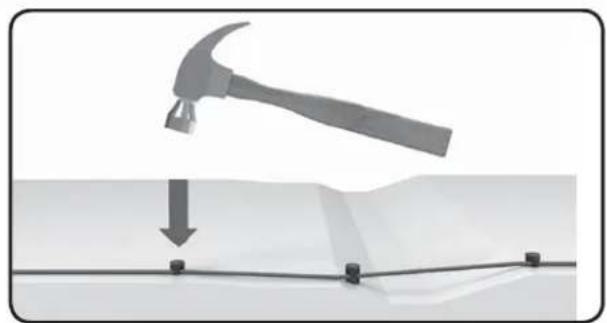
natural_image
Diagram showing a hammer striking down on a surface with a downward arrow indicating motion (no text or symbols present)text_image
≥26cm >1m ≥26cm ≥26cm ≥26cm ≥10cm ≥10cm ≥26cm 75cm 75cm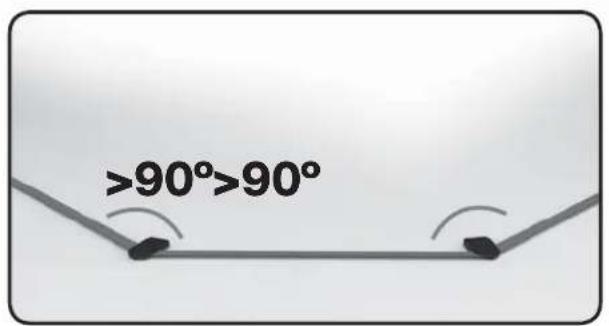
text_image
>90°>90°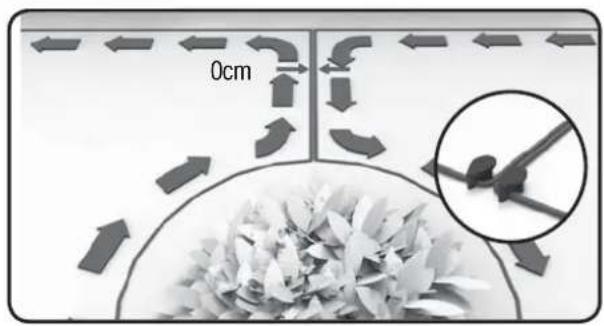
text_image
0cmInstallation
text_image
150cm 200cm 400cm 150cm ≥26cm Min-30cm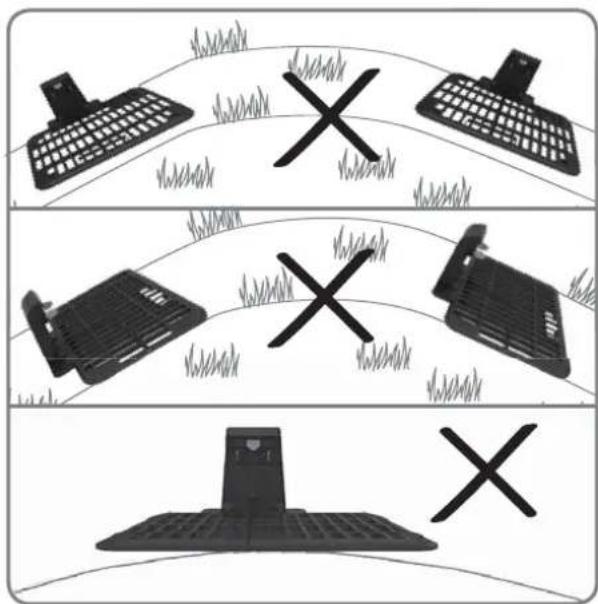
text_image
Diagram showing three scenarios of a computer keyboard, a printer, and a mobile device with X marks indicating failure or failure.natural_image
Mechanical assembly diagram showing a grid structure with a magnified inset detail (no text or symbols)
natural_image
Close-up of a mechanical component with an inset close-up showing internal structure (no visible text or symbols)natural_image
Top-down architectural layout diagram showing room layouts, furniture, and pathways (no text or labels)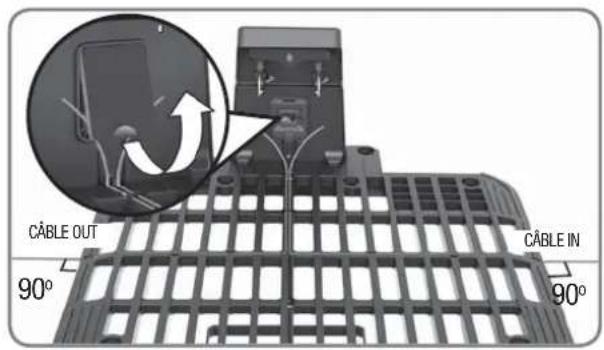
text_image
CÂBLE OUT 90° CÂBLE IN 90°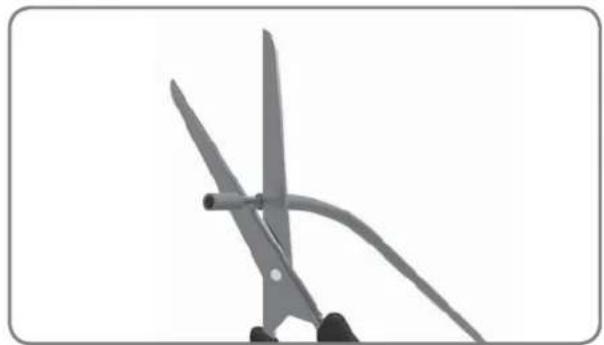
natural_image
Close-up of scissors cutting a piece of paper with a curved handle (no text or symbols visible)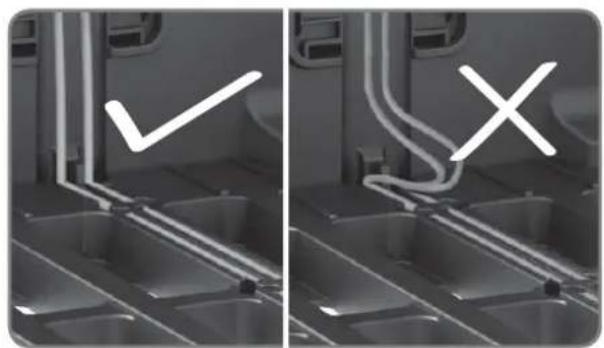
natural_image
Two-panel grayscale image showing a kitchen interior with a checkmark and an X mark, no text or symbols present.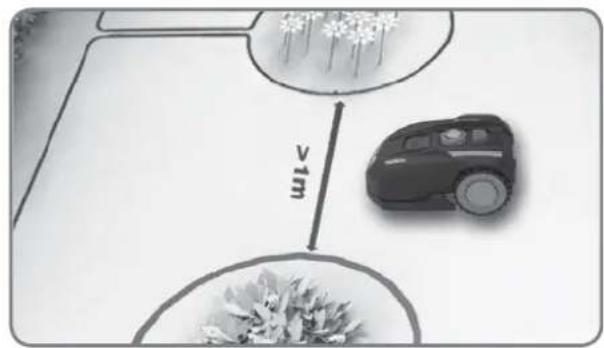
text_image
v1mtext_image
Diagram illustrating tree planting with labeled distances to 1m, showing two circular plots for planting area and height.natural_image
Close-up of a black robotic vacuum cleaner's head with a circular dial and control knob, showing mechanical components (no text or symbols visible)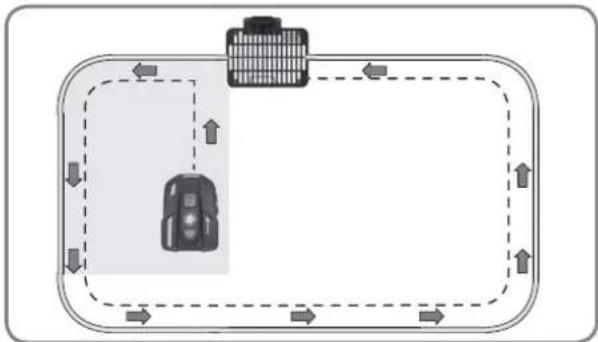
flowchart
graph TD
    A["Car"] --> B["Building"]
    B --> C["Roadside"]
    C --> D["Upward Arrow"]
    D --> E["Downward Arrow"]
    E --> F["Leftward Arrow"]
    F --> G["Rightward Arrow"]
    G --> H["Upward Arrow"]
    H --> I["Downward Arrow"]
    I --> J["Leftward Arrow"]
    J --> K["Rightward Arrow"]
text_image
START HOME OK 0 - - - - START HOME OKREMARQUE: Please refer au Mode d'emploi for more information.
natural_image
Front view of a black BL-MOTOR motorcycle head with digital display and control knob (no text or symbols on body)Landxcape™
natural_image
Black plastic enclosure with grid pattern and mounting bracket (no text or symbols)Base di ricarica

natural_image
Two robotic motors with wheels connected by a directional arrow, no text or symbols visible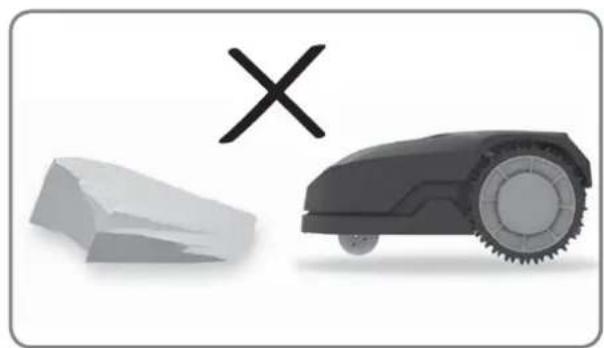
natural_image
Illustration of a robotic car and a broken stone with a cross symbol (no text or labels)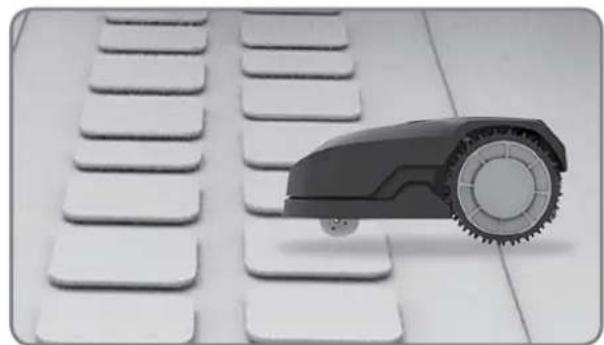
natural_image
Close-up of a small robot arm positioned on a white keyboard with multiple keys (no text or symbols visible)
natural_image
Black-and-white photo of white flower-like structures with stems, arranged on a plain background (no text or symbols)natural_image
Black-and-white photo of a small tree with leaves placed in a circular opening, placed on a white surface (no text or symbols visible)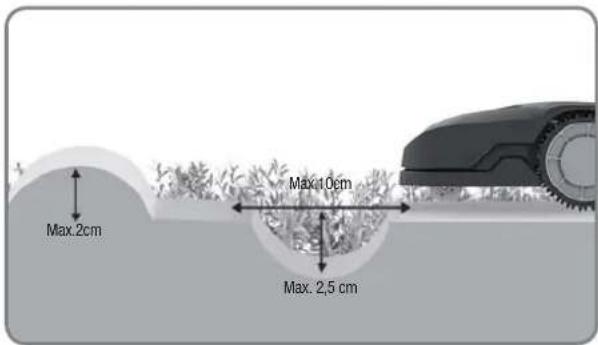
text_image
Max.2cm Max.10cm Max.2,5 cm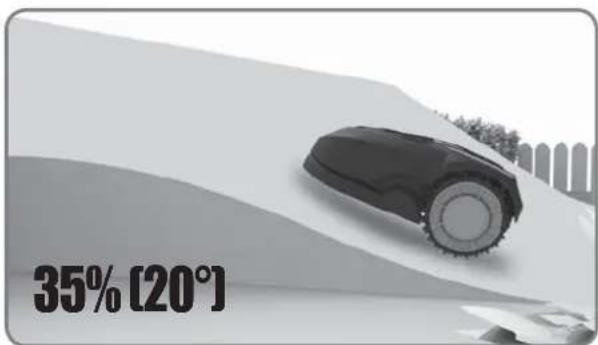
text_image
35% [20°]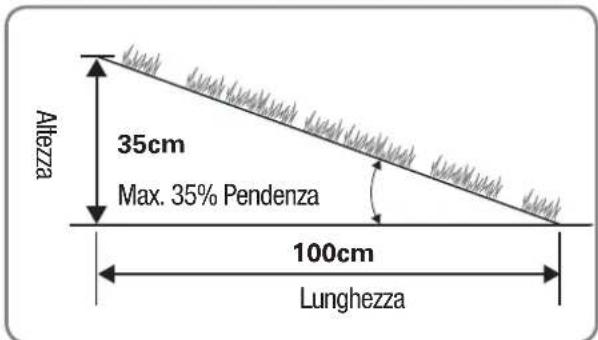
text_image
≥26cm ≥26cm >1m ≥26cm ≥26cm ≥26cm ≥26cm ≥26cm ≥26cm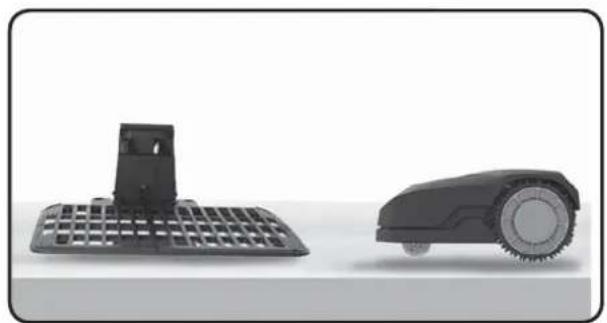
natural_image
Two black industrial robotic devices, one with a grid-patterned base and the other with a circular head (no text or symbols visible)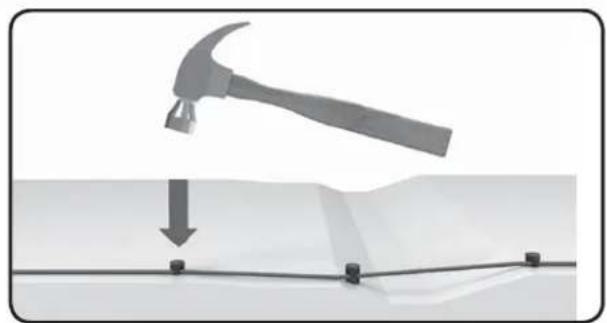
natural_image
Diagram showing a hammer striking a surface with a downward arrow and mounting points (no text or symbols)text_image
≥26cm >1m ≥26cm 150cm 150cm >1m ≥26cm ≥10cm ≥10cm ≥26cm 75cm 75cm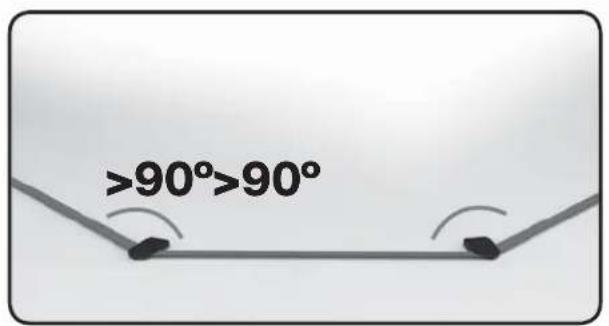
text_image
>90°>90°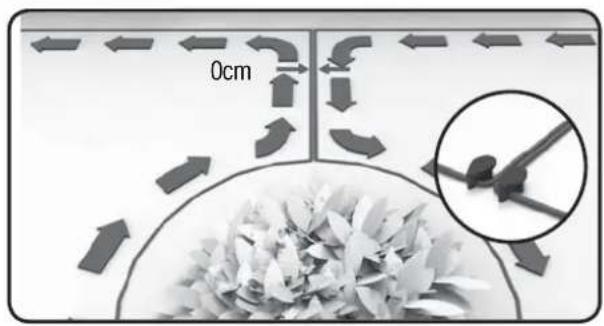
text_image
0cmInstallazione
text_image
150cm 200cm 400cm 150cm ≥26cm Min-30cm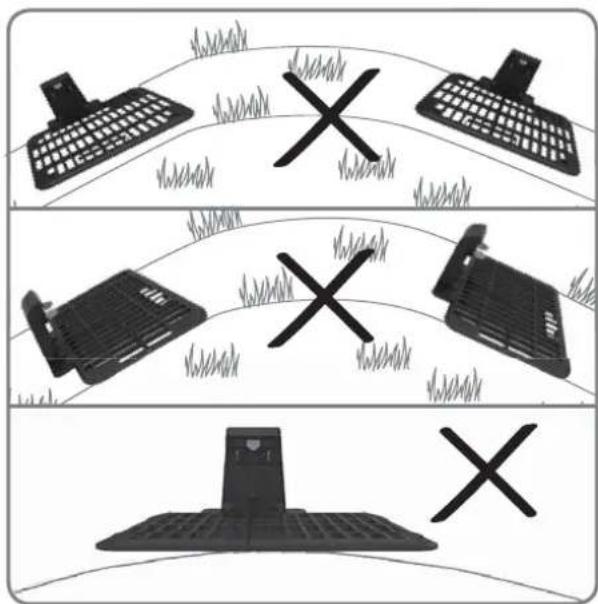
text_image
Diagram showing three scenarios of a computer keyboard, a printer, and a mobile device with X marks indicating failure or failure.natural_image
Mechanical assembly diagram showing a grid structure with a magnified inset of a component detail (no text or symbols visible)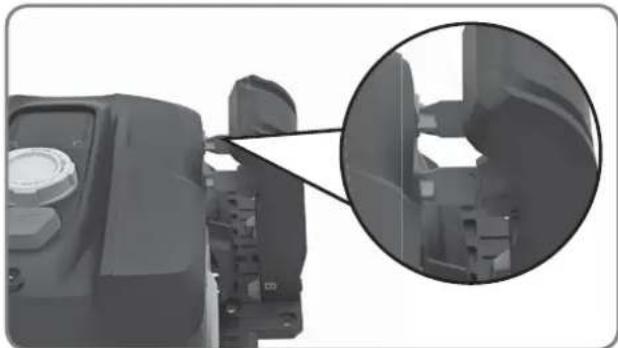
natural_image
Close-up of a mechanical component with an inset close-up showing internal structure (no visible text or symbols)natural_image
Top-down architectural layout diagram showing room layouts, pathways, and surrounding greenery (no text or labels)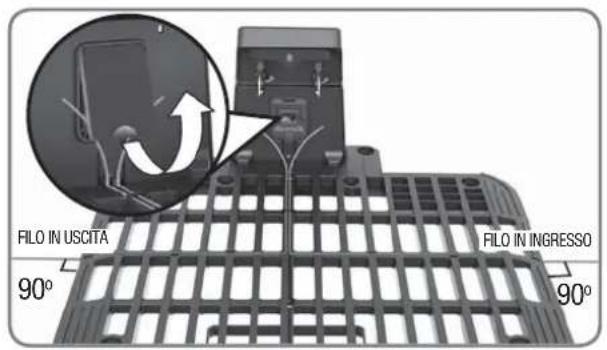
text_image
FILO IN USCITA 90° FILO IN INGRESSO 90°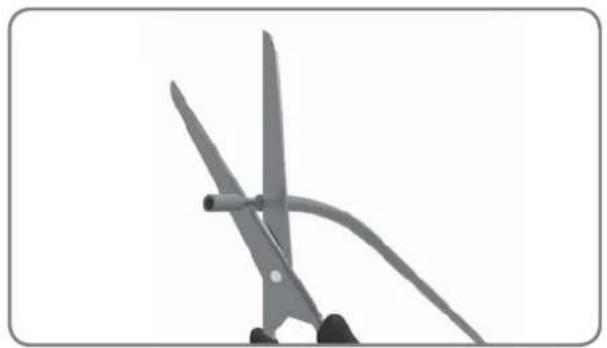
natural_image
Close-up of two scissors cutting a curved metal object (no text or symbols visible)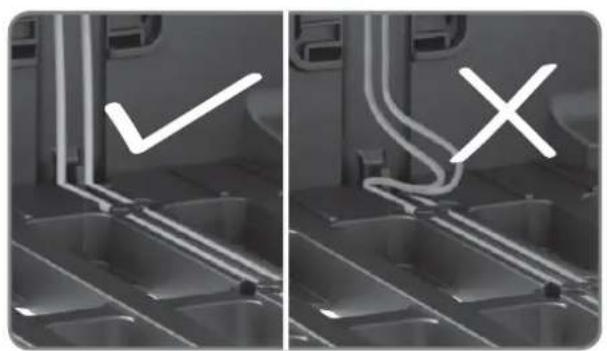
natural_image
Two-panel image showing a kitchen interior with a checkmark and an X mark, no text or symbols present.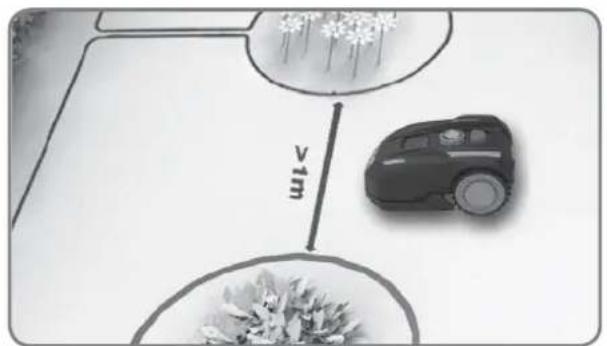
text_image
vimtext_image
USCITA INGRESSO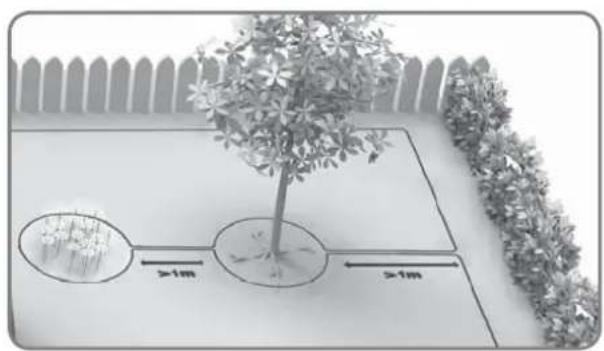
text_image
Diagram showing a tree planting with two circular plots and distance annotations indicating >1m width, set against a fence background.natural_image
Close-up of a robotic vacuum cleaner's head with a circular dial indicator and control knob (no text or symbols visible)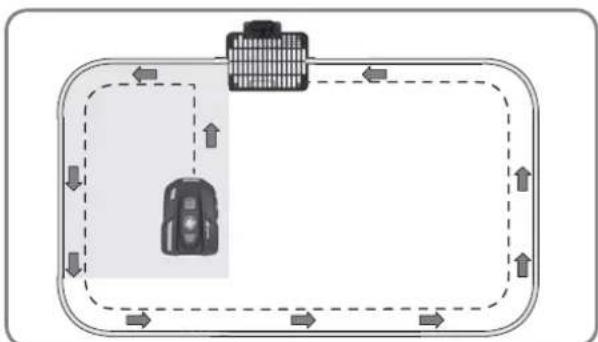
flowchart
graph TD
    A["Vehicle"] --> B["Top Box"]
    B --> C["Left Side"]
    C --> D["Right Side"]
    D --> E["Bottom Area"]
    E --> F["Left Side"]
    F --> G["Right Side"]
    G --> H["Bottom Area"]
    H --> I["Left Side"]
    I --> J["Right Side"]
    J --> K["Bottom Area"]
    K --> L["Left Side"]
    L --> M["Right Side"]
    M --> N["Bottom Area"]
    N --> O["Left Side"]
    O --> P["Right Side"]
    P --> Q["Bottom Area"]
    Q --> R["Left Side"]
    R --> S["Right Side"]
    S --> T["Bottom Area"]
    T --> U["Left Side"]
    U --> V["Right Side"]
    V --> W["Bottom Area"]
text_image
START HOME OK 0 - - - - START HOME OKtext_image
IDLE P In 0 --- START HOME OK START HOME OK START HOME OK Solo per riferimentoImpostazione
natural_image
Front view of a black BL-MOTOR motorcycle head with digital display and control knob (no text or symbols on body)Landxcape™
natural_image
Black plastic enclosure with grid pattern and mounting bracket (no text or symbols)Base de carga

natural_image
Two robotic motors with a plant growing from a base, connected by an arrow (no text or symbols visible)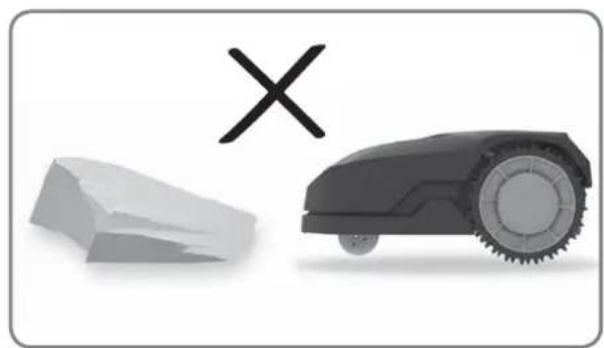
natural_image
Illustration of a robotic car and a broken stone with a cross symbol (no text or labels)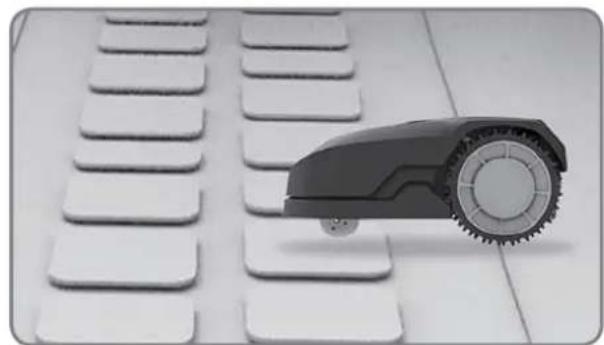
natural_image
Close-up of a small robot arm positioned on a white keyboard with multiple keys (no text or symbols visible)
natural_image
Black-and-white photo of white flower-like structures with stems, arranged on a plain background (no text or symbols)natural_image
Black-and-white photo of a small tree with leaves placed inside a circular opening, placed on a white surface (no text or symbols visible)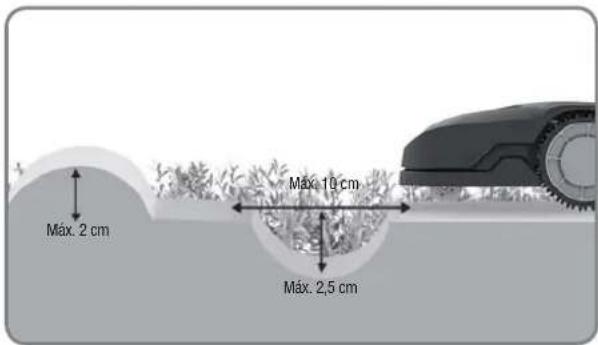
text_image
Máx. 2 cm Máx. 10 cm Máx. 2,5 cm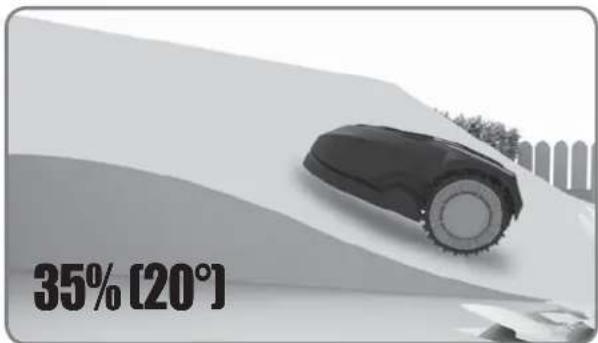
text_image
35% [20°]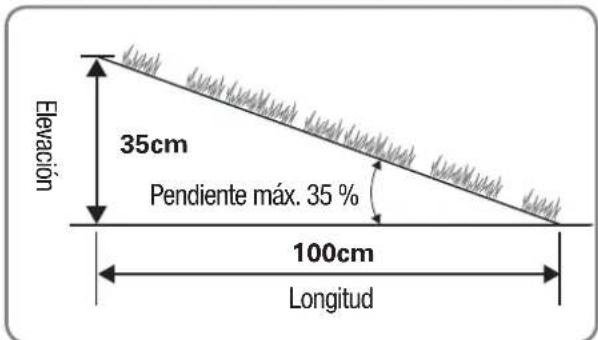
text_image
26cm Cable dumbler superior Cable cullentrad inertex X 40cm 17%-35% <17%Visión de conjunto
text_image
≥26cm ≥26cm >1m ≥26cm ≥26cm ≥26cm ≥26cm ≥26cm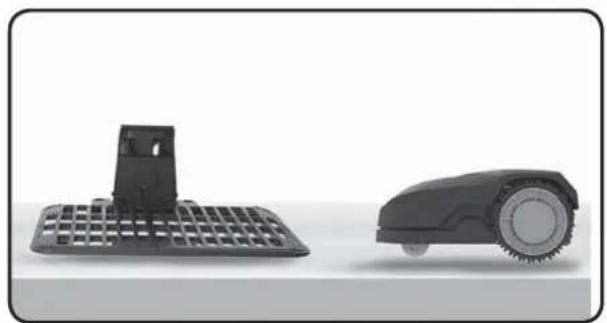
natural_image
Two black industrial robotic devices: a flat grid base and a circular wheeled robot (no text or symbols visible)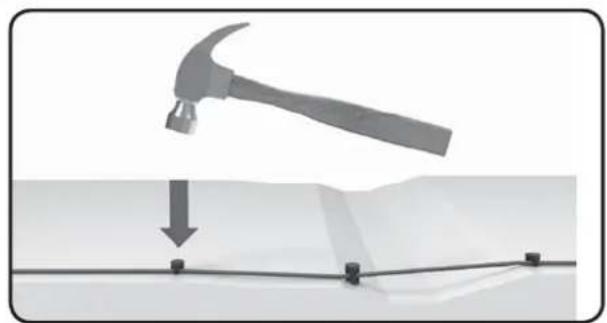
natural_image
Diagram showing a hammer striking a surface with a downward arrow and black components (no text or symbols)text_image
≥26cm >1m ≥26cm ≥26cm ≥10cm ≥10cm ≥26cm 75cm 75cm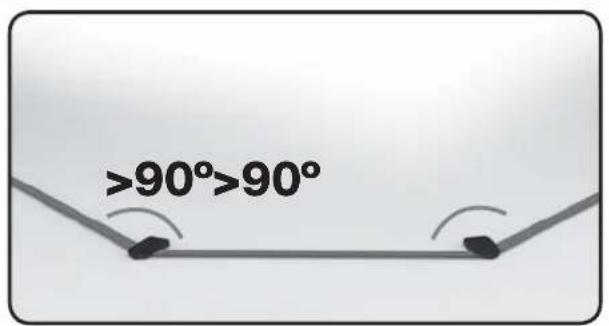
text_image
>90°>90°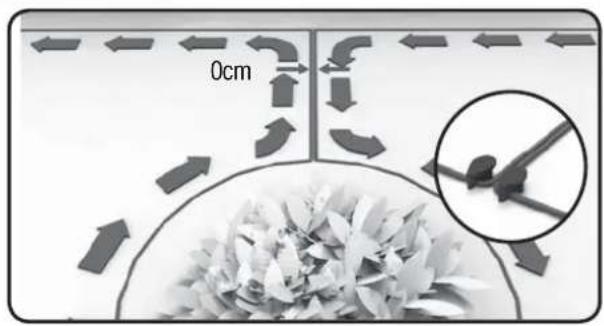
text_image
0cmInstalación
text_image
150cm 200cm 400cm 150cm 280cm 30 cm Mim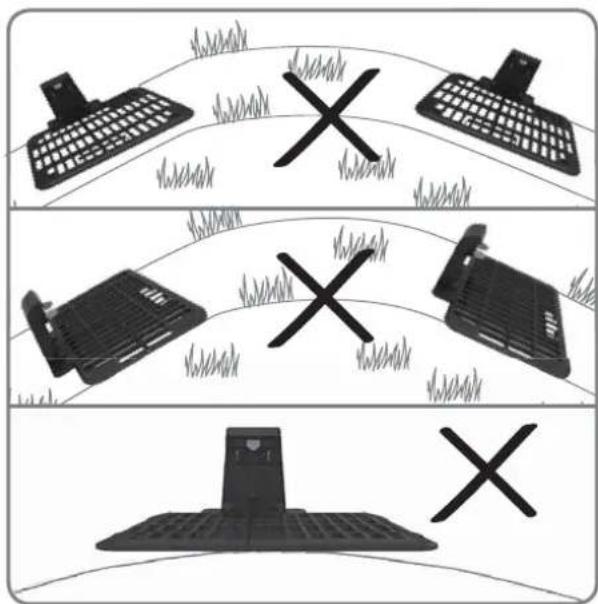
text_image
Diagram showing three scenarios of a computer keyboard, a printer, and a mobile device with X marks indicating failure or failure.natural_image
Mechanical assembly diagram showing a grid structure with a magnified inset detail (no text or symbols)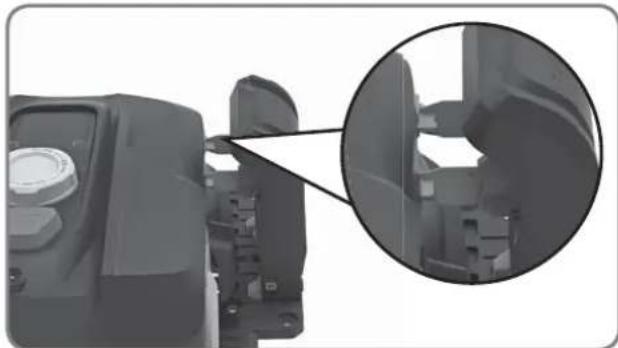
natural_image
Close-up of a mechanical component with an inset magnified view showing internal structure (no text or symbols visible)natural_image
Top-down architectural layout diagram showing room layouts, pathways, and surrounding greenery (no text or labels)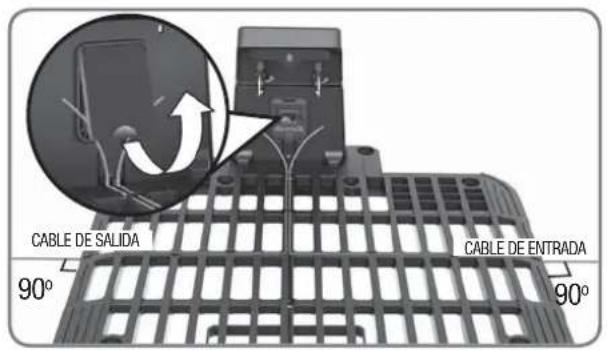
natural_image
Close-up of a pair of scissors cutting a piece of paper, no text or symbols visible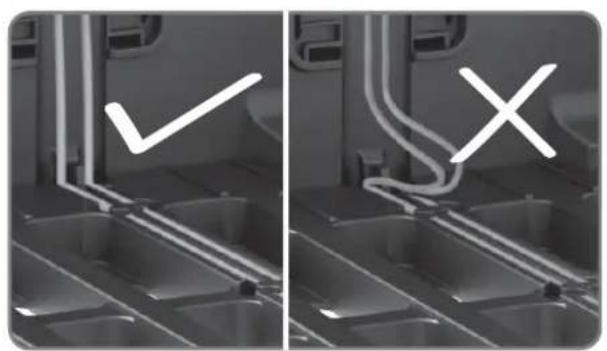
natural_image
Two-panel grayscale image showing a kitchen interior with a checkmark and an X mark, no text or symbols present.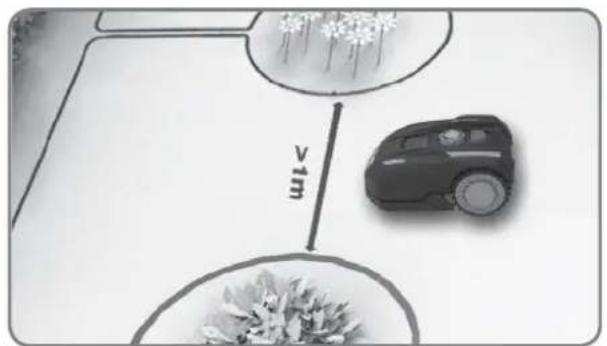
text_image
v1mtext_image
Diagram showing a tree with two circular measurement zones labeled >1m, surrounded by shrubs and a fence.natural_image
Close-up of a robotic vacuum cleaner's head with a circular dial indicator and control knob (no text or symbols visible)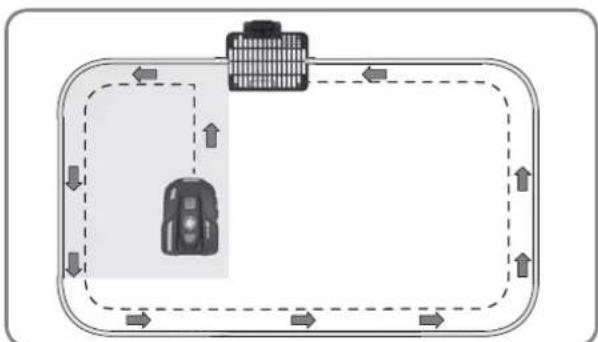
flowchart
graph TD
    A["Vehicle"] --> B["Road"]
    B --> C["Upward Arrow"]
    C --> D["Downward Arrow"]
    D --> E["Left Side Road"]
    E --> F["Right Side Road"]
    F --> G["Downward Arrow"]
    G --> H["Left Side Road"]
    H --> I["Right Side Road"]
    I --> J["Downward Arrow"]
text_image
START HOME OK 0 - - - - START HOME OKnatural_image
Front view of a black BL-MOTOR motorcycle head with digital display and control knob (no text or symbols on body)Landxcape™
natural_image
Black plastic enclosure with grid pattern and mounting bracket (no text or symbols)Laadstation


natural_image
Close-up of a black electronic component with wires, labeled 'Netstroomadapter Koppelstu' below (no other text or symbols visible)
text_image
0 10 LANDXCAPE 21 Afstandsmeter
Installatie gids

natural_image
Two robotic motors with wheels connected by a directional arrow, no text or symbols visible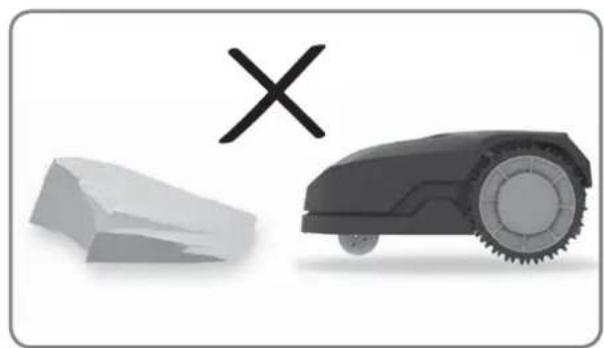
natural_image
Illustration of a robotic car and a broken stone with a cross symbol (no text or labels)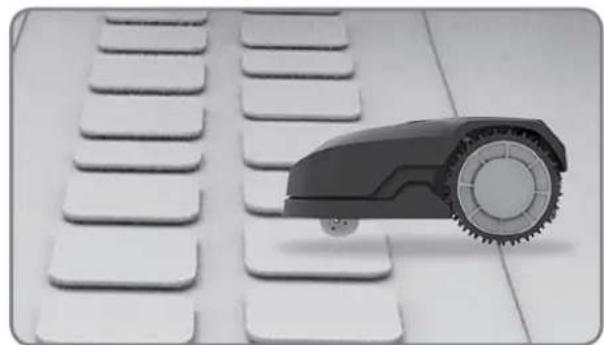
natural_image
Close-up of a small robot arm positioned on a white keyboard with multiple keys (no text or symbols visible)
natural_image
Black-and-white photo of white flower-like structures with stems, arranged on a plain background (no text or symbols)natural_image
Black-and-white photo of a small tree with leaves placed in a circular opening, placed on a white surface (no text or symbols visible)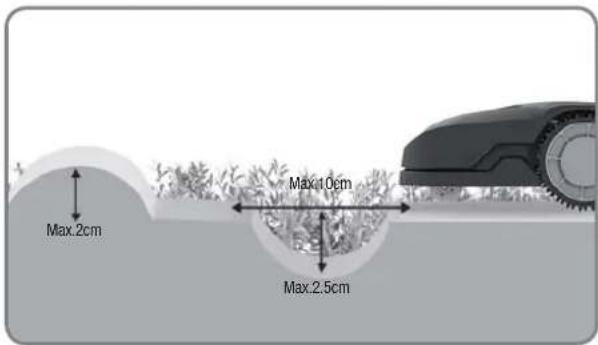
text_image
Max.2cm Max.10cm Max.2.5cm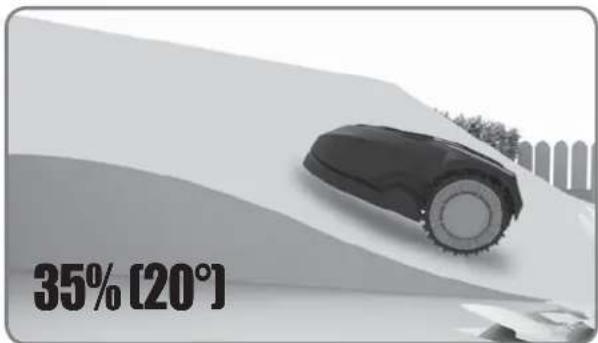
text_image
35% [20°]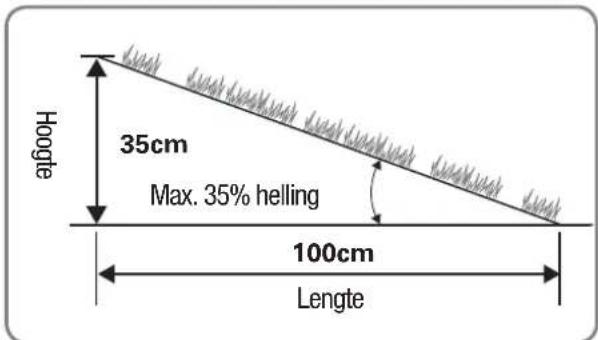
text_image
Hoojte 35cm Max. 35% helling 100cm Lengte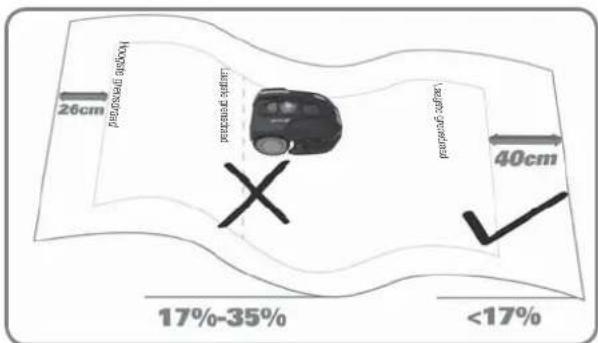
text_image
26cm Hoglar's roadway 40cm 17%-35% <17%Overzicht
text_image
≥26cm ≥26cm >1m ≥26cm ≥26cm ≥26cm ≥26cm ≥26cm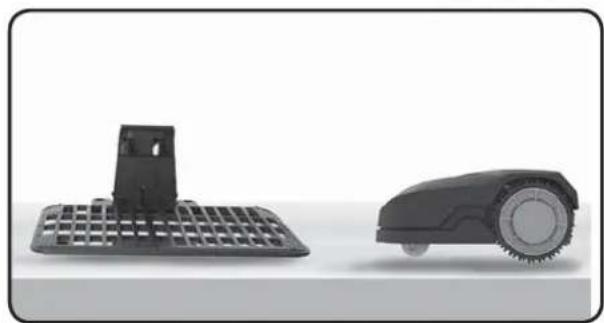
natural_image
Two black industrial cleaning devices: a flat grid base and a circular robotic device (no text or symbols visible)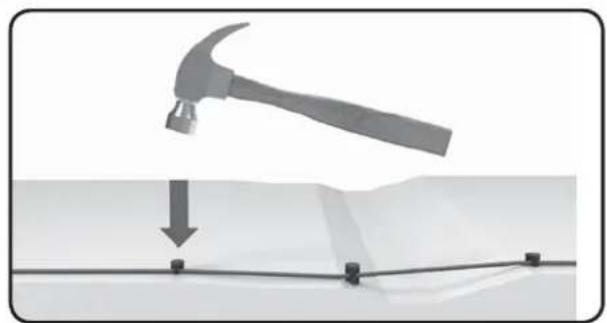
natural_image
Diagram showing a hammer striking a surface with a downward arrow and grid lines (no text or symbols)text_image
≥26cm >1m ≥26cm ≥26cm ≥10cm ≥10cm ≥26cm 75cm 75cm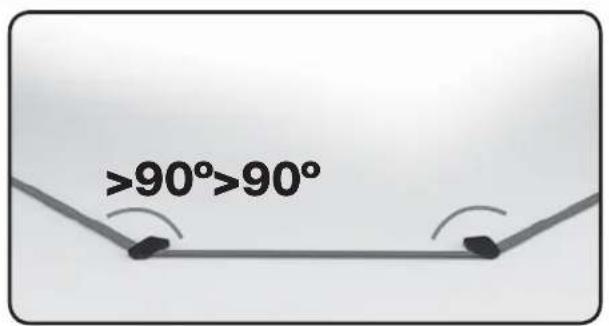
text_image
>90°>90°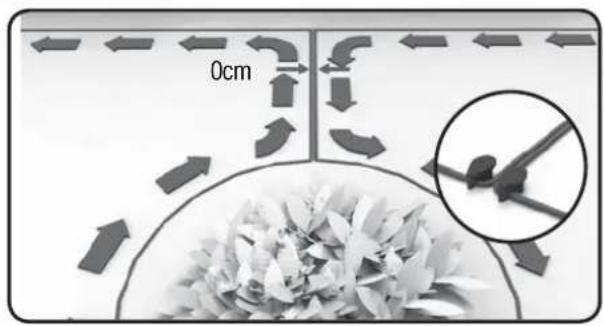
text_image
0cmInstallatie
text_image
Min-30cm 150cm 260cm 150cmtext_image
Diagram showing three scenarios of a computer keyboard, a printer, and a mobile device with X marks indicating failure or failure.natural_image
Mechanical assembly diagram showing a grid structure with a magnified inset detail (no text or symbols)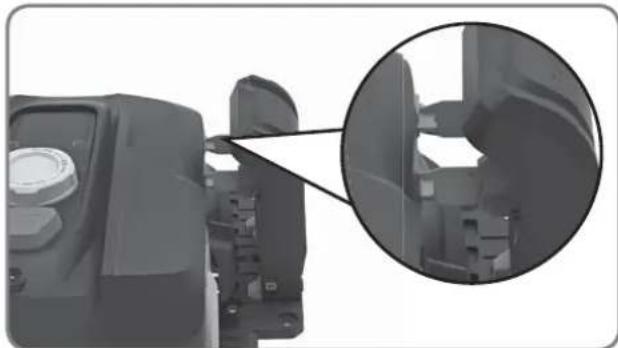
natural_image
Close-up of a mechanical component with an inset magnified view showing internal structure (no text or symbols visible)natural_image
Top-down architectural layout diagram showing room layouts, pathways, and surrounding greenery (no text or labels)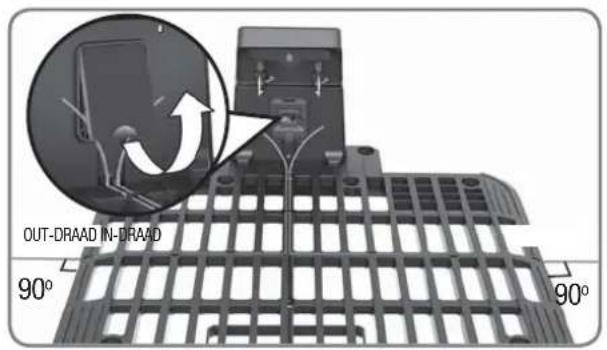
text_image
OUT-DRAAD IN-DRAAD 90° 90°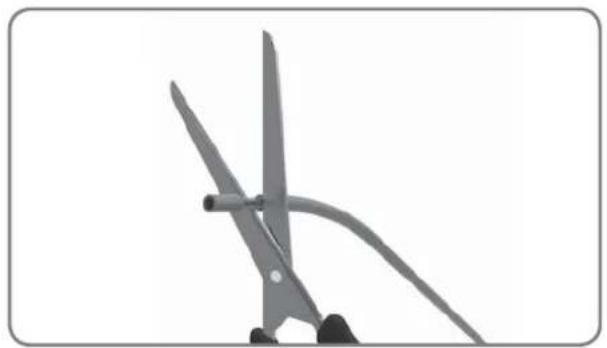
natural_image
Close-up of scissors cutting a piece of paper with a curved handle (no text or symbols visible)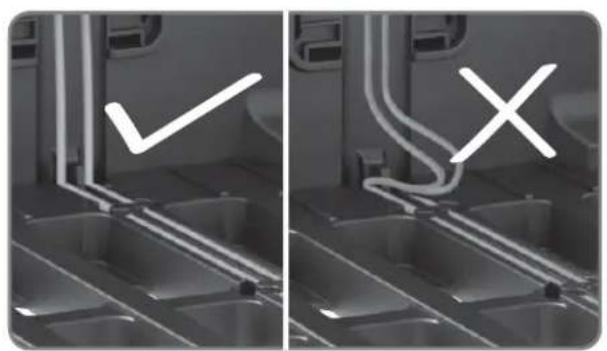
natural_image
Two-panel grayscale image showing a vehicle interior with visible exhaust pipes and a checkmark symbol (no text or labels)
text_image
vimtext_image
Diagram showing a tree with two circular plots and distance annotations indicating >1m measurements on a planter or bench.natural_image
Close-up of a robotic vacuum cleaner's head with a circular dial indicator and control knob (no text or symbols visible)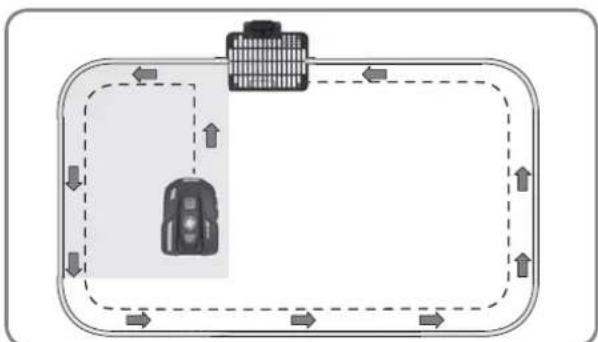
flowchart
graph TD
    A["Vehicle"] --> B["Road"]
    B --> C["Upward Arrow"]
    C --> D["Downward Arrow"]
    D --> E["Left Side Road"]
    E --> F["Right Side Road"]
    F --> G["Downward Arrow"]
    G --> H["Left Side Road"]
    H --> I["Right Side Road"]
    I --> J["Downward Arrow"]
text_image
START HOME OK 0 - - - - START HOME OKnatural_image
Front view of a black BL-MOTOR motorcycle head with digital display and control knob (no text or symbols on body)Landxcape™
natural_image
Black plastic enclosure with grid pattern and mounting bracket (no text or symbols)Stacja ładowania

natural_image
Two robotic motors with wheels connected by a directional arrow, no text or symbols visible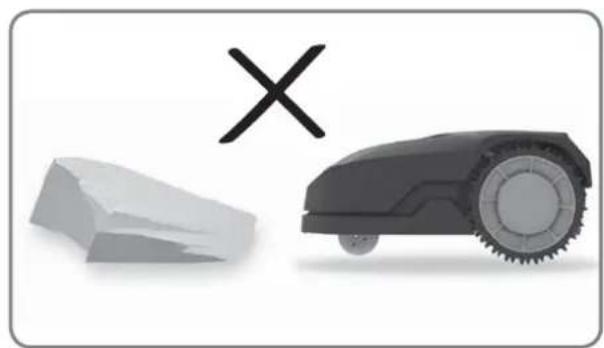
natural_image
Illustration of a robotic car and a broken stone with a cross symbol (no text or labels)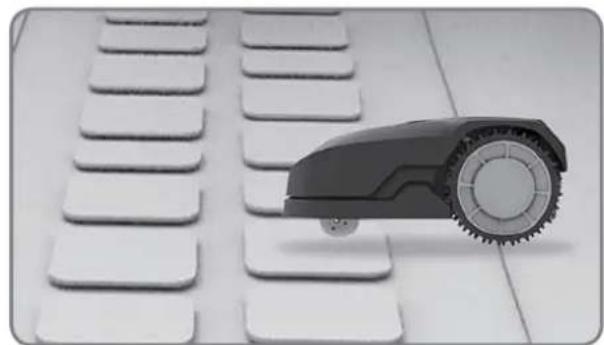
natural_image
Black and white photo of a toy car with wheels placed on a grid of white keys (no text or symbols visible)
natural_image
Black-and-white photo of white flower-like structures with stems, arranged on a plain background (no text or symbols)natural_image
Black-and-white photo of a small tree with leaves placed in a circular opening, placed on a white surface (no text or symbols visible)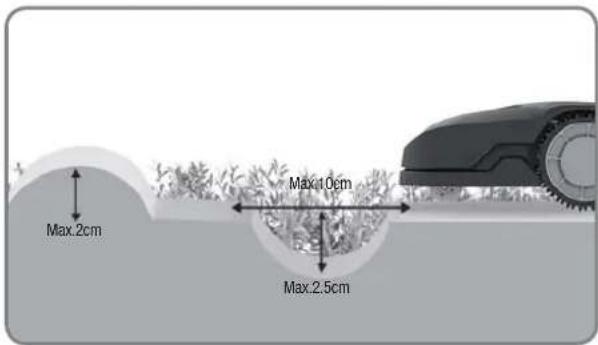
text_image
Max.2cm Max.10cm Max.2.5cm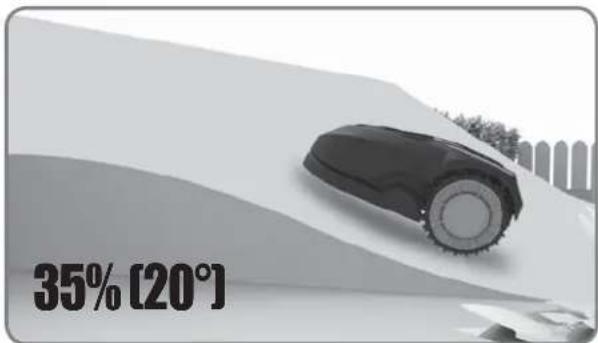
text_image
35% [20°]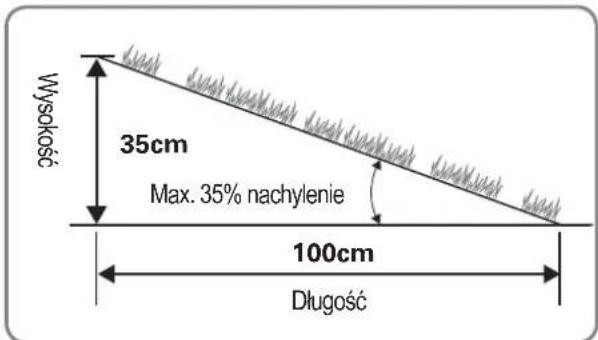
text_image
26cm Left prawned efficiency Down prawned efficiency 40cm 17%-35% <17%Przegład
text_image
≥26cm ≥26cm >1m ≥26cm ≥26cm ≥26cm ≥26cm ≥26cm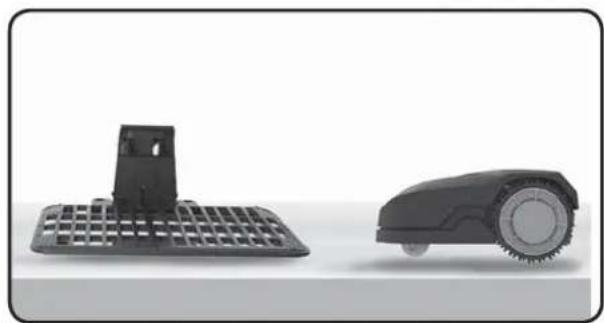
natural_image
Two black industrial cleaning devices: a flat grid base and a circular robotic device (no text or symbols visible)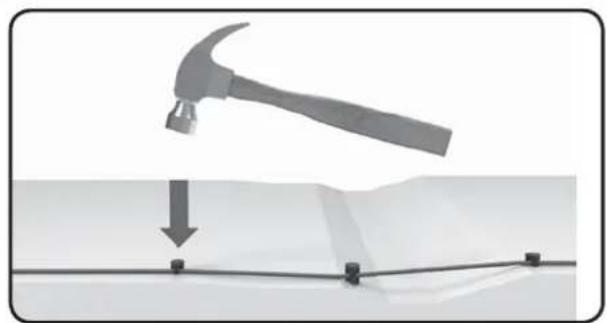
natural_image
Diagram showing a hammer striking a surface with a downward arrow and grid lines (no text or symbols)text_image
≥26cm >1m ≥26cm ≥26cm ≥10cm ≥10cm ≥26cm 75cm 75cm
text_image
>90°>90°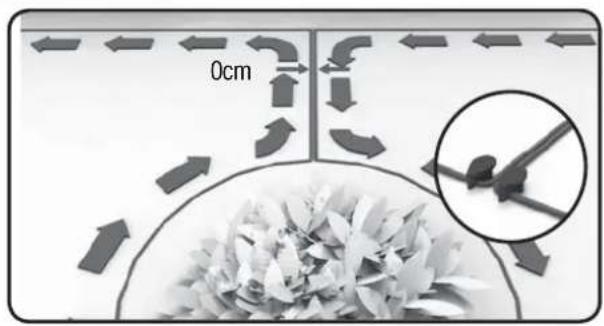
text_image
0cmInstalacja
text_image
Min-30cm 150cm 260cm 150cm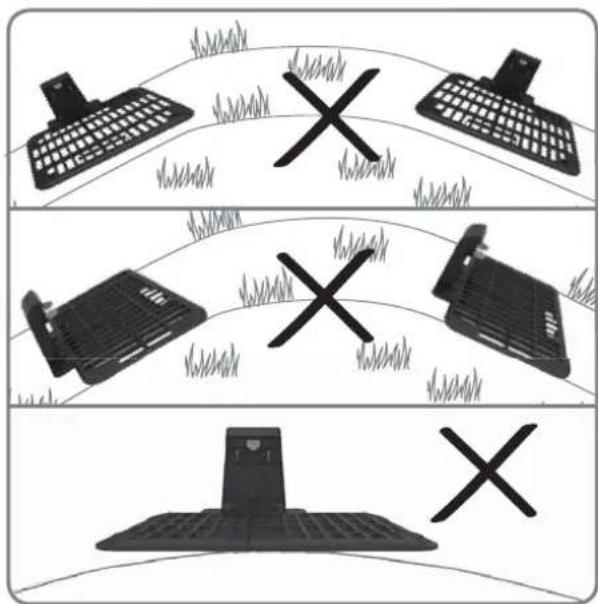
text_image
Diagram showing three scenarios of a computer keyboard, a printer, and a mobile device with X marks indicating failure or failure.natural_image
Mechanical assembly diagram showing a grid structure with a magnified inset detail (no text or symbols)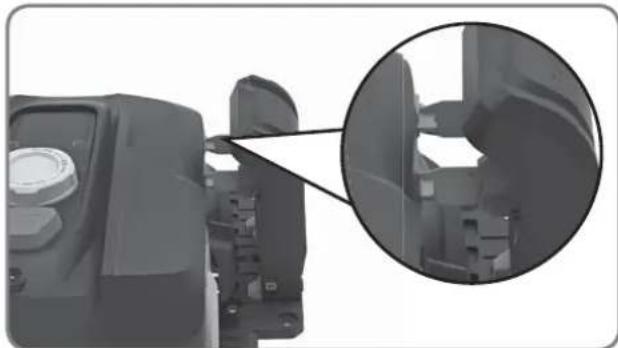
natural_image
Close-up of a mechanical component with an inset magnified view showing internal structure (no text or symbols visible)natural_image
Top-down architectural layout diagram showing room layouts, pathways, and surrounding greenery (no text or labels)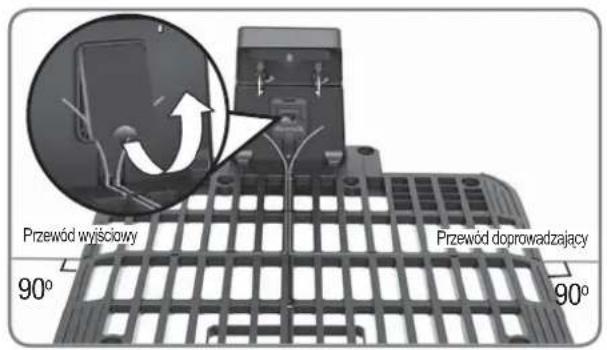
natural_image
Close-up of scissors cutting a piece of paper with a curved handle (no text or symbols visible)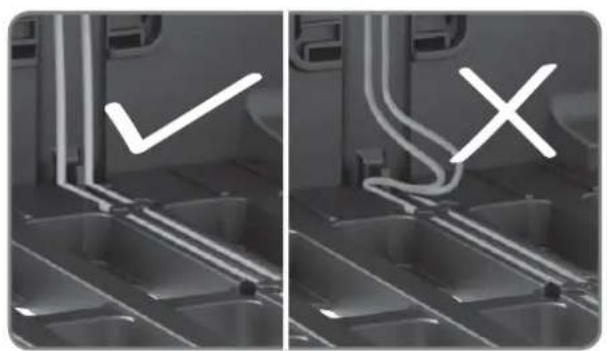
natural_image
Two-panel grayscale image showing a vehicle interior with visible exhaust pipes and a checkmark symbol (no text or labels)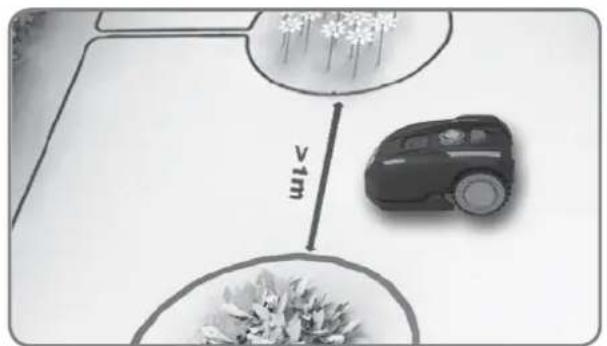
text_image
v1mtext_image
Diagram showing a tree with two circular measurement zones labeled >1m, likely for measuring height or depth.natural_image
Close-up of a robotic vacuum cleaner's head with a circular dial indicator and control knob (no text or symbols visible)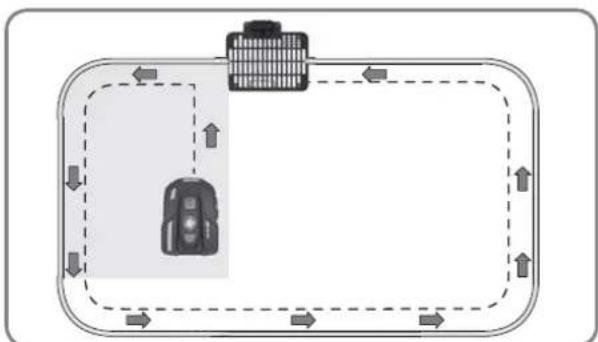
flowchart
graph TD
    A["Vehicle"] --> B["Road"]
    B --> C["Upward Arrow"]
    C --> D["Downward Arrow"]
    D --> E["Left Side Road"]
    E --> F["Right Side Road"]
    F --> G["Downward Arrow"]
    G --> H["Left Side Road"]
    H --> I["Right Side Road"]
    I --> J["Downward Arrow"]
text_image
START HOME OK 0 - - - - START HOME OKnatural_image
Front view of a black BL-MOTOR motorcycle head with digital display and rotary dial (no text or symbols visible)Landxcape™
natural_image
Black plastic enclosure with grid pattern and mounting bracket (no text or symbols)Töltőbázis



natural_image
Two robotic motors with a plant growing from a base, connected by an arrow (no text or symbols visible)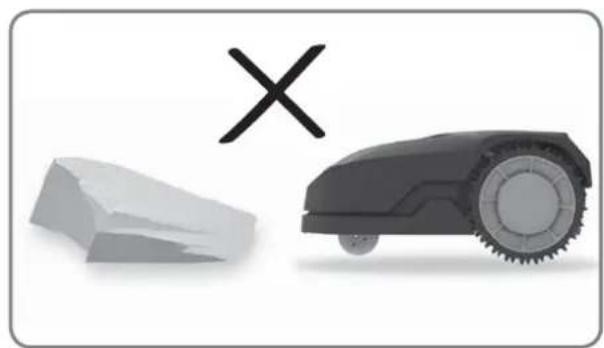
natural_image
Illustration of a robotic car and a broken stone with a cross symbol (no text or labels)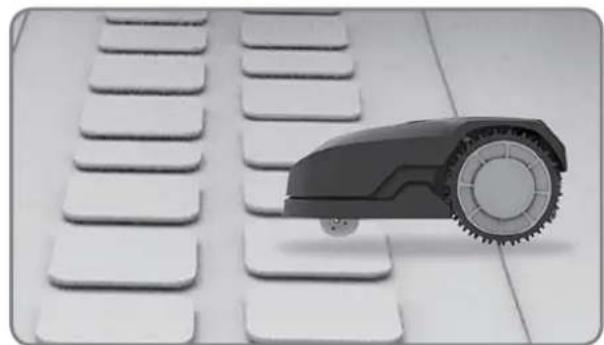
natural_image
Black and white photo of a toy car with wheels placed on a grid of white keys (no text or symbols visible)
natural_image
Black-and-white photo of white flower-like structures with stems, arranged on a plain background (no text or symbols)natural_image
Black-and-white photo of a small tree with leaves placed in a circular opening, placed on a white surface (no text or symbols visible)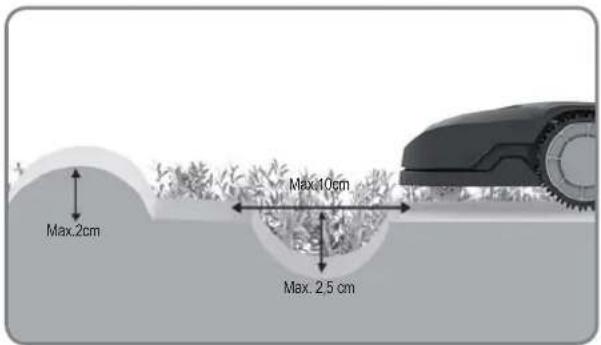
text_image
Max.2cm Max.10cm Max.2.5cm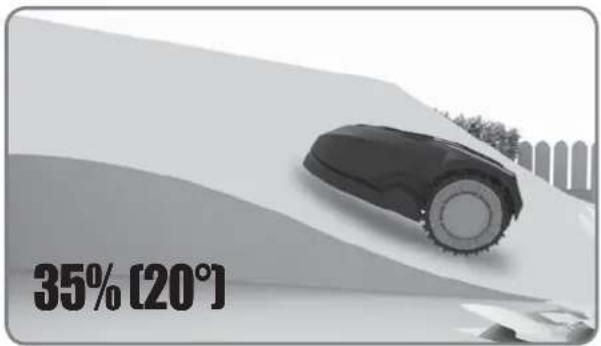
text_image
35% [20°]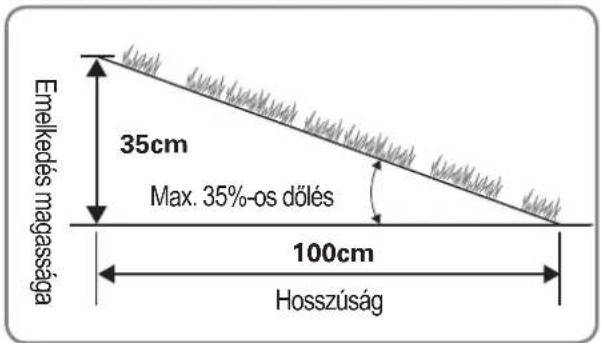
text_image
26cm Fuzzy Ducturing, Litter 40cm 17%-35% <17%Áttekintés
text_image
≥26cm ≥26cm >1m ≥26cm ≥26cm ≥26cm ≥26cm ≥26cm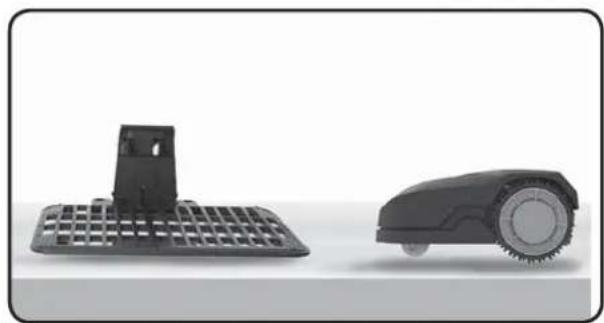
natural_image
Two black industrial cleaning devices: a grid-patterned base and a circular robotic device (no text or symbols visible)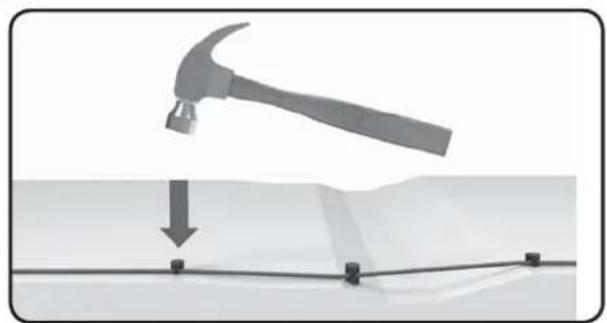
natural_image
Diagram showing a hammer striking a surface with a downward arrow and grid lines (no text or symbols)text_image
Diagram showing three scenarios of a computer keyboard, a printer with X marks, and a mobile device with X marks on a curved path.natural_image
Mechanical assembly diagram showing a grid structure with a magnified inset detail (no text or symbols)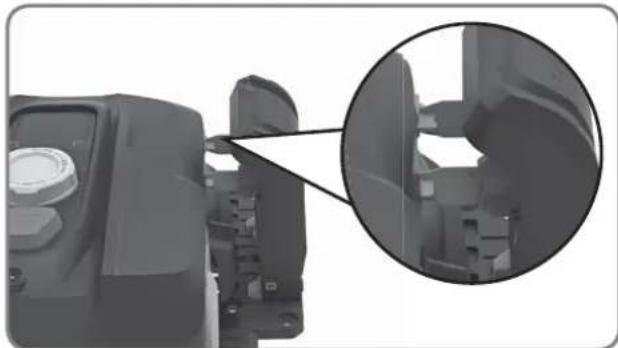
natural_image
Close-up of a mechanical component with an inset magnified view showing internal structure (no text or symbols visible)natural_image
Top-down architectural layout diagram showing room layouts, pathways, and surrounding greenery (no text or labels)
text_image
KIMENŐ HUZAL BEMENŐ HUZAL 90° 90°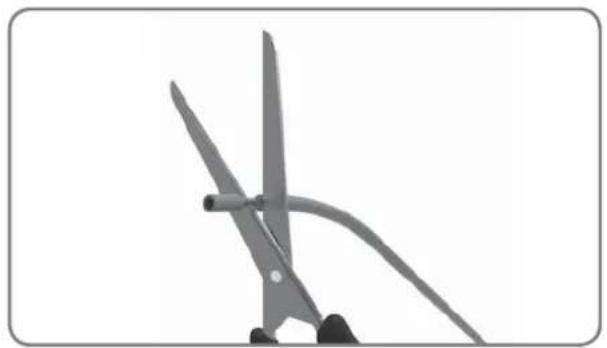
natural_image
Close-up of scissors cutting a piece of paper with a curved handle (no text or symbols visible)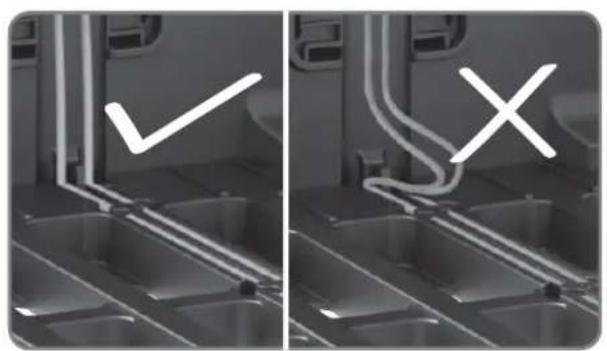
natural_image
Two-panel image showing a kitchen interior with a checkmark and an X mark, no text or symbols present.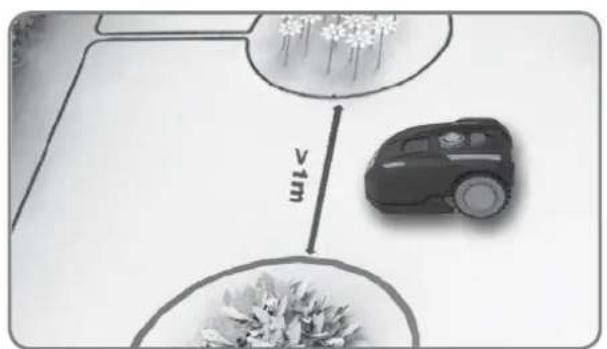
text_image
vimtext_image
Diagram illustrating tree planting with two circular plots showing plant density and distance to a fence, labeled '≥1m' for scale.natural_image
Close-up of a robotic vacuum cleaner's head with a circular dial indicator and control knob (no text or symbols visible)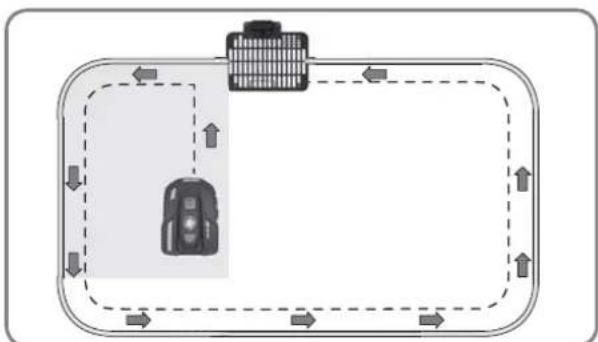
flowchart
graph TD
    A["Vehicle"] --> B["Road"]
    B --> C["Upward Arrow"]
    C --> D["Downward Arrow"]
    D --> E["Left Side Road"]
    E --> F["Right Side Road"]
    F --> G["Downward Arrow"]
    G --> H["Left Side Road"]
    H --> I["Right Side Road"]
    I --> J["Downward Arrow"]
text_image
START HOME OK 0 - - - - START HOME OKnatural_image
Front view of a black BL-MOTOR motorcycle head with digital display and rotary dial (no text or symbols on body)Landxcape™
natural_image
Black plastic enclosure with grid pattern and mounting bracket (no text or symbols)natural_image
Two robotic motors with a plant growing from a base, connected by an arrow (no text or symbols visible)
natural_image
Illustration of a robotic car and a broken stone with a cross symbol (no text or labels)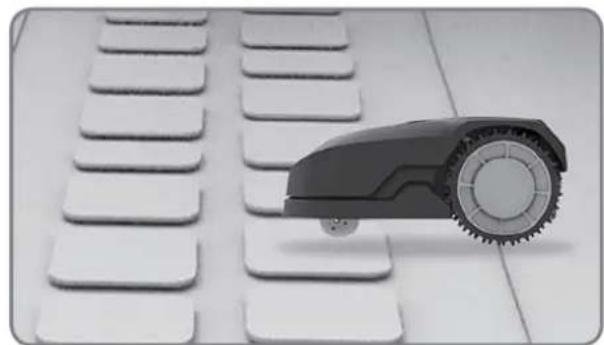
natural_image
Black and white photo of a toy car with wheels placed on a grid of white keys (no text or symbols visible)
natural_image
Black-and-white photo of white flower-like structures with stems, arranged on a plain background (no text or symbols)natural_image
Black-and-white photo of a small tree with leaves placed in a circular opening, placed on a white surface (no text or symbols visible)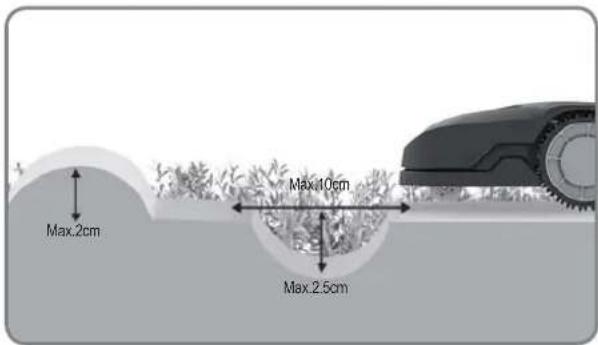
text_image
Max.2cm Max.10cm Max.2.5cm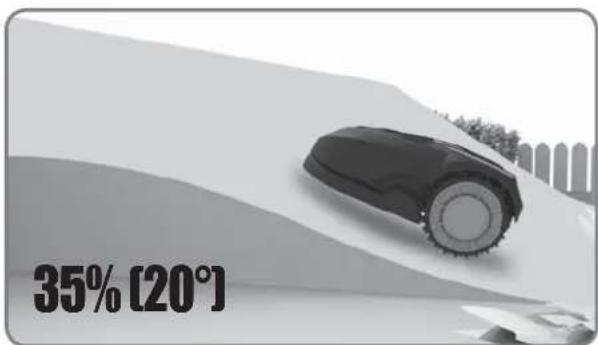
text_image
35% [20°]
text_image
Altitudine 35cm Pantă/înclinare de max. 35% 100cm Lungime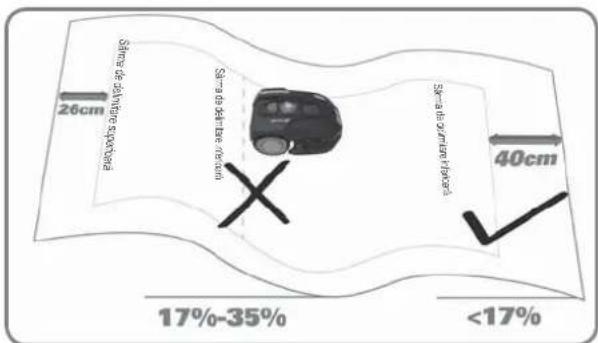
text_image
Sinha de alvare spocbara 26cm Sinha de alvare spocbara Sinha de alvare spocbara 40cm 17%-35% <17%Sumar
text_image
≥26cm ≥26cm >1m ≥26cm ≥26cm ≥26cm ≥26cm ≥26cm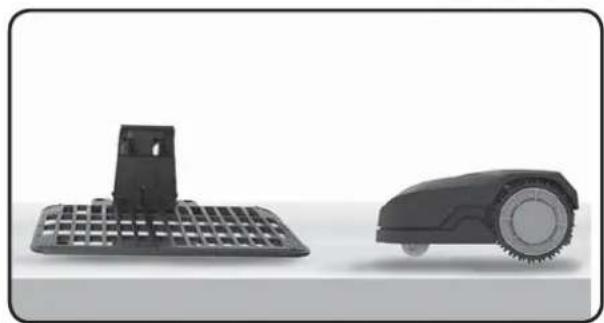
natural_image
Two black industrial cleaning devices: a flat grid base and a circular robotic device (no text or symbols visible)
natural_image
Diagram showing a hammer striking a surface with a downward arrow and grid lines (no text or symbols)text_image
≥26cm >1m ≥26cm ≥26cm ≥10cm ≥10cm ≥26cm 75cm 75cm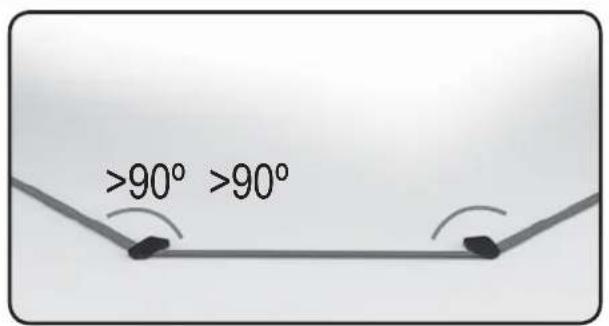
text_image
>90° >90°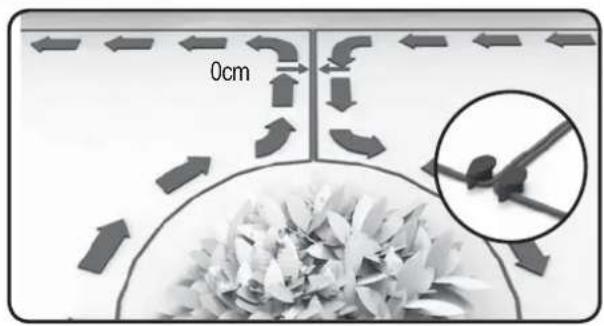
text_image
0cmINSTALARE

text_image
Min-30cm 150cm 260cm 150cmtext_image
Diagram showing three scenarios of a computer keyboard, a printer with X marks, and a device with X marks on a curved surface.natural_image
Mechanical assembly diagram showing a grid structure with a magnified inset detail (no text or symbols)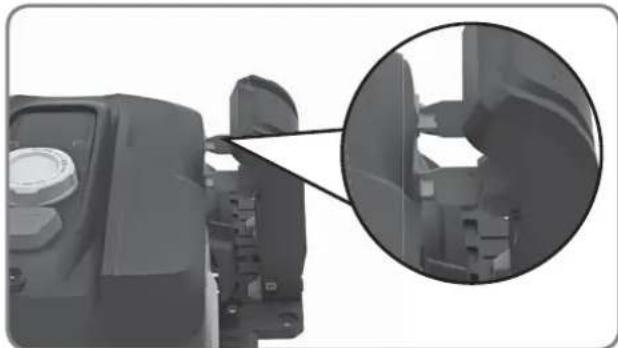
natural_image
Close-up of a mechanical component with an inset magnified view showing internal structure (no text or symbols visible)natural_image
Top-down architectural layout diagram showing room layouts, pathways, and surrounding greenery (no text or labels)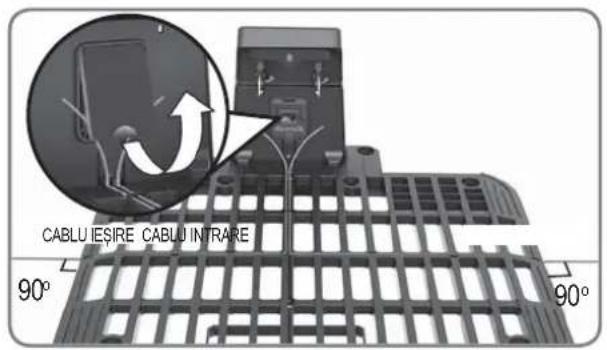
text_image
CABLU IESIRE CABLU INTRARE 90° 90°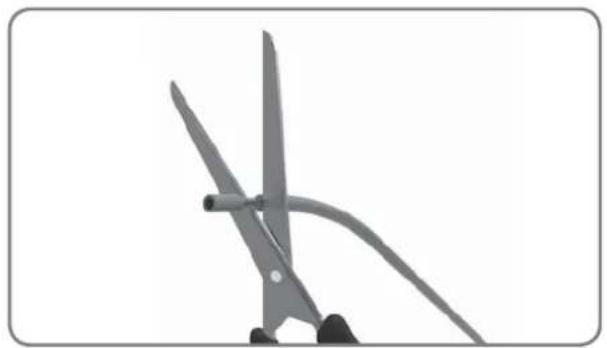
natural_image
Close-up of two scissors cutting a piece of paper, no text or symbols visible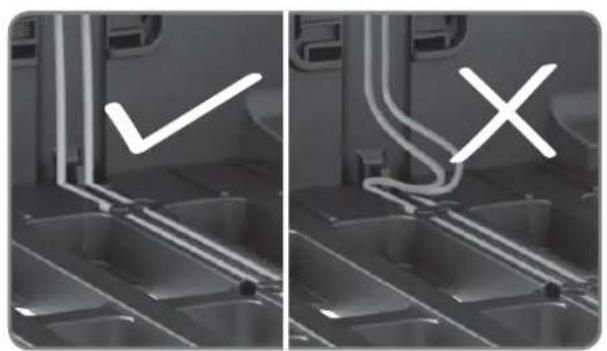
natural_image
Two-panel grayscale image showing a kitchen sink with a checkmark and an X mark, no text or symbols present.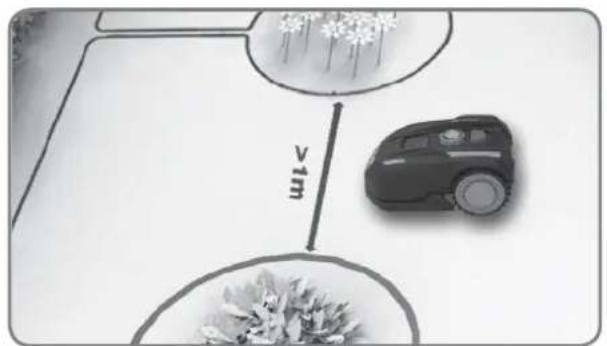
text_image
vimnatural_image
Close-up of a robotic vacuum cleaner's head with a circular dial indicator and control knob (no text or symbols visible)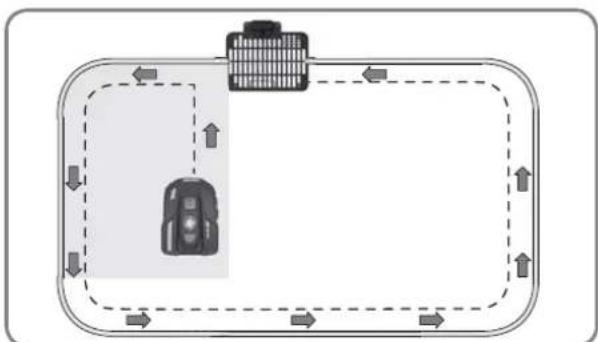
flowchart
graph TD
    A["Vehicle"] --> B["Road"]
    B --> C["Upward Arrow"]
    C --> D["Downward Arrow"]
    D --> E["Left Side Road"]
    E --> F["Right Side Road"]
    F --> G["Downward Arrow"]
    G --> H["Left Side Road"]
    H --> I["Right Side Road"]
    I --> J["Downward Arrow"]
text_image
START HOME OK 0 - - - - START HOME OKnatural_image
Front view of a black BL-MOTOR motorcycle head with digital display and rotary dial (no text or symbols on body)Landxcape™
natural_image
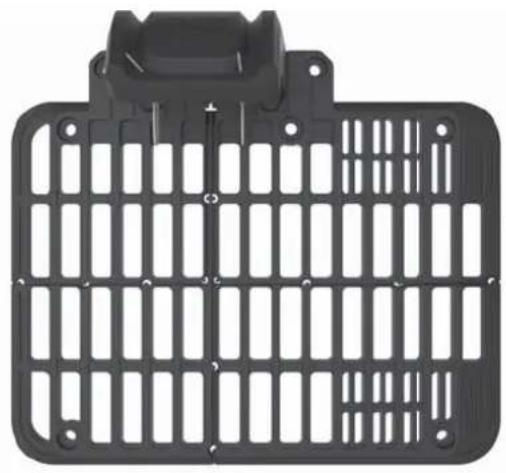
Black plastic enclosure with grid pattern and mounting bracket (no text or symbols)Nabijecí základna
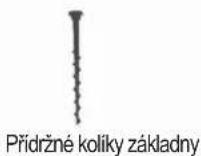
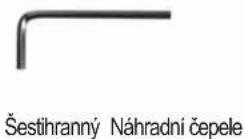

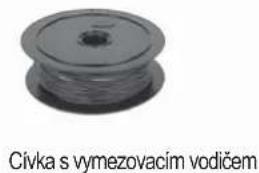
natural_image
Pulley wheel with a central hub, labeled 'Civka s vymezovacím vodičem' below (no other text or symbols)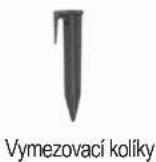
natural_image
Two robotic motors with a plant growing from a base, connected by an arrow (no text or symbols visible)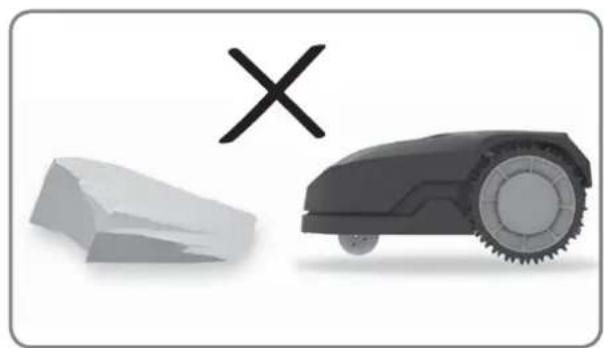
natural_image
Illustration of a robotic car and a broken stone with a cross symbol (no text or labels)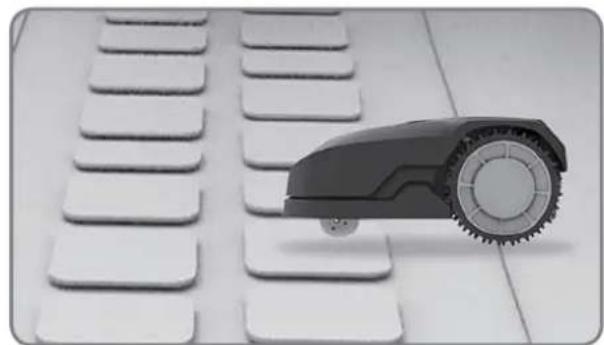
natural_image
Close-up of a small robot arm positioned on a white keyboard with multiple keys (no text or symbols visible)
natural_image
Black-and-white photo of white flower-like structures with stems, arranged on a plain background (no text or symbols)natural_image
Black-and-white photo of a small tree with leaves placed inside a circular opening, placed on a white surface (no text or symbols visible)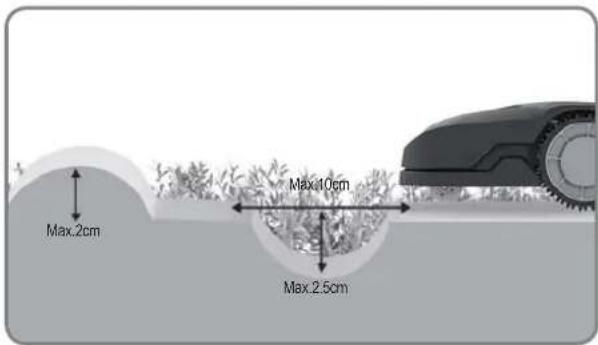
text_image
Max.2cm Max.10cm Max.2.5cm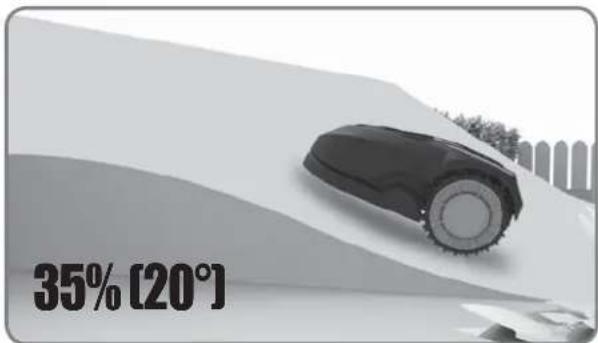
text_image
35% [20°]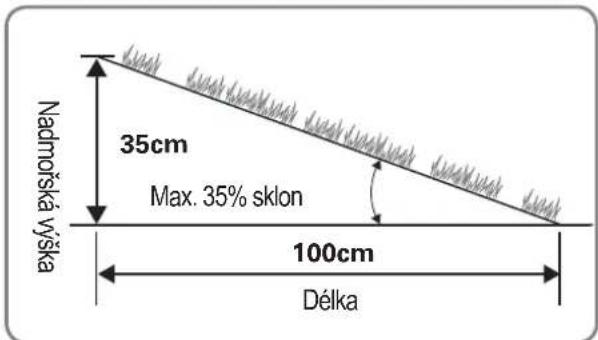
text_image
≥26cm ≥26cm >1m ≥26cm ≥26cm ≥26cm ≥26cm ≥26cm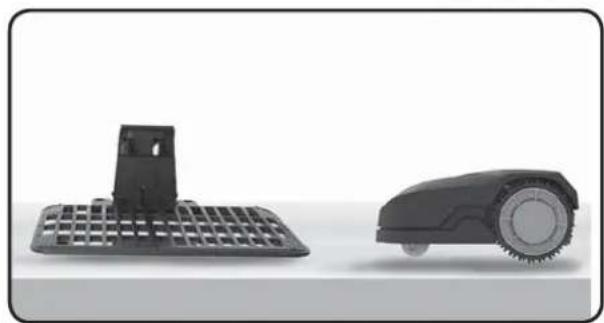
natural_image
Two black industrial cleaning devices: a flat grid base and a circular robotic device (no text or symbols visible)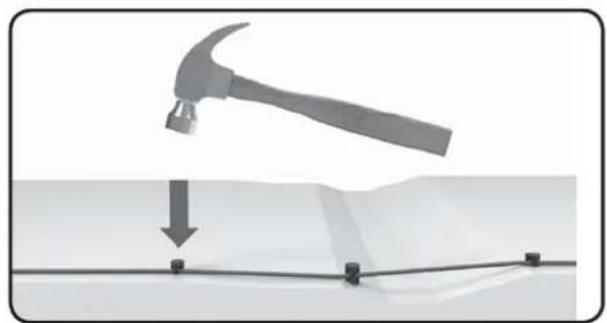
natural_image
Diagram showing a hammer striking a surface with a downward arrow and grid lines (no text or symbols)text_image
≥26cm >1m ≥26cm ≥26cm ≥10cm ≥10cm ≥26cm 75cm 75cm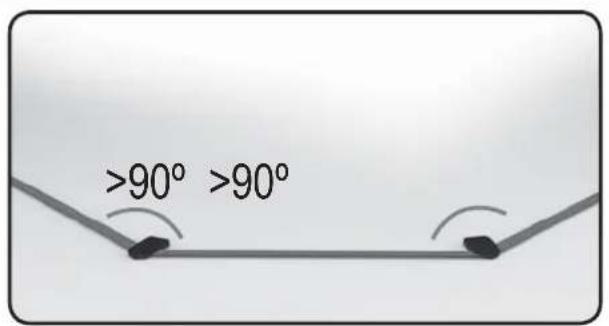
text_image
>90° >90°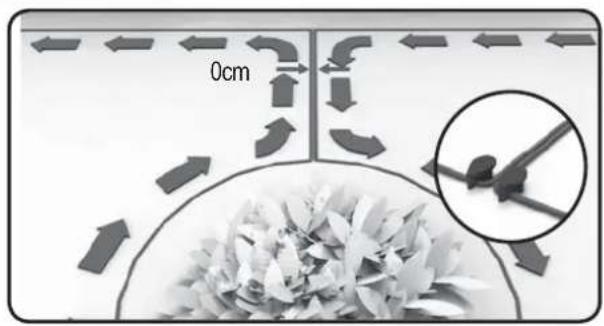
text_image
0cmInstalace
text_image
Min-30cm 150cm 260cm 150cmtext_image
Diagram showing three scenarios of a computer keyboard, a printer with X marks, and a device with X marks on a curved surface.natural_image
Mechanical assembly diagram showing a grid structure with a magnified inset detail (no text or symbols)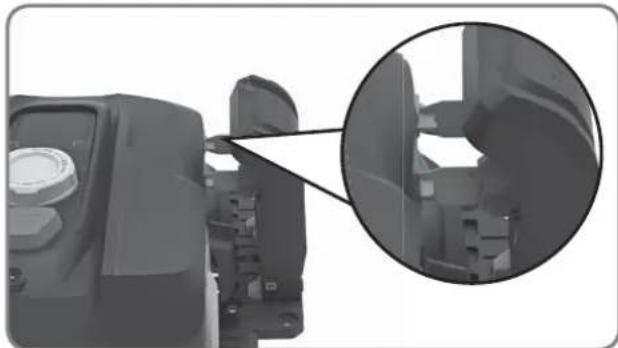
natural_image
Close-up of a mechanical component with an inset magnified view showing internal structure (no text or symbols visible)natural_image
Top-down architectural layout diagram showing room layouts, pathways, and surrounding greenery (no text or labels)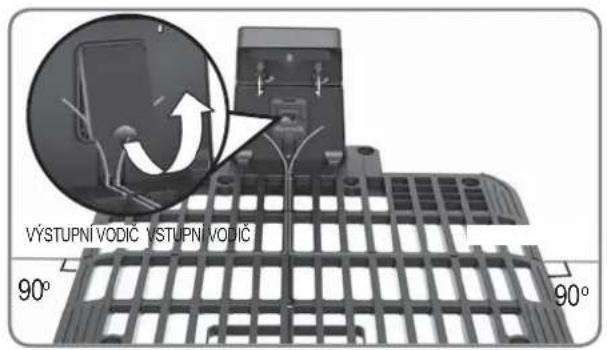
text_image
VÝSTUPNÍ VODIČ VÝSTUPNÍ VODIČ 90° 90°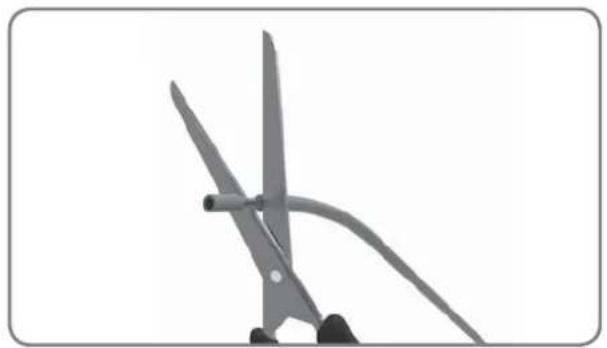
natural_image
Close-up of scissors cutting a piece of paper with a curved handle (no text or symbols visible)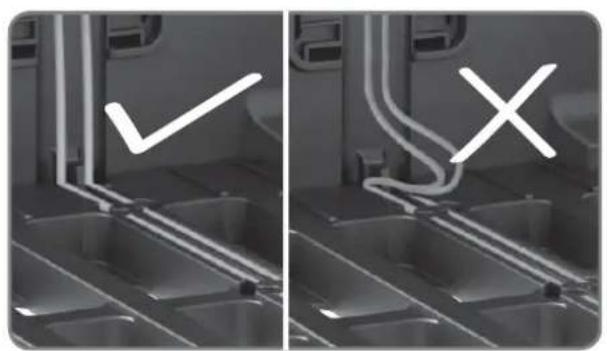
natural_image
Two-panel grayscale image showing a vehicle interior with visible exhaust pipes and a checkmark symbol (no text or labels)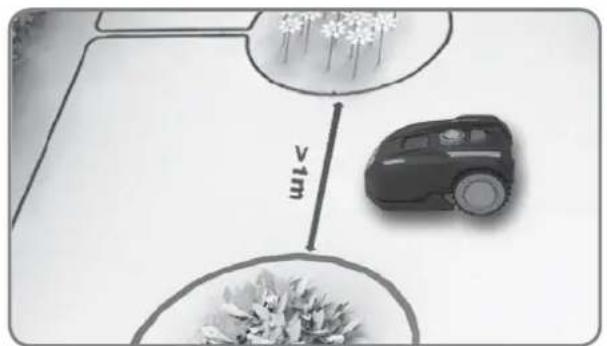
text_image
v1mtext_image
Diagram illustrating tree planting with labeled distances to 1m and two circular plots showing plant growth or vegetation zones.natural_image
Close-up of a robotic vacuum cleaner's head with a circular dial indicator and control knob (no text or symbols visible)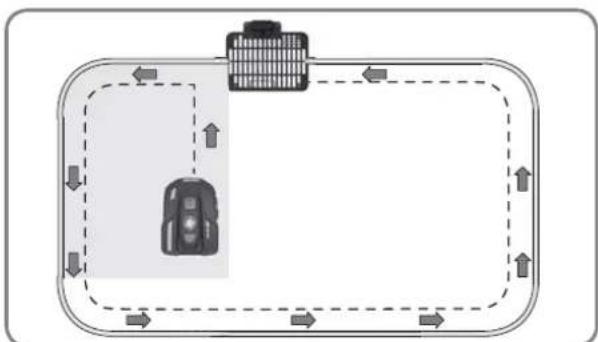
flowchart
graph TD
    A["Vehicle"] --> B["Road"]
    B --> C["Upward Arrow"]
    C --> D["Downward Arrow"]
    D --> E["Left Side Road"]
    E --> F["Right Side Road"]
    F --> G["Downward Arrow"]
    G --> H["Left Side Road"]
    H --> I["Right Side Road"]
    I --> J["Downward Arrow"]
text_image
START HOME OK 0 - - - - START HOME OKPouze pro orientaci
text_image
idLE START HOME OK idLE START HOME OK Pouze pro orientacinatural_image
Front view of a black BL-MOTOR motorcycle head with digital display and control knob (no text or symbols on body)Landxcape™
natural_image
Black plastic enclosure with grid pattern and mounting bracket (no text or symbols)Nabijacia základňa

natural_image
Close-up of a black pulley or screw component with no visible text or symbols
natural_image
Two robotic motors with a plant growing from a base, connected by an arrow (no text or symbols visible)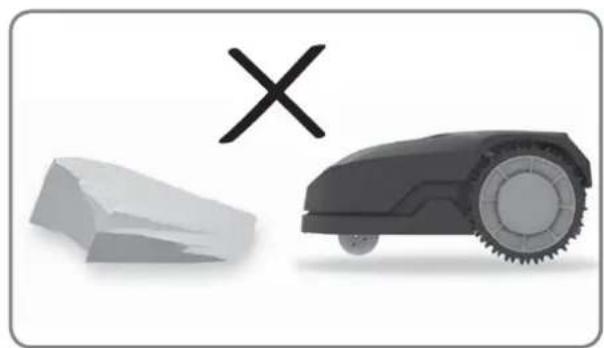
natural_image
Illustration of a robotic car and a broken stone with a cross symbol (no text or labels)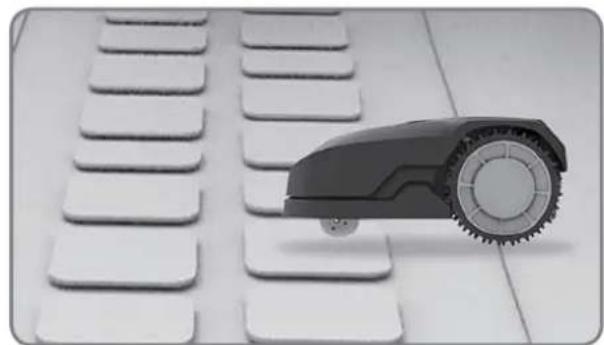
natural_image
Close-up of a small robot arm positioned on a white keyboard with multiple keys (no text or symbols visible)
natural_image
Black-and-white photo of white flower-like structures with stems, arranged on a plain background (no text or symbols)natural_image
Black-and-white photo of a small tree with leaves placed inside a circular opening, placed on a white surface (no text or symbols visible)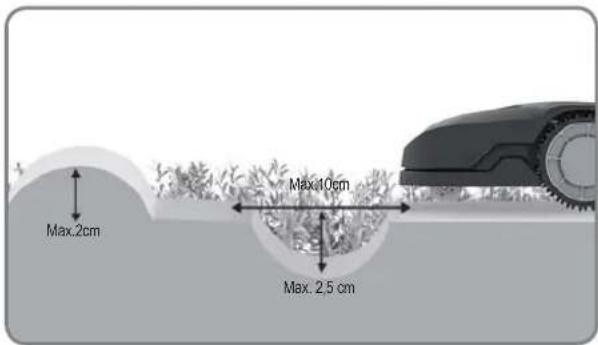
text_image
Max.2cm Max.10cm Max. 2.5 cm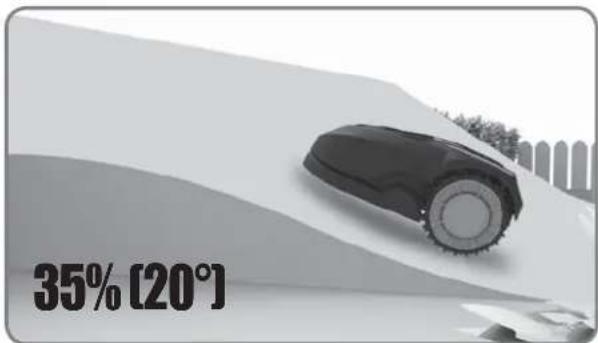
text_image
35% [20°]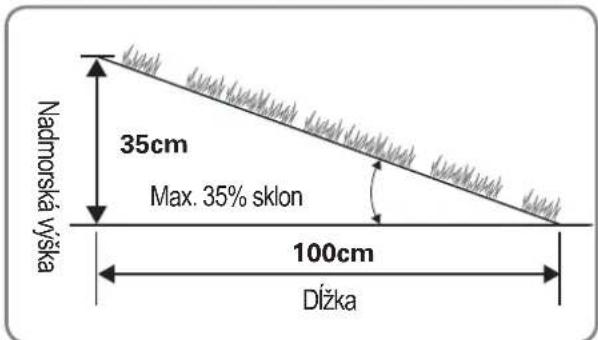
text_image
Nadmorská všška 35cm Max. 35% sklon 100cm Dížka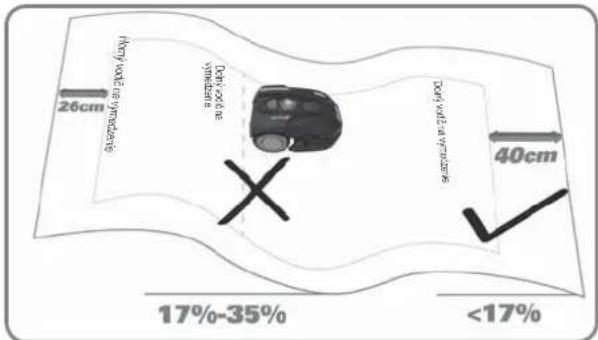
text_image
26cm (Doty volt at syringes) (Doty volt at syringes) 40cm 17%-35% <17%Prehl'ad
text_image
≥26cm ≥26cm >1m ≥26cm ≥26cm ≥26cm ≥26cm ≥26cm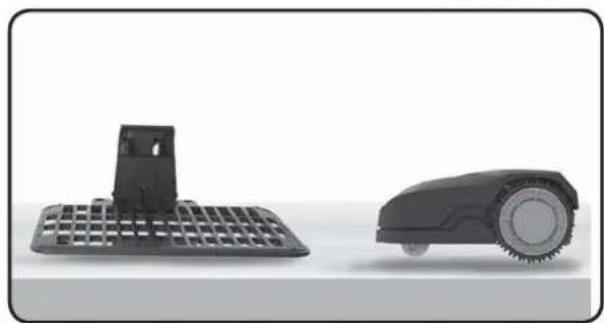
natural_image
Two black industrial cleaning devices: a flat grid base and a circular robotic device (no text or symbols visible)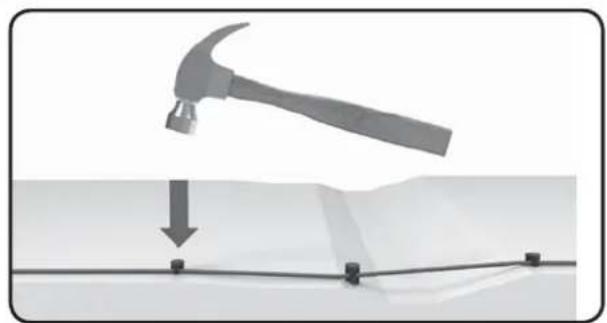
natural_image
Diagram showing a hammer striking a surface with a downward arrow and grid lines (no text or symbols)text_image
≥26cm >1m ≥26cm ≥26cm ≥10cm ≥10cm ≥26cm 75cm 75cm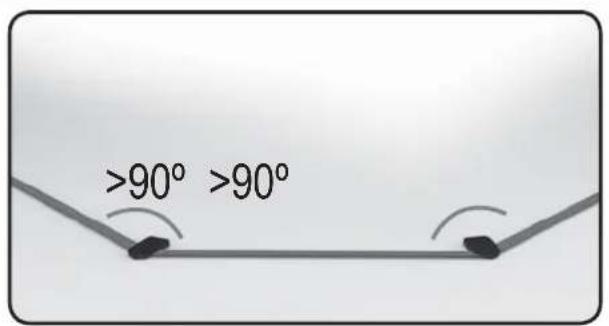
text_image
>90° >90°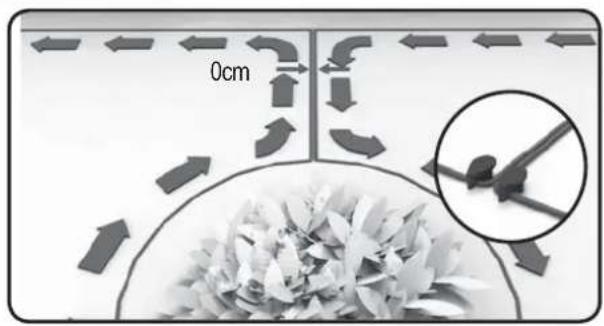
text_image
0cmInštalácia
text_image
Min-30cm 150cm 260cm 150cmtext_image
Diagram showing three scenarios of a computer keyboard, a printer, and a mobile device with X marks indicating failure or failure.natural_image
Mechanical assembly diagram showing a grid structure with a magnified inset detail (no text or symbols)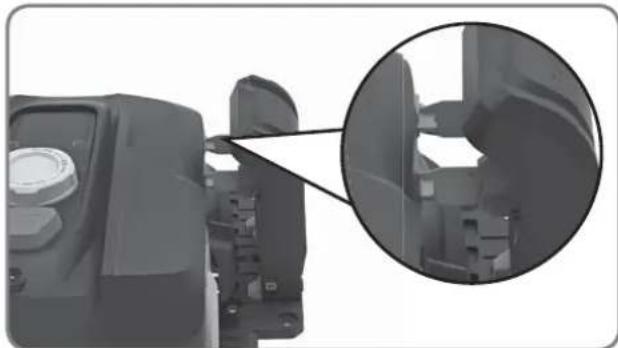
natural_image
Close-up of a mechanical component with an inset magnified view showing internal structure (no text or symbols visible)natural_image
Top-down architectural layout diagram showing room layouts, pathways, and surrounding greenery (no text or labels)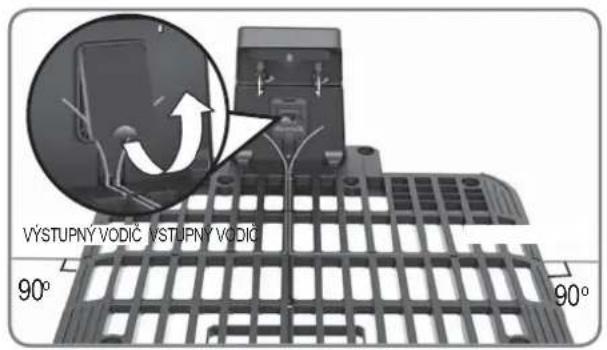
text_image
VÝSTUPNÝ VODIČ VÝSTUPNÝ VODIČ 90° 90°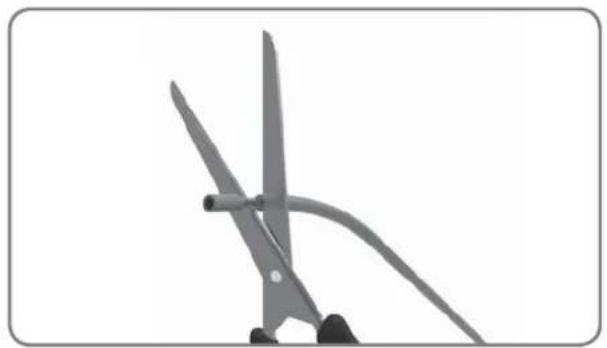
natural_image
Close-up of two scissors cutting a piece of paper, no text or symbols visible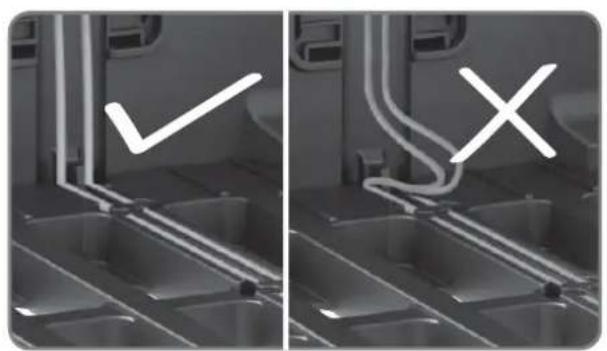
natural_image
Two-panel grayscale image showing a kitchen interior with a checkmark and an X mark, no text or symbols present.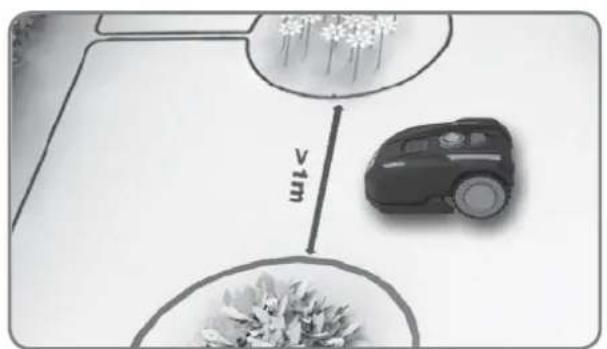
text_image
vimtext_image
VÝSTUPNÁ VSTUPNÁ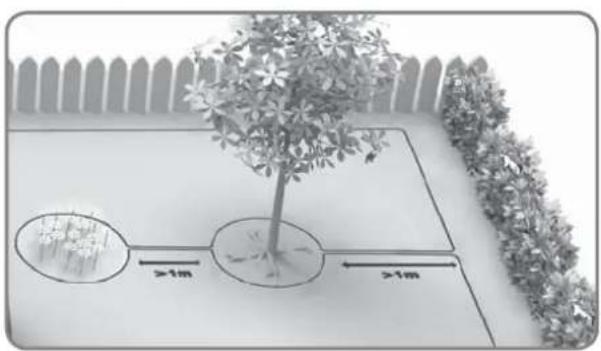
text_image
Diagram illustrating tree planting with two circular plots and distance annotations showing >1m spacing between treesnatural_image
Close-up of a robotic vacuum cleaner's head with a circular dial indicator and control knob (no text or symbols visible)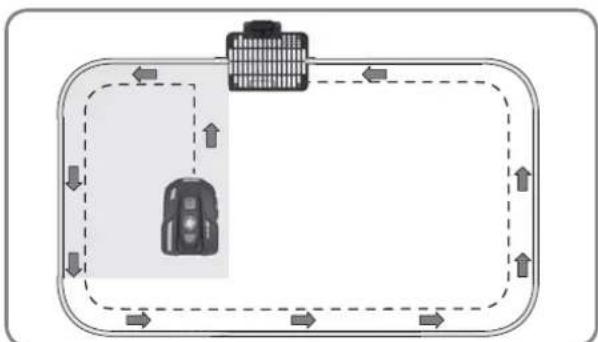
flowchart
graph TD
    A["Vehicle"] --> B["Road"]
    B --> C["Upward Arrow"]
    C --> D["Downward Arrow"]
    D --> E["Left Side Road"]
    E --> F["Right Side Road"]
    F --> G["Downward Arrow"]
    G --> H["Left Side Road"]
    H --> I["Right Side Road"]
    I --> J["Downward Arrow"]
text_image
START HOME OK 0 - - - - START HOME OKLen pre orientáciu
text_image
IDLE START HOME OK IDLE START HOME OK Len pre orientáciunatural_image
Front view of a black BL-MOTOR motorcycle head with digital display and rotary dial (no text or symbols visible)Landxcape™
natural_image
Black plastic electrical panel with grid layout and mounting bracket (no text or symbols)Base de carga
natural_image
Two robotic motors with wheels connected by a directional arrow, no text or symbols visible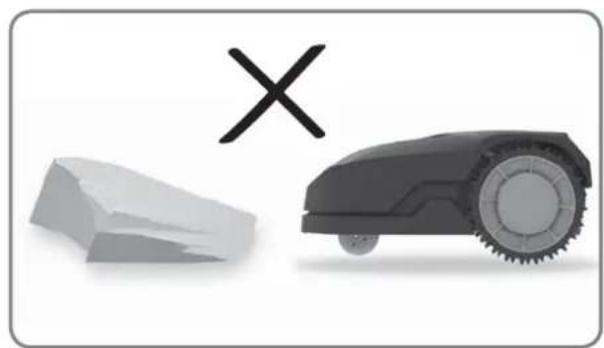
natural_image
Illustration of a robotic car and a broken stone with a cross symbol (no text or labels)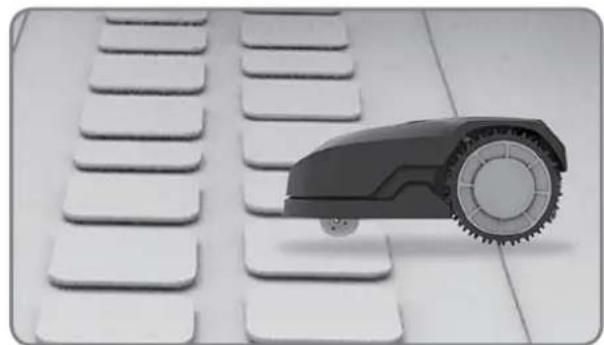
natural_image
Black and white photo of a toy car with wheels placed on a grid of white keys (no text or symbols visible)
natural_image
Black-and-white photo of white flower-like structures with stems, arranged on a plain background (no text or symbols)natural_image
Black-and-white photo of a small tree with leaves placed in a circular opening, placed on a white surface (no text or symbols visible)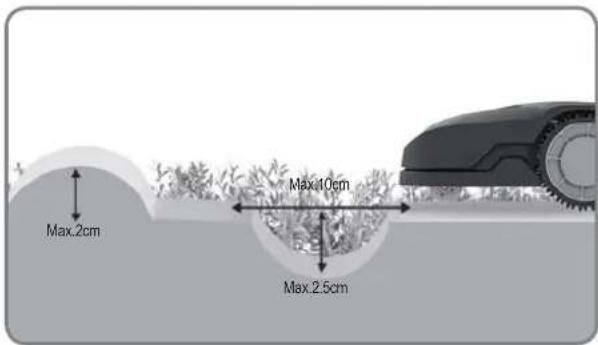
text_image
Max.2cm Max.10cm Max.2.5cm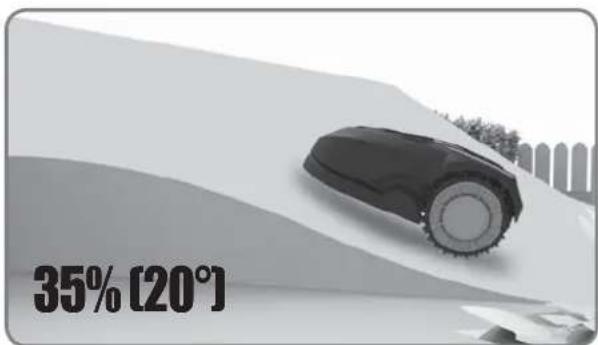
text_image
35% [20°]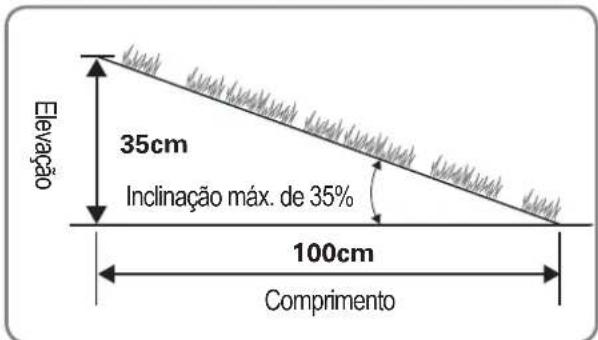
text_image
≥26cm ≥26cm >1m ≥26cm ≥26cm ≥26cm ≥26cm ≥26cm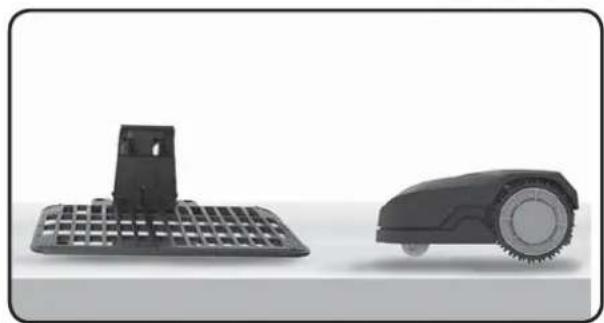
natural_image
Two black industrial cleaning devices: a flat grid base and a circular robotic device (no text or symbols visible)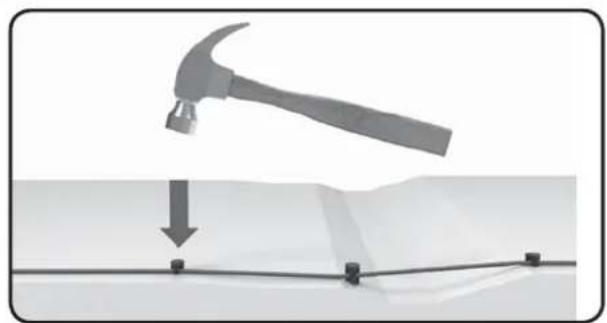
natural_image
Diagram showing a hammer striking a surface with a downward arrow and four corner markers (no text or symbols)text_image
≥26cm >1m ≥26cm ≥26cm ≥10cm ≥10cm ≥26cm 75cm 75cm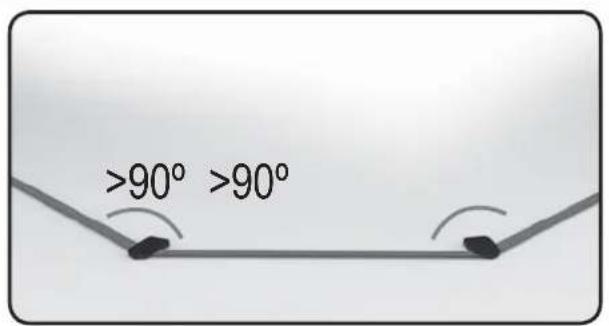
text_image
>90° >90°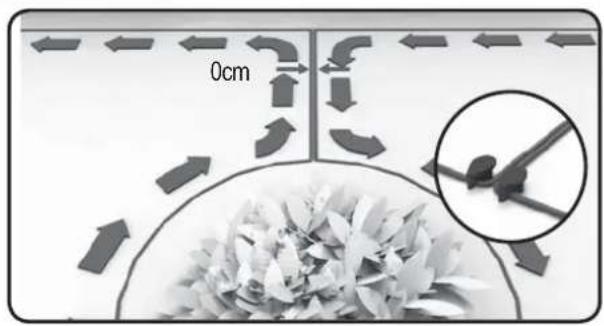
text_image
0cmInstalação
text_image
150cm 200cm 400cm 150cm ≥26cm Min-30cm1. Colocar a base de carregamento
text_image
Diagram showing three scenarios of a computer keyboard, a printer, and a mobile device with X marks indicating failure or failure.natural_image
Mechanical assembly diagram showing a grid structure with a magnified inset detail (no text or symbols)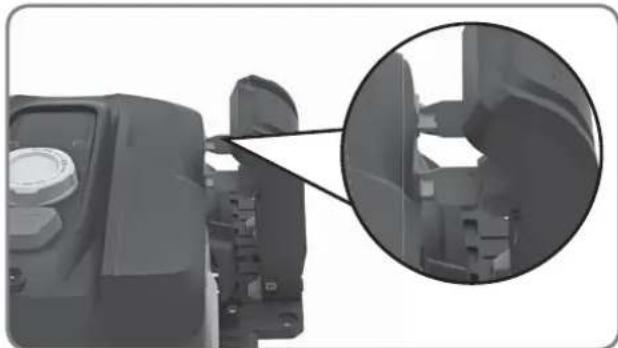
natural_image
Close-up of a mechanical component with an inset magnified view showing internal structure (no text or symbols visible)natural_image
Top-down architectural layout diagram showing room layouts, pathways, and surrounding greenery (no text or labels)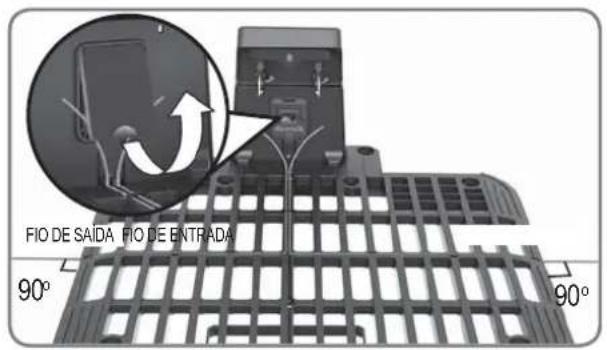
text_image
FIO DE SAIDA FIO DE ENTRADA 90° 90°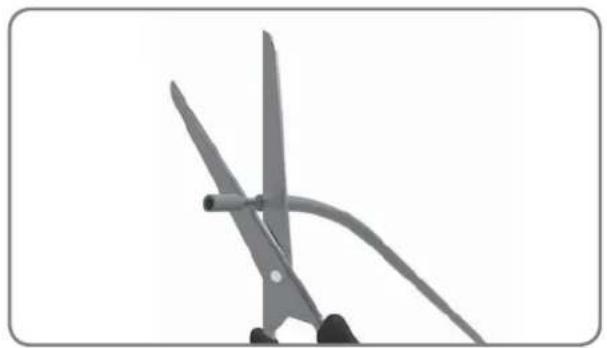
natural_image
Close-up of scissors cutting a piece of paper with a curved handle (no text or symbols visible)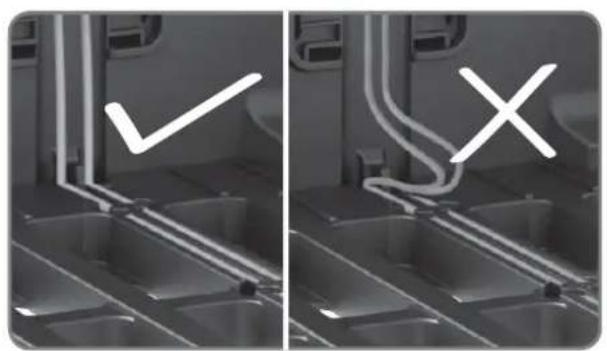
natural_image
Two-panel grayscale image showing a kitchen interior with a checkmark and a cross symbol, no readable text or symbols present.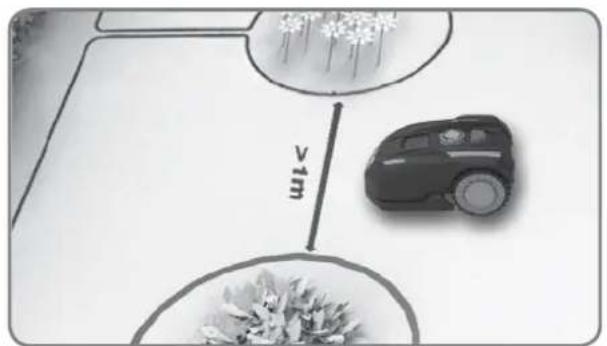
text_image
vimtext_image
Diagram showing a tree with two circular zones, each labeled with distance '1m' and an arrow pointing to the tree's interior.natural_image
Close-up of a robotic vacuum cleaner's head with a circular dial indicator and control knob (no text or symbols visible)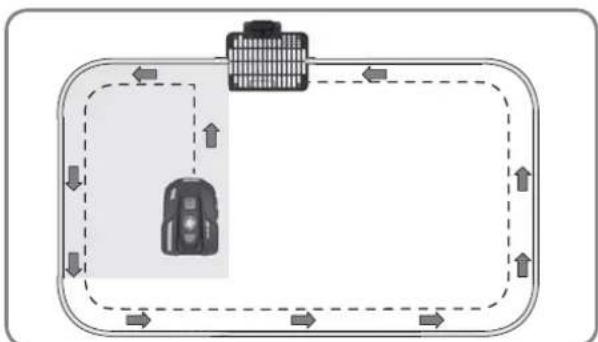
flowchart
graph TD
    A["Vehicle"] --> B["Road"]
    B --> C["Upward Arrow"]
    C --> D["Downward Arrow"]
    D --> E["Left Side Road"]
    E --> F["Right Side Road"]
    F --> G["Downward Arrow"]
    G --> H["Left Side Road"]
    H --> I["Right Side Road"]
    I --> J["Downward Arrow"]
text_image
START HOME OK 0 - - - - START HOME OKnatural_image
Front view of a black BL-MOTOR motorcycle head with digital display and rotary dial (no text or symbols on body)Landxcape™
natural_image
Black plastic vehicle front panel with grid layout and mounting bracket (no text or symbols)Şarj istasyonu

natural_image
Two robotic motors with wheels connected by a directional arrow, no text or symbols visible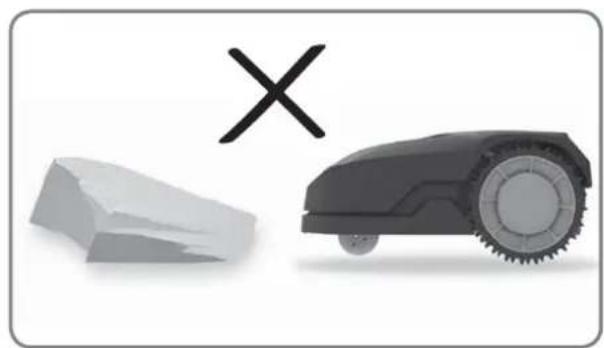
natural_image
Illustration of a robotic car and a broken stone with a cross symbol (no text or labels)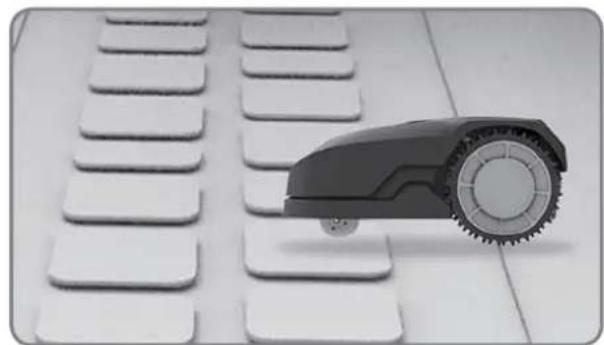
natural_image
Close-up of a small robot arm positioned on a white keyboard with multiple keys (no text or symbols visible)
natural_image
Black-and-white photo of white flower-like structures with stems, arranged on a plain background (no text or symbols)natural_image
Black-and-white photo of a small tree with leaves placed inside a circular opening, placed on a white surface (no text or symbols visible)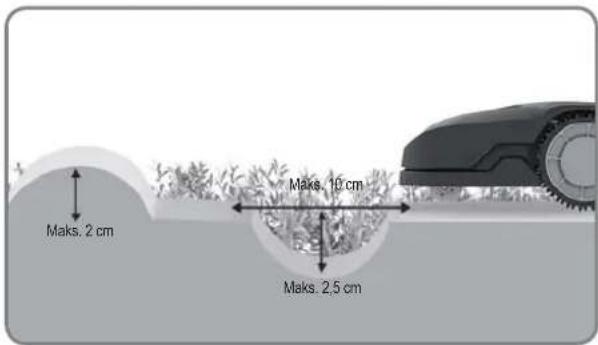
text_image
Maks. 2 cm Maks. 10 cm Maks. 2.5 cm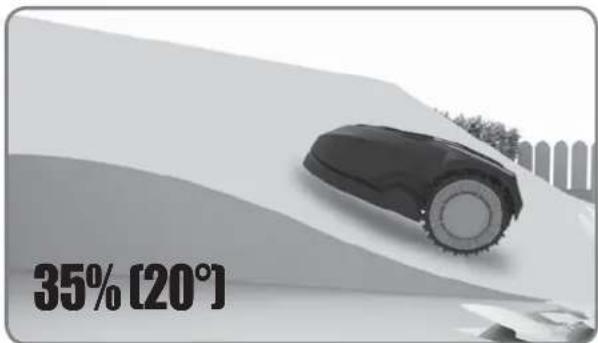
text_image
35% [20°]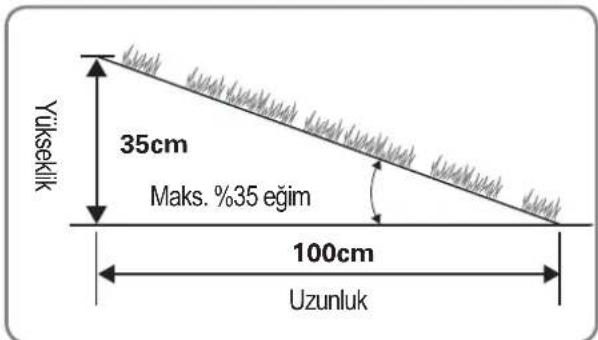
text_image
26cm 17% -35% 40cm 17% -35% <17%Genel bakış
text_image
≥26cm ≥26cm >1m ≥26cm ≥26cm ≥26cm ≥26cm ≥26cm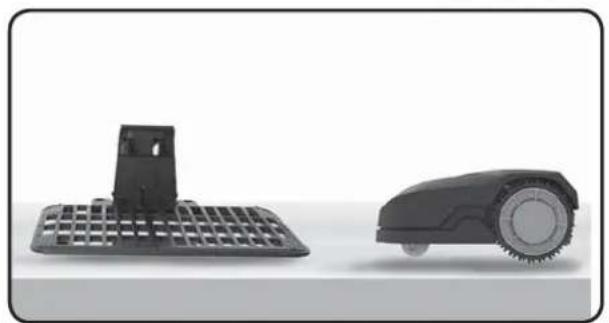
natural_image
Two black robotic devices: a grid-patterned base and a circular wheeled robot (no text or symbols visible)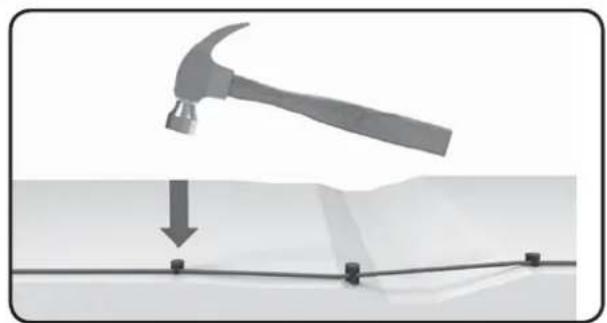
natural_image
Diagram showing a hammer striking a surface with a downward arrow and four corner markers (no text or symbols)text_image
≥26cm >1m ≥26cm ≥26cm ≥10cm ≥10cm ≥26cm 75cm 75cm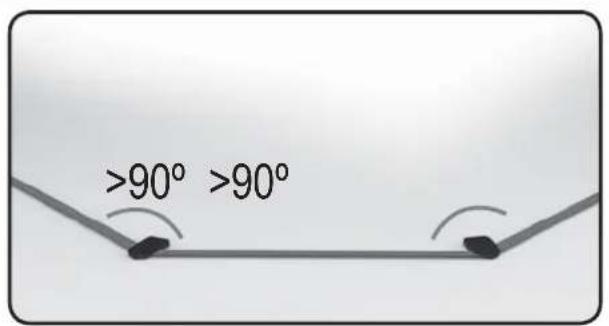
text_image
>90° >90°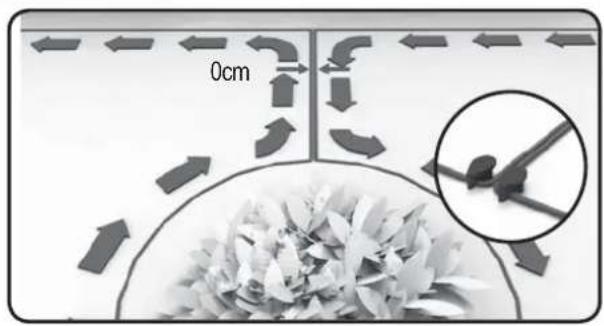
text_image
0cmKURULUM
text_image
150cm 200cm 400cm 150cm ≥26cm Min-30cmtext_image
Diagram showing three scenarios of a computer keyboard, a printer, and a mobile device with X marks indicating failure or failure.natural_image
Mechanical assembly diagram showing a grid structure with a magnified inset detail (no text or symbols)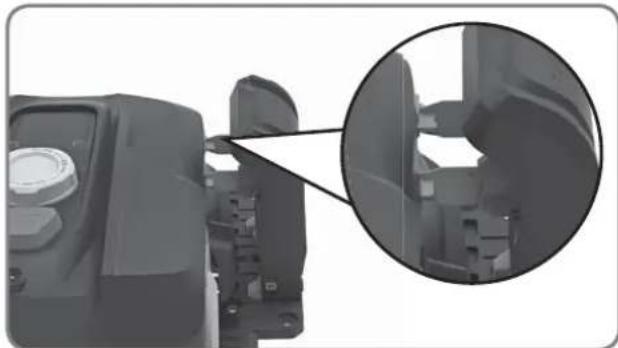
natural_image
Close-up of a mechanical component with an inset magnified view showing internal structure (no text or symbols visible)natural_image
Top-down architectural layout diagram showing room layouts, pathways, and surrounding greenery (no text or labels)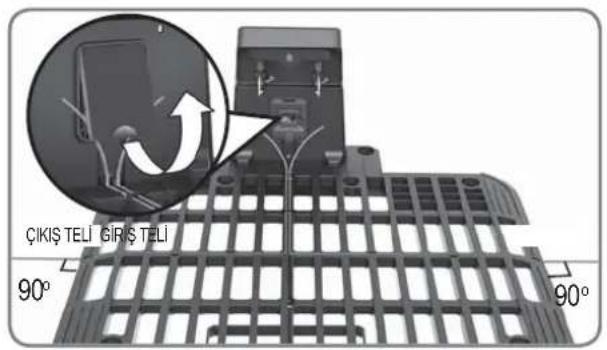
text_image
ÇIKİŞ TELİ GIRİŞ TELİ 90° 90°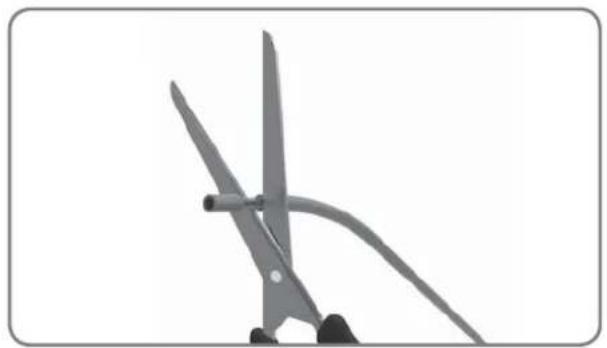
natural_image
Close-up of scissors cutting a piece of paper with a curved handle (no text or symbols visible)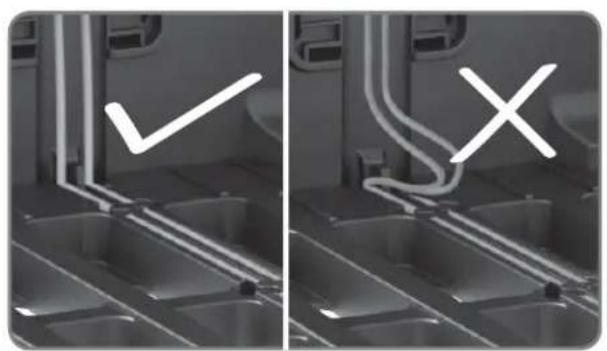
natural_image
Two-panel grayscale image showing a device interior with labeled checkmark and cross symbols (no readable text or symbols)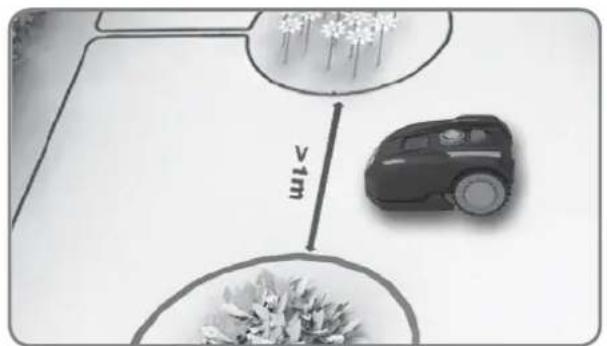
text_image
vimtext_image
Diagram showing a tree with two circular plots labeled '≥1m' on a planter, surrounded by shrubs and a fence.natural_image
Close-up of a robotic vacuum cleaner's head with a circular dial indicator and control knob (no text or symbols visible)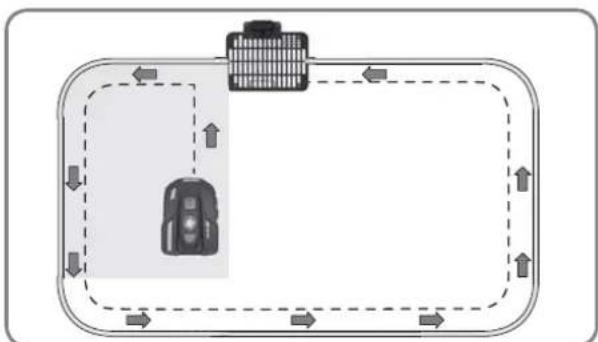
flowchart
graph TD
    A["Vehicle"] --> B["Road"]
    B --> C["Upward Arrow"]
    C --> D["Downward Arrow"]
    D --> E["Left Side Road"]
    E --> F["Right Side Road"]
    F --> G["Downward Arrow"]
    G --> H["Left Side Road"]
    H --> I["Right Side Road"]
    I --> J["Downward Arrow"]
text_image
START HOME OK 0 - - - - START HOME OKnatural_image
Front view of a black BL-MOTOR motorcycle head with digital display and rotary dial (no text or symbols visible)Landxcape™
natural_image
Black plastic enclosure with grid pattern and mounting bracket (no text or symbols)Polnilna baza



natural_image
Napajalni adapter Spojnik device with cable and terminal block (no text or symbols on the device itself)
text_image
0 10 LANDCAPE 28 Merilnik razdaljenatural_image
Two robotic motors with a plant growing from a base, connected by an arrow (no text or symbols visible)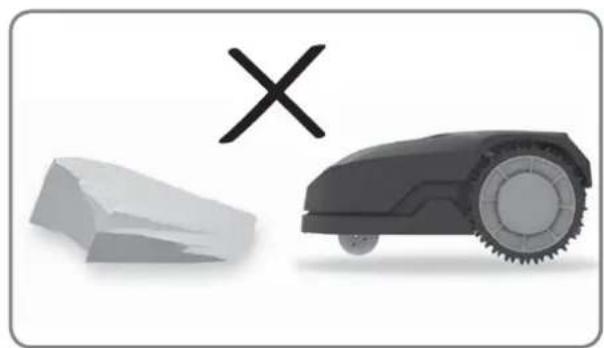
natural_image
Illustration of a robotic car and a broken stone with a cross symbol (no text or labels)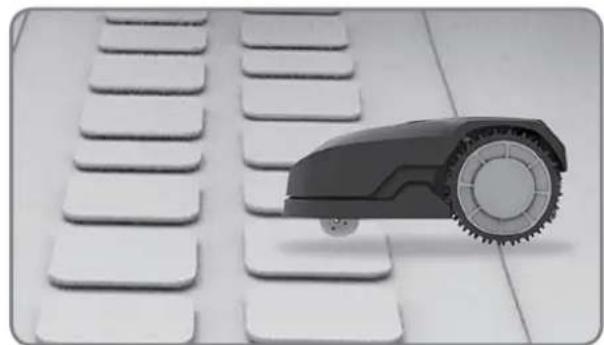
natural_image
Close-up of a small robot arm positioned on a white keyboard with multiple buttons (no text or symbols visible)
natural_image
Black-and-white photo of white flower-like structures with stems, arranged on a plain background (no text or symbols)natural_image
Black-and-white photo of a small tree with leaves placed inside a circular opening, placed on a white surface (no text or symbols visible)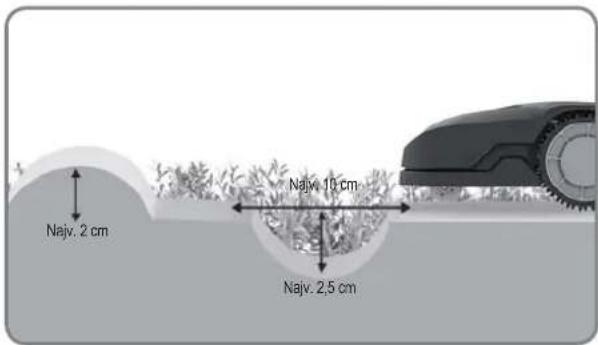
text_image
Najv. 2 cm Najv. 10 cm Najv. 2.5 cm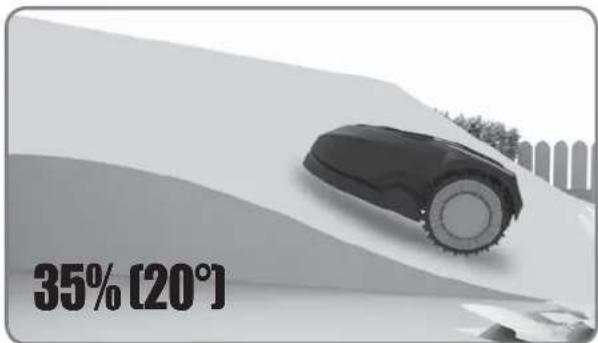
text_image
35% [20°]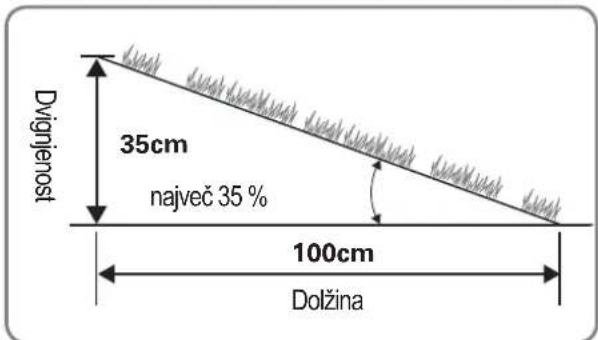
text_image
26cm 40cm 17%-35% <17%Pregled
text_image
≥26cm ≥26cm >1m ≥26cm ≥26cm ≥26cm ≥26cm ≥26cm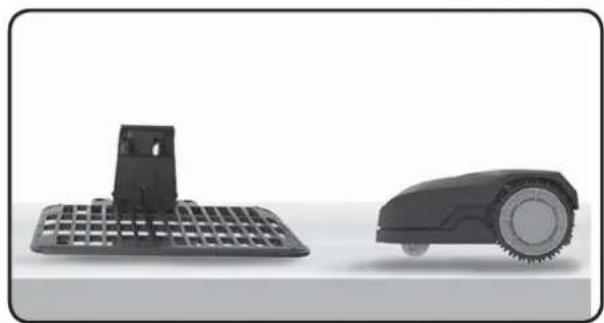
natural_image
Two black industrial robotic devices, one with a grid-patterned base and the other with a circular head and wheels (no text or symbols visible)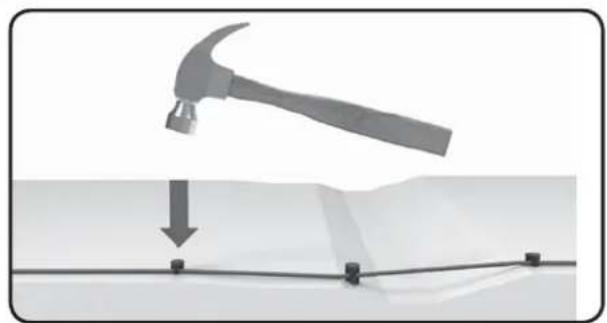
natural_image
Diagram showing a hammer striking a surface with a downward arrow and four corner markers (no text or symbols)text_image
≥26cm >1m ≥26cm ≥26cm ≥10cm ≥10cm ≥26cm 75cm 75cm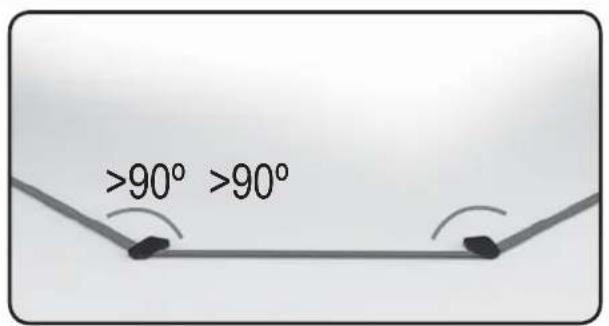
text_image
>90° >90°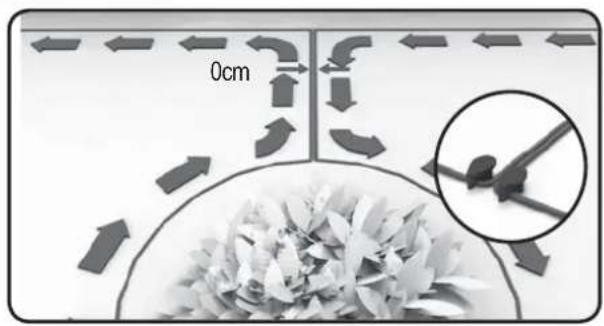
text_image
0cmNAMESTITEV
text_image
150cm 200cm 400cm 150cm ≥26cm Min-30cmtext_image
Diagram showing three scenarios of a computer keyboard, a printer, and a mobile device with X marks indicating failure or failure.Baza za polnjenje naj bo nameščena na relativno ravni podlagi. Ne sme biti postavljena na nagnjeni površini, niti tako, da bi bilo njeno podnožje napeto zaradi upogibanja.
natural_image
Mechanical assembly diagram showing a grid structure with a magnified inset detail (no text or symbols)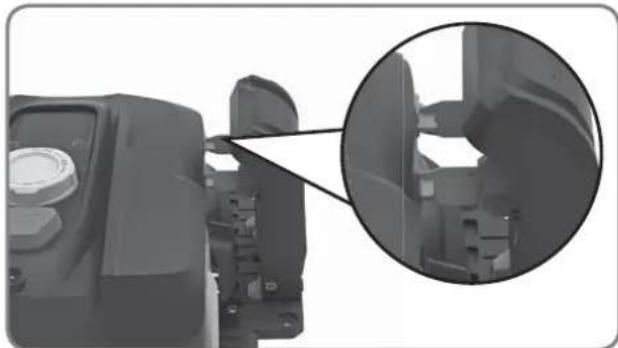
natural_image
Close-up of a mechanical component with an inset magnified view showing internal structure (no text or symbols visible)natural_image
Top-down architectural layout diagram showing room layouts, pathways, and surrounding greenery (no text or labels)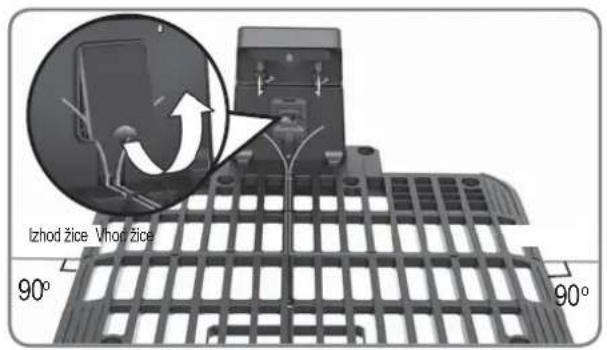
text_image
Izhod žice. Vhop žice 90° 90°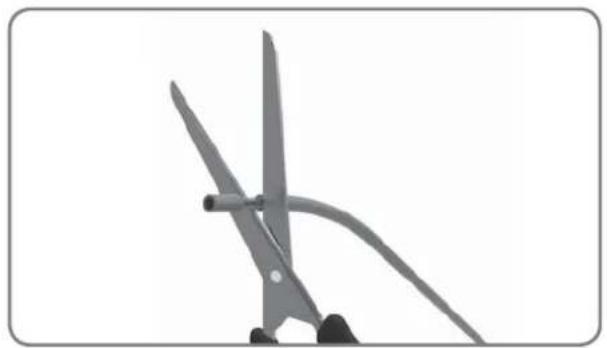
natural_image
Close-up of scissors cutting a piece of paper with a curved handle (no text or symbols visible)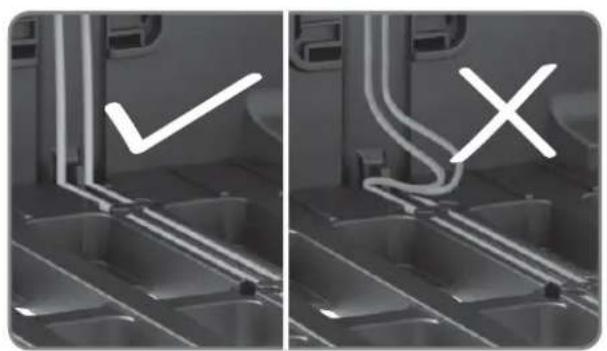
natural_image
Two-panel grayscale image showing a vehicle interior with visible exhaust pipes and a checkmark symbol (no text or labels)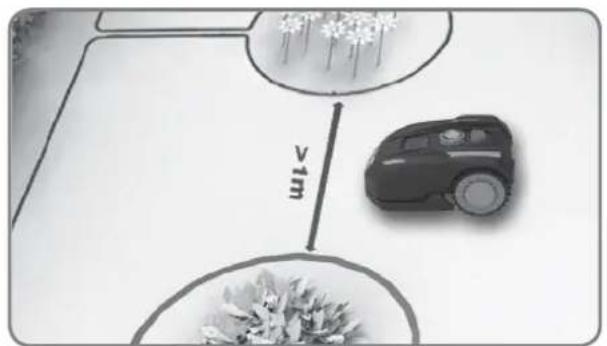
text_image
vimtext_image
Diagram showing a tree with two circular measurement zones labeled >1m, likely for area calculation or planting guidance.natural_image
Close-up of a robotic vacuum cleaner's head with a circular dial indicator and control knob (no text or symbols visible)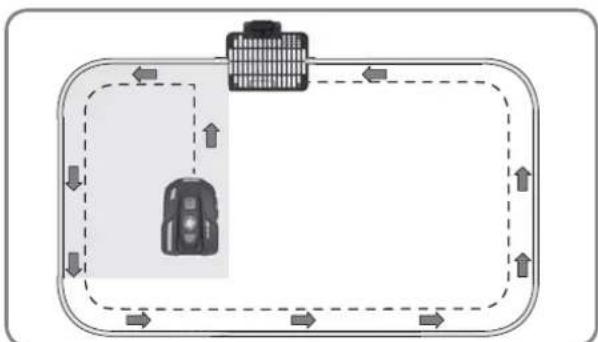
flowchart
graph TD
    A["Vehicle"] --> B["Road"]
    B --> C["Upward Arrow"]
    C --> D["Downward Arrow"]
    D --> E["Left Side Road"]
    E --> F["Right Side Road"]
    F --> G["Downward Arrow"]
    G --> H["Left Side Road"]
    H --> I["Right Side Road"]
    I --> J["Downward Arrow"]
text_image
START HOME OK 0 - - - - START HOME OKSamo za referenco
text_image
IDLE START HOME OK IDLE START HOME OK Samo za referencoCopyright © 2018, Positec. All Rights Reserved.
AR01410902