S5 - Photo accessory NiSi - Free user manual and instructions
Find the device manual for free S5 NiSi in PDF.


| Product type | 150mm System Filter Holder |
| Brand | NiSi |
| Model | S5 |
| Filter compatibility | 150mm system filters, 2mm thickness |
| Usage | Up to 1 circular filter (CPL, ND, UV) + 2 square/rectangular 150mm filters |
| Rotation | 360° without vignetting |
| Material | Aluminum |
| Operating temperature | -65°C to 210°C |
| Mounting | Adapter with locking ring and security screw |
| Rotation wheel | For circular filter, external rotation |
| Slots | For inserting square/rectangular filters |
| Included accessories | Adapter, locking ring, filter holder |
| Maintenance | Clean with a soft, dry cloth |
| Safety | Tighten the locking screw securely after installation |
| Repairability | Spare parts available (adapter, filter holder, rings) |
| Warranty | Consult the manufacturer |
Frequently Asked Questions - S5 NiSi
User questions about S5 NiSi
0 question about this device. Answer the ones you know or ask your own.
Ask a new question about this device
Download the instructions for your Photo accessory in PDF format for free! Find your manual S5 - NiSi and take your electronic device back in hand. On this page are published all the documents necessary for the use of your device. S5 by NiSi.
USER MANUAL S5 NiSi
natural_image
Mechanical assembly diagram showing three stages of a mechanical component with arrows indicating motion (no text or symbols present)natural_image
Diagram showing a speaker component being rotated into a ring, with no text or symbols present.natural_image
Diagram showing a camera lens assembly with a central connector and two views (no text or symbols)natural_image
Diagram showing two views of a camera frame with an arrow indicating transformation (no text or symbols present)natural_image
Technical illustration of a mechanical component with cross-sectional views (no text or symbols)natural_image
Mechanical assembly diagram showing a component being cut from a rectangular frame to a larger cylindrical component (no text or symbols present)natural_image
Mechanical assembly diagram showing three stages of a mechanical component with arrows indicating motion (no text or symbols present)natural_image
Diagram showing a speaker component being rotated into a ring, with no text or symbols present.- 先逆時針旋轉圓鏡,讓圓鏡絲牙入位,再順時針旋轉圓鏡,并確保裝穩。
natural_image
Diagram showing a camera lens assembly with a central connector and two views (no text or symbols)natural_image
Diagram showing two views of a camera frame with an arrow indicating transformation (no text or symbols present)natural_image
Technical illustration of a mechanical component with cross-sectional views (no text or symbols)natural_image
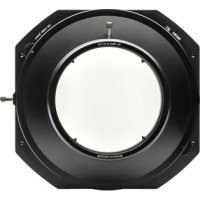
Diagram showing a mechanical assembly before and after transformation, with no visible text or symbols.The NiSi S5 filter holder system has been designed based on the patented technology of the V5 PRO. This holder system allows the use of an integrated PRO CPL and two 150mm filters without vignetting through 360 degrees of rotation. It also includes a rounded screw-in thread with an external rotation wheel. This allows the individual use of a CPL, round ND filter or UV filter.
natural_image
Technical line drawing of a circular mechanical component with mounting flanges (no text or symbols)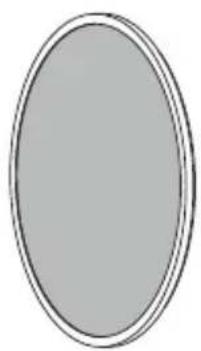
natural_image
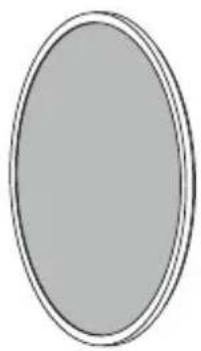
Simple oval shape with a thin border, no text or symbols present.Dedicated circular filter
natural_image
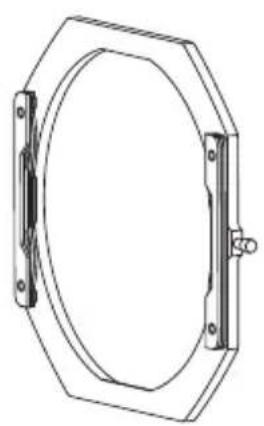
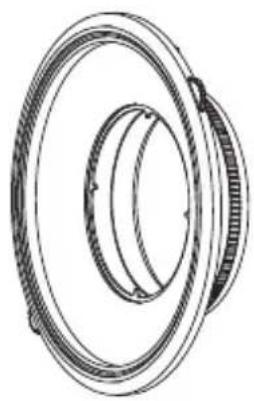
Technical line drawing of a mechanical bearing assembly (no text or symbols)AdapterFilter holder
text_image
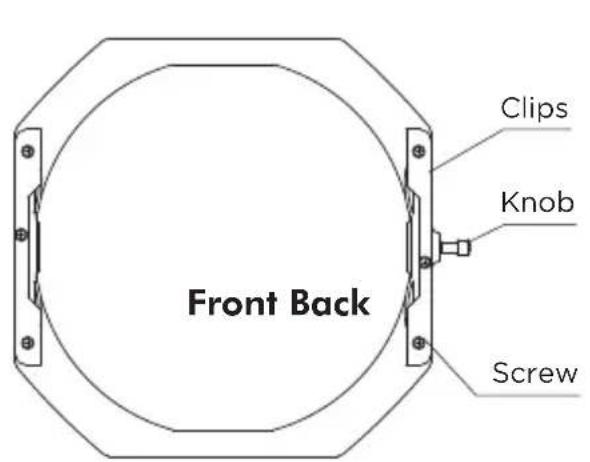
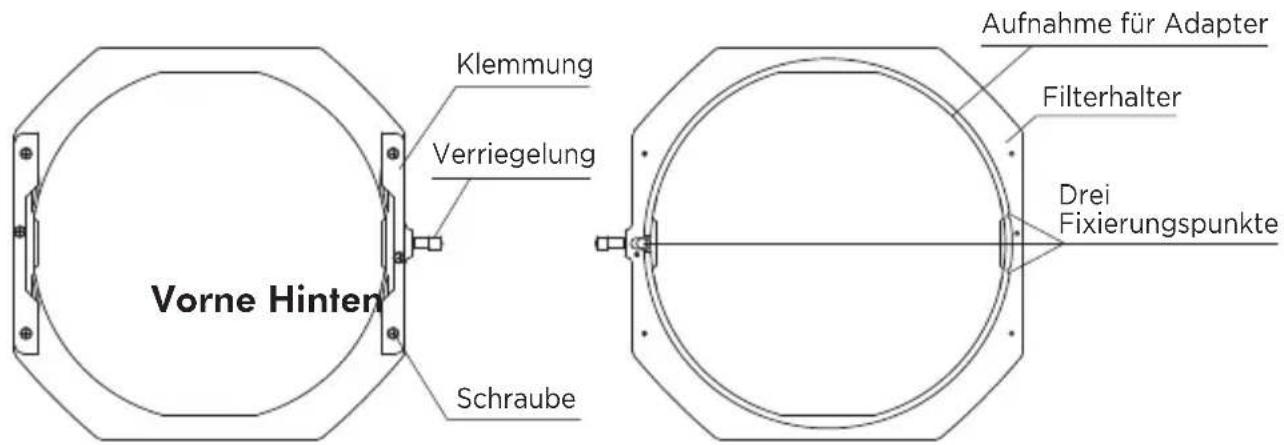
Front Back Clips Knob Screw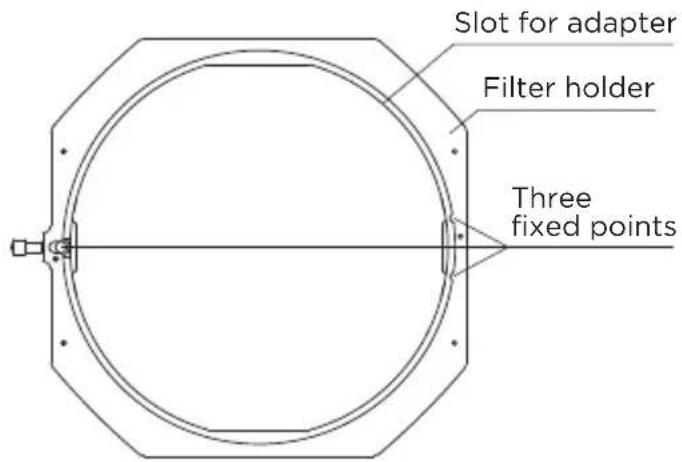
text_image
Slot for adapter Filter holder Three fixed pointsEnglish
text_image
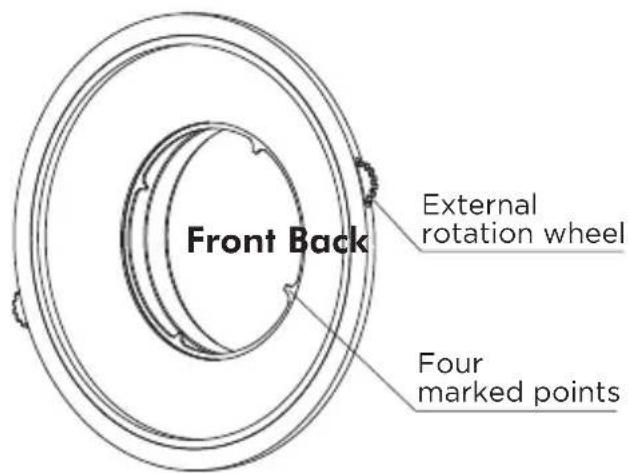
Front Back External rotation wheel Four marked points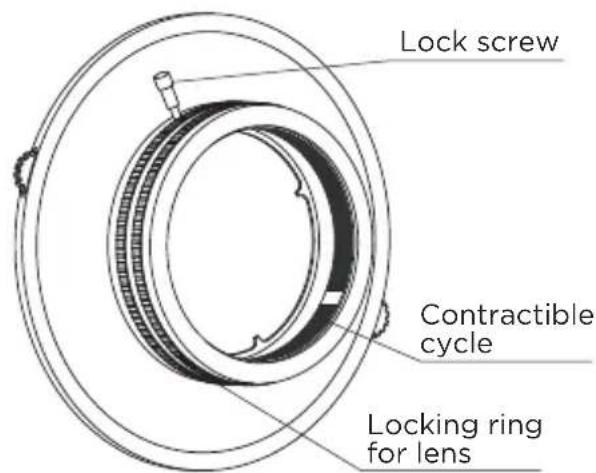
text_image
Lock screw Contractible cycle Locking ring for lensAdapter Installation
natural_image
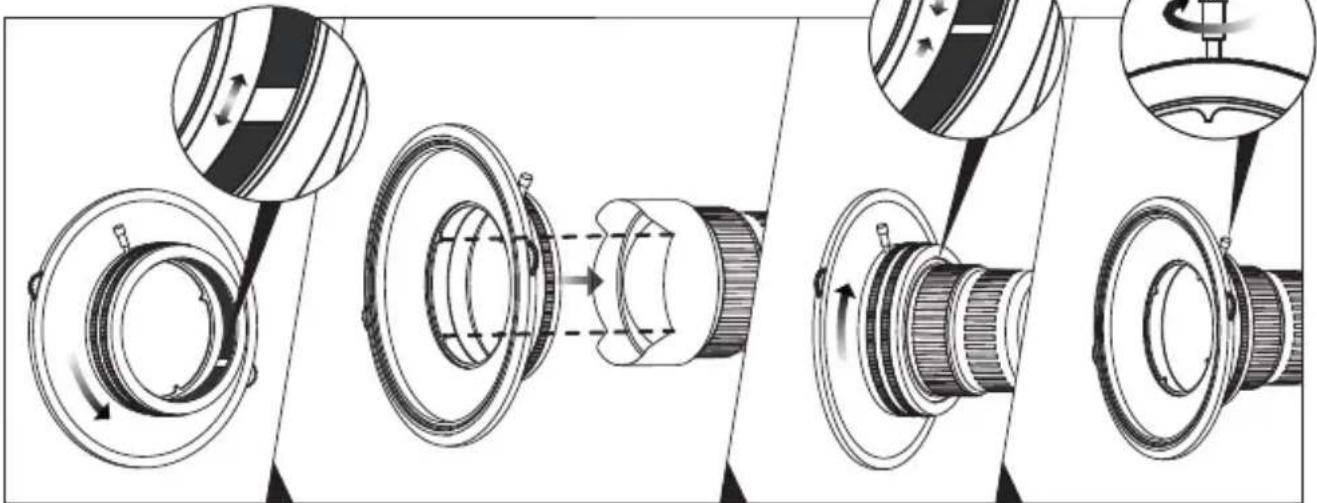
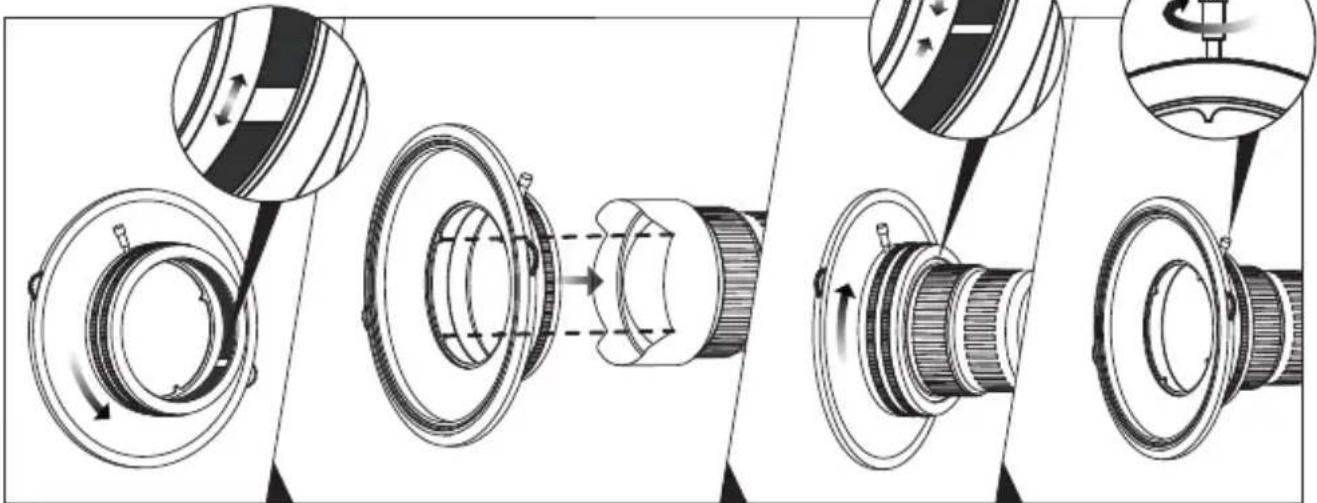
Mechanical assembly diagram showing three stages of a mechanical component with rotation arrows and cross-sectional views (no text or labels)- Rotate the locking ring anticlockwise and make sure that the contractible cycle is at widest bore.
• Install the adapter by inserting the four marked points into the groove of the lens hood.
- Rotate the locking ring clockwise and ensure that it firmly secured.
- Tighten the locking screw.
English
Installation with a circular filter
natural_image
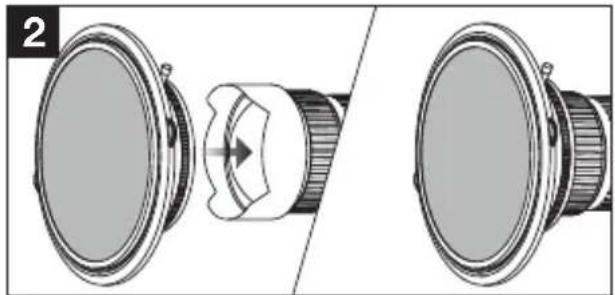
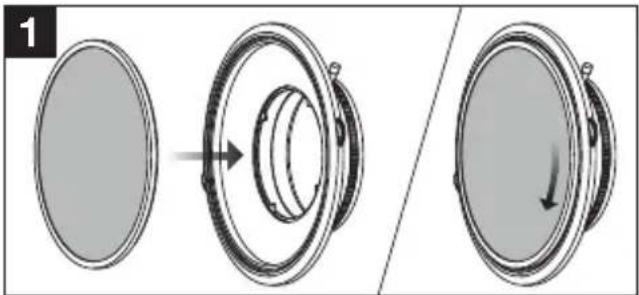
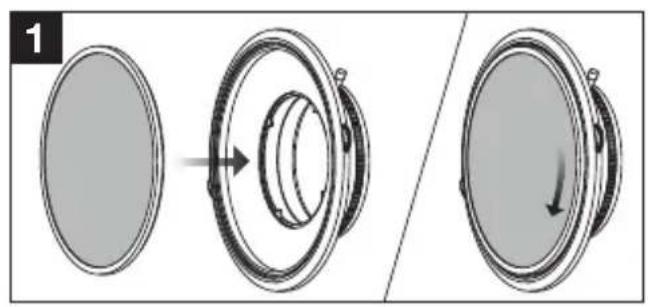
Diagram showing a speaker component being rotated into a ring, with no text or symbols present.- Place the circular filter on the front surface of the adapter while turning anticlockwise with the wheel held secure. Check that the filter is firmly screwed in by rotating the filter clockwise. It should rotate freely without coming loose.
natural_image
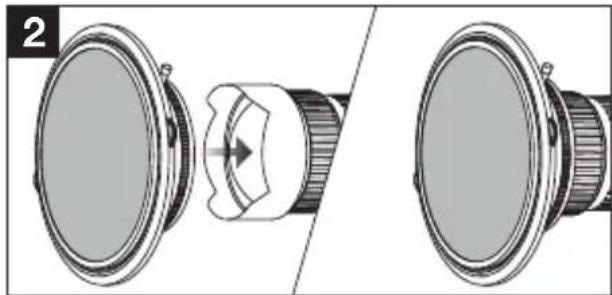
Diagram showing a camera lens assembly with a central connector and two views (no text or symbols)- Install the adapter with the circular filter in place (See page 11).
text_image
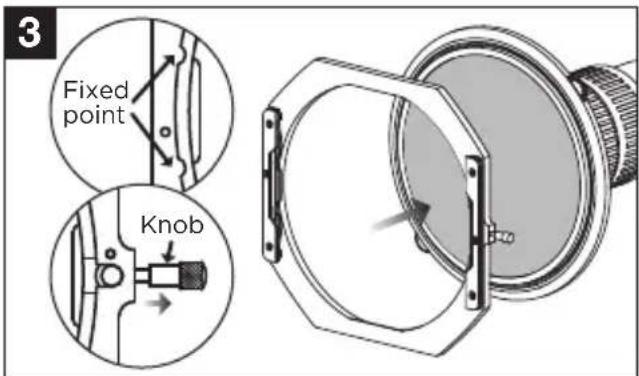
3 Fixed point Knob- Place the two fixed points of the filter holder onto the adapter securely and pull the knob.
Check that the holder is securely installed by rotating it to and fro.
text_image
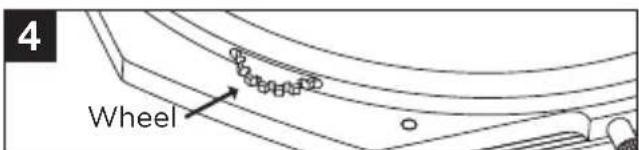
4 Wheel- Rotate the wheel and adjust the circular filter to the desired configuration.
natural_image
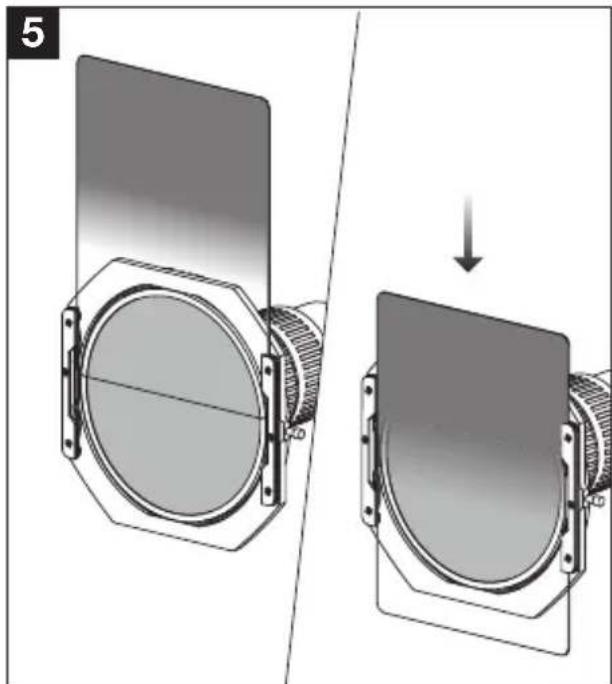
Diagram showing a mechanical assembly before and after transformation, with no visible text or symbols.- Insert the square or rectangular filter into the clip and test it before shooting.
Installation without a circular filter
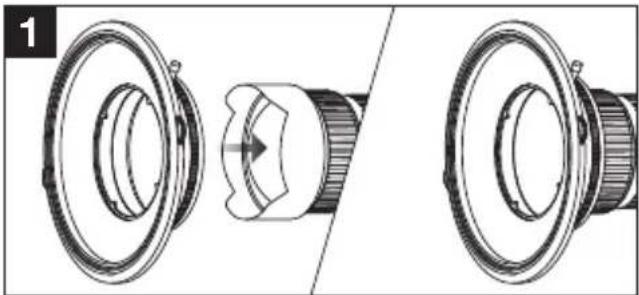
natural_image
Technical illustration of a speaker component showing front and side views (no text or symbols)- Install the adapter onto the lens (please see page 11).
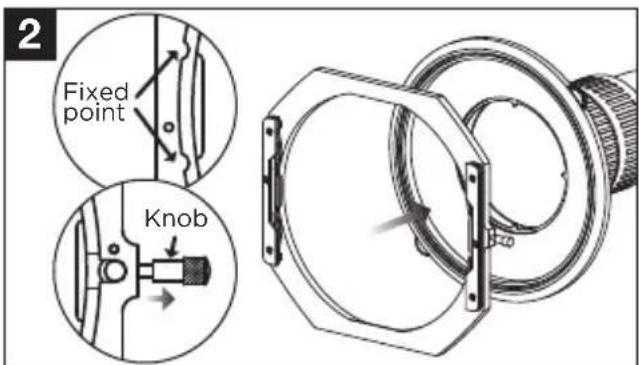
text_image
2 Fixed point Knob- Place the two fixed points of the filter holder onto the adapter securely and pull the knob.
Check that the holder is securely installed by rotating it to and fro.
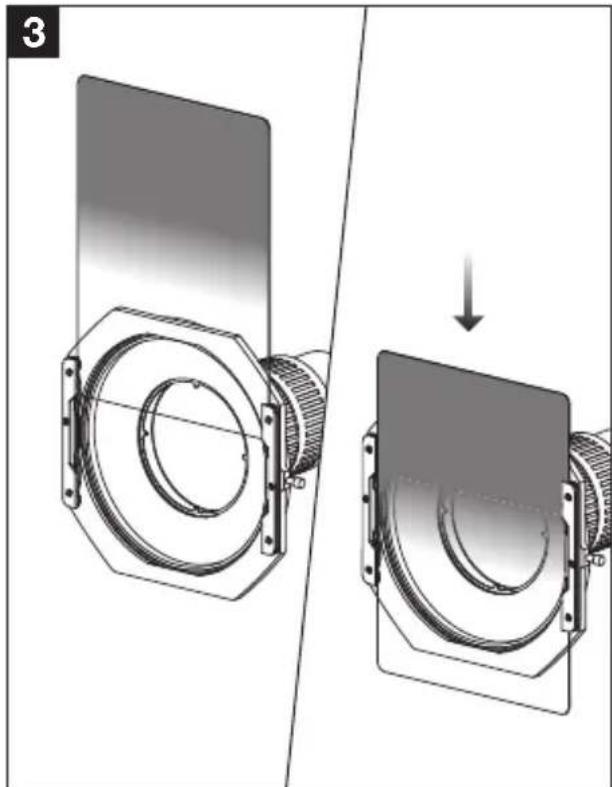
natural_image
Diagram showing a mechanical assembly before and after transformation, with no visible text or symbols.- Insert the square or rectangular filter into the clip and test it before shooting.
Note: 1. The S5 filter holder system is suitable for filters 150mm in width and 2mm in thickness.
2. The holders all made of aluminium which can be noisy while rotating.
3. The holder has been designed for the use of 1 circular and 2 square/rectangular filters. An additional clip may be added but this will result in some vignetting.
4. The holder has been tested to be durable between -149°F and 410°F.
Watch the installation video : https://youtu.be/ZsTDXCEUNgQ
Deutsch
natural_image
Technical line drawing of a circular mechanical component with mounting holes (no text or symbols)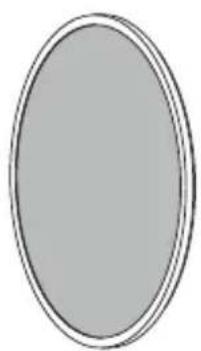
natural_image
Simple oval shape with a thin border, no text or symbols present.natural_image
Technical line drawing of a mechanical bearing assembly (no text or symbols)AdapterFilterhalter
Adapter Installation
natural_image
Mechanical assembly diagram showing three stages of a mechanical component with rotation arrows and cross-sectional views (no text or labels)natural_image
Diagram showing a speaker component being rotated into a ring, with no text or symbols present.natural_image
Diagram showing a camera lens assembly with a central connector and two views (no text or symbols)natural_image
Diagram showing two views of a camera lens assembly before and after, with no visible text or symbols.natural_image
Technical illustration of a mechanical component with cross-sectional view (no text or symbols)natural_image
Diagram showing a mechanical assembly before and after transformation, with no visible text or symbols.natural_image
Technical line drawing of a mechanical assembly with multiple views and mounting brackets (no text or symbols)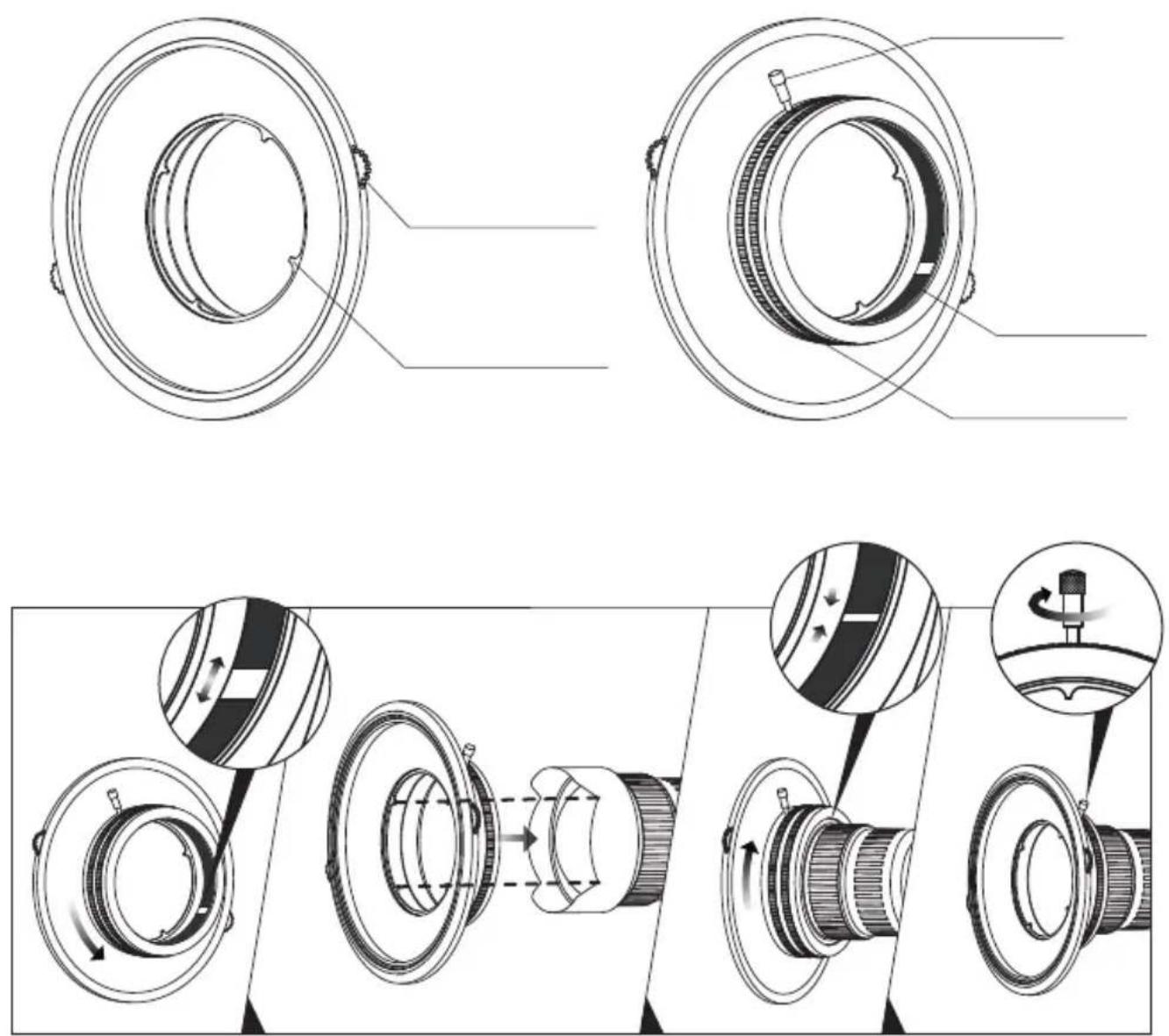
natural_image
Diagram showing a speaker component being rotated into a ring, with no text or symbols present.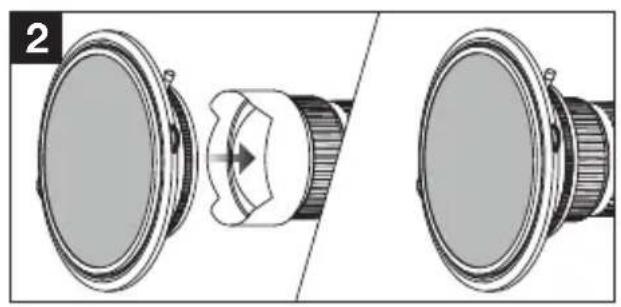
natural_image
Diagram showing a speaker component being twisted into a lens, with no text or symbols present.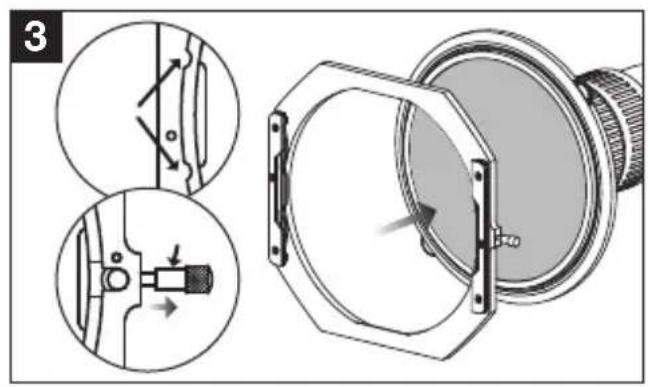
text_image
Technical diagram showing mechanical assembly steps with magnified views and directional arrows indicating motion or movement.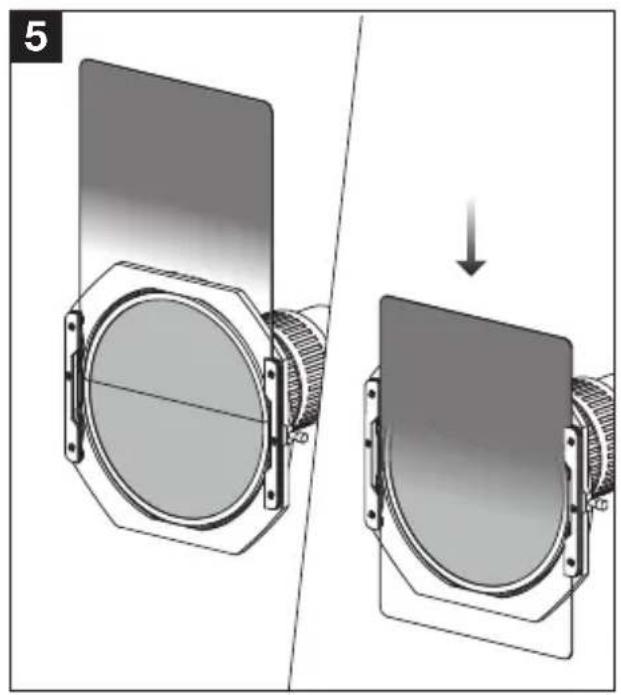
natural_image
Diagram showing a mechanical assembly before and after transformation, with no visible text or symbols.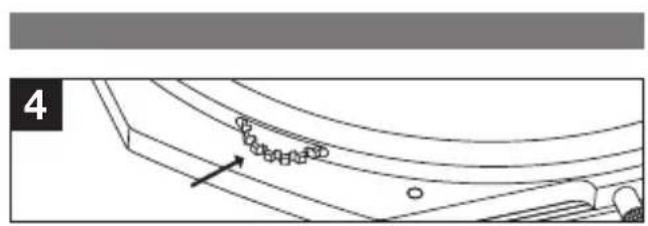
natural_image
Technical line drawing of a curved mechanical component with mounting holes and a directional arrow (no text or symbols)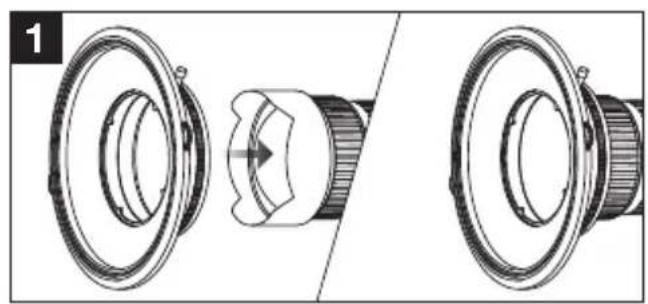
natural_image
Technical illustration of a mechanical component with cross-sectional view (no text or symbols)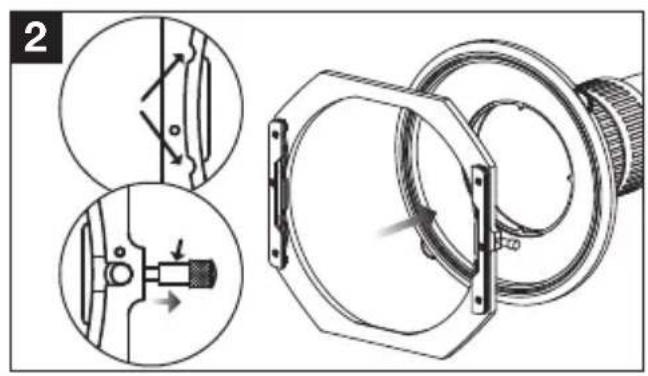
natural_image
Technical illustration of mechanical components with cross-sectional views (no text or symbols)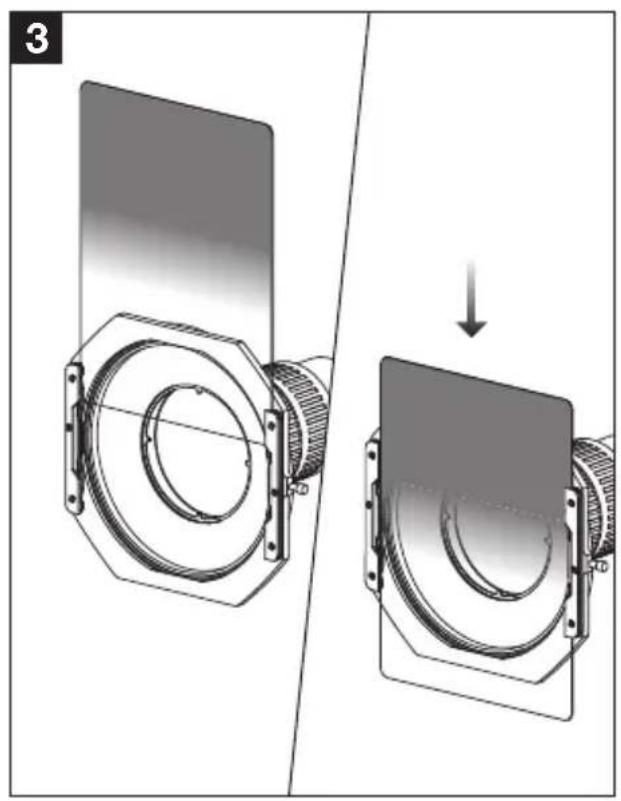
natural_image
Mechanical assembly diagram showing a rotating component before and after disassembly (no text or symbols)Français
natural_image
Technical line drawing of a circular mechanical component with mounting holes and a central hub (no text or symbols)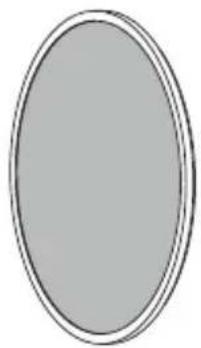
natural_image
Simple oval shape with a thin border, no text or symbols present.natural_image
Technical line drawing of a mechanical bearing assembly (no text or symbols)natural_image
Mechanical assembly diagram showing three stages of a mechanical component with rotation arrows and cross-sectional views (no text or labels)natural_image
Diagram showing a speaker component being rotated into a ring, with no text or symbols present.natural_image
Diagram showing a camera lens assembly with a central connector and two views (no text or symbols)natural_image
Diagram showing two views of a camera frame with a circular lens and hexagonal frame, one being cut (no text or symbols present)natural_image
Technical illustration of a mechanical component with cross-sectional views (no text or symbols)natural_image
Diagram showing two mechanical components with a transformation arrow, no text or symbols presentnatural_image
Technical line drawing of a circular mechanical component with mounting holes and a central hub (no text or symbols)