DC700 - Doorbells ALECTO - Free user manual and instructions
Find the device manual for free DC700 ALECTO in PDF.


| Technical Features | Wireless doorbell with range up to 100 meters, 36 different melodies, adjustable volume. |
|---|---|
| Usage | Easy installation, battery operated, ideal for houses and apartments. |
| Maintenance and Repair | Battery replacement needed when sound decreases, regular cleaning of the outdoor unit recommended. |
| Safety | Encrypted radio signal to avoid interference, weather resistant. |
| General Information | Compatible with other ALECTO devices, 2 years warranty. |
Frequently Asked Questions - DC700 ALECTO
User questions about DC700 ALECTO
0 question about this device. Answer the ones you know or ask your own.
Ask a new question about this device
Download the instructions for your Doorbells in PDF format for free! Find your manual DC700 - ALECTO and take your electronic device back in hand. On this page are published all the documents necessary for the use of your device. DC700 by ALECTO.
USER MANUAL DC700 ALECTO
| Alecto DC-700 | |
| Door viewer cylinder: Ø 14-22 mm | |
| Door Thickness: 30-65 mm | |
| Field of vision of the peephole: | 170° |
| Field of vision of the camera: 120° | |
| Screen: | 2,4" 480x234 px. |
| Voltage supply: 3 x 1.5V AAA | LR03 |
| Dimensions: 95 x 95 x 15 mm | |
| Weight: approx. 150g | |
FR VUE D'ENSEMBLE.
| Alecto DC-700 | |
| Door viewer cylinder: Ø 14-22 mm | |
| Door Thickness: 30-65 mm | |
| Field of vision of the peephole: | 170° |
| Field of vision of the camera: 120° | |
| Screen: | 2,4" 480x234 px. |
| Voltage supply: 3 x 1.5V AAA | LR03 |
| Dimensions: 95 x 95 x 15 mm | |
| Weight: approx. 150g | |
D ÜBERSICHT.
| Alecto DC-700 | |
| Door viewer cylinder: Ø 14-22 mm | |
| Door Thickness: 30-65 mm | |
| Field of vision of the peephole: | 170° |
| Field of vision of the camera: 120° | |
| Screen: | 2,4" 480x234 px. |
| Voltage supply: 3 x 1.5V AAA | LR03 |
| Dimensions: 95 x 95 x 15 mm | |
| Weight: approx. 150g | |
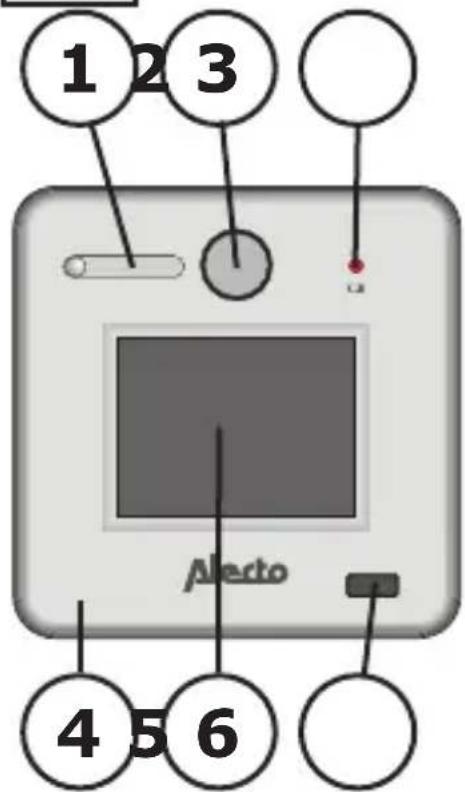
GB OVERVIEW.
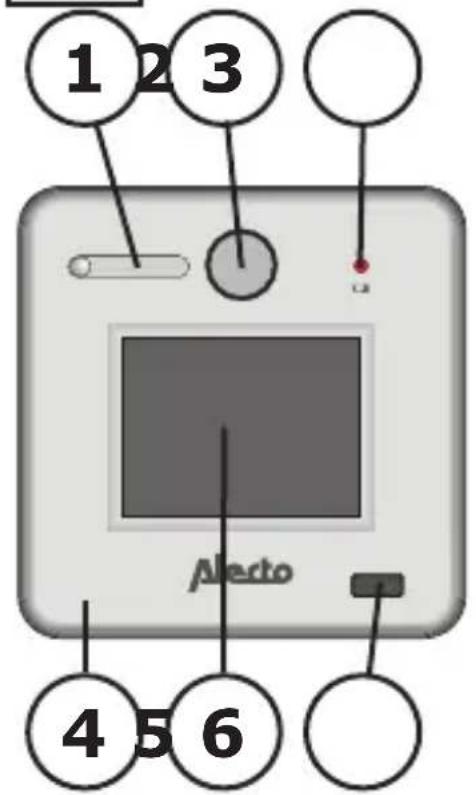
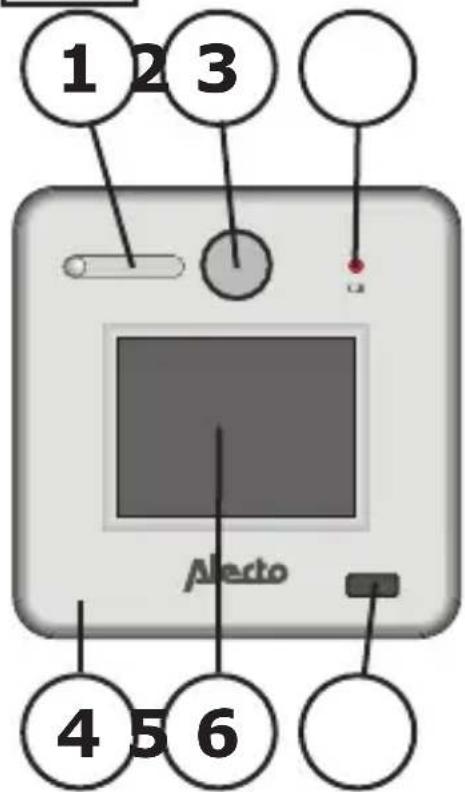
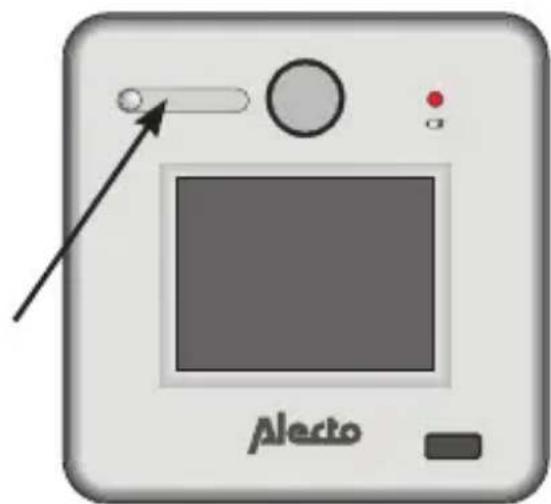
- slide for door-eye cover
- conventional door-eye
- empty battery indicator
- removable cover
- 2.4'' LCD display
- power button
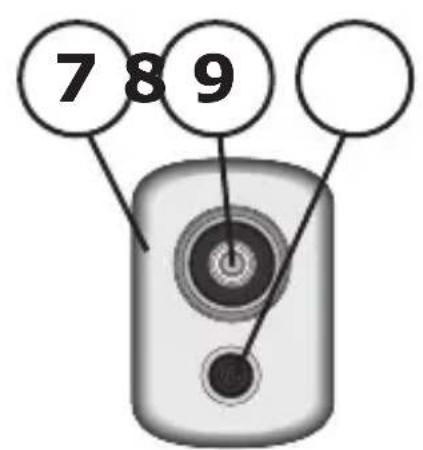
- camera unit
- door-eye
- camera lens

- mounting tool
- measuring tool
DESCRIPTION.
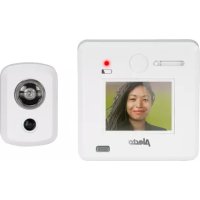
The DC-700 is used as a door-eye with a conventional peep-eye and a digital peep-eye with camera and LCD display.
The DC-700 may replace the existing conventional door-eye or you may drill a new hole for the DC-700.
INSTALLATION PREPARATION:
-
Remove the old door-eye.
-
Use the supplied measuring tool to check whether the diameter of the current hole is large enough (Ø14-22mm) for fitting the tube.
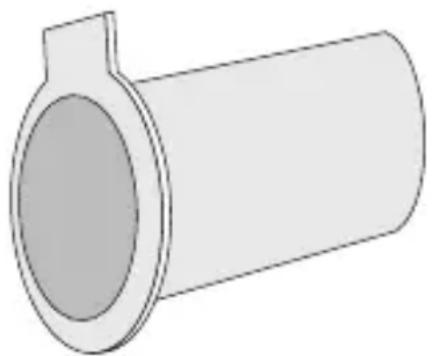
- If the hole is not large enough or in case there's no hole, drill one of 14mm at eye height into the door.
ATTENTION:
Keep in mind that the hole of the door-eye must be at eye height, otherwise the image of the LCD display may not be clear in certain circumstances.
INSTALLATION:
- Use the supplied mounting tool to remove the cover.
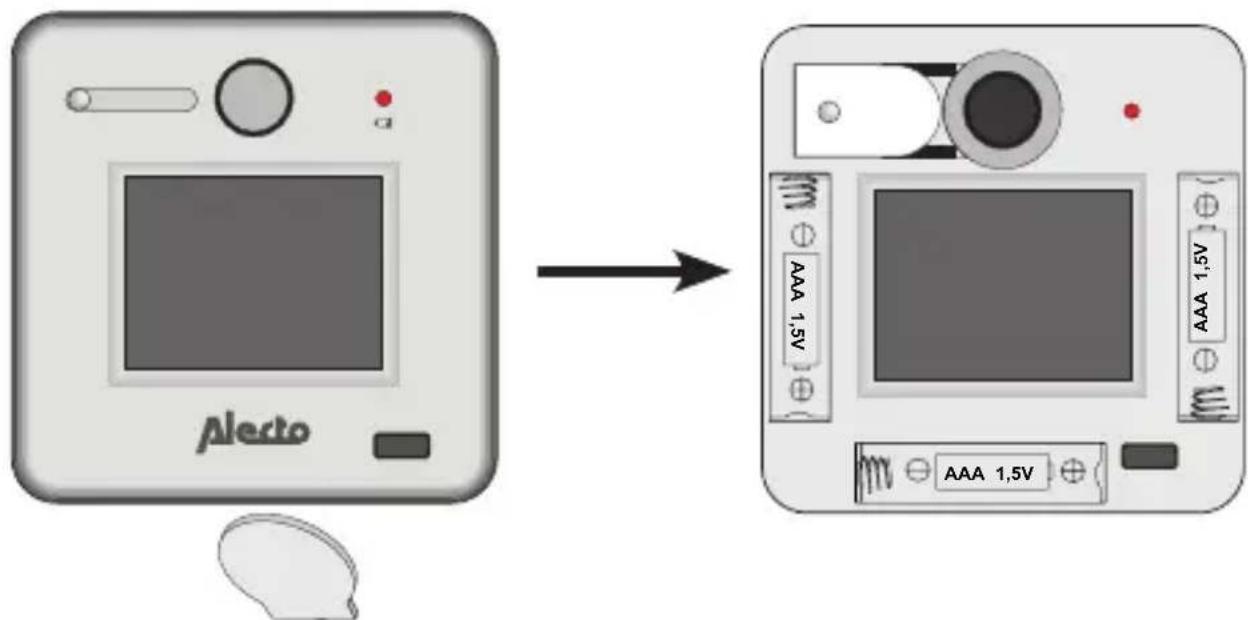
-
Loosen the tape cable from the LCD screen.
-
Unscrew the mounting bus of the camera unit.
-
Insert the screw thread of the tape cable from the outside through the hole to the inside. Ensure the tape cable is first inserted towards the inside and is then protruding on the inside. Now carefully slide the tube into the hole.
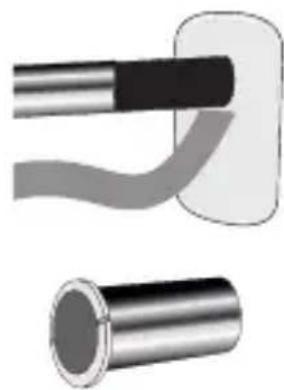
- Connect the tape cable to the LCD unit on the inside.
- Slide the mounting tube through the mounting hole of the LCD unit and carefully through the hole in the door.
- Use the supplied tool to carefully
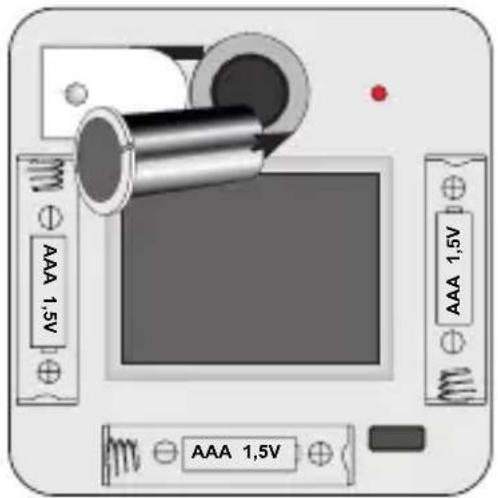
screw the tubeinto the tubeof the cameraunit until the Lccamera are sec
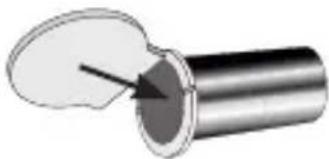
- Now insert 3 × 1.5 ~V AAA size batteries into the battery compartment, paying attention to the correct polarity.
- Replace the cover on the LCD unit.
- The slide is used to cover the hole of the door-eye.
USE:
- Press the power button on the LCD unit to switch on the LCD display.
- The camera at the outside of the door records the images which are shown on the LCD display.
- The LCD unit will switch off automatically after 20 seconds.
- You can view the outside through the conventional door-eye without activating the LCD screen. To do this, first slide open the cover.
- The empty battery indicator will illuminate when the batteries are nearly exhausted.
- When the batteries are empty, you may still view the outside through the conventional door-eye.
- Don't use abrasives to clean the housing; use a soft moist cloth.
- Don't apply pressure when cleaning the LCD display.
- Remove the batteries when not using the door-eye for a long period of time.
TECHNICAL SPECIFICATIONS:
| Alecto DC-700 | |
| Door viewer cylinder: Ø 14-22 mm | |
| Door Thickness: 30-65 mm | |
| Field of vision of the peephole: | 170° |
| Field of vision of the camera: 120° | |
| Screen: | 2,4" 480x234 px. |
| Voltage supply: 3 x 1.5V AAA | LR03 |
| Dimensions: 95 x 95 x 15 mm | |
| Weight: approx. 150g | |

ServiceHelp



WWW.ALECTO.NL
SERVICE@ALECTO.NL

Hesdo,Australielaan 1
5232 BB, 's-Hertogenbosch
The Netherlands
v3.0