ManualGo.com
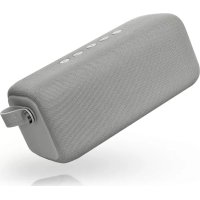
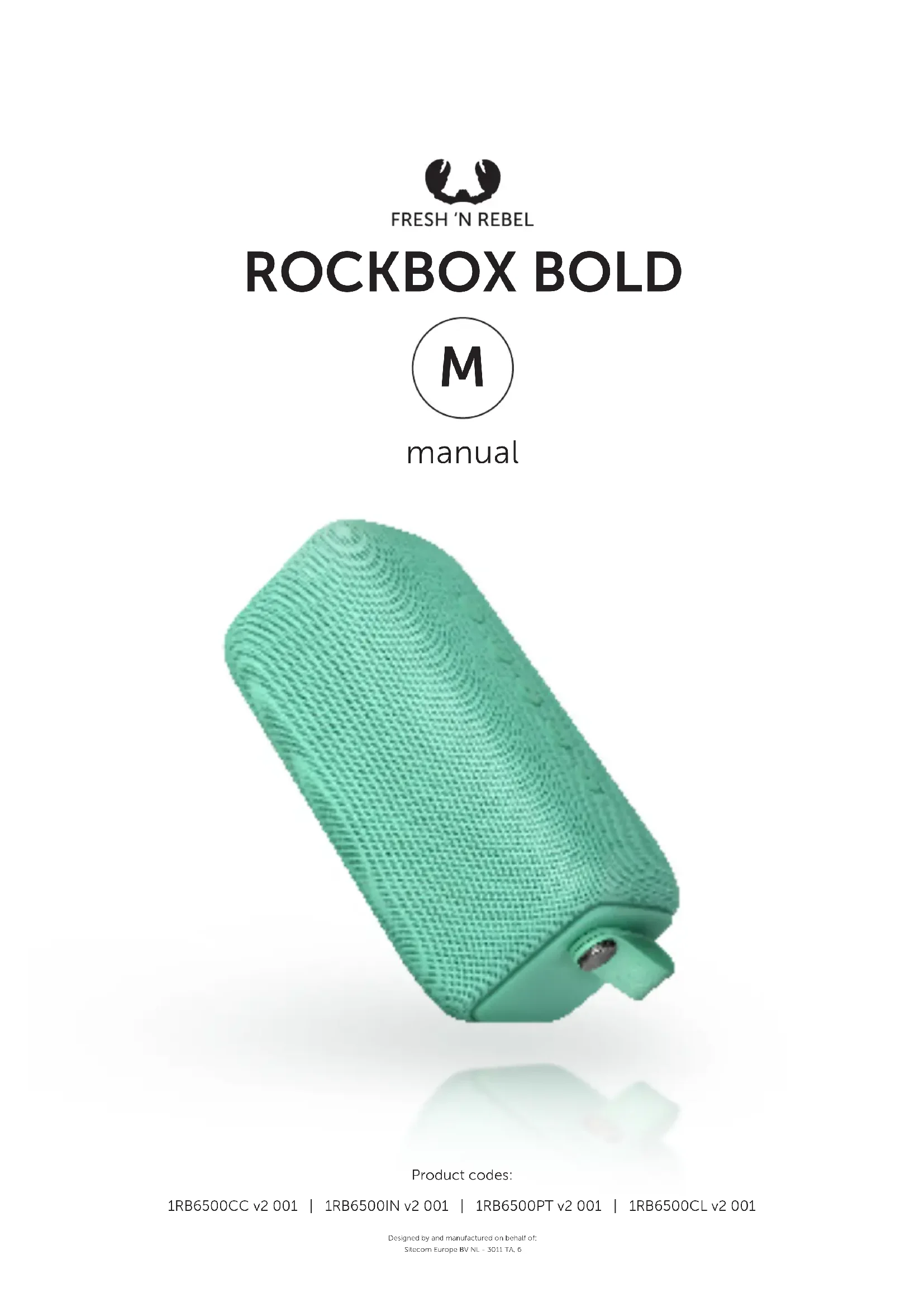
Rockbox Bold M - Speaker Fresh 'n Rebel - Free user manual and instructions
Find the device manual for free Rockbox Bold M Fresh 'n Rebel in PDF.



| Title | Description |
|---|---|
| Product type | Portable Bluetooth speaker |
| Dimensions | 220 x 100 x 100 mm |
| Weight | 800 g |
| Battery life | Up to 20 hours |
| Connectivity | Bluetooth 4.2, 3.5 mm auxiliary input |
| Water resistance | IPX7 (waterproof up to 1 meter for 30 minutes) |
| Output power | 2 x 5 W |
| Additional features | Built-in microphone for calls, ability to pair multiple speakers |
| Maintenance | Clean with a soft cloth, avoid harsh chemicals |
| Safety | Do not expose to extreme temperatures, avoid prolonged immersion |
| Included accessories | USB charging cable, user guide |
Frequently Asked Questions - Rockbox Bold M Fresh 'n Rebel
Download the instructions for your Speaker in PDF format for free! Find your manual Rockbox Bold M - Fresh 'n Rebel and take your electronic device back in hand. On this page are published all the documents necessary for the use of your device. Rockbox Bold M by Fresh 'n Rebel.
USER MANUAL Rockbox Bold M Fresh 'n Rebel
Product codes: 1RB6500CC v2 001 | 1RB6500IN v2 001 | 1RB6500PT v2 001 | 1RB6500CL v2 001 Designed by and manufactured on behalf of: Sitecom Europe BV NL - 3011 TA, 6EN
3. Battery capacity LEDs: 1/4 = 25%, 2/4 = 50%, 3/4 = 75%, 4/4 = 100%
Short press = take / end calls Long press = decline calls
TURN ON THE DOUBLE FUN MODE
1. Charge the speaker with the Micro USB cable.The battery capacity LEDs will light up when the speaker is charging. The LED’s will light up and stay on when the speaker is fully charged.2. Turn the speaker on.At the side of the speaker, you will find the on/o button. Turn on the speaker.4. Is the Bluetooth on your phone on?Activate Bluetooth and select the speaker from the list of available devices. You’ll hear a “bleep” when you’re connected. 3. Press the Bluetooth button.Press the Bluetooth button once to activate Bluetooth.Before you start, deactivate Bluetooth on your phone/laptop/tablet. Make sure both speakers are turned o.1. Turn on the first speakerYou will find the on/o button at the side. Turn on the first speaker.2. Turn on the second speakerYou will find the on/o button at the side. Turn on the second speaker.3. Prepare the first speaker for pairing Now you’ll need to setup the first speaker to pair with the second speaker. Press the Bluetooth button at the side once (short press).
4. Pairing the second speaker
Press the Bluetooth button on the second speaker twice (short presses), you will hear a “bleep” confirming that both speakers have been paired correctly.5. Turn on the Bluetooth on your phone/laptop/tabletActivate Bluetooth and select the speaker from the list of available devices. You’ll hear a beep when you’re connected. NOW LISTEN IN “DOUBLE FUN MODE”!
Speaker (1) Left Speaker (2) Right ENLISTEN UP! Trouble connecting? When turning the speaker on, it will try to reconnect to the last device for 30 seconds. If it can’t find it, it will go into pairing mode for 3 minutes and you can connect a new device. A soft reset can sometimes resolve your pairing issue, so please try to turn your speaker o and on again. Too slow? Your speaker will stay in pairing mode for 3 minutes only. Missed it? Press the Bluetooth button for 3 seconds. Connect a dierent device? Press the Bluetooth button to set the speaker back into pairing mode and connect a new device. Hearing a beep? The battery is getting low. We’ll give you a warning when you have 20, 15 and 10 percent capacity left. The speaker turned o? The battery was below 5 percent. Charge the speaker to rock out again.. The speaker went to sleep? You haven’t played anything in the last 30 minutes or forgot to turn your speaker o? Turn your speaker o and on again to keep playing music. Charging other devices? The playtime of your speaker will be shorter when using the Powerbank port to charge other devices. Need help with warranty? The standard 2 years store warranty is valid only upon presentation of the proof of purchase or copy hereof consisting of original invoice with the date of purchase and product code. Please contact the shop where you bought your Fresh ‘n Rebel product to claim warranty. See also Warranty & Limitations. Is your question not included? We are here to help. Drop us a line: helpme@freshnrebel.com
IMPORTANT SAFETY INSTRUCTIONS WARNING! The safety guidelines are designed for you to get the maximum performance from your Fresh ‘n Rebel product safely. To ensure reliable operation:
- Always follow all instructions and warnings closely.
- Read all instructions in the user manual carefully before operating the speaker.
- The Rockbox Bold speakers are all IPX7 certificated. IMPORTANT: To make sure that the Rockbox Bold is waterproof, remove all cables from the speaker and close the rubber cover on the side; As soon as you expose the Rockbox Bold to liquids without doing this, this can cause permanent damage to the speaker. Do not expose the Rockbox Bold to water while charging. This can cause permanent damage to the speaker or battery.
- The speaker is defined as IPX7 because the speaker can be immersed to 1 meter deep in water up to 30 minutes.
- The Rockbox Bold does not like salt water. If the speaker still comes into contact with salt water, we advise you to rinse the speaker with tap water. To prevent salt from crystallizing on the drivers, controls or fabric casing.
- The system’s water-resistant performance is based on measurements under the conditions described herein. Please note that malfunctions due to water immersion caused by misuse are not covered by warranty.
- Do not attempt to modify or open the speaker. There are no serviceable parts inside and this will void your warranty.
- Do not operate the speaker in or near a significant heat source, heat vent, or under direct sunlight for long durations.
- The speaker should be used in environment ranging from 5 ºC - 45ºC (41ºF – 113ºF).
- Do not cover the speaker with paper or other materials. This may aect its cooling capacity.
- Do not place heavy objects on the speaker.
- Do not attempt to push objects into openings of the speaker
- Do not rely on your speaker for emergency communications.
- Keep your speaker away from medical devices, including pacemakers and hearing aids.
- Turn o your speaker in aircrafts. Using your speaker in an aircraft might aect aircraft operations and might be illegal.
- Keep a minimum distance of 5 mm around the speaker for sucient ventilation.
- No naked flame sources, such as lighted candles, should be placed on the speaker.
- Attention should be drawn to the environmental aspects of battery disposal.
- The battery shall not be exposed to excessive heat such as sunshine, fire or the like.
- CAUTION: Danger of explosion if battery is incorrectly replaced. Replace only with the same or equivalent type. Warranty & Limitations We warranty the product against defects in material and workmanship under normal usage for a period of 2 year from the date of purchase. During that period, defective products may be oered for repair or replacement at the store where the product was bought. The warranty does not cover accidental damage, wear and tear, incidental loss, or use beyond the instructions in the user manual. Products specifications Output power: 2 x 12W DC input: Max. 5V/2A (micro USB) Battery capacity: 7.4V / 2600mAh USB output: 5V/1A Bluetooth: 4.2 Size: 182 x 80 x 80 mm Product weight: 660 gram Operating frequency band: 2400 to 2483.5 MHz Maximum radio-frequency power transmitted: 4 dBmNL