 ManualGo.com
SPEEDCARE GC6612 - Steam iron PHILIPS - Free user manual and instructions
Find the device manual for free SPEEDCARE GC6612 PHILIPS in PDF.



Download the instructions for your Steam iron in PDF format for free! Find your manual SPEEDCARE GC6612 - PHILIPS and take your electronic device back in hand. On this page are published all the documents necessary for the use of your device. SPEEDCARE GC6612 by PHILIPS.
USER MANUAL SPEEDCARE GC6612 PHILIPS
Always here to help you Register your product and get support at www.philips.com/welcome GC6600 series
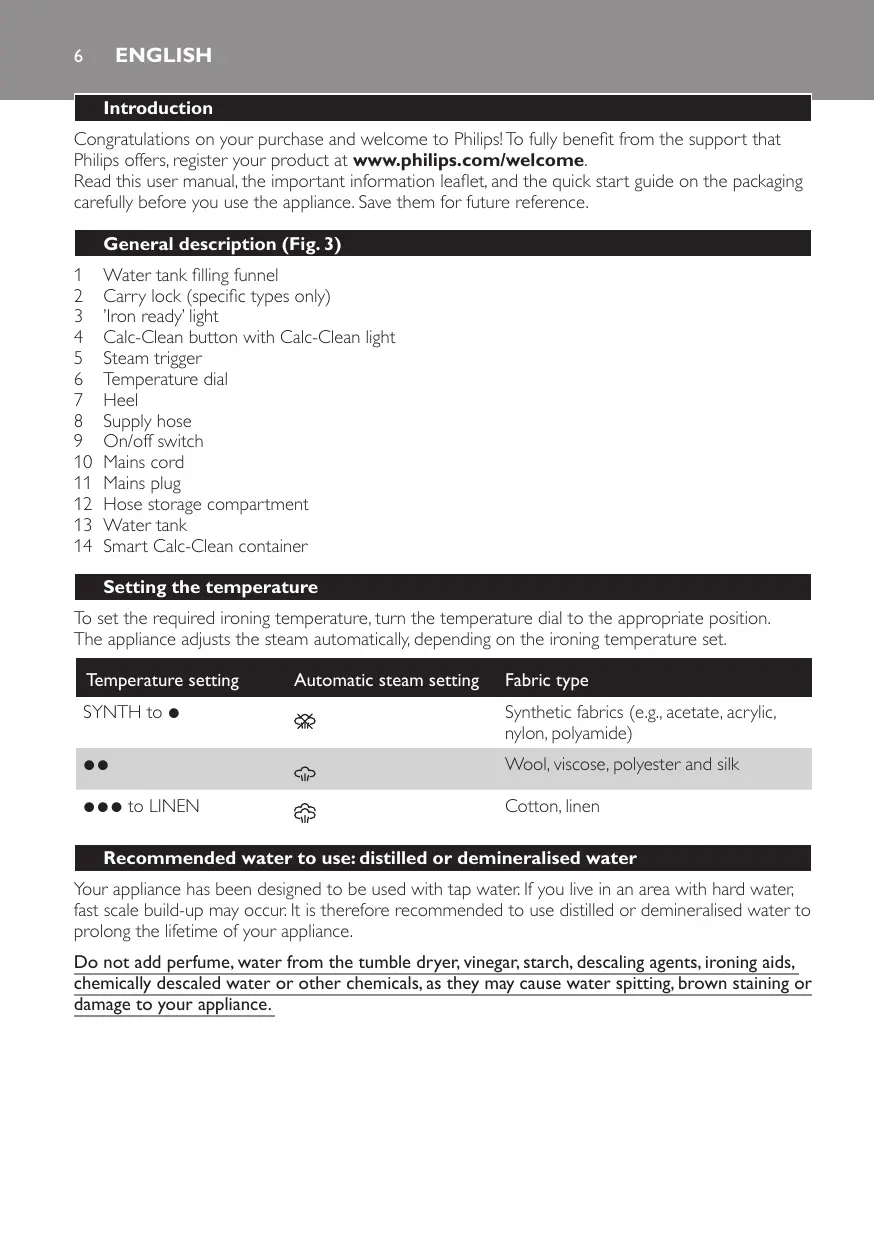
Introduction Congratulations on your purchase and welcome to Philips! To fully benefit from the support that Philips offers, register your product at www.philips.com/welcome. Read this user manual, the important information leaflet, and the quick start guide on the packaging carefully before you use the appliance. Save them for future reference. General description (Fig. 3)
Water tank filling funnel Carry lock (specific types only) ’Iron ready’ light Calc-Clean button with Calc-Clean light Steam trigger Temperature dial Heel Supply hose On/off switch Mains cord Mains plug Hose storage compartment Water tank Smart Calc-Clean container Setting the temperature To set the required ironing temperature, turn the temperature dial to the appropriate position. The appliance adjusts the steam automatically, depending on the ironing temperature set. Temperature setting Automatic steam setting Fabric type SYNTH to 1 Synthetic fabrics (e.g., acetate, acrylic, nylon, polyamide)
Wool, viscose, polyester and silk 3 to LINEN Cotton, linen Recommended water to use: distilled or demineralised water Your appliance has been designed to be used with tap water. If you live in an area with hard water, fast scale build-up may occur. It is therefore recommended to use distilled or demineralised water to prolong the lifetime of your appliance. Do not add perfume, water from the tumble dryer, vinegar, starch, descaling agents, ironing aids, chemically descaled water or other chemicals, as they may cause water spitting, brown staining or damage to your appliance. ENGLISH
IMPORTANT - Cleaning and maintenance Smart Calc-Clean System Your appliance has been designed with a Smart Calc-Clean system to ensure that descaling and cleaning is done regularly. This helps to maintain a strong steam performance and avoids dirt and stains coming out of the soleplate over time. To ensure that the cleaning process is performed, the steam generator gives regular reminders. Besides that, a second defence step to protect the steam generator from scale is integrated: the steam function gets disabled if descaling is not done after 1 hour steam ironing once the reminder came up. After descaling is done, the steam function will be restored. This takes place regardless of the type of water used. Sound and light Calc-Clean reminder -- After 1 to 3 months of use, the Calc-Clean light starts flashing and the appliance starts beeping to indicate that you have to perform the Calc-Clean process (Fig. 4). -- You can continue steam ironing for 1 hour while the Calc-Clean light flashes and the appliance beeps. After 1 hour, the steam function is automatically disabled. You have to perform the Calc-Clean process before you can continue steam ironing. (Fig. 5) Tip:You can continue to dry iron by not pressing the steam trigger. Performing the Calc-Clean process with the Calc-Clean container Do not leave the appliance unattended during the Calc-Clean process. Caution: Do not interrupt the process by lifting the iron up from the Calc-Clean container, as hot water and steam will come out of the soleplate. 1 Fill up the water tank halfway (Fig. 6). 2 Make sure that the appliance is plugged in and switched ON during the Calc-Clean process (Fig. 7). 3 Turn the temperature dial to CALC CLEAN (Fig. 8). 4 Place the Calc-Clean container on the ironing board or any other even, stable surface (Fig. 9). 5 Place the iron stably on the Calc-Clean container. Note:The Calc-Clean container has been designed to collect scale particles and hot water during the Calc-Clean process. It is perfectly safe to rest the iron on this container during the entire process. 6 Press and hold the Calc-Clean button for 2 seconds until you hear short beeps (Fig. 10). 7 During the Calc-Clean process, you hear short beeps and a pumping sound. Wait approximately 2 minutes for the appliance to complete the process (Fig. 11). 8 When the Calc-Clean process is completed, the iron stops beeping (Fig. 12). 9 Wipe the iron with a piece of cloth and put it back on the base station (Fig. 13). 10 As the Calc-Clean container becomes hot during the Calc-Clean process, wait approx. 5 minutes before you touch it. 11 Carry the Calc-Clean container to the sink, empty it and store it for future use (Fig. 14). 12 If necessary, you can repeat steps 1 to 11. Make sure that you empty the Calc-Clean container before you start the Calc-Clean process. Note: During the Calc-Clean process, clean water may come out of the soleplate if no scale has accumulated inside the iron.This is normal.
ENGLISH Safety auto-off mode (specific types only) -- To save energy, the steam generator switches off automatically when it has not been used for 15 minutes. The ‘iron ready’ light flashes. -- To reactivate the steam generator, set the on/off switch to ‘off ’ position and then to ‘on’ position. Troubleshooting This chapter summarises the most common problems you could encounter with the appliance. If you are unable to solve the problem with the information below, visit www.philips.com/support for a list of frequently asked questions or contact the Consumer Care Centre in your country. Problem Possible cause Solution The iron does not produce any steam. There is not enough water in the water tank. Fill the water tank beyond the MIN indication. Press and hold the steam trigger until steam comes out. It may take up to 30 seconds until steam comes out. You have not pressed the steam Press and hold the steam trigger until trigger. steam comes out. You have set the temperature dial to 1. Turn the temperature dial to 2 or higher. The steam function has been disabled until you have performed the Calc-Clean process. Perform the Calc-Clean process to restore the steam function (see chapter ‘IMPORTANT - Cleaning and maintenance’). The Calc-Clean light flashes and the appliance beeps. This is the Calc-Clean reminder. Perform the Calc-Clean process within 1 hour after the Calc-Clean reminder is given. The Calc-Clean light flashes and/ or the appliance beeps. You have not done or have not completed the Calc-Clean process. Perform the Calc-Clean process to enable the steam function again (see chapter ‘IMPORTANT - Cleaning and maintenance’). The Calc-Clean light flashes and the appliance beeps every time I press the steam trigger. No steam comes out of the soleplate. You have not done or have not completed the Calc-Clean process. Perform the Calc-Clean process to enable the steam function again (see chapter ‘IMPORTANT - Cleaning and maintenance’). The appliance has The safety auto-off function was Set the on/off switch to ‘off ’ position and then to ‘on’ position. switched off. activated. This happens automatically when the steam generator has not been used or the steam trigger has not been pressed for more than 15 minutes. ENGLISH Problem Possible cause Solution The appliance produces a loud pumping sound. The water tank is empty. Fill the water tank with water and press the steam trigger until the pumping sound becomes softer and steam comes out of the soleplate. Water droplets come out of the soleplate. After the Calc-Clean process, Wipe the soleplate dry with a piece of remaining water may drip out of cloth. If the Calc-Clean light still flashes and the soleplate. the appliance still beeps, perform the Calc-Clean process (see chapter ‘IMPORTANT - Cleaning and maintenance’). The Calc-Clean process has not been completed. You have to perform the Calc-Clean process again (see chapter ‘IMPORTANT - Cleaning and maintenance’). Dirty water and impurities come out of the soleplate. Impurities or chemicals present in the water have deposited in the steam vents and/or soleplate. Perform the Calc-Clean process regularly (see chapter ‘IMPORTANT - Cleaning and maintenance’). Water flushes out of the soleplate. You have accidentally started the Calc-Clean process (see chapter ‘IMPORTANT Cleaning and maintenance’). Switch off the appliance. Then switch it back on again. Turn the temperature dial to the desired temperature setting instead of CÁLC CLEAN. Let the iron heat up until the ‘iron ready’ light lights up steadily. The Calc-Clean process does not start. You have not set the temperature dial to CALC CLEAN or you have not waited for the iron to heat up. See chapter ‘IMPORTANT - Cleaning and maintenance’. You have not pressed the Calc-Clean button for 2 seconds until the appliance started beeping. See chapter ‘IMPORTANT - Cleaning and maintenance’.