SKM24ASC - Unknown Chief - Free user manual and instructions
Find the device manual for free SKM24ASC Chief in PDF.


User questions about SKM24ASC Chief
0 question about this device. Answer the ones you know or ask your own.
Ask a new question about this device
Download the instructions for your Unknown in PDF format for free! Find your manual SKM24ASC - Chief and take your electronic device back in hand. On this page are published all the documents necessary for the use of your device. SKM24ASC by Chief.
USER MANUAL SKM24ASC Chief
INSTALLATION INSTRUCTIONS

natural_image
Technical line drawing of a computer case with visible door, panel, and ventilation slots (no text or labels)Kiosk Stand/Counter Mount
DISCLAIMER
Legrand | AV and its affiliated corporations and subsidiaries (collectively "Legrand | AV"), intend to make this manual accurate and complete. However, Legrand | AV makes no claim that the information contained herein covers all details, conditions or variations, nor does it provide for every possible contingency in connection with the installation or use of this product. The information contained in this document is subject to change without notice or obligation of any kind. Legrand | AV makes no representation of warranty, expressed or implied, regarding the information contained herein. Legrand | AV assumes no responsibility for accuracy, completeness or sufficiency of the information contained in this document.
Chief® is a registered trademark of Legrand AV Inc.
DEFINITIONS
MOUNTING SYSTEM: A MOUNTING SYSTEM is the primary Chief product to which an accessory and/or component is attached.
ACCESSORY: AN ACCESSORY is the secondary Chief product which is attached to a primary Chief product, and may have a component attached or setting on it.
COMPONENT: A COMPONENT is an audiovisual item designed to be attached or resting on an accessory or mounting system such as a video camera, CPU, screen, display, projector, etc.

WARNING: A WARNING alerts you to the possibility of serious injury or death if you do not follow the instructions.

CAUTION: A CAUTION alerts you to the possibility of damage or destruction of equipment if you do not follow the corresponding instructions.

IMPORTANT SAFETY INSTRUCTIONS

WARNING: Failure to read, thoroughly understand, and follow all instructions can result in serious personal injury, damage to equipment, or voiding of factory warranty! It is the installer's responsibility to make sure all mounting systems are properly assembled and installed using the instructions provided.

WARNING: Exceeding the weight capacity can result in serious personal injury or damage to equipment! It is the installer's responsibility to make sure the combined weight of all components stored within the mounting system does not exceed 5 lbs (2.26 kg).

WARNING: Use this mounting system only for its intended use as described in these instructions. Do not use attachments not recommended by the manufacturer.

WARNING: Never operate this mounting system if it is damaged. Return the mounting system to a service center for examination and repair.

WARNING: Do not use this mounting system outdoors.
--SAVE THESE INSTRUCTIONS--
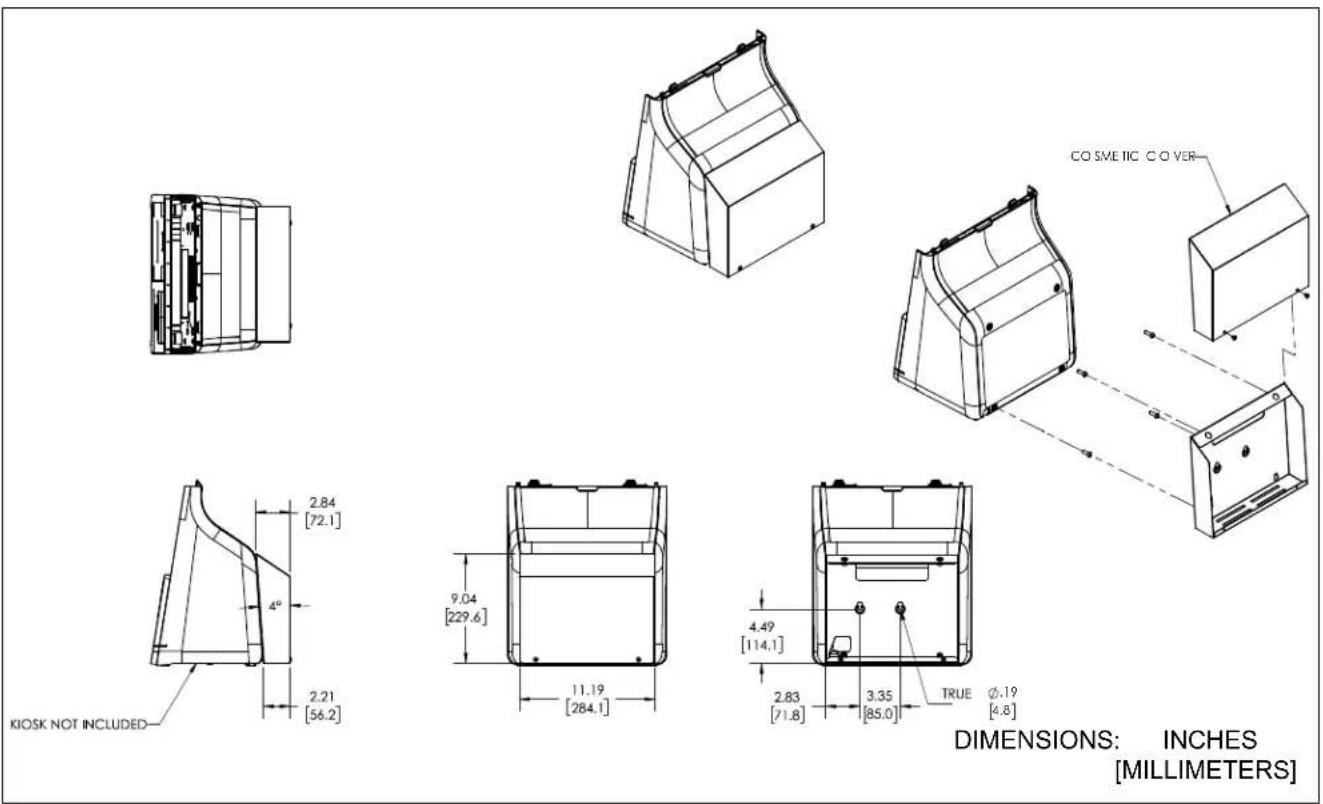
DIMENSIONS
text_image
KIOSK NOT INCLUDED 2.84 [72.1] 4° 2.21 [56.2] 9.04 [229.6] 11.19 [284.1] 4.49 [114.1] 2.83 [71.8] 3.35 [85.0] TRUE Ø.19 [4.8] CO SME IIC CO VER DIMENSIONS: INCHES [MILLIMETERS]LEGEND
 | Tighten Fastener |  | Pencil Mark |
| Apretar elemento de fijación | Marcar con lápiz | ||
| Befestigungsteil festziehen | Stiftmarkierung | ||
| Apertar fixador | Marcar com lápis | ||
| Serrare il fissaggio | Segno a matita | ||
| Bevestiging vastdraaien | Potloodmerkteken | ||
| Serrez les fixations | Marquage au crayon | ||
 | Loosen Fastener |  | Drill Hole |
| Aflojar elemento de fijación | Perforar | ||
| Befestigungsteil lösen | Bohrloch | ||
| Desapertar fixador | Fazer furo | ||
| Allentare il fissaggio | Praticare un foro | ||
| Bevestiging losdraaien | Gat boren | ||
| Desserrez les fixations | Percez un trou | ||
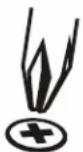 | Phillips Screwdriver |  | Adjust |
| Destornillador Phillips | Ajustar | ||
| Kreuzschlitzschraubendreher | Einstellen | ||
| Chave de fendas Phillips | Ajustar | ||
| Cacciavite a stella | Regolare | ||
| Kruiskopschroevendraaier | Afstellen | ||
| Tournevis à pointe cruciforme | Ajuster | ||
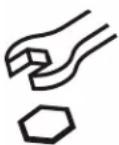 | Open-Ended Wrench |  | Remove |
| Llave de boca | Quitar | ||
| Gabelschlüssel | Entfernen | ||
| Chave de bocas | Remover | ||
| Chiave a punte aperte | Rimuovere | ||
| Steeksleutel | Verwijderen | ||
| Clé à fourche | Retirez | ||
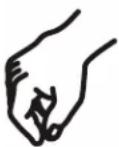 | By Hand |  | Optional |
| A mano | Opcional | ||
| Von Hand | Optional | ||
| Com a mão | Opcional | ||
| A mano | Opzionale | ||
| Met de hand | Optie | ||
| À la main | En option | ||
 | Hex-Head Wrench | 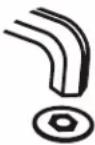 | Security Wrench |
| Llave de cabeza hexagonal | Llave de seguridad | ||
| Sechskantschlüssel | Sicherheitsschlüssel | ||
| Chave de cabeça sextavada | Chave de segurança | ||
| Chiave esagonale | Chiave di sicurezza | ||
| Zeskantsleutel | Veiligheidssleutel | ||
| Clé à tête hexagonale | Clé de sécurité |
TOOLS REQUIRED FOR INSTALLATION


1/8" (included)
5/32" (security) (included)
M4 (included)

2
PARTS

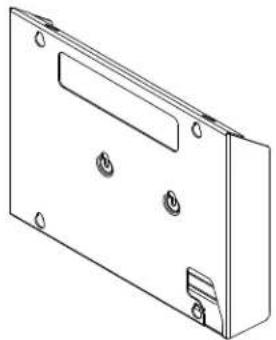
natural_image
Technical line drawing of a rectangular electronic enclosure with mounting holes and a handle (no text or symbols)A (1) [Kiosk bracket]

natural_image
Line drawing of a 3D rectangular frame with a flat top and side supports, labeled B (1) at the bottom (no text or symbols on the diagram itself)B (1) [Bracket cover]

C (4)
M6 x 10mm

D (2)
10-24 x 3/8"

E (2)
10-24 x 3/8"

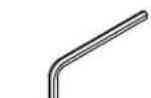
G (1)
5/32"(security)
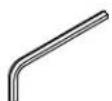
H(1)
M4
Assembly And Installation
Installing Kiosk to Kiosk Bracket
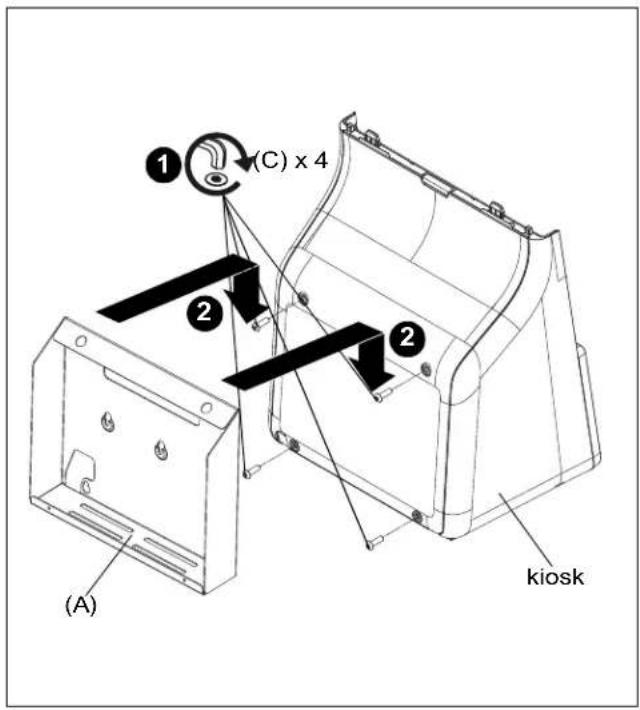
- Loosely install four M6 x 10mm button head cap screws (C) into holes on back of kiosk (not included). (See Figure 1)
- Install kiosk to kiosk bracket (A) by hanging bracket onto screws installed in Step 1. (See Figure 1)
- Tighten screws to secure kiosk to bracket (A).
text_image
(A) ① (C) x 4 ② ② kioskFigure 1
- Install bracket cover (B) over kiosk bracket (A). (See Figure 2)
- Use two #10-24 x 3/8" button head cap screws (E) or two #10-24 x 1/4" security screws (D) to secure cover (B) to kiosk bracket (A). (See Figure 3)

text_image
(B) 4 (A)Figure 2

text_image
(E) or (D) x 2 (H)Figure 3
Device Storage
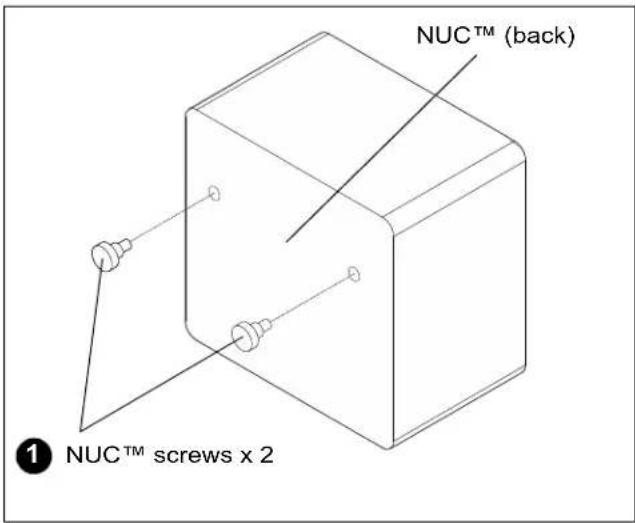
NOTE: The SKM24ASC can store any type of that fits in the kiosk bracket and does not exceed the weight limit when combined with the weight of the kiosk and display. The slots are designed specifically for installing Intel NUC™ devices. The following steps apply to installing a NUC™ device.
- Install two NUC ^TM screws (not included) into back of NUC ^TM (not included). (See Figure 5)
text_image
NUC™ (back) ① NUC™ screws x 2Figure 4
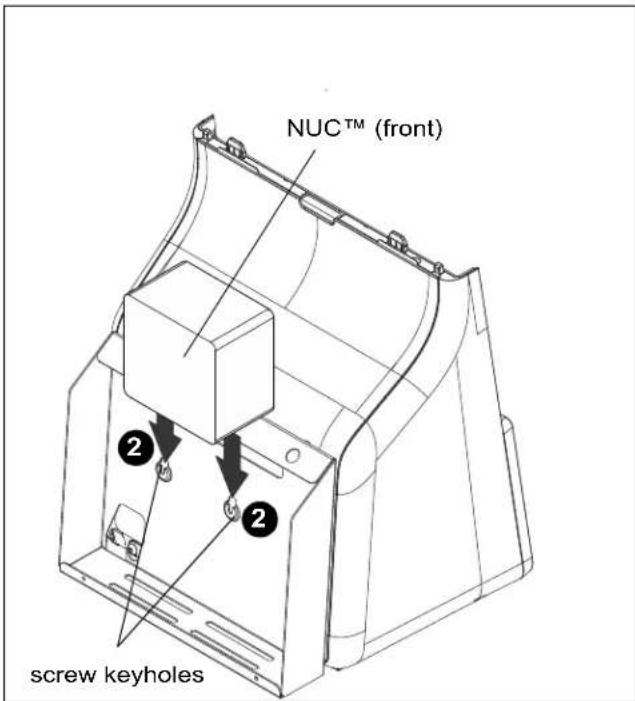
- Hang NUC™ screws into keyholes on back of kiosk bracket. (See Figure 5)
text_image
NUCTM (front) screw keyholesFigure 5

CHIEF®
A brand of legrand
8800-003364 Rev00
©2022 Legrand | AV
www.legrandav.com
05/2022
USA/International A 6436 City West Parkway, Eden Prairie, MN 55344
P 800.582.6480 / 952.225.6000
F 877.894.6918 / 952.894.6918
Europe A Franklinstraat 14, 6003 DK Weert, Netherlands
P +31 (0) 495 580 852
F +31 (0) 495 580 845
Asia Pacific A Office No. 918 on 9/F, Shatin Galleria
18-24 Shan Mei Street
Fotan, Shatin, Hong Kong
P 852 2145 4099
F 852 2145 4477