RVC840 - Video Conferencing System Yealink - Free user manual and instructions
Find the device manual for free RVC840 Yealink in PDF.


User questions about RVC840 Yealink
0 question about this device. Answer the ones you know or ask your own.
Ask a new question about this device
Download the instructions for your Video Conferencing System in PDF format for free! Find your manual RVC840 - Yealink and take your electronic device back in hand. On this page are published all the documents necessary for the use of your device. RVC840 by Yealink.
USER MANUAL RVC840 Yealink
natural_image
Business meeting in a conference room with participants and a large screen displaying a video call (no visible text or symbols)Yealink Network Technology CO., LTD
Yealink RVC840 for RingCentral Rooms System
Quick Start Guide (V1.0)
Package Contents
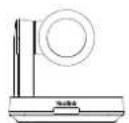
UVC84
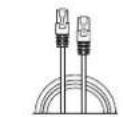
(7.5m, 24.60ft)

VCR20 Remote ControlEthernet Cable Power Adapter
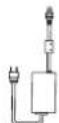
(48V/0.7A)

(2.5m, 8.20ft)
USB Cable


Quick Start GuideVelcrox5
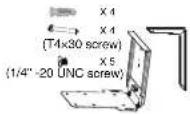
Mounting Bracket and Accessories
UVC84 Package (Camera)
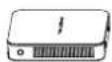
MCore

1.8M HDMI Cable×2
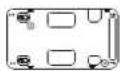
Bracket

Power Adapter

Velcrox2
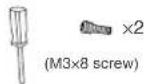
Screwdriver Expansion Scavoren QuickStartService

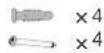
MCore Package (Mini-PC)

CTP18

7.5m
Ethernet Cable
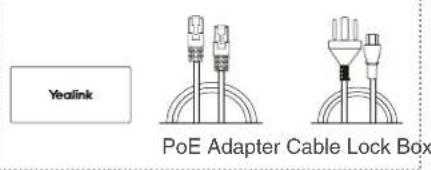
text_image
Yealink PoE Adapter Cable Lock Box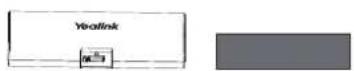

Screwdriver Mounting Bracket and Accessories
CTP18 Package (Touch Console)
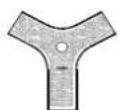
VCM34

3m Ethernet Cable Silicone Padx2 Quick Start Guide
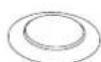

VCM34 Package (Microphone)

MSpeaker II
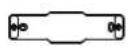
Wall Mount Bracket
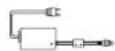
Power Adapter Silicone Pad×2


Expansion Screw and Machine Screw
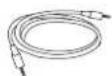
3.5mm Audio Cable

Quick Start Guide
MSpeaker II Package (Soundbar)
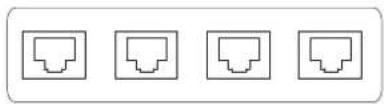
natural_image
Four identical icon buttons arranged horizontally (no text or symbols)RCH40-PoE Switch

We recommend that you use the accessories provided or approved by Yealink. The use of unapproved third-party accessories may result in poor performance.
Audio Device Connection

text_image
CAT5e VCM34 CAT5e VCM34 UVC84 3.5mm Audio Cable MSpeaker II
When starting up the system for the first time, you need to connect a mouse to complete the initial configuration. We recommend using the wireless mouse and keyboard kit.
RVC840 Connection

flowchart
graph TD
    A["MSpeaker II"] --> B["HC140 Polk Switch"]
    B --> C["UVC84"]
    C --> D["Display"]
    C --> E["Display"]
    C --> F["HDMI"]
    C --> G["HDMI"]
    C --> H["MCore"]
    H --> I["USB2.0"]
    H --> J["CV 6"]
    H --> K["VCH Internet HDMI/USB"]
    H --> L["Internet Cable"]
    H --> M["CAT5e"]
    H --> N["VCM34"]
    N --> O["CAT5e"]
    H --> P["CTP18"]
    P --> Q["VCM34"]

Do not connect the PoE switch to the Internet, otherwise it will cause network abnormalities.
Device Settings Configuration
Procedure
- You need to connect a mouse to the MCore device.
- Click the RC interface, and then click Exit in the lower left corner.

text_image
Nico Test 03:51 PM Tuesday, December 21 Tap Room controller to start. Exit Sign out RingCentral ROOMS- Click 📋 and switch to Admin account (password required).
- Select the Yealink RoomConnect software.
- You can adjust the device settings in the Yealink RoomConnect.
- When you have finished the settings in the Yealink RoomConnect software, click 📋 to switch back to the RingCentral Rooms account.

text_image
Recycle Bin Vesink USB Connect START Change account settings Lock Sign out FlingCentral Rooms Administrator Documents Pictures Settings Power Type here to searchCE Declaration of Conformity
Date of Issue: 10th /July/2020
We: YEALINK (XIAMEN) NETWORK TECHNOLOGY CO., LTD.
Address: 309, 3rd Floor, No.16, Yun Ding North Road, Huli District, Xiamen City, Fujian, P.R.C
Declare that the product
Type: Mini-PC
Model: MCore
meets the essential requirements and other relevant provisions according to the following EC directive
Directive: 2014/30/EU, 2014/35/EU, RED 2014/53/EU
Conformity
The product complies with the following standards:
Safety: EN 62368-1:2014+A11:2017
EMC: EN 55032:2015
EN 55035:2017
EN61000-3-2: 2014
EN61000-3-3: 2013
Radio: ETSI EN 301 489-1 V2.2.3,
ETSI EN 301 489-3 V2.1.1,
ETSI EN 301 489-17 V3.2.2,
ETSI EN 300 328 V2.2.3;
ETSI EN 301 893 V2.1.1
EN 300 440 V2.2.1
Health: EN 62311:2008; EN62479:2010
Directive 2011/65/EU and (EU)2015/863 of the European Parliament and of the Council of 8 June 2011 and 4 June 2015 on the restriction of the use of certain hazardous substances in electrical and electronic equipment(RoHS 2.0)
Directive 2012/19/EU of the European Parliament and of the Council of 4.July.2012 on Waste electrical and electronic equipment (WEEE)
Regulation (EC) No.1907/2006 of the European Parliament and of the Council of 18.December.2006 on Registration, Evaluation,
Authorization, and Restriction of Chemicals (REACH)
CE Declaration of Conformity
Date of Issue: 30th /Jan/2021
We: YEALINK (XIAMEN) NETWORK TECHNOLOGY CO., LTD,
Address: 309, 3rd Floor, No.16, Yun Ding North Road, Huli District,
Xiamen City, Fujian, P.R.C
Declare that the product
Type: Video Conferencing Camera
Model: UVC84
meets the essential requirements and other relevant provisions
according to the following EC directive Directive: 2014/30/EU,
The product complies with the following standards:
Safety: EN 62368-1:2014+A11:2017
EMC:EN 55032:2015
EN 55035:2017
EN61000-3-2: 2014
EN61000-3-3: 2013
Radio: ETSI EN 301 489-1 V2.2.3,
ETSI EN 301 489-3 V2.1.1,
ETSI EN 301 489-17 V3.2.2,
ETSI EN 300 328 V2.2.3;
ETSI EN 301 893 V2.1.1
EN 300 440 V2.2.1
Health: N 62311:2008; EN62479:2010
Directive 2011/65/EU and (EU)2015/863 of the European Parliament and of the Council of 8 June 2011 and 4 June 2015 on the restriction of the use of certain hazardous substances in electrical and electronic equipment(RoHS 2.0)
Directive 2012/19/EU of the European Parliament and of the Council of 4.July.2012 on Waste electrical and electronic equipment(WEEE)
Regulation (EC) No.1907/2006 of the European Parliament and of the Council of 18.December.2006 on Registration, Evaluation, Authorization, and Restriction of Chemicals (REACH)ber.2006 on Registration, Evaluation, Authorization, and Restriction of Chemicals (REACH)
NAME: Stone Lu
DATE: 10/July/2020
TITLE: Vice President
YEALINK (EUROPE) NETWORK TECHNOLOGY B.V.
Address: Strawinskylaan 3127, Atrium Building, 8th floor, 1077ZX Amsterdam, the Netherlands
Telephone: +31 (0) 64 61 11 373
Email: EUROPE@Yealink.com
NAME: Stone Lu
DATE: 30/Jan/2021
TITLE: Vice President
YEALINK (EUROPE) NETWORK TECHNOLOGY B.V.
Address: Strawinskylaan 3127, Atrium Building, 8th floor, 1077ZX Amsterdam, the Netherlands
Telephone: +31 (0) 64 61 11 373
Email: EUROPE@Yealink.com
CE Declaration of Conformity
Date of Issue: 30th /June/2020
We: YEALINK (XIAMEN) NETWORK TECHNOLOGY CO., LTD,
Address: 309, 3rd Floor, No.16, Yun Ding North Road, Huli District, Xiamen City,
Fujian, P.R.C
Declare that the product
Type: Touch Panel
Model:CTP18
meets the essential requirements and other relevant provisions according to the
following EC directive
Directive: 2014/30/EU, 2014/35/EU, RED 2014/53/EU
Conformity
The product complies with the following standards:
Safety: EN 62368-1:2020+A11:2020
EMC: EN 55032:2015
EN 55035:2017
EN61000-3-2: 2014
EN61000-3-3: 2013
Radio: ETSI EN 301 489-1 V2.2.3,
ETSI EN 301 489-3 V2.1.1,
ETSI EN 301 489-17 V3.2.2,
ETSI EN 300 328 V2.2.3;
ETSI EN 301 893 V2.1.1
EN 300 440 V2.2.1
CE Declaration of Conformity
Date of Issue: 20th /July/2019
We: YEALINK (XIAMEN) NETWORK TECHNOLOGY CO., LTD,
Address: 309, 3rd Floor, No.16, Yun Ding North Road, Huli District, Xiamen City, Fujian, P.R.C
Declare that the product
Type: PoE INJECTOR
Model: YLPOE30 (54VDC, 0.56A)
meets the essential requirements and other relevant provisions according to the
following EC directive
Directive: 2014/35/EU, 2014/30/EU; ERP directive: 2009/125/EC;
Conformity
The product complies with the following standards:
Safety: EN 60950-1:2006+A11:2009 +A1:2010+A12:2011+A2:2013
EMC: EN 55032:2015
EN 55024:2010/A1:2015
EN61000-3-2: 2014
EN61000-3-3: 2013
Health: EN 62311:2008; EN50665:2017
Directive 2011/65/EU and (EU)2015/863 of the European Parliament and of the Council of 8 June 2011 and 4 June 2015 on the restriction of the use of certain hazardous substances in electrical and electronic equipment(RoHS 2.0)
Directive 2012/19/EU of the European Parliament and of the Council of 4.July.2012 on Waste electrical and electronic equipment (WEEE)
Regulation (EC) No.1907/2006 of the European Parliament and of the Council of 18.December.2006 on Registration, Evaluation, Authorization, and Restriction of Chemicals (REACH)
Directive 2011/65/EU and (EU)2015/863 of the European Parliament and of the Council of 8 June 2011 and 4 June 2015 on the restriction of the use of certain hazardous substances in electrical and electronic equipment(RoHS 2.0)
Directive 2012/19/EU of the European Parliament and of the Council of 4.July.2012 on Waste electrical and electronic equipment(WEEE)
Regulation (EC) No.1907/2006 of 6 April 2009 implementing Directive 2005/32/EC of the European Parliament and of the Council with regard to ecodesign requirements for no-load condition electric power consumption and average active efficiency of external power supplies
NAME: Stone Lu
DATE: 30/June/2020
TITLE: Vice President
YEALINK (EUROPE) NETWORK TECHNOLOGY B.V.
Address: Strawinskylaan 3127, Atrium Building, 8th floor, 1077ZX Amsterdam, the Netherlands
Telephone: +31 (0) 64 61 11 373
Email: EUROPE@Yealink.com
NAME: Stone Lu
DATE: 20/July/2019
TITLE: Vice President
YEALINK (EUROPE) NETWORK TECHNOLOGY B.V.
Address: Strawinskylaan 3127, Atrium Building, 8th floor,
1077ZX Amsterdam, the Netherlands
Telephone: +31 (0) 64 61 11 373
Email: EUROPE@Yealink.com
CE Declaration of Conformity
Date of Issue: 20th /July/2020
We: YEALINK (XIAMEN) NETWORK TECHNOLOGY CO., LTD,
Address: 309, 3rd Floor, No.16, Yun Ding North Road, Huli District, Xiamen City, Fujian, P.R.C
Declare that the product
Type: Conferencing Microphone Array
Model: VCM34
meets the essential requirements and other relevant provisions according to the following EC directive
Directive: 2014/30/EU, 2014/35/EU
Conformity
The product complies with the following standards:
Safety: EN 62368-1:2014
EMC: EN 55032:2015
EN 55035:2017
Directive 2011/65/EU and (EU)2015/863 f the European Parliament and of the Council of 8 June 2011 and 4 June 2015 on the restriction of the use of certain hazardous substances in electrical and electronic equipment(RoHS 2.0)
Directive 2012/19/EU of the European Parliament and of the Council of 4.July.2012 on Waste electrical and electronic equipment(WEEE)
Regulation (EC) No.1907/2006 of the European Parliament and of the Council of 18.December.2006 on Registration, Evaluation, Authorization, and Restriction of Chemicals (REACH)
NAME: Stone
DATE: 20/July/2020
TITLE: Vice President
YEALINK (EUROPE) NETWORK TECHNOLOGY B.V.
Address: Strawinskylaan 3127, Atrium Building, 8th floor,
077ZX Amsterdam, the Netherlands
Telephone: +31 (0) 64 61 11 373
Email: EUROPE@Yealink.com
CE Declaration of Conformity
Date of Issue: 20th /July/2020
We: YEALINK (XIAMEN) NETWORK TECHNOLOGY CO., LTD,
Address: 309, 3rd Floor, No.16, Yun Ding North Road, Huli District, Xiamen City, Fujian, P.R.C
Declare that the product
Type: Video Conferencing Soundbar
Model: MSpeaker II
meets the essential requirements and other relevant provisions according to the following EC directive
Directive: 2014/30/EU, 2014/35/EU, RED 2014/53/EU
Conformity
The product complies with the following standards:
Safety: EN 62368-1:2020+A11:2020
EMC: EN 55032:2015
55035:2017
EN61000-3-2: 2019
EN61000-3-3: 2013+A1:2019
Radio:ETSI EN 301 489-1 V2.2.3,
ETSI EN 301 489-17 V3.2.2,
ETSI EN 300 328 V2.2.2;
Health : EN 62479:2010;EN 50663:2017
Directive 2011/65/EU and (EU)2015/863 of the European Parliament and of the Council of 8 June 2011 and 4 June 2015 on the restriction of the use of certain hazardous substances in electrical and electronic equipment(RoHS 2.0)
Directive 2012/19/EU of the European Parliament and of the Council of 4.July.2012 on Waste electrical and electronic equipment(WEEE)
Regulation (EC) No.1907/2006 of the European Parliament and of the Council of 18.December.2006 on Registration, Evaluation, Authorization, and Restriction of Chemicals (REACH)
NAME: Stone Lu
DATE: 20/July/2020
TITLE: Vice President
YEALINK (EUROPE) NETWORK TECHNOLOGY B.V. Address: Strawinskylaan 3127, Atrium Building, 8th floor, 1077ZX Amsterdam, the Netherlands
Telephone: +31 (0) 64 61 11 373
Email: EUROPE@Yealink.com
Safety instructions
Regulatory Notices
Operating Ambient Temperatures
● Operating temperature: +32 to 104°F (0 to 40°C)
● Relative humidity: 5% to 90%, noncondensing
● Storage temperature: -22 to +160°F (-30 to +70°C)
Warranty
Our product warranty is limited only to the unit itself, when used normally in accordance with the operating instructions and the system environment. We are not liable for damage or loss resulting from the use of this product, or for any claim from a third party. We are not liable for problems with Yealink device arising from the use of this product; we are not liable for financial damages, lost profits, claims from third parties, etc., arising from the use of this product.
Explanation of the symbols
- DC symbol
--- is the DC voltage symbol.
• WEEE Warning symbol
To avoid the potential effects on the environment and human health as a result of the presence of hazardous substances in electrical and electronic equipment, end users of electrical and electronic
equipment should understand the meaning of the crossed-out wheeled bin symbol. Do not dispose of WEEE as unsorted municipal waste and have to collect such WEEE separately.
Restriction of Hazardous Substances Directive (RoHS)
This device complies with the requirements of the EU RoHS Directive. Statements of compliance can be obtained by contacting support@yealink.com.
Safety Instructions
Save these instructions. Read these safety instructions before use!
△! General Requirements
- Before you install and use the device, read the safety instructions carefully and observe the situation during operation.
- During the process of storage, transportation, and operation, please always keep the device dry and clean, avoid collision and crash.
- Please attempt not to dismantle the device by yourself. In case of any discrepancy, please contact the appointed maintenance center for repair.
- Please refer to the relevant laws and statutes while using the device. Legal rights of others should be respected as well.
⚠ Environmental Requirements
- Place the device at a well-ventilated place. Do not expose the device under direct sunlight.
- Keep the device dry and free of dusts.
- Do not place the device on or near any inflammable or fire-vulnerable object, such as rubber-made materials.
- Keep the device away from any heat source or bare fire, such as a candle or an electric heater.
⚠️ Operating Requirements
- Do not let a child operate the device without guidance.
- Do not let a child play with the device or any accessory in case of accidental swallowing.
- Please use the accessories provided or authorized by the manufacturer only.
- The power supply of the device shall meet the requirements of the input voltage of the device. Please use the provided surge protection power socket only.
- Before plugging or unplugging any cable, make sure that your hands are completely dry.
- Do not spill liquid of any kind on the product or use the equipment near water, for example, near a bathtub, washbowl, kitchen sink, wet basement or near a swimming pool.
-
During a thunderstorm, stop using the device and disconnect it from the power supply. Unplug the power plug and the Asymmetric Digital Subscriber Line (ADSL) twisted pair (the radio frequency cable) to avoid lightning strike.
-
If the device is left unused for a rather long time, disconnect it from the power supply and unplug the power plug.
- When there is smoke emitted from the device, or some abnormal noise or smell, disconnect the device from the power supply, and unplug the power plug immediately.
- Contact the specified maintenance center for repair.
- Do not insert any object into equipment slots that is not part of the product or auxiliary product.
- Before connecting a cable, connect the grounding cable of the device first. Do not disconnect the grounding cable until you disconnect all other cables.
⚠️ Cleaning Requirements
Before cleaning the device, disconnect it from the power supply.
• Use a piece of soft, dry and anti-static cloth to clean the device.
- Keep the power plug clean and dry.
Troubleshooting
The unit cannot supply power to device other than Yealink device.
There is a bad connection with the plug.
-
Clean the plug with a dry cloth.
-
Connect it to another wall outlet.
The usage environment is out of operating temperature range.
- Use in the operating temperature range.
The cable between the unit and the Yealink device is connected incorrectly.
- Connect the cable correctly.
You cannot connect the cable properly.
-
You may have connected a wrong Yealink device.
-
Use the correct power supply.
Some dust, etc., may be in the port.
- Clean the port.
Contact your dealer or authorized service facility for any further questions.
FCC Statement
This device complies with part 15 of the FCC Rules. Operation is subject to the following two conditions: (1) this device may not cause harmful interference, and (2) this device must accept any interference received, including interference that may cause undesired operation.
Any Changes or modifications not expressly approved by the party responsible for compliance could void the user's authority to operate the equipment.
IC Statement
This device complies with Industry Canada's licence-exempt RSSs. Operation is subject to the following two conditions:
(1) this device may not cause interference; and
(2) this device must accept any interference, including interference that may cause undesired operation of the device. CAN ICES-3(B)
Radiation Exposure Statement
309, 3rd Floor, No.16, Yun Ding North Road, Huli District, Xiamen City, Fujian, P.R. C. YEALINK (EUROPE) NETWORK TECHNOLOGY B.V.
Strawinskylaan 3127, Atrium Building, 8th floor, 1077ZX Amsterdam, The Netherlands YEALINK (USA) NETWORK TECHNOLOGY CO., LTD.
999 Peachtree Street Suite 2300, Fulton, Atlanta, GA, 30309, USA Made in China
About Yealink
Yealink (Stock Code: 300628) is a global brand that specializes in video conferencing, voice communications and collaboration solutions with best-in-class quality, innovative technology and user-friendly experience. As one of the best providers in more than 140 countries and regions, Yealink ranks No.1 in the global market share of SIP phone shipments (Global IP Desktop Phone Growth Excellence Leadership Award Report, Frost & Sullivan, 2019).
Technical Support
Visit Yealink WIKI (http://support.yealink.com/) for firmware downloads, product documents, FAQ, and more. For better service, we sincerely recommend you to use Yealink Ticketing system (https://ticket.yealink.com) to submit all your technical issues. YEALINK(