Jr Champs NU-G0049 - Smartwatch Nuband - Free user manual and instructions
Find the device manual for free Jr Champs NU-G0049 Nuband in PDF.


| Product Type | Smartwatch for children |
| Model | Jr Champs NU-G0049 |
| Brand | Nuband |
| Display | 1.4-inch TFT LCD touchscreen |
| Dimensions (approx.) | 4.0 x 3.5 x 1.2 cm (watch body) |
| Weight (approx.) | 45 g with strap |
| Battery | Rechargeable lithium-ion, 380 mAh |
| Charging | Magnetic USB charging cable |
| Compatibility | iOS 9.0+ and Android 5.0+ |
| Water Resistance | IP67 (splash proof, not for swimming) |
| Main Functions | Step counter, sleep monitor, alarm clock, camera, pedometer, call and message notifications, GPS locator, SOS button |
| Connectivity | Bluetooth 4.0 |
| Maintenance | Clean with soft dry cloth; avoid solvents. Keep away from extreme heat. |
| Safety | Not suitable for children under 3 years due to small parts. Keep away from fire. |
| Spare Parts | Contact Nuband support for replacement straps and charging cables. |
| Repairability | Battery is not user-replaceable. Refer to authorized service center. |
| General Information | Designed for children aged 4-12. Comes with adjustable silicone strap. Operating temperature: 0°C to 45°C. |
Frequently Asked Questions - Jr Champs NU-G0049 Nuband
User questions about Jr Champs NU-G0049 Nuband
0 question about this device. Answer the ones you know or ask your own.
Ask a new question about this device
Download the instructions for your Smartwatch in PDF format for free! Find your manual Jr Champs NU-G0049 - Nuband and take your electronic device back in hand. On this page are published all the documents necessary for the use of your device. Jr Champs NU-G0049 by Nuband.
USER MANUAL Jr Champs NU-G0049 Nuband
text_image
06:10 AM Battery
Download on the App Store

Google Play
NUBAND JR CHAMPS
User Manual Version 1.2
EN
INDEX
DEVICE ACTIVATION AND CHARGING P. 3
PRODUCT QUICK USE P. 5
BINDING BRACELET P.5
PERSONAL DATA SETTINGS P.7
SYNCHRONOUS DATA P. 8
FUNCTION ICONS P.9
SLEEP MONITOR P.10
CALL AND NOTIFICATION REMINDER P. 11
SEDENTARY REMINDER P.12
ALARM SETTING P.13
REMOTE CAMERA CONTROL P.14
SET YOUR GOALS P.15
NUBAND JR CHAMPS FAQ P. 16
FIRMWARE UPDATE P.17
EN
SHARING FUNCTION P.18
UNPAIR P. 19
PRODUCT SPECIFICATION P. 20
WARRANTY P. 21
DISCLAIMER & RETURNS P. 22
EU DECLARTION OF CONFORMITY P.24
EN
1. DEVICE ACTIVATION AND CHARGING
A) How to charge it
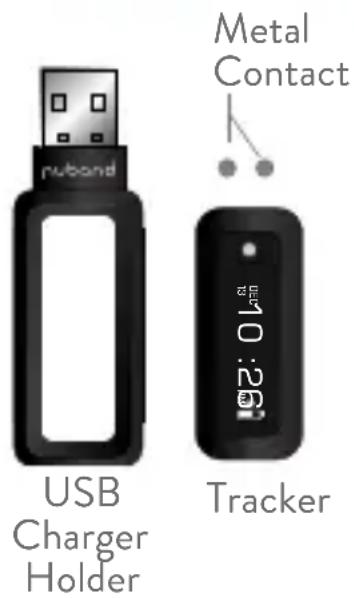
- Insert tracker into USB charger holder. Ensure direction is correct for both metal contacts touch.
- Plug USB charger directly into any USB port. Laptop or an adapter to charge the battery.
B) Activate the Device
Before use, please connect the USB charger to charge the device for activation. The progress bar will change from empty to full to indicate full activation. After activation, the device will start charging the battery.
text_image
metal Contact rubond USB Charger Holder 10.20 Tracker
natural_image
Two vertical bars, one with a white tube and the other with black bars (no text or symbols)EN
C) Battery Indicator
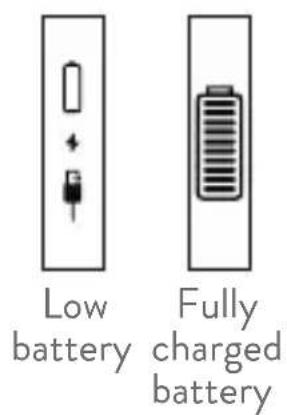
The battery indicator is displayed on the home screen of the device. When the battery of the device is lower than 10%, all functions are closed and only lower battery icon will show to remind you to charge the battery.
text_image
Low battery Fully charged batteryWhen using this band for the first time, please charge 2-3 hours prior to use. When charging, the battery symbol will appear and the band will automatically switch on, time and date will automatically update when the phone is synced and connected.
Notice:
-
Press the front touch button, the band screen will lit up, and it will enter the clock interface by default
-
Open 'Lift wrist to light on screen' under app setting, the screen would lit up when the wrist is turned over.
EN
2.PRODUCT QUICK USE
text_image
HEALTHDownload and install
You have to download and install the “Nuband Health” App from the App store or Google Play store.
3. BINDING BRACELET
- Open the Bluetooth and GPS on the phone.
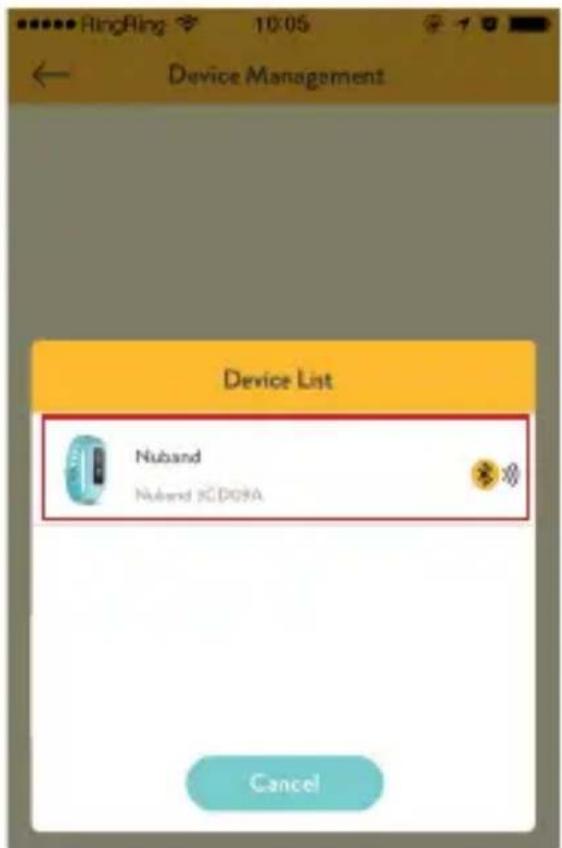
- Open App > Select Nuband Jr Champs > click "Pair Device" > "Searching Device" > click the device code when it is searched > bind successfully.
- After binding, it will show "Bluetooth Pairing Request", click "Pair".

text_image
Nuband Active 3 Nuband Jr Champs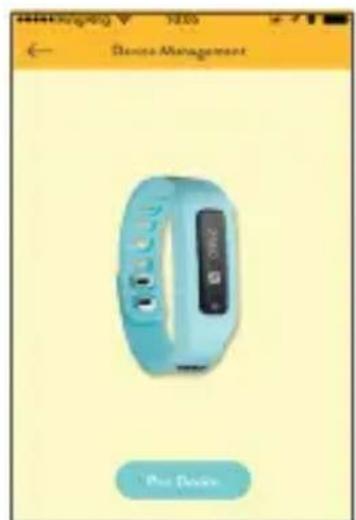
text_image
Alteaging 5205 ← Device Management Pro Device
text_image
Device Management Snatching Device 0 ))) Please Make Sure 1. Phone blanchech is set 2. The device is sent by the phone 3. The device has enough battery 4. The device is accepted from lnday wordsEN
text_image
Device Management Device List Nuband Nuband 3CD09A Cancel
text_image
Device Management Nuband Jr Champs Nuband 3CD09A Connected Bluetooth Pairing Request " Nuband 8E:0F:64" would like to pair with your iPhone. Cancel PairEN
4. PERSONAL DATA SETTINGS
Under Home Screen click on the left top Menu Bar, then click Setting > Personal Info to enter personal information. This will then personalize information on your band for greater performance data.

text_image
(Menu Bar) Health Home Work Out Plan History Data Setting About Steps Collected 15210 350 Steps Full 040 HDD MAX 0 +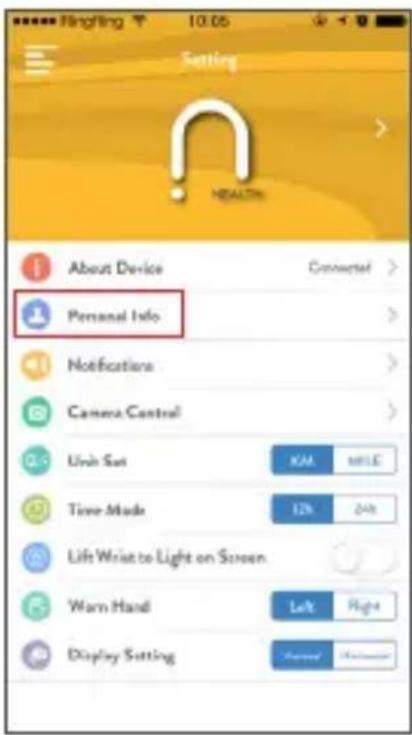
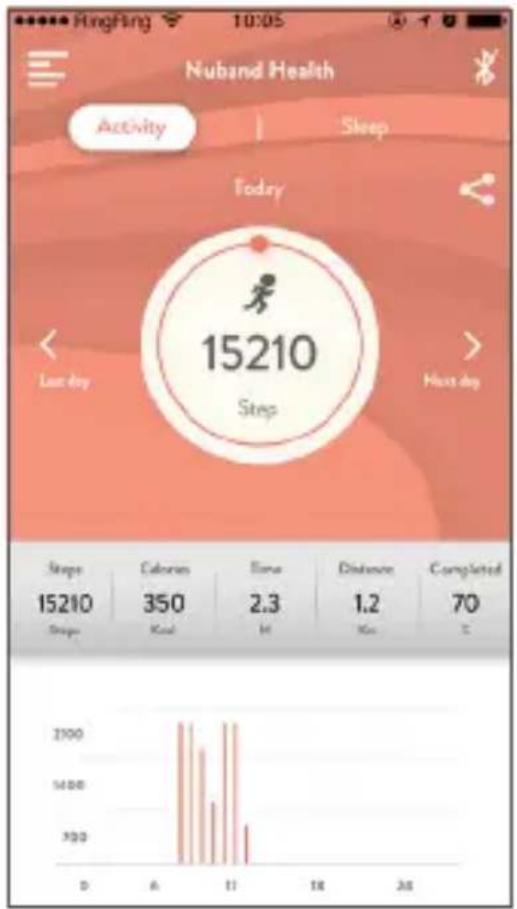
The band automatically synchronizes the data after pairing/connecting with the smart phone or you may hold and pull down the interface to manually synchronize. Data includes steps, calories, distance, date and time. You can check the history data by the menu bar.
text_image
Nuband Health Activity Sleep Today 15210 Step Last day Hust day Steps Calories Time Distance Completed 15210 350 2.3 1.2 70 Steps Kcal M Km C 2000 1400 700 D A T1 T8 26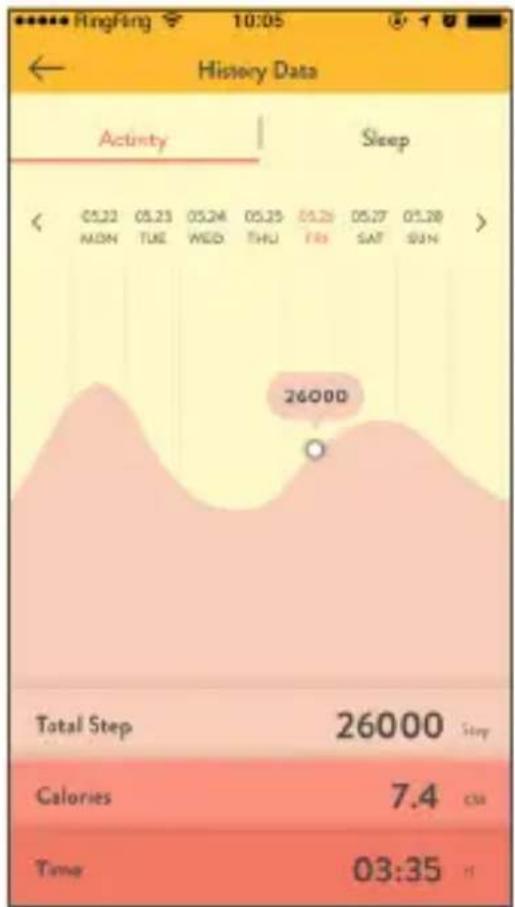
area
| Metric | Value | | :--- | :--- | | Total Step | 26000 | | Calories | 7.4 | | Time | 03:35 |EN
6.FUNCTION ICONS
Touch the screen to cycle through each function display.
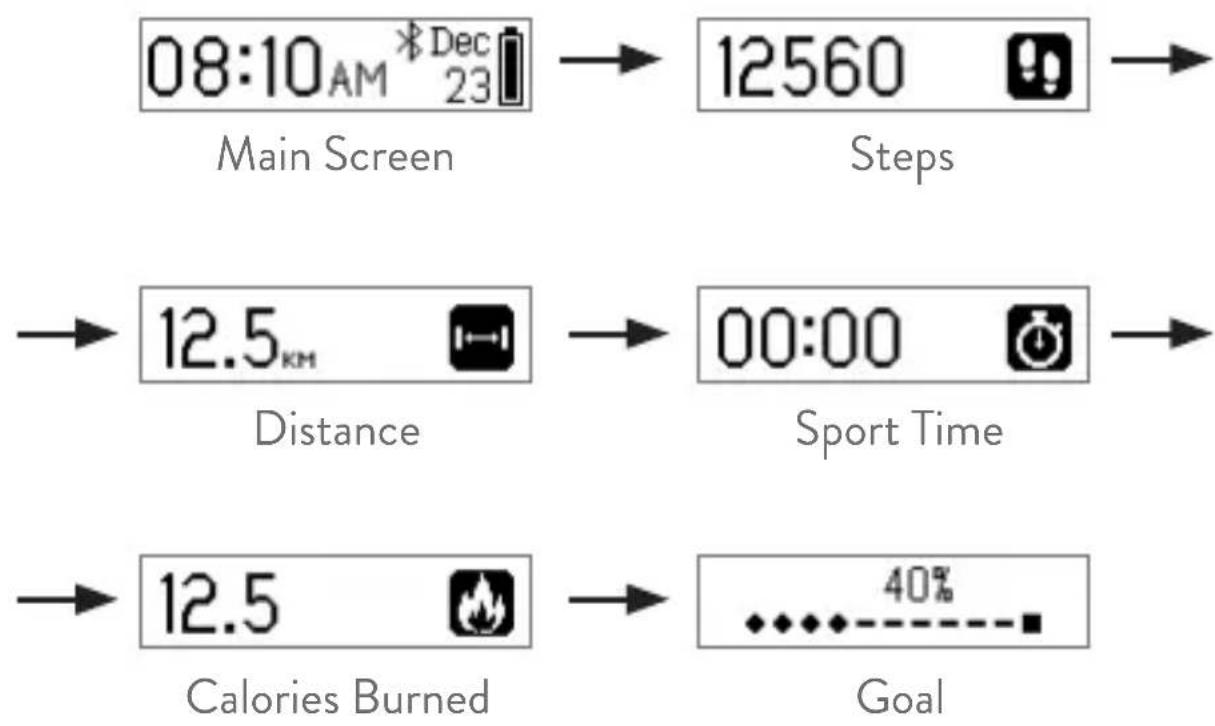
flowchart
graph LR
    A["08:10 AM * Dec 23"] --> B["12560 Steps"]
    C["12.5 km"] --> D["00:00 Sport Time"]
    E["12.5 Calories Burned"] --> F["40% Goal"]
EN
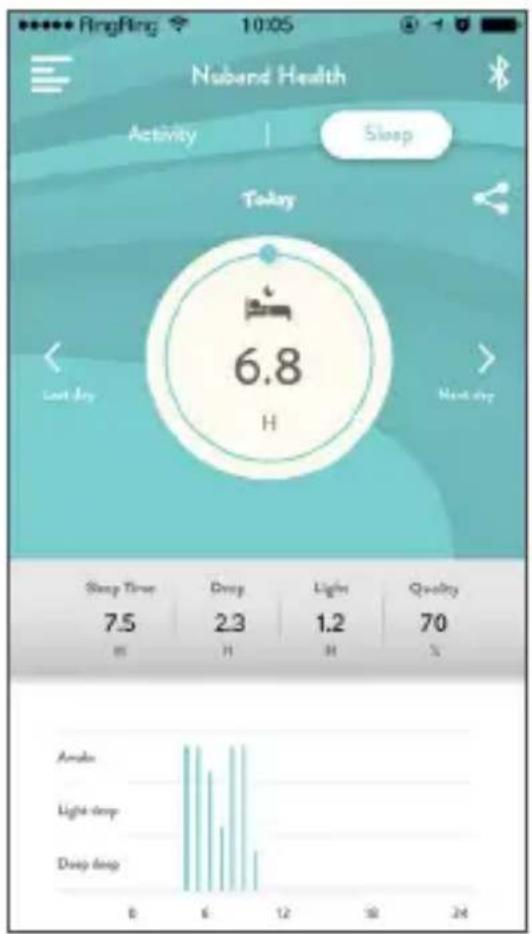
7.SLEEP MONITOR
You need to wear the band during sleeping, and the band will analyze the quality of your sleep according to your nocturnal movements and monitor your entire sleep schedule. You can view this information daily or check the History Data by the menu bar.
text_image
Nuband Health Activity | Sleep Today 6.8 H Last day Next day Sleep Time 7.5 Deep 2.3 Light 1.2 Quality 70 % Amaks Light deep Deep deep 0 6 12 18 24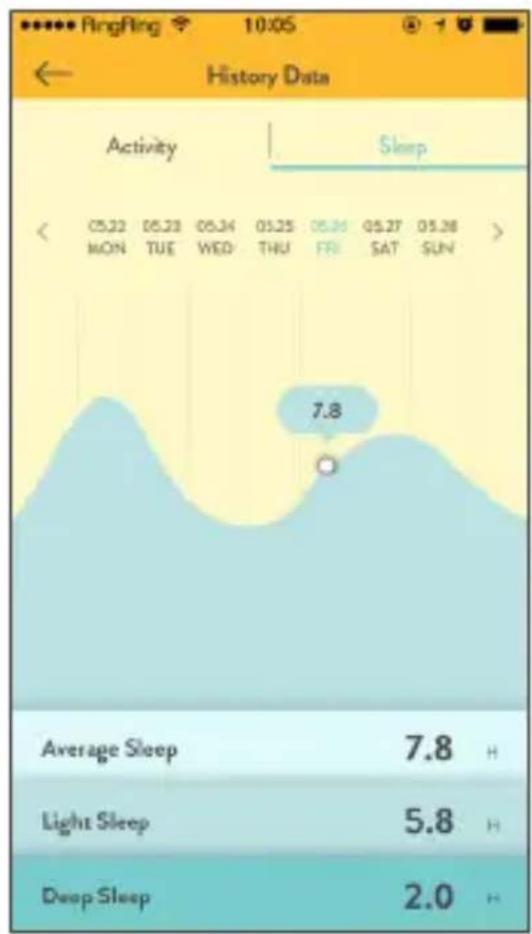
area
| Activity | Sleep | | -------- | ----- | | 05:22 | 7.8 | | MON | 7.8 | | TUE | 7.8 | | WED | 7.8 | | THU | 7.8 | | FRI | 7.8 | | SAT | 7.8 | | SUN | 7.8 | | Average Sleep | 7.8 | | Light Sleep | 5.8 | | Deep Sleep | 2.0 |EN
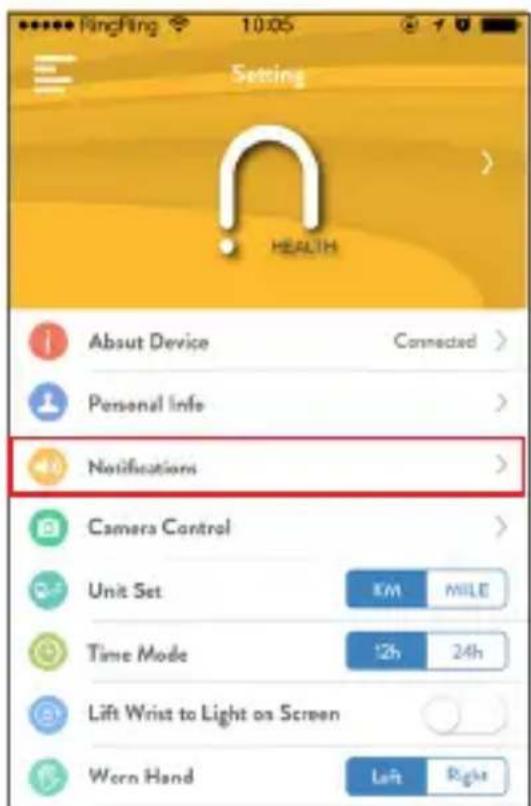
8.CALL AND NOTIFICATION REMINDER
text_image
Setting HEALTH About Device Connected > Personal Info > Notifications > Camera Control > Unit Set KM MILE Time Mode 12h 24h Lift Wrist to Light on Screen Worn Hand Left Right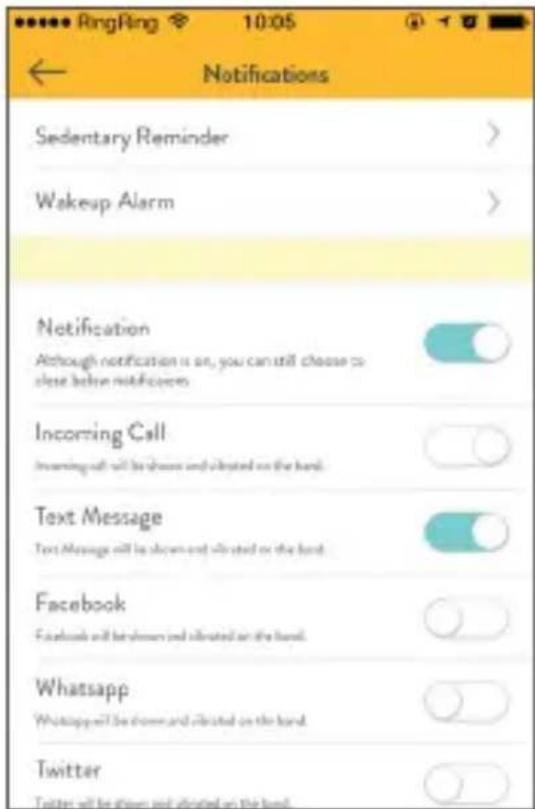
text_image
Sendentary Reminder Wakeup Alarm Notification Although notification is on, you can still choose to close before notifications Incoming Call Incoming call will be shown and elevated on the hand. Text Message Text Message will be shown and elevated on the hand. Facebook Facebook will be shown and elevated on the hand. Whatsapp Whatsapp will be shown and elevated on the hand. Twitter Twitter will be shown and elevated on the hand.8.1 After connecting the band to the smart phone, enter the notification page under setting to turn on the incoming call and message reception, and the band will receive the message, phone call, Facebook messages and/or selected chat apps.
* Android phone - Please accept phone app permission under the Phone Setting.
EN
9.SEDENTARY REMINDER
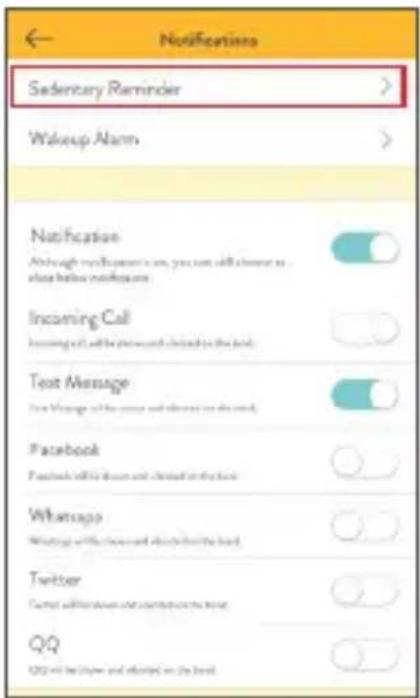
To set a sedentary reminder, go under the notification page, go to Sedentary Reminder > Start Date > Set Your Time. If you are not active within the set time, the band will vibrate to remind you to move.
text_image
Notifications Sedentary Reminder > Wakeup Alarm > Notification Although notification is on, you can still choose to close before notifications Incoming Call Incoming call will be requested quickly to the hand. Text Message Text Message will be accepted and delivered to the hand. Facebook Facebook will be down and closed on the hand. Whatsapp Writing with messages and instructions for the hand. Twitter Cancel notifications and notifications to the hand. QQ QQ will be taken and updated on the hand.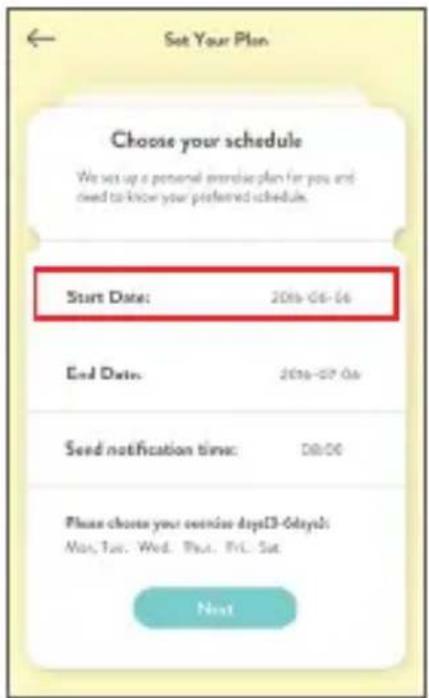
text_image
Set Your Plan Choose your schedule We set up a personal exercise plan for you and need to know your preferred schedule. Start Date: 2016-06-06 End Date: 2016-07-06 Seed notification time: 08:00 Please choose your exercise days(3-0days) May, Sun, Wed, Thu, Fri, Sat. Next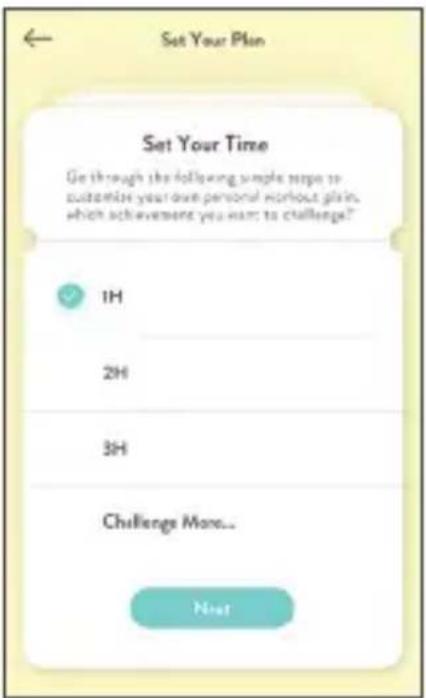
text_image
Set Your Plan Set Your Time Go through the following simple steps to customize your own personal workout plan, which achievement you want to challenge? 1H 2H 3H Challenge More... NextEN
10.ALARM SETTING
Under the notification screen, select 'Wakeup Alarm' to set the alarm; the band will vibrate at the preset times. The alarm clock can be set daily, by a day of the week, alarm type, and you can create up to 5 alarm clocks.

text_image
Sendentary Reminder Wakeup Alarm Notification Although notification says, you can still choose to please before notification. Incoming Call Learning of will be learned and transition hardend. Text Message Read through all the next word is hardend Facebook Facebook will be followed up at the next WhatsApp What's all business and related to this land. Twitter Take off a phone and access your email. QQ QQ will continue popular or targeted
text_image
07:00 Mon, Tue, Wed 09:00 Mon, Tue, Wed 20:00 Mon, Tue, Wed 23:00 Mon, Tue, Wed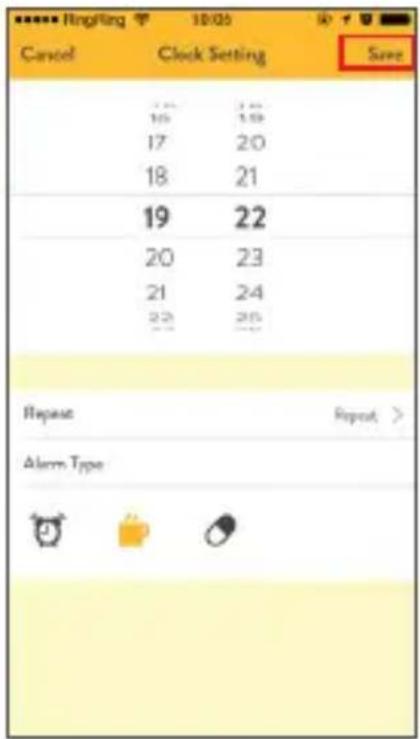
text_image
Cancel Clock Setting Save 17 18 19 20 21 22 Repeat Repeat > Alarm TypeEN
11. REMOTE CAMERA CONTROL
Go to Setting > Camera Control, turn on the phone camera > then shake the band to take a photo. The screen will display taking photo. Remember to accept the app to access your camera.

text_image
Setting HEALTH About Device Connected > Personal Info Notifications Camera Control Unit Set KM MILE Time Mode 12h 24h Lift Wrist to Light on Screen Worn Hand Left Right Display Setting Vertical HorizontalEN
12.SET YOUR GOAL
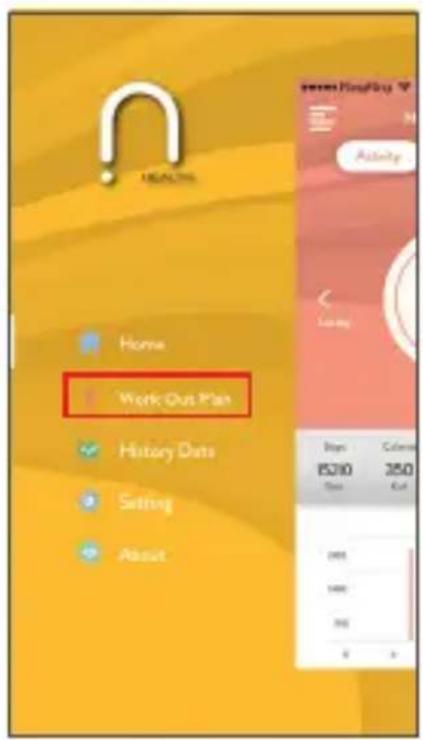
You can set your goals by selecting 'Work Out Plan' under homepage, then select 'Setting' and select your customize workout plan.
text_image
WORKOUT Plan Home History Data Setting About Bags 15200 Dots Color 350 Cut Auto Auto Auto Auto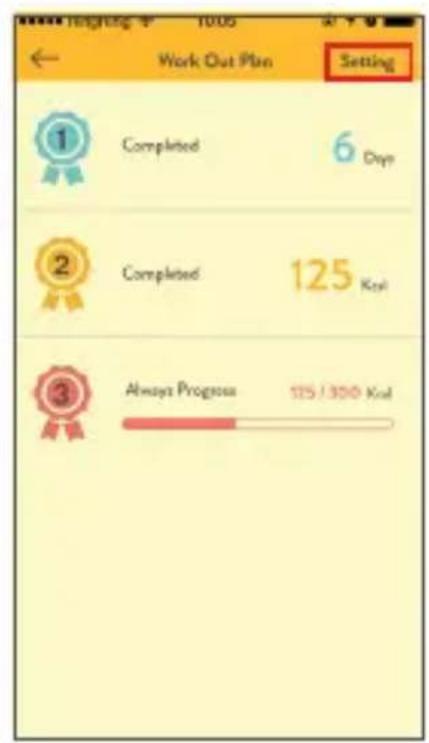
text_image
Week Out Plan Setting 1 Completed 6 Days 2 Completed 125 Ks 3 Always Progress 125 / 300 Ks
text_image
Set Your Plan Set Your Goal Get through the following simple steps to customize your own personal workout plan, which achievement you want to challenge? More Exercise Time This option can help you reduce the supplementary time and let the day Regular Living habits are healthier. More Calorie Burst This option can help you continue to undergo time and let the day Regular Living habits are healthier. More Walking Steps This option can help you increase the supplementary time and let the day Regular Living habits are healthier. More Distance This option can help you manage the supplementary time and let the day Regular Living habits are healthier. NextEN
13.NUBAND JR CHAMPS FAQ
There are “FAQ” under the About page, it will answer the most common questions about the application, including setting and using additional functions.

text_image
HEALTH Home Work Out Plan History Guide Setting About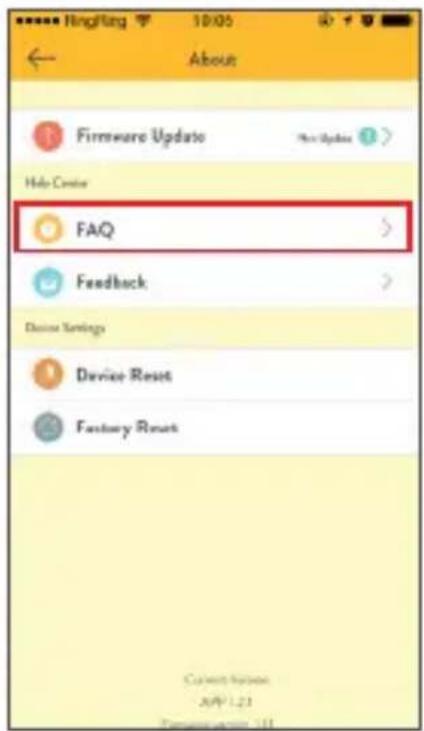
text_image
Firmware Update Help Create FAQ Feedback Device Settings Device Reset Fantasy Reset
text_image
1.No matched self phone now? The trackers will be only compatible with the middle device with Bluetooth 4.0 technology. Phone makes sure that the iOS/Illumina with OS 7.0 or idioms and the Android Devices with OS*2 or idioms. 2.How to set data of bookslets? 3.How to synchronize data? 4.How do I know whether the tracker is connected to the app successfully? 5.Couldn't synchroanize the data? 6.How do I create the sleep quality? 7.Mlly there is no sleep data when I wear the tracker during sleep? 8.How to upgrade version of Formatise and dPP? 9.How to turn on the notification?EN
14.FIRMWARE UPDATE
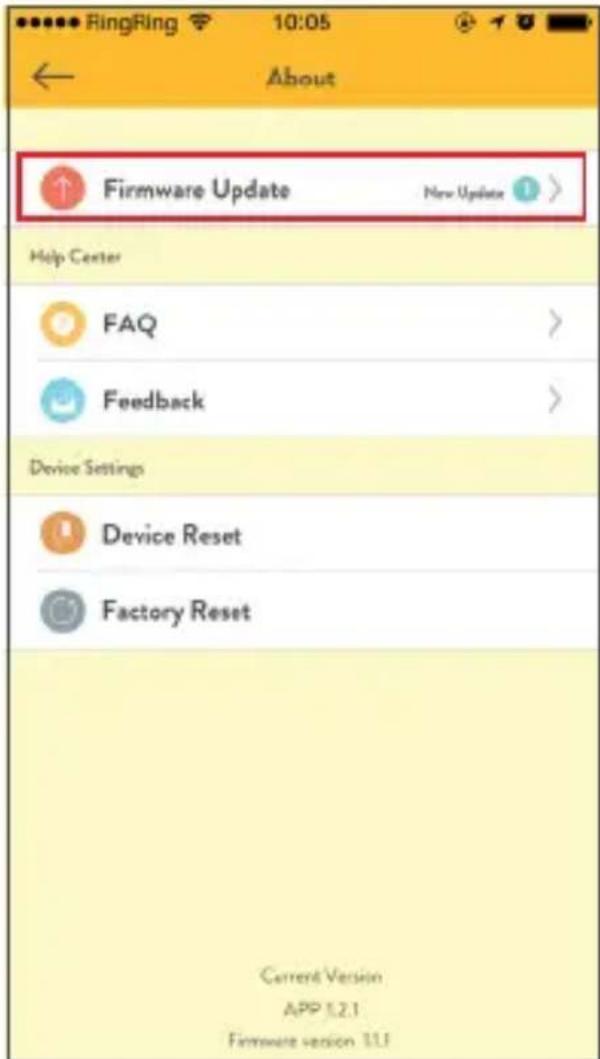
There is a "Firmware upgrade" section under the About page, which will show the current firmware version and new update for the latest firmware version.
text_image
Firmware Update New Update Help Center FAQ Feedback Device Settings Device Reset Factory Reset Current Version APP 1.2.1 Firmware version 1.1.1EN
15.SHARING FUNCTION
Click on the Sharing icon to share your information via Facebook, Twitter and Instagram.

bar
| Metric | Value | | -------------- | ----- | | Steps | 15210 | | Calories | 350 | | Time | 2.3 | | Distance | 1.2 | | Completed | 70 |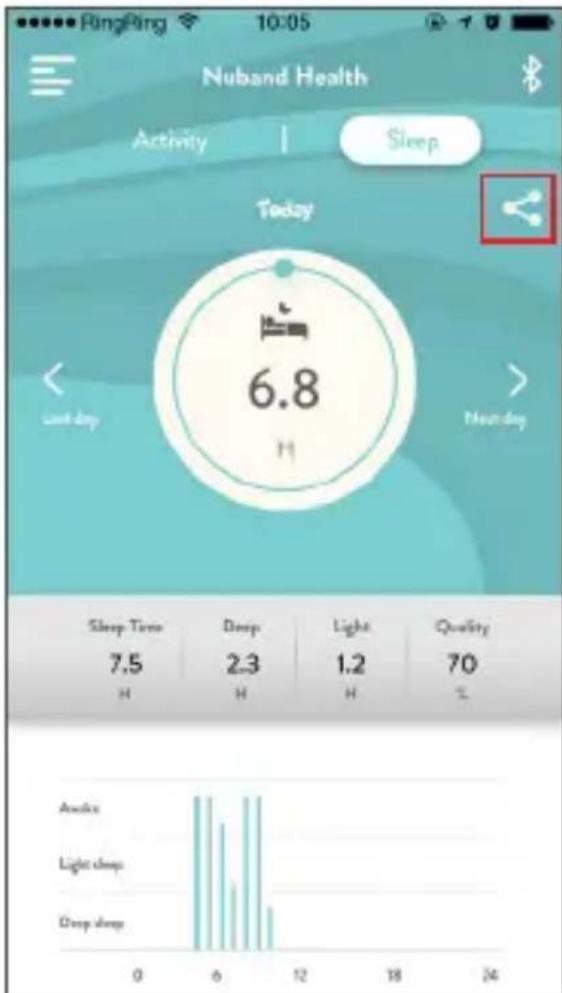
text_image
Nuband Health Activity | Sleep Today 6.8 Last day Monday Sleep Time 7.5 H Deep 2.3 H Light 1.2 H Quality 70 % Anakin Light deep Deep deep 0 6 12 18 24EN
16.UNPAIR
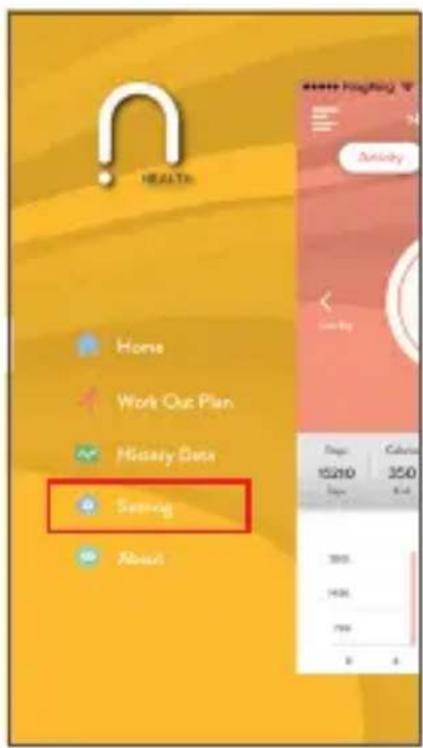
If you need to disconnect the band, click 'Setting', click "About Device", press "Unpair".
text_image
HEALTH Home Work Out Plan History Data Setting About 15200 350 8.4 360 1436 799 8 4
text_image
Setting About Device Connected Personal Info Notifications Camera Control Link Set 10M MILE Time Mode 12h 24h Lift Waist to Light on Screen Warm Hand Left Right Display Setting Cancel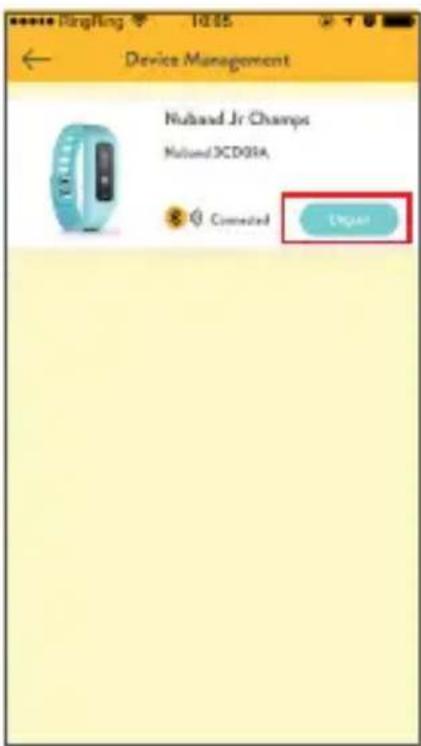
text_image
Device Management Nuland Jr Champs Nuland 3CD01A Connected UnigeeEN
PRODUCT SPECIFICATION
Size: Main body: 38 X 15.5 X 11mm
Wristbands: 230*14mm / 190*14mm
Weight: 22g
Battery: 55mAh Rechargeable
Lithium polymer battery
Display: 0.91' OLED
Data Memory: 30 days
Walking distance: Max 999.99km
Calories burned: Max 9999.9kcal
Waterproof Level: IP65 (not suitable for prolonged use in water)
Bluetooth: 4.0
Working condition: -10°C\~50°C
EN
Nuband Jr Champs 24 month Warranty
Nuband Jr Champs is covered by a 24 months (2 years) warranty against defects in materials and workmanship under normal use.
If a hardware defect occurs within the warranty period of 24 months Nuband Jr Champs will either replace defective part or provide a replacement product, providing proof of purchase is sent with the item. A replacement product or part assumes the remaining warranty of the original product or 24 months from the date of replacement or repair, whichever is longer.
When a product is exchanged or part of product is exchanged, any replacement becomes your property and replaced item becomes Nuband Jr Champs property. Parts provided by Nuband Jr Champs in fulfillment of this warranty obligation must be used in products for which warranty services is claimed. When returning product under warranty, item must be returned along with original packaging and retailer receipt. Without the receipt, the warranty will be considered invalid.
It is your responsibility to back any data up. If in repair or replacement, goal data is lost Nuband Jr Champs claim no responsibility for this. Nuband Jr Champs is not responsible for product failure caused by none compliance with product instructions. The warranty does not cover the cost of returning the product, this must be born by the customer.
EN
No Nuband Jr Champs reseller, agent or employee is authorized to make any modification, extension or addition to this limited warranty. If any term is held to be illegal, or unenforceable, the legality or enforceability of the remaining terms shall not be affected or impaired.
Nuband Jr Champs Product Disclaimer
Nuband Jr Champs is a device developed to assist monitoring aspects of your health but should never replace the professional advice of your Doctor or Physician.
Nuband Jr Champs are not a licensed medical conditions or any kind, or determining the effect of any specific exercise on a medical condition.
We strongly recommend that you should consult a Doctor or Physician before partaking in any type of physical exercise fitness plan or diet.
EN
Returns
If your Nuband Jr Champs should ever need to be replaced under warranty, send your Nuband Jr Champs along with proof of purchase to the following address:
Dartmouth Brands Ltd
C/O Ibex Fulfilment Logistics
Unit 15 Hearder Court
Beechwood Way
Plymouth PL7 5HH
UK
Email : info@nutechdesign.com
Because of possible loss, we recommend insuring your Nuband Jr Champs, return receipt requested, when using the mail. If you do not obtain the proper receipt within a reasonable time, start a tracer through the originating post office. Please allow 2 to 3 weeks from the date we receive your package for your replacement Nuband Jr Champs to arrive.
EN
EU DECLARATION OF CONFORMITY
This product conforms with Radio Equipment Directive (RED) 2014/53/EU. You can download the full declaration letter from our website. See below URL link for details.
https://www.nutechdesign.com/pages/declaration-of-conformity
RoHS
COMPLIANT



For more information please visit
www.nuband.co.uk
Follow us on



@nubanduk
@NuBandSports