AF-AT-NBC - Accessory Atdec - Free user manual and instructions
Find the device manual for free AF-AT-NBC Atdec in PDF.


User questions about AF-AT-NBC Atdec
0 question about this device. Answer the ones you know or ask your own.
Ask a new question about this device
Download the instructions for your Accessory in PDF format for free! Find your manual AF-AT-NBC - Atdec and take your electronic device back in hand. On this page are published all the documents necessary for the use of your device. AF-AT-NBC by Atdec.
USER MANUAL AF-AT-NBC Atdec
Notebook Monitor Arm Combo Mount
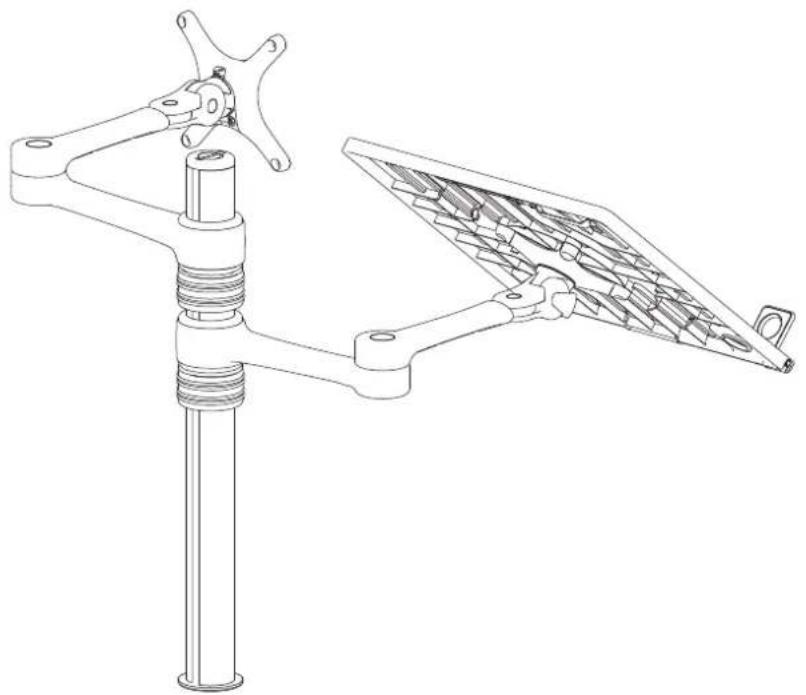
natural_image
Technical line drawing of a mechanical assembly with two views: one showing a vertical rod and cross-shaped component, the other showing a multi-layered bracket (no text or symbols)COMPONENT CHECKLIST
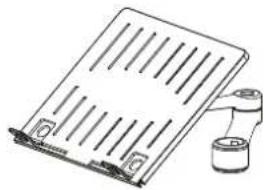
natural_image
Illustration of a flatboard with vertical slots and a cylindrical connector (no text or symbols)
D
Rotation
limitor
(x1)
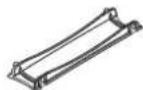
E Primary arm cable cover (x1)
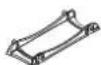
F
Secondary arm
cable cover
(x1)

G
Desk clamp
assembly
(x1)
A
Notebook tray
assembly
(x1)

H
Steel washer (x1)

I Cable stop (x2)

J
Cable
clip
(x1)

K
Pole
top cap
(x1)

L
Bolt through
base
(x1)
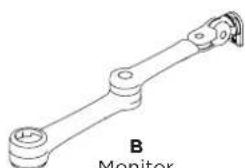
natural_image
Line drawing of a mechanical lever with three circular components and a separate bracket (no text or symbols)
M
5mm
Allen key
(x1)

N
Self adhesive
hook & loop
(x4 sets)

Screw M8 x 60mm (x1)

P
Screw
M8 x 30mm
(x1)
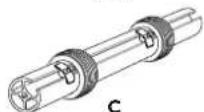
Pole assembly (x1)

Q
Security
Screw
M4 x 16mm

R Mounting screws

s
Mounting
screws

T Mounting screws
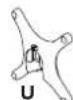
VESA head (x1)

REQUIRED TOOLS
- Power Drill
- Drill Bit
• Phillips Head Screwdriver
WEIGHT RANGE

0 - 8kg (0 - 17.6lbs)
IMPORTANT INFORMATION
! Please ensure this product is installed as per these installation instructions.
! The manufacturer accepts no responsibility for incorrect installation.
1. Desk overview
| The desk clamp bracket can be repositioned to suit different mounting surface thicknesses. | 1.1 Default 1.2 Inverted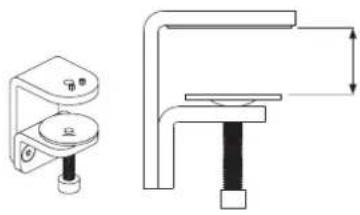 MIN THICKNESS - 0mm (0")MAX THICKNESS - 39mm (1.5") MIN THICKNESS - 0mm (0")MAX THICKNESS - 39mm (1.5") |  MIN THICKNESS - 35mm (1.4")MAX THICKNESS - 76mm (3") MIN THICKNESS - 35mm (1.4")MAX THICKNESS - 76mm (3") |
2. How to reconfigure desk clamp
2.1 Remove screws(M8 x 16mm Countersunk screw)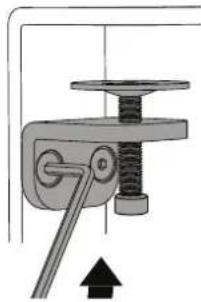 | 2.2 Remove clamp plate | 2.3 Invert bracket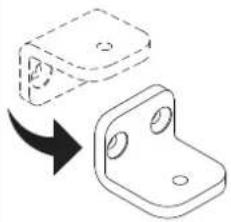 | 2.4 Replace clamp plate | 2.5 Reattach bracket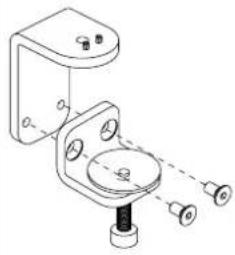 |
3. Post mount configuration 4. Bolt through
| 3.1 Attach clamp to post | 3.2 Place in desired location | 3.3 Screw pressure plates in andtighten firmly. | Drill 9mm hole in desired post |
 |  |  |  |
5. Installing bolt through
5.1 Attach pAlign rear hhole on des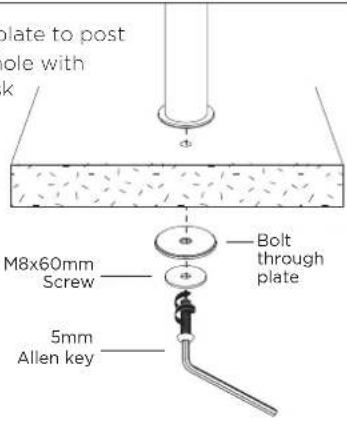 | 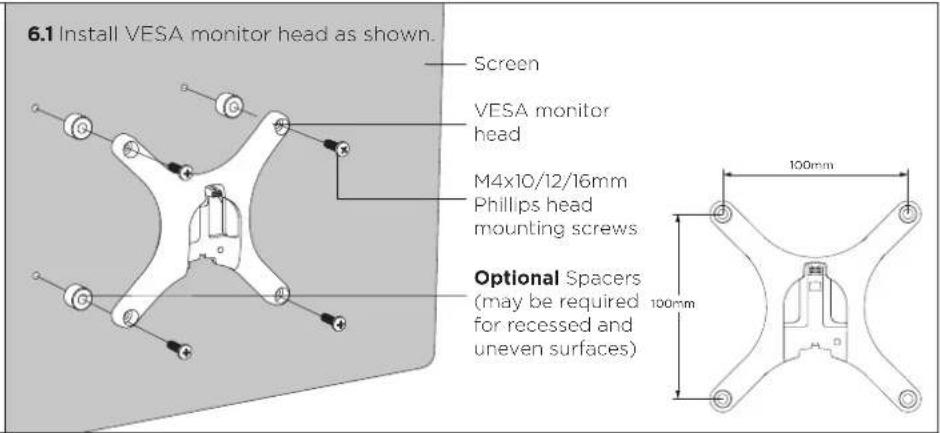 |
7. Mount Notebook Tray Arm
7.1 Unlock 1sthandgrip and remove from pole assembly | 7.2 Unlock 2ndhandgrip and raise so that handgrip tab protrudes | 7.3 OPTIONAL ROTATION LIMITER Insert rotation limiter for 180° rotation around mounting pole | 7.4 Slip the notebook tray & arm assembly over the handgrip tab and then onto the pole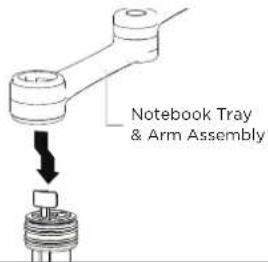 | 7.5 Slide the arm assembly and handgrip down the pole before locking the handgrip at the desired height |
8. Install arm assembly
8.1 Reinstall handgrip so that handgrip tab protrudes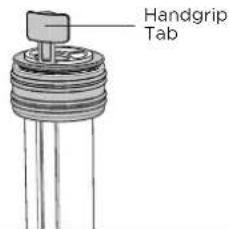 | 8.2 OPTIONAL ROTATION LIMITER Insert rotation limiter for 180° rotation around mounting pole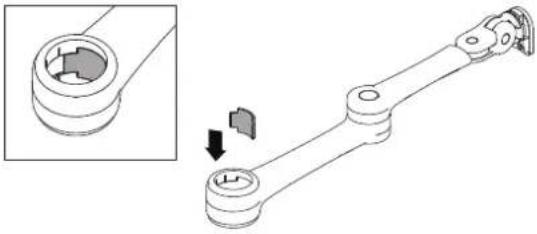 | 8.3 Slip the arm assembly over the handgrip tab and then onto the pole | 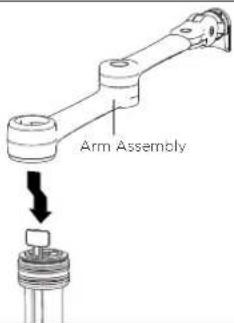 | |
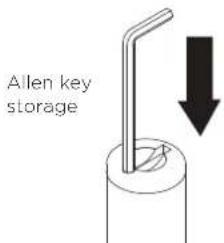
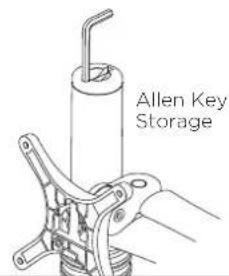
8.4 Slide the arm assembly and handgrip down the pole before locking the handgrip at the desired height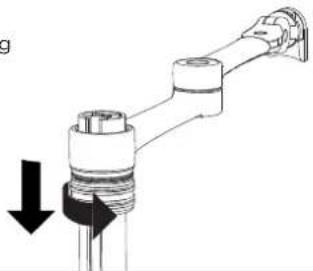 | 8.5 Insert pole top cap into pole. This is also where the allen key is stored. | 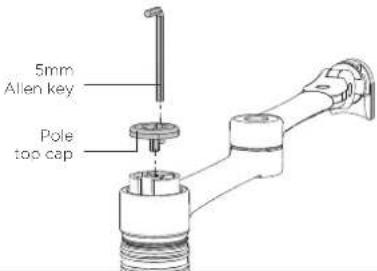 | ||
9. Mounting Monitor
9.1 Insert VESA monitor head into the receptacle in the arm assembly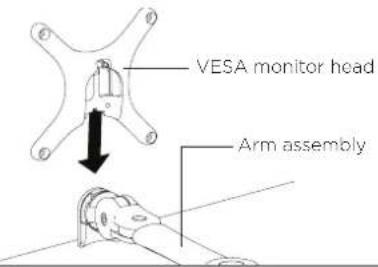 | 9.2 OPTIONAL SECURITY SCREW Ensure the monitor is supported, then loosen the monitor head screw with the 5mm allen key and tilt screen up before installing the m4 x 16mm security screw into the security screw hole | 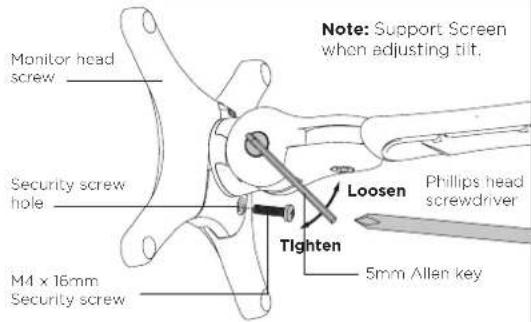 |
10. Install Notebook
10.1 Adjust the support tabs to suit the width of the notebook computer ensuring that cable ports are not obstructed | 10.2 To increase stability, use the self adhesive Hook-and-Loop Fasteners supplied• Peel off the backing paper to the fasteners• Attach fasteners to both the notebook tray and computer• Ensure that each set of fasteners are correctly aligned i.e. Hook to loop | 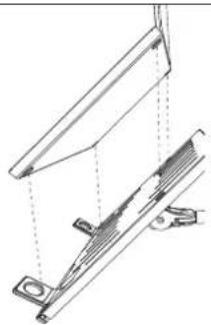 |
11. Adjust Height

12. Cable Management
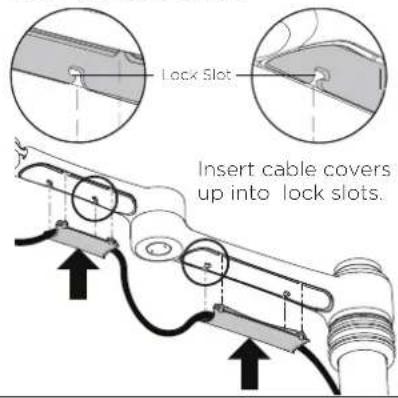
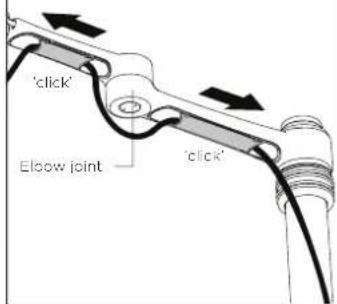
12.1 After plugging in your cables, install the cable covers
text_image
Lock Slot Insert cable covers up into lock slots.12.2 Push cable covers away from elbow joint to secure in place
text_image
'click' Elbow joint 'click'12.3 Cable clips and cable stops can be installed to further manage cables. Please see over
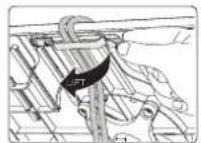
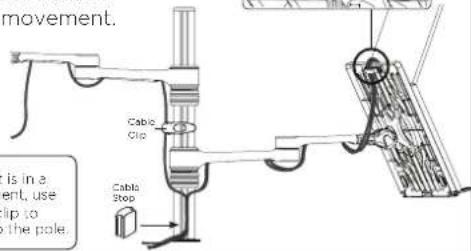
Note: After connecting the notebook cables, route them through the cable management clip on the back of the notebook tray
Ensure enough cable slack is given to allow for movement.

Note: If this product is in a Multi-user environment, use the supplied cable clip to secure the cables to the pole.
text_image
movement. Cable Clip Cable Stop is in a ent, use lip to the pole.13. Insert Cable Stops
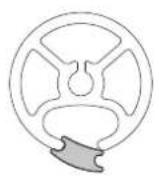
13.1 Insert cable stop on one edge of the pole slot

natural_image
Line drawing of a hand holding a circular component with an arrow pointing to it (no text or symbols)Note: Press down firmly onto the other edge of the Cable Stop and hold. This allows the rear profile to flex in place

13.2 Insert allen key into top cap on pole
text_image
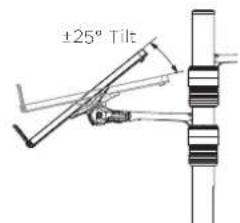
Allen key storage14. Adjusting the display bracket
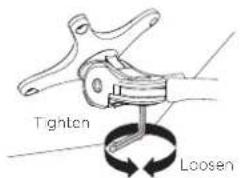
Adjust the tilt angle of the notebook tray as desired, locking it in position using the 5mm allen key
text_image
Allen Key Storage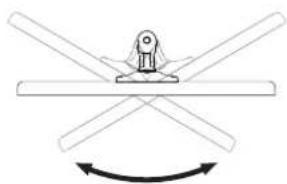
natural_image
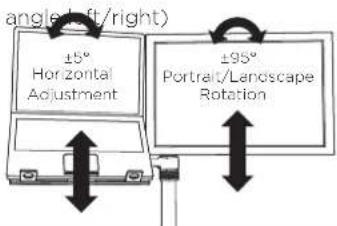
Diagram of a mechanical or electrical component with intersecting rods and a central knob, showing rotational motion (no text or symbols)PAN (tray angle left/right) PAN (s
text_image
Tighten Loosencreen angle (ft/right)
text_image
angleleft/right) ±5° Horizontal Adjustment ±95° Portrait/Landscape RotationTILT (screen angle up/down)

text_image
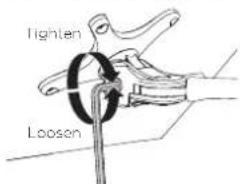
Loosen Srimm Allen Key TightenTILT (tray angle up/down)
text_image
Tighten Loosen