VC-SD50 - Vacuum Cleaner Watson - Free user manual and instructions
Find the device manual for free VC-SD50 Watson in PDF.


User questions about VC-SD50 Watson
0 question about this device. Answer the ones you know or ask your own.
Ask a new question about this device
Download the instructions for your Vacuum Cleaner in PDF format for free! Find your manual VC-SD50 - Watson and take your electronic device back in hand. On this page are published all the documents necessary for the use of your device. VC-SD50 by Watson.
USER MANUAL VC-SD50 Watson
For International Power Connectivity Converts Foreign 220V to U.S. 110V

STEP DOWN 220V to 110V
Owner's Manual
Please read before using this equipment.
text_image
WATSON™
natural_image
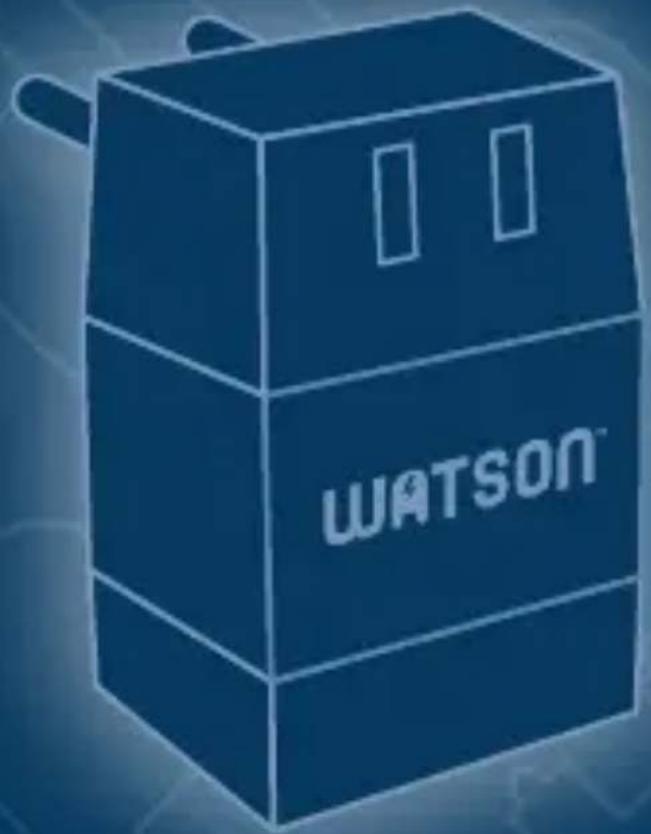
Abstract geometric pattern with yellow and white shapes (no text or symbols)Thank you for purchasing the Watson Reverse Voltage Converter.
Browse through this manual for instructions and useful tips on how to use your new equipment.
INSTRUCTIONS:
• American-made appliances will not work in most parts of the world without a Voltage Converter. U.S. appliances are designed to operate on U.S. voltage (110/120 volts), while most foreign voltage is 220/240 volts.
- Your Watson Voltage Converter reduces foreign electricity to 110/120 volts, enabling you to use your low wattage portable appliances almost anywhere in the world. Plug the Voltage Converter into the 220/240 volt wall outlet, plug your 110/120 volt appliance into the
Voltage Converter, and turn on your appliance.
- All appliances have a wattage rating marked on them. Check that the appliance does not exceed 50 watts. Please note that some U.S. appliances may operate a little slowly when used in foreign countries operating on 50 cycles (U.S. appliances are designed to operate on 60 cycles).
VOLTAGE CONVERTER OPERATION:
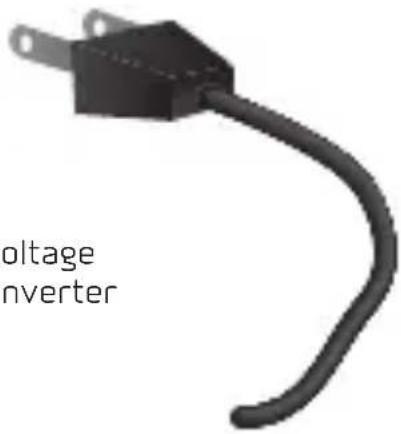
1 Insert Voltage Converter into 220/240 volt wall outlet.
The pins on the Voltage Converter will fit most foreign wall outlets.
Plug adapters for other countries are also available from Watson.
2 Plug in your appliance.
Plug your 110/120 volt appliance into the outlet on the Voltage Converter. Turn on your appliance.
3 After use, unplug the Voltage Converter.
Do not leave the Voltage Converter plugged into the wall outlet when not in use.
natural_image
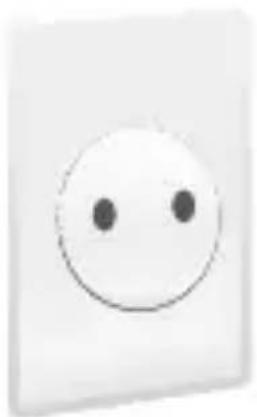
Simple white smiley face icon on a light background (no text or symbols)220V Foreign Wall Outlet

natural_image
3D rendered image of a gray and black electronic component with two side slots (no text or symbols)Voltage
Converter
text_image
voltage inverter110V Appliance
WARNING:
Do not use with appliances rated at more than 50 watts. Check your appliance's rating plate for watts. If wattage is not indicated, multiply voltage by amps.
ADAPTER PLUGS
In some countries you may encounter a recessed outlet or other shape of wall outlet which the transformer pins on your Watson Voltage Converter do not fit. You may need an Adapter Plug. The five Watson Adapter Plugs below adapt to most electrical outlets worldwide.
MODELS OF ADAPTER PLUGS:
natural_image
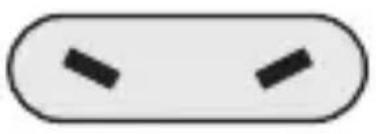
Simple rounded rectangle shape with two black arrow-shaped cutouts inside (no text or symbols)AP-USA-A:
Flat Angled Blades Australia, Fiji, New Zealand, China and Japan

natural_image
Simple rounded rectangle shape with two vertical black bars inside (no text or symbols)AP-E-USA:
Flat Parallel Blades North/South America, Caribbean and Japan

natural_image
Simple diagram of two oval shapes with evenly spaced inner circles, no text or symbols present.AP-USA-E:
Round Thin Pins
Europe, Parts of Middle
East, Africa and Asia

natural_image
Simple diagram of two black dots inside a rounded rectangle (no text or symbols)AP-USA-GBP:
Round Thick Pins
Great Britain and parts
of Northern Europe

text_image
Warning symbol with exclamation mark inside triangle, commonly used for safety alertsAP-USA-GB:
3-Prong Blades
Parts of Great Britain
and Ireland, Africa,
Hong Kong and
Singapore
Visit www.poweredbywatson.com
for more information
SAFETY INSTRUCTIONS:
- Do not leave Voltage Converter in the wall outlet when not in use.
- At times there may be a low humming sound in the voltage converter, the appliance, or both. This is normal.
- Due to unstable voltage in many foreign countries, if your appliance has a built-in thermostat, it may shut off your appliance prematurely. This does not mean that your appliance or Voltage Converter is not working properly.
- Do not use the Voltage Converter or an adapter plug if it is not working properly; has been dropped in water; or if it has been damaged in any way.
• DO NOT USE THIS VOLTAGE CONVERTER CONTINUOUSLY WITH APPLIANCES EXCEEDING 25 WATTS.
• Use Watson's 85W, 300W, or 500W Voltage Converters for appliances requiring more than 50 watts of power.
LIMITED ONE-YEAR WARRANTY
Watson provides a limited warranty that this product is free from defects in materials and workmanship to the original purchaser under normal use for a period of one (1) year from the original purchase date. Watson's responsibility with respect to this limited warranty shall be limited solely to repair or replacement, at its option, of any product which fails during normal consumer use. This warranty does not extend to damage or failure which results from misuse, neglect, accident, alteration, abuse, improper installation or maintenance. EXCEPT AS PROVIDED HEREIN, WATSON MAKES NEITHER ANY EXPRESS WARRANTIES NOR ANY IMPLIED WARRANTIES. INCLUDING BUT NOT LIMITED TO ANY IMPLIED WARRANTY OF MERCHANTABILITY OR FITNESS FOR A PARTICULAR PURPOSE. To obtain a replacement during the time of this warranty please return the defective Item with proof of purchase along with an RMA number to the place of purchase. This warranty gives you specific legal rights, and you may also have other rights which vary from state to state.
WATSON™
www.poweredbywatson.com