AV-P500-RF - Water filter Arovec - Free user manual and instructions
Find the device manual for free AV-P500-RF Arovec in PDF.


User questions about AV-P500-RF Arovec
0 question about this device. Answer the ones you know or ask your own.
Ask a new question about this device
Download the instructions for your Water filter in PDF format for free! Find your manual AV-P500-RF - Arovec and take your electronic device back in hand. On this page are published all the documents necessary for the use of your device. AV-P500-RF by Arovec.
USER MANUAL AV-P500-RF Arovec
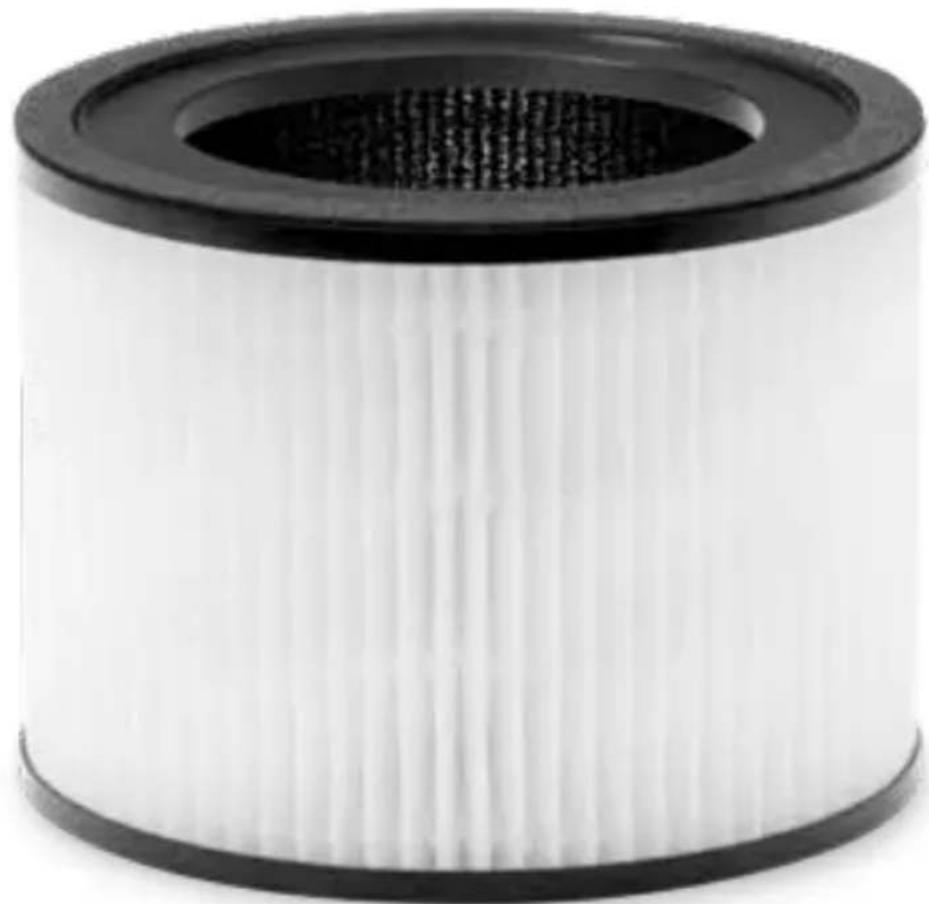
Air Purifier Replacement Filter
Model: AV-P500-RF
natural_image
Close-up of a white cylindrical mechanical component with black outer ring and flared top (no text or symbols visible)
natural_image
White air purifier with a blue lid and textured base (no visible text or symbols)TABLE OF CONTENTS
Introduction 4
Parts Name 5
Replacing The Filter 6
Cleaning & Care 9
Disposal 9
Customer Support - Australia 10
PACKAGE CONTENTS
1 x Replacement Filter AV-P500-RF
1 x User Manual
THANK YOU FOR CHOOSING TO BUY AN AROVEC AIR PURIFIER REPLACEMENT FILTER
We are here to help you with any questions.
Customer Support - AUSTRALIA
www.arovec.com.au
support@arovec.com.au
@aroveclifestyle
INTRODUCTION
High Efficiency Filtration System: This replacement filter contains multiple stage filtration system, which filters out 99.97% airborne harmful pollutants as small as 0.3μm with 100% ozone free safe operation.
- Preliminary Filter: Captures large particles such as dust, pet dander and hair.
- Korean H13 True HEPA Filter: High grade H13 True HEPA Filter traps fine particles such as PM2.5, dust mites, allergens, airborne bacteria, pollen, mould and other airborne contaminants as small as 0.3μm.
- High-Efficiency Activated Carbon Filter: adsorbs various odours and smokes such as cigarette smoke, fumes, cooking smell, pet odours, hazardous gases and VOCs.
PARTS NAME
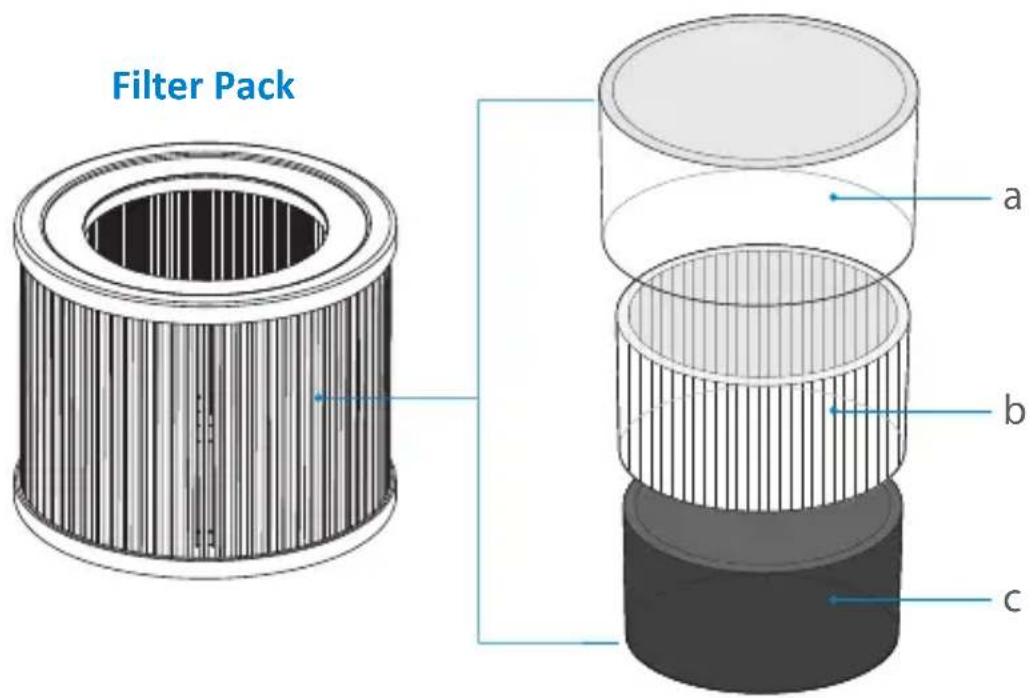
1. Filter Pack
a. Preliminary Filter
b. H13 True HEPA Filter
c. Activated Carbon Filter
Filter Internal Details
text_image
Filter Pack a b cREPLACING THE FILTER
The (REPLACE) will light up to remind you to replace the filter.
DO NOT wash or reuse the filter. Only use Arovec AV-P500-RF replacement filter when changing the filter is required. This will help your air purifier to work effectively and last longer.
Replacement filter is available at www.arovec.com.au

text_image
SCAN MEWhen to Replace the Filter:
It's best to change the filter every 4-5 months (3000 hours used). You may need to change the filter more often or less often, depending on how much you use your air purifier and on how much pollution is in the air.
- You don't need to wait for the ( ) to turn ON for changing the filter. You may need to change the filter if you notice any of the following:
- Increased noise from the air purifier when it is switched ON.
- No effective difference in air quality.
- Decreased airflow.
- Unusual odours.
- Clogged filter.
Steps for Replacing the Filter:
Follow these steps to replace the filter:
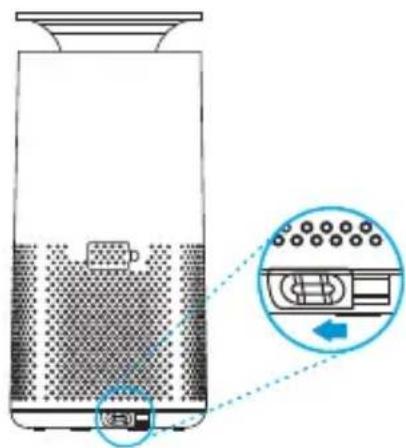
- Turn OFF and unplug the air purifier. Place the air purifier on a stable surface in an upright position. Turn the base lock button to the left to unlock the base cover. [Figure 1.1]
text_image
Diagram of a refrigerator with labeled control panel and directional arrow indicating rotation or movementFigure 1.1 Figure 1.2
- Hold the air purifier and lift it up carefully. Remove the used filter from the air purifier. [Figure 1.2]

natural_image
Diagram showing a container with liquid and a lid, with arrows indicating upward movement (no text or symbols)-
Clean any remaining dust or hair inside the air purifier with a vacuum cleaner. DO NOT use water or any liquids to clean the air purifier.
-
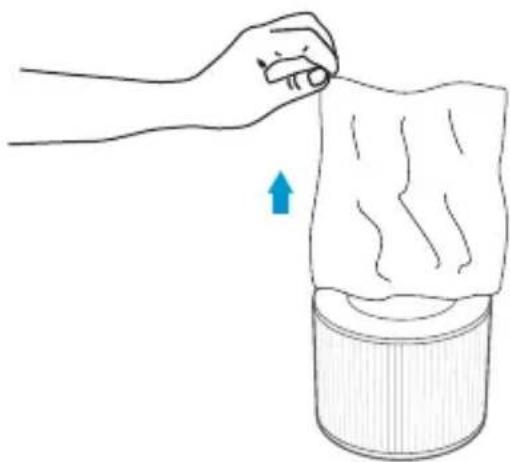
Remove the new filter from its packaging. [Figure 1.3]
natural_image
Illustration of a hand pressing down on a textured surface with a blue arrow indicating motion (no text or symbols)Figure 1.3
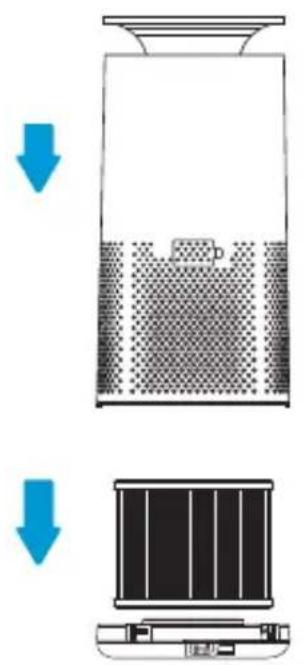
- Put the new filter and set the air purifier on the base. [Figure 1.4]
text_image
Diagram illustrating a process with downward arrows indicating a step in a container or storage system, showing fluid flow and component placement.Figure 1.4
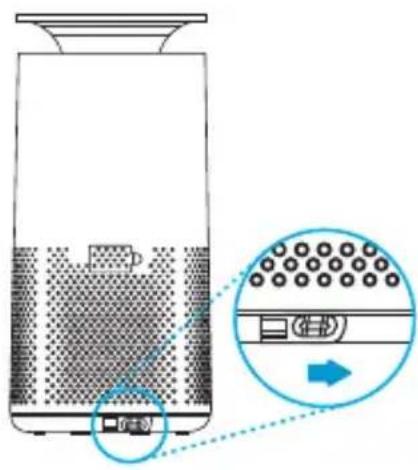
- Turn the base lock button to the right to lock the base cover. [Figure 1.5]
text_image
Diagram showing a device with a grid pattern and an inset view of the device's internal structure, labeled in Chinese.Figure 1.5
Resetting the Air Purifier After Filter Replacement:
- Turn ON the air purifier.
- Press and hold ( ) for 3-5 seconds.
- The ( light should turn OFF, which indicates that the air purifier has been reset.
- You can use the air purifier with the new filter.
CLEANING & CARE
• Turn OFF and unplug the air purifier before you clean it.
- Wipe down the outside of air purifier regularly with a soft and clean cloth.
• DO NOT use any harsh cleaning agents e.g., bleach or alcohol to clean any part of the air purifier.
Cleaning the filter
- To increase the efficiency and life of the filter, clean it at least once a month using a soft brush or vacuum cleaner to remove large particles, hair and dust. Do not clean the filter with water or any other liquids. [Figure 2.1]

natural_image
Illustration of three different components: a cylindrical roller, a rectangular tube being inserted, and a vacuum cleaner with a curved handle (no text or symbols)STORAGE

It is not recommended to store used filters for a long period of time.
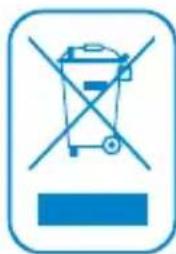
DISPOSAL
natural_image
Blue icon depicting a trash bin crossed with a diagonal line, no text or symbols presentTo properly dispose of a used air filter:
- Turn off the air purifier and unplug from power source.
- Prepare a plastic bag, remove the used filter, and put inside the bag.
- Secure the bag with a tie or tape to keep the dust and particulates from being released into the air.
- Place the bagged air filter in a garbage can or dumpster outdoors.
Note: Ask your local council regarding any update or safe disposal of your used air filters.
CUSTOMER SUPPORT - AUSTRALIA
Please contact customer support with any questions regarding your product. Feel free to contact our helpful customer support team. Your satisfaction is our priority.
Ausbrilliant
PO Box 2, Ermington 1700, NSW Australia
www.arovec.com.au
support@arovec.com.au
Please provide your order number when you contact customer support.
arovec
www.arovec.com.au