ANA 9610 - Phone UNIDEN - Free user manual and instructions
Find the device manual for free ANA 9610 UNIDEN in PDF.


User questions about ANA 9610 UNIDEN
0 question about this device. Answer the ones you know or ask your own.
Ask a new question about this device
Download the instructions for your Phone in PDF format for free! Find your manual ANA 9610 - UNIDEN and take your electronic device back in hand. On this page are published all the documents necessary for the use of your device. ANA 9610 by UNIDEN.
USER MANUAL ANA 9610 UNIDEN
natural_image
Line drawings of three different types of mobile phones: a vintage mobile phone, a device housing with a keypad, and a wireless router (no text or symbols present)Operating Guide
One Year Limited Warranty
WARRANTOR: UNIDEN AMERICA CORPORATION ("Uniden")
ELEMENTS OF WARRANTY: Uniden warrants, for one year, to the original retail owner, this Uniden Product to be free from defects in materials and craftsmanship with only the limitations or exclusions set out below.
WARRANTY DURATION: This warranty to the original user shall terminate and be of no further effect 12 months after the date of original retail sale. The warranty is invalid if the Product is (A) damaged or not maintained as reasonable or necessary, (B) modified, altered, or used as part of any conversion kits, subassemblies, or any configurations not sold by Uniden, (C) improperly installed, (D) serviced or repaired by someone other than an authorized Uniden service center for a defect or malfunction covered by this warranty, (E) used in any conjunction with equipment or parts or as part of any system not manufactured by Uniden, or (F) installed or programmed by anyone other than as detailed by the Operating Guide for this product.
STATEMENT OF REMEDY: In the event that the product does not conform to this warranty at any time while this warranty is in effect, warrantor will repair the defect and return it to you without charge for parts, service, or any other cost (except shipping and handling) incurred by warrantor or its representatives in connection with the performance of this warranty. THE LIMITED WARRANTY SET FORTH ABOVE IS THE SOLE AND ENTIRE WARRANTY PERTAINING TO THE PRODUCT AND IS IN LIEU OF AND EXCLUDES ALL OTHER WARRANTIES OF ANY NATURE WHATSOEVER, WHETHER EXPRESS, IMPLIED OR ARISING BY OPERATION OF LAW, INCLUDING, BUT NOT LIMITED TO ANY IMPLIED WARRANTIES OF MERCHANTABILITY OR FITNESS FOR A PARTICULAR PURPOSE. THIS WARRANTY DOES NOT COVER OR PROVIDE FOR THE REIMBURSEMENT OR PAYMENT OF INCIDENTAL OR CONSEQUENTIAL DAMAGES. Some states do not allow this exclusion or limitation of incidental or consequential damages so the above limitation or exclusion may not apply to you.
LEGAL REMEDIES: This warranty gives you specific legal rights, and you may also have other rights which vary from state to state. This warranty is void outside the United States of America.
PROCEDURE FOR OBTAINING PERFORMANCE OF WARRANTY: If, after following the instructions in this Operating Guide you are certain that the Product is defective, pack the Product carefully (preferably in its original packaging). Include evidence of original purchase and a note describing the defect that has caused you to return it, The Product should be shipped freight prepaid by traceable means, or delivered, to warrantor at:
Uniden America Corporation
BCS Division
4700 Amon Carter Blvd.
Fort Worth, TX 76155
817-252-3043, 8 a.m. to 5 p.m. Central,
Monday through Friday
Covered under one or more of the following U.S. patents:
4,511,761 4,523,058 4,595,795,
4,597,104
4,797,916 4,803,491 5,157,686
5,253,268
and other patents pending.
uniden®
PRECAUTIONS
Before you read anything else, please observe the following:
WARNING!
Uniden America Corporation DOES NOT represent this unit to be waterproof. To reduce the risk of fire, electrical shock, or damage to the unit, DO NOT expose this unit to rain or moisture.
BATTERY WARNING
■ This equipment contains a Rechargeable Sealed Lead-Acid Battery.
■ Do not short circuit the battery.
- Do not charge the Rechargeable Sealed Lead-Acid Battery used in this equipment in any charger other than the one designed to charge this battery as specified in this Guide. Using another charger may damage the battery, or cause the battery to explode.

The exclamation point within an equilateral triangle is intended to alert the user to the presence of important operating and maintenance (servicing) instructions in the literature accompanying the appliance.
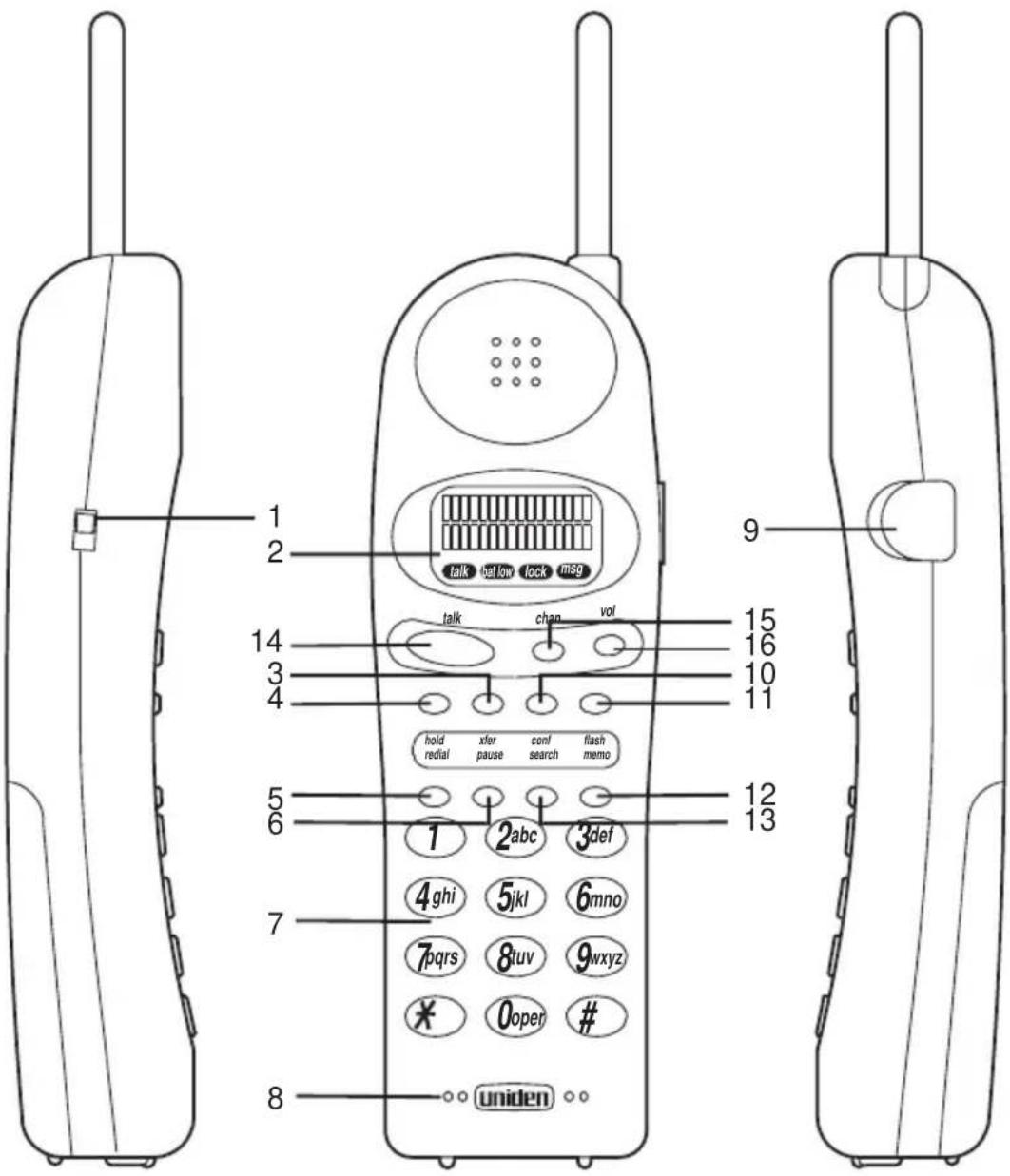
Handset Controls & Functions
text_image
1 2 talk below lock msg talk chan vol hold xfer conf flash redial pause search memo 1 2abc 3def 4 ghi 5 jkl 6 mno 7 pqs 8 tuv 9 wxyz * 0 open # uniden 8- Ringer ON/OFF switch
- Message Display
- Transfer (xfer) Key
- Hold (hold) Key
- Redial (redial) Key
- Pause (pause) Key
- Numeric Keypad
-
Microphone
-
Head Set Jack
- Conference (conf) Key
- Flash (flash) Key
- Memo ( memo) Key
- Search (search) Key
- Talk (talk) Key
- Channel/Lock ( chan) Key
- Volume ( vol ) Key
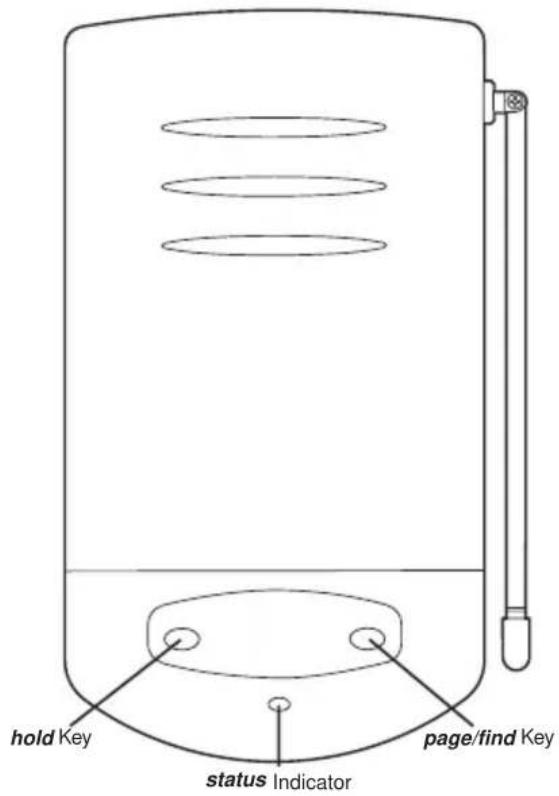
Base Unit Controls & Functions
text_image
hold Key status Indicator page/find Key
text_image
Tone Pulse Tone/Pulse slide SwitchTABLE OF CONTENTS
Important Safety Instructions....2
About Your ANA 9610 .... 4
Important Electrical Considerations .... 5
Range 5
Telephone Line Problems 5
Radio Interference....6
More Than One Cordless Telephone 6
Privacy....6
ANA 9610 Features ......7
Installing Your ANA 9610 ....8
Selecting the Installation Location 8
Connecting the Telephone Line....8
Connecting the Telephone Cords 9
Tone/Pulse Switch. 10
Applying Power to the Base and Charger Units 10
Wall Installation 12
Attaching the Belt Clip to the Handset....17
Installing the Handset Battery Pack. 18
Charging the Handset Battery Pack 19
Charging Spare Battery Packs 20
Low Battery Indicator....20
Cleaning the Battery and Charging Unit Contacts....21
Using Your ANA 9610 Handset 22
ANA 9610 Handset Controls 23
Using the Handset....24
Answering a Call 25
Making a Call 25
Feature Buttons 26
Placing a call "on hold" 26
Transferring a Call 26
Connecting a Conference Call....26
Programming the Feature Buttons. 27
Function Keys 28
Using Your ANA 9610 Memory....29
Storing a Number. 29
Erasing a Stored Number 30
Dialing with a Stored Number 31
Memory Search 31
Chain Dialing 32
Using Your ANA 9610 Base Unit ....33
Using the Hold 33
Using the Page/Find 33
Optional Head Set (EXP9530) 34
Optional Backup AC Adapter (EXP9505)....35
Using an Optional Second 2500-type Analog Telephone 36
Connecting the Desk Telephone. 36
Transferring a Call to the ANA 9610....36
Transferring a Call to the Desk Telephone 36
Optional Accessories and Replacement Parts 38
Troubleshooting....39
Specifications. 40
Uniden® is a registered trademark of Uniden America Corporation.
AutoStandby™ and AutoTalk™ are trademarks of Uniden America Corporation.
AutoStandby is a patented invention of Uniden America Corporation.
Important Safety Instructions
When using your telephone equipment, basic safety precautions should always be followed to reduce the risk of fire, electrical shock, and injury to persons, including the following:
- Read and understand all instructions.
- Follow all warnings and instructions marked on the product.
- Unplug this product from the wall outlet before cleaning. Do not use liquid cleaners or aerosol cleaners. Use a dry cloth for cleaning.
- Do not use this product near water; for example, near a sink or in a wet area.
- Do not place this product on an unstable cart, stand, or table. The telephone may fall, causing serious damage to the unit.
- To protect the product from overheating, do not block or cover any slots or openings in the base Unit. This product should never be placed near or over a radiator or heat register. This product should not be placed in a built-in installation unless proper ventilation is provided.
- This product should be operated only from the type of power source indicated on the marking label.
- Do not allow anything to rest on the power cord. Do not locate this product where the cord will be damaged by persons walking on it.
- Do not overload wall outlets and extension cords, as this can result in the risk of fire or electrical shock.
- Never push objects of any kind into this product through the Base Unit slots, as they may touch dangerous voltage points or short out parts that could result in a risk of fire or electric shock. Never spill liquid of any kind on the product.
- To reduce the risk of electric shock, do not disassemble this product. Contact qualified service personnel when some service or repair work is required. Opening or removing covers may expose you to dangerous voltages or other risks. Incorrect reassembly can cause electric shock when the appliance is subsequently used.
- Unplug this product from the wall outlet and refer servicing to qualified service personnel under the following conditions:
A. When the power supply cord is damaged or frayed.
B. If liquid has been spilled into the product.
C. If the product has been exposed to rain or water.
D. If the product does not operate normally when following the operating instructions. Adjust only those controls that are covered by the operating instructions. Improper adjustment of other controls may result in damage, and will often require extensive work by a qualified technician to restore the product to normal operation.
E. If the product has been dropped, or the cabinet has been damaged.
F. If the product exhibits a distinct change in performance.
- Do not use the telephone to report a gas leak in the vicinity of the leak.
CAUTION: To reduce the risk of fire or injury to persons by the battery, read and follow these instructions:
- Use only the appropriate type and size Battery Pack specified in this Operating Guide.
- Do not dispose of the Battery Pack in a fire. The cell may explode.
- Do not open or mutilate the Battery Pack. Released electrolyte is corrosive and may cause damage to the eyes or skin. It may be toxic if swallowed.
- Exercise care in handling the battery in order not to short the battery with conducting materials such as rings, bracelets, and keys. The battery or conductor may overheat and cause burns.
- Charge the Battery Pack provided with or identified for use with this product only in accordance with the instructions and limitations specified in the instruction manual provided for this product.
- Observe proper polarity orientation between the Battery Pack and battery charger.
SAVE THESE INSTRUCTIONS
About Your ANA 9610
Congratulations on your purchase of the Uniden ANA 9610 Cordless Telephone. The ANA 9610 is designed and engineered to exacting standards for reliability, long life, and outstanding performance. It is designed to work with a PBX system. To get the most from your ANA 9610, please read this Operating Guide thoroughly. To help familiarize you with the features of your cordless phone, refer to the Handset illustration foldout from the front cover, and the Base Unit illustration foldout from the rear cover.
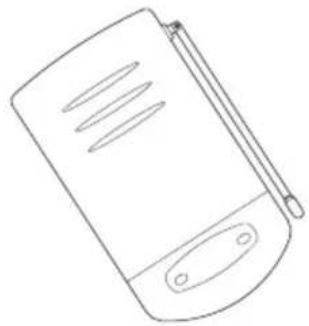
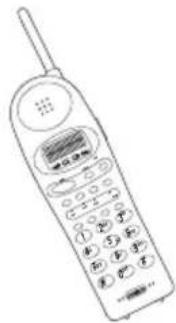
Your ANA 9610 includes the following items:
natural_image
Line drawing of a generic electronic device with a screen and antenna (no text or symbols)Base Unit
natural_image
Line drawing of a vintage mobile phone with keypad and antenna (no text or symbols)Handset Telephone Cord

natural_image
Line drawing of a coiled cable with two connectors (no text or symbols)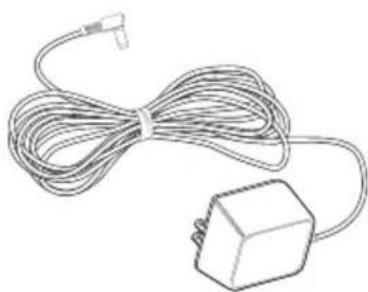
natural_image
Line drawing of a cable and plug with a terminal connector (no text or symbols)2 AC Adapters

text_image
Technical diagram of a battery bank with labeled components and safety warnings2 Rechargeable Batteries

natural_image
Line drawing of a mechanical component with no visible text or symbolsBelt Clip
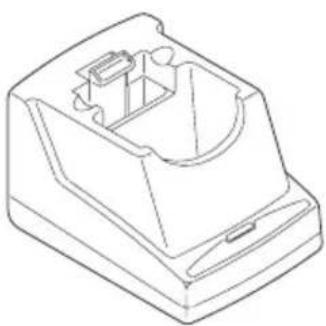
natural_image
Line drawing of a mechanical component with internal cavity and mounting base (no text or symbols)Charging Stand
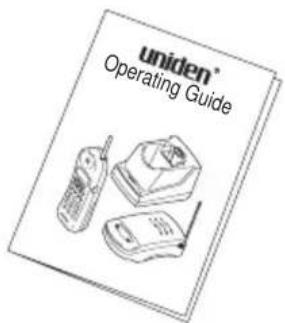
text_image
uniden® Operating GuideOperating Guide OMANA 9610
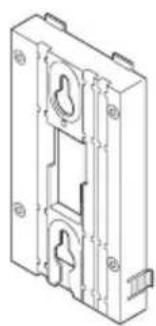
natural_image
Technical line drawing of a mechanical housing or enclosure component (no text or symbols)Wall Plate Adapter
If any of these items are missing or damaged, contact your PBX Administrator. If your ANA 9610 is not performing to your expectations, please try the simple steps listed in the Trouble Shooting Section of this Guide. If you are still unable to resolve the problem, contact your PBX Administrator.
Important Electrical Considerations
Warning: Please do not attempt to unplug any appliance during an electrical storm.
Unplug all electrical appliances when you know an electrical storm is approaching. Lightning can pass through your household wiring and damage any device connected to it. This phone is no exception.
Caution: Changes or modifications to this product not expressly approved by Uniden, or operation of this product in any way other than as detailed by this Operating Guide, could void your authority to operate this product.
Range
Your new phone is designed to achieve the maximum possible range by transmitting and receiving according to the highest specifications set forth by the FCC and IC. We have rated this phone to operate at a maximum distance with the qualification that the range depends upon the environment in which the telephone is used. Many factors limit range, and it would be impossible to include all the variables in our rating. The Maximum Range rating of this phone is meant to be used as a means of comparison against other range claims.
Telephone Line Problems
The FCC and IC have granted the telephone company the right to disconnect service in the event that your phone causes problems on the telephone line. Also, the telephone company may make changes in facilities and services which may affect the operation of your unit. However, your telephone company must give adequate notice in writing prior to such actions to allow you time for making necessary arrangements to continue uninterrupted service.
If you are having trouble with your telephone service, you must first disconnect your phone to determine if it is the cause of your problem. If you determine that it is the cause, you must leave it disconnected until the trouble has been corrected.
Radio Interference
Radio interference may occasionally cause buzzing and humming in your cordless Handset, or clicking noises in the Base Unit. This interference is caused by external sources such as TV, refrigerator, vacuum cleaner, fluorescent lighting, computer equipment, or electrical storm. Your unit is NOT DEFECTIVE. If these noises continue and are too distracting, please check around your office to see what appliances may be causing the problem. In addition, we recommend that the Base not be plugged into a circuit that also powers a major appliance because of the potential for interference. Be certain that the antenna on the unit is fully extended when needed.
In the unlikely event that you consistently hear other voices or distracting transmissions on your phone, you may be receiving radio signals from another cordless telephone or other source of interference. If you cannot eliminate this type of interference, you need to change to a different channel.
Finally, it should be noted that some cordless telephones operate at frequencies that may cause interference to nearby TVs and VCRs. To minimize or prevent such interference, the base of the cordless telephone should not be placed near or on top of a TV or VCR. If interference is experienced, moving the cordless telephone farther away from the TV or VCR will often reduce or eliminate the interference.
More Than One Cordless Telephone
If you want to use more than one cordless telephone in your office, they must operate on different channels. Press the channel key to select a channel that provides the clearest communication.
Privacy
Note: Cordless phones are radio devices. Communications between the Handset and Base Unit of your cordless telephone are accomplished by means of radio waves which are broadcast over the open airways. Because of the inherent physical properties of radio waves, your communications can be received by radio receiving devices other than your own cordless telephone unit. Consequently, any communications using your cordless telephone may not be private.
ANA 9610 Features
■ Super Long Range 900MHz Digital
■ 2-line, 16-digit LCD Display
■ Headset Jack
■ Ringer Volume Control
■ Handset Volume Control
■ Single button access to: CONFERENCE, HOLD, and TRANSFER features
■ Four Function Keys: PAUSE, FLASH, REDIAL, SEARCH
■ 20 Number Memory Store and Search
- Separate Charging Stand with Spare Battery Charging Capability
■ Second Spare Battery
■ AutoStandby
■ AutoTalk
■ Vibrator Ringer Alert
■ Easy Installation
■ Out of Range Protection
■ Low Battery Protection System
■ Key Pad Lock Feature
■ Wall Mountable separate Base Unit
■ Wall Mountable separate Charging Unit
Selecting the Installation Location
Select a location for the ANA 9610 to avoid excessive heat or humidity. The Base Unit of your ANA 9610 can be placed on a desk or tabletop near a standard 120V AC outlet and telephone line jack. The Base Unit can also be mounted on a standard AT&T or GTE wall plate using the optional Wall Mount Adapter. If you will use the ANA 9610 with a Standard 2500 type Telephone Desk Unit, place the ANA 9610 near that phone. Keep the Base Unit and Handset away from sources of electrical noise (motors, fluorescent lighting, computers).
Connecting the Telephone Line
There are two types of phone outlets:
1) Modular Jack
Plug the telephone line cord from the Base Unit into a standard modular telephone jack. (Note: If you do not have a modular jack, contact your local telephone company for information on the installation of these jacks.)
2) Hard-wired Jack
A modular jack converter (not included) is required. You may need to rewire when connecting the converter (making color-coded connections).
Note: Your Uniden Telephone Dealer or a telephone supply store can advise you on the proper adapter or converter.
Connecting the Telephone Cords
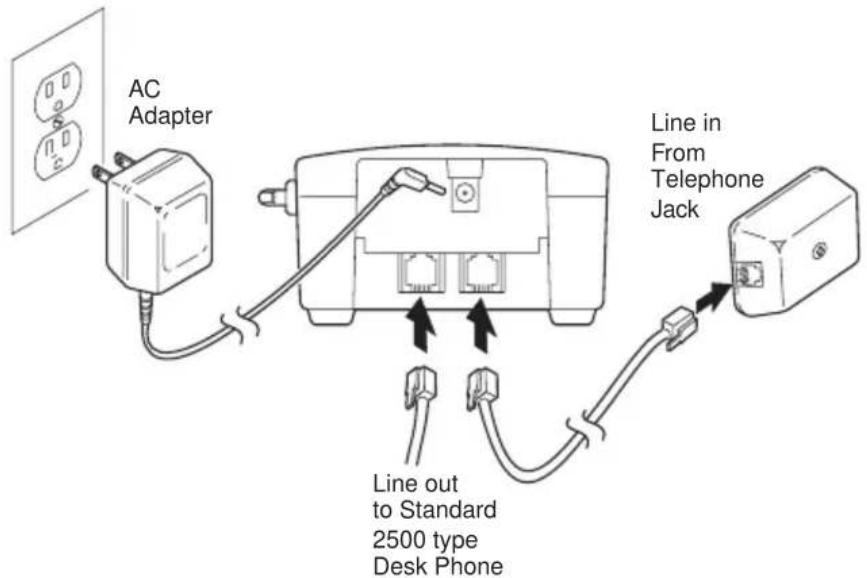
The ANA 9610 must be connected to an analog PBX port or a standard analog telephone line.
CAUTION:
■ Never install telephone wiring during a lightning storm.
■ Never touch uninsulated telephone wires or terminals unless the telephone line has been disconnected at the network interface.
■ Use caution when installing or modifying telephone lines.

text_image
Line in From Telephone JackYou can also connect a standard 2500-type desk phone to the ANA 9610:

text_image
To Optional 2500-type TelephoneConnect to the LINE OUT Jack
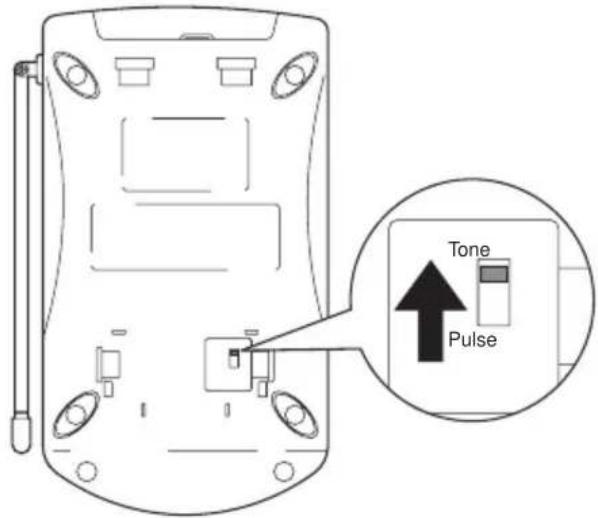
Tone/Pulse Switch
Be sure the TONE/PULSE switch is in the TONE position.
text_image
Tone PulseNote: Most systems are Tone dialing. Check with your PBX Administrator if you are not sure whether your system is Tone or Pulse dialing.
Applying Power to the Base and Charger Units

text_image
AC Adapter Line in From Telephone Jack Line out to Standard 2500 type Desk PhoneUse only the supplied AC Adapter: AD-9500
IMPORTANT! Route the power cord where it will not create a trip hazard, or where it could become chafed and create a fire or other electrical hazards.
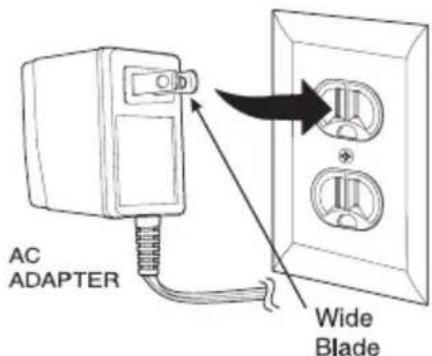
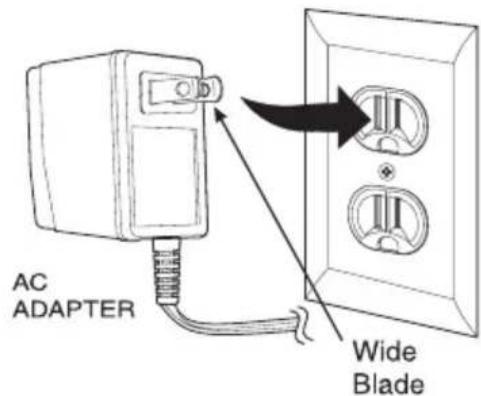
Note: The AC Adapter furnished with this phone may be equipped with a polarized line plug (a plug having one blade wider than the other.) This plug will fit into the power outlet only one way. If you are unable to insert the plug fully into the outlet, try reversing the plug.
text_image
AC ADAPTER Wide BladeDo not alter the shape of the blades of the polarized plug.
Note: If you cannot plug the AC Adapter into the outlet, contact someone about replacing the outlet.
The unique design of your ANA 9610 allows you to place the Handset in the Charging Unit with or without the Belt Clip attached. The Charging Unit also has the ability to charge a second battery with or without the Handset being charged. The Battery Packs can automatically be recharged either in or out of the Handset.

text_image
AC AdapterUse only the supplied AC Adapter: AD-960
Wall Installation
Standard Wall Plate Mounting
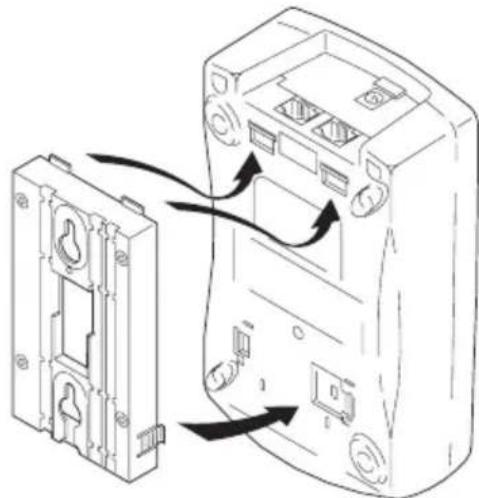
These Phones are designed to be mounted on a standard AT&T or GTE wall plate. To attach the wall mount stand to the Base Unit:
- Slide the Wall Mount stand into the notches at the top of the Base Unit, rotate the Wall Mount stand down and snap it into place.
natural_image
Diagram showing two mechanical components with arrows indicating assembly or connection (no text or symbols present)-
Plug the AC Adapter into the Base Unit as previously described.
-
Place the AC Adapter cord inside the molded channel of the Wall Mount stand.

natural_image
Line drawing of an electrical outlet with wiring and a wall-mounted socket (no text or symbols)-
Plug one end of the short telephone cord into the LINE jack on the Base Unit. Optionally, plug one end of a standard 2500 type desk phone into the PHONE jack. Then place the telephone cord(s) inside the molded channel(s) on the bottom of the Wall Mount stand.
-
Plug the other end of the short telephone cord into the modular wall jack.
-
Place the Base Unit on the posts of the wall plate and push down until it's firmly seated.

natural_image
Diagram of a device showing cable routing between two components (no text or symbols)- Plug the AC Adapter into a standard 120V AC wall outlet.
text_image
AC ADAPTER Wide BladeNote: Do not use an outlet controlled by a wall switch.
Direct Wall Mounting
If you do not have a standard wall plate, you can mount your phone directly on a wall. Before mounting your phone, consider the following:
■ Select a location away from electrical cables, pipes, or other items behind the mounting location that could cause a hazard when inserting screws into the wall.
■ Make sure the wall material is capable of supporting the weight of the Base Unit.
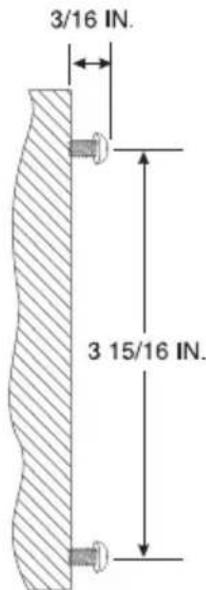
■ Use #10 screws with anchoring devices suitable for the wall material where the Base Unit will be placed.
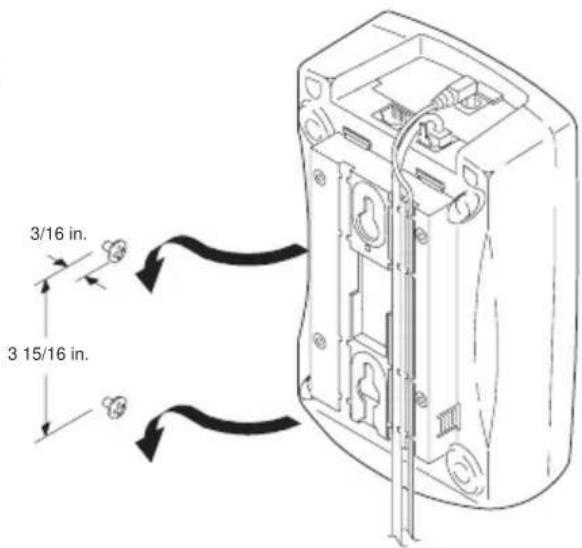
- Insert two mounting screws 3 inches apart. Allow about 316 of an inch between the wall and screw heads for mounting the phone.
text_image
3/16 IN. 3 15/16 IN.-
Plug and secure the AC Adapter cord by following steps 2 and 3 of the Standard Wall Plate Mounting.
-
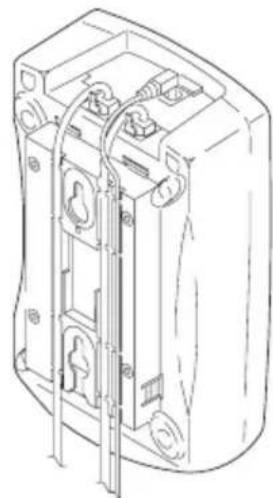
Plug one end of the telephone line cord into the LINE jack on the Base Unit. Optionally, plug one end of a standard 2500 type desk phone into the PHONE jack. Then place the telephone cord(s) inside the molded channel(s) on the bottom of the Wall Mount stand.
natural_image
Technical line drawing of a mechanical device with internal components and mounting holes (no text or symbols)- Place the Base Unit on the posts of the wall screws and push down until it's firmly seated.
text_image
3/16 in. 3 15/16 in.- Plug the other end of the short telephone cord into a telephone wall jack.
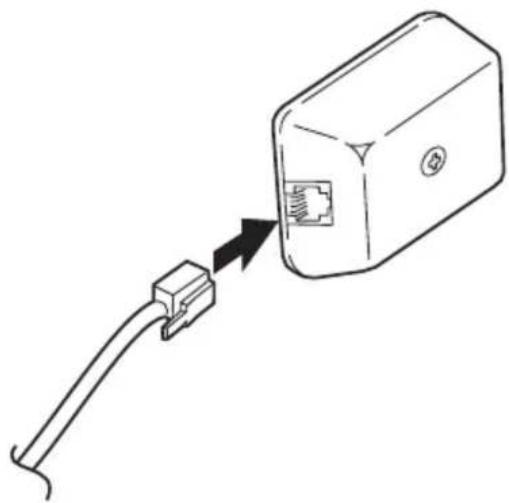
natural_image
Line drawing of a USB cable connector with an internal socket (no text or symbols)- Plug the AC Adapter into a standard 120V AC wall outlet by following step 7 of the Standard Wall Plate Mounting.
Charging Unit Wall Mounting
The Charging Unit is also designed to be wall mounted. you can mount your phone directly on a wall. Before mounting your charging unit, consider the following:
■ Select a location away from electrical cables, pipes, or other items behind the mounting location that could cause a hazard when inserting screws into the wall.
■ Make sure the wall material is capable of supporting the weight of the Charging Unit.
■ Use #10 screws with anchoring devices suitable for the wall material where the Charging Unit will be placed.
- Insert two mounting screws 1-1/2 inches apart. Allow about 316 of an inch between the wall and screw heads for mounting the phone.

text_image
3/16" 1 1/2"- Plug the AC Adapter into the Charging Unit as previously described. Wrap the AC Adapter cord around the strain relief.
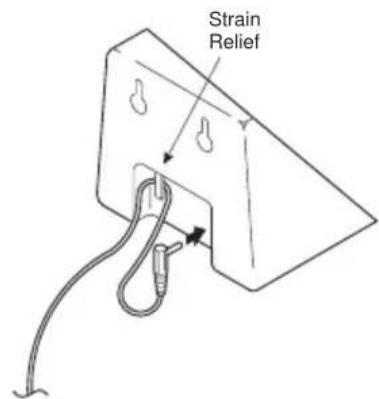
text_image
Strain Relief- Place the Charging Unit on the posts of the wall screws and push down until it's firmly seated.
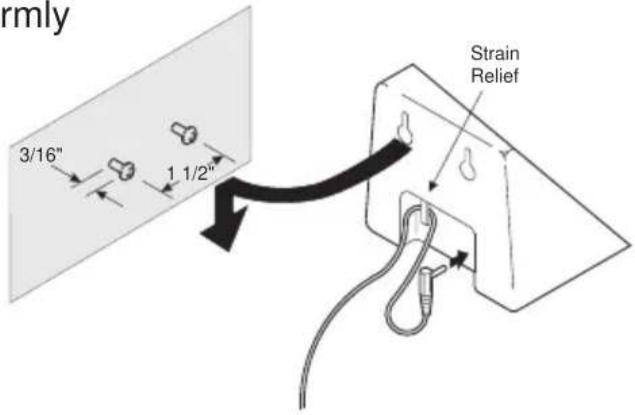
text_image
rmly 3/16" 1 1/2" Strain Relief- Plug the AC Adapter into a standard 120V AC wall outlet.
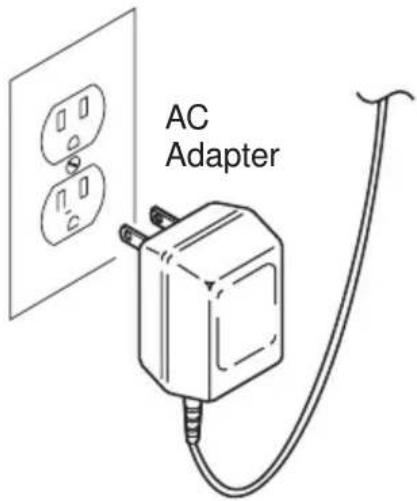
text_image
AC AdapterAttaching the Belt Clip to the Handset
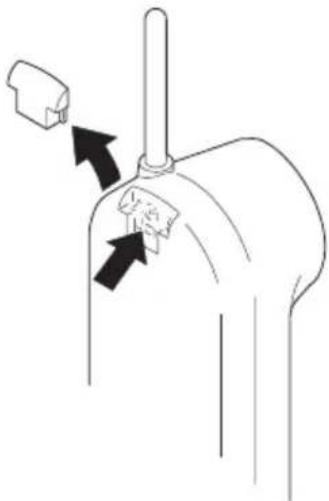
You can use the Belt Clip to attach the Handset to your belt or pocket for convenient portability.
- Snap the tab out of the Belt Clip notch on the top of the Handset.
natural_image
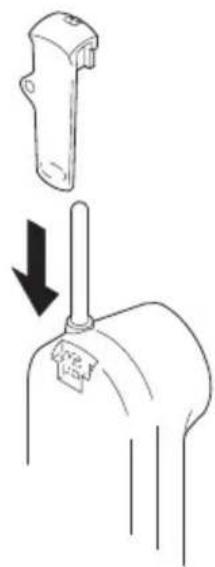
Diagram of a mechanical component with arrows indicating movement or force (no text or symbols)- Slide the clip into the tab slot.
(CAUTION: The Belt Clip is designed to fit snugly onto the Handset.)
natural_image
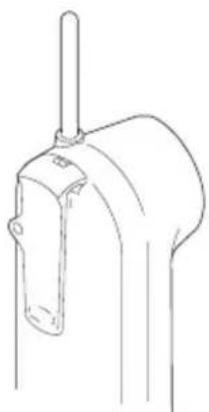
Diagram showing a mechanical component with a downward arrow indicating motion or force (no text or symbols present)- Press firmly until it snaps into place.
natural_image
Line drawing of a mechanical component with a cylindrical shaft and flange (no text or symbols)- To remove, simply press the retain clip in toward the Belt Clip blade and slide the clip up at the same time. Once the Belt Clip is removed remember to re-install the cover tab.

natural_image
Diagram of a mechanical joint or connector with directional arrows indicating movement (no text or symbols)Installing the Handset Battery Pack
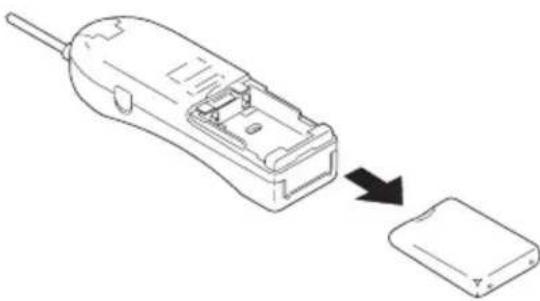
- Remove the battery cover by pressing the latch and sliding the cover down and off of the Handset.
natural_image
Line drawing of a device with an arrow indicating process from external to internal components (no text or symbols)- Slide the Battery Pack down into the Handset.

text_image
NOTCHNote: You may have to remove the old battery at this time.
- Place the cover and slide the cover up until it latches into the Handset.

natural_image
Line drawing of a handheld device with an arrow pointing to a separate electronic component (no text or symbols present)Charging the Handset Battery Pack
The Rechargeable Sealed Lead-Acid Battery Pack must be fully charged before using your ANA 9610 for the first time. (Note: Charge the Battery Pack without interruption for 5 hours.)
-
Place the Handset in the front slot of the Charging Unit.
-
Make sure the CHARGE 1 indicator lights. If the CHARGE 1 light doesn't light, check to see that the AC Adapter is plugged in, and that the Handset is making good contact with the Charging Unit charging contacts.

natural_image
Line drawing of a vintage mobile phone with antenna and keypad (no text or symbols)Charging Spare Battery Packs
The Charger Unit of your ANA 9610 is equipped to charge the Spare Battery Pack with or without the Handset in the front slot.
- Slide the Spare Battery Pack into the second slot in the Charging Unit until the retaining clip snaps over the top of the pack.
- Make sure the CHARGE 2 indicator lights. If the CHARGE 2 indicator doesn't light, check to see that the AC Adapter is plugged in, and that the Battery Pack is making good contact with the Charging Unit charging contacts.

natural_image
Line drawing of a device with an open base and a control panel above it, showing a downward arrow (no text or symbols)Note: Charge the Battery Pack without interruption for 8 hours.
- When charging is complete, press out on the latch and remove the Battery Pack for use. Or, if you don't need the Battery pack immediately, leave it in the Charging Compartment; it will not overcharge.
Low Battery Indicator
When the Battery Pack in the Handset is low and needs to be charged, you will see a message on the display.

text_image
batt low| On a Call In Standby Mode | |
| Only the talk button operates. | None of the buttons operate. |
| Handset beeps once every 3 seconds | Handset beeps every 15 seconds for 15 minutes. |
| Complete your call as quickly as possible | Cannot make call. |
| Replace Battery pack within 20 seconds to continue call. | Replace Battery Pack before making a call. |
Return the Handset to the Charging Unit for charging or replace the Handset Battery Pack with another charged Battery Pack.
Cleaning the Battery and Charging Unit Contacts
To maintain a good charge, it is important to clean all charging contacts on the Handset, Spare Battery Pack and Charging Unit about once a month. Use a pencil eraser or other contact cleaner. Do not use any liquids or solvents.

natural_image
Technical line drawing of a mechanical component with two downward arrows indicating internal features (no text or symbols)Using Your ANA 9610 Handset
Before using your ANA 9610, be sure to raise the antenna to the vertical position.

natural_image
Line drawing of a portable electronic device with a black arrow indicating rotation or signal direction (no text or symbols)Note: Operation of the ANA 9610 is performed using the Handset out of the Charging Unit.
ANA 9610 Handset Controls

text_image
talk chan vol| Condition Action | LCD Display | |
| Handset Earpiece Volume (During a Call) | Press vol on the front of the Handset to select a high or low Earpiece volume level. | No display indications. |
| Ringer Select (Standby Mode) | Press vol on the front of the Handset to select on of the following settings:Ring type A (High)Ring type A (Low)Ring type B (High)Ring type B (Low)Ring Off (Vibrate) | 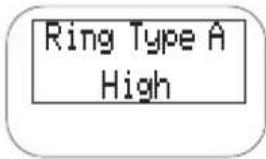 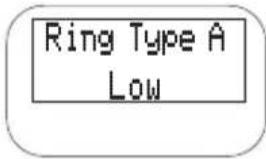 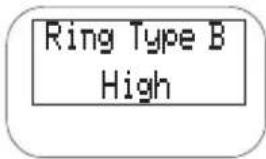   |
Using the Handset
When you pick up the Handset and press talk, you will see:
After the connection has been made between the Handset and Base, you will see:

text_image
AQUIRING LINK talkOr, you may see one of the following:
| Condition Indicator LCD Screen | ||
| No Connection to Base Unit | Error Tone | NO SERVICE |
| Channel Busy Error Tone CHANNEL BUSY | ||
| Line in Use | Error Tone | LINE IN USE |
If the Handset is at the range limit of the ANA 9610, or no power is going to the Base Unit, you may see:
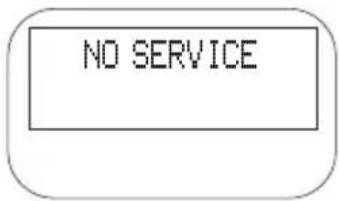
text_image
NO SERVICETake the following action:
| During a Call | In Standby Mode | |
| Condition | Warning Tone | Can’t make or answer calls (Phone may ring intermittently) |
| Action | Move back in range within 20 seconds or check power to the Base Unit. | Move back within range or check power to the Base Unit. |
Answering a Call
When you receive a call, the Handset rings and you'll see:
INCOMING CALL
| Handset in the Charging Unit | Handset out of Charging Unit |
| Pick up the Handset. The AutoTalk feature allows you to answer the call immediately. | Press talk |
| When you finish the call, place the Handset back in the Charging Unit. AutoStandby automatically hangs up the phone.—OR-Press talk to hang up the phone | |
Making a Call
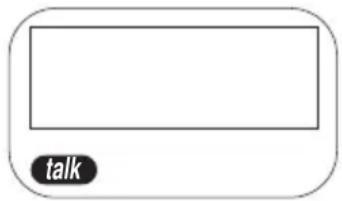
Press talk. The talk Icon will illuminate after the Handset/Base are connected, and you'll see:
When you hear a dial tone, enter the number you are calling. (You can also dial from memory. See the section on "Using Memory.")
text_image
talk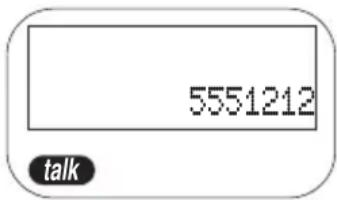
text_image
5551212 talkWhen you finish the call, press the talk button again, this will hang up the phone and put it in AutoStandby.
Feature Buttons
Note: The exact operation of the Feature Buttons depends on how your PBX system is configured. Contact your PBX Administrator for more information.
Placing a call "on hold"
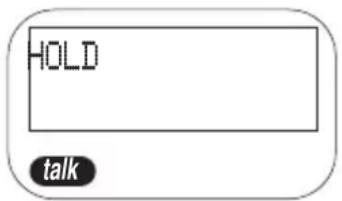
Press hold. You'll hear a "beep" and see:
text_image
HOLD talkTo resume the call, press hold or talk.
Transferring a Call
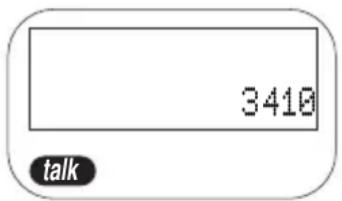
Press xfer (TRANSFER). You'll hear a "beep", and see:
Dial the target number.
text_image
3410 talkWhen the receiving party answers, press xfer to complete the transfer.
Connecting a Conference Call
To connect a second party to a call in progress, press conf (CONFERENCE). You'll hear a "beep," and see:

text_image
CONFERENCE talkDial the second party's number.
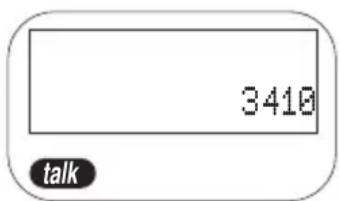
text_image
3410 talkWhen the other party answers, press conf to have a three-way conversation.
Programming the Feature Buttons
The Transfer and Conference Keys can be programmed for special use, such as causing a “Hook Flash” followed by a special number or function.
For example — to program the xfer key for "Hook Flash" and 9 for outside transfers only:
Press memo.

text_image
PHONE NO.?Press flash.

text_image
FPress 9.
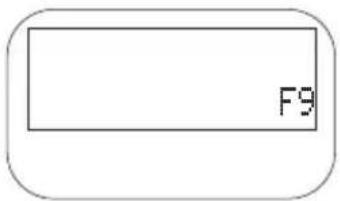
text_image
F9Press memo.
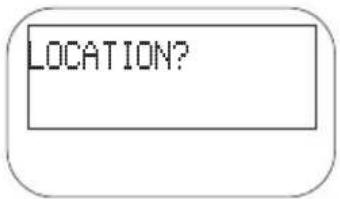
text_image
LOCATION?Press xfer.

text_image
STORINGNote: For the ANA 9610, conference and transfer keys are operated by the Flash Hook function. Please, program you system transfer or conference code with the assistance of the PBX System Administrator.
Function Keys
HOLD
Press once, you'll hear a "beep" and the call is placed on hold.
Press hold or talk to resume the call (local hold).
XFER
Press xfer (Transfer), you'll hear a "beep".
Dial the target number.
When the receiving party answers, press xfer to complete call.
CONF
To connect a second party to a call in progress, press conf (CONFERENCE). You'll hear a "beep".
Dial the second party's number.
When the other party answers, press conf to have a three-way conversation.
FLASH
Press once to cause a “Hook Flash” while on a call.
Press once to program a "Hook Flash" in a Feature Button.
REDIAL
To dial the last number called, press talk, then redial. The phone will redial the last number called.
PAUSE
Press once to program a Pause while storing a number in Memory.
SEARCH
Press to begin Memory Search. (See the following Section for Memory Search.)
MEMO
Press memo.
Press desired function.
Press memory location (1-20).
Press memo, then xfer.
Using Your ANA 9610 Memory
Use these buttons to operate the ANA 9610 Memory
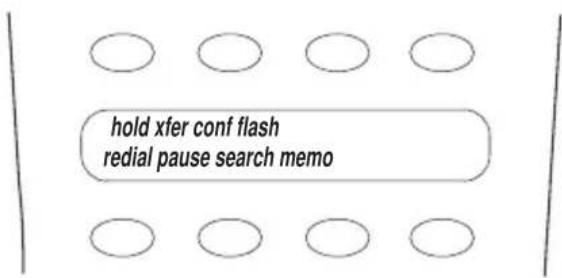
text_image
hold xfer conf flash redial pause search memoStoring a Number
-
Press memo. You will hear a beep, and see the message:
-
Enter the number (up to 16 digits) you want to store.
a. To program a Pause in the dialing sequence, press pause.
-
Press memo. You will see the message:
-
Enter the number (01) -(20) for the memory location to store. You'll hear a confirmation beep and see the message:

text_image
PHONE NO.?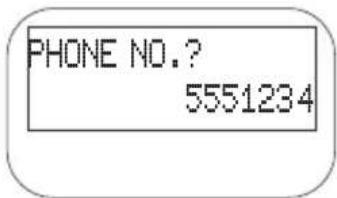
text_image
PHONE NO.? 5551234
text_image
LOCATION?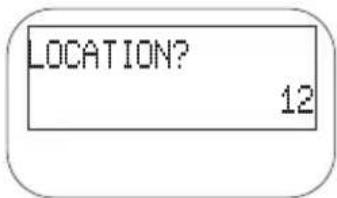
text_image
LOCATION? 12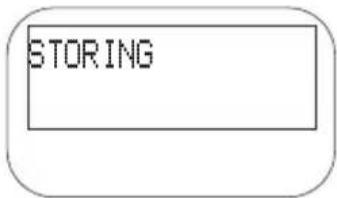
text_image
STORINGNote: After pressing memo the second time, you have 20 seconds to enter the memory location. Otherwise, an error tone sounds and the unit returns to Standby.
- The ANA 9610 then returns to Standby mode.
Example: Store 555-1234 in memory location 12:
a. Press memo.
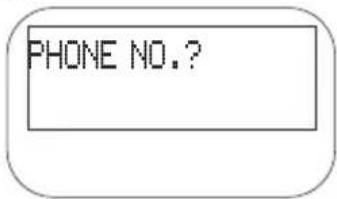
text_image
PHONE NO.?b. Enter 5551234.
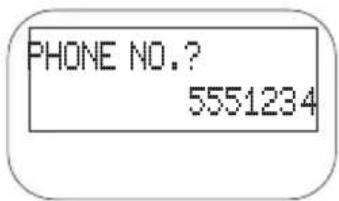
text_image
PHONE NO.? 5551234c. Press memo.
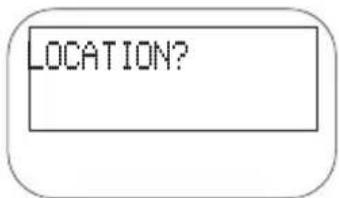
text_image
LOCATION?d. Press 12.
The Handset beeps. This is confirmation that you have programmed 5551234 into memory location 12 and you see:

text_image
LOCATION? 12The phone then returns to Standby.
Erasing a Stored Number
- Press memo.

text_image
PHONE NO.?- Press memo.

text_image
DELETE NO.? 01- Enter the memory location number (01) to (20) you want to clear. You will hear a long beep and see:
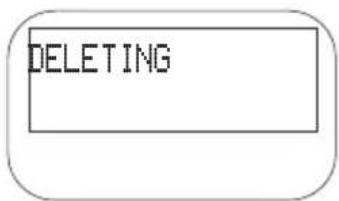
text_image
DELETINGDialing with a Stored Number
Note: The following applies when the phone is in Standby Mode, and you have already established a connection between Handset and Base Unit.
- Press talk.
-
Press memo.
-
Enter the Memory Location (01 - 20).
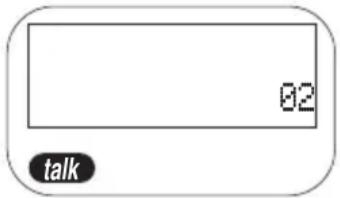
text_image
02 talk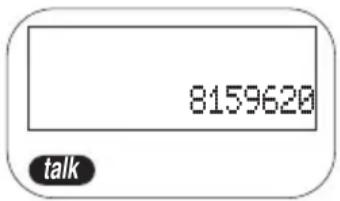
text_image
8159620 talkThe phone automatically dials the number shown.
Memory Search
You can search all 20 Memory Locations to find the number you need. Once you have found the number, you can automatically dial that number by pressing the talk key.
- Press search. Search automatically starts at memory Location 01.
(If Memory Location 01 doesn't have a stored number, search will display the first stored number.)
- a. Press vol again to move to the next used Programed Memory Location.
b. You can also press chan to move to a previous used Memory Location.
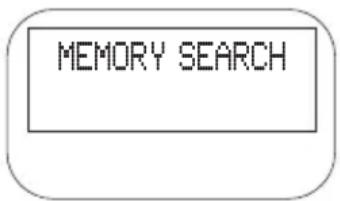
text_image
MEMORY SEARCH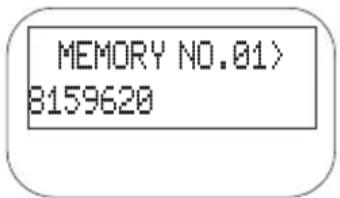
text_image
MEMORY NO.01> 8159620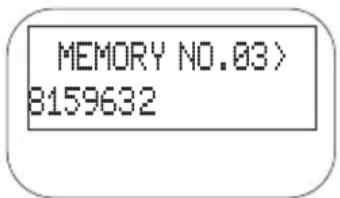
text_image
MEMORY NO.03> 8159632c. Pressing the chan key, you will move down through the Memory (20 to 1). Pressing vol you will move up through the Memory (1 to 20). Press vol or chan until you reach the desired Memory Location.
- Once you have the desired number, press talk. The talk icon appears.
The phone will then automatically dial the number.
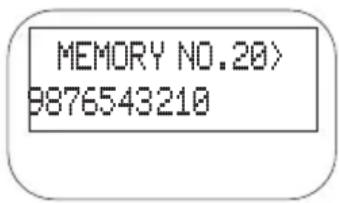
text_image
MEMORY NO.20> 9876543210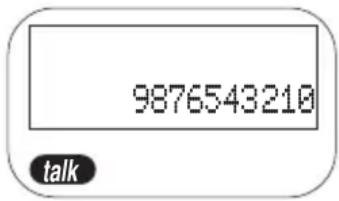
text_image
9876543210 talkChain Dialing
You can dial any stored number while you are on a call. This is sometimes needed for Long Distance Access Codes or Account Access Numbers.
-
While you are on the call, press search.
-
Press vol or chan as needed to locate the number in Memory.
-
Once you have the desired number, press talk. The phone dials the number.
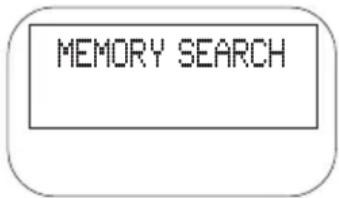
text_image
MEMORY SEARCH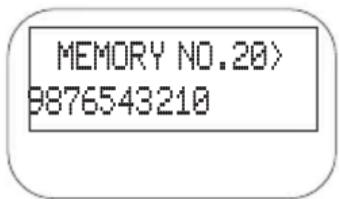
text_image
MEMORY NO.20> 9876543210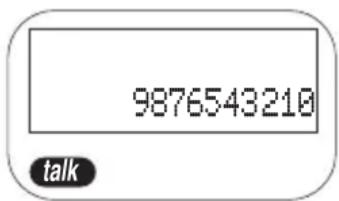
text_image
9876543210 talkUsing Your ANA 9610 Base Unit
Although most of the ANA 9610 operations are performed at the Handset, there are two operations performed at the Base Unit.
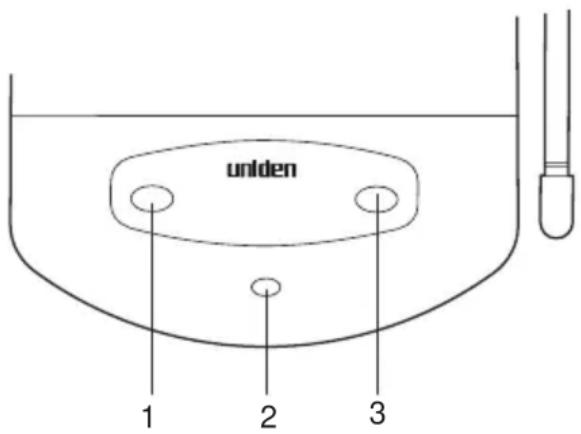
The status LED (2) blinks whenever the Handset is connected to a call.
text_image
uniden 1 2 3Using the Hold
The hold button (1) is used in conjunction with a desk top phone to switch from the Handset to a desk top phone.
- If you need to use a desk top phone which the ANA 9610 is connected to, press hold on the Base unit then pick up the desk top phone.
- To resume using the Handset, press hold on the Base unit, then press talk on the Handset. The Handset resumes functioning as before.
Using the Page/Find
The page/find button (3) is used to locate the Handset. Pressing page/find will send a ring signal to the Handset.
Note: The Handset Ringer must be on and set to Type A or B in order for the page/find function to work.
Optional Head Set (EXP9530)
The optional Head Set provides a “Hands-Free” Option for the ANA 9610. With the Head Set installed, you can use the Belt Clip to carry the Handset, and conduct a conversation using the Head Set.
To install the optional Head Set, open the cover over the HEADSET Jack and plug the Head Set in.

natural_image
Line drawing of a mobile phone connected to a pair of earphones (no text or symbols)No other settings are needed.
Operation of the ANA 9610 using the Head Set is exactly the same as using the Handset. However, you will hear through the Head Set earphone, and talk through the Head Set microphone. The Handset earphone and microphone (mouthpiece) are disconnected.
Optional Backup AC Adapter (EXP9505)
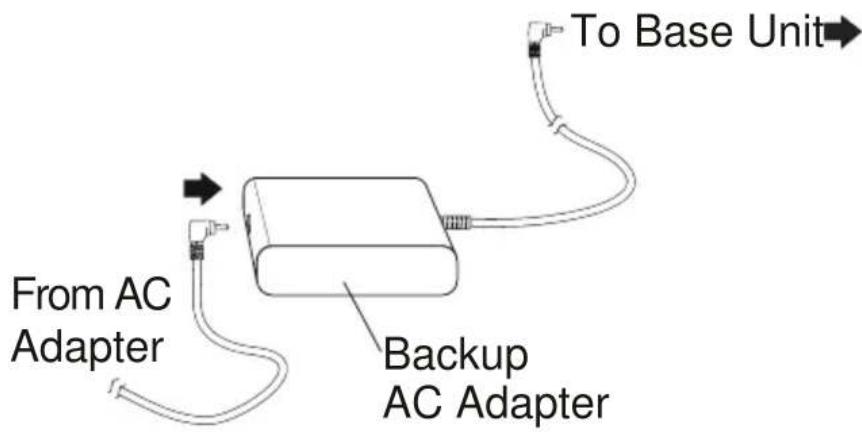
The Optional Backup AC Adapter provides protection against losing a call in case of AC Power failure. The Backup Adapter contains a Battery Pack that provides enough power for you to complete the call and hang up.
To install the Backup Adapter:
- Disconnect the Standard AC Adapter from the Base Unit of the ANA 9610.
- Plug the AC Adapter into the jack of the EXP9505.
- Plug the wire from the EXP9505 into the DC IN jack of the Base Unit.
text_image
To Base Unit From AC Adapter Backup AC AdapterUsing an Optional Second 2500-type Analog Telephone
Analog Telephone.
A standard 2500-type Desk telephone can be used with the ANA 9610. Calls can then be answered with the Desk phone and transferred to the ANA 9610.
Note: A special Security Feature disconnects the Desk phone whenever the ANA 9610 Handset is in use.
Connecting the Desk Telephone.
Connect a telephone cord from the Desk phone to the LINE OUT jack on the ANA 9610 Base Unit.

text_image
LINE OUTThe Desk phone can now be used to answer or place calls in the normal manner.
Transferring a Call to the ANA 9610.
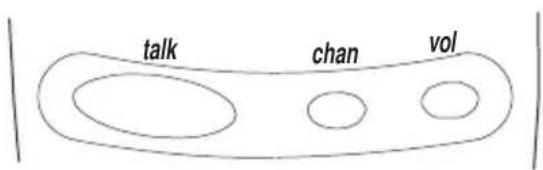
- Press hold on the Base unit, hang up the desk phone and press talk on the Handset.
text_image
talk chan volThe call is now transferred to the ANA 9610, and the Desk phone is disconnected.
Transferring a Call to the Desk Telephone
- Press hold on the ANA 9610 Base Unit.
- Pick up the the Desk phone and press talk on the Handset.
The ANA 9610 Handset disconnects.
Typical Applications
You can use the ANA 9610 together with a standard PBX telephone to give you effective business communications both at your desk and away from it. Contact your PBX Administrator for more information about your System.
You can have your PBX system programmed so the following sequence occurs:
- Your PBX telephone rings first.
- If you don't answer the PBX telephone after a set number of rings, the call is automatically transferred to the ANA 9610.
- If you don't answer the call after a set number of rings, it is automatically transferred to your Voice Mail.
Note: It is good practice to keep the number of rings in each case to 2 or 3. This gives you a chance to answer the call, and doesn't keep the other party waiting too long.
Optional Accessories and Replacement Parts
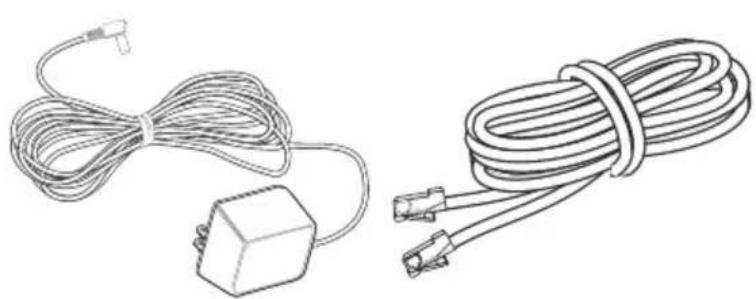
For the following Optional Accessories and Replacement Parts contact your PBX Administrator.
natural_image
Line drawings of two types of cable connectors: a wire with a terminal connector and a coiled cable with two connectors (no text or symbols)AC Adapter Telephone Cord

natural_image
Line drawing of a mechanical component with no visible text or symbolsBelt Clip EXP9602

natural_image
Simple line drawing of a rectangular device connected to a cable with a terminal connector (no text or symbols)Backup AC Adapter EXP9505

text_image
REDAIR STANDING BATTERY FOR ALL CAPACITORS CLOSURE500 mAh Battery BT-9000
text_image
uniden® Operating GuideOperating Guide OMANA 9610

natural_image
Isometric technical drawing of a mechanical housing or enclosure with mounting holes and internal compartments (no text or symbols)Base Unit Wall Mount EXP9660

natural_image
Line drawing of a headset with earbuds and cable (no text or symbols)Head Set EXP9530
natural_image
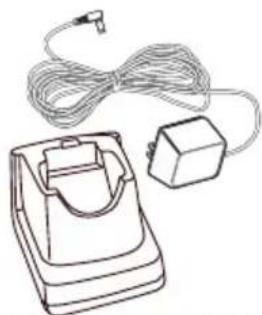
Line drawing of a handheld electronic device with coiled cable and rectangular component (no text or symbols)Charger and AC Adapter EXP9685

natural_image
Line drawing of a handheld electronic device (no text or symbols)Leather Case EXP9683
Troubleshooting
If your ANA 9610 Cordless Telephone is not performing to your expectations, please try these simple steps. If you are still unable to resolve the problems, contact your PBX Administrator.
Note: Do not attempt to service this unit yourself. All service must be done by qualified service personnel.
| Problem Suggestion | |
| Charge light won’t come on when Handset is placed in Charging Unit. | Make sure the AC Adapter is plugged into the Base Unit and wall outlet.Make sure Handset is properly seated in Charging Unit.Make sure the Sealed Lead-Acid Battery Pack is properly placed on the Handset.Make sure that the charging contacts on the Handset and Charging Unit are clean. |
| Conversation interrupted frequently. | Make sure that the Base Unit antenna is fully vertical.Move closer to the Base Unit.Check for LOW BAT warning. |
| Warning tone and NO SERVICE message. | Move closer to the Base Unit. |
| Handset doesn’t ring. | Sealed Lead-Acid Battery may be weak.Charge the Battery Pack for 5-6 hours.Make sure the Base Unit antenna is fully vertical.The Handset may be too far away from the Base Unit.Ensure the Ringer ON/OFF switch is in the ON Position. |
Specifications
General: The ANA 9610 complies with FCC and IC parts 15 and 68.
Frequency Control : Phase Lock Loop
Modulation : FM
Operating Temperature : -10^ to 50^ C
Base Unit
Receive/Transmit Frequency: 902 MHz to 928 MHz
Power Requirements : 10V DC from supplied AC Adapter
Size : 4 1/4 in. W x 7 1 / 2 in. D x 2 1 / 4 in. H
Weight : Approx. 15.4 oz.
Handset
Receive/Transmit Frequency: 902 MHz to 928 MHz
Power Requirements : Rechargeable Sealed Lead Acid Battery Pack
Size : 2 1/4 in. W x 1 1 / 2 in. Dx 8 1 / 2 in.
H with antenna
Weight : Approx. 8.8 oz. with battery
Battery : Capacity 500 mAH, 4.0V
Talk Mode : 5 hours (typical)
Standby Mode : 40 hours (typical)
Specifications shown are typical and subject to change without notice.