PMPC01 - Câbles pour ordinateurs et périphériques Nordväl - Free user manual and instructions
Find the device manual for free PMPC01 Nordväl in PDF.


User questions about PMPC01 Nordväl
0 question about this device. Answer the ones you know or ask your own.
Ask a new question about this device
Download the instructions for your Câbles pour ordinateurs et périphériques in PDF format for free! Find your manual PMPC01 - Nordväl and take your electronic device back in hand. On this page are published all the documents necessary for the use of your device. PMPC01 by Nordväl.
USER MANUAL PMPC01 Nordväl
Parking mode cable set
PMPC01
natural_image
Three coiled electrical wires with a central indicator box, no visible text or symbolsEnglish Quick start guide
Notification:
The company is not responsible for any damage caused by not following this manual.
Read the complete manual before installing the cable set.
NORDVAL
Make sure the vehicle's engine is turned off
The location and layout of the fuse panel and the type of fuses used depend on the vehicle.
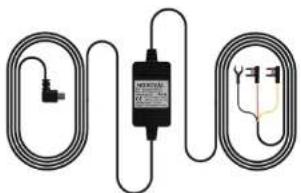
Connect the red ACC (+) to the fuse panel
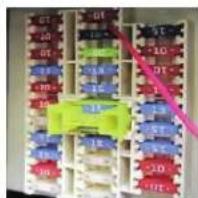
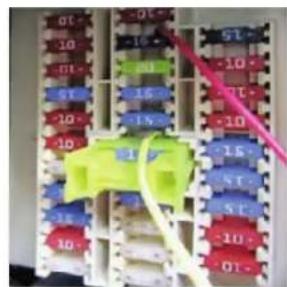
Check your car owner's manual to find out where the fuse panel is located. Remove the cover from the fuse panel. Remove a switched fuse from the fuse panel like, for example, the audio system or cigarette lighter. Reinstall the red ACC (+) in the fuse panel where the switched fuse was just removed.
Connect the yellow BATT (+) to the constant power connection
Remove a constant supply fuse from the fuse panel like, for example, the hazard light, rear light, or interior lighting. Replace the yellow BATT (+) in the fuse panel where the constant power fuse was just removed. If the car uses a battery storage function (Battery Saver Function), make sure that the yellow BATT (+) wire is connected to the location of the hazard light.
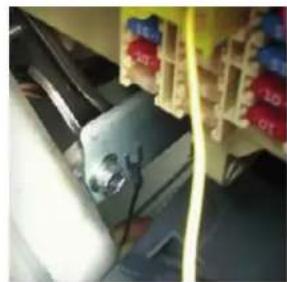
Connect the black GND wire to a grounding point
Attach the GND wire to a grounding point, such as a bolt, located directly on a metal part of the vehicle frame.
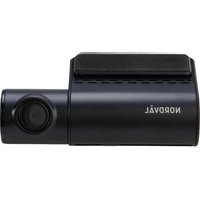
Connect the micro-USB cable to the Nordväl dashcam
Place the dashcam in the correct position on the front window of the vehicle. Plug the micro-USB cable into the dashcam.
Start the engine and check that the dashcam turns on and continues to record once the car is turned off.

natural_image
Electrical control panel with multiple color-coded blocks and wiring, no visible text or symbols