Morning V2 DNI065 - Alarm clock radio NAF NAF - Free user manual and instructions
Find the device manual for free Morning V2 DNI065 NAF NAF in PDF.


User questions about Morning V2 DNI065 NAF NAF
0 question about this device. Answer the ones you know or ask your own.
Ask a new question about this device
Download the instructions for your Alarm clock radio in PDF format for free! Find your manual Morning V2 DNI065 - NAF NAF and take your electronic device back in hand. On this page are published all the documents necessary for the use of your device. Morning V2 DNI065 by NAF NAF.
USER MANUAL Morning V2 DNI065 NAF NAF
text_image
F R A N C A I S E N G L I S H D E U T S C H E S P A N O L I T A L I A N O N E D E R L A N D S P O R T U G U É SMORNING V2
RADIO REVEIL PLL AM/FM • 2 ALARMES

natural_image
Digital alarm clock displaying 20:20 (no visible text or symbols beyond clock display)natural_image
Black-and-white profile of a woman wearing a white hat and sleeveless top, viewed from behind (no text or symbols visible)Français
Cher Client,
| F | R | A | N | C | A | I | S | ||
| E | N | G | L | I | S | H | |||
| D | E | U | T | S | C | H | |||
| E | S | P | A | N | O | L | |||
| I | T | A | L | I | A | N | O | ||
| N | E | D | E | R | L | A | N | D | S |
| P | O | R | T | U | G | U | É | S |
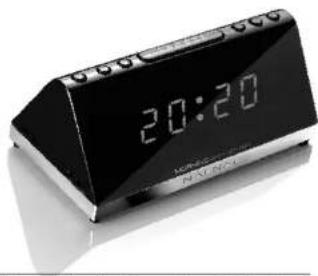
MORNING
A M / F M PLL CLOCK RADIO
natural_image
Digital alarm clock displaying 20:20 (no visible text or symbols beyond clock face)Naf Naf
is more than
a fashion, it's
a way of life.
Like our clothes,
our electronic
products are very
close to you are
form part of your
daily life.
Strict Quality
Control at every
stage of manu-
facture means
that you are
guaranteed
superb reliability.

natural_image
Black-and-white profile of a woman wearing a headscarf and a patterned sleeveless top, viewed from behind (no text or symbols visible)English
Dear Customer,
Thank you for your confidence in our electronic products.
MORNING
They have been manufactured to very strict quality standards to give you full satisfaction throughout their life. They are guaranteed for one year. In order to use at best your appliance, please read carefully this manual.
EN
MORNING
A M / F M PLL CLOCK RADIO

INSTALLING

SETTING THE DISPLAY, SETTING THE TIME, SETTING THE ALARM 1/2

STOPPING / ACTIVATION / DEACTIVATING THE ALARM

SNOOZE KEY, SLEEP FUNCTION, SETTING THE RADIO

STORING THE RADIO STATIONS

GUARANTEE

DESCRIPTION OF FUNCTIONS

SPECIFICATIONS

PRECAUTIONS
INSTALLING
Plug the power cable into a 230V socket, the display turns on and shows "0:00" flashing, the unit is in standby mode.
Open the battery compartment under the appliance and just remove the plastic film cover from the battery by pulling it to.
This battery save the functions when there is a power interruption, but it doesn't allow to use the appliance and to display the time.
Without this battery, and after a power interruption, the displayed time may not be always correct. It may gain or lose about 10 minutes per hour.
- Knowing when to replace the battery?
To check the battery power, unplug the power cord from the wall outlet. And plug it in again after a few minutes. If the displayed time is incorrect, replace the battery with a new one, type 3V CR2025 respecting the indicated polarities.
Pull out the antenna, reception will be better when it is in a vertical position.
EN
2
EN
SETTING THE DISPLAY
The unit must be in standby mode.
The brightness intensity of the display can be adjusted on 2 levels
by pressing several times on "SNOOZE·SLEEP·DIMMER" key.
SETTING THE TIME
The unit must be in standby mode.
1• Press and hold the "CLOCK•PRESET" key until the display flashes.
- Press "TUN--HOUR" key to adjust the HOURS and
"TUN+•MINUTE" to adjust the MINUTES.
- Press again the "CLOCK·PRESET" key to confirm your
choice and to stop the display flashing.
SETTING THE ALARM 1/2
The unit must be in standby mode.
- Press and hold the "ALARM 1·VOLUME-" or "ALARM
2•VOLUME+" key until the display flashes.
- Press "TUN-HOUR" key to adjust the HOURS and.
"TUN+•MINUTE" key to adjust the MINUTES.
- Press the "ALARM 1·VOLUME-" key or "ALARM
2·VOLUME+" key to confirm your choice and to return
to the initial mode.

The alarm will start at the selected time and will stop automatically after 90 minutes.
Note: If no key is pressed during 5 seconds, the last selection will be automatically saved.
STOPPING / ACTIVATION / DEACTIVATING THE ALARM
• TO STOP THE ALARM 11 OR ALARM 23
Press on any key except the "SNOOZE·SLEEP·DIMMER" key. The alarm will be automatically reactivated within 24 hours.
• TO ACTIVATE/DEACTIVATE ALARM 11 OR ALARM 2?
The unit must be in standby mode.
Press several times briefly on "ALARM 1·VOLUME-" or "ALARM 2·VOLUME+" key until the light spot displayed matches your choice: alarm with Buzzer 📁 Radio FM 🌐 Radio AM 🔊 OFF, the lightspot is no longer displayed.
• TO CHECK ALARM 1 OR ALARM 2
The unit must be in standby mode. Press briefly once on "ALARM 1·VOLUME-" or "ALARM 2·VOLUME+" key.
Note: As for the alarm with Radio, you must previously choose its station and having set the volume.
EN
4
EN
SNOOZE KEY
This key will allow you to interrupt the alarm during 9 minutes. It will be reactivated during a length of 59 minutes.
SLEEP FUNCTION
This function allows you to fall asleep with music.
Choose your radio station and set the volume.
Press several times "SNOOZE·SLEEP·DIMMER" key to choose the playing length: 120 ▶ 110 ▶ 100 ▶... ▶ 30 ▶ 20 ▶ 10 ▶ 0 minutes.
To stop the listening before the end of the cycle, press and hold the "○•FM/AM" key.
SETTING THE RADIO
Press the key "⊕•FM/AM"
Press "TUN--HOUR" and "TUN++MINUTE" keys to listen to the desired station. For an automatic tuning, press and hold briefly these keys.
For a quick search, press and hold these keys and release them on the desired frequency. The frequency will be displayed for a few seconds then will return to clock mode.
EN
Press "ALARM 1•VOLUME-" and "ALARM 2 • VOLUME+" keys to set the volume level.
If the radio reception is poor in FM, you can move the antenna to optimize it.
To stop the listening and put the unit in standby, press and hold the "○•FM/AM" key.
STORING THE RADIO STATIONS
You can store up to 20 stations (10 FM-10 AM).
1• In Radio mode, press and hold the "CLOCK•PRESET" key until the flashing of the preselection.
- Press the "TUN-•HOUR" and "TUN+•MINUTE" keys to choose its position.
3• Press the "CLOCK•PRESET" key to store up your selection.
Repeat the operation for the other radio stations.
In Radio mode, to listen to your stored radio stations, press several times the "CLOCK·PRESET" key (1 to 10).
Theorem 1.2. (A) Let be a finite field and let (x) be the set of all elements of such that x (x) . Then (x) is a prime ideal of .
EN
GUARANTEE
Your clock radio Morning V2 is guaranteed for parts and labor for one year from the date shown on your purchase invoice. The guarantee does not cover defects or damage caused by incorrect use, accidents, a dismantling out of our after-sales service or due to external phenomena.
For further information:
NAF NAF ELECTRONIQUE
Customer services
6, Boulevard Foch
Please take care when disposing of this product. At the end of the product's life it should be entered into a recycling scheme. It should not be disposed of in normal domestic waste.
DESCRIPTION OF FUNCTIONS

text_image
Snooze / Sleep / Dimmer button Alarm 2 / VOLUME + button Alarm 1 / VOLUME - button Radio FM/AM button Speaker Clock Set / Preset button Tune - / Hour button Tune + / Minute button 20:20 Led displayTheorem 1.2. (Theorem of [10, Theorem 1.1]) Let be a finite field and let (x) be the set of all elements of such that
Theorem 1.2. (A) Let be a finite field and let (x) be the set of all elements of such that x (x) . Then (x) is a prime ideal of .
EN
SPECIFICATIONS
Model MORNING V2 reference DNI065
Clock radio PLL with 2 wavebands - total 20 presets
Frequency ranges : FM 87.5 - 108 Mhz
AM 522 - 1620 Khz
Output power : 400 mW
2 alarms : radio, buzzer
Sleep function
Snooze button
Back-up function with 3v battery
Adjustable orange LED display panel
Supply : 230V AC - 50 Hz
Backup supply : 3 volts battery (CR2025)
Dimensions : 150 x 55 x 78 mm
Weight 400 grams (without battery)

Registered brand and model, XZ 2014, the drawings and specifications can be modified without warning.
PRECAUTIONS
- Your appliance must be placed in an environment enough ventilated. Do not install this equipment in a confined space such as a book case or similar unit without proper ventilation or near heat sources.
- The ventilation should not be impeded by covering the ventilation openings with items such as newspaper, table-cloths, curtains etc in order to prevent internal heat.
-The appliance shall not be exposed to dripping or splashing and that no objects filled with liquids, such as vases, shall be placed on the appliance. - Where the mains plug or an appliance coupler is used as the disconnect device, the disconnect device shall remain readily operable.
- We advise you against the use of your appliance in a damp environment as bathroom.
- To clean your appliance, never use solvents but a product that does not damage plastic with a cloth to avoid scratching.
- Do not expose the battery to high temperatures, direct sunlight, fire...
EN
1

text_image
F R A N C A I S E N G L I S H D E U T S C H E S P A N O L I T A L I A N O N E D E R L A N D S P O R T U G U É SMORNING
natural_image
Digital alarm clock with black and white design, displaying time 20:20 (no visible text or symbols beyond clock face)natural_image
Black-and-white portrait of a woman wearing a head covering, viewed from behind (no text or symbols visible)Deutsch
Werter Kunde
text_image
F R A N C A I S E N G L I S H D E U T S C H E S P A N O L I T A L I A N O N E D E R L A N D S P O R T U G U É SMORNING
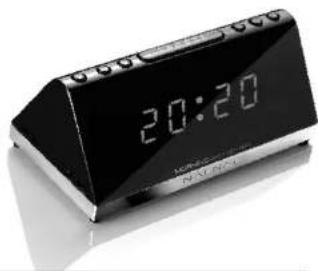
RADIO DESPERTADOR AM/FM • 2 ALARMAS
natural_image
Digital alarm clock with black and white design, displaying time 20:20 (no visible text or symbols beyond clock face)natural_image
Black-and-white portrait of a woman wearing a white hat and sleeveless top, viewed from behind (no text or symbols visible)Español
Estimado Cliente,
m = 311
ES
GARANTIA
m = 311
m = 311
ES
ESPECIFICACIONES
Modelo Morning V2, referencia DNI065
| F | R | A | N | C | A | I | S | ||
| E | N | G | L | I | S | H | |||
| D | E | U | T | S | C | H | |||
| E | S | P | A | N | O | L | |||
| I | T | A | L | I | A | N | O | ||
| N | E | D | E | R | L | A | N | D | S |
| P | O | R | T | U | G | U | É | S |
MORNING
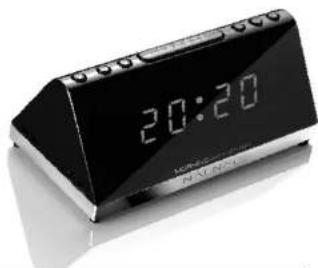
RADIO SVEGLIA AM/FM • ZALLARMI
natural_image
Digital alarm clock with black and white design, displaying time 20:20 (no visible text or symbols beyond clock face)natural_image
Black-and-white portrait of a woman wearing a white hat and sleeveless top, viewed from behind (no text or symbols visible)Italiano
Gentili Clienti,
text_image
F R A N C A I S E N G L I S H D E U T S C H E S P A N O L I T A L I A N O N E D E R L A N D S P O R T U G U É SMORNING
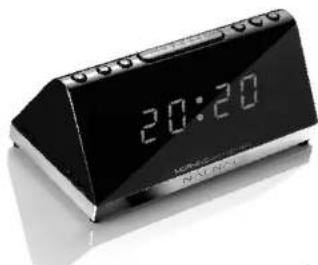
WEKKERRADIO AM/FM • 2 ALARMEN
natural_image
Digital alarm clock with black and white digital display showing 20:20 (no visible text or symbols beyond clock face)natural_image
Black-and-white portrait of a woman wearing a white hat and sleeveless top, viewed from behind (no text or symbols visible)Nederlands
Geachte Klant,
| F | R | A | N | C | A | I | S | ||
| E | N | G | L | I | S | H | |||
| D | E | U | T | S | C | H | |||
| E | S | P | A | N | O | L | |||
| I | T | A | L | I | A | N | O | ||
| N | E | D | E | R | L | A | N | D | S |
| P | O | R | T | U | G | U | Ê | S |
MORNING
RÁDIO-DESPERTADOR AM/FM • 2 ALARMES

natural_image
Digital alarm clock with black and white design, showing 20:20 time (no visible text or symbols beyond clock display)natural_image
Black-and-white portrait of a woman wearing a head covering, viewed from behind (no text or symbols visible)Português
Caro cliente
m = 311
8
PT