C89201BK - Alarm clock radio LA CROSSE TECHNOLOGY - Free user manual and instructions
Find the device manual for free C89201BK LA CROSSE TECHNOLOGY in PDF.


User questions about C89201BK LA CROSSE TECHNOLOGY
0 question about this device. Answer the ones you know or ask your own.
Ask a new question about this device
Download the instructions for your Alarm clock radio in PDF format for free! Find your manual C89201BK - LA CROSSE TECHNOLOGY and take your electronic device back in hand. On this page are published all the documents necessary for the use of your device. C89201BK by LA CROSSE TECHNOLOGY.
USER MANUAL C89201BK LA CROSSE TECHNOLOGY
MULTI-COLOR ATOMIC ALARM CLOCK
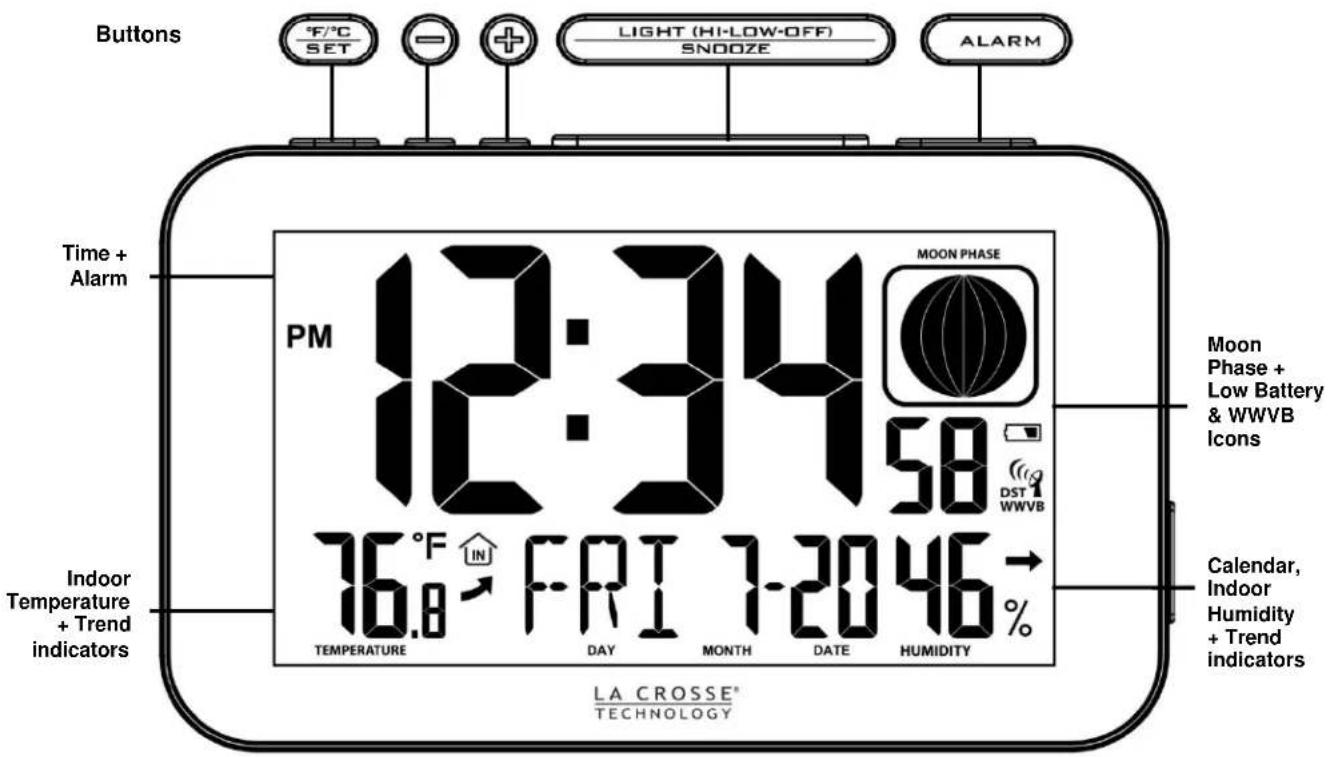
text_image
Buttons F/°C SET - + LIGHT (HI-LOW-OFF) SNOOZE ALARM Time + Alarm PM 12:34:58 MOON PHASE DST 1 WWVB 76°F IN FRI 7-2046 INDoor Temperature + Trend indicators TEMPERATURE DAY MONTH DATE HUMIDITY LA CROSSE® TECHNOLOGY Moon Phase + Low Battery & WWVB Icons Calendar, Indoor Humidity + Trend indicators
text_image
1A output USB Charging Port PM 12:34 58 76°F FRI 7-2046- W-MARATHTable of Contents Page Number
| Multi-Color Atomic Alarm Clock | 1 |
| Table of Contents | 2 |
| Features | 2 |
| Setup Instructions Step-by-Step | 3 |
| Restart | 3 |
| Power the Atomic Alarm Clock | 3 |
| A/C Power Adapter | 3 |
| Batteries | 3 |
| Function Buttons | 3 |
| 12-hour or 24-hour Time Format | 5 |
| Set Time | 5 |
| Set Calendar | 5 |
| Alarm Time | 5 |
| Set Alarm | 5 |
| Activate/Deactivate Alarm | 5 |
| Snooze Alarm | 6 |
| Backlight | 6 |
| USB Charge Port | 6 |
| Temperature/Humidity Trend Arrows | 6 |
| Moon Phase | 7 |
| WWVB Radio-Controlled Time Reception | 7 |
| Position the Atomic Alarm Clock | 7 |
| Specifications | 8 |
| Indoor | 8 |
| Power Requirements | 8 |
| Battery Life | 8 |
| Dimensions | 8 |
| Low Battery Icon | 8 |
| Care and Maintenance | 8 |
| Warranty Information | 8 |
| FCC Statement | 9 |
Features
• Atomic 12/24 hour time sets itself (hours/minutes/seconds)
• Time alarm with 10 minute snooze duration
• Atomic Calendar: day, month, date (manual set option
• Indoor temperature (°F/°C)
• Indoor humidity (%RH)
- Moon phase
• DST/WWVB atomic icon
- Low battery icon
• USB charging port (1A output) for mobile devices (charging cord not included)
Setup Instructions Step-by-Step
STEP 1:
- Insert the AC power adapter plug into a wall outlet
- Insert the 5 volt A/C power adapter into the back of the atomic alarm clock for a continuous backlight.
- The atomic alarm clock will light up and display indoor temperature and time (12:00).
STEP 2:
- Remove the battery cover from atomic alarm clock. Slide tab up and pull out to remove the battery cover.
- Insert 2 NEW AAA Alkaline batteries (included) into the back of the atomic alarm clock. Observe the correct polarity (see markings inside the battery compartment).
Note: When operating on battery power only, the backlight will come on for 10 seconds when the LIGHT button is pressed.
Restart
If there is no indoor temperature data after 60 seconds, unplug the AC adapter and remove batteries from the alarm clock, press any button 20 times. After 15 minutes, return to Step 1 above.
Power the Atomic Alarm Clock
The atomic alarm clock can be powered by the 5-volt A/C adapter or batteries.
A/C Power Adapter
- Insert enclosed 5-volt a/c power adapter into a wall outlet, then into the atomic alarm clock.
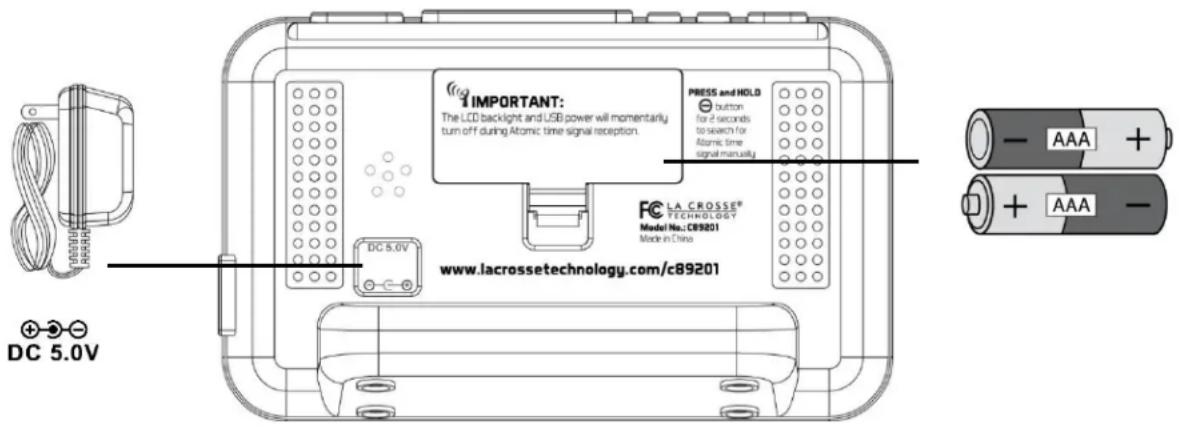
text_image
IMPORTANT: The LCD backlight and USB power will momentarily turn off during Atomic time signal reception. PRESS and HOLD button for 2 seconds to search for Atomic time signal manually FC LA CROSSE® TECHNOLOGY Model No.: C89201 Made in China www.lacrossetechnology.com/c89201 DC 5.0V - AAA + + AAA - DC 5.0VBatteries
- Slide tab up and pull out to remove battery cover.
- Install two NEW AAA Alkaline batteries (included) according to the polarity markings.
- Do Not Mix Old and New Batteries
- Do Not Mix Alkaline, Lithium, Standard or Rechargeable Batteries
Function Buttons (on top)



text_image
LIGHT (HI-LOW-OFF) SNOOZE
| Button | Press Functions | Hold 3 seconds |
| °F/°C SET | Move through program menu (setup)Select temperature in °F/°C | Enter program menu, set time, date, etc. (setup) |
| ALARM | Once: View AlarmTwice: Activate or Deactivate Alarm | Alarm set |
| + | 1 step forward (setup) | Fast advance (setup) |
| - | 1 step backward (setup) | Fast backward (setup)WWVB Search |
| LIGHT(HI-LOW-OFF)SNOOZE | Once: Backlight Low (A/C)Twice: Backlight OFF (A/C)3rd time: Backlight ON (A/C)Activate backlight for 10 seconds(battery power)Trigger snooze (alarm active) |
Fahrenheit/Celsius
- From the time display mode, press the °F/°C SET button once to switch from Fahrenheit to Celsius.


Program Menu
The program menu allows you to select your preferences:
- WWVB Reception ON/OFF
- Time Zone
• Daylight Saving Time Indicator ON/OFF
• 12/24-Hour Time Format
• Hour - Minutes
• Year - Month
- Date


WWVB Reception ON/OFF
The °F/°C SET button will move through the program menu. The + or - buttons will change a value.
- Hold the °F/°C SET button 5 seconds. WWVB and the word ON will flash.
- Press the + or - buttons to turn WWVB time reception to OFF.
- Confirm with the °F/°C SET button and move to the time zone.
ON
WWVB
Time Zone
The time zone is defaulted to Eastern Time (EST). Select your time zone and the atomic alarm clock will set the time correctly after receiving the WWVB time signal.
- EST will flash.
- Press the + or - buttons to select a different Time Zone.
- Confirm with the °F/°C SET button and move to the daylight saving time indicator.
| TIME ZONE | |
| AST | Atlantic |
| EST | Eastern |
| CST | Central |
| MST | Mountain |
| PST | Pacific |
| AKT | Alaska |
| HAT | Hawaiian |
Daylight Saving Time Indicator ON/OFF
The Daylight Saving Time indicator should be ON if you live in an area that observes DST. The indicator allows automatic time adjustments when we are into and out of daylight saving time.
- DST will flash and the word ON.
- Press the + or - buttons to turn this to OFF if you do not observe DST.
- Confirm with the °F/°C SET button and move to the 12/24-hour time.
ON
DST
12-hour or 24-hour Time Format
The Time may be displayed in 12-hour or 24-hour format. Default is 12-hour time.
Note: When in 12-hour format, AM or PM will show in front of the hour.
12Hr
- Hold the °F/°C SET button for three seconds to enter time set mode.
- 12H will flash.
- Use the + or - buttons to choose 12-hour or 24-hour time format.
- Press the °F/°C SET button to confirm and move to set time.
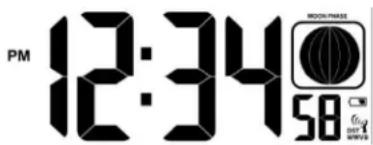
Set Time
To set the time manually:
- The Hour digit will flash.
- Use the + or - buttons to choose the hour.
- Press the °F/°C SET button to confirm and move to minutes.
- The Minutes will flash.
- Use the + or - buttons to choose the minutes.
- Press the °F/°C SET button to confirm and move to set calendar.
text_image
PM 12:34 58Set Calendar
To set the calendar:
- The Year will flash.
- Use the + or - buttons to choose the year.
- Press the °F/°C SET button to confirm and move to the month.
- The Month will flash.
- Use the + or - buttons to choose the month.
- Press the °F/°C SET button to confirm and move to the date.
- The Date will flash.
- Use the + or - buttons to choose the date.
- Press the °F/°C SET button to confirm and exit.
Note: The day of the week will set automatically once the year, month and date are set.

Alarm Time
Set Time Alarm
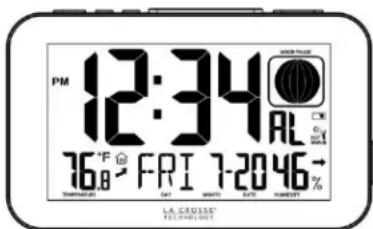
Setting the time alarm and activating the time alarm are separate steps. Hold the ALARM button for three seconds to enter alarm set mode. The letters "AL" will show in the seconds display.
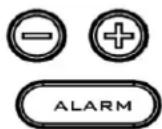
- The Alarm Hour will flash.
- Use the + or - buttons to set the alarm hour.
- Press the ALARM button to confirm and switch to alarm minutes.
- The Alarm Minutes will flash.
- Use the + or - buttons to set the alarm minutes.
- Press ALARM button to confirm.
- Press the ALARM button to return to normal time mode
Note: When no buttons are pressed for ten seconds, the atomic alarm clock will save the last change and default back to normal time mode.
text_image
PM 12:34 AL 76°F FRI 7-2046 TOMATOUS DAY MONTH DATE FROUSET LA CROSSE TENNESOTAActivate/Deactivate Time Alarm
Press the ALARM button once to show Alarm Time. The letters "AL" will show in the seconds display.
- Activate: With the alarm time showing, Press the ALARM button to activate the alarm. The alarm icon appears when alarm is active.
- Deactivate: With the alarm time showing, Press the ALARM button to deactivate the alarm. The alarm icon will disappear when alarm is inactive.
Note: The alarm is crescendo sound. The alarm will sound for 2 minutes and then shut off completely if no buttons are pressed.

Alarm Icon
Snooze
- When the alarm sounds, press the SNOOZE button to trigger snooze alarm for 10 minutes. The snooze icon Zz will flash when the snooze feature is active.
- To stop alarm for one day, press the ALARM button. The alarm icon will remain solid.
Backlight
The backlight is on continuously when operating with the 5-volt A/C adapter. The backlight has three settings: High, Low and OFF for your viewing comfort.
LIGHT (HI-LOW-OFF) SNOOZE
Operating on A/C Power:
Press the LIGHT (HI-LOW-OFF) button to adjust the backlight intensity.
- ON High intensity: The backlight is defaulted to HI when the adapter is in use.
- ON Low intensity: Press LIGHT (HI-LOW-OFF) button once
• OFF: Press LIGHT (HI-LOW-OFF) button - ON: Press LIGHT (HI-LOW-OFF) button again
Note: When the adapter is NOT in use, the High-Low-On-Off features are not available.
Operating on Battery Power:
Press the LIGHT (HI-LOW-OFF) button to display the backlight for 10 seconds.
Note: The backlight will not stay on when operating on battery power.
USB Charge Port
Charge a smart phone, camera or other devices when the alarm clock is plugged into a power outlet with the included 5V AC adapter.
Note: This is a power-output charging port. It does not supply power to the alarm clock.
- Connect your external device's USB charging cable (not included) to the USB charging port.
- Charging times will vary.
- USB Power Output: 1A maximum current. Charge 1A devices or devices that are self-regulating.
Note: Some USB cables are for data transfer only and cannot be used for charging. Make sure that the USB cable you use will charge your device. Most USB cables included with mobile devices will work for charging.

text_image
USB DEVICE SOMEN/ICAMATOMIC SIGNAL SEARCH:
The LCD backlight and USB charging port will momentarily turn off while the station searches for the atomic signal. The alarm clock will search every 2 hours until the WWVB time signal is received. After reception, this alarm clock will only search for the atomic signal after midnight.
TEMPERATURE/HUMIDITY TREND INDICATORS
The temperature (2°F / 1°C) and humidity (3% RH) trend indicators update every 30 minutes or less.
• Temperature has risen in the past 3 hours.
• Humidity has risen in the past 3 hours.
• Temperature has not changed in 3 hours.
• Humidity has not changed in 3 hours.
• Temperature has fallen in the past 3 hours.
• Humidity has fallen in the past 3 hours
RISING

STEADY

FALLING

Moon Phase
The moon phase is based on the Gregorian calendar and the year, month and date set (manually or by the WWVB signal). Most Internet moon phase calculations are based on the lunar calendar.

NEW
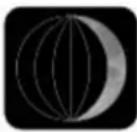
WAXING
CRESCENT
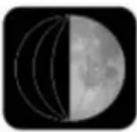
FIRST
QUARTER
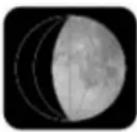
WAXING
GIBBOUS

FULL
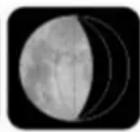
WAXING
GIBBOUS
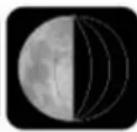
LAST
QUARTER
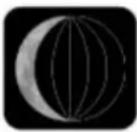
WANING
CRESCENT
- Waxing indicates growing or expanding illumination and happens after a new moon.
- Waning indicates decreasing illumination and occurs after a full moon.
- Crescent refers to the moon being less than half illuminated. Crescents can be waning or waxing.
- Gibbous describes a moon phase when more than half is illuminated. Gibbous can be waxing or waning.
- New Moon occurs when the moon is between the earth and sun, so the illuminated portion of the moon is on the back side facing the sun and we cannot see it. After a new moon, the illuminated portion will increase or wax until the full moon occurs.
- Full Moon occurs when the earth, moon and sun are in approximate alignment, with the moon and the sun on opposite sides of the earth. The illuminated portion of the moon faces the earth, giving us complete visibility of one side of the entire moon. After a full moon, the illuminated portion will decrease or wane until the new moon occurs.
- First Quarter and Last Quarter moons occur when the moon is at a 90 degree angle to the earth and sun. We see half of the moon illuminated and the other half is in shadow.
WWVB Radio-Controlled Time
The NIST radio station, WWVB, is located in Ft. Collins, Colorado and transmits the exact time signal continuously throughout the United States at 60 kHz. The signal can be received up to 2,000 miles away through the internal antenna in the atomic alarm clock. However, due to the nature of the Earth's Ionosphere, reception is very limited during daylight hours.
The WWVB reception icon with full signal strength will appear on screen if the reception of atomic time is successful.

- When powered up, the Atomic Alarm Clock will automatically try to receive the WWVB signal every two hours until the clock receives the WWVB time signal. Then will update at UTC 7:00, 8:00, 9:00. 10:00, or 11:00, it will not look for an update again until the next day.
- In normal mode, hold the - button for three seconds to enter manual searching for the signal.
- In reception mode, hold the - button for three seconds to exit searching for the atomic signal.

ATOMIC SIGNAL SEARCH:
The LCD backlight and USB charging port will momentarily turn off while the station searches for the atomic signal. The alarm clock will search every 2 hours until the WWVB time signal is received. After reception, this alarm clock will only search for the atomic signal after midnight.
Note: In case the atomic alarm clock is not able to detect the WWVB-signal (disturbances, transmitting distance, etc.); the time can be manually set in the program menu.
Position the Atomic Alarm Clock
The atomic alarm clock should be placed near an exterior wall with the front or back facing toward Ft. Collins, Colorado for best WWVB reception. Choose a location 6 feet or more from electronics such as cordless phones, gaming systems, televisions, microwaves, routers, baby monitors, etc., which can prevent signal reception.
Specifications
Indoor:
Temperature Range: +32°F to +122°F (0°C to 50°C)
Humidity Range: 3% to 99% RH
Power:
Atomic Alarm Clock: 5V A/C power adapter (included)
Battery backup; 2-AAA, IEC, LR3 batteries (included)
Battery Life:
Battery Backup: Battery life is over 24 months when using the AC adapter for primary power
USB:
Output: 1 Amp maximum current (charging cable not included)
Dimensions:
Atomic Alarm Clock: 5.56" L x 2.2" D x 3.33 " H (141.2 x 55.8 x 86.4 mm)
Low Battery Icon
- Low battery icon indicates low battery for alarm clock.
- When the icon is displayed in below the moon phase, replace batteries in the alarm clock.

Low
Battery
Icon
Care and Maintenance
- Do not mix old and new batteries
- Do not mix Alkaline, Standard, Lithium or Rechargeable Batteries
• Always purchase the correct size and grade of battery most suitable for intended use. - Replace all batteries of a set at the same time.
- Clean the battery contacts and also those of the device prior to battery installation.
- Ensure the batteries are installed with correct polarity (+and -).
- Remove batteries from equipment which is not to be used for an extended period of time.
- Remove expired batteries promptly.
- Do not expose the atomic alarm clock to extreme temperatures, vibration or shock. Keep dry.
- Clean atomic alarm clock with a soft damp cloth. Do not use solvents or scouring agents.
- The atomic alarm clock is not a toy. Keep it out of reach of children.
- The atomic alarm clock is not to be used for medical purpose or for public information. It is determined for home use only.
- The specifications of this atomic alarm clock may change without prior notice.
- Improper use or unauthorized opening of housing will void the warranty.
- If the atomic alarm clock does not work properly, change the batteries and/or check the A/C cord connection.
Warranty Information
La Crosse Technology, Ltd. provides a 1-year limited time warranty (from date of purchase) on this product relating to manufacturing defects in materials & workmanship.
For warranty work, technical support or other information contact:
La Crosse Technology, Ltd
Product Registration:
www.lacrossetechnology.com/support/register
Online Product Support:
www.lacrossetechnology.com/c89201
View full warranty details online at:
www.lacrossetechnology.com/warranty_info.pdf
Protected under U.S. Patents:
5,978,738 / 6,076,044 / RE43903


FCC Statement
This equipment has been tested and found to comply with the limits for a Class B digital device, pursuant to part 15 of the FCC Rules. These limits are designed to provide reasonable protection against harmful interference in a residential installation. This equipment generates, uses and can radiate radio frequency energy and, if not installed and used in accordance with the instructions, may cause harmful interference to radio communications. However, there is no guarantee that interference will not occur in a particular installation. If this equipment does cause harmful interference to radio or television reception, which can be determined by turning the equipment off and on, the user is encouraged to try to correct the interference by one or more of the following measures:
- Reorient or relocate the receiving antenna.
- Increase the separation between the equipment and receiver.
- Connect the equipment into an outlet on a circuit different from that to which the receiver is connected.
- Consult the dealer or an experienced radio/TV technician for help.
This device must not be co-located or operating in conjunction with any other antenna or transmitter.
Operation is subject to the following two conditions:
(1) this device may not cause harmful interference, and
(2) this device must accept any interference received, including interference that may cause undesired operation.
Caution!
The manufacturer is not responsible for any radio or TV interference caused by unauthorized modifications to this equipment. Such modifications could void the user authority to operate the equipment.
All rights reserved. This manual may not be reproduced in any form, even in part, or duplicated or processed using electronic, mechanical or chemical process without the written permission of the publisher.
This booklet may contain errors or misprints. The information it contains is regularly checked and corrections are included in subsequent editions. We disclaim any responsibility for any technical error or printing error, or their consequences.
All trademarks and patents are recognized.