D230DL - Computerzubehör PureLink - Kostenlose Bedienungsanleitung
Finden Sie kostenlos die Bedienungsanleitung des Geräts D230DL PureLink als PDF.


| Typ | USB-C Dockingstation mit DisplayLink |
| Modell | D230DL |
| Marke | PureLink |
| Kategorie | Computerzubehör |
| Anzahl der Anschlüsse | 18-in-1 |
| Videoausgänge | HDMI, DisplayPort (unterstützt bis zu 4K Quad, Dual oder Single Display) |
| USB-Anschlüsse | USB-A (Downstream), USB-C (Upstream & Downstream), USB-C 3.2 Gen2 (10 Gbit/s) |
| Netzwerk | Gigabit Ethernet (RJ45) |
| Kartenleser | SD und microSD |
| Audio | 3,5 mm Klinkenanschluss |
| Stromversorgung | DC 150 W Netzteil |
| Power Delivery | 100 W (an den angeschlossenen Computer) |
| DisplayLink Treiber | Erforderlich (herunterladbar von displaylink.com) |
| Betriebssystem | Windows 7-10, macOS |
| Kensington Schloss | Ja |
| Abmessungen (ca.) | 200 × 80 × 30 mm |
| Gewicht (ca.) | 500 g |
| Reinigung | Mit einem trockenen, fusselfreien Tuch abwischen; keine Flüssigkeiten verwenden |
| Sicherheitshinweis | Nur das mitgelieferte Netzteil verwenden; Gerät nicht öffnen |
| Entsorgung | Elektrogeräte gehören nicht in den Hausmüll; WEEE-Reg.-Nr. DE 93847290 |
| Reparatur | Keine vom Benutzer austauschbaren Teile; bei Defekt an den Händler wenden |
| Lieferumfang | Dockingstation, USB-C Kabel, 150W Netzteil, Kurzanleitung |
Häufig gestellte Fragen - D230DL PureLink
Benutzerfragen zu D230DL PureLink
0 Frage zu diesem Gerät. Beantworten Sie die, die Sie kennen, oder stellen Sie Ihre eigene.
Eine neue Frage zu diesem Gerät stellen
Laden Sie die Anleitung für Ihr Computerzubehör kostenlos im PDF-Format! Finden Sie Ihr Handbuch D230DL - PureLink und nehmen Sie Ihr elektronisches Gerät wieder in die Hand. Auf dieser Seite sind alle Dokumente veröffentlicht, die für die Verwendung Ihres Geräts notwendig sind. D230DL von der Marke PureLink.
BEDIENUNGSANLEITUNG D230DL PureLink
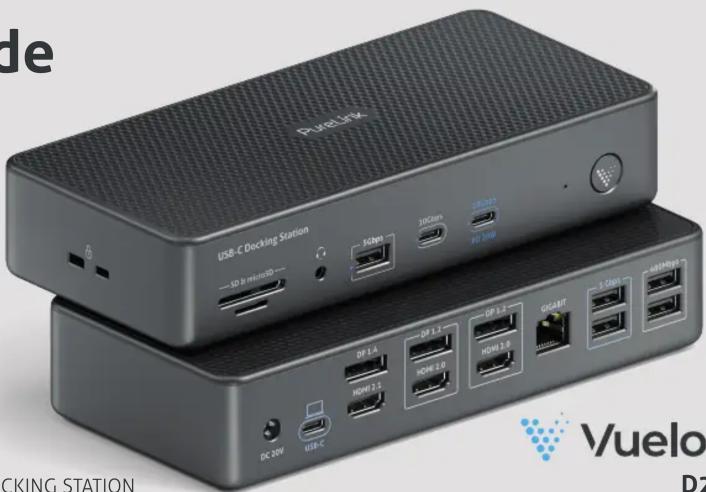
QUAD SCREEN DOCK | 18-IN-1 DISPLAYLINK DOCKING STATION

Vuelogic
D230DL
Upgrade Your Workspace Maximize Productivity
Warranty and Liability
If any fault or damage is detected on your product, please contact your dealer and provide your sales slip or invoice as evidence of the purchase, if necessary. Your dealer will repair the fault either on site, or send the device to PureLink. Please describe all faults in detail especially intermittent faults which may not be obvious at first inspection. Only with complete information can we be sure to repair all faults in full!
Disclaimer of liability
PureLink GmbH will not be held liable, nor provide any warranty for damage resulting from improper installation, assembly and use of the product, or failure to observe the operating instructions and/or safety instructions.
CE Conformity
PureLink GmbH hereby declares that the VL-D230DL complies with Directive 2014/53/EU. The full text of the EU Declaration of Conformity is available at the following internet address: http://www.purelink.de
Disposal of the Device
WEEE-Reg. No.: DE 93847290 According to the European WEEE directive, any electrical and electronic equipment must not be disposed with consumers waste. As a consumer, you are committed by law to reposit electrical and electronic devices to public collecting points or to the dealer for free at the end of the device's lifetime. Details are regulated in the respective national legislations. The garbage can symbol on the product, in the manual or on the packaging refers to these terms. With the return of your used devices you actively take part in protecting the environment.
Trademark
This product complies with the statutory national and European requirements. All company names and product names are trademarks of their respective owners.
All rights reserved.
We reserve our right for misprints and changes of the device, packing or user manual.
HDMI ^® is a registered trademark of HDMI Licensing Administrator, L.L.C
Learn more at www.purelink.de
PureLink
Install. Connect. Perform.
Visit our website help.purelink.de for more information about the product and support.
PureLink
PureLink GmbH | Von-Liebig-Str. 10 | 48432 Rheine | Germany
PureLink UK LTD. | Carpenter Court | 1 Maple Road | Bramhall | Stockport | Cheshire SK7 2DH | United Kingdom
What's in the box
1x USB-C Multi-function DisplayLink Docking Station
1x USB-C to USB-C Cable
1x DC 150W power adapter
1x Quick Start Guide
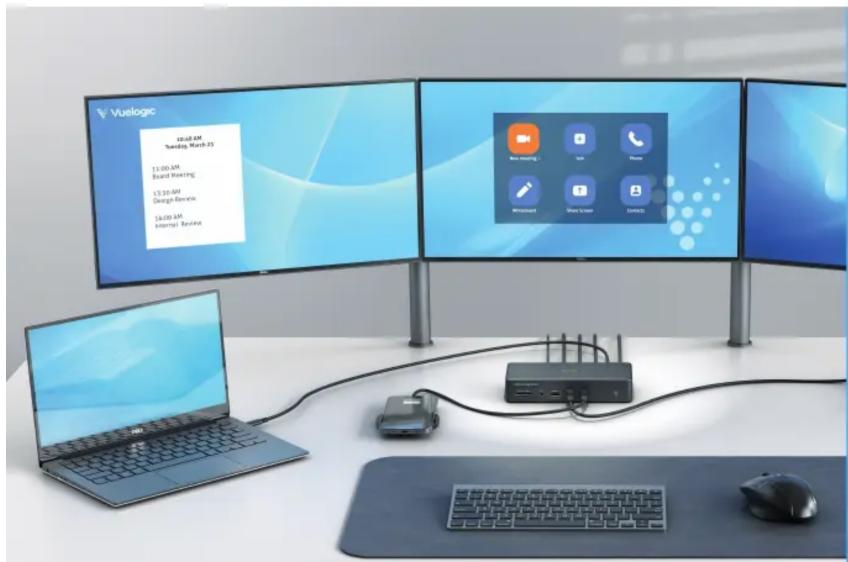
Vuelogic 18-In-1 USB-C Docking Station
Quad Screen DisplayLink Dock
USB-C 3.2 Gen2 with 10Gbps
DisplayLink ready
4K Quad, Dual or Single Display support
■ Up to Seven Peripheral Devices
100W Power Delivery
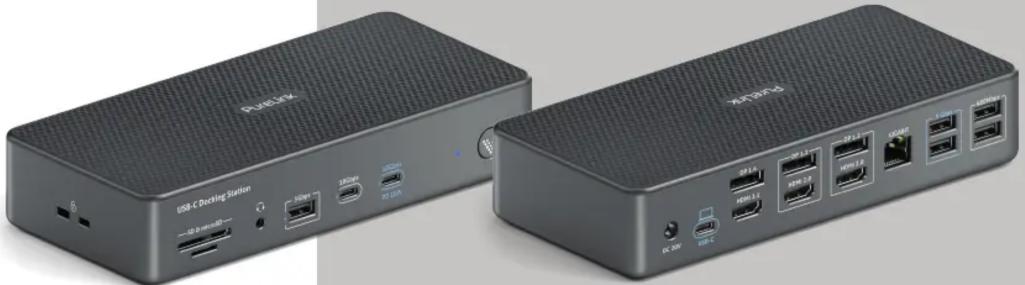
natural_image
Two black USB devices labeled 'PusLink' shown from front and side, with ports and connectors visible (no text beyond branding)Product Details
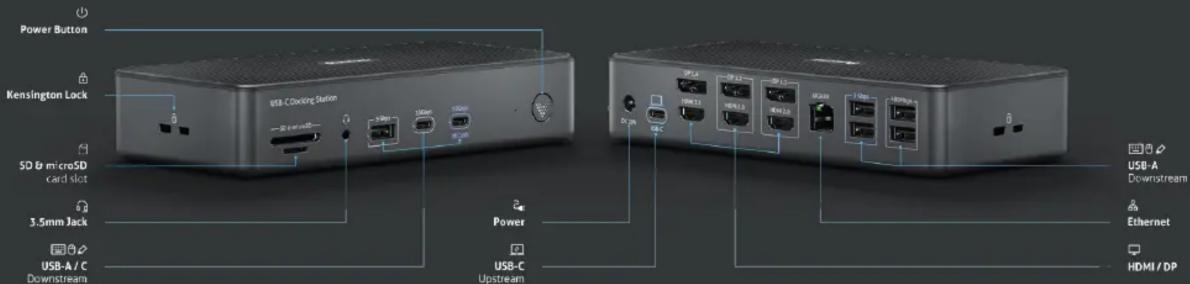
Getting Started
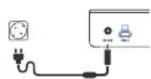
1 Connect the power supply
Use the power adapter supplied with the product and plug it into the DC power port.
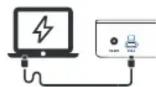
2 Connect with computer
Insert the USB-C cable into the USB-C upstream port on the back of the product and connect to the full-featured USB-C port of the computer.
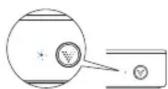
3 Press the power switch
Once the power button is pressed, please allow a short amount of time for the device to boot.
4 Install DisplayLink driver (if required)
Go to DisplayLink official website to download
and install Displaylink driver:
https://www.displaylink.com/downloads

Windows 7\~10 operating system:
DisplayLink software can be installed from Windows update, or download and install the software from Display-Link website, please refer to
https://support.displaylink.com/knowledgebase
1. MAC operating systems:
Users must enable this kernel system extension in the Security and Privacy Preferences after installing the driver.
To set this up, please refer to:
https://support.displaylink.com/knowledgebase
2. MacOS Catalina 10.15
MacOS 10.15 requires users to allow „screen recording“ in order for DisplayLink devices to work properly.
To set this up, please refer to:
https://support.displaylink.com/knowledgebase
5 Restart the device
After the driver installation is complete, restart the device, and you can start using it after a while.

For support and additional information scan the QR code

help.purelink.de
- Upgrade Your Workspace Maximize Productivity
- Warranty and Liability
- Disclaimer of liability
- CE Conformity
- Disposal of the Device
- Trademark
- What's in the box
- Vuelogic 18-In-1 USB-C Docking Station
- Product Details
- Getting Started
- Connect the power supply
- Connect with computer
- Press the power switch
- Install DisplayLink driver (if required)
- Windows 7\~10 operating system:
- MAC operating systems:
- MacOS Catalina 10.15
- Restart the device
Marke : PureLink
Modell : D230DL
Kategorie : Computerzubehör