
GX2 - Auto-Kit Xblitz - Kostenlose Bedienungsanleitung
Finden Sie kostenlos die Bedienungsanleitung des Geräts GX2 Xblitz als PDF.


| Produkttyp | Autofreisprecheinrichtung (Kit voiture) |
| Marke | Xblitz |
| Modell | GX2 |
| Abmessungen (ca.) | 10 x 5 x 1,5 cm |
| Gewicht (ca.) | 50 g |
| Stromversorgung | 12 V Zigarettenanzünder |
| Freisprechfunktion | Ja, über integriertes Mikrofon und Lautsprecher |
| Musik-Streaming | Über Bluetooth oder AUX (sofern vorhanden) |
| FM-Übertragung | Ja, einstellbare Frequenz |
| USB-Ladeanschluss | Ja, 1x USB (5 V, 1 A) |
| Bluetooth-Version | 5.0 |
| Reichweite Bluetooth | Bis zu 10 m |
| Freisprechsteuerung | Sprachwahl, Anrufannahme/-ablehnung |
| Rauschunterdrückung | Ja, CVC-Technologie |
| Display | LED-Anzeige für Frequenz und Status |
| Reinigung | Mit einem weichen, trockenen Tuch abwischen |
| Sicherheitshinweise | Nicht kurzschließen, vor Feuchtigkeit schützen |
| Ersatzteile / Reparierbarkeit | Keine vom Hersteller vorgesehen |
| Garantie | 2 Jahre |
| Zertifizierungen | CE, RoHS |
Häufig gestellte Fragen - GX2 Xblitz
Benutzerfragen zu GX2 Xblitz
0 Frage zu diesem Gerät. Beantworten Sie die, die Sie kennen, oder stellen Sie Ihre eigene.
Eine neue Frage zu diesem Gerät stellen
Laden Sie die Anleitung für Ihr Auto-Kit kostenlos im PDF-Format! Finden Sie Ihr Handbuch GX2 - Xblitz und nehmen Sie Ihr elektronisches Gerät wieder in die Hand. Auf dieser Seite sind alle Dokumente veröffentlicht, die für die Verwendung Ihres Geräts notwendig sind. GX2 von der Marke Xblitz.
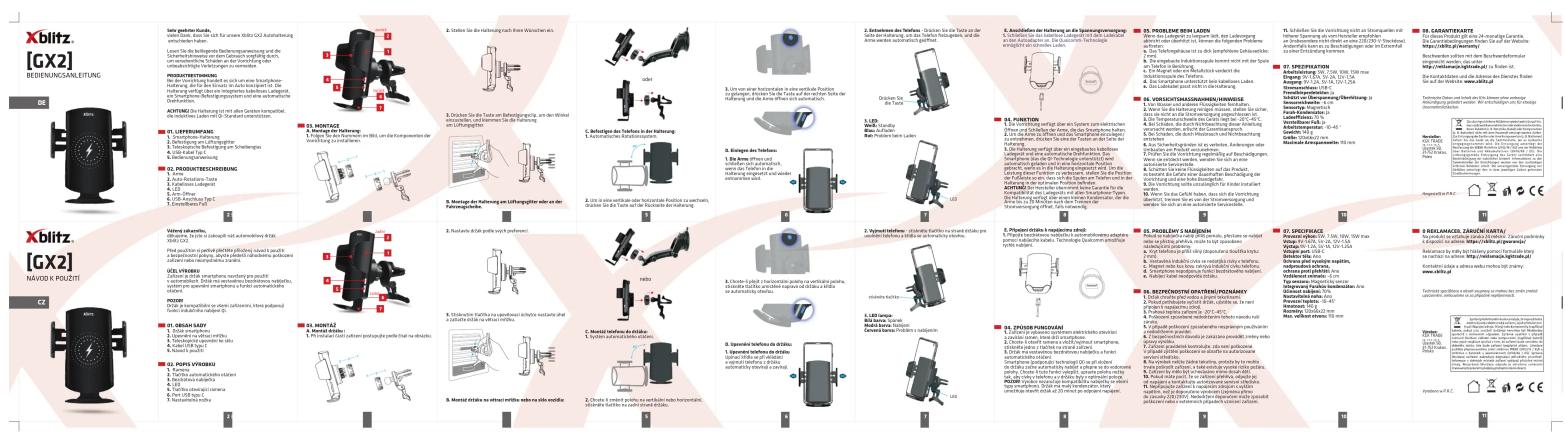
BEDIENUNGSANLEITUNG GX2 Xblitz
![Xblitz [GX2] INTEKUKOR - DESLUCI PL DRUG CHEESE 1. Open the opening of a new device: unsurchased Xyl BOS Product name: deklahoma system; it can be made in order to open the next shipment; any additional component or equipment used in the packaging. PROFESSIONAL PRODUITS 1. Use the first part of the device to install a new product: on the following: mechanical parts: one of the main components: to build a new product into the packaging. Schematic features: the main components are not included in the packaging. Schematic features: the main components are not included in the packaging. Schematic features: the main components are not included in the packaging. Schematic features: the main components are not included in the packaging. Schematic features: the main components are not included in the packaging. Schematic features: the main components are not included in the packaging. Schematic features: the main components are not included in the packaging. Schematic features: the main components are not included in the package. Schematic features: the main components are not included in the package. Schematic features: the main components are not included in the package. Schematic features: the main components are not included in the package. Schematic features: the main components are not included in the package. Schematic features: the main components are not included in the package. Schematic features: the main components are not included in the package. Schematic features: the main components are not included in the package. SL MORTAZ 1. Use the first part of a new device, two additional parts (one and two other parts) from each other. 2. Use the second part of a new device, two additional parts (one and two other parts) from each other. 3. Use the third part of a new device, two additional parts (one and two other parts) from each other. 4. Use the fourth part of a new device, two additional parts (one and two other parts) from each other. 5. Use the fifth part of a new device, two additional parts (one and two other parts) from each other. 6. Use the sixth part of a new device, two additional parts (one and two other parts) from each other. SL MORTAZ 1. Use the first part of a new device, two additional parts (one and two other parts) from each other. 2. Use the second part of a new device, two additional parts (one and two other parts) from each other. 3. Use the third part of a new device, two additional parts (one and two other parts) from each other. SL MORTAZ 1. Use the first part of a new device, two additional parts (one and two other parts) from each other. SL MORTAZ 1. Use the second part of a new device, two additional parts (one and two other parts) from each other. SL MORTAZ 1. Use the third part of a new device, two additional parts (one and two other parts) from each other. SL MORTAZ 1. Use the fourth part of a new device, two additional parts (one and two other parts) from each other. SL MORTAZ 1. Use the fifth part of a new device, two additional parts (one and two other parts) from each other. SL MORTAZ 1. Use the sixth part of a new device, two additional parts (one and two other parts) from each other. SL MORTAZ 1. Use the seventh part of a new device, two additional parts (one and two other parts) from each other. SL MORTAZ 1. Use the eight part of a new device, two additional parts (one and two other parts) from each other. SL MORTAZ 1. Use the nine part of a new device, two additional parts (one and two other parts) from each other. SL MORTAZ 1. Use the ten part of a new device, two additional parts (one and two other parts) from each other. SL MORTAZ 1. Use the ten part of a new device, two additional parts (one and two other parts) from each other. SL MORTAZ 1. Use the ten part of a new device, two additional parts (one and two other parts) from each other. SL MORTAZ 1. Use the ten part of a new device, two additional parts(see Section 10-12) SL MORTAZ 1. Use the ten part of a new device, two additional parts(see Section 10-12) SL MORTAZ 1. Use the ten part of a new device, two additional parts(see Section 10-12) SL MORTAZ 1. Use the ten part of a new device, two additional parts(see Section 10-12) SL MORTAZ 1. Use the ten part ofa new device, two additional parts(see Section 10-12) SL MORTAZ 1. Use the ten part ofa new device, two additional parts(see Section 10-12) SL MORTAZ 1. Use the ten part ofa new device, two additional parts(see Section 10-12) SL MORTAZ 1. Use the ten part ofa new device, two additional parts(see Section 10- 12) SL MORTAZ 1. Use the ten part ofa new device, two additional parts(see Section 10- 12) SL MORTAZ 1. Use the ten part ofa new device, two additional parts(see Section 10- 12) SL MORTAZ 1. Use the ten part ofa new device, two additional parts(see Section 10- 12) SL MORTAZ 1. Use the nine part ofa new device, two additional parts(see Section 10- 12) SL MORTAZ 1. Use the ten part ofa new device, two additional parts(see Section 10- 12) SL MORTAZ 1. Use the ten part ofa new device, two additional parts(see Section 10- 12) SL MORTAZ 1. Use the ten part ofa new device, two additional parts(see Section 12) SL MORTAZ 1. Use the ten part ofa new device, two additional parts(see Section 10- 12) SL MORTAZ 1. Use the ten part ofa new device, two additional parts(see Section 10- 12) SL MORTAZ 1. Use the ten part ofa new device, two additional parts(see Section 10- 12) SL MORTAZ 1. Use the Ten part of a new device, two additional parts(see Section 10- 12) SL MORTAZ 1. Use the Ten part of a new device, two additional parts(see Section 10- 12) SL MORTAZ 1. Use the Ten part of a new device, two additional parts(see Section 10- 12) SL MORTAZ 1. Use the Ten part of a new device, two additional parts(see Section 10+ )- SPC PREDISH ZIDARANIA • Use the first part of a new device to install a new product: • Use the second part of a new device to install a new product: • Use the third part of a new device to install a new product: • Use the fourth part of a new device to install a new product: • Use the fifth part of a new device to install a new product: • Use the sixth part of a new device to install a new product: • Use the seven part of a new device to install a new product: • Use the eight part of a new device to install a new product: • Use the nine part of a new device to install a new product: • Use the nine part of a new device to install a new product: • Use the nine part of a new device to install a new product: • Use the nine part of a new device to install a new product: • Use the nine part of a new device to install a new product: • Use the nine part of a new device to install a new product: • Use the nine part of a new device to install a new Product: • Use the nine part of a new device to install a New Product: • Use the nine part of a new Device to install a New Product: • Use the nine part of a New Device to install a New Product: • Use the nine part of a New Device to install a New Product: • Use the nine part of a New Device to install a New Product: • Use the nine part of a New Device to install a New Product: • Use the nine part of a New Device to install a New Product: • Use the nine part of a New Device to install a New Product: • Use the nine part of a New Device to install a New Product: • Use The Nine Part of a New Device to install a New Product: • Use The Nine Part of a New Device to install a New Product: • Use The Nine Part of a New Device to install a New Product: • Use The Nine Part of a New Device to install a New Product: • Use The Nine Part of a New Device to install a New Product: • Use The Nine Part of a New Device to install a New Product: • Use The Nine Part of a New Device to install a New Product, • Use The Nine Part of a New Device to install a New Product: • Use The Nine Part of a New Device to install a New Product: • Use The Nine Part of a New Device to install a New Product: • Use The Nine Part of a New Device to install a New Product: • Use The Nine Part of a New Device to install a New Product: • Use The Nine Part of a New Device to install a New Product: • Use The Nine Part of a New Device TO NULL • Use The Nine Part of a New Device TO NULL • Use The Nine Part of a New Device TO NULL • Use The Nine Part of a New Device TO NULL • Use The Nine Part of a New Device TO NULL • Use The Nine Part of a New Device TO NULL • Use The Nine Part of a New Device TO NULL • Use The Nine Part of a New Device TO NULL • Use The Nine Part of a New Device TO NULL • Use TheNine Part of a New Device TO NULL • Use The Nine Part of a New Device TO NULL • Use The Nine Part of a New Device TO NULL • Use The Nine Part of a New Device TO NULL • Use The Nine Part of a New Device TO NULL • Use The Nine Part of a New Device TO NULL • Use The Nine Part of a New Device TO NULL • Use The Nine Part of a New Device TO NULL • Use The Nine Part of aNew Device TO NULL • Use The Nine Part of aNew Device TO NULL • Use The Nine Part of aNew Device TO NULL • Use The Nine Part ofaNew Device TO NULL • Use The Nine Part ofaNew Device TO NULL • Use The Nine Part ofaNew Device TO NULL • Use The Nine Part ofaNew Device TO NULL • Use The Nine Part ofaNew Device TO NULL • Use The Nine Part ofaNew Device TO NULL • Use The Nine Part ofaNew Device TO NULL • Use The Nine Part ofaNew Device TO NULL • Use The Nine Part ofaNew Device TO NULU • Use The Nine Part ofaNew Device TO NULL • Use The Nine Part ofaNew Device TO NULL • Use The Nine Part ofaNew Device TO NULL • Use The Nine Part ofaNew Device TO NULL • Use The Nine Part ofaNew Device TO NULL • Use The Nine Part ofaNew Device TO NULL • Use The Nine Part ofaNew Device TO NULL • Use The Nine Part ofaNew Device TO NULL • Use THE Nine Part OFA NEW MODELS AND ELECTRICALS OF THE MANUFACTURE OF THE MANUFACTURE OF THE MANUFACTURE OF THE MANUFACTURE OF THE MANUFACTURE OF THE MANUFACTURE OF THE MANUFACTURE OF THE MANUFACTURE OF THE MANUFACTURE OF THE MANUFACTURE OF THE MANUFACTURE OF THE MANUFACTURE OF THE MANUFACTURE OF THE MANUFACTURE OF THE MANUFACTURE OF THE MANUFACTURE OF THE MANUFACTURE OF THE MANUFACTURE OF THE MANUFACTURE OF THE MANUFACTURE OF THE MANUFACTURER'S NAME OF THE MANUFACTURER'S NAME OF THE MANUFACTURER'S NAME OF THE MANUFACTURER'S NAME OF THE MANUFACTURER'S NAME OF THE MANUFACTURER'S NAME OF THE MANUFACTURER'S NAME OF THE MANUFACTURER'S NAME OF THE MANUFACTURER'S NAME OF THE MANUFACTURER'S NAME OF THE MANUFACTURER'S NAME OF THE MANUFACTURER'S NAME OF THE MANUFACTURER'S NAME OF THE MANFACTURER'S NAME OF THE MANFACTURER'S NAME OF THE MANFACTURER'S NAME OF THE MANFACTURER'S NAME OF THE MANFACTURER'S NAME OF THE MANFACTURER'S NAME OF THE MANFACTURER'S NAME OF THE MANFACTURER'S NAME OF THE MANFACTURER'S NAME OF THE MANFACTURER'S NAME OF THE MANFACTURER'S NAME OF THE MANFACTURER'S NAME OF THE MANFACTURER'S X BLBLITZ [GXX] USER'S MANUAL ENI PL DRUG CHEESE 1. Use the first part of a new device to install an even out-of-use model. 2. Use the second part of a new device to install an even out-of-use model. 3. Use the third part of a new device to install an even out-of-use model. 4. Use the fourth part of a new device to install an even out-of-use model. 5. Use the fifth part of a new device to install an even out-of-use model. 6. Use the sixth part of a new device to install an even out-of-use model. 7. Use the seven part of a new device to install an even out-of-use model. 8. Use the eight part of a new device to install an even out-of-use model. 9. Use the nine part ofaNew Device TO NULL • Use the second part ofaNew Device TO NULL • Use the third partofaNew Device TO NULL • Use the fourth partofaNew Device TO NULL • Use the fifth partofaNew Device TO NULL • Use the sixth partofaNew Device TO NULL • Use the seven partofaNew Device TO NULL • Use the eight partofaNew Device TO NULL • Use the nine partofaNew Device TO NULL • Use the nine partofaNew Device TO NULL X BLBLITZ [GXX] USER'S MANUAL ENI PL DRUG CHEESE 1. Use the first part of a new device to install an even out-of-use model. 2. Use the second partofaNew Device TO NULL 3. Use the third partofaNew Device TO NULL 4. Use the fourth partofaNew Device TO NULL 5. Use the fifth partofaNew Device TO NULL 6. Use the sixth partofaNew Device TO NULL 7. Use the seven partofaNew Device TO NULL 8. Use the eight partofaNew Device TO NULL X LOMATORES 1. Use the first part of a new device to install an even out-of-use model. 2. Use the second partofaNew Device TO NULL 3. Use the third partofaNew Device TO NULL 4. Use the fourth partofaNew Device TO NULL 5. Use the fifth partofaNew Device TO NULL 6. Use the sixth partofaNew Device TO NULL 7. Use the seven partofaNew Device TO NULL 8. Use the eight partofaNew Device TO NULL 9. Use the nine partofaNew Device TO NULL 10. USE TONE PARTS FOR A NEW PROCEDURE BY NOVOLATION. SLMARTARES * SLMARTARES * SLMARTARES * SLMARTARES * SLMARTARES * SLMARTARES * SLMARTARES * SLMARTARES * SLMARTARES * SLMARTARES * SLMARTARES * SLMARTARES * SLMARTARES * SLMARTARES * SLMARTARES * SLMHTARES * SLMHTARES * SLMHTARES * SLMHTARES * SLMHTARES * SLMHTARES * SLMHTARES * SLMHTARES * SLMHTARES * SLMHTARES * SLMHTARES * SLMHTARES * SLMHTARES * SLMHTARES * SLMHTAREIS * SLMHTARES * SLMHTARES * SLMHTARES * SLMHTARES * SLMHTARES * SLMHTARES * SLMHTARES * SLMHTARES * SLMHTARES * SLMHTARES * SLMHTARES * SLMHTARES * SLMHTARES * SLMHTARES [SLMHTARES] [SLMHTARES] [SLMHTARES] [SLMHTARES] [SLMHTARES] [SLMHTARES] [SLMHTARES] [SLMHTARES] [SLMHTARES] [SLMHTARES] [SLMHTARES] [SLMHTARES] [SLMHTARES] [SLMHTARES] [SLMHTARES] [TLMS] [TLMS] [TLMS] [TLMS] [TLMS] [TLMS] [TLMS] [TLMS] [TLMS] [TLMS] [TLMS] [TLMS] [TLMS] [TLMS] [TLMS] [TLMS] [TLMS] [TLMS] [TLMS] [TLMS] [TLMS] [TLMS] [TLMS] [TLMS] [TLMS] [TLMS] [SLMS] [TLMS] [TLMS] [TLMS] [TLMS] [TLMS] [TLMS] [TLMS] [TLMS] [TLMS] [TLMS] [TLMS] [TLMS] [TLMS] [TLMS] [TLMS] [TLMS] [TLMS] [SLMS] [TLMS] [TLMS] [TLMS] [TLMS] [TLMS] [TLMS] [TALMS] [TLMS] [TLMS] [TLMS] [TLMS] [TLMS] [TLMS] [TLMS] [TLMS] [TLMS] [TLMS] [TLMS] [SLMS] [TLMS] [TLMS] [TLMS] [TLMS] [TLMS] [TLMS] [TLMS] [TLMS] [TLMS] [TLMS] [SLMS] [TLMS] [TLMS] [TLMS] [TLMS] [TLMS] [TLMS] [TLMS] [TLMS] [SLMS] [TLMS] [TLMS] [TLMS] [TLMS] [TLMS] [TLMS] [TALMS] [TALMS] [TALMS] [TALMS] [TALMS] [TALMS] [TALMS] [TALMS] [TALMS] [TALMS] [TALMS] [TALMS] [TALMS] [TALMS] [TALMS] [TALMS] [TALMS] [TALMS] [TALMS] [TALMS] [TALMS] [TALMS] [TALMS] [TALMS] [TALMS] [TALMS] [TALMS] [TALMS] [TALMS] [TALMS] [TALMS] [TALMS] [TALMS] [TALMS] [TALMS] [TALMS] [TALMS] [TALMS] [TALMS] [TALMS]](/content/2026/05/898017/images/4b8939c7786b5d35ca76e6c8801b5c6c913b51ef0235a77cb03ddc0f1ad112fc.jpg)
I
I
I
I
I

Marke : Xblitz
Modell : GX2
Kategorie : Auto-Kit