X5 - Kopfhörer Treblab - Kostenlose Bedienungsanleitung
Finden Sie kostenlos die Bedienungsanleitung des Geräts X5 Treblab als PDF.


Benutzerfragen zu X5 Treblab
0 Frage zu diesem Gerät. Beantworten Sie die, die Sie kennen, oder stellen Sie Ihre eigene.
Eine neue Frage zu diesem Gerät stellen
Laden Sie die Anleitung für Ihr Kopfhörer kostenlos im PDF-Format! Finden Sie Ihr Handbuch X5 - Treblab und nehmen Sie Ihr elektronisches Gerät wieder in die Hand. Auf dieser Seite sind alle Dokumente veröffentlicht, die für die Verwendung Ihres Geräts notwendig sind. X5 von der Marke Treblab.
BEDIENUNGSANLEITUNG X5 Treblab
TREBLAB
X5

Bluetooth
truly wireless bluetooth earbuds
User's Manual
Please read this manual before using the product
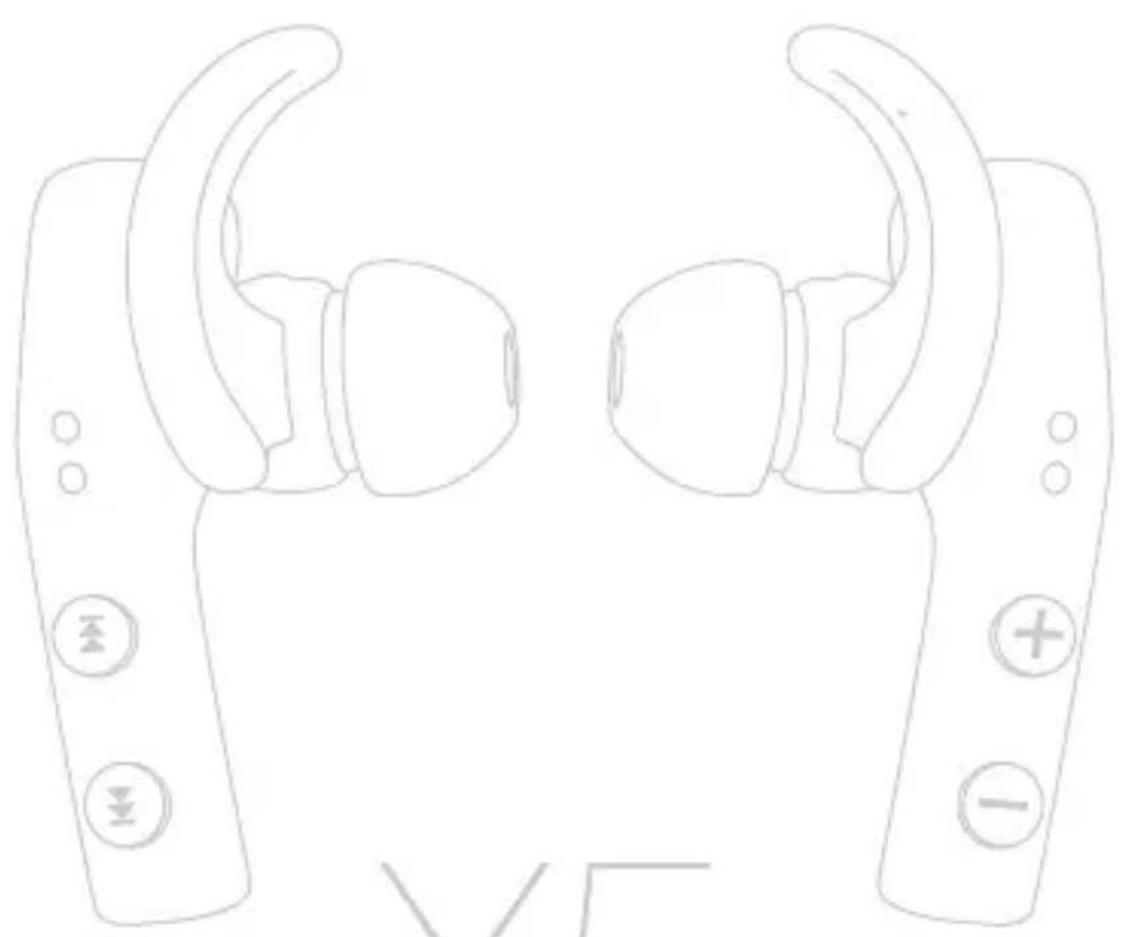
natural_image
Line drawing of two identical VR headsets with buttons and a plus/minus symbol, no text or labels present.X5
TREBLAB
Package contents:
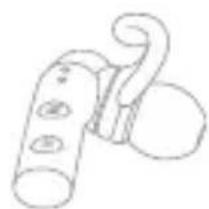
natural_image
Simple line drawing of a mechanical clamp or clasp with no text or symbolsLeft earbud
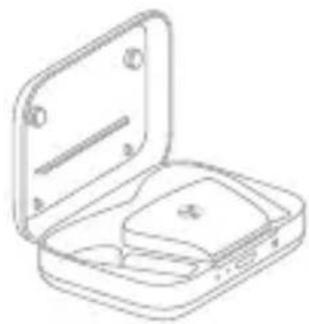
natural_image
Line drawing of an open mechanical device with a rectangular housing and internal components (no text or symbols)Charging case

Charging cable
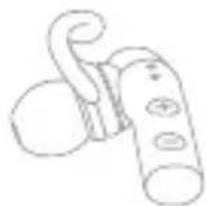
natural_image
Simple line drawing of a handheld device with a curved handle and circular base (no text or symbols)Right earbud
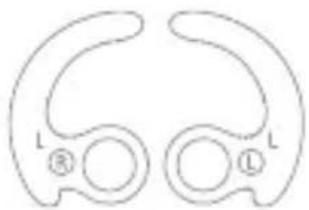
natural_image
Pure diagram of two symmetrical curved shapes with labeled points (L, R, L) and no text or symbolsLarge Ear-fins
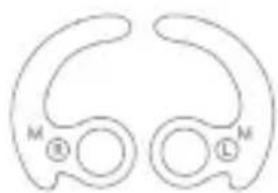
natural_image
Simple line drawing of two symmetrical abstract shapes with labeled points M and L (no text or symbols beyond labels)Medium Ear-fins
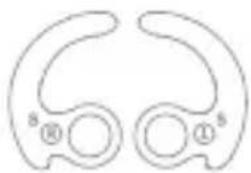
natural_image
Simple line drawing of two symmetrical abstract shapes with labeled points (s, ⑩, ⑪) and no text or symbols.Small Ear-fins

Large silicone
Eartips

Medium silicone
Eartips

Small silicone
Eartips

Large foam
Eartips

Medium foam
Eartips

Small foam
Eartips
Wearing method
Using the correct size eartips and ear-fins is critical for maximum external noise isolation and a snug, secure fit. It is also common to have different sized ear canals so try the eartips and ear-fins on one at a time to find the best fit for each side.
1 To change the silicone ear-fins:
Identify the left and right earbuds. Look for L/R mark near the round hole in the ear-fin, which is used to fix it on the earphone. Then choose the size that best fits each ear - S, M or L.
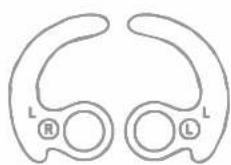
L-L L-R
Large
Ear-fins
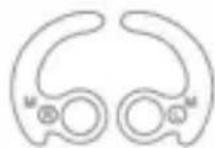
M-L M-R
Medium Ear-fins
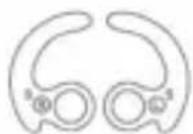
S-L S-R
Small
Ear-fins
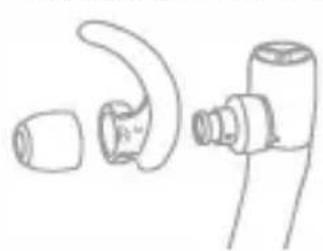
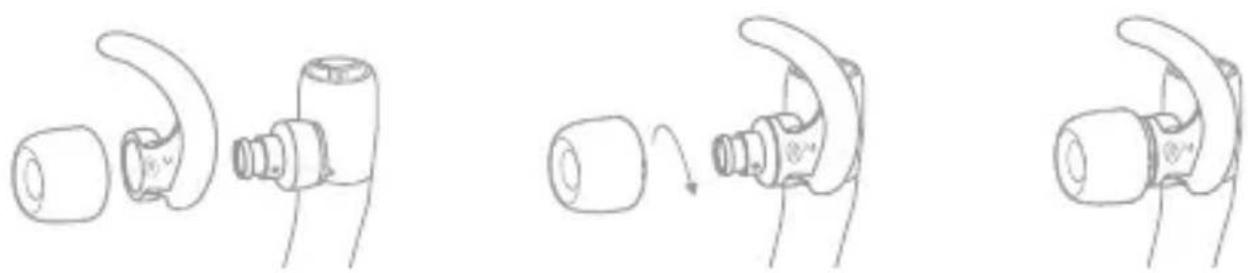
2 To change the silicone ear-tips:
- Fix the rubber ear-fin in the hooking position (you can remove it entirely for better fitting)
- Turn over the ear-tip upper cover
- Rotate and push on the ear-tip tube until it covers the ear-tip pillar firmly and completely.
natural_image
Line drawing of a pair of mechanical components, one curved and one cylindrical, with no visible text or symbols.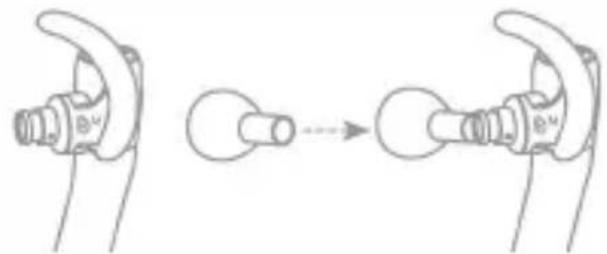
natural_image
Diagram showing a mechanical assembly or transformation process, with no visible text or symbols.3 To change the foam eartips:
- Fix the rubber ear-fin in the hooking position (you can remove it entirely for better fitting).
- Put the rubber inner part of the foam eartip on the top of the nozzle.
- Rotate and push down the ear nozzle, trying to firmly "wrap" it into the inner rubber part of the ear tip, applying a kind of screwing movement.
natural_image
Three-step line drawing of a connector with a curved handle, showing mechanical assembly and motion (no text or symbols)4 Fitment advise
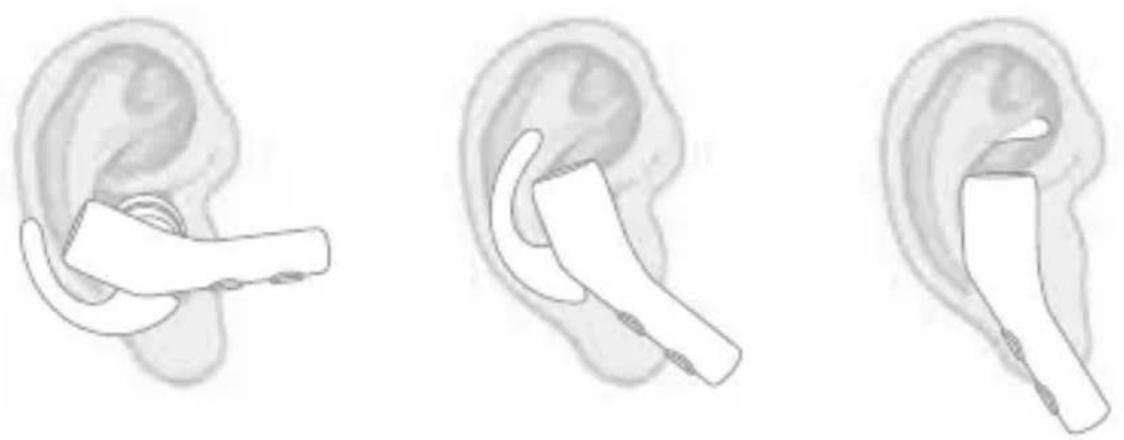
- Place the assembled earbud with the eartip in your ear canal.
- Tuck the ear-fin into the front ear fold facing up. Adjust the eartips to a suitable angle until you have a tight and snug fit.
natural_image
Three line drawings of a human ear with a small device, shown from different angles (no text or symbols)Earbuds introduction
flowchart
graph LR
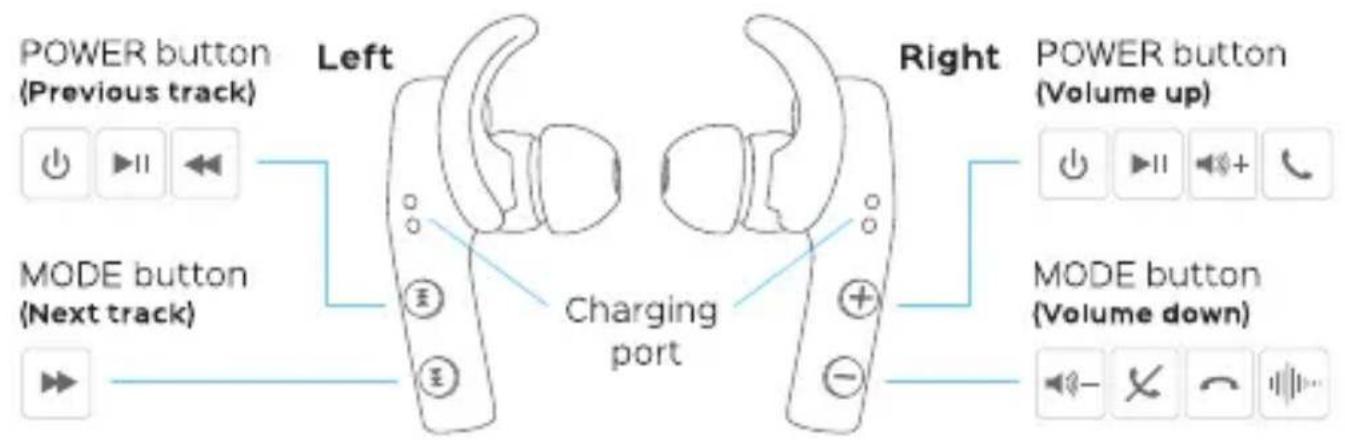
    A["POWER button (Previous track)"] --> B["Left"]
    C["MODE button (Next track)"] --> B
    B --> D["Charging port"]
    E["Power button (Volume up)"] --> F["Right"]
    G["MODE button (Volume down)"] --> F
    F --> H["Back to charging port"]
text_image
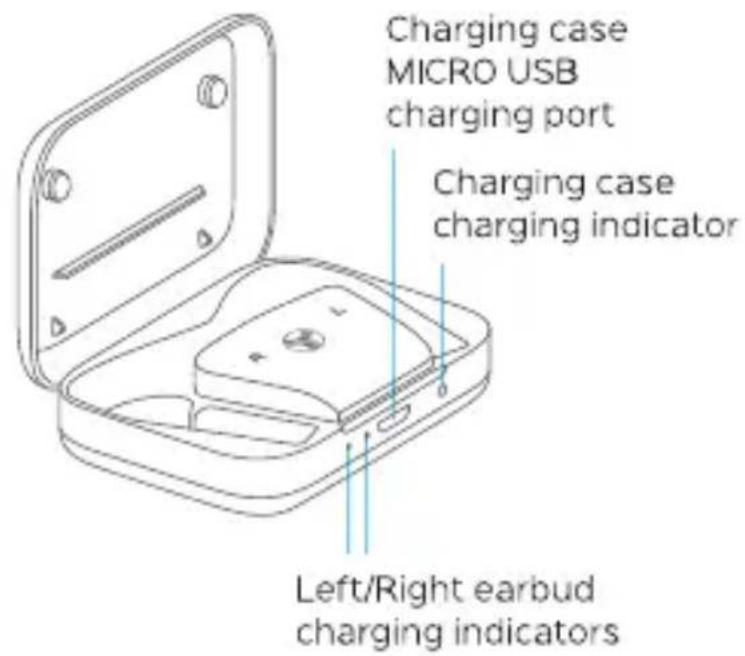
Charging case MICRO USB charging port Charging case charging indicator Left/Right earbud charging indicators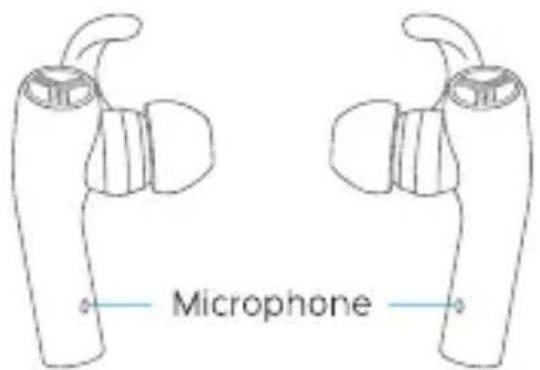
text_image
MicrophoneEarbuds function
| Function | Icon | Operating method | Voice prompts | Indicator |
| Power on |  | Press and hold left & right POWER buttons for 1 sec. | "Power ON" | Indicator keeps blue for 1 sec., then slowly flashes |
| Power off |  | Press and hold left & right POWER buttons for 4 sec. | "Power OFF" | Indicator keeps red for 1 sec., then goes off |
| Volume + |  | Press right POWER button | No | Blue light flashes every 7 sec. |
| Volume - |  | Press right MODE button | No | Blue light flashes every 7 sec. |
| Play / pause |  | Press and hold left or right POWER button for 1 sec. | Beep sound | Blue light flashes every 7 sec. |
| Previous track |  | Press left POWER button | No | Blue light flashes every 7 sec. |
| Next track |  | Press left MODE button | No | Blue light flashes every 7 sec. |
| Answer phone call |  | Press right POWER button when there is an incoming call | Beep sound | Indicator flashes every 3 sec. instead of flashing every 7 sec. |
| Reject phone call |  | Press right MODE button when there is an incoming call | Beep sound | Blue light flashes every 7 sec. |
| Hang up |  | Press and hold right MODE button for 1 sec. when on the line | Beep sound | Indicator flashes every 7 sec. instead of flashing every 3 sec. |
| Siri/ Google VA |  | Press and hold right MODE button for 1 sec. | Beep sound | Blue light flashes every 7 sec. |
Using the Charging Case
1 Charging case power on/off
a. Charging case power on/off - Press power button to turn on the charging case, left and right earbud charging indicators will continuously and slowly flash for several times while the earbuds are charging: 4 times = full battery, 3 times = 75% battery, 2 times = 50% battery, 1 time = 25% battery.
b. Press and hold power button for 1 second until left & right earbud charging indicators quickly flash 3 times and go off, the charging case is now turned off.
c. The charging case will turn OFF automatically after being idle for 8 hours (After taking the earbuds out from charging case or the earbuds get fully charged)
d. You can use the charging case to charge your earbuds while it's connected to a power source. Also, your charging case has a built-in battery and it can be used to recharge your earphones.
2 Charge the earbuds with charging case
a. When earbud battery is at low level, there will be a 'Battery Low' voice prompting every 2 minutes in your earbuds until you put them to charge, and a red light flashing instead of the Bluetooth connection blue indicator.
b. Plug left & right earbuds into the correct slots on charging case (the pins on charging case should touch the copper sheet on earbuds).
Using the Charging Case
c. Turn ON the charging case. Earbuds will be turned OFF automatically, now charging case starts to charge the earbuds. Left and right charging indicators on the charging case will flash every 1 second. When earbuds are fully charged, the charging indicators will stop flashing and go OFF.

natural_image
Line drawing of a device with a connector inserted into a slot (no text or symbols)3 Charging the case
When charging case gets connected to power source, red charging indicator of the charging case will turn ON. The indicator will go OFF after the case is fully charged.
Turning the earbuds ON/OFF
text_image
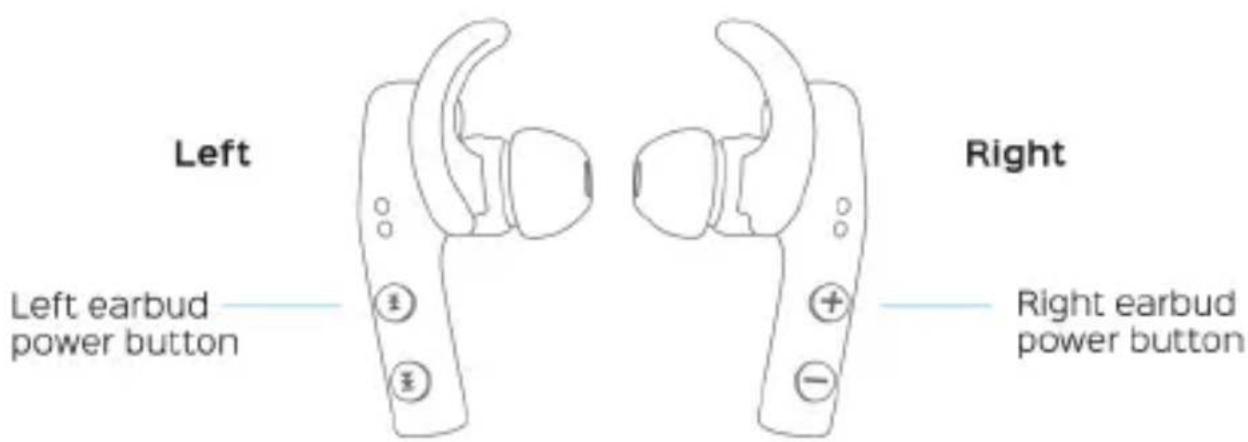
Left Left earbud power button Right Right earbud power button1 Turning earbuds ON
- Press and hold the POWER button on both earbuds for 1 second. You will hear "Power ON" voice prompt, blue LEDs will start flashing.
- You will hear "Connected" voice prompt in the left earbud in 2 seconds and then in the right earbud in 5-7 seconds.
2 Turning earbuds OFF
- Press and hold both POWER buttons for 4 seconds. You will hear "Power OFF" voice prompt, red LEDs will light up for 1 second and then go off.
- Alternatively, plug left & right earbuds into the correct slots on charging case. Turn ON the charging case. Earbuds will be turned OFF automatically.
Note: After removing earbuds from the charging case they will remain in OFF status.
Pairing
You can pair X5 earbuds to your device either together or separately. Using only one earbud at a time will help you extend the overall playtime. Please read the instructions below to make the pairing process smooth and easy.
Note: To ensure the best level of Bluetooth performance, we recommend you keep the distance between the Bluetooth device and the TREBLAB X5 as short as possible.
1 Pairing both earbuds.
Note: You can only connect and play audio from one device at a time. But you can store up to seven connected devices in the headphones pairing list.
- Press and hold the POWER button on the right earbud. You will hear the "Power ON" voice prompt, and "Pairing" a few seconds later (LED will flash red and blue rapidly). Release your finger.
- Activate Bluetooth on the device, scan/search for TREBLAB X5, and click CONNECT.
• If prompted by your device to connect, select Yes. - You will hear "Connected" from the right earbud. (LED indicator will flash blue every 7 seconds).
- Press and hold the POWER button on the left earbud until you hear the "POWER ON" voice prompt in the left earbud. Release your finger.
Wait for 5-10 sec., and the left earbud will automatically connect to the right earbud. - You will hear "Connected" from the left earbud after connecting (LED indicators on both earbuds will flash blue every 7 seconds).
When you turn the earbuds ON, they will try to reconnect with the most-recently connected device. If reconnection does not happen automatically, the earbuds will try to find the next device in the pairing list.
Note: The right TREBLAB X5 earbud is the Master (main) earbud. For better performance, keep your smart device in your right pocket, in the bag on your right side, on the right half of the table, etc.
2 Pairing right earbud only
- Press and hold the POWER button on the right earbud. You will hear the "Power ON" voice prompt, and "Pairing" a few seconds later (LED will flash red and blue rapidly). Release your finger.
- Activate Bluetooth on the device, scan/search for TREBLAB X5, and click CONNECT.
- If prompted by your device to connect, select Yes.
- You will hear "Connected" from the right earbud after successful connection (LED indicator on the right earbud will flash blue every 7 seconds).
3 Pairing left earbud only
Note: When you are using only the left earbud, all remote control functions (calls management, volume adjustment, switching tracks) will not be available. You will still be able to answer/reject phone calls, control volume, and switch tracks using your device.
- Press and hold the POWER button on the left earbud until you hear "Power ON". Release your finger. (Blue LED light will flash rapidly).
-
Press and hold the MODE button on the left earbud, until you hear the "Pairing" voice prompt (The LED will flash red and blue rapidly).
-
Activate Bluetooth on the device, scan/search for TREBLAB X5, and click CONNECT.
- If prompted by your device to connect, select Yes.
- You will hear "Connected" from the left earbud after connecting (LED indicator on left earbud will flash blue every 7 seconds).
Phone calls
Note: Even when you use both earbuds, only the right earbud produces sound during phone and video calls.
• To answer an incoming call: Press the right POWER button.
• To reject an incoming call: Press the right MODE button.
- To finish the conversation: Press and hold the right MODE button for 1 second, while on the line.
Siri\Google VA
TREBLAB X5 headphones are compatible with Siri and Google Voice Assistant. To use voice assistant: Press and hold right MODE button for 1 second
Troubleshooting
Device doesn't find TREBLAB X5
- Ensure the X5 are in pairing mode, and LEDs are flashing blue and red. Refer to previous section on how to enter into the pairing mode.
- If X5 is in pairing mode and flashes blue and red, but is still not found by your device, please restart your device and the headset.
Frequent disconnection and noise
Frequent disconnection and noise
- Ensure the distance between your device and the headphones is less than 38 feet/12 meters.
- Ensure nothing is blocking the signal between your device and your Bluetooth earbuds.
- If the earbuds are ON, but disconnected from the device for longer than 3 minutes, they will automatically go OFF to save power.
Can't turn the headphones ON
Please make sure the earbuds are charged, if not – charge them, and try again.
Can't connect the earbuds to your device
- Ensure TREBLAB X5 are fully charged.
- Go to your device's Bluetooth menu and delete all saved devices from the list by clicking "Forget this device".
- Turn your device's Bluetooth OFF, then turn it back ON: TREBLAB X5 won't be on the list of devices.
• Power OFF device, then turn back ON.
• Take TREBLAB X5 off the charging case, this will set them to Power ON. - Enter the earbuds into the pairing mode and follow instructions for connecting (page 10).
Safety Rules
- Never disassemble or modify your headset for any reason. Doing this may cause the headset to malfunction or become combustible. The damage to your device can void your manufacturer's warranty.
- Do not allow your device to get wet - liquids can cause serious damage. Water damage to your device can void your manufacturer's warranty.
- Excessive sweating may damage the product. Make sure to wipe the headphones dry before charging.
Avoid exposing TREBLAB X5 to extreme temperatures (below 37^ F / 3^ C or above 112^ F / 45^ C). Extreme temperatures can cause deformation of X5 components, reduce battery life and the lifespan of your new earphones.
- Avoid putting device's LED lights close to the eyes of children or animals.
- Do not use your X5 during a thunderstorm. Thunderstorms can cause serious malfunction and increase the risk of electric shock.
NOTE: Use only the provided USB/micro USB cable to charge.
Battery Information
- Your device is powered by a rechargeable battery.
• Unplug the charging case from the electrical plug when not in use.
• If left unused, a fully charged battery will lose its charge over time.
• We recommend a full charge twice a month to ensure battery integrity. - Please do not leave the device (and charging case) in hot or cold places, such as in a closed car in summer or winter conditions because this will reduce the capacity and lifetime of the battery.
• Do not dispose of the batteries in a fire as they may explode.
• Batteries may also explode if damaged.
Specifications
Speaker unit - φ8.2MM,22Ω
Frequency response - 20Hz-20kHz
Bluetooth version - Bluetooth 4.2
Bluetooth profiles - HFP/HSP/A2DP/AVRCP
Operating distance 33ft / 10m
Sweat-proof (waterproof level IPX4)
Play time up to 12H / Standby 200H
Earbuds battery capacity 6H
Chargins case battery capacity 6H
Handsfree calls
Siri\Google VA-compatible
Thank you
We truly appreciate that you chose TREBLAB as your brand of wireless headphones and sincerely hope that you enjoy the great sound and seamless usability TREBLAB X5 provides. We love making our customers happy by providing true value with our products.
If for any reason, you are not completely satisfied with your purchase, or have any questions, please let us know by contacting us at support@treblab.com. We care about our customers more than anything and are always here to serve you.
One Year Warranty
ONE YEAR WARRANTY
ONE YEAR PARTS AND LABOR WARRANTY.
Please visit TREBLAB.COM to register for your warranty and get a 10% OFF coupon for your next purchase!
Manufactured by: Productech Corp www.treblab.com

text_image
QR code image containing encoded data, no visible human-readable textContact us: support@treblab.com