
Talk - Mikrofon JLab - Kostenlose Bedienungsanleitung
Finden Sie kostenlos die Bedienungsanleitung des Geräts Talk JLab als PDF.


Benutzerfragen zu Talk JLab
0 Frage zu diesem Gerät. Beantworten Sie die, die Sie kennen, oder stellen Sie Ihre eigene.
Eine neue Frage zu diesem Gerät stellen
Laden Sie die Anleitung für Ihr Mikrofon kostenlos im PDF-Format! Finden Sie Ihr Handbuch Talk - JLab und nehmen Sie Ihr elektronisches Gerät wieder in die Hand. Auf dieser Seite sind alle Dokumente veröffentlicht, die für die Verwendung Ihres Geräts notwendig sind. Talk von der Marke JLab.
BEDIENUNGSANLEITUNG Talk JLab


MICROPHONE
TALK USB
We love that you are rocking JLab! We take pride in our products and fully stand behind them.

YOUR WARRANTY
All warranty claims are subject to JLab authorization and at our sole discretion. Retain your proof of purchase to ensure warranty coverage.

CONTACT US
Reach out to us at support@jlab.com or visit jlab.com/contact
REGISTER TODAY
jlab.com/register
Product updates | How-to tips
SETUP
1
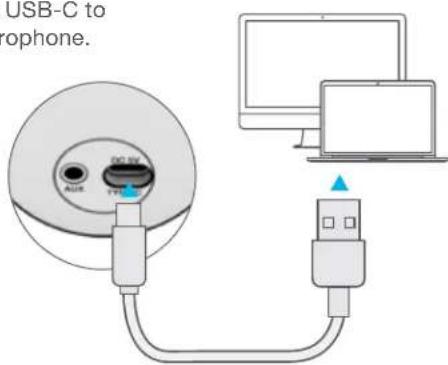
Connect USB-C to Talk microphone.
text_image
USB-C to iphone.Connect to your PC or Mac USB INPUT.
2
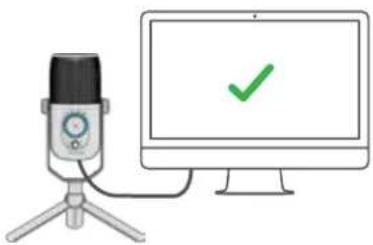
Enter your PC or Mac settings to make sure connection is established.
natural_image
Illustration of a desktop microphone connected to a computer monitor with a green checkmark (no text or symbols on the device)3
SETUP TALK with PC / MAC
SETUP TALK WITH PC (WINDOWS 7, 8, or 10)
- From the Start menu, select the Control Panel.
- From the Control Panel, select the Sound icon.
- Select the Recording tab and select "JLab Talk".
- Select the Playback tab and select "JLab Talk".
SETUP TALK WITH MAC (macOS 10.10 or HIGHER)
- Open System Preferences and select the Sound icon.
- Select the Input tab and select "JLab Talk".
- Select Output tab and select "JLab Talk".
- From this screen, set the Output volume to desired level.
CONTROLS
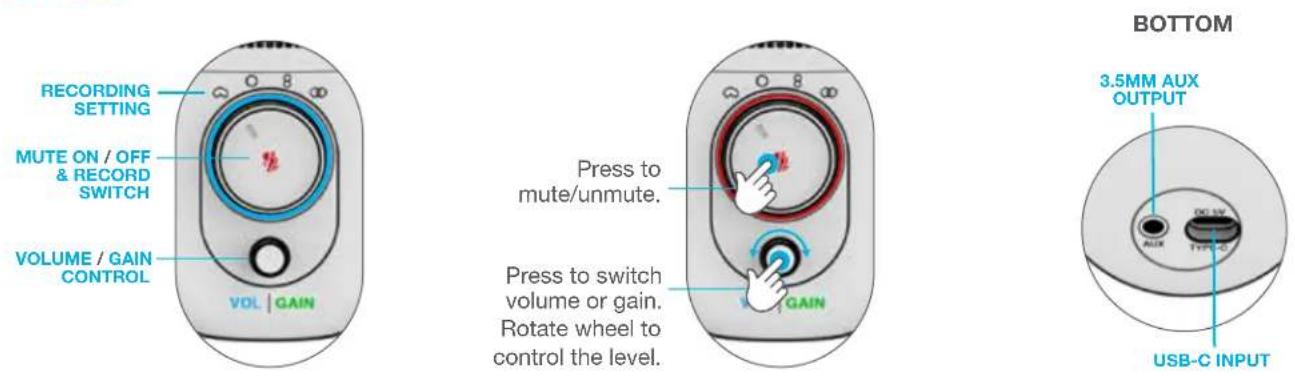

CARDIOID
Record front

OMNI
Record all surroundings

STEREO
Record left &
right channel

8
BIDIRECTIONAL
Record front &
back channel
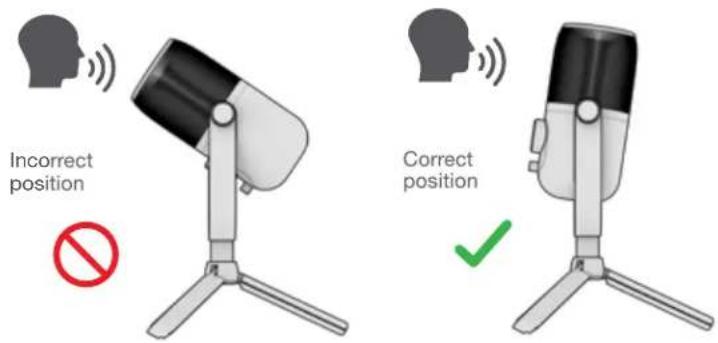
IN USE
text_image
Incorrect position Correct position- The Talk works with almost any recording software installed on macOS, Windows, or Linux. Review in your software's setting and adjust accordingly.
- No additional drivers/software are needed for the Talk. Simply plug in and setup in device settings.
- Talk will not work through a power bank/battery pack. It will only work with USB-A input with an operating system.

Shop products | Product alerts | Burn-in your headphones
JLab Store + Burn-in Tool