EN220 - Monitor EverFocus - Kostenlose Bedienungsanleitung
Finden Sie kostenlos die Bedienungsanleitung des Geräts EN220 EverFocus als PDF.


Benutzerfragen zu EN220 EverFocus
0 Frage zu diesem Gerät. Beantworten Sie die, die Sie kennen, oder stellen Sie Ihre eigene.
Eine neue Frage zu diesem Gerät stellen
Laden Sie die Anleitung für Ihr Monitor kostenlos im PDF-Format! Finden Sie Ihr Handbuch EN220 - EverFocus und nehmen Sie Ihr elektronisches Gerät wieder in die Hand. Auf dieser Seite sind alle Dokumente veröffentlicht, die für die Verwendung Ihres Geräts notwendig sind. EN220 von der Marke EverFocus.
BEDIENUNGSANLEITUNG EN220 EverFocus
5.6" Color TFT
LCD Monitor
Users' Manual
I. Safety Warning
- To prevent fire or shock hazard, do not expose this equipment to the environment of high humidity and dust. Do not use it in an unprotected outdoor installation or any area classified as a wet area.
- The temperature for installation should be kept between - 40^ +95^ . Avoid direct sunlight or extremely changes of the temperature.
- For safety sake, do not disseminate the unit or put it on an unstable base. Do not drop it and avoid heavy impact.
- Ventilation: Openings in the enclosure are provided for ventilation and to ensure reliable operation of the unit and to protect it from overheating. These openings must not be blocked or covered. This unit should not be placed in a built-in installation unless proper ventilation is provided.
- Cleanse: Unplug the unit from the outlet before cleansing. Do not use liquid cleaners or aerosol cleaners. Use a damp cloth to clean it.
- Overload: Do not overload outlets and extension cords as this may result in a risk of fire or electric shock.
- Object and Liquid Entry: Never push objects of any kind into this unit through openings as they may touch dangerous voltage points or short-out parts that could result in a fire or electric shock. Never spill liquid of any kind on the unit.
- Service: Do not attempt to service this unit yourself as opening or removing covers may expose you to dangerous voltage of other hazards. Refer all servicing to qualified service personnel.
II. Features
Screen size: 5.6 inch., 116 (H) x 87 (V) mm.
Active area: 111.36 (H) x 83.52 (V) mm
Drive system: A-Si TFT active matrix
Screen color: Full-Color
Dot matrix: 320 (H) x RGB x 240 (V) dots
Dot pitch: 0.116 (H) x 0.348 (V)
Overall dimension: 162 (H) x 133 (V) x 54 (D)
Contract ratio: 85:1
Luminosity: 270 cd/m
2
Sound output: 200mW x build in 4cm speaker 1 piece
Input terminals: Power input, Video input, Audio input
Consumption power: DC 12V/600mA, 8W (MAX)
Power input: DC 9V \~ 20V, pin 2.0 φ
Video input: 0.75 Vp-p \~ 1Vp-p, pin 3.5 φ
Audio input: 50mV.(min), Stereo in, pin 3.5 φ
Stereo output: Ear phone, pin 3.5 φ
Screen Display: Reverse / Normal switchable (R ↔ N)
Operate temperature: -40^ +95^
III. Function of Controllers
text_image
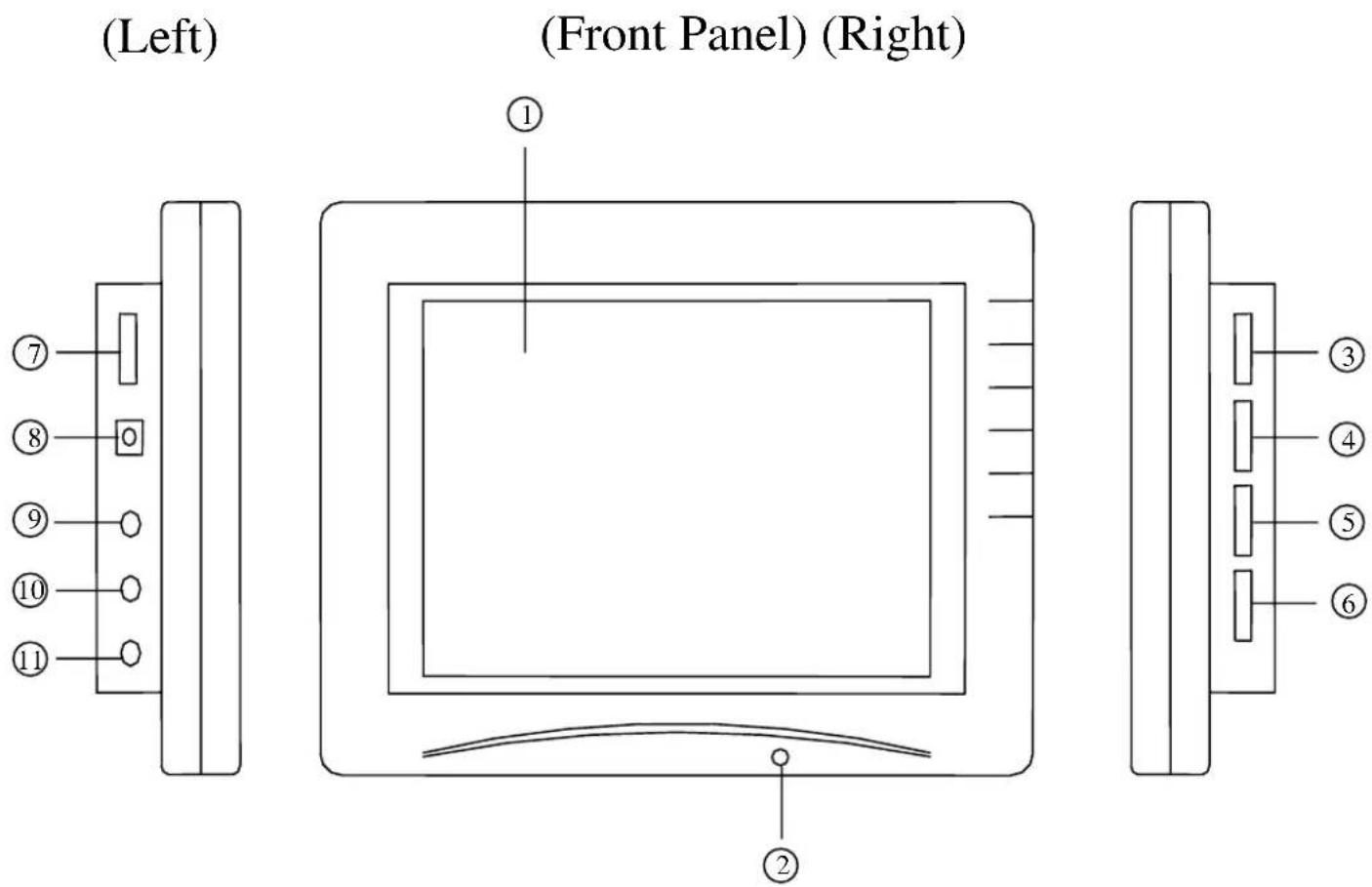
(Left) (Front Panel) (Right) ① ② ③ ④ ⑤ ⑥① 5.6" TFT Color Screen Display
② Power LED (Green)
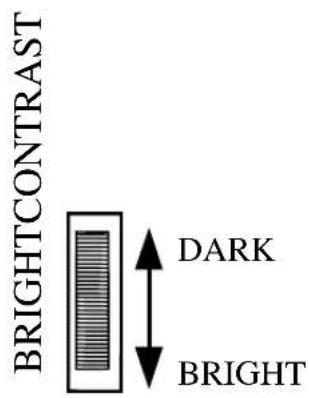
③ Brightness Adjustment
④ Contrast Adjustment
⑤ Color Adjustment
⑥ Audio Volume Adjustment
⑦ Power ON/OFF
⑧ DC 12V Power Input
⑨ Video Input
⑩ Earphone Audio Output
⑪ Audio Input
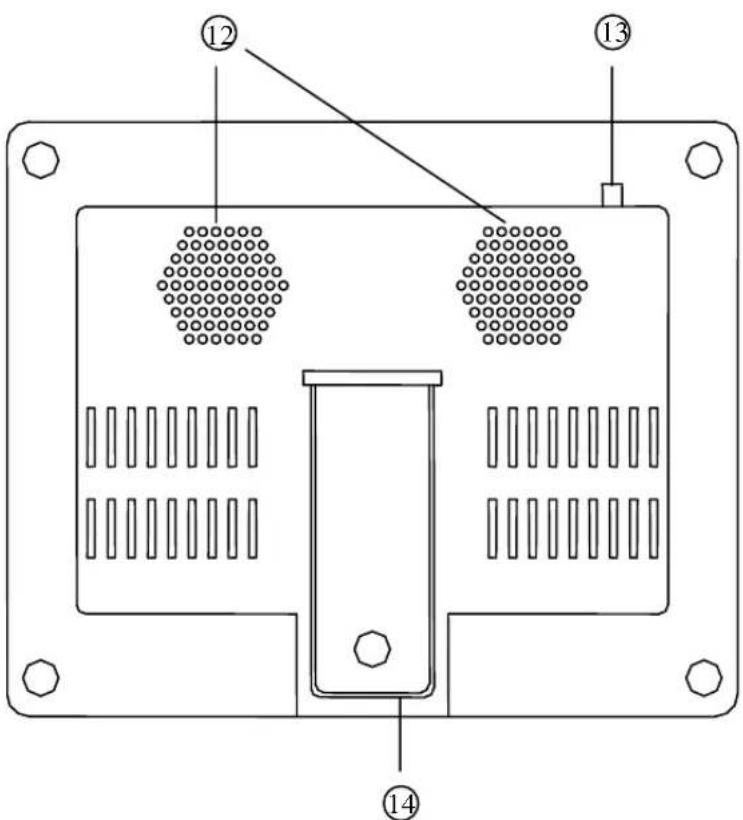
(Rear Panel)
text_image
Technical diagram of a device panel with numbered components and internal grid patterns⑫ Speaker output 200mW
⑬ Reverse / Normal switch for screen display
⑭ Incline Supporter
IV. Operation
1. Power:
a. Power source: DC 12V
b. AC adapter:DC 12V, 1000mA
c. Battery: DC 12V

text_image
ON OFF POWER2. Viewing Angle:
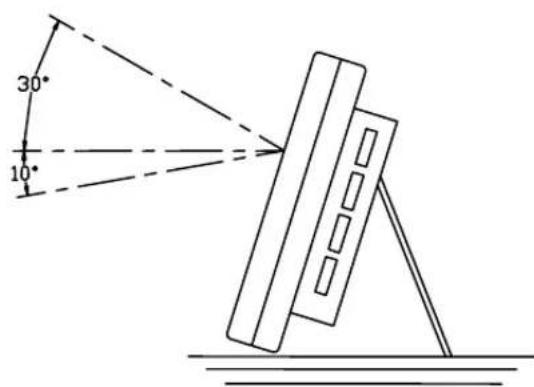
The ideal viewing angle is within the following range:
a. Upper angle: 30^
b. Lower angle: 10^
c. Left angle: 45^
d. Right angle: 45^
text_image
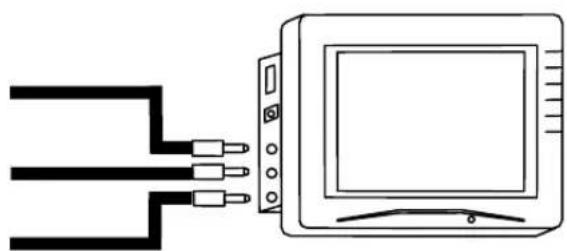
30° 10°3. Connection:
a. Video input
b. Earphone audio output
c. Audio input
natural_image
Simple line drawing of a TV connected to a three-pin cable (no text or symbols)V. Adjustment
-
Brightness Adjustment:
-
Contrast Adjustment:
-
Color Adjustment:
-
Audio Volume Adjustment:
-
N/R Switcher:
text_image
BRIGHTCONTRAST DARK BRIGHT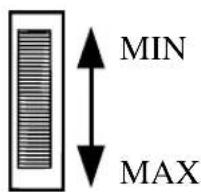
text_image
MIN MAX
text_image
COLOR SHALLOW DEEP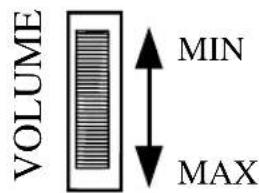
text_image
VOLUME MIN MAX
text_image
R N REVERSE NORMALEverFocus Electronics Corp.
Head Office:
10F-6, No.79 Sec. 1 Shin-Tai Wu Road,
Hsi-Chi, Taipei, Taiwan
TEL:886-2-26982334
FAX:886-2-26982380
USA Office:
Suite 101-102, 2975 Huntington Drive
San Marino, CA. 91108
U.S.A.
TEL : (626) 844-8888
FAX : (626) 844-8838
Toll free : 1-(888) 383-6287 or
1-(888) EV-FOCUS