ZSP-TR01 - Réglette Elite Screens - Kostenlose Bedienungsanleitung
Finden Sie kostenlos die Bedienungsanleitung des Geräts ZSP-TR01 Elite Screens als PDF.


Benutzerfragen zu ZSP-TR01 Elite Screens
0 Frage zu diesem Gerät. Beantworten Sie die, die Sie kennen, oder stellen Sie Ihre eigene.
Eine neue Frage zu diesem Gerät stellen
Laden Sie die Anleitung für Ihr Réglette kostenlos im PDF-Format! Finden Sie Ihr Handbuch ZSP-TR01 - Elite Screens und nehmen Sie Ihr elektronisches Gerät wieder in die Hand. Auf dieser Seite sind alle Dokumente veröffentlicht, die für die Verwendung Ihres Geräts notwendig sind. ZSP-TR01 von der Marke Elite Screens.
BEDIENUNGSANLEITUNG ZSP-TR01 Elite Screens

text_image
ELITE SCREENSWireless RF Projector Trigger Controller
Part# ZSP-TR01
User Guide
natural_image
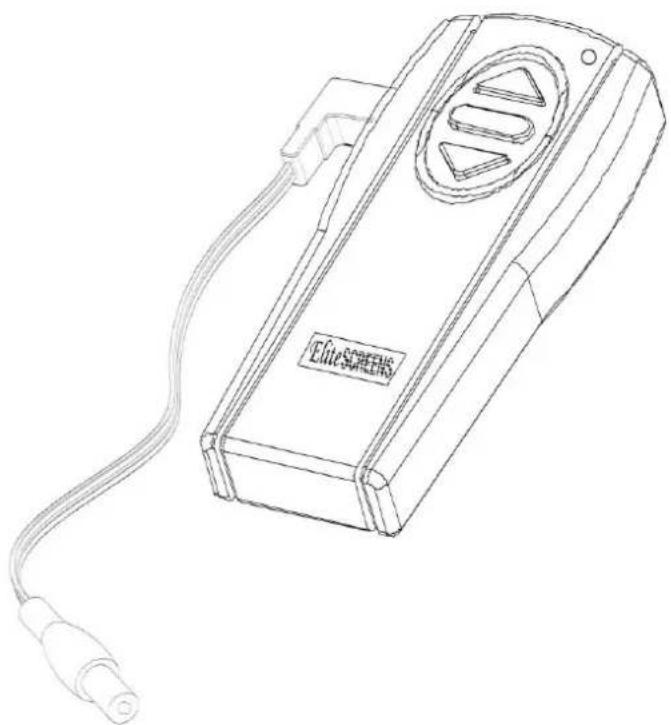
Line drawing of an electronic device labeled 'Elite SCREEN' with a coiled cable (no additional text or symbols)SPECIFICATIONS
- Size and Weight: W x H x D: 4.8"x2"x0.7", Weight: 0.09LBS
- Max. Control Distance: 80 feet (25M)
Control Type: ASK / FSK
-
Projector Output Support Trigger Voltage: 3—15V
-
RF Spec. Frequency: 315Mhz, Power: Below 2 milli-watts
-
Directions for user:
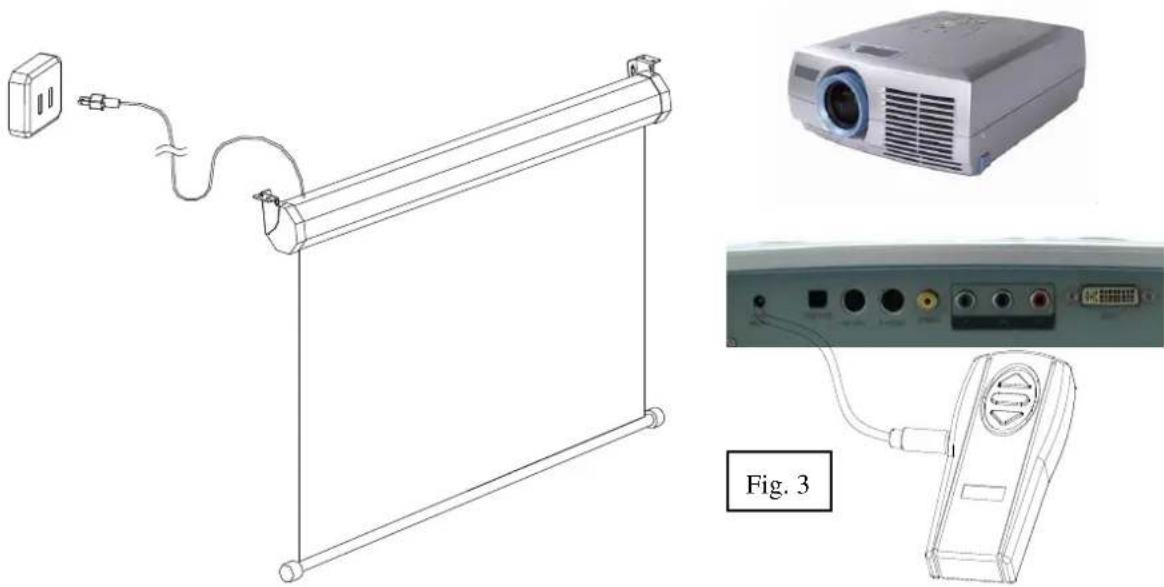
a. Connect the wireless RF trigger controller and the projector as shown below.
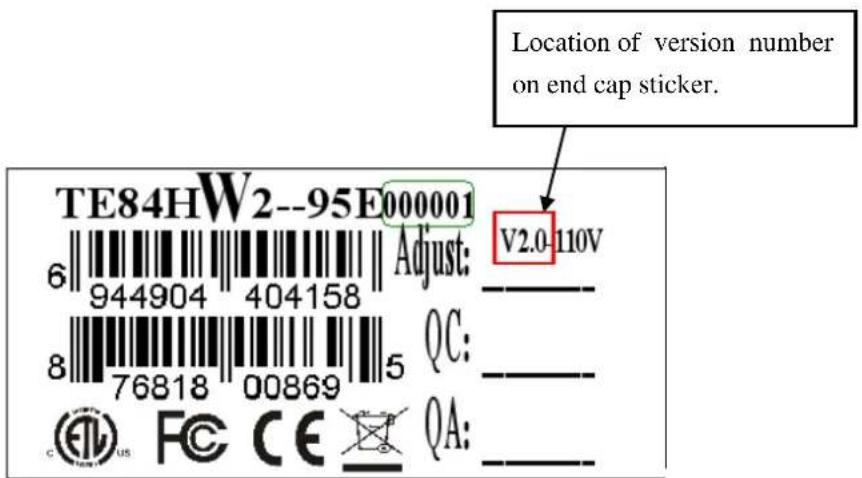
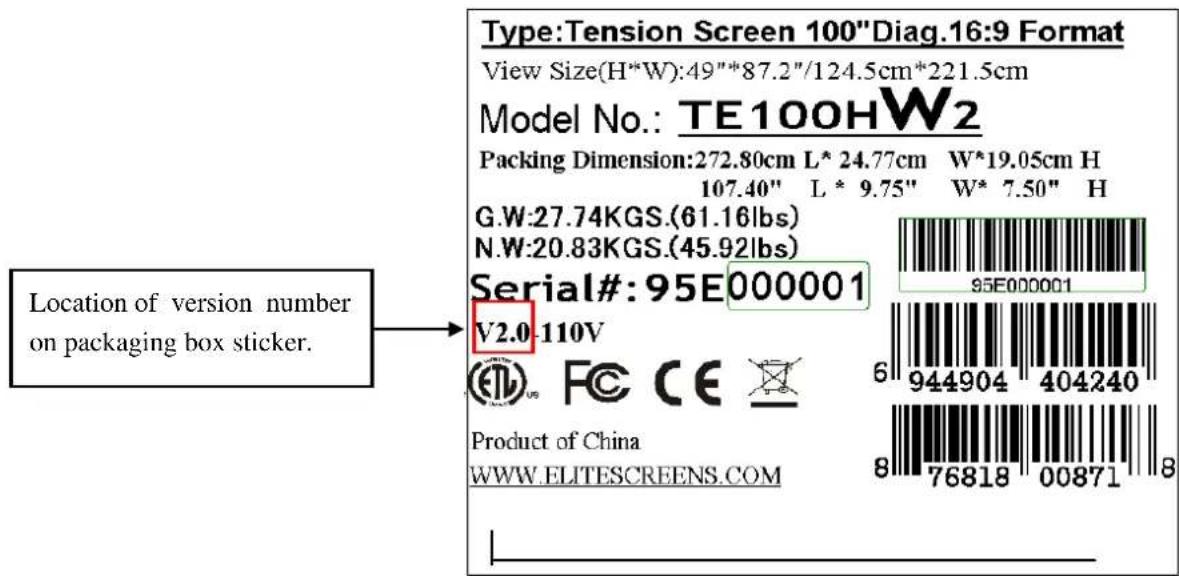
b. Use the wireless RF trigger controller to synchronize the screen drop/rise with the projection's power cycle via remote control according to the version number on your screen. Version number can be located either on the screen's end cap sticker or on the outside sticker of the packaging box.
text_image
Location of version number on end cap sticker. TE84HW2--95E000001 6 944904 404158 Adjust: V2.0-110V 8 76818 00869 QC: CE US F C CE QA:Fig. 1
text_image
Location of version number on packaging box sticker. Type:Tension Screen 100"Diag.16:9 Format View Size(H*W):49"*87.2"/124.5cm*221.5cm Model No.: TE100HW2 Packing Dimension:272.80cm L* 24.77cm W*19.05cm H 107.40" L * 9.75" W* 7.50" H G.W:27.74KGS.(61.16lbs) N.W:20.83KGS.(45.92lbs) Serial#:95E000001 V2.0-110V Product of China WWW.ELITESCREENS.COMFig. 2
natural_image
Technical line drawing of a projector mounted on a flat-screen panel, showing internal components and wiring (no text or symbols)Note: Directions for synchronizing your 5-12V wireless trigger according to the version number.
Version 1.4 (5-12V wireless trigger and Elite electric screen must be the same version)
Step 1: Push the small button located on the circuit board on the left side of the projection screen (please note: you may require a small sharp object to achieve this). After the LED light turns on, press & hold the UP button on your Wireless RF Trigger Controller and make sure the LED light on circuit board turns on.
Step 2: Continue to hold the up button for an additional 3-4 seconds. After 3-4 seconds, your 5-12V Wireless Trigger should be activated and you'll be able to control your screen with your projector's power cycle.
Repeat the steps again if not successful.
(Please be aware, the projector on/off cycle may take longer to fully activate. It usually takes around 20-30 seconds for full off and on cycle each time)
Version 2.0 (5-12V wireless trigger and Elite electric screen must be the same version)
Step 1: Make sure to unplug your screen from the power outlet
Step 2: Hold the UP button on your 5-12V wireless trigger
Step 3: While holding the UP button, plug the screen back to the power outlet
Step 4: Wait 5 seconds and then release the UP button
Step 5: Your 5-12V wireless trigger should now be activated with your screen and ready to be used and able to control your screen with your projector's power cycle.
Repeat the steps again if not successful.
Note: Once your RF remote has been activated, the synchronization will be saved even if the power is cut off.