
PAD-HGT - Nicht kategorisiert CTA Digital - Kostenlose Bedienungsanleitung
Finden Sie kostenlos die Bedienungsanleitung des Geräts PAD-HGT CTA Digital als PDF.


Benutzerfragen zu PAD-HGT CTA Digital
0 Frage zu diesem Gerät. Beantworten Sie die, die Sie kennen, oder stellen Sie Ihre eigene.
Eine neue Frage zu diesem Gerät stellen
Laden Sie die Anleitung für Ihr Nicht kategorisiert kostenlos im PDF-Format! Finden Sie Ihr Handbuch PAD-HGT - CTA Digital und nehmen Sie Ihr elektronisches Gerät wieder in die Hand. Auf dieser Seite sind alle Dokumente veröffentlicht, die für die Verwendung Ihres Geräts notwendig sind. PAD-HGT von der Marke CTA Digital.
BEDIENUNGSANLEITUNG PAD-HGT CTA Digital


PAD-HGT
CTA DIGITAL
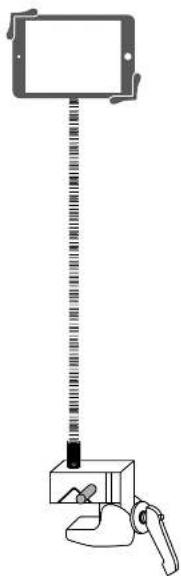
Heavy-Duty Gooseneck Clamp Stand
for 7-13 Inch Tablets
INSTRUCTION MANUAL
Thank you for choosing CTA Digital's product. We hope that you will enjoy using it. Please follow the guidelines and instructions as laid out in this instruction manual.
natural_image
Simple line drawing of a handheld device with a vertical bar and handle (no text or symbols)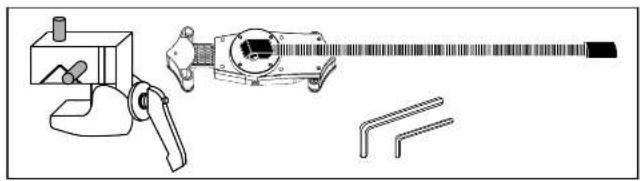
natural_image
Technical line drawing of mechanical components including a tool, bracket, gear, and support structure (no text or symbols)Instructions:
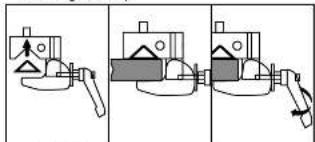
- Installing the Clamp
text_image
Diagram showing three sequential mechanical or electrical process steps with labeled components and directional arrowsOn a Flat Surface:
-
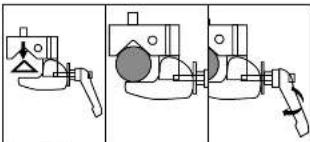
Place rubber grip flat insert into the clamp groove. Rotate tightening handle counter-clockwise to widen around surface ledge. Rotate clockwise to tighten until secure.
-
Connecting the Tablet Gooseneck Holder
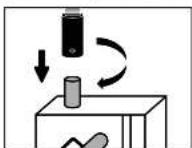
- Screw gooanack onto the metal connection bell on top of the clamp. Note: If matter screw are already in, universe before attaching gooanack.
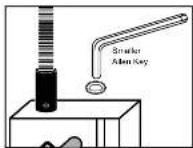
- Use the smaller Alan key to screw up two minder screws into the gocomlock lighting the connection.
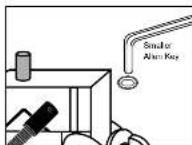
- Use the smaller Allen key to screw the two meter screws inside the gooseneck, tightening the connection.
natural_image
Three-panel diagram showing a mechanical device with a triangular component, a circular component, and a tool inserted into a housing (no text or symbols)On a Tube:
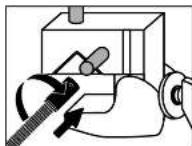
- Remove rubber grip flat insert from clamp groove. Rotate tightening handle counter-clockwise to widen around surface ledge. Rotate clockwise to tighten until secure.
-
To use clamp aligned vertically, screw gossenack onto the male metal connection bolt on the side of the clamp.
-
Installing Your Device and Adjusting the Gooseneck and Tablet Holder:
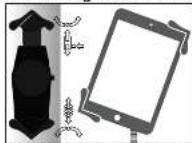
- Press the button on the side of the holder center to slide out holder arm. Insert your tablet against the spring end, then slide the other arm back in, closing firmly.
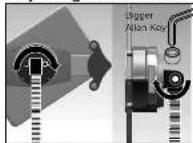
- Use the bigger Allen key to lighten and loosen the gooseneck to holder connection, adjusting ease of rotation
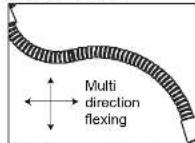
- Flex the gooseneck to multi direction and adjust it freely according to your needs.
SUPPORT@CTADIGITAL.COM