
FX-E - Whiteboard HITACHI - Kostenlose Bedienungsanleitung
Finden Sie kostenlos die Bedienungsanleitung des Geräts FX-E HITACHI als PDF.


| Produkttyp | Interaktives Whiteboard |
| Marke | Hitachi |
| Modell | FX-E Serie (FX-79E1 / FX-89WE1) |
| Eingabemethode | Infrarot-Abschattungserkennung |
| Bildschirmgröße (effektiv) | 79 Zoll (4:3) / 89 Zoll (16:10) |
| Physische Abmessungen (B x H x T) | 1852 x 1282 x 35 mm (FX-79E1) / 2179 x 1282 x 35 mm (FX-89WE1) |
| Gewicht (Tafel) | ca. 22 kg (FX-79E1) / ca. 24 kg (FX-89WE1) |
| Material Tafeloberfläche | Stahl (Oberfläche), hochdichtes Polyester (Kern) |
| Schnittstelle zum Computer | USB 1.1 / USB 2.0 |
| Betriebstemperatur | +5 bis +35 °C |
| Luftfeuchtigkeit | 20 % – 80 % (nicht kondensierend) |
| Systemanforderungen (Windows) | Intel Pentium 4 1,8 GHz oder schneller, 1 GB RAM, 600 MB Festplatte, Windows XP/Vista/7 (32/64 Bit) |
| Systemanforderungen (Mac) | Intel CPU, 1 GB RAM, 600 MB Festplatte, Mac OS X 10.5/10.6/10.7.4 |
| Funktionen | Finger-/Stiftbedienung, Multi-Touch-Gesten, Scrollen, Zoomen, Handschrifterkennung, Google Bildersuche, Remote-Konferenz, anpassbare Symbolleiste |
| Zubehör | StarBoard Software, i-learn Math Toolbox |
| Zertifikate | FCC Class B, CE, VCCI Class A |
| Hersteller | Hitachi Australia Pty Ltd |
| Kontakt | Telefon: 1800 HITACHI, E-Mail: dps@hitachi.com.au |
| Lieferumfang | Whiteboard, USB-Kabel, Software-CD, Bedienungsanleitung |
| Garantie | 2 Jahre (Standard, je nach Händler) |
Häufig gestellte Fragen - FX-E HITACHI
Benutzerfragen zu FX-E HITACHI
0 Frage zu diesem Gerät. Beantworten Sie die, die Sie kennen, oder stellen Sie Ihre eigene.
Eine neue Frage zu diesem Gerät stellen
Laden Sie die Anleitung für Ihr Whiteboard kostenlos im PDF-Format! Finden Sie Ihr Handbuch FX-E - HITACHI und nehmen Sie Ihr elektronisches Gerät wieder in die Hand. Auf dieser Seite sind alle Dokumente veröffentlicht, die für die Verwendung Ihres Geräts notwendig sind. FX-E von der Marke HITACHI.
BEDIENUNGSANLEITUNG FX-E HITACHI
StarBoard
Interactive Whiteboard - FXE Series
natural_image
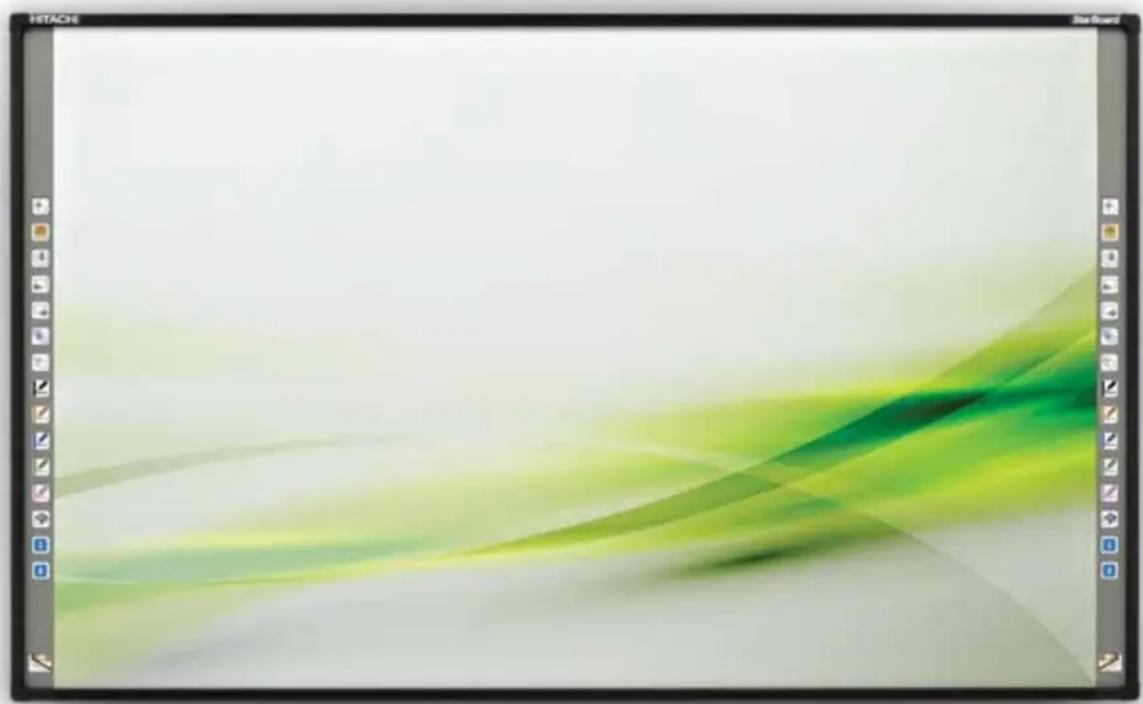
Abstract graphic design with green and yellow flowing shapes on a light background (no text or symbols)Hitachi FX-79E1/FX-89WE1
Interactive Whiteboards
Introducing the new interactive whiteboards from Hitachi especially designed to help you get the most out of teaching, brain-storming and project planning.
- Use your finger, stylus or any object to operate
- Hard surface makes it just about unbreakable
- Low reflective screen, eliminates bright glare spots from projection
- Annotate on sketches, video clips, pictures and distribute before leaving the room
- Connect to other StarBoards in other locations in real time and collaborate on projects
FX-79E1/FX-89WE1 at a glance:
- Robust surface - The surface is robust and the whiteboard works even if there are scratches/dents on the surface
- Low reflection - Project or reflection is minimized making it gentle on the eyes
- Input Methods - Use a finger/object to operate the whiteboard
- Simultaneous Inputs - Operate the whiteboard using both hands (gestures)
- Scroll and Zoom-in/Zoom-out
- Customizable floating toolbar
- Seamless use with other application/contents
- Direct access to the internet - Google image search
- Handwriting Recognition
- Remote conferencing
• Essential Math Tools
Useful functions of StarBoard Software
Customizable Toolbar
Google Image Search
Remote Conferencing
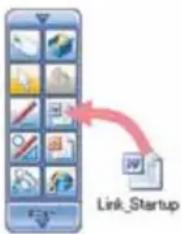
flowchart
graph TD
    A["Start"] --> B["Link_Startup"]
    style A fill:#f9f,stroke:#333
    style B fill:#ccf,stroke:#333

Handwriting Recognition

Direct search to Internet

Finger-driven technology
Use your finger, stylus to easily navigate through activities, websites, and multi-media content.
Multi-touch hand gestures
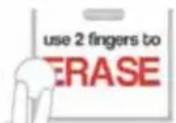
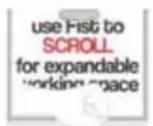
Use your finger to annotate, fist to scroll and two fingers to erase or zoom in and out.
Specifications
| Model No. | AH00329 / AH00332 |
| Input Methods | Infrared ray shading detection system |
| Interface to Computer | USB1.1, USB 2.0 Compatible |
| Effective Screen Size | Physical area 85.6 inches(1,805mm (W) x 1,235mm (H))Effective area 79 inches (Aspect ratio 4:3)(1,633mm (W) x 1,225mm (H))Physical area 96 inches2,132mm (W) x 1,235mm (H))Effective area 89 inches (Aspect ratio 16:10)(1,980mm (W) x 1,1225mm (H)) |
| Board/Surface Material | High density polyester (core), Steel (surface) |
System Requirements
| Windows | |
| CPU | Intel Pentium 4 1.8GHz or faster |
| Free Hard Drive Space | 600 MB or more |
| RAM | 1GB or more |
| Display Colours | 32bits |
| Operating System (OS) | Windows XP 32bit / Windows Vista 32bit / Windows 7 32/64bit(StarBoard Software has been tested with the latest service pack at release)(Tablet PC Edition and Server Edition are not supported) |
| Software Required | Internet Explorer 7.0/8.0/9.0(for using Internet search functions)Microsoft Word 2002/2003/2007/2010(for viewing Word documents)Microsoft Excel 2002/2003/2007/2010(for viewing Excel documents)Microsoft PowerPoint 2002/2003/2007/2010(for viewing PowerPoint documents)Adobe Reader 8.0/9.0/X(for viewing PDF documents)Adobe Flash Player 10(for using Flash object) |
| Others | DVD DriveVideo card with hardware overlay feature(for using movie features) |
Webcam Playback and Capturing Features
- DV (Digital Video, DV cameras, D-VHS, etc.)
- Capture devices which support DirectShow (with WDM drivers)
Conference Host Features (Windows and Macintosh)
| CPU | Intel Core 2 Duo 2.0GHz or faster |
| Free Hard Drive Space | 2GB or more |
| RAM | 2GB or more |
| Others | TCP/IP 54Mbps or above |
| Operating Specification | +5 - 35 Celsius, 20%-80% Humidity without condensation |
| Dimensions (mm) | 1,852mm (W) x 1,282mm (H) x 35mm (D) / 2,179mm (W) x 1,282mm (H) x 35mm (D) |
| Weight (Board) | Approx. 22 kg (20-24 kg) / Approx. 24 kg (22-26 kg) |
| Packing Dimension (Board) | 1,975 mm (W) x 1,1405 mm (H) x 90 mm (D) / 2,300 mm (W) x 1,405 mm (H) x 90 mm (D) |
| Packing Weight (Board) | Approx, 33 kg (31 - 35 kg) Approx. 37 kg (35-39 kg) |
| Certificates | FCC Class B, CE, VCCI Class A |
Macintosh
| CPU | Intel CPU |
| Free Hard Drive Space | 600MB or more |
| RAM | 1GB or more |
| Display Colours | High Colour (16bit) or higher |
| Operating System (OS) | Mac OS X 10.5 /10.6 /10.7.4 |
| Software Required | Microsoft PowerPoint 2004/2008/2011for Mac(for viewing PowerPoint documents)Apple Quicktime 7.1 or above(for using movie features)Adobe Flash Player 10(for using Flash object) |
| Others | DVD drive |
i-learn: maths toolbox
| Display Resolution | 1024 - 768 or higher |
| Software Required | Adobe Reader |
| Others | 3D graphics card with 32-bit colour |
"GoogleImageSearch", "Remote Conference", "Direct search to Internet" requires Internet connection
Hitachi Australia Pty Ltd
Level 8/123 Epping Road, Macquarie Park, NSW 2113
Phone: 1800 HITACHI
Email: dps@hitachi.com.au
www.hitachi.com.au/dps
Marke : HITACHI
Modell : FX-E
Kategorie : Whiteboard