FD Lens Adapter - Objektivadapter Fotodiox - Kostenlose Bedienungsanleitung
Finden Sie kostenlos die Bedienungsanleitung des Geräts FD Lens Adapter Fotodiox als PDF.


Benutzerfragen zu FD Lens Adapter Fotodiox
0 Frage zu diesem Gerät. Beantworten Sie die, die Sie kennen, oder stellen Sie Ihre eigene.
Eine neue Frage zu diesem Gerät stellen
Laden Sie die Anleitung für Ihr Objektivadapter kostenlos im PDF-Format! Finden Sie Ihr Handbuch FD Lens Adapter - Fotodiox und nehmen Sie Ihr elektronisches Gerät wieder in die Hand. Auf dieser Seite sind alle Dokumente veröffentlicht, die für die Verwendung Ihres Geräts notwendig sind. FD Lens Adapter von der Marke Fotodiox.
BEDIENUNGSANLEITUNG FD Lens Adapter Fotodiox
REMOVING THE ADAPTER
FotioX
FD/FL Breech-MountNew-FD Bayonet Mount
Press the lens release on your lens and turn to remove adapter
Turn the ring on the lens until adapter is removed
FD Lens Adapter
Instruction Manual
CONTACT Us:
For Information Regarding this and more of our products, please contact us:
E-mail: info@fotodiox.com
Phone: 847.201.4623
www.fotodiox.com
3805 Hawthorne Ct.
Waukegan IL, 60087
text_image
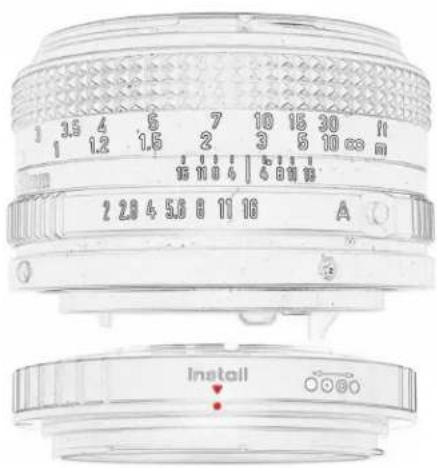
1 3.5 4 5 7 10 15 30 11 1 1.2 1.5 2 3 5 10 mm 15 10 6 15 10 mm 2 2.8 4 5.6 8 11 16 A Install*Lens not included
We're also on:


www.fotodiox.com
MOUNTING THE ADAPTER
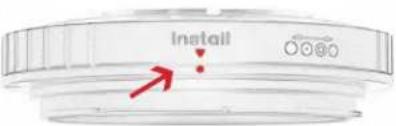
1 Before mounting the adapter on any FD-Mount type, (Regular Lock mount or Breech-Lock Mount) you must place the adapter ring on Install
text_image
InstallNew-FD Bayonet Mount
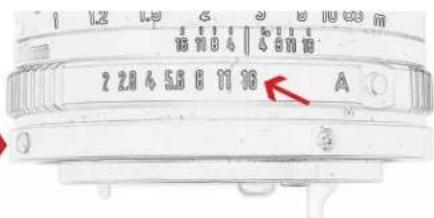
2 Set your lens to any aperture except for auto (bayonet mount only)
Bayonet mounts are identified by a red dot next to the lens release button
text_image
2 2.8 4 5.8 6 11 10 AFD/FL Breech-Mount
text_image
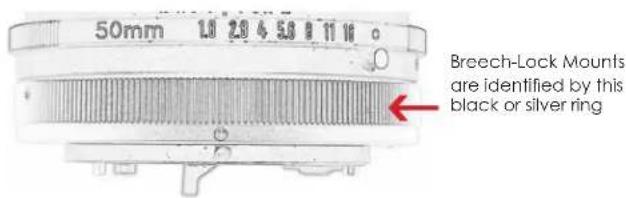
50mm 1.0 2.0 4 5.0 8 11 16 Breech-Lock Mounts are identified by this black or silver ring3 Match the lens and adapter markings and turn adapter for bayonet mount. Turn ring on lens for breech mount until securely locked
OPERATING THE ADAPTER
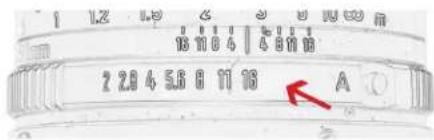
If you'd like to operate the lens aperture with the adapter; on your lens, set the aperture to the smallest opening and use the adapter ring
text_image
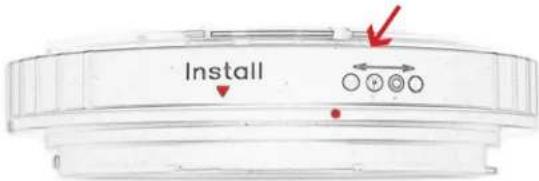
1.2 1.9 2 3 4 5 6 7 8 9 10 11 13 14 15 16 17 18 19 20 21 22 23 24 25 26 27 28 29 30 31 32 33 34 35 36 37 38 39 40 41 42 43 44 45 46 47 48 49 50 51 52 53 54 55 56 57 58 59 60 61 62 63 64 65 66 67 68 69 70 AIf you'd like to operate the lens aperture with the lens; place the adapter ring on the small aperture icon and control the aperture on the lens
text_image
InstallMACRO PHOTOGRAPHY
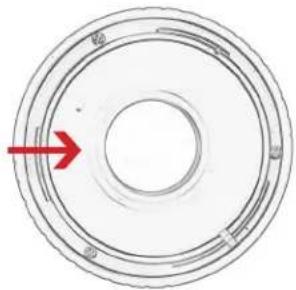
Unscrew the glass holder and remove glass for macro photography.
Store Glass in a safe place to avoid scratches