
CA-U1EX - Câble pour ordinateur et périphériques KENWOOD - Kostenlose Bedienungsanleitung
Finden Sie kostenlos die Bedienungsanleitung des Geräts CA-U1EX KENWOOD als PDF.


| Produkttyp | USB-Verlängerungskabel |
| Marke | Kenwood |
| Modell | CA-U1EX |
| Kategorie | Kabel für Computer und Peripheriegeräte |
| Länge (ca.) | 1,0 m |
| Gewicht (ca.) | 50 g |
| Anschlüsse | USB Typ A Stecker, USB Typ A Buchse, USB Mini B Stecker |
| Kompatibilität | USB 1.1 / 2.0 / 3.0 |
| Betriebsspannung | 5 V (über USB) |
| Maximaler Strom | 500 mA |
| Betriebstemperatur | 0 °C bis 40 °C |
| Lagertemperatur | -20 °C bis 60 °C |
| Sicherheit | Sicherheitshinweise in der Anleitung beachten |
| Montage | Einbau (Armaturenbrett) oder Oberflächenmontage möglich |
| Reinigung | Mit trockenem Tuch reinigen, keine Flüssigkeiten verwenden |
| Entsorgung | Gemäß EU-Richtlinie für Elektroschrott (WEEE) |
| Hersteller | Kenwood Corporation |
| CE-Konformität | Erklärung hinterlegt bei Kenwood Electronics Europe B.V. |
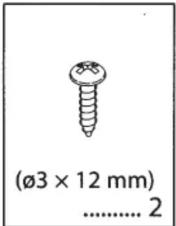
| Lieferumfang | USB-Verlängerungskabel, Montagezubehör (Schrauben, Halterung) |
| Garantie | Siehe Kaufbeleg oder Hersteller |
Häufig gestellte Fragen - CA-U1EX KENWOOD
Benutzerfragen zu CA-U1EX KENWOOD
0 Frage zu diesem Gerät. Beantworten Sie die, die Sie kennen, oder stellen Sie Ihre eigene.
Eine neue Frage zu diesem Gerät stellen
Laden Sie die Anleitung für Ihr Câble pour ordinateur et périphériques kostenlos im PDF-Format! Finden Sie Ihr Handbuch CA-U1EX - KENWOOD und nehmen Sie Ihr elektronisches Gerät wieder in die Hand. Auf dieser Seite sind alle Dokumente veröffentlicht, die für die Verwendung Ihres Geräts notwendig sind. CA-U1EX von der Marke KENWOOD.
BEDIENUNGSANLEITUNG CA-U1EX KENWOOD
KENWOOD
USB Extension Cables
CA-U1EX
INSTRUCTION MANUAL
Kenwood Corporation
© B64-3462-00/00 (WW)
Safety precautions
WARNING
To prevent injury or fire, take the following precautions:
- To prevent fire caused by a short in the wiring, connect a fusible link or breaker nearby the battery's positive terminal.
- Mounting and wiring this product requires skills and experience. For safety's sake, leave the mounting and wiring work to professionals.
CAUTION
To prevent damage to the machine, take the following precautions:
- Do not install the unit in a spot exposed to direct sunlight or excessive heat or humidity. Also avoid places with too much dust or the possibility of water splashing.
- Do not set the unit in hot places such as on the dashboard.
- Do not install near the dashboard, rear tray, or air bag safety parts.
• Install the unit in the place where it will not prevent you from driving your vehicle properly.
• After the unit is installed, check whether the brake lamps, blinkers, wipers, etc. on the car are working properly.
Notes
- If you experience problems during installation, consult your Kenwood dealer.
Information on Disposal of Old Electrical and Electronic Equipment (applicable for EU countries that have adopted separate waste collection systems)
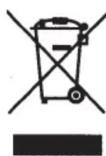
Products with the symbol (crossed-out wheeled bin) cannot be disposed as household waste.
Old electrical and electronic equipment should be recycled at a facility capable of handling these items and their waste byproducts. Contact your local authority for details in locating a recycle facility nearest to you. Proper recycling and waste disposal will help conserve resources whilst preventing detrimental effects on our health and the environment.

LA DICHIARAZIONE DI CONFORMITA' "CE" DI QUESTO PRODOTTO E' DEPOSITATA PRESSO:
KENWOOD ELECTRONICS EUROPE B.V. AMSTERDAMSEWEG 37 1422 AC UITHOORN THE NETHERLANDS
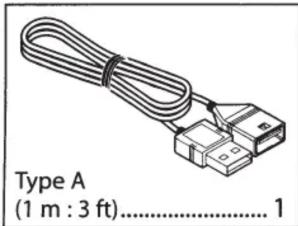
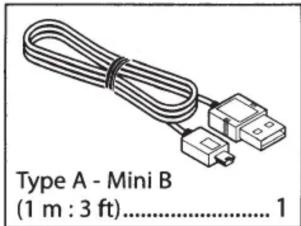
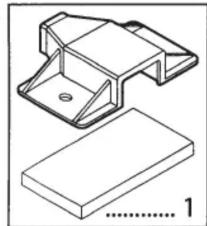
natural_image
Technical line drawing of a mechanical bracket and a flat plate (no text or symbols)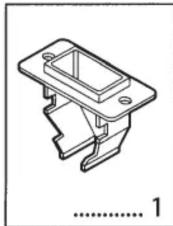
natural_image
Technical line drawing of a mechanical bracket component (no text or symbols)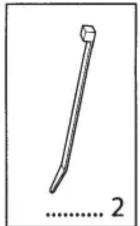
Connection
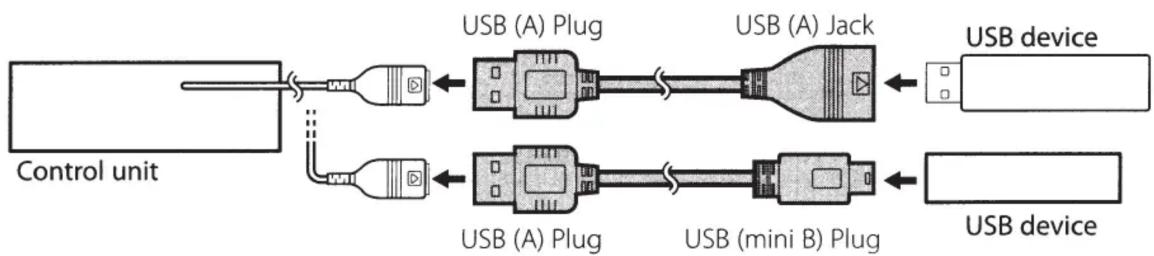
flowchart
graph LR
    A["Control unit"] --> B["USB (A) Plug"]
    A --> C["USB (A) Jack"]
    B --> D["USB device"]
    C --> E["USB device"]
    F["USB (A) Plug"] --> G["USB (mini B) Plug"]
    H["USB (A) Plug"] --> I["USB device"]
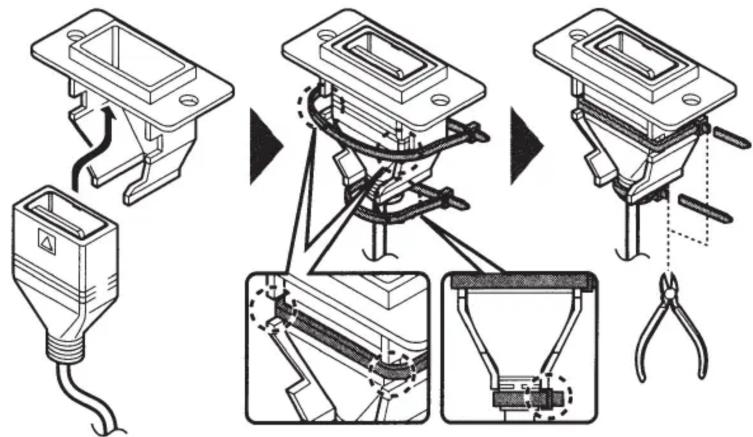
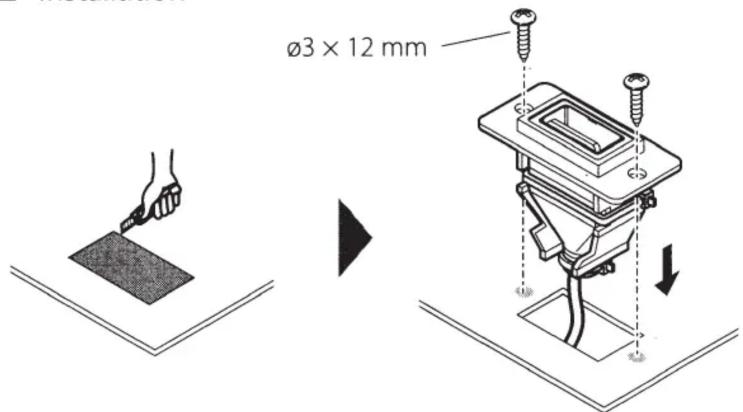
Installation (USB Type A Jack)
Implant mounting
1 Assembly
2 Installation
Surface mounting
1 Assembly
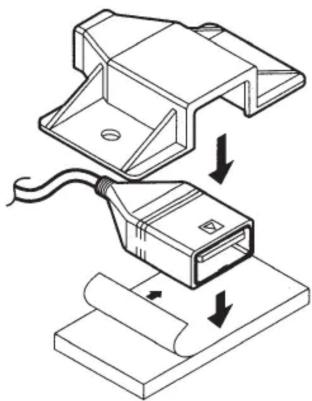
natural_image
Technical illustration of a mechanical assembly with a connector and cable, showing no text or symbols.2 Installation
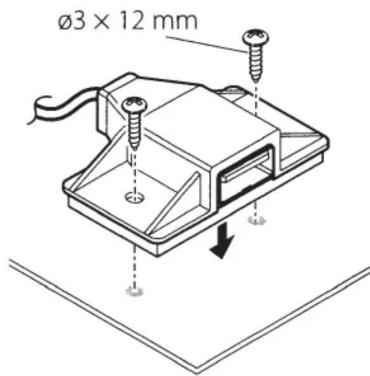
- KENWOOD
- CA-U1EX
- INSTRUCTION MANUAL
- Safety precautions
- WARNING
- To prevent injury or fire, take the following precautions:
- CAUTION
- To prevent damage to the machine, take the following precautions:
- Notes
- Information on Disposal of Old Electrical and Electronic Equipment (applicable for EU countries that have adopted separate waste collection systems)
- Connection
- Installation (USB Type A Jack)
- Implant mounting
- Surface mounting
Marke : KENWOOD
Modell : CA-U1EX
Kategorie : Câble pour ordinateur et périphériques