
Upstream Pro GUV303 - Nicht kategorisiert IOGEAR - Kostenlose Bedienungsanleitung
Finden Sie kostenlos die Bedienungsanleitung des Geräts Upstream Pro GUV303 IOGEAR als PDF.


Benutzerfragen zu Upstream Pro GUV303 IOGEAR
0 Frage zu diesem Gerät. Beantworten Sie die, die Sie kennen, oder stellen Sie Ihre eigene.
Eine neue Frage zu diesem Gerät stellen
Laden Sie die Anleitung für Ihr Nicht kategorisiert kostenlos im PDF-Format! Finden Sie Ihr Handbuch Upstream Pro GUV303 - IOGEAR und nehmen Sie Ihr elektronisches Gerät wieder in die Hand. Auf dieser Seite sind alle Dokumente veröffentlicht, die für die Verwendung Ihres Geräts notwendig sind. Upstream Pro GUV303 von der Marke IOGEAR.
BEDIENUNGSANLEITUNG Upstream Pro GUV303 IOGEAR
GUV303
UpStream™ Pro Video Production Switch
• Capture, preview, monitor live video, record, edit & stream with a single device
- Easily create pro-quality video content and dual livestream it to a global audience
- 6-In-1 Video production solution simplifies your workflow, reducing hardware needs
• Built-in 1080p/4K video capture, switch, splitter, converter, streaming encoder & audio mixer
- Connect, capture up to 3 HDMI sources with 4K & 1080p cameras; 1080p output
natural_image
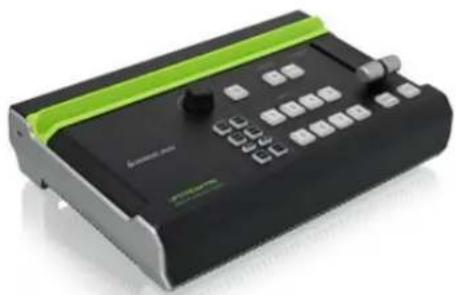
Black and green handheld electronic device with control buttons and a green stripe (no visible text or symbols)Professional-Quality Livestreaming Simplified
The UpStream™ Pro Video Production Switch is a 6-in-1 solution that combines and simplifies the hardware and software tools you need to livestream like a pro! Along with UpStream Studio™, a robust iPad app, you can control, preview and monitor live video, record, edit and add a variety of professional effects that enhance your program content.
Whether you're an aspiring YouTuber, an up and coming Twitch streamer or an experienced content creator, you too can stream like a pro with UpStream Pro.
natural_image
Black and green electronic device with control buttons and a green stripe (no visible text or symbols)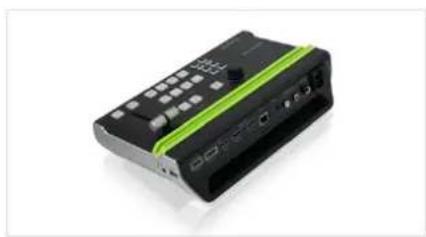
natural_image
Black and green electronic device with ports and buttons (no visible text or symbols)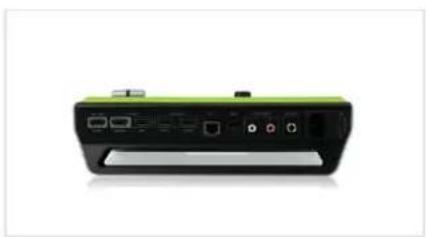
natural_image
Front view of a green and black electronic device with ports and indicator lights (no visible text or symbols)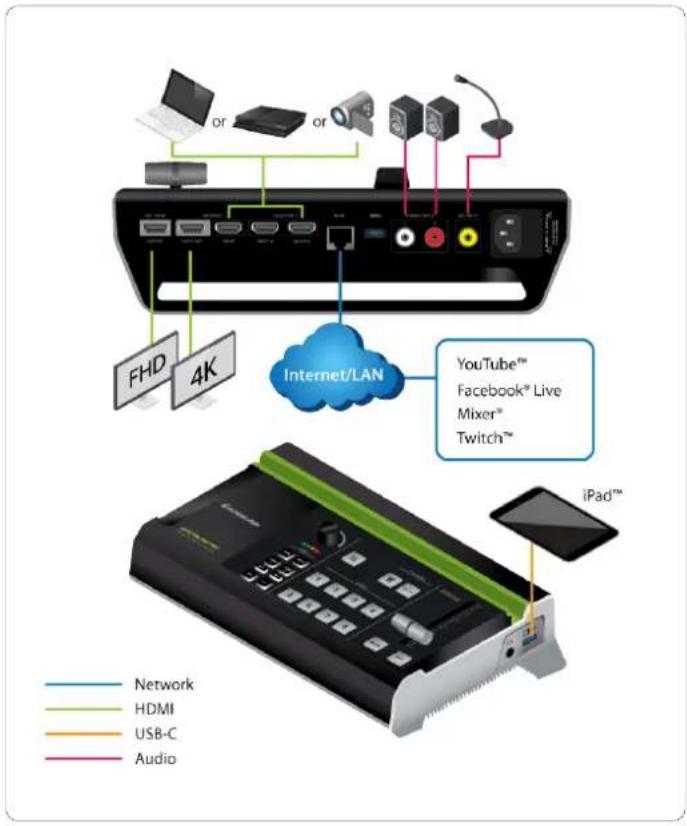
text_image
FHD 4K Internet/LAN YouTube™ Facebook® Live Mixer® Twitch™ iPad™ Network HDMI USB-C AudioRequirements
Package Contents
- iPad Pro (3rd gen) with iOS 11 or later
The following iPad with iOS 11 or later (Additional Apple Lightning USB 3 Camera Adapter is required):
•iPad Pro (1st & 2nd gen)
- iPad (5th,6th & 7th gen)
•iPad Air (3rd gen)
- iPad Mini (5th gen)
- 1x GUV303
• 1x USB-A to USB-C Cables (Custom)
• 1x USB-A to USB-A Cables (Custom) - 1x AC Power Cable
- 1x QSG
- 1x Warranty card
Specifications
Function GUV303
Video connections
Input 1 x 4K HDMI Type-A Female (up to 4K@60,
no HDCP support) 2 x HDMI Type-A Female (up to 1080p@60, switcher, no HDCP support)
Output 1 x 4K Loop-Thru HDMI Type-A Female (up
to 4K@60, no HDCP support) 1 x PGM HDMI Type-A Female (up to 1080p@60, no HDCP support)
Audio
Audio Output HDMI outputs (stereo)
Environment
Humidity 0 - 80% RH, Non-Condensing
Operation Temperature 0 - 40 °C
Storage Temperature -20 ? 60 °C
Operating System Requirements
iOS The 3rd Gen iPad Pro with iOS 11 and above
Connectors
Audio Input HDMI captured inputs (stereo)
Connectors-Audio(console)
Line In RCA Line in
Microphone 1/4 inch input
Upstream Port
USB-A 1 x USB 3.2 Gen 1
Downstream Port
USB-A 1 x USB 2.0
Ethernet 1 x GbE
Dimensions GUV303
Unit Dimensions
Height 3.54" (9cm)
Depth 6.29" (16cm)
Length 11.22" (28.5 cm)
Unit Package Dimensions
Width 14.5" (37 cm)
Height 11.41" (29 cm)
Depth 5.23" (13.3 cm)
Master Carton
Width 12" (30.5 cm)
Height 14.9" (38 cm)
Depth 6.1" (15.7cm)
Master Carton Qty. 1
Weight
Master Carton Wt. 6.8 lbs
Unit Pack Wt. 5.3 lbs
Unit Wt. 4.25 lbs