WW-BT-VC - Nicht kategorisiert Wet Sounds - Kostenlose Bedienungsanleitung
Finden Sie kostenlos die Bedienungsanleitung des Geräts WW-BT-VC Wet Sounds als PDF.


Benutzerfragen zu WW-BT-VC Wet Sounds
0 Frage zu diesem Gerät. Beantworten Sie die, die Sie kennen, oder stellen Sie Ihre eigene.
Eine neue Frage zu diesem Gerät stellen
Laden Sie die Anleitung für Ihr Nicht kategorisiert kostenlos im PDF-Format! Finden Sie Ihr Handbuch WW-BT-VC - Wet Sounds und nehmen Sie Ihr elektronisches Gerät wieder in die Hand. Auf dieser Seite sind alle Dokumente veröffentlicht, die für die Verwendung Ihres Geräts notwendig sind. WW-BT-VC von der Marke Wet Sounds.
BEDIENUNGSANLEITUNG WW-BT-VC Wet Sounds

wet sounds
The WW-BT-VC is easy to operate. One knob performs different functions depending on how long you turn and hold it:
| Instruction Duration | |
| Tap | Press briefly |
| Turn Approx: 1 second | |
| Turn and hold Approx: 3 seconds | |
natural_image
Close-up of a black mechanical connector with blue internal components (no text or symbols visible)Bluetooth® device is connected to phones using a procedure called pairing. By following a few simple steps, a phone can easily be paired with the WW-BT-VC.
- Press the knob and hold until you see red and blue LED lights blinking. At this time, it gets into pair status.
- Set your Bluetooth phone to search for the Bluetooth® device (WW-BT-VC).
Follow your phones instruction guide for Bluetooth® pairing. First make sure that Bluetooth is activated on your mobile phone. Then set your phone to discover the Bluetooth device. This usually involves going to settings, connect or Bluetooth menu on your phone and selecting the option to discover or add a Bluetooth device. Your phone will find the Bluetooth® receiver under the name WW-BT-VC. After selecting WW-BT-VC your phone will confirm when pairing is complete.
①
Operation Instructions:
Play music (Some phones may require you to start a media player first)
- Tap the knob once.
Pause music
- Tap the knob to pause, and tap again to resume playing.
Skip one track forward
- Turn the knob clockwise.
Skip one track back
- Skip one track back
Adjust volume UP
- Turn and hold the knob clockwise.
Adjust volume DOWN
- Turn and hold the knob counter-clockwise.
Installation Instructions:
- Hook the red wire to 12volt +
- Hook the black wire to 12 volt -
- Insert a 3.5 mm audio cable into the back of the device and connect to your source or amplifier.
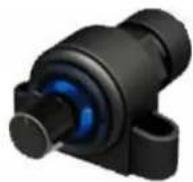
Surface Mount Instructions:
Use the 2 Phillips screws to mount
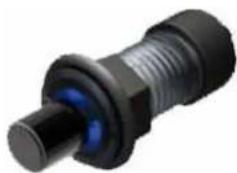
Flush Mount Instructions:
Drill a 7/8" hole. Unscrew the locking nut on the back of the device and pull apart. Slide the unit thru the hole and attach the nut on the back side.
Note: You can adjust the orientation of the knob in either of the two mounting positions by loosening the nut on the back side and rotating the knob to a different position. Example, the mark can either be at 12, 3, 6 & 9 o'clock position.
②