
MROS104 - Tastatur MediaRange - Kostenlose Bedienungsanleitung
Finden Sie kostenlos die Bedienungsanleitung des Geräts MROS104 MediaRange als PDF.


| Produkttyp | Kabelloses Tastatur- und Maus-Set |
| Modell | MROS104 |
| Marke | MediaRange |
| Tastatur-Layout | QWERTZ |
| Anschluss | USB 2.0 2,4 GHz Nano-Empfänger, kabellos, ca. 10 m Reichweite |
| Tastenanzahl | 105 Tasten |
| Lebensdauer der Tasten | 10 Millionen Tastenanschläge |
| Spritzwasserschutz | Ja |
| Höhenverstellung | Ja, praktische ausklappbare Füße |
| Kompatibilität | Windows, Mac, Linux |
| Plug & Play | Ja |
| Gewicht (Tastatur) | 530 g (ohne Batterie) |
| Abmessungen (Tastatur) | 467 x 174 x 26 mm |
| Farbe (Tastatur) | Schwarz |
| Gewicht (Maus) | 60 g (ohne Batterie) |
| Abmessungen (Maus) | 97 x 70 x 36 mm |
| Farbe (Maus) | Schwarz/Grau |
| Batterien (Tastatur) | 1x Micro AAA (nicht im Lieferumfang) |
| Batterien (Maus) | 1x Mignon AA (nicht im Lieferumfang) |
| Anwendungsbereich | Büro und Zuhause, für Computer und Laptop |
| EAN-Code (Einzel) | 4260283117819 |
| EAN-Code (Karton) | 4260283117826 |
| Reinigung | Mit einem weichen, trockenen Tuch abwischen. Keine aggressiven Reinigungsmittel oder Flüssigkeiten verwenden. |
| Sicherheitshinweis | Batterien außerhalb der Reichweite von Kindern aufbewahren. Gerät nicht in Wasser tauchen. |
| Ersatzteile und Reparatur | Ersatzteile sind nicht direkt vom Hersteller erhältlich. Bei Defekt wenden Sie sich an den Händler. |
Häufig gestellte Fragen - MROS104 MediaRange
Benutzerfragen zu MROS104 MediaRange
0 Frage zu diesem Gerät. Beantworten Sie die, die Sie kennen, oder stellen Sie Ihre eigene.
Eine neue Frage zu diesem Gerät stellen
Laden Sie die Anleitung für Ihr Tastatur kostenlos im PDF-Format! Finden Sie Ihr Handbuch MROS104 - MediaRange und nehmen Sie Ihr elektronisches Gerät wieder in die Hand. Auf dieser Seite sind alle Dokumente veröffentlicht, die für die Verwendung Ihres Geräts notwendig sind. MROS104 von der Marke MediaRange.
BEDIENUNGSANLEITUNG MROS104 MediaRange
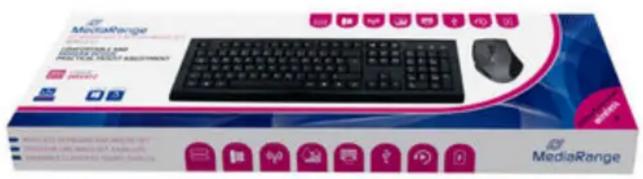
MROS104
MediaRange Wireless keyboard and mouse combo set, QWERTZ, black/grey
MediaRange input devices are perfect for all applications in the office or at home. Our set, consisting of a wireless keyboard and mouse, can be quickly and easily connected via the USB wireless receiver with any computer and is ready to use with all common operating systems. With more than 10 million keystrokes and splash protection, our keyboards are perfectly protected against everyday wear and tear. The practical height adjustment allows you a better writing comfort.
FEATURES
- Model: Set consisting of keyboard with 105 keys and optical 5-button mouse
• Keyboard layout: QWERTZ - Connection: USB 2.0 2.4GHz nano-reciever, wireless, approx. 10m operating distance
• 10 million keystrokes - Splash-proof
• Practical height adjustment - Compatible with Windows, Mac and Linux
- Plug & Play
• Weight (Keyboard): 530g (without battery)
• Dimensions (Keyboard): 467 x 174 x 26 mm
• Color (Keyboard): black
• Weight (Mouse): 60g (without battery)
• Dimensions (Mouse): 97 x 70 x 36 mm
• Color (Mouse): black/grey - Required batteries: 1x Mignon AA (Mouse), 1x Micro AAA (Keyboard)
- Batteries not included
APPLICATIONS
• for connecting to a computer or laptop
• perfect for office and home
EAN Code Piece:4260283117819
EAN Code Carton:4260283117826


Marke : MediaRange
Modell : MROS104
Kategorie : Tastatur