MCF-LW06KIO - Hausautomation MCF88 - Kostenlose Bedienungsanleitung
Finden Sie kostenlos die Bedienungsanleitung des Geräts MCF-LW06KIO MCF88 als PDF.


Benutzerfragen zu MCF-LW06KIO MCF88
0 Frage zu diesem Gerät. Beantworten Sie die, die Sie kennen, oder stellen Sie Ihre eigene.
Eine neue Frage zu diesem Gerät stellen
Laden Sie die Anleitung für Ihr Hausautomation kostenlos im PDF-Format! Finden Sie Ihr Handbuch MCF-LW06KIO - MCF88 und nehmen Sie Ihr elektronisches Gerät wieder in die Hand. Auf dieser Seite sind alle Dokumente veröffentlicht, die für die Verwendung Ihres Geräts notwendig sind. MCF-LW06KIO von der Marke MCF88.
BEDIENUNGSANLEITUNG MCF-LW06KIO MCF88
1. DESCRIPTION
MCF-LW06KIO is able to transfer RS232 serial data to a LoRaWAN™ network. The serial protocol is defined by mcf88. MCF-LW06KIO is a Lora Alliance certified product.
Furthermore MCF-LW06KIO is able to transmit the state of its five opto isolated inputs (4 working with low voltage, one working at 230VAC) and control two relay outputs through the LoRaWAN™ network.
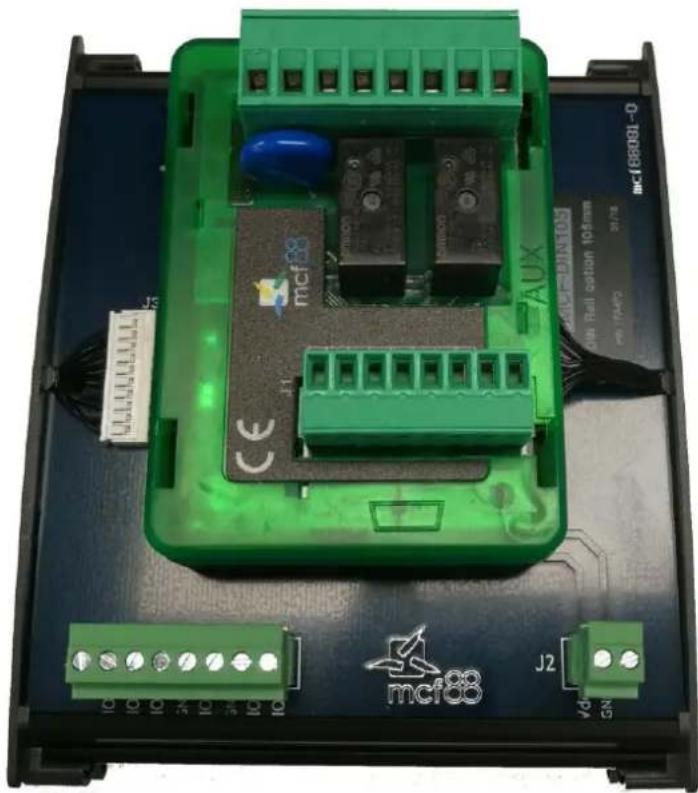
MCF-LW06KIO is available with an optional DIN rail mount board (MCF-DIN105) as follow:
natural_image
Green electronic device with labeled components and connectors, no readable text or symbols beyond branding (no legible text)2. CONNECTION OF THE DEVICE
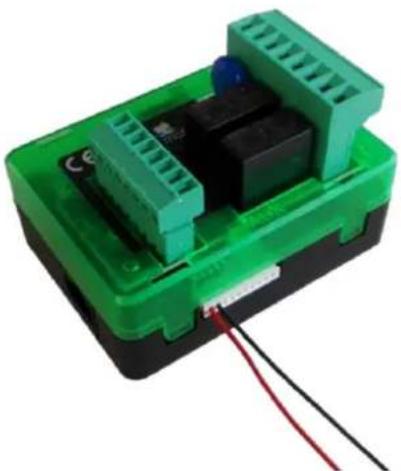
2.1 Connection as stand-alone device: 2.1.1 Power supply:
natural_image
Green plastic electronic device with black connectors and red wires, no visible text or symbolsred wire: positive power supply with range [10-36]Vdc
black wire: negative power supply
Power can also be supplied by USB but in that case I/Os capability is not available.
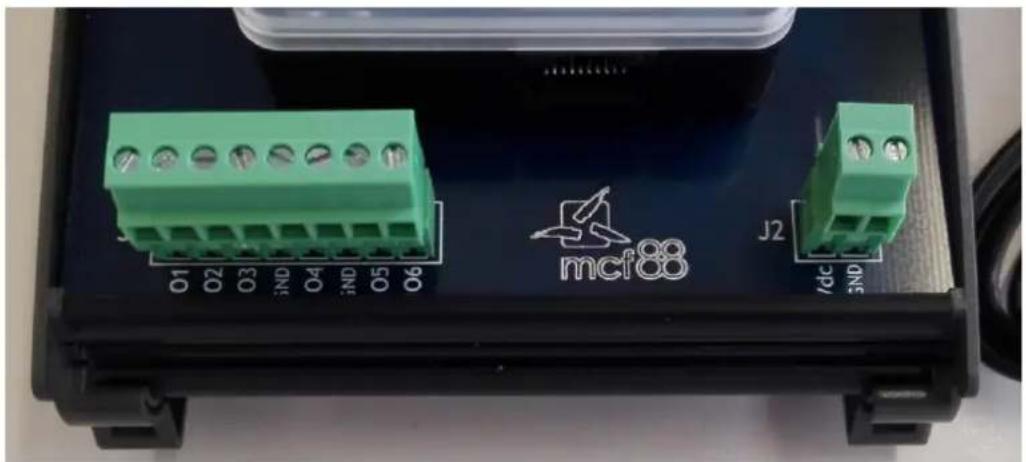
2.2 Connection with MCF-DIN105:
natural_image
Close-up of a black electronic device casing with green connectors and labeled ports (no readable text or symbols beyond labels)2.2.1 Power supply:
| Pin | Name | Description |
| J2.1 | VDD | Positive power supply range [10-36Vdc] |
| J2.2 | GND | Negative power supply |
Power can also be supplied by USB.
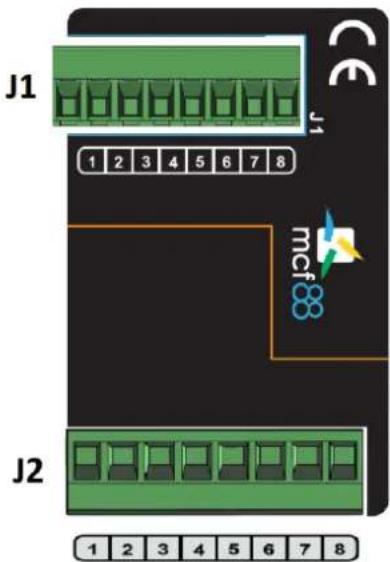
2.3 I/Os monitor and control:
Please make the connections as follows
text_image
J1 1 2 3 4 5 6 7 8 J2 mcf88 1 2 3 4 5 6 7 8| Pin | Name | Description | Range |
| J1.1 | IN1+ | INPUT 1 Positive | [5-24] Vac/dc |
| J1.2 | IN1- | INPUT 1 Negative | |
| J1.3 | IN2+ | INPUT 2 Positive | [5-24] Vac/dc |
| J1.4 | IN2- | INPUT 2 Negative | |
| J1.5 | IN3+ | INPUT 3 Positive | [5-24] Vac/dc |
| J1.6 | IN3- | INPUT 3 Negative | |
| J1.7 | IN4+ | INPUT 4 Positive | [5-24] Vac/dc |
| J1.8 | IN4- | INPUT 4 Negative |
| Pin | Name | Description | Range |
| J2.1 | NO1 | OUTPUT1 Normally Open contact | 250 Vac / 5A |
| J2.2 | COM1 | OUTPUT1 Common contact | |
| J2.3 | NC1 | OUTPUT1 Normally Close contact | |
| J2.4 | NO2 | OUTPUT2 Normally Open contact | 250 Vac / 5A |
| J2.5 | COM2 | OUTPUT2 Common contact | |
| J2.6 | NC2 | OUTPUT2 Normally Close contact | |
| J2.7 | IN5+ | INPUT 5 Positive | [15÷230] Vac |
| J2.8 | IN5- | INPUT 5 Negative |
3. POWER-ON OF THE DEVICE
Power-on the device as described in chapter 2.1.
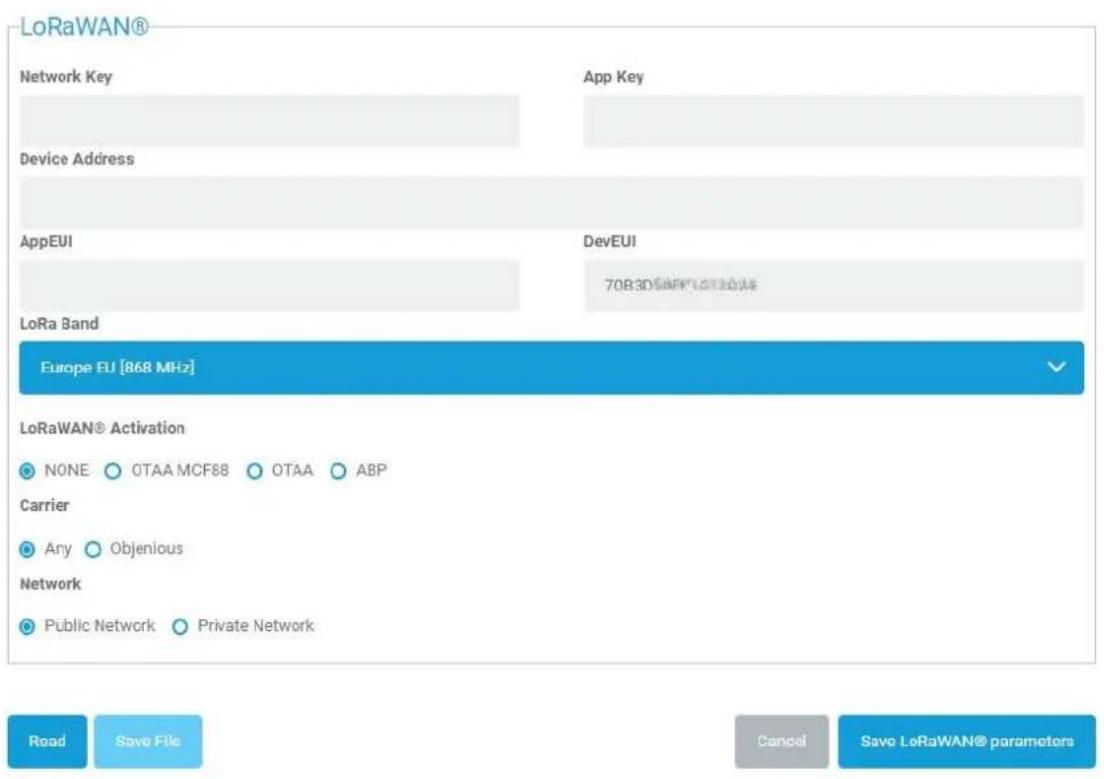
4. LORAWAN™ ACTIVATION
The device supports the following activations on a LoRaWAN™ network:
NONE: sensor not activated
OTAA: the appkey and AppEUI must be written to the device.
OTAA MCF88: Over the air activation according to mcf88 specifications
ABP: requires writing to the device of NwkSkey, AppSkey, DevAddr
The device exits factory activated with NONE mode.
The devEUI of the device is shown on the product label.
MCF-LW06KIO is a class C LoRaWAN™ device.
5. DEVICE CONFIGURATION
The activation parameters and the device settings can be read and modified via USB using the appropriate "LoRaWEB" desktop application (https://iot.mcf88.cloud/LoRaWeb/#/configuration):
LoRaWAN® Parameters
text_image
LoRaWAN® Network Key App Key Device Address AppEUI DevEUI 70B3D 3D 500V 600V 800V LoRa Band Europe EU [868 MHz] LoRaWAN® Activation NONE OTAA MCF88 OTAA ABP Carrier Any Objurious Network Public Network Private Network Road Save File Cancel Savo LoRaWAN® parameters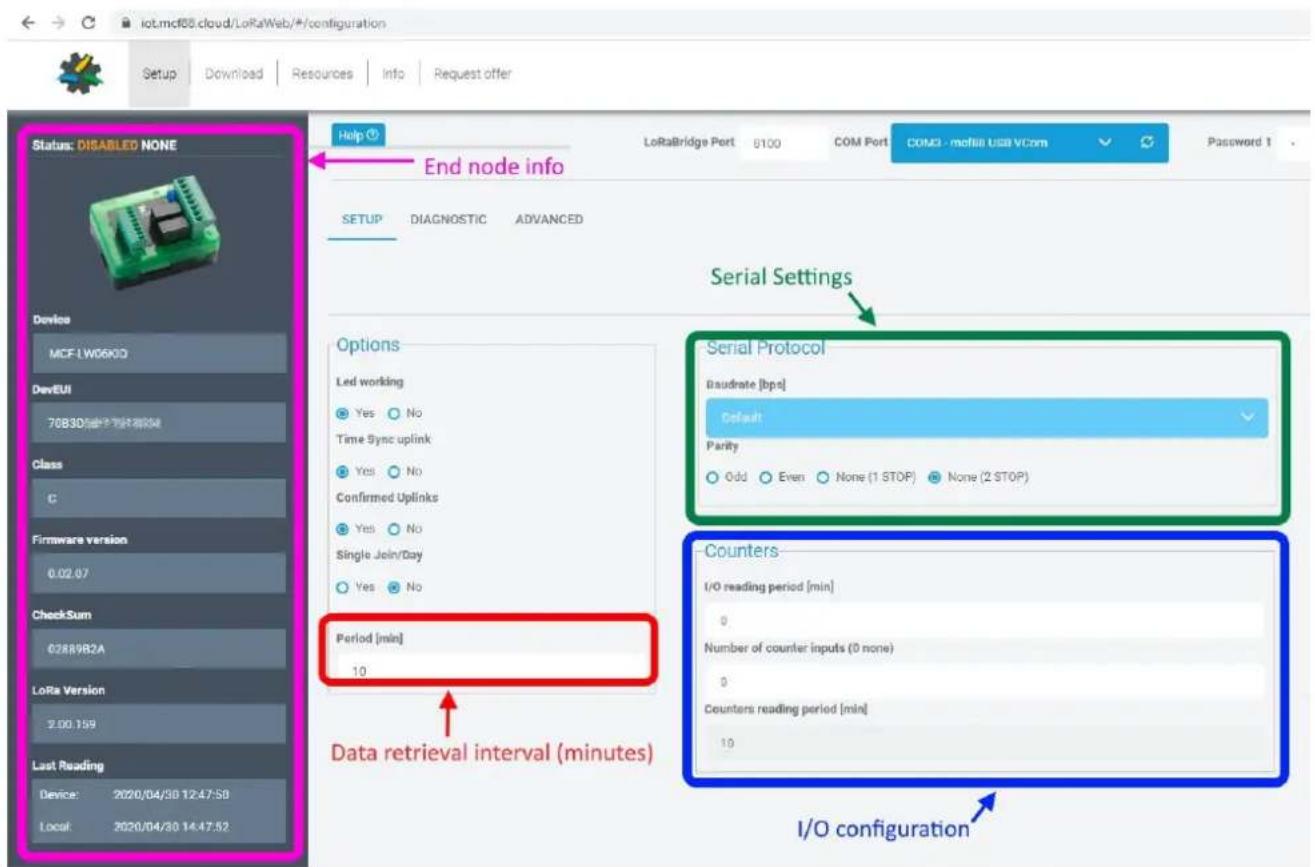
text_image
IoT.mcf68.cloud/LoRaWeb/#/configuration Setup Download Resources Info Request offer Status: DISABLED NONE Device MCF-LW06K0 DevEUI 76B3D Class C Firmware version 0.02 07 CheckSum 02889B2A LoRa Version 2.00.159 Last Reading Device: 2020/04/30 12:47:58 Local: 2020/04/30 14:47:52 Help LoRaBridge Port 8100 COM Port COMO - mobile USB VCom Password 1 End node info SETUP DIAGNOSTIC ADVANCED Serial Settings Serial Protocol Baudrate [bps] Default Parity Odd Even None (1 STOP) None (2 STOP) Period [min] 10 Data retrieval interval (minutes) Counters- I/O reading period [min] 0 Number of counter inputs (0 none) 0 Counters reading period [min] 10 I/O configuration6. INSTALLATION
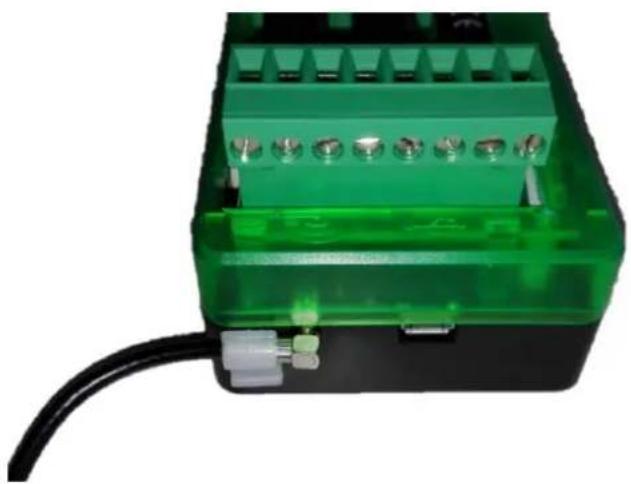
Connect the antenna as shown below:
natural_image
Close-up of a green plastic electrical connector with terminal slots and a black cable (no visible text or symbols)The magnetic antenna must be positioned on a metal body. It should preferably be vertical and at least 30 cm away from other metal bodies.
The installation must take place in a place where the LoRaWAN ^™ signal coverage is good (SF=7 optimal, SF=12 weak).
7. ORDERING CODE
| Ordering Code | Description |
| MCF-LW06KIO | Serial to LoRaWANTM interface with Input/Output capability EU863-870 |
| MCF-LW06KIO-AS | Serial to LoRaWANTM interface with Input/Output capability AS923 |
| MCF-DIN105 | DIN Rail option 105mm |