Quickstore Portable USB3.1 - Festplatte Sharkoon - Kostenlose Bedienungsanleitung
Finden Sie kostenlos die Bedienungsanleitung des Geräts Quickstore Portable USB3.1 Sharkoon als PDF.


Benutzerfragen zu Quickstore Portable USB3.1 Sharkoon
0 Frage zu diesem Gerät. Beantworten Sie die, die Sie kennen, oder stellen Sie Ihre eigene.
Eine neue Frage zu diesem Gerät stellen
Laden Sie die Anleitung für Ihr Festplatte kostenlos im PDF-Format! Finden Sie Ihr Handbuch Quickstore Portable USB3.1 - Sharkoon und nehmen Sie Ihr elektronisches Gerät wieder in die Hand. Auf dieser Seite sind alle Dokumente veröffentlicht, die für die Verwendung Ihres Geräts notwendig sind. Quickstore Portable USB3.1 von der Marke Sharkoon.
BEDIENUNGSANLEITUNG Quickstore Portable USB3.1 Sharkoon
DE Setzen Sie die Verriegelung von "Close" auf "Open".
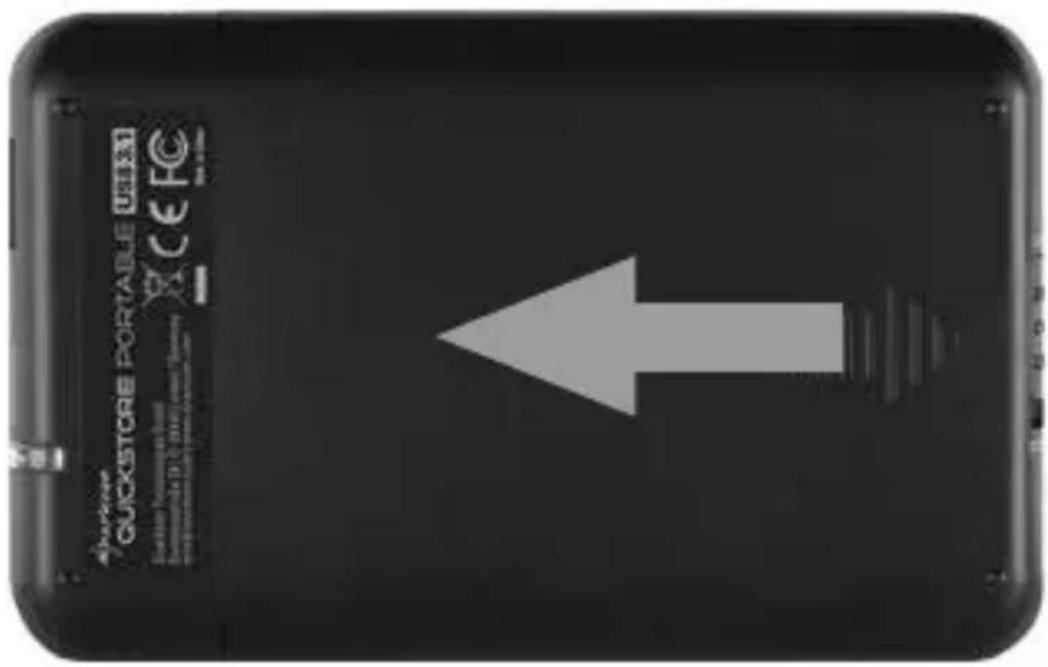
DE Entfernen Sie die Gehäuseabdeckung.
DE Stecken Sie die 2,5"-SATA-HDD/SSD auf den internen SATA-Anschluss.
EN Insert the 2.5" SATA HDD/SDD into the internal SATA connector.
4
text_image
QUICKSTORE PORTABLE QUICKSTORE PORTABLE QUICKSTORE PORTABLE QUICKSTORE PORTABLE QUICKSTORE PORTABLE QUICKSTORE PORTABLE QUICKSTORE PORTABLE QUICKSTORE PORTABLE QUICKSTORE PORTABLE QUICKSTORE PORTABLE QUICKSTORE PORTABLE QUICKSTORE PORTABLE QUICKSTORE PORTABLE QUICKSTORE PORTABLE QUICKSTORE PORTABLE QUICKSTORE PORTABLE QUICKSTORE PORTABLE QUICKSTORE QUICKSTORE QUICKSTORE QUICKSTORE QUICKSTORE QUICKSTORE QUICKSTORE QUICKSTORE QUICKSTORE QUICKSTORE QUICKSTORE QUICKSTORE QUICKSTORE QUICKSTORE QUICKSTORE QUICKSTORE QUICKSTORE QUICKSTORE QUICKSTORE QUICKSTORE QUICKSTORE QUICKSTORE QUICKSTORE QUICKSTORE QUICKSTORE QUICK STORE QUICK STORE QUICK STORE QUICK STORE QUICK STORE QUICK STORE QUICK STORE QUICK STORE QUICK STORE QUICK STORE QUICK STORE QUICK STORE QUICK STORE QUICK STORE QUICK STORE QUICK STORE QUICK STORE QUICK STORE QUICK STORE QUICK STORE QUICK STORE QUICK STORE QUICK STORE QUICK STORE QUICK STORE QUICK TURBAGE QUICK TURBAGE QUICK TURBAGE QUICK TURBAGE QUICK TURBAGE QUICK TURBAGE QUICK TURBAGE QUICK TURBAGE QUICK TURBAGE QUICK TURBAGE QUICK TURBAGE QUICK TURBAGE QUICK TURBAGE QUICK TURBAGE QUICK TURBAGE QUALITY OF QUICK STORES QUALITY OF QUICK STORES QUALITY OF QUICK STORES QUALITY OF QUICK STORES QUALITY OF QUICK STORES QUALITY OF QUICK STORES QUALITY OF QUICK STORES QUALITY OF QUICK STORES QUALITY OF QUICK STORES QUALITY OF QUICK STORES QUALITY OF QUICK STORES QUALITY OF QUICK STORES QUALITY OF QUICK STORES QUALITY of QUICK STORES QUALITY of QUICK STORES QUALITY of QUICK STORES QUALITY of QUICK STORES QUALITY of QUICK STORES QUALITY of QUICK STORES QUALITY of QUICK STORES QUALITY of QUICK STORES QUALITY of QUICK STORES QUALITY of QUICK STORES QUALITY of QUICK STORES QUALITY of QUICK STORES QUALITY of QUICK STORE S. QUALITY OF QUICK STORE S. QUALITY OF QUICK STORE S. QUALITY OF QUICK STORE S. QUALITY OF QUICK STORE S. QUALITY OF QUICK STORE S. QUALITY OF QUICK STORE S. QUALITY OF QUICK STORE S. QUALITY OF QUICK STORE S. QUALITY OF QUICK STORE S. QUALITY OF QUICK STORE S. QUALITY OF QUICK STORE S. QUALITY OF QUICK STORE S. QUALITY OF QUICK STORESDE
Schieben Sie die Gehäuseabdeckung wieder auf das Gehäuse.
EN
Setzen Sie die Verriegelung von "Open" auf "Close".
EN
Verbinden Sie das mitgelieferte USB-3.1-Kabel Standard-A mit dem QuickStore Portable USB 3.1 und Ihrem PC. Das QuickStore Portable USB 3.1 wird automatisch von Ihrem Betriebssystem erkannt.*
EN
*Wenn Sie eine neue Festplatte anschließen, ist diese gegebenenfalls nicht partitioniert und Ihr Betriebssystem wird deshalb die Festplatte nicht erkennen. In diesem Fall müssen Sie Ihre Festplatte mithilfe des Betriebssystems partitionieren und formatieren.
NOTE:
Für evtl. auftretende Datenverluste, insbesondere durch unsachgemäße Handhabung, übernimmt SHARKOON keine Haftung. Alle Rechte vorbehalten, insbesondere (auch auszugsweise) die der Übersetzung, des Nachdrucks, der Wiedergabe durch Kopieren oder ähnliche Verfahren. Zuwiederhandlung verpflichten zu Schadenersatz. Alle Rechte vorbehalten, insbesondere für den Fall der Patenterteilung oder GM-Eintragung. Liefermöglichkeiten und technische Änderungen vorbehalten.